Pool Cleaning Service Route Planner: Complete Guide (2026)

Pool Cleaning Service Route Planner

Pool Cleaning Service Route Planner: Complete Guide (2026)

user profile

Ruchita Purohit

August 21, 2026

Table Of Content

You know that sinking feeling at 6:30 AM when you look at today’s schedule and three stops are on opposite ends of town? Your first tech is already loading chemicals, and you are still trying to figure out whether the bi-weekly on Oak Street is this week or next.

That is what running a pool business without a route planner looks like. And it costs more than you think.

Pool service companies that plan routes manually lose 3 to 5 hours every week just on scheduling. That is time you could spend signing new accounts, training a new tech, or simply getting home before dark. And the fuel waste from zigzagging between neighborhoods adds up to $200 to $400 per truck per month that goes straight out the exhaust pipe.

This guide shows you how to schedule pool cleaning routes that actually save time and money, how to optimize pool cleaning routes with software, and how to pick the right pool cleaning scheduler for your business size. Real strategies. Real numbers. No guesswork.

What Is a Pool Cleaning Service Route Planner?

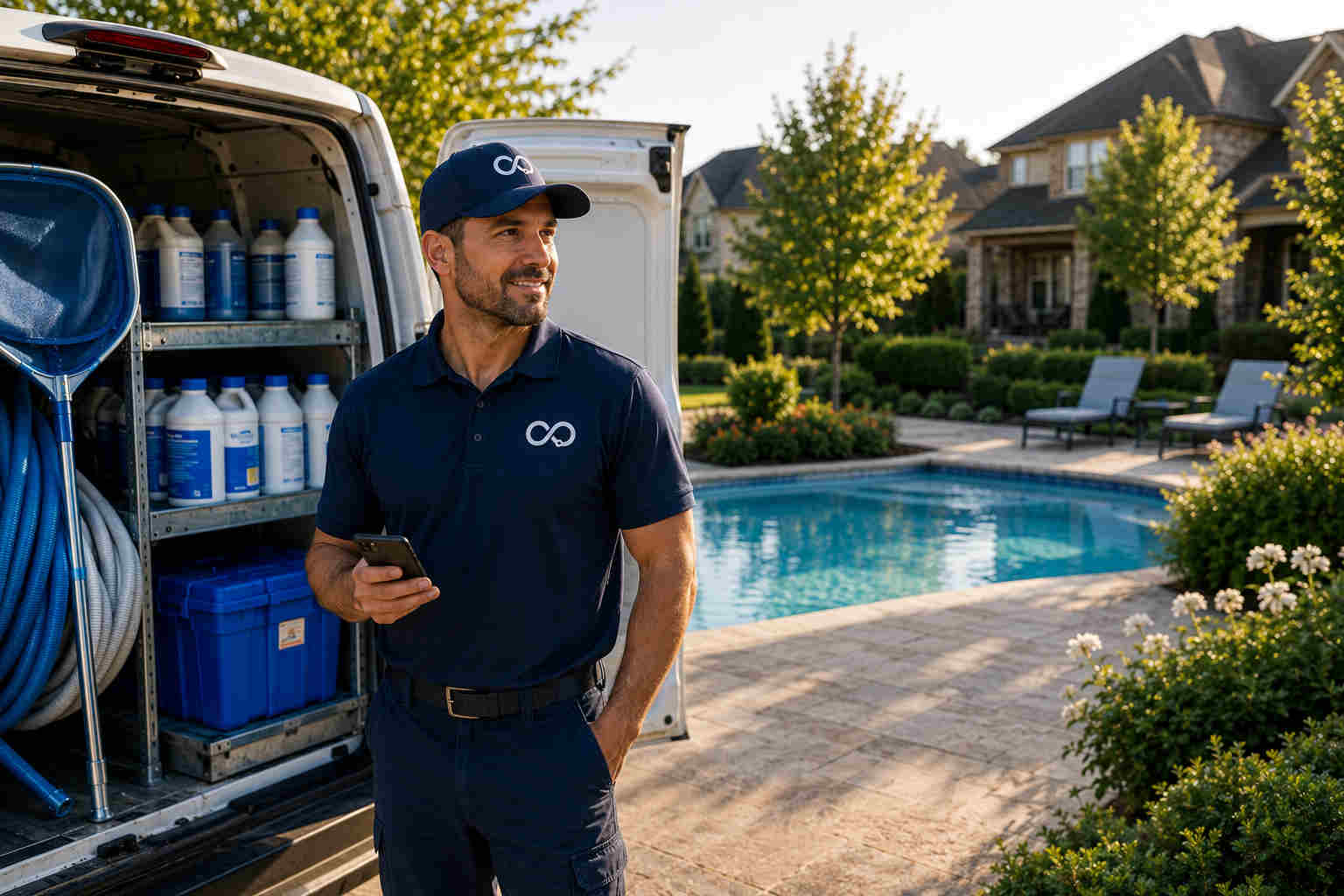
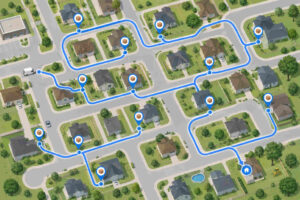
A pool cleaning service route planner is any tool or system that organizes your daily service stops into the smartest driving order. At its simplest, it is a color-coded map on your office wall. At its best, it is software that sequences hundreds of stops across multiple technicians in seconds.

But here is what makes pool routing different from regular delivery routing: repetition.

A pizza driver gets a new stop list every shift. A pool tech visits the same 12 to 16 homes every single week, on the same days, for months at a time. That recurring rhythm changes everything about how routes need to be built.

A good pool cleaning routing system handles weekly, bi-weekly, and monthly service frequencies without you rebuilding schedules by hand every period. It absorbs new signups and cancellations without blowing up the rest of the week. It factors in time windows (Mrs. Garcia wants you there before 10 AM), technician skills (not every tech can calibrate a salt system), and real-world headaches like gate codes, backyard-only access, and that one customer whose dog needs to be put inside first.

To understand how route optimization works under the hood across service industries, our guide on what is route optimization covers the core concepts.

Why Bad Routes Are the Biggest Profit Killer in Pool Service

A pool company in Arizona tracked their technicians for a month and found they were driving 47 extra miles per day because of poor route sequencing. At current fuel prices, that was roughly $18 per truck per day going nowhere.

Here is how the math works for a typical operation.

Say you run 12 stops per day with unplanned routes. Average drive time between stops sits around 18 to 22 minutes. With properly clustered, neighborhood-optimized schedules, that drops to 7 to 12 minutes.

On 12 daily stops, that gap adds up fast. Unplanned routes eat 220 to 260 minutes of driving per day. Optimized routes bring that down to 85 to 140 minutes. That is one to three extra hours back in your day, every day, without adding a single stop.

But the fuel savings are just the start. The bigger number is the revenue you leave on the table. Fit two more pools per day at $150/month each and you add $1,200 to $1,800 in new monthly recurring revenue. No extra hours. No new hire. Just smarter routing.

And it compounds. A pool company with tight routes can push 80 to 100 pools per technician. Scattered routes? You hit a wall around 50 to 60, which means you have to hire sooner, buy another truck sooner, and absorb more overhead at thinner margins.

For more strategies that directly cut operating costs across service businesses, check out 10 proven ways to reduce delivery costs.

How to Schedule Pool Cleaning Routes: Step-by-Step

Before you spend a dollar on pool maintenance software, learn the manual method. Even if you automate later, knowing these steps helps you catch bad software recommendations and make better decisions when real-world quirks come up.

Step 1: Build Your Customer Database
Create a master spreadsheet with every routing detail that matters. For each customer, you need the full address, service frequency (weekly, bi-weekly, monthly), preferred service day if they have one, estimated service duration (30 to 60 minutes depending on pool size and type), access instructions (gate code, key location, dog situation, side yard entry), special equipment or chemical notes, and contact info for notifications.

This step sounds basic, but most pool companies skip the access details. Your tech showing up and not being able to get into a backyard costs 10 to 15 minutes of calling and waiting. Multiply that across a few stops per week and you are losing an hour before the month is over.


Step 2: Group Customers by Geography
Plot every address on Google My Maps (free) or any map tool. Color-code by frequency: green for weekly, yellow for bi-weekly, red for monthly.

You will immediately see that 70 to 80 percent of your accounts cluster into three to five natural neighborhood zones. The other 20 to 30 percent are scattered outliers, and those outliers are the ones destroying your efficiency.

Customers within 2 to 3 miles of each other belong in the same route zone. Create zone names that your team recognizes: “Downtown West,” “Hillside Estates,” “Riverside North.”


Step 3: Assign Zones to Days
Give each geographic cluster its own day of the week. Monday covers the northwest neighborhoods. Tuesday handles the central area. Wednesday takes the southeast. Keep each day’s stops within a 15 to 20 minute drive radius.

For bi-weekly accounts, alternate weeks. For monthly accounts, slot them into whichever week fits best within their geographic zone. The golden rule: never schedule a monthly account on a day that pulls a technician away from their normal zone just to fill a gap.


Step 4: Calculate Route Capacity
Figure out how many pools each technician can realistically handle per day. Standard residential pool cleaning takes 30 to 45 minutes. Add 5 to 10 minutes of drive time between nearby stops. Factor in a lunch break, end-of-day chemical restock, and equipment checks.

Most experienced technicians handle 12 to 16 pools per day with properly planned routes. New hires should start at 8 to 10 and build speed over their first two to three months.


Step 5: Sequence Stops to Cut Backtracking
Within each day’s zone, order your stops by proximity. Start from home or the shop, drive to the closest stop, then to the next nearest unvisited stop, and keep going. Consider traffic patterns too. If your city has predictable rush hour congestion, schedule stops on the far side for early morning and save the nearby ones for after things clear.


Step 6: Build in Buffer Time
Block off 60 to 90 minutes of unscheduled time in every day plan. This absorbs the things you cannot predict: a filter that needs more work, a homeowner who wants to chat about their pump noise, an emergency algae call from your biggest commercial account.

Without buffer, one delay snowballs through your entire afternoon. With buffer, you have room to breathe and still finish on time.

Our detailed guide on how to plan multi-stop routes walks through each of these steps in even more depth.

When Does Manual Planning Stop Working?

Around 60 pools for a solo operator. Once you have two or three techs covering 80 pools each, you are juggling 240 stops per week across dozens of neighborhoods. That is where pool cleaning routing software stops being a luxury and becomes a real need.

How to Optimize Pool Cleaning Routes With Software

Pool maintenance software with route optimization uses algorithms to calculate the most efficient stop sequence across your entire team at once. But not every tool works the same way, and the differences matter.

Static optimization plans routes ahead of time from fixed addresses. You enter tomorrow’s stops and the software builds the best sequence. Most entry-level tools work this way, and it is a solid upgrade from doing it by hand.

Dynamic optimization recalculates on the fly. A cancellation at 10 AM reshuffles the afternoon. A traffic jam triggers rerouting. An emergency call gets slotted into the nearest technician’s schedule without wrecking everyone else’s day. This requires real-time GPS tracking and live data. Bodha Route Planner handles both, showing dispatchers a live map of every technician’s location and progress throughout the day. When something changes, the system recalculates and pushes updated routes straight to the tech’s phone.

Recurring route intelligence is what separates pool-specific routing from generic delivery planners. Your pool cleaning scheduler needs to hold a stable weekly pattern while absorbing changes (new customers, seasonal shifts, one-off repairs) without tearing up the base schedule. Bodha’s optimization engine is built for exactly this kind of recurring service work. Set your base routes once and the system handles daily adjustments around them.

How to Choose the Right Pool Cleaning Routing Software

There are dozens of platforms fighting for your subscription. Picking wrong costs you months of setup time and switching headaches. Here is how to narrow it down fast.

Match the Tool to Your Operation Size

Solo operator (under 75 pools): You need route sequencing and basic customer records. Not fleet dispatch or enterprise analytics. Bodha Drive lets you add stops with voice, camera, or map and optimize your route with one tap from your phone.

Growing team (2 to 5 techs, 75 to 250 pools): Now you need multi-tech scheduling, workload balancing, and automatic customer notifications. Bodha Fleet gives you fleet dispatch management with drag-and-drop stop assignment, live tracking, and a mobile app your technicians can learn in minutes.

Established company (6+ techs, 250+ pools): You need auto-assignment, workforce analytics, API access, and detailed reporting. Our comparison of fleet dispatch software covers what to look for at this tier.

Five Features You Cannot Skip

1. Recurring schedule management: 
The tool must auto-generate next week’s routes from your weekly patterns without manual rebuilding. Seasonal frequency changes (weekly to bi-weekly in fall) should be a settings tweak, not an 8-hour replanning session.

2. Mobile app that works offline: 
Cell coverage in residential backyards is terrible. The app must work without signal and sync when it reconnects. Bodha’s driver app handles offline mode on iOS and Android with full sync.

3. Solid route optimization:
Test with your real addresses, not demo data. If the software route is not noticeably better than your manual plan, the algorithm is not strong enough.

4. Customer communication:
Automated “on the way” texts and service completion updates are the standard now. Bodha’s text notification system sends updates at every stage. Pool teams using it report up to 40% fewer “where are you?” calls.

5. Service logging at each stop:
Chemical readings, dosages applied, equipment notes, photos. Software that builds this into the route workflow (tech opens next stop, sees history, logs readings, marks done, moves on, all in one screen) saves real minutes at every single pool.

Handling Complications: Emergencies, Weather, and Seasonal Shifts

The difference between a good route plan and a great one is how well it handles the stuff you did not plan for.


Emergency Calls

Emergency algae treatments, broken pumps, and pre-party cleanings bring in real revenue. But they wreck carefully planned routes if you do not have a system.

Build emergency time slots into every day. Reserve 60 to 90 minutes for same-day urgent calls. If no emergencies come in, use the time for equipment checks or catch-up work. When an emergency does land, the nearest technician picks it up without disrupting everyone else’s schedule.

Before accepting an emergency, calculate the margin. A $150 algae treatment justifies 30 minutes of extra drive time. A $75 basic cleaning 20 minutes off-route probably does not.

With Bodha, you handle this from the dispatch dashboard: see where every tech is on the live map, drag the emergency stop into the nearest schedule, and the system recalculates the rest.


Weather Delays

Rain does not stop most pool service, but lightning does. Set clear weather rules for your team. Light rain: service continues. Thunderstorms within 10 miles: pause 30 to 60 minutes and resume when clear. Severe weather warning: cancel the day and roll all stops to the first make-up date.

The habit that saves you the most headaches is proactive communication. A text at 7 AM that says “Due to weather, your pool service moves to Thursday. No action needed” prevents 15 phone calls and protects customer trust better than silence followed by a no-show. Bodha’s automated notifications handle these updates without anyone picking up a phone.


Seasonal Schedule Transitions

Summer means weekly service. Fall shifts to bi-weekly. Winter drops to monthly for many customers. Most pool companies rebuild routes manually each season, burning 8 to 12 hours on replanning.

The smarter move: plan transitions 2 to 3 weeks ahead. Contact customers before frequency changes. Phase the shift over 4 to 6 weeks by zone instead of flipping everything overnight. Software with recurring route management handles this automatically. Set the new frequency per customer and the system adjusts without you touching every route by hand.

Pool scheduling shares many seasonal patterns with lawn care. Our guide on lawn care route planning covers crossover strategies that work for both.

Managing Multiple Technicians: Territory, Workload, and Absences

Every new hire multiplies routing complexity. Here is how to keep it manageable without losing your mornings to dispatch chaos.

Pick a territory model
Fixed zones are the most efficient for driving but risky if a tech quits or calls in sick. Rotating territories build cross-training but sacrifice customer familiarity. The sweet spot most successful operations land on is a hybrid: each tech owns a primary zone with one cross-training day per month on a colleague’s route.

Balance by hours, not stop count
Fourteen small residential pools in a tight neighborhood might take six hours. Ten spread-out commercial pools might take nine. Equal stop counts create unequal days. Bodha’s route analytics show total estimated hours per driver so you can spot imbalances before they cause burnout or overtime.

Pre-plan absences
When a tech calls in sick at 6 AM, the answer to “who covers?” should already be written down. Pre-assign the three to five highest-priority stops on each route to a specific backup tech. Push the rest to the next business day and fire off a reschedule text through Bodha’s notification system. Customers accept a one-day delay far better than a missed visit with zero communication.

ROI by Fleet Size: What Optimized Routes Actually Save You

The savings from route optimization are not theoretical. Here is what pool service companies typically see, broken down by team size.

Solo Operator or 2 to 3 Trucks

Manual route planning eats 45 to 60 minutes every morning. Optimized routing drops that to 5 to 10 minutes. That alone saves roughly 3.5 hours per week.

Fuel waste from poor sequencing runs 15 to 25 extra miles per truck per day. Optimization cuts that by about 70%.

  • Monthly time savings (at $25/hour): $350 to $400
  • Monthly fuel savings (2 to 3 trucks): $400 to $625
  • Additional revenue from 1 to 2 extra pools per day: $800 to $1,600
  • Total monthly ROI: $1,550 to $2,625

4 to 6 Trucks

Route complexity goes up fast with more drivers. Manual planning takes 90+ minutes daily at this size.

  • Monthly time savings: $700+
  • Monthly fuel savings (5 trucks): $875 to $1,250
  • Additional revenue from extra capacity: $1,600 to $3,200
  • Total monthly ROI: $3,175 to $5,150

7 to 10 Trucks

At this scale, manual scheduling is nearly impossible to do well. The waste compounds across every driver, every day.

  • Monthly time savings: $1,300+
  • Monthly fuel savings (8 trucks): $1,500 to $2,000
  • Additional revenue from extra capacity: $2,400 to $4,800
  • Additional emergency revenue captured: $800 to $1,500
  • Total monthly ROI: $6,000 to $9,600

Beyond direct savings, optimized routes reduce technician burnout (less windshield time, earlier finishes) which cuts turnover. Replacing one technician costs $2,000 to $4,000 in recruiting, training, and lost productivity. Consistent arrival times also boost customer retention, and keeping a customer is always cheaper than finding a new one.

Most pool service companies pay back their software cost within the first 2 to 3 weeks.

The Four Numbers That Tell You If Your Routes Are Working

Most pool companies track revenue and customer count. That is not enough. These four metrics show whether your routes are actually efficient.

Pools per tech per day:
Residential target: 12 to 18. Commercial: 6 to 10. Consistently below these? The problem is almost always routing or scope creep at individual stops.

Average drive time between stops:
Target: 7 to 12 minutes for suburban routes. Above 15 means geographic gaps. Above 20 means you have outlier accounts dragging down the whole route.

Route density:
Pools per square mile of your service area. When adding customers, target neighborhoods where you already have accounts. A new customer three blocks from an existing route is worth twice as much operationally as one in a new neighborhood 20 minutes away.

Revenue per route hour:
Daily route revenue divided by total hours worked (including driving). A 12-pool route finished in 7 hours often beats a 15-pool route stretched over 9 hours when you look at the hourly number.

Bodha’s analytics dashboard tracks all four automatically, broken down per driver and per route.

Start Building Better Pool Routes This Week

You do not need to overhaul your operation overnight. Map your customers, cluster them into zones, and start tracking your drive time between stops. That alone will show you where money is leaking.

When you are ready to move past manual planning, Bodha Route Planner gives you AI-powered route optimization, live technician tracking, automated customer updates, and a mobile app your team can learn in minutes. Built for recurring service routes like pool cleaning, not retrofitted from a delivery app.

Start your free 7-day trial. Test it with your real stops. No credit card, no commitment.

Save 1 to 2 Hours Every Day

Pool service teams using Bodha cut drive time by 30% and fit more stops without adding hours.

Related blogs

How to Plan Delivery Routes: A Practical Guide for Operators

How to Plan Delivery Routes: A Practical Guide for Operators

Back Table Of Content Something every experienced dispatcher knows: the difference between a good day and a chaotic…

Reduce Delivery Costs: 10 Proven Strategies That Actually Work

Reduce Delivery Costs: 10 Proven Strategies That Actually Work

Back Table Of Content Last-mile delivery is the most expensive part of the logistics chain. It accounts for…

Best Route Optimization Software for Food Distributors in 2026: Features, Pricing & Top Picks

Best Route Optimization Software for Food Distributors in 2026: Features,…

Back Table Of Content In food distribution, the clock runs everything. You’re moving perishable stock through narrow receiving…

Flower Delivery Route Planner for Florists: A Smart Guide

Flower Delivery Route Planner

Flower Delivery Route Planner for Florists: A Smart Guide

user profile

Ruchita Purohit

August 20, 2026

Table Of Content

Picture this. It is 6:30 in the morning on Valentine’s Day. You have got 140 orders pinned to the wall, three drivers waiting by the van, and a customer already calling to ask if their roses will make it to the office before lunch. Meanwhile, the lilies in the back cooler have maybe four hours of freshness left once they hit the van.

This is the reality of running flower deliveries. And it is exactly why every serious florist needs a flower delivery route planner.

If your shop still plans deliveries by hand, sorts addresses on paper slips, or relies on Google Maps to figure out the best sequence, this guide will show you what you are leaving on the table. We will cover the real pain points of manual routing, what features actually matter in a florist delivery route planner, and how Bodha Route Planner helps flower shops stay calm, save money, and deliver on time even on the busiest days of the year.

What Makes Flower Delivery So Difficult?

Let us be honest. Delivering flowers is harder than delivering almost anything else. And the reason comes down to one thing: flowers do not wait.

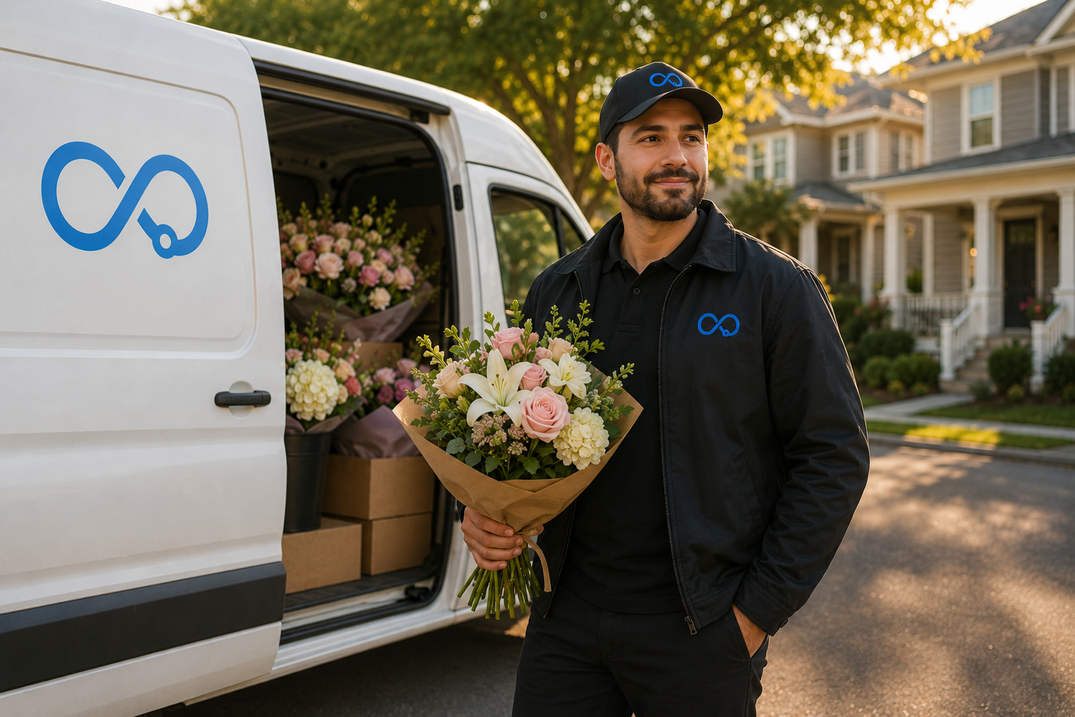
A cardboard box can sit in a van for hours. A bridal bouquet cannot. Every extra minute on the road means petals wilting, stems drooping, and arrangements arriving in worse shape than when they left your shop. A flower delivery route planner is not just about saving gas. It is about protecting your product.

Then there are the time windows. When someone orders birthday flowers for a noon surprise, they do not mean 12:45. They mean noon. Flower deliveries carry emotional weight that regular packages simply do not, and showing up late can ruin the moment entirely. Your florist delivery route planner has to respect those windows or it is not doing its job.

And the volume swings? They are brutal. You might handle 15 deliveries on a normal Wednesday. But Valentine’s Day, Mother’s Day, Easter, Prom season, and the wedding rush can push that to 100 or 200 in a single day. Your flower delivery management system has to scale from quiet mornings to absolute chaos without falling apart. This challenge is very similar to what restaurants face with food delivery route optimization, where the clock on freshness never stops ticking.

On top of all that, flower deliveries go to tricky addresses. Office buildings with suite numbers. Apartments with gate codes. Hospitals that only accept deliveries between certain hours. Funeral homes. Churches. Restaurants with no clear front entrance. If your driver does not have notes for each stop, they end up calling the shop every ten minutes asking for directions, and that slows everything down.

Finally, same-day orders are not the exception in this business. They are the norm. Someone remembers an anniversary at 10 AM and needs flowers delivered by 3 PM. Your florist delivery route planner needs to slot that new stop into a route that is already running without blowing up the whole plan.

When you add all of this together, flower delivery is one of the most demanding last mile delivery challenges in any industry. The product is fragile, the time windows are tight, the volume swings are unpredictable, and customer expectations are sky high. That last mile from your shop to the customer’s door is where reputations are made or lost.

What Manual Route Planning Actually Costs Your Flower Shop

Here is how most flower shops handle deliveries. Orders come in throughout the day. Someone writes the addresses on slips, sorts them into a rough geographic order, and hands the stack to the driver. The driver loads the van, opens Google Maps, and tries to figure out the smartest sequence on the fly.

For five or ten stops, this works fine. For anything beyond that, it quietly bleeds your business dry.

Start with the time you spend planning. A shop owner or dispatcher sorting 30 addresses by hand burns 30 to 45 minutes every morning. That adds up to about 15 hours a month, spent on something a flower delivery route planner can finish in half a minute. If you have ever wondered what route optimization actually means and whether it is worth it, this is where the answer becomes very clear.

Next comes the wasted mileage. Without optimized routes, your drivers zigzag across the same neighborhoods. They deliver on the north side, come back through downtown for a stop they missed, then head north again. Research consistently shows that manual routing adds 20 to 40 percent extra mileage compared to properly optimized routes. For a florist running two drivers, that is easily $400 a month burned on fuel that did not need to be spent. We break this down further in our guide on reducing delivery costs.

Then there are the missed time windows. When you plan by gut feel, you cannot guarantee that a 2 PM wedding delivery actually happens at 2 PM. And in flower delivery management, a late wedding centerpiece is not just an inconvenience. It is the kind of mistake that leads to a one-star Google review and a lost customer for life.

Driver workload also gets lopsided without a florist delivery route planner balancing things out. One driver gets stuck with 25 stops while another has 12. The overloaded driver falls behind and rushes. The underloaded driver finishes early and sits around. Neither situation is good for your bottom line.

And when a customer calls asking, “Where are my flowers?” all you can say is, “Let me call the driver and find out.” That phone call interrupts the driver mid-route, slows them down, and still does not give the customer a real answer. Proper flower delivery management gives everyone visibility without a single phone call.

Do not forget disputes. Without photo proof, every “I never received my order” complaint turns into a guessing game. Your driver says they left it at the door. The customer says they did not. Without a timestamped photo, you are eating the cost of a replacement arrangement every time.

Add it all up and a mid-size flower shop running 30 to 50 deliveries a day can easily waste $800 to $1,200 a month on fuel, time, and lost orders. That is money a dedicated flower delivery route planner saves you starting on day one. If you are curious about what delivery software actually costs in 2026, we compared the numbers across the market so you can see where the value sits.

Features That Actually Matter in a Flower Delivery Route Planner

Google Maps is great for driving to one place. It was never built to figure out the smartest order for 40 stops across three drivers with time windows and perishable cargo. Here is what you should actually be looking for.

A real route optimization engine:
This is the core of any florist delivery route planner. You need software with an AI-powered route optimization engine that takes all your stops, factors in live traffic and delivery time windows, and spits out the most efficient sequence in seconds. Not minutes. Seconds. If it takes longer than that, it is not fast enough for a busy flower shop.

Multi-driver assignment that balances workload:
On peak days, you might have your regular driver plus two or three temps. Your flower delivery route planner should split stops across everyone automatically, balancing by zone and time so no one is overloaded and no one is sitting idle. If you are managing a growing delivery team, our guide on how to plan delivery routes walks through the dispatch workflow step by step.

Time window support that actually works:
You need to be able to tag each stop with a window like “before 10 AM” or “between 2 and 4 PM” and have the routing engine build around those constraints automatically. This is the single feature that separates a real florist delivery route planner from a basic navigation app.

Live tracking with on-the-fly changes:
When a same-day order drops in at 11 AM, you need to slot it into an active route without rebuilding everything from scratch. Look for real-time tracking that lets you drag, drop, and re-optimize while your drivers are already on the road.

Customer notifications that stop the phone from ringing:
Automated SMS and email notifications with live tracking links do two things. They give your customers peace of mind, and they give your team back the time they used to spend answering “Where is my order?” calls all day.

Proof of delivery for every stop:
Photos, e-signatures, and GPS timestamps captured right at the door give you a solid record of every delivery. For high-value orders like wedding work, this is not a nice-to-have. It is essential flower delivery management.

A driver app that drivers actually like using:
Your drivers need a clean, simple mobile app that shows turn-by-turn navigation, delivery notes, gate codes, and special instructions in one place. It should work offline too, because some delivery areas have terrible cell coverage.

Easy data import:
If your orders live in a spreadsheet, POS, or e-commerce platform, the flower delivery route planner should pull them in without you retyping anything. At minimum, look for CSV and Excel import with API access for hooking into Shopify or WooCommerce directly.

A CRM built for deliveries, not sales calls:
Flower shops live on repeat customers. A delivery CRM that remembers gate codes, preferred delivery times, and past order history makes your drivers look like they know every customer personally. That is the kind of flower delivery management detail that turns a first-time buyer into someone who orders from you every anniversary, every birthday, every holiday.

Analytics that show you what is actually happening:
You cannot fix what you cannot see. Route analytics that track on-time rates, stops completed per hour, fuel costs, and driver performance give you the data to keep getting better week after week.

How Bodha Route Planner Works for Flower Shops

Bodha Route Planner is an AI-powered flower delivery route planner built for last mile delivery teams that need to move fast, track everything, and cut costs. Flower delivery is a last mile problem at its core. The bouquet is arranged, boxed, and ready. The only thing standing between your shop and a happy customer is that final stretch of road. Bodha is built specifically to solve that last mile, whether your shop handles 15 deliveries on a slow day or 150 on a holiday. Here is how it fits into your operation.

Import your flower orders:
Pull your delivery addresses from your POS, Shopify, WooCommerce, or any order system. Upload them into Bodha through Excel, CSV, or API. The system validates every address, flags anything that looks wrong, and gets your stops ready in minutes. No retyping. No copy-pasting into Google Maps one stop at a time.

Let the AI optimize your routes:
Bodha’s route optimization engine takes every stop and builds the most efficient routes across all your drivers in under 30 seconds. It accounts for live traffic, time windows, vehicle capacity, and driver schedules. What you get back is a set of balanced, tight routes that keep drive time short and flowers fresh.

Dispatch to your drivers in one click:
Each driver gets their route on the Bodha mobile app with turn-by-turn navigation, delivery notes, customer instructions, and the full optimized sequence. No morning briefings. No paper slips. No frantic calls when someone misses a turn. Your drivers deliver flowers. Bodha handles the rest.

Track everything and keep customers informed:
Once drivers leave the shop, you track every vehicle on a live map. You see route progress, ETAs, and stop status in real time. Meanwhile, your customers get automated SMS and email updates with a branded tracking link. On Valentine’s Day, instead of answering the phone 50 times, your customers watch their delivery come to them. That is what good flower delivery management looks like.

Capture proof at every door:
Your driver snaps a photo of the arrangement, collects an e-signature when needed, and logs a GPS timestamp. All of this happens right in the app. If the driver hits a dead zone, the proof saves locally and syncs when signal comes back. Disputes go from stressful to simple.

Review and improve:
After each delivery day, Bodha gives you clear analytics on on-time rates, stops per hour, mileage, fuel estimates, and driver performance. Over time, you see exactly which zones are slow, which routes are tight, and where your flower delivery management keeps getting stronger.

Results Florists Are Actually Seeing

These are not projections. They are the averages across businesses already using Bodha as their flower delivery route planner.

A 25% drop in delivery costs because routes are shorter, smarter, and waste less fuel.

3x faster route planning because what used to take 45 minutes of manual sorting now takes seconds.

A 98% on-time delivery rate because every route is built around time windows and live traffic data.

A 43% drop in support calls because automated notifications and tracking links give customers the answers before they pick up the phone.

For a flower shop doing 40 deliveries a day with two drivers, that is roughly $400 or more back in your pocket every month. You can see how Bodha stacks up against other options in our route planning software pricing comparison.

Running a Small Flower Shop With One Driver? You Are Not Left Out

Not every florist runs a multi-van operation. Plenty of flower shops are one-person businesses where the owner arranges the bouquets, takes the orders, and then loads the van and drives every delivery personally. If that sounds like your day, you still deserve a flower delivery route planner. You just do not need the full fleet version yet.

That is why we built Bodha Drive. It is a free route planner app for individual drivers that optimizes up to 20 stops per route with unlimited routes. Completely free. No credit card. No trial that expires and leaves you stranded.

With Bodha Drive, you add your stops by voice, camera, or just tapping the map. The app figures out the fastest sequence in seconds and hands it off to Google Maps, Apple Maps, or Waze for navigation. It even tells you what order to load your van so the last delivery goes in first and the first delivery is right on top. It is a florist delivery route planner built for a team of one.

And here is the part that matters for growing shops. When business picks up and you hire your first driver, or when Valentine’s Day hits and you need two extra hands, the jump to Bodha’s last mile delivery software is seamless. Your customer data, your preferences, your workflow, it all carries over. You do not start from zero. You just add drivers and Bodha grows with you. It is the same last mile delivery platform trusted by over 1,000 businesses, scaled down to work for a flower shop that is just getting started.

Peak Season Is Where This Really Pays Off

The quiet Tuesdays are easy. Any system handles those. The real question is what happens when Valentine’s Day lands and your order count goes from 20 to 200 overnight.

Without a florist delivery route planner, peak days are chaos. You spend an hour sorting orders. Temp drivers get lost because they have never driven your area. Time windows slip. Customers call nonstop. Drivers come back with undelivered arrangements because they ran out of daylight.

With Bodha, that same day feels manageable. You import all your orders in minutes. Bodha splits them across every driver, including the temps who do not know a single street name in your city. Each driver opens the app and sees a perfectly sequenced route with navigation and notes for every stop. Customers get tracking links without you lifting a finger. You see everything happening live on one screen.

The same flower delivery route planner that runs your 15-stop Wednesday runs your 200-stop Valentine’s Day. No extra setup. No surprise fees for adding temporary drivers. Bodha charges by usage, not per driver, so scaling your last mile delivery team for holidays does not blow up your software bill. If you want to dig deeper into how last mile delivery software compares across the market, our 2026 buyer’s guide breaks it all down. You can also check the pricing page for the full breakdown.

Getting Started Takes Less Than an Hour

If you are ready to stop planning routes by hand, here is how to get going with Bodha.

Sign up for a free 7-day trial: 
No credit card needed. You get full access to route optimization, multi-driver dispatch, live tracking, proof of delivery, customer notifications, and analytics.

Upload your orders:
Import your delivery addresses from Excel, CSV, or through the API from your e-commerce platform.

Generate your first optimized route:
Watch a messy list of addresses turn into clean, efficient routes in under 30 seconds.

Send routes to your drivers and deliver:
That is it. Most flower shops are fully up and running within an hour.

Final Thoughts

Every flower shop, whether it is a solo owner-operator with one van or a multi-driver fleet doing hundreds of deliveries a week, needs a flower delivery route planner that goes beyond basic navigation. You need smart stop sequencing, time window support, multi-driver dispatch, automated customer notifications, proof of delivery at every door, and analytics that help you keep improving.

Manual planning had its time. But in 2026, florists who still sort addresses by hand are spending more on fuel, delivering later, and losing customers to shops that use a proper florist delivery route planner.

Bodha Route Planner brings AI-powered flower delivery management to independent florists at a price that makes sense for small businesses, not just enterprise warehouses. Whether you start with Bodha Drive for free or go straight to Bodha’s last mile delivery software for your full team, you get smarter routes, fresher flowers, and customers who keep coming back.

Start your free 7-day trial today and see the difference on your very first delivery day.

Plan Flower Deliveries in Seconds

Let AI build your flower delivery routes in 30 seconds. 7-day free trial, no card needed.

Related blogs

How to Plan Delivery Routes: A Practical Guide for Operators

How to Plan Delivery Routes: A Practical Guide for Operators

Back Table Of Content Something every experienced dispatcher knows: the difference between a good day and a chaotic…

Reduce Delivery Costs: 10 Proven Strategies That Actually Work

Reduce Delivery Costs: 10 Proven Strategies That Actually Work

Back Table Of Content Last-mile delivery is the most expensive part of the logistics chain. It accounts for…

Best Route Optimization Software for Food Distributors in 2026: Features, Pricing & Top Picks

Best Route Optimization Software for Food Distributors in 2026: Features,…

Back Table Of Content In food distribution, the clock runs everything. You’re moving perishable stock through narrow receiving…

Liquor Delivery Route Planner: Guide to Alcohol Deliveries in 2026

Liquor Delivery Route Planner: The Complete Guide to Faster, Smarter Alcohol Deliveries

Liquor Delivery Route Planner: Guide to Alcohol Deliveries in 2026

user profile

Ruchita Purohit

August 20, 2026

Table Of Content

Running an alcohol delivery operation without a liquor delivery route planner is a bit like navigating a city blindfolded. You might eventually get where you’re going, but the wasted fuel, blown time windows, and frustrated customers along the way will cost you far more than the detour ever would.

Here’s the reality. The US alcohol e-commerce market is projected to surpass $36 billion by 2028. Customers expect speed. They expect reliability. And they’re not shy about switching to a competitor when you fall short. Whether you run a neighborhood liquor store with two drivers or you’re managing a regional distribution fleet, the way you plan your delivery routes has a direct impact on how much profit sticks around at the end of the day.

This guide covers everything you need to know about choosing and using a liquor delivery route planner. We’ll walk through how alcohol delivery software fits into the bigger picture, and break down the specific strategies that top-performing delivery operations are using to stay ahead in 2026.

What Is a Liquor Delivery Route Planner?

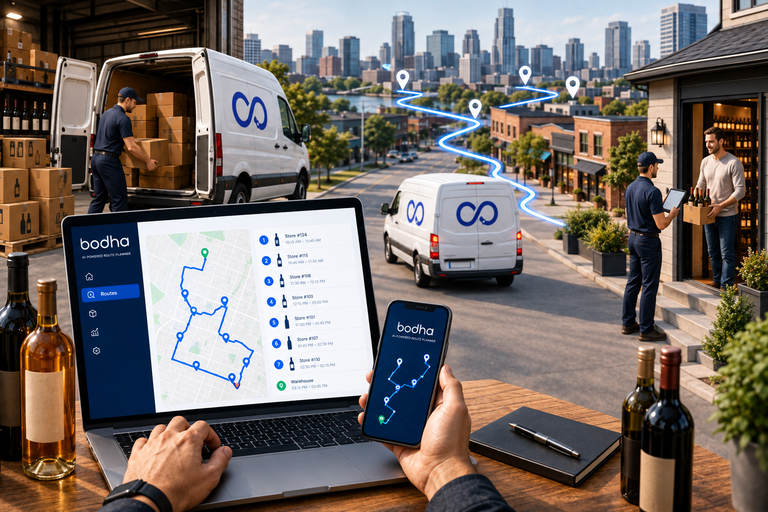
A liquor delivery route planner is a specialized tool that figures out the most efficient sequence of stops for your delivery drivers. Instead of plotting addresses on a map by hand or leaning on basic GPS navigation, a route planner weighs multiple variables at the same time: delivery time windows, live traffic conditions, driver availability, vehicle load capacity, and customer priorities.

But here’s the important part. A general-purpose route planner wasn’t built for alcohol delivery. The liquor industry comes with constraints that generic tools just can’t handle. Think state-by-state delivery hour restrictions, mandatory age verification at the door, dry county boundaries, and product-specific load limits. All of that requires a planning system that actually understands the alcohol delivery landscape.

When a liquor delivery route planner accounts for these variables, you don’t just get routes that minimize distance. You get routes that minimize cost, maximize compliance, and keep your business safe from regulatory violations that could put your license on the line.

How It Differs from Standard Routing Tools

Google Maps and Apple Maps do a fine job getting a single driver from point A to point B. But they fall apart the moment your operation involves multiple drivers, dozens of daily stops, or delivery windows that change based on what each customer prefers.

A dedicated liquor delivery route planner handles complexity that standard tools were never designed for. It can chew through hundreds of delivery addresses at once, distribute stops across your available drivers based on proximity and workload balance, and adjust routes on the fly when last-minute orders come in or a customer reschedules.

And it doesn’t work in isolation. It connects with the platforms your business already runs on, like Shopify or WooCommerce for orders and your billing software for invoicing. That creates a smooth workflow from the moment an order lands to the second a signature gets captured at the door.

Want to see this in action?
Bodha Fleet optimizes multi-driver routes in seconds, handles time windows and capacity constraints automatically, and gives your dispatch team full visibility from a single dashboard. Start your free 7-day trial →

Why Alcohol Delivery Operations Need Specialized Software

Alcohol delivery isn’t like delivering packages or groceries. Every single order comes wrapped in regulatory complexity that other industries simply don’t face. And ignoring that complexity doesn’t just hurt efficiency. It can shut your doors.

Regulatory Compliance Is Non-Negotiable

Every state in the US enforces its own rules around alcohol delivery. Many municipalities pile on additional restrictions. Texas permits alcohol delivery until midnight on weekdays but pushes the cutoff to 1 AM on weekends. California draws a hard line at 2 AM for beer and wine, yet prohibits hard liquor delivery after midnight. Pennsylvania? They restrict all alcohol deliveries to licensed retailers only.

A capable alcohol delivery software platform bakes these rules right into its routing logic. When a driver’s route crosses multiple jurisdictions, the software makes sure each delivery falls within the legal time window for that specific location. No guesswork. No flipping through compliance calendars by hand. No accidental violations that come back to bite you.

Age Verification at Every Stop

With standard package delivery, a driver can drop a box at the door and move on. Alcohol delivery doesn’t work that way. Every handoff needs face-to-face age verification, and that adds real time to each stop. Your route calculations need to account for it.

Modern alcohol delivery software puts ID scanning right inside the driver’s mobile app. The driver scans the recipient’s government-issued ID, the system checks the date of birth automatically, and the verification record gets stored as part of the digital proof of delivery. That protects you during audits and takes human error out of the equation.

Load Capacity and Product Handling

Alcohol is heavy. It’s fragile. And it’s often temperature-sensitive. A case of wine runs about 40 pounds. A keg of craft beer? That can top 160 pounds. Your liquor delivery route planner needs to factor in vehicle weight limits, stacking constraints, and how many units each van can physically carry without issues.

On top of that, several states cap how much alcohol a single driver can transport in one trip. Go over the limit, even by accident, and you’re looking at fines or license suspension. The right alcohol delivery software tracks load capacity in real time and splits orders across vehicles when things get tight. Bodha Fleet’s vehicle loading plan takes this a step further by generating reverse-sequence load orders that match each driver’s optimized route.

Core Features to Look for in a Liquor Delivery Route Planner

Not every route planning tool is built the same. The gap between a tool that shaves twenty minutes off your morning and one that genuinely transforms your operation comes down to a handful of features.

Multi-Stop Route Optimization

This is the foundation of everything. Your liquor delivery route planner should accept hundreds of stops at once, whether they’re imported from a spreadsheet, pulled from your order system, or punched in manually. And it should spit out the most efficient route sequence in seconds.

The best tools go well beyond simple shortest-distance math. They factor in traffic patterns for the specific time of day, known construction zones, road restrictions for commercial vehicles, and the delivery windows your customers actually requested. What you get is a route that hits every stop on time while covering the fewest possible miles.

Dynamic Re-Routing

Deliveries almost never go exactly as planned. A customer calls to push their window back. A driver runs into a road closure nobody saw coming. A rush order drops in that absolutely needs same-day fulfillment.

Your alcohol delivery software should handle these curveballs without forcing a dispatcher to tear up the whole route and start over. Dynamic re-routing recalculates remaining stops in real time, shifts work to other available drivers if needed, and pushes fresh turn-by-turn directions straight to the driver’s mobile app.

GPS Fleet Tracking

Knowing where your drivers are at any given moment isn’t a nice-to-have. It’s an operational necessity. Live GPS tracking lets dispatchers see progress across the entire fleet, spot drivers who are falling behind, and proactively update ETAs for customers who are waiting.

For alcohol delivery specifically, GPS tracking also creates a timestamped record of every single stop. That data becomes your best friend during compliance audits, proving deliveries were made within legal hours and at verified locations.

Proof of Delivery Collection

Every alcohol delivery should leave behind a digital paper trail. The strongest liquor delivery route planner platforms capture multiple forms of evidence at each stop: e-signatures, photos of delivered products, scanned ID verification results, and GPS-stamped timestamps.

Why does this matter? Three reasons. It shields you from false “I never received it” claims. It satisfies the regulatory requirements around age verification documentation. And it shows your customers that their order was handled with care from start to finish.

Customer Notifications and ETA Updates

Your customers want to know when their order is showing up. Automated delivery notifications triggered at key milestones like dispatch, approaching delivery, and completion cut down on inbound calls and make the whole experience feel professional.

Better alcohol delivery software sends dynamic ETAs that update based on the driver’s actual position, not some static guess from three hours earlier. Some platforms even offer branded tracking pages where customers watch their delivery approach on a live map. That’s the kind of experience that gets people ordering again.

Driver Scheduling and Workload Balancing

Burnt-out drivers make mistakes. In alcohol delivery, those mistakes carry legal consequences. Your liquor delivery route planner should spread stops evenly across your team based on working hours, break requirements, and geographic assignments.

This keeps workloads manageable, trims overtime expenses, and makes sure no single driver ends up with an unsafe pile of time-pressured deliveries. Healthier teams perform better. It’s that straightforward.

All of this, one platform. Bodha Fleet brings route optimization, live tracking, proof of delivery, customer notifications, and driver management together in a single dashboard. Book a free demo →

How Alcohol Delivery Software Reduces Costs Across Your Operation

Investing in alcohol delivery software isn’t just about making life easier. The financial impact shows up on multiple lines of your P&L, and the savings compound fast as you scale. We’ve broken down the math in more detail in our guide to reducing delivery costs.

Fuel and Mileage Savings:
Inefficient routes burn fuel. Every unnecessary mile your drivers cover is money straight out of your margin. A properly configured liquor delivery route planner typically cuts total fleet mileage by 20 to 30 percent compared to routes planned by hand.

If you’re running five vehicles six days a week, that reduction adds up to thousands of dollars in fuel savings alone over a year. Throw in the reduced wear and tear on tires, brakes, and oil, and the total savings grow even more.

Reduced Labor and Overtime Costs:
Optimized routes mean drivers finish their stops faster. Fewer overtime hours. Less reliance on temp drivers during busy seasons. More deliveries completed within regular working hours.

Your alcohol delivery software also kills the hours your dispatchers currently spend building routes every morning. What used to be a 45-minute daily grind turns into a 3-minute task. That frees up your operations team to focus on growing the business instead of wrestling with logistics spreadsheets.

Fewer Failed Deliveries:
A failed delivery hits you twice. You pay for the driver’s time and fuel on the attempt, then pay again when the order gets rescheduled and re-routed. In alcohol delivery, failed attempts happen more often than in other industries because recipients must be home and old enough to accept the order.

A liquor delivery route planner that respects customer time windows and sends proactive ETA notifications cuts failed delivery rates significantly. When people know exactly when to expect their order, they’re far more likely to actually be at the door.

Lower Risk of Compliance Penalties:
Regulatory violations in alcohol delivery carry steep price tags. Fines for delivering outside legal hours, selling to minors, or exceeding transport limits can run from a few hundred dollars to tens of thousands. In bad cases, you lose your delivery license entirely.

Alcohol delivery software that enforces compliance automatically acts as a financial safety net for your whole business. It blocks routes that would result in after-hours deliveries, requires ID verification before a stop can be marked complete, and flags loads that are approaching legal limits.

Integrations That Make Your Alcohol Delivery Software Work Harder

A liquor delivery route planner doesn’t operate in isolation. It delivers its real value when it’s connected to the platforms your business already depends on. Here are the integrations that matter most for alcohol delivery operations.

Shopify Integration

If you sell through a Shopify store, your alcohol delivery software should pull incoming orders directly into the routing queue without any manual steps. Every new order, complete with customer address, product details, and delivery notes, shows up as a stop ready to be optimized. No copying and pasting between tabs. No transcription mistakes slowing down dispatch. Your online storefront and your delivery operation stay in sync automatically.

WooCommerce Integration

For liquor stores running their e-commerce on WooCommerce, the same principle applies. Orders placed on your website flow straight into your liquor delivery route planner the moment they’re confirmed. That means your dispatch team isn’t toggling between your WordPress dashboard and a separate routing tool. Everything lives in one place, and routes get built from real orders in real time.

Billing Software Integration

Delivery operations generate a lot of invoicing activity, and doing it by hand eats up hours every week. When your alcohol delivery software connects with your billing software, every completed delivery can auto-generate an invoice record. Payments, mileage data, and delivery summaries flow into your books without anyone re-entering numbers. End-of-month reconciliation stops being a headache.

Customer Management Software Integration

Keeping track of who ordered what, when they prefer their deliveries, and how to reach them shouldn’t require a separate spreadsheet. Connecting your customer management software to your liquor delivery route planner means customer profiles, order history, and contact details stay in sync across both systems. Your dispatch team gets the full picture for every stop, and your customers get a more personal delivery experience without anyone doing extra data entry.

Setting Up Your Liquor Delivery Route Planner: A Step-by-Step Approach

Getting a new routing system up and running doesn’t have to be complicated. Most alcohol delivery software platforms are designed for quick deployment. But a structured rollout helps you capture the full value right away. We’ve got a more detailed walkthrough in our guide to planning delivery routes.

 
Step 1: Audit Your Current Routes

Before you optimize anything, get a clear picture of where you stand today. Pull data on total miles driven, average stops per driver, delivery success rates, and customer complaint patterns. That baseline is what you’ll measure improvements against.

Step 2: Define Your Delivery Zones

Break your service area into logical zones based on geographic density, delivery hour regulations, and driver coverage. Your liquor delivery route planner uses these zones to assign stops efficiently and prevent drivers from crisscrossing between areas that are miles apart.

Step 3: Import Your Customer Data

Upload your customer database into the alcohol delivery software: addresses, preferred delivery windows, special instructions, order frequency. Clean data produces accurate routes, so spend a few minutes verifying addresses and weeding out duplicates before import. Bodha Fleet lets you import stops from Excel and CSV files in seconds.

Step 4: Configure Compliance Rules

Program the regulatory parameters for every jurisdiction you serve. Delivery hour windows, age verification requirements, quantity limits, driver certification rules. All of it should be locked in before your first optimized route goes live.

Step 5: Run a Pilot Zone

Don’t flip the switch for your entire operation on day one. Pick one delivery zone or a single day’s worth of routes to test the new liquor delivery route planner. Compare the results (time per route, fuel use, on-time rate) against the baseline you captured in Step 1.

Step 6: Train Your Drivers

The best routing software on the planet delivers nothing if your drivers don’t use it properly. Walk your team through the mobile app, the ID scanning flow, proof of delivery capture, and how to flag issues from the road. Get them comfortable before you scale.

Step 7: Scale and Optimize Continuously

Once your pilot zone shows clear gains, expand to more zones and more drivers. Check your route analytics every week to catch recurring bottlenecks. Adjust zone boundaries when demand patterns shift. Fine-tune time window settings using actual delivery data, not guesses.

Most teams go live in under an hour. Bodha Fleet is built for fast setup. Upload stops, assign drivers, generate optimized routes on day one. No credit card needed. Start free for 7 days →

Choosing the Right Alcohol Delivery Software for Your Business Size

Alcohol delivery operations come in very different sizes, and the right software pick depends on where you are now and where you’re headed. For a pricing overview, take a look at our fleet management software cost breakdown.

 
Small Operations: 1 to 5 Drivers

If you’re running a local liquor store with a small delivery crew, simplicity is everything. Find a liquor delivery route planner with easy stop import, one-click optimization, and a mobile app your drivers can figure out without a training manual. Stay away from platforms that need dedicated IT support or a two-week onboarding process.

At this scale, the biggest wins come from ditching manual route planning and making sure every delivery includes proper age verification records. Even a basic alcohol delivery software setup can slash daily planning time by 80 percent and trim mileage by 20 percent or more.

Mid-Size Operations: 5 to 25 Drivers

Coordination becomes the real headache at this level. Multiple drivers covering overlapping zones, order volumes that bounce around from day to day, and the need for live visibility across your fleet all call for a sturdier alcohol delivery software platform.

Look for tools with automated driver assignment, live GPS tracking dashboards, and solid integrations with platforms like Shopify and WooCommerce alongside your billing and customer management software. The ability to re-optimize routes mid-shift, say when a driver calls in sick or a big catering order drops at 10 AM, becomes critical here.

Large Operations: 25+ Drivers

Enterprise-scale alcohol delivery needs a liquor delivery route planner that was built for serious volume and complexity. Multi-depot routing, territory management, analytics with profitability-per-route breakdowns, and seamless connections to your e-commerce, billing, and customer management platforms aren’t optional at this stage.

Your alcohol delivery software should support role-based access too. Dispatchers, fleet managers, and leadership each need to see the data that’s relevant to their decisions. And compliance reporting that rolls up age verification records, delivery timestamps, and driver certification status across the entire fleet will save you hours when audit season hits.

Common Mistakes to Avoid with Your Liquor Delivery Route Planner

Even with great tools in place, a few operational slip-ups can undercut your results. Keep an eye out for these.

Ignoring Real-Time Traffic Data

A route that looks perfect at 6 AM can turn into a mess by 10 AM if it sends drivers through a school zone or past a highway construction project. Make sure your liquor delivery route planner pulls in live traffic feeds, not just historical averages.

Over-Packing Driver Schedules

Squeezing too many stops into a single shift leads to rushed handoffs, skipped age checks, and tired drivers who are far more likely to make costly mistakes. Your alcohol delivery software should enforce maximum stop counts and mandatory break periods. Cutting corners on this is how compliance violations happen.

Neglecting Return Trip Planning

A lot of operations optimize the outbound route but completely forget about the drive back to the depot. A driver who finishes their last delivery 45 minutes from base is burning fuel and time that smarter planning could have avoided.

Failing to Review Analytics

Your liquor delivery route planner generates useful performance data every single day. Completion rates, average time per stop, fuel consumption per route, customer satisfaction scores. All of it points to opportunities for improvement. Make it a habit to review these numbers weekly, not once a quarter when problems have already piled up.

Skipping Driver Feedback

Drivers see things that no dashboard can capture. Tricky road conditions, parking headaches at certain addresses, customer preferences that never made it into the system. Build a regular feedback loop between your drivers and dispatch team. The insights they share make your future routes sharper.

The Future of Alcohol Delivery Software in 2026 and Beyond

The alcohol delivery landscape is shifting fast, and the technology behind it is keeping pace.

AI-Powered Predictive Routing:
The next wave of liquor delivery route planner tools won’t just optimize based on today’s orders. They’ll forecast tomorrow’s demand using historical sales data, weather patterns, local event calendars, and seasonal trends. That lets you pre-position inventory and pre-schedule drivers before orders even come in.

Autonomous Delivery Integration:
Fully autonomous alcohol delivery faces some real hurdles, especially around age verification at the door. But hybrid models are starting to take shape. Autonomous vehicles could handle the transportation leg while a human agent manages the final handoff and compliance check. Forward-looking alcohol delivery software platforms are already building the APIs to support that shift.

Sustainability-Driven Routing:
Environmental impact is climbing the priority list for both consumers and regulators. Future liquor delivery route planner tools will optimize for carbon emissions per delivery, not just time and cost. Electric vehicle range limits, charging station locations, and emission zone regulations will all become standard routing variables.

Deeper Integration with E-Commerce Platforms:
More and more liquor stores are building direct-to-consumer online channels through platforms like Shopify and WooCommerce. The connection between storefront and delivery operation needs to be tight. Next-generation alcohol delivery software will deepen these integrations further, enabling live inventory visibility, automatic order-to-route conversion, and customer-facing delivery scheduling right at checkout.

Frequently Asked Questions

Look for something simple: spreadsheet import, one-click route optimization, built-in age verification, and an easy driver app. Avoid enterprise tools that need weeks of setup.

It lets you set delivery hour windows, quantity limits, and age verification rules for each zone. The system enforces them automatically during route planning, so nothing gets scheduled outside legal parameters.

Yes. Most platforms connect directly with Shopify, WooCommerce, and your billing and customer management software. Orders flow into the routing system automatically without manual re-entry.

Most businesses see a 20 to 30 percent mileage reduction, 80 percent less planning time, and fewer failed deliveries. Full ROI typically lands within two to three months. Our cost breakdown guide covers the specifics.

Yes. Even at low volumes, automated age verification records, delivery logs, and digital proof of delivery protect your license. The routing savings grow as volume increases, but compliance features pay for themselves at any scale.

A liquor delivery route planner calculates the best delivery sequence. Full alcohol delivery software goes further by adding order management, customer notifications, driver management, proof of delivery, analytics, and compliance reporting into one platform.

Start Building a Smarter Delivery Operation Today

Every mile your drivers waste on a bad route is profit walking out the door. Every delivery made outside legal hours puts your license at risk. Every customer left guessing where their order is becomes a customer who orders from someone else next time.

A purpose-built liquor delivery route planner fixes these problems at the root. Pair it with solid alcohol delivery software, and you’ve got the operational backbone to scale your business, stay compliant in every jurisdiction, and deliver the kind of speed and reliability that turns one-time buyers into regulars.

The tools are here. The competitive edge is real. The only question left is how soon you put them to work.

Try Bodha Fleet free for 7 days, no credit card required. Or book a demo to see how it works for alcohol delivery operations.

Routes Still Manual? Go Auto.

Optimize in seconds. Free for 7 days.

Related blogs

How to Plan Delivery Routes: A Practical Guide for Operators

How to Plan Delivery Routes: A Practical Guide for Operators

Back Table Of Content Something every experienced dispatcher knows: the difference between a good day and a chaotic…

Reduce Delivery Costs: 10 Proven Strategies That Actually Work

Reduce Delivery Costs: 10 Proven Strategies That Actually Work

Back Table Of Content Last-mile delivery is the most expensive part of the logistics chain. It accounts for…

Best Route Optimization Software for Food Distributors in 2026: Features, Pricing & Top Picks

Best Route Optimization Software for Food Distributors in 2026: Features,…

Back Table Of Content In food distribution, the clock runs everything. You’re moving perishable stock through narrow receiving…

Best Courier Management Software in 2026: 8 Tools Compared

Best Courier Management Software

Best Courier Management Software in 2026: 8 Tools Compared

user profile

Ruchita Purohit

August 14, 2026

Table Of Content

Your drivers are on the road. Your customers want updates. Your dispatcher is buried in spreadsheets, phone calls, and a WhatsApp group that never stops buzzing. Manual dispatching, unoptimized routes, and “where is my parcel?” calls cost courier businesses hours and margin every single day.

The right courier management software fixes most of that within a week. But with dozens of platforms claiming to be the best courier management software in 2026, picking the right one is its own headache.

We compared eight courier delivery software platforms on what actually matters: dispatch workflow, route optimization, courier delivery tracking software capabilities, proof of delivery, customer notifications, and total cost at realistic fleet sizes. Whether you are a two-van startup or a growing fleet running hundreds of stops a day, the comparison below will help you find the courier delivery management system that fits how you actually work.

Your drivers are on the road. Your customers want updates. Your dispatcher is buried in spreadsheets, phone calls, and a WhatsApp group that never stops buzzing. Manual dispatching, unoptimized routes, and “where is my parcel?” calls cost courier businesses hours and margin every single day.

The right courier management software fixes most of that within a week. But with dozens of platforms claiming to be the best courier management software in 2026, picking the right one is its own headache.

This guide compares eight courier delivery software platforms side by side so you can see how Bodha stacks up against alternatives like Onro, Track-POD, OnTime 360, and others. We evaluated every tool on dispatch workflow, route optimization, courier delivery tracking software capabilities, proof of delivery, and total cost at realistic fleet sizes. Whether you are a two-van startup or a growing fleet running hundreds of stops a day, the comparison below will help you find the courier delivery management system that fits how you actually work.

What to Look for in Courier Management Software

Before jumping into the tools, it helps to know what separates good courier dispatch software from a glorified spreadsheet. These are the six capabilities that matter most when you are evaluating a courier delivery management system.

Dispatch and job assignment:
At minimum, you need a live board where a dispatcher can assign jobs to drivers, add same-day work to a route that is already running, and rebalance stops across the team without starting over. The best courier dispatch software makes this a drag-and-drop action, not a phone call. Bodha’s dispatch board does exactly this, and most teams are dispatching routes within an hour of signing up.

Route optimization:
Planning routes by hand costs you fuel and time every single day. Look for a platform that sequences stops across multiple drivers using real drive times, not straight-line distance, and that respects delivery windows and vehicle capacity. Good courier route optimization software re-optimizes the rest of the day when a job is added or cancelled mid-shift. Bodha handles all of this and generates optimized routes across your entire fleet in seconds.

Live tracking:
You should be able to see every driver on a map in real time, and your customers should get a live tracking link with an ETA. Phone-based GPS tracking that works without installing hardware in every van is a major advantage for smaller fleets. Bodha uses the GPS already in your drivers’ phones, so there is nothing to install.

Proof of delivery:
Photo, e-signature, and GPS-stamped proof at every stop is table stakes for any courier operation. If you are still relying on paper dockets or driver text messages, disputes will keep eating your margin. Make sure the app captures proof even when the driver has no signal. Bodha captures everything offline and syncs automatically when signal returns.

Customer notifications:
Automated SMS and email updates with narrowed delivery windows cut inbound support calls dramatically. Teams using Bodha’s automated notifications report 40% fewer status calls because customers get a morning ETA, an out-for-delivery text with a live tracking link, and photo confirmation, all sent automatically.

Pricing transparency:
Courier software pricing models vary wildly: per driver, per stop, per task, or flat monthly. A platform that looks cheap at low volume can become expensive fast if it charges per stop or per completed task. Always model the total monthly cost for your actual fleet size and delivery volume, not just the headline price. Bodha keeps it simple: $29.99/driver/month, flat, unlimited stops, SMS included.

Courier Management Software Comparison Table

1. Bodha

Best for: Courier teams of any size that want dispatch, routing, tracking, proof of delivery, and customer notifications in one platform, without enterprise pricing or a months-long setup. Bodha is our pick for the best courier management software in 2026.

Bodha was built by former delivery operations managers who lived the chaos of manual dispatching, constant driver calls, and “where is my parcel?” support tickets. The result is the best courier management software for teams that care about daily operations first and back-office extras second. It works as a complete courier delivery software platform that solves every part of the daily workflow from a single dashboard: import stops, assign to drivers, optimize routes, track live, notify customers, and capture proof of delivery, all before your second coffee.


Courier dispatch software that runs your whole day

The dispatch board gives you a live view of every job, every driver, and every status on one screen. Bodha works as courier dispatch software that lets you assign jobs to drivers and send optimized routes to their phones in a few clicks. When a same-day job comes in, drag it onto a live route and Bodha re-optimizes the rest of the day automatically, so your dispatcher is not rebuilding the plan from scratch every time the phone rings. If a driver calls in sick, reassign their entire route to another driver in two clicks and the system rebalances everyone else.

Courier route optimization software that saves 20-30% on fuel

Bodha is courier route optimization software that uses AI to sequence every driver’s stops. The route optimization engine uses real drive times, delivery windows, and vehicle capacity, not straight-line guesses. It handles hundreds of stops across your entire fleet in seconds. When a job is added or cancelled mid-shift, it re-optimizes the affected routes without you starting over. Courier teams using Bodha consistently report 20-30% fuel savings from smarter stop sequencing alone.

Courier delivery tracking software with no hardware to buy

Bodha doubles as courier delivery tracking software that uses live GPS tracking running on the phone already in your drivers’ pockets. No trackers, no dongles, no per-vehicle hardware cost. The dispatcher sees every driver on a live map with route progress, ETAs, overspeed flags, and idle alerts. Every customer gets a branded tracking page with an automatic ETA that updates as the day shifts. The tracking works through dead zones too, with locations syncing automatically when signal returns.

Proof of delivery that settles disputes in seconds

Proof of delivery includes photo, e-signature, and a GPS pin at every stop, all captured offline and synced when signal returns. Every record is searchable by customer, driver, or date. When a customer calls claiming they never received a parcel, you pull up the photo, GPS stamp, and timestamp in seconds. Dispute over.

Package scanner built into the driver app

The package scanner uses the phone camera to scan shipping labels as parcels are loaded, matching each barcode to its stop and flagging wrong-van parcels before the doors close. No separate handheld scanner hardware needed. The full scan log follows each parcel from depot to doorstep.

Guided vehicle loading plan

The guided vehicle loading plan sorts parcels into reverse-delivery order and walks the driver parcel by parcel, so they are not digging through the van at every stop. Re-sequence the route and the load order re-derives automatically to match.

Customer notifications that cut support calls by 40%

Customers get a morning ETA, an out-for-delivery text with a live tracking link, and a delivered confirmation with photo and timestamp. All sent automatically, all branded with your company name. Teams using Bodha report support calls dropping by 40% or more because customers get answers before they think to call.

Route analytics that show you where the money goes

Route analytics show on-time delivery rates, driver performance by individual, planned versus actual route distances, and completed versus failed stops. Driver scorecards include on-time rate, stops per hour, and idle time. Cost-per-delivery breakdowns with fuel and time per run are exportable for payroll, client billing, or fleet audits.

Pricing that does not punish growth

$29.99/driver/month, flat. Unlimited stops. SMS notifications included. No per-stop overage fees, no minimum driver counts, no hidden setup costs. This is why Bodha ranks as the best courier management software for teams that want predictable costs. A free web planner handles up to 30 stops per route with no signup required. The driver mobile app is free for up to 20 stops. The full Bodha Fleet courier delivery management system comes with a 7-day free trial, no credit card required.

Compare that to Onfleet at $599/month, Onro at $239/month, or Spoke where costs climb with every stop. Bodha is designed so your software bill stays flat and predictable as your business grows.

What Bodha does not do (and why it is a fair trade): Bodha does not include invoicing, a customer-facing order portal, or cash-on-delivery management. If your courier operation needs to generate invoices for B2B clients or manage driver payouts within the software, you will need a separate accounting tool alongside Bodha. For most courier teams, that trade-off is worth it because you get every operational feature you actually use daily at a fraction of what the full-platform alternatives charge.

2. Onro

Best for: Courier companies that need billing, invoicing, and a customer order portal built into the software.

Onro positions itself as a complete operational platform for courier companies. It includes an accounting module, a white-label customer portal, and a dedicated warehouse scanner app. Pricing starts at $239/month for 1,500 deliveries, with enterprise plans priced on request.

Onro covers order creation, customer accounts with login credentials and invoices, driver management, and financial reporting. If your business requires B2B clients to log in and place orders through a branded portal, Onro handles that natively.

However, at $239/month it costs 8x what Bodha charges for a comparable fleet size, and the feature you are paying the premium for is primarily billing and the customer portal. The route planning capabilities lack vehicle capacity constraints, driver break times, and recurring route definitions. If your priority is operational efficiency on the road (routing, tracking, proof, notifications), you are paying significantly more for back-office features while getting less on the dispatch and routing side. For courier teams that need invoicing, pairing Bodha with a dedicated accounting tool like QuickBooks or Xero often costs less overall.


3. Track-POD

Best for: Teams that need deep proof-of-delivery documentation and multi-piece order tracking.

Track-POD offers route optimization, electronic proof of delivery, customer notifications, and live tracking. Its POD documentation is detailed: customizable PDF reports, barcode scanning by order or by item, and support for partial delivery and overdelivery scenarios.

Pricing starts at $49/driver/month on an annual plan (or $59 monthly) with a 3-driver minimum, which means your effective starting cost is at least $147/month. Per-order plans start at $285/month for 1,500 orders.

The platform separates vehicles and drivers in its management layer, which can be useful for companies where drivers rotate between vans. The driver app includes an offline mode.

The trade-offs are a steep learning curve, ticket-based support instead of live chat, and no auto-dispatch or customer notification automation at the level Bodha provides. The interface can feel complex, and the multi-step task assignment process slows dispatchers down during busy periods. At nearly double Bodha’s per-driver price with a 3-driver minimum, the cost adds up quickly for small teams.


4. OnTime 360

Best for: Established courier and messenger companies with complex billing structures and QuickBooks integration needs.

OnTime 360 is a legacy courier management system that has been serving the transportation industry for years. Its core advantage is the built-in pricing engine with customer-specific contracted rates, accessorial charges, and automatic price calculation. It integrates directly with QuickBooks.

Pricing starts at $99/month for the Start plan (250 shipments), with Grow at $249/month and Scale at $499/month.

The platform includes a customer web portal and Smart Client technology that allows dispatchers to work during internet outages. However, the system is feature-heavy and can feel overwhelming during setup. The interface and reporting tools are functional but dated compared to modern courier delivery software. For small and mid-size courier teams focused on daily routing and delivery execution, OnTime 360 is more platform than most operations need, and at $99/month for just 250 shipments, the per-delivery cost is significantly higher than Bodha’s unlimited-stops model.


5. GSMtasks

Best for: Very small teams on a tight budget that need basic task management and GPS tracking.

GSMtasks offers the lowest per-user entry price in this comparison at €14/user/month (~$15). It covers task assignment, basic route optimization, live tracking, and electronic proof of delivery.

The Professional plan at €19/user/month adds route optimization and white-label email notifications.

GSMtasks is a lighter platform than the others on this list. It lacks a customer order portal, a package scanning feature, vehicle loading plans, guided dispatch workflows, and the deeper analytics that growing courier operations need. The review base is small, making it harder to evaluate reliability at scale. For teams that will outgrow basic task management quickly, starting on GSMtasks means switching platforms later, while Bodha scales from a single driver through to enterprise fleets on the same system.


6. Detrack

Best for: Small delivery teams that need simple GPS tracking and basic electronic proof of delivery at a low cost.

Detrack is deliberately simple: add jobs, assign to drivers, track in real time, and capture proof. At $29/vehicle/month ($26 on an annual plan), it matches Bodha’s price point and offers a first-driver-free option.

However, Detrack is primarily a tracking and POD tool, not a full courier dispatch software platform. Jobs, search, and map views are on separate pages, which slows down real-time dispatch. Route optimization is only available on the $39/vehicle Advance plan (an additional cost). There is no customer portal, no package scanning, no vehicle loading plans, and no automated customer notifications with live tracking links. Some users report rising pricing and limited reporting as their operations grow. If you are comparing Detrack and Bodha as courier delivery software at the same price point, Bodha includes route optimization, customer notifications, package scanning, and a dispatch board that Detrack does not offer until you pay more.


7. Spoke (formerly Circuit for Teams)

Best for: Distribution operations running daily fixed routes from a depot.

Spoke rebranded from Circuit for Teams in late 2025. The platform is designed around a depot-and-calendar model where dispatchers define depots, assign drivers to them, and create daily routes per depot. The Spoke driver app has over 10 million users and includes a vehicle parcel positioning feature.

Pricing is based on monthly stop volume: Starter at $125/month (1,000 stops), Premium at $200/month (2,000 stops), Expert at $1,000/month (12,000 stops). Overage fees of $0.04 to $0.07 per stop apply beyond each tier.

The per-stop pricing model is the biggest concern. Costs rise directly with volume, making budgeting unpredictable during seasonal spikes. A busy month can push you into a higher tier even if your driver count stays the same. The multi-step assignment process (plan stops, create routes, then assign to drivers) adds overhead compared to Bodha’s single dispatch board. Direct e-commerce integrations are limited. If your operation handles on-demand or same-day courier work rather than fixed depot distribution, Spoke’s workflow is not built for that model. Bodha’s flat per-driver pricing with unlimited stops stays predictable regardless of how many deliveries you run.


8. Onfleet

Best for: Large enterprise delivery operations in regulated industries like cannabis and alcohol delivery.

Onfleet is the most expensive platform on this list. Launch starts at $599/month for 2,500 tasks, Scale at $1,299/month, and Enterprise at $2,999/month. A Courier Suite add-on starts at $299/month. SMS and telephony are billed separately on top of those prices.

The platform includes auto-dispatch based on driver proximity, predictive ETAs powered by machine learning, and built-in age verification. These features serve high-volume, regulated delivery operations well.

For most courier businesses, Onfleet is priced far beyond what the operation requires. At $599/month before add-ons, it costs 20x what Bodha charges for a small fleet, and growing teams quickly hit per-task overage fees that inflate the bill further. The Launch plan limits historical data to one month, too short for trend analysis. There is no white-labeling for customer or driver experiences, and support requires submitting a request form rather than real-time help. Unless you are running thousands of daily tasks in a regulated industry, the Onfleet price tag is difficult to justify when Bodha covers dispatch, routing, tracking, proof, and notifications for a fraction of the cost.

Best Courier Fleet Management Software (Comparison)

If you manage multiple drivers and vehicles, choosing the best courier fleet management software comes down to what each platform actually gives you at the fleet level, not just individual route planning.

For fleets of 5 to 15 drivers, Bodha Fleet is the best courier fleet management software choice. The flat $29.99/driver/month with unlimited stops keeps costs predictable as you add drivers. The dispatch board, live fleet tracking, route optimization across all drivers, customer notifications, and proof of delivery all work from day one without add-ons or upgrades. For a 10-driver fleet, that is $300/month, all in.

Compare that to Spoke at $200-$500/month depending on stop volume (with unpredictable overage fees), Track-POD at $490/month minimum (10 drivers at $49 each), or Onfleet at $599/month just for the entry plan.

For courier fleets of 15 to 50 drivers with complex B2B billing workflows, Onro and OnTime 360 add customer portals and invoicing at a higher cost. For enterprise fleets of 50+ drivers in regulated verticals, Onfleet’s auto-dispatch and compliance features may justify the premium.

But for the vast majority of courier fleet operations, Bodha Fleet delivers the operational tools you use every day at the lowest total cost.

How to Choose the Right Courier Management Software

Choosing the best courier management software depends on where your business is today and what your daily operation actually looks like. The right courier delivery management system matches your fleet size, your delivery model, and your budget.

If you are a small courier company (1 to 5 drivers): Start with a platform that is fast to set up, affordable, and includes dispatch, routing, tracking, and proof of delivery in one place. Bodha is built for exactly this, with setup that takes under an hour and pricing that starts at $29.99/month for a single driver. If you are still in the planning stage, our guide on how to start a courier business covers the operational basics.

If you are a growing fleet (5 to 20 drivers): You need a dispatch board that handles real-time changes, route optimization that saves fuel across every driver, and customer notifications that cut support calls. Bodha Fleet handles all three, and the flat per-driver pricing means your software cost stays predictable as you scale. If you are still working out what to charge your clients, how much should a courier charge breaks down the pricing math.

If you run a same-day or on-demand courier operation: Speed of dispatch matters more than batch route planning. Bodha’s drag-and-drop dispatch with mid-day re-optimization is fast enough for most same-day operations. If you need AI auto-assign based on driver proximity, Onfleet offers that at a significantly higher price point.

If you need billing, customer portals, and financial reporting built in: Onro and OnTime 360 include these capabilities natively. For most courier teams, pairing Bodha with a dedicated accounting tool like QuickBooks or Xero costs less and gives you better routing and dispatch alongside purpose-built financials.

Frequently Asked Questions

The best courier management software for most courier teams in 2026 is Bodha. It covers dispatch, route optimization, live tracking, proof of delivery, package scanning, and customer notifications in one platform starting at $29.99/driver/month. For courier companies that specifically need built-in invoicing and customer order portals, Onro and OnTime 360 are alternatives at higher price points.

Pricing ranges from about $15/user/month (GSMtasks) to $599+/month (Onfleet). Bodha sits at $29.99/driver/month with unlimited stops and no hidden fees, which makes it one of the most cost-effective options for courier teams of any size. Watch for hidden costs on other platforms: per-stop overage fees, separate SMS charges, minimum driver counts, and paid add-ons for features that Bodha includes as standard.

A route planner app optimizes the order of stops for a single driver on their phone. Courier management software manages the entire operation from a dispatcher's dashboard: assigning jobs across a team, tracking every driver live, capturing proof of delivery, sending customer notifications, and reporting on performance. Bodha includes both: the driver mobile app serves as the route planner, while the dispatcher dashboard manages the full courier operation.

At minimum: dispatch and job assignment, multi-driver route optimization, real-time GPS tracking, proof of delivery (photo, signature, GPS), and automated customer notifications. Beyond the basics, look for a package scanner, vehicle loading plans, spreadsheet/CSV import, a driver mobile app with offline capability, route analytics, and API access. Bodha includes all of these in every plan.

Fully free courier management software with no limits does not exist, but Bodha offers the most generous free options in this category. The free web route planner handles up to 30 stops per route with no signup. The driver app is free for up to 20 stops. The full platform comes with a 7-day free trial, no credit card required. Detrack offers its first driver free, and most other platforms offer 7 to 14-day trials.

Conclusion

Every courier operation has the same core needs: dispatch jobs fast, route drivers efficiently, track everything live, prove every delivery, and keep customers informed without burning through your support team’s time. The best courier management software handles all of this from one dashboard.

Bodha courier delivery software is built for exactly that. It brings dispatch, AI route optimization, live tracking, proof of delivery, package scanning, a guided loading plan, and automated customer notifications into one courier delivery management system that your team can be running within an hour.

Plans start at $29.99/driver/month with unlimited stops. No per-stop fees, no hardware to install, no long-term contracts.

Start your 7-day free trial, no credit card required, and see the difference in your first dispatch.

Still Comparing? Start Free

Full access for 7 days. No card, no commitment.

Related blogs

How to Plan Delivery Routes: A Practical Guide for Operators

How to Plan Delivery Routes: A Practical Guide for Operators

Back Table Of Content Something every experienced dispatcher knows: the difference between a good day and a chaotic…

Reduce Delivery Costs: 10 Proven Strategies That Actually Work

Reduce Delivery Costs: 10 Proven Strategies That Actually Work

Back Table Of Content Last-mile delivery is the most expensive part of the logistics chain. It accounts for…

Best Route Optimization Software for Food Distributors in 2026: Features, Pricing & Top Picks

Best Route Optimization Software for Food Distributors in 2026: Features,…

Back Table Of Content In food distribution, the clock runs everything. You’re moving perishable stock through narrow receiving…

Amazon Flex Route Planner: How to Optimize Your Blocks and Finish Faster (2026)

Amazon Flex driver holding smartphone with optimized delivery route map next to car trunk loaded with packages at warehouse station

Amazon Flex Route Planner: How to Optimize Your Blocks and Finish Faster (2026)

user profile

Ruchita Purohit

August 10, 2026

Table Of Content

Amazon delivers over ten million packages a day. Ten million. And they do it faster, cheaper, and more reliably than anyone else in the game. FedEx has been at this for fifty years. UPS even longer. Yet Amazon; a company that started selling books out of a garage, overtook both of them in US delivery volume and hasn’t looked back.

The secret isn’t more trucks. It isn’t more warehouses. It’s route optimization.

Every branded Amazon van on the road right now is running a route that’s been calculated down to the turn. Their DSP drivers carry a device called the Rabbit that accounts for traffic, road closures, weather, and delivery speed in real time. The system recalculates as the driver moves. It shaves minutes off every stop, miles off every route, and dollars off every delivery. Multiply that by ten million packages and you start to understand how a “Day One” company became worth two trillion dollars.

Here’s the irony. Amazon Flex drivers are part of that same delivery machine. Delivering the same packages, to the same customers, under the same brand name; but they don’t get the Rabbit. They get a simplified version of the routing through the Flex app, and that version is built to protect Amazon’s costs, not the driver’s paycheck.

That routing gap is costing you real money on every single block. But the gap also has a fix. It’s called an Amazon Flex route planner, and experienced drivers across the country are using one to reorder their stops before they leave the station. The result is 30 to 60 fewer minutes on the road, 20 to 30 percent less fuel burned, and blocks that finish close to home instead of in some random neighborhood across town.

This guide breaks down how Amazon Flex routing works behind the curtain, why it keeps falling short for drivers, and how to use a route planner for Amazon Flex to close that gap yourself.

How Amazon Flex Routes Actually Work (And Where They Fall Short)

Amazon Flex designs routes using an algorithm that factors in package count, delivery addresses, historical traffic, and weather data. The system builds a route that fits the estimated block time shown in the offer you accepted. When it works well, you finish with time to spare.

But here’s what most new drivers don’t realize. The Amazon Flex route planner built into the app is optimized for Amazon’s delivery cost, not for your total day. Amazon cares about getting all forty-three packages delivered within the block window. It does not care that your last stop is forty minutes from your apartment. It does not care that you drove past three future stops on your way to the first one. And it definitely does not care about how much gas you burned getting it all done.

DSP drivers, the ones in branded Amazon vans get the proprietary Rabbit device with real-time recalculation. Flex drivers get a simpler version. It works well enough for Amazon’s purposes, but “well enough for Amazon” and “efficient for you” are two very different things.

That gap is exactly where a third-party Amazon Flex route planner earns its place on your phone.

The Three Route Problems That Cost You Real Money

Talk to any driver who’s been doing Flex for more than a couple of months and you’ll hear the same complaints. The specifics change, but the pattern is always the same.

Aerial view of suburban neighborhood with chaotic zigzag delivery route line showing inefficient Amazon Flex stop order

Zigzagging Across Your Delivery Zone

The Flex app sends you to one side of your zone, pulls you across to the other side, then back to a street you already passed. You’re covering the same ground two or three times in a single block. The Flex algorithm is working with constraints you can’t see – package priority tiers, customer delivery promises, route-level balancing across all drivers leaving the station at the same time. The result is a route that looks logical in Amazon’s database but feels chaotic in your car. Drivers who use an Amazon Flex route planner report that eliminating this zigzagging cuts 15 to 20 percent of their total driving distance per block.

Your Last Stop Is Nowhere Near Home

Amazon doesn’t know where you live. The algorithm finishes your route wherever its math says the last delivery should go. Run five blocks a week and each one ends twenty minutes farther from home than it needs to an hour and forty minutes of unpaid driving every week. A good Amazon Flex route planner lets you set your home as the end location, so your last few deliveries naturally pull you toward your house instead of away from it. This single feature is the number one reason experienced drivers started using route planners in the first place.

No Time to Manually Reorder at the Station

You’ve got forty-plus stops and maybe five minutes before you need to be moving. Scrolling through addresses on your phone and trying to mentally figure out the best sequence isn’t happening. This is why speed of input matters so much in an Amazon Flex route planner. The planners that work for Flex drivers let you import stops instantly by pasting a list, uploading a screenshot, or scanning addresses from your manifest. If a planner asks you to type each address one by one, it’s not built for this job.

The Five-Minute Workflow: Station to Optimized Route

This is the part that matters most. The actual, repeatable workflow you can use starting on your very next block. By your third block, you’ll have it under five minutes.

Close-up of delivery driver hands holding smartphone with route planner app showing multiple delivery stops at Amazon Flex station

Step 1:
Show up and load
Arrive at the station five to ten minutes early. Scan packages, load your car, and organize packages roughly by delivery zone. Same-area packages near each other.

Step 2:
Capture your stop list
Before you leave the station, get your stops into your Amazon Flex route planner. With Bodha Route Planner, you can bulk upload, scan addresses with your phone camera, or add stops using voice input. The goal is getting all forty stops into the planner in under three minutes.

Step 3: 
Set your start and end location
Start point is the station. End point is your home. This is the single most important setting in any Amazon Flex route planner. It’s what prevents the “last stop is forty minutes from home” problem.

Step 4:
Hit optimize
One tap. The route planner reorders your stops for minimum driving distance, ending near your home. Look at the route line. If it eliminates obvious backtracking (and it almost always will), follow it.

Step 5:
Drive the optimized sequence

Follow the route planner’s stop order for which delivery to do next. Still use the Flex app to mark each delivery complete and take your delivery photo. For turn-by-turn navigation, tap a stop in Bodha and it opens directly in Google Maps, Waze, or Apple Maps.

That’s the workflow. Five steps. Five minutes at the station. And you’ll feel the difference before you’re halfway through your first optimized block.


Aerial view of suburban neighborhood with clean optimized delivery route loop showing efficient stop order from an Amazon Flex route planner

Let’s put a number on the impact. A 4-hour block pays $84. Finish in 4 hours and you made $21 an hour gross. Finish in 3 hours and 15 minutes instead? That’s $25.85 an hour. Same pay. Same deliveries. Less driving. The only difference is you reordered your stops before leaving the station.

How to Choose an Amazon Flex Route Planner That Actually Works

Not every route planner is built for the Flex driver workflow. A lot of them were designed for sales reps doing eight appointments a day. The stop counts are lower, the time pressure is lighter, and the user isn’t standing in a warehouse parking lot trying to get moving before their block clock starts ticking.

Here’s what actually matters for Flex:

Fast import – If you can’t get forty addresses into the app in under three minutes, the planner is costing you time instead of saving it. Photo scan, paste, voice input, or CSV upload all work at station speed. Manual typing is a dealbreaker.

Custom start and end points – Non-negotiable. Any Amazon Flex route planner that can’t set your home as the end location is missing the feature Flex drivers need most.

Handles real stop counts without a paywall – A standard Flex logistics block has thirty to fifty stops. If a planner caps you at ten or twenty stops on the free tier, you’ll hit that wall on your first real block. Google Maps only handles ten stops and doesn’t optimize the order at all. Circuit’s free tier is ten stops. Routerra caps at twenty free stops. Bodha Route Planner offers unlimited stops on the free tier, so you can run full Flex blocks on the free plan from day one.

Works offline – You’re going to lose signal during your block in parking garages, rural areas, and apartment stairwells. The planner needs to hold your optimized stop list without a live connection.

Simple, driver-friendly interface – You’re glancing at this at red lights and in parking lots. Big buttons, clear “next stop” cards, one-tap navigation to each address.

For drivers who also work DoorDash, Instacart, or courier gigs, Bodha handles all of it from one app. You’re not switching between a Flex planner, a DoorDash planner, and a separate app for your afternoon route. One Amazon Flex route planner for everything you deliver.

Why Flex Drivers Are Switching to Bodha Route Planner

Split image showing frustrated delivery driver with messy route on left and confident driver with clean optimized route on right using Bodha route planner

Most route planners were built for dispatchers and fleet managers. Bodha Drive was built for the driver standing in the station parking lot with forty packages and five minutes to get moving.

Here’s what makes it different for Amazon Flex. You add stops using scan, voice, or bulk upload without typing addresses one by one. You set your home as the end point, tap optimize, and your entire block gets resequenced in seconds. The route eliminates backtracking, clusters apartment stops together, and flows toward your house so your last delivery is minutes from your front door. While you drive, one tap opens each stop in Google Maps, Waze, or Apple Maps. No learning curve. No switching between three different apps.

The free tier gives you unlimited daily stops. Not ten. Not twenty. Unlimited. That means you can run full Flex logistics blocks without paying a cent. If you also deliver for DoorDash, Instacart, or run your own courier jobs, Bodha handles all of it from the same app. And because it includes proof of delivery with photo and signature capture, you’ve got a record of every drop if a customer ever disputes one.

Try Bodha Route Planner Free →

Pro Tips: What the Highest-Earning Flex Drivers Do Differently

Route optimization gets you most of the way there. But these three habits separate a $21-an-hour driver from a $28-an-hour one.

Pick your blocks strategically
Not every block is worth taking. Avoid anything under base rate unless you need activity points for Level 2. Watch for surge pricing during holidays, bad weather, and early mornings. Skip stations more than twenty minutes from your home unless the pay compensates for the deadhead drive. The math on a $92 block from a station ten minutes away is very different from the math on a $92 block from a station forty minutes away.

Flat lay on car dashboard showing smartphone with route map, car keys, dollar bills, and gas receipt representing Amazon Flex driver earnings and fuel savings

Track every single mile
This is the biggest money leak for drivers who skip it. The IRS standard mileage rate for 2026 is between $0.67 and $0.76 per mile. A typical Flex driver logs 15,000 to 25,000 miles a year, which adds up to $10,000 to $19,000 in potential tax deductions you’ll lose without records. Use Everlance, Stride, or MileIQ. Track from the moment you leave home until you get back. Deadhead miles to the station and the drive home both count.

Organize your car before you leave
Three minutes grouping packages by delivery zone saves you from digging through forty packages at every stop. Experienced drivers lose less than twenty seconds per stop on package retrieval. New drivers lose two to three minutes. Over forty stops, that difference adds up to over an hour.

The Bottom Line

Amazon built the most efficient delivery network on the planet using route optimization. That same principle, finding the fastest path through a set of stops, is available to every Flex driver right now, for free.

The Flex app gives you a route. An Amazon Flex route planner gives you a better one. The difference is thirty to sixty minutes of your time, a few dollars in gas, and potentially hundreds of dollars a month in recaptured earnings.

You don’t need to be a tech person. You don’t need twenty minutes to set it up. You need five minutes at the station, a route planner that handles your stop count without charging you, and the willingness to follow a smarter sequence instead of whatever the Flex app threw at you.

Bodha Route Planner is free to start, runs on your phone, and optimizes unlimited stops from your very first block. Download it, load your next Flex block into it, and see the difference for yourself.

Your blocks are already assigned. Your packages are already in the car. The only variable left is the order you deliver them in. Make it a good one.

Start Free with Bodha Route Planner →

Frequently Asked Questions

Yes. Most experienced Flex drivers run a route planner alongside the Flex app. You follow the planner's optimized stop order for sequencing but still use the Flex app to mark deliveries complete and take delivery photos. Using an external Amazon Flex route planner does not violate Amazon's terms as long as you complete every assigned delivery within your block.

Drivers consistently report saving 20 to 60 minutes per block by switching to an optimized stop order. On average, eliminating backtracking and zigzagging cuts 15 to 20 percent of total driving distance. On a 4-hour block paying $84, finishing in 3 hours raises your effective hourly rate from $21 to $28

The Flex app provides a suggested stop order, but it optimizes for Amazon's delivery cost — not the individual driver's total day. It doesn't consider where you live, your personal knowledge of the area, or your preferred end location. A dedicated Amazon Flex route planner usually produces a more driver-friendly sequence.

Bodha Route Planner offers unlimited daily stops on the free tier, mobile apps for iOS and Android, multiple input methods including scan and voice, and custom start/end locations so your block finishes near home. Most competing planners cap their free tier at 10 to 20 stops, which isn't enough for a standard Flex block.

Yes — this is the most popular feature among Flex drivers using an Amazon Flex route planner. By setting your home as the end location, the planner reorders stops so your final deliveries pull you toward your house instead of away from it. Instead of finishing thirty to forty minutes from home and driving back unpaid, you finish a few minutes from your front door.

Stop driving 40 extra minutes per block

Bodha Route Planner reorders your Flex stops in seconds — so you finish faster, burn less gas, and drive home instead of across town. Unlimited stops. Free forever.

Related blogs

How to Plan Delivery Routes: A Practical Guide for Operators

How to Plan Delivery Routes: A Practical Guide for Operators

Back Table Of Content Something every experienced dispatcher knows: the difference between a good day and a chaotic…

Reduce Delivery Costs: 10 Proven Strategies That Actually Work

Reduce Delivery Costs: 10 Proven Strategies That Actually Work

Back Table Of Content Last-mile delivery is the most expensive part of the logistics chain. It accounts for…

Best Route Optimization Software for Food Distributors in 2026: Features, Pricing & Top Picks

Best Route Optimization Software for Food Distributors in 2026: Features,…

Back Table Of Content In food distribution, the clock runs everything. You’re moving perishable stock through narrow receiving…

.

Best Grocery Delivery Software for Small Business 2026

Best Grocery Delivery Software for Small Business

Best Grocery Delivery Software for Small Business 2026

user profile

Ruchita Purohit

August 10, 2026

Table Of Content

The best grocery delivery software for small business is Bodha. It is the only tool that lets a grocery driver optimize routes for free, then scales into a full fleet platform as the business grows, at a fraction of what legacy tools charge.

This guide compares software that runs your grocery deliveries: route planning, dispatch, tracking, and proof of delivery. Not platforms that build a storefront or take online orders. If you need an ecommerce catalog or a white-label grocery app, that is a different category entirely. This is about getting bags from your store to the customer’s door, on time and on budget.

For small and local grocers, that comes down to one thing: grocery delivery route optimization. Fewer miles per driver means more drops per shift, lower fuel costs, and better margins on a business where every dollar counts.

What Makes Grocery Delivery Different

Generic courier software was built for parcels that survive a porch drop. Groceries do not work that way.

Cold items have a clock. Frozen and chilled orders need to land early in the route, not last. Software that cannot sequence temperature-sensitive stops will cost you in spoiled product and refund requests.

Windows are not suggestions. A customer who booked a 2-4 PM slot for salmon and milk expects someone home to receive it. Your software must treat delivery windows as hard constraints when building routes.

Loads are unpredictable. One order is a single bag. The next is six crates of water. Routing by stop count ignores weight and volume, and drivers discover overload problems in the parking lot instead of on the planning screen.

Your name is on every delivery. When something goes wrong, the customer blames the store. In-house delivery with proof at every door gives you control over the experience and fewer disputes to manage.

Best Grocery Delivery Software Compared

Now let’s look at each tool in detail.

1. Bodha

Bodha is the only tool on this list where a driver can optimize routes for free, today, without creating an account.

Bodha Drive is a free route planner app for individual drivers. Optimize up to 20 stops per route, run unlimited routes per day, and get a smart van loading sequence that tells you what to load first so the next delivery is always on top. Add stops by voice, camera, map tap, or paste. Navigate through Google Maps, Waze, or Apple Maps. No trial countdown, no credit card, no catch. Paid upgrades ($14.99/month or $99.99/year) unlock unlimited stops, proof of delivery, mid-route re-optimization, and route history.

Bodha Fleet is the dispatch and management platform for stores running a delivery team. The Starter plan ($29.99/user/month) covers unlimited route optimization, proof of delivery, a driver app, and spreadsheet import. The Pro plan ($49.99/user/month) is where the grocery-specific features live: delivery time windows, SMS and email notifications, live tracking with shareable customer links, barcode scanning, vehicle loading plans, and recurring schedules. Enterprise adds SSO, unlimited depots, API access, and white-label branding.

What sets it apart for grocers:
The free-to-paid path. A grocer doing 15 deliveries a day can start with Drive at zero cost, prove the route quality, then move to Fleet when they add a second driver. No other tool on this list offers that ramp.

The vehicle loading plan. It sequences what goes into the van and where, accounting for weight, dimensions, and delivery order. The driver is not digging through crates at stop eight looking for a single bag.

Setup speed. Most teams import orders, build routes, and dispatch within an hour of signing up. Bodha is purpose-built for delivery operations. If you need inventory tracking or an online ordering system, you pair it with a separate tool, but most grocers already have an ordering workflow and just need the delivery side solved.

Best for: Solo grocery drivers who want to optimize routes at zero cost (Drive Free), small grocery teams scaling from one to five drivers (Fleet Starter/Pro), and local grocers who want to prove route optimization works before spending a dollar.

Start free with Bodha Drive | Try Bodha Fleet | Book a demo

2. Routific

Routific is a route optimization platform for scheduled delivery teams. It offers order import from spreadsheets or Shopify, multi-driver routing, and real-time tracking.

Pricing is the first concern. The free tier covers 100 orders per month, but beyond that, it jumps to $150/month for up to 1,000 orders, then shifts to a per-stop rate at higher volumes. The per-order model means your bill fluctuates with demand, and holiday rushes or promotional weeks can push costs up unexpectedly.

Feature gaps matter for grocers. No vehicle loading plan, no barcode scanning, and limited integrations beyond Shopify. If your store runs on WooCommerce, Square, or a custom POS, you are stuck with spreadsheet imports or the API. There is no free route planner for individual drivers, so solo operators must pay from day one.


3. SmartRoutes

SmartRoutes is an Ireland-based delivery management platform with per-vehicle pricing. The Basic plan starts at €29/vehicle/month (~$32 USD), with the Standard plan at €49/vehicle/month.

The platform has very few independent reviews (under 10 on Capterra), making it difficult to verify real-world performance. Customer notifications and live tracking are locked behind higher-tier plans, so the base price does not get you a complete grocery delivery setup. Their primary support presence is UK/Ireland, and US-based grocers may experience slower response times. No free plan for individual drivers.


4. OptimoRoute

OptimoRoute is a general-purpose delivery routing tool. The Lite plan at $35.10/driver/month (annual billing; $39 monthly) covers route optimization and live tracking. The Pro plan at $44.10/driver/month (annual; $49 monthly) adds proof of delivery and customer notifications.

The core problem for grocers: OptimoRoute has zero grocery-specific features. No cold-chain handling, no vehicle loading plan, no barcode scanning. The Lite plan also excludes proof of delivery, which means most grocery teams are forced onto the pricier Pro plan. For a general routing tool with no grocery specialization, $49/driver/month is hard to justify when purpose-built alternatives exist at a lower cost.


5. Shipday

Shipday is a dispatch platform built primarily for on-demand, single-order delivery. The free Starter plan covers basic dispatch for up to 300 orders/month. The Professional plan at $39/month adds route optimization and SMS notifications.

The limitation for grocery stores is fundamental: Shipday’s route optimization is weak compared to tools built for batched, multi-stop delivery. If your store batches orders into morning and afternoon runs, Shipday is not designed for that workflow. No vehicle loading plan, no barcode scanning, no cold-chain handling. The platform leans heavily on third-party driver fallback (DoorDash Drive, Uber Direct), which means you are giving up control over the delivery experience, exactly the problem most grocers are trying to solve by going in-house.


6. Onfleet

Onfleet is an enterprise delivery platform used by large grocery and pharmacy operations. It offers auto-dispatch, barcode scanning, age verification, and detailed analytics.

The barrier for small grocers is price. The Launch plan starts at $599/month for up to 2,500 tasks. The Scale plan runs $1,299/month. Enterprise starts at $2,999/month. For an independent grocer running two drivers and 40 deliveries a day, that is roughly 20x what Bodha Fleet Pro costs for the same driver count. Most of Onfleet’s premium features (auto-dispatch, age verification, predictive analytics) are irrelevant at small-business scale. Reviews also note that route optimization quality does not always match the premium price, and the interface has a steeper learning curve than lighter tools.


7. Tookan

Tookan (by Jungleworks) is a hyperlocal delivery platform with white-label branding options. The Early Stage plan starts at $39/month for 200 tasks. The Startup plan at $99/month covers 700 tasks.

The biggest problem: route optimization is a paid add-on, not included in the base price. The headline pricing is misleading because once you add optimization, the real monthly cost climbs well above the advertised figure. Reviews consistently flag reliability issues and inconsistent customer support. The add-on marketplace model means you are constantly paying extra for features that other tools include by default.

Grocery Delivery Management Software: Must-Have Features

Skip any tool that is missing these six. Everything else is a nice-to-have.

Route optimization is non-negotiable. It sequences your stops into the fastest possible order across all drivers, factoring in real drive times and traffic. Without it, you are paying drivers to guess. With it, a single driver handles 20 to 30% more stops per shift.

Delivery time windows let you promise customers a slot and actually keep it. The software treats those windows as hard constraints when building routes, not aspirational targets.

Dispatch and driver management means assigning and rebalancing stops from one screen, handling late additions without replanning the whole day, and pushing updates to drivers’ phones instantly.

Live tracking lets dispatchers monitor the fleet and lets customers see where their order is. This alone cuts inbound “where’s my delivery?” calls significantly.

Customer notifications at key stages (driver en route, delivered) reduce missed deliveries. For grocery, the “on the way” alert is critical because someone needs to be home to receive perishables.

Proof of delivery with photo, signature, and GPS protects you from disputes. Non-negotiable for any grocery operation handling fresh and frozen goods.

Best Grocery Delivery Software for Local Stores

If you have one to three drivers, no IT team, and a budget under $200/month, the field narrows fast. Enterprise tools like Onfleet and Locus are priced for a different scale. White-label storefront platforms solve a different problem.

Bodha is the strongest fit because of the free on-ramp. A solo driver starts with Bodha Drive free: 20 stops per route, unlimited routes, no account needed. When the store adds a second driver, Fleet Starter manages both from one dashboard. When delivery windows and notifications become essential, Fleet Pro unlocks them. No other tool lets a local grocer test route optimization at zero cost and scale up in the same product family.

Other tools on this list either charge from day one (Routific jumps to $150/month after 100 orders), lock essential features behind expensive tiers (SmartRoutes, OptimoRoute), or are priced for enterprise budgets entirely (Onfleet at $599/month).

The practical test is simple: if planning tomorrow’s routes takes longer than 15 minutes, or if you cannot add a late order without rebuilding the whole day, grocery delivery software for local stores will pay for itself in the first week.

How to Choose the Best Grocery Delivery Software

Four questions narrow the field.

Scheduled or on-demand?
Most grocery stores batch orders into optimized multi-stop routes, which is more profitable and is where route optimization pays for itself. Bodha is built for this. If you dispatch single orders throughout the day, Shipday handles on-demand, but its route optimization is weaker for batched runs.

How many drivers?
Solo drivers start free with Bodha Drive. Teams of two to five fit Bodha Fleet Starter. Stores needing time windows and notifications move to Bodha Fleet Pro. At every fleet size, Bodha offers the lowest entry price on this list.

What is your real budget?
Bodha’s per-user pricing scales predictably: you pay for drivers, not orders. Routific’s per-order model can spike during busy months. Onfleet and Tookan use flat tiers that only make sense if your volume consistently fills them.

What integrations do you need?
If you use spreadsheets, Bodha handles CSV and Excel import out of the box. API access for custom POS connections is available on Bodha Enterprise. Other tools offer Shopify or WooCommerce integrations, but most lack flexibility beyond those specific platforms.

The fastest way to decide: start free with Bodha Drive, upload a real day of orders, and see the difference optimized routes make before spending anything.

Start Delivering Smarter

Grocery delivery margins are thin. The stores that make it work fill every route, hit every window, and prove every drop.

Start free with Bodha Drive and optimize your first route in under a minute. No account, no credit card, no commitment. When you are ready to manage a team, Bodha Fleet picks up right where Drive leaves off.

Frequently Asked Questions

Software that plans, dispatches, and tracks grocery deliveries from store to door. Core features include route optimization, delivery time windows, driver apps, live tracking, customer notifications, and proof of delivery. It is separate from online ordering platforms or grocery ecommerce builders, which handle the storefront and checkout side.

From free to $600+/month. Bodha Drive is free for up to 20 stops per route with unlimited daily routes. Bodha Fleet starts at $29.99/user/month (Starter) and $49.99/user/month (Pro with time windows, tracking, and notifications). Other tools on the market range from $32/vehicle/month (SmartRoutes) to $599/month (Onfleet), with most charging per order or locking essential features behind higher-priced tiers.

Yes. Route optimization software lets a store with one or two drivers handle 20 to 30+ deliveries per day. In-house delivery gives you control over the customer experience, avoids marketplace fees, and builds direct loyalty.

Grocery delivery software handles logistics: routing, dispatch, tracking, proof of delivery. An online grocery platform handles the storefront: catalog, ordering, payments, inventory. Most stores need both, but they are separate categories.

Route optimization, delivery time windows, a driver app, proof of delivery, and customer notifications. These five cover the full workflow from order to doorstep. Vehicle loading plans and barcode scanning are valuable extras.

Two ways. It reduces miles driven by sequencing stops efficiently, lowering fuel and vehicle wear. And it increases stops per shift by eliminating backtracking, so each driver handles more deliveries per hour. Most teams see 20 to 30% lower cost per delivery compared to manual planning.

Your grocery routes, optimized in seconds

Bodha optimizes your grocery deliveries for free.

Related blogs

How to Plan Delivery Routes: A Practical Guide for Operators

How to Plan Delivery Routes: A Practical Guide for Operators

Back Table Of Content Something every experienced dispatcher knows: the difference between a good day and a chaotic…

Reduce Delivery Costs: 10 Proven Strategies That Actually Work

Reduce Delivery Costs: 10 Proven Strategies That Actually Work

Back Table Of Content Last-mile delivery is the most expensive part of the logistics chain. It accounts for…

Best Route Optimization Software for Food Distributors in 2026: Features, Pricing & Top Picks

Best Route Optimization Software for Food Distributors in 2026: Features,…

Back Table Of Content In food distribution, the clock runs everything. You’re moving perishable stock through narrow receiving…

How to Use the MapQuest Route Planner for Multiple Stops (2026)

How to Plan a Route on MapQuest: The Complete Multi-Stop Walkthrough

How to Use the MapQuest Route Planner for Multiple Stops (2026)

user profile

Ruchita Purohit

August 6, 2026

Table Of Content

It’s 7 a.m., you’ve got fourteen drops to make before lunch, and the addresses are sitting in a text message from your dispatcher. You open Google Maps out of habit, start pasting them in, and hit a wall around the tenth stop. Apple Maps quits not far behind at fourteen. So you do what a lot of drivers still do in 2026: you switch to the MapQuest Route Planner, because it’s free and it’ll actually take the whole list.

That instinct is a good one. The MapQuest Route Planner has quietly outlasted a lot of flashier tools, and it remains one of the most capable free ways to build a multi-stop route in a browser. It holds far more stops on a single trip than the mapping apps most people reach for first, and it does the one thing those apps refuse to do properly. It puts your stops in a smarter order instead of driving them the way you typed them.

Here’s the problem, though. Hardly anyone uses the MapQuest Route Planner to anything near its potential. Most people punch in three or four addresses, skip straight past the optimize toggle, and set off driving a route that zig-zags across town for no reason. The tool is capable of a lot more than that, and getting the extra out of it takes about two minutes of knowing where to click.

This walkthrough covers all of it: exactly how to plan a route on MapQuest across desktop, Android, and iPhone, how to load a long list of stops without retyping every line, how to get MapQuest driving directions that come back in the fastest order rather than a random one, and how to fix the small snags that trip people up. Then we’ll look honestly at where MapQuest starts to strain, how it compares against a modern free planner, and what makes sense once your days get bigger than one driver and a tidy list.

Key takeaways

  • MapQuest Route Planner supports up to 26 stops per route, more than Google Maps (about 10) and Apple Maps (about 14), making it a solid free choice for single-driver runs.
  • Three ways to load stops: type them line by line, paste a list, or import a CSV/XLS/XLSX. Import is best once you’re past five stops.
  • The optimize toggle is the whole game. Ticking “Let us re-order stops” is what turns a list into a real route. Most drivers miss it entirely.
  • MapQuest keeps your first and last stop fixed when it reorders. Turn on Round Trip if you need to loop back to your start point.
  • The limits are real: no multi-driver support, no delivery time windows, no live tracking, no proof of delivery, and a hard 26-stop ceiling per route.
  • When you outgrow MapQuest, Bodha’s free route planner picks up where it leaves off: up to 30 stops per route across unlimited routes, spreadsheet import, vehicle profiles, and no signup required.

What the Map Quest Route Planner actually is

Strip away the history and the branding, and the Map Quest Route Planner is a free online trip planner that turns a pile of addresses into ordered, turn-by-turn driving directions. You feed it your stops, it plots each one on the map, and it hands back the distance and estimated drive time for the whole run, with the option to reshuffle everything into the most efficient sequence before you leave.

The number that makes it worth your attention is the stop limit. A single MapQuest route holds up to 26 stops on the free planner. Set that against roughly 10 stops in Google Maps and around 14 in Apple Maps, and you can see why couriers, field technicians, sales reps, and road-trippers keep coming back to it. Twenty-six stops covers a genuinely busy morning without forcing you to split the day into pieces.

Around that core, MapQuest gives you a useful spread of features. There’s live traffic feeding into your MapQuest driving directions, so the route accounts for what the roads are actually doing. There are route preferences for avoiding tolls, highways, ferries, and unpaved roads, which matters more than people expect the moment a toll road or a low bridge sits between you and a stop. There’s automatic stop reordering, the part that turns a list into a real route. And for U.S. drivers, there are fuel-cost estimates that give you a rough sense of what a run will cost before you turn the key.

All of it works two ways. You get the full planner in any web browser on a desktop or laptop, and you get the MapQuest route planner app on both Android and iOS. A route you build on one device carries over to the other, so you can plan at a screen where a long list is easy to manage and then navigate from the phone in the cab. For a free multi-stop route planner, that’s a genuinely solid feature set, and the rest of this guide is about squeezing every bit of value out of it.

How to plan a route on MapQuest: step by step

The core workflow is the same on every platform: add your stops, put them in the right order, then navigate. What changes is where you tap or click. Here’s the numbered walkthrough for each of the three places you’ll build a MapQuest route.

On desktop (mapquest.com)

Desktop is where you should build any route with more than a handful of stops. A real keyboard and a full screen make short work of a long list, and every input method and setting is easier to reach here than on the phone.

Step 1: Open the Route Planner.
Head to mapquest.com/routeplanner in your browser. This is the dedicated Route Planner screen, not the plain map search box. The two look similar but behave completely differently, so make sure you’re on the right one before you start adding addresses.
MapQuest Route Planner desktop home screen showing Line-by-Line, Copy Paste, and Import input tabs

Step 2: Choose your input method.
Along the top of the planner you’ll see three tabs: Line-by-Line, Copy/Paste, and Import. Pick the one that matches where your stops currently live. Typing them in is fine for a handful of addresses. Pasting is fastest if you’ve already got a list in an email or a note. Import is the move for a long list or anything with structured detail attached to each address.

Step 3: Add your stops.
If you’re typing line by line, enter each address or business name and pick the exact match from MapQuest’s autocomplete rather than trusting a half-typed guess. Press Enter or click Add another stop between each one. If you’re pasting, drop the whole block into the Copy/Paste box with one address per line, like this:

2001 Blake St, Denver, CO 80205
1555 Blake St, Denver, CO 80202
1000 Chopper Cir, Denver, CO 80204

Then click Get Directions and View Route Directions. If you’re importing, upload a CSV, XLS, or XLSX file with your data in separate columns: Street, City, State, Zip, then optional Country and Notes. Whichever method you use, the cap is 26 stops per route, and A, B, C pins will drop onto the map as you build the list.

One habit here saves more headaches than any other: always include the city and ZIP code with every address. “2001 Blake St, Denver, CO 80205” leaves MapQuest no room to guess between five Blake Streets in five different states.
MapQuest desktop route with four stops added showing A B C D pins on the map

Step 4: Set your route options.
Before you optimize, open Options (sometimes labelled More route settings) and set the avoidances you need: tolls, highways, ferries, unpaved roads. These change how the entire route gets built, so set them now rather than after.
MapQuest desktop route options panel showing avoid tolls highways ferries and unpaved roads

Step 5: Optimize the stop order.
This is the step nearly everyone skips, and it’s the whole reason to use a planner instead of a map. Tick the box marked “Let us re-order stops” and choose either Shortest time or Shortest distance. In a single click MapQuest reworks the middle of your route into a far tighter run than the order you happened to enter. Two things to remember: the reordering never touches your first or last stop (they stay fixed where you put them), and if you need to loop back to your start, switch on Round Trip before you optimize.

For hands-on control, hover over any stop in the left-hand panel and a drag handle appears. Grab it and drag stops up or down to arrange them yourself. That’s useful when you know something the software doesn’t, like a customer who’s only in after nine, or a street that’s a nightmare at school run.
uest desktop Let us re-order stops checkbox with Shortest time and Shortest distance options

Step 6: Save, print, or share.
You’ve got three ways to take the finished route with you. Save it (needs you logged into a MapQuest account, but lets you pull it up instantly next time). Print a directions sheet, choosing either Directions & Map or Directions List Only for a lean sheet that lives on the dash. Or share it, copying a short URL or sending it straight to a phone by email or SMS so it opens in the app.
MapQuest desktop save print and share options for a completed route

That reordering step in Step 5 is worth pausing on, because it’s the whole reason a route planner beats a map. Driving stops in the wrong sequence doesn’t just feel inefficient. It quietly stacks up extra miles, burns fuel, and adds trips back and forth across town that never needed to happen. Over a week those wrong-order miles turn into real money and real hours. Our breakdown of what route optimization actually does digs into where those savings come from and why the order of stops matters far more than most drivers assume.

If spreadsheets are already how your working day lives, that’s worth building your whole workflow around rather than fighting. A planner that imports your stop list from a spreadsheet and sequences the lot in a single pass will save you more time than any other feature on a comparison chart.

On Android (MapQuest app)

The Android app is where you’ll actually drive the route. For very long lists it’s easier to prep on desktop and send it across, but the app is fully capable of building a route from scratch when you have to.

Step 1: Install and open the app.
Grab the MapQuest app from Google Play and open it.

Step 2: Add your first stop.
Tap Search MapQuest at the top of the screen, type in an address, business, or place, and select the correct suggestion from the list that appears.

Step 3: Add more stops.
Directly beneath the selected address you’ll see Add Stop. Tap it to append the next one, and keep going up to the 26-stop cap. Each stop stacks as A, B, C on the map as you add it.

Step 4: Reorder the stops.
Tap the reorder icon, the three horizontal lines beside any stop, and drag it up or down. The route recalculates as you rearrange.

Step 5: Set your route preferences.
Open the menu (the three-line icon at the top), tap Settings, then Route Preferences. Toggle avoid highways, avoid tolls, and any other defaults you want applied to every trip.

Step 6: Get directions and start navigation.
Tap Get Directions or View Routes, compare any alternate routes MapQuest offers, and hit Start Navigation for turn-by-turn voice guidance. You can run the whole thing through Android Auto on the dash for a hands-free experience.

A tip that saves time on Android: save the addresses you hit regularly to Favorites. A recurring customer or your own depot shouldn’t need retyping every morning. And when an address simply won’t resolve on the small screen, stop fighting it. Build the route on desktop, share it across, and let it open in the app ready to drive.

On iPhone (MapQuest app)

The iOS flow lines up closely with Android, which makes switching between devices painless.

Step 1: Install and open the app.
Grab the MapQuest app from the App Store and open it.

Step 2: Add your first stop.
Tap Search MapQuest, enter your first address, and select it from the results.

Step 3: Add more stops.
Tap Add Stop underneath the selected address and repeat until your route is complete, again up to 26 stops with the familiar A, B, C pins on the map.

Step 4: Reorder the stops.
Use the reorder handle (the same three horizontal lines) to drag each stop into the sequence you want. The app recalculates as you move things.

Step 5: Set your route preferences.
Open the menu at the top-left, tap Settings, then Route Preferences. Toggle the avoidances (highways, tolls, unpaved roads) and voice guidance settings you want as defaults.

Step 6: Get directions and start navigation.
Tap Get Directions, compare the suggested routes, and Start Navigation. If you drive a compatible vehicle, MapQuest supports CarPlay, so you get hands-free turn-by-turn without ever picking the phone up.

Same tip applies on iOS: save your regular stops to Favorites, and if an address is being difficult on the small screen, build the route on desktop and share it across. Every second saved at 7 a.m. is a second you’re not losing on the road.

When MapQuest fights back: 9 common issues and how to fix them

Issue 1: An address won’t geocode.
You type it in and MapQuest either can’t find it or drops the pin in obviously the wrong place.
Fix: Add more detail rather than less. Include the ZIP code and state, or search by the business name instead of the street address. If that fails, try alternate wording (“St” instead of “Street”) or a nearby intersection. Rural addresses and brand-new builds the map hasn’t caught up with are the usual culprits.

Issue 2: Your spreadsheet import fails or scrambles.
A CSV upload throws an error or drops rows into the wrong columns.
Fix: Formatting is almost always the cause. Check that your columns are in the exact order MapQuest expects (Street, City, State, Zip) and nothing is crammed into a single cell. Strip out stray commas sitting inside a field (or wrap those fields in quotes), save the file as CSV UTF-8 rather than a native Excel format, and always check the on-screen preview before committing.

Issue 3: You’ve got more than 26 stops.
This is a hard ceiling, and no toggle lifts it.
Fix: On MapQuest, you either split the list into geographic clusters (build a separate route for each area) or you move to a tool built for the volume. Splitting works for the occasional long day; it becomes a daily chore if runs regularly cross the ceiling. This is where a free planner like Bodha, which optimizes up to 30 stops per route across unlimited routes, quietly earns its keep for anyone consistently running long days.

Issue 4: MapQuest won’t reorder your first or last stop.
You’ve ticked the optimize box and something obvious in the sequence isn’t moving.
Fix: That’s by design. MapQuest deliberately locks your start and end points in place so a driver starts at the depot and finishes at home (or wherever you set). If you need to end back where you started, switch on Round Trip before you optimize. And if the very first or last stop genuinely needs to move, take it out of the list and re-add it in the middle so the optimizer can work on it.

Issue 5: There’s no way to set delivery time windows.
A customer only accepts drop-offs between 2 and 4 p.m., and MapQuest doesn’t have a field for it.
Fix: Manual, unfortunately. You hold the constraint in your head, plan around it, and adjust the optimized order by dragging that stop into the right slot yourself. This is fine on a five-stop day and painful on a fifteen-stop one, which is why time-window support becomes a real reason to upgrade once you’re managing appointments.

Issue 6: No live driver tracking.
Once a driver leaves the depot, you can’t see where they are on a map.
Fix: Run a separate GPS tracking app alongside MapQuest, or accept that you’ll be phoning around for updates. The proper answer is a planner that combines routing and tracking in one place, which is one of the biggest gaps between a mapping tool and delivery software.

Issue 7: No multi-driver support.
MapQuest is built for one screen, one driver. There’s no way to plan across a team or balance stops between vans.
Fix: Build every driver’s route separately and manage the overall day in a spreadsheet outside MapQuest. It works with two drivers; it stops working somewhere around three or four. Beyond that you need software with driver assignment built in.

Issue 8: Sharing a route doesn’t always work cleanly.
You send a route by SMS or email and it doesn’t open properly on the other end.
Fix: Skip the built-in share options and go manual. Copy the route URL and paste it straight into a message yourself. It’s a few extra seconds and it removes the guesswork.

Issue 9: You’re heading into a dead zone.
MapQuest leans on a connection, and offline support is thin.
Fix: Plan the whole route before you set off, and take a printed directions sheet or screenshots as backup. It’s low-tech, but a paper sheet on the dash has never lost signal.

Work through those and you’ll clear most of what trips people up on MapQuest. What you’ll notice, though, is a pattern. Nearly every fix above is you doing manual work to paper over something the tool doesn’t handle on its own. On a quiet day that’s fine. The moment your operation grows, the manual overhead is exactly what stops scaling.

Why the MapQuest Route Planner is worth using

Before we get to the upgrade path, it’s only fair to be clear about where MapQuest genuinely earns its place, because for the right driver it’s hard to beat at its price, which is nothing.

It asks for no subscription and puts no premium wall around the essentials. Full multi-stop planning, on both desktop and mobile, costs you nothing, which is a real distinction in a market where most tools tease you with a handful of free stops and then ask for a card. The interface is plain and unintimidating, with no real learning curve; if you can type an address, you can build a route, which matters enormously when you don’t have time to sit through a tutorial. Routes move cleanly between desktop and phone, so the natural rhythm of planning at a screen and navigating from the road just works. The optimization, while basic, is real. Letting MapQuest reorder your stops genuinely cuts drive time against setting off in entered order, and that saving is free every single day. And that 26-stop capacity quietly swallows a lot of real-world days that Google Maps and Apple Maps simply can’t hold.

Who uses the MapQuest Route Planner?

MapQuest ends up in the hands of a broader mix of people than you’d expect. Some are running businesses; some are just planning a road trip. What ties them together is the need to visit more than one place in a sensible order without paying for enterprise software.

Personal travellers and road-trippers.
The classic use case. Anyone planning a multi-city holiday, a day of errands across town, or a weekend visiting three or four family members finds MapQuest’s 26-stop capacity is far more than they need, and the free price tag makes it a no-brainer against paid alternatives.

Sales representatives.
Field sales reps working from a list of client visits are one of MapQuest’s most consistent user groups. A rep with eight to twelve calls a day gets real value from optimising the drive order in the morning, especially when territories cover a broad geographic patch. MapQuest is generous enough on stops and simple enough on setup to fit into the start of every working day without slowing it down.

Small delivery businesses.
Independent florists, one-van e-commerce shops, small bakeries running their own deliveries, and neighbourhood restaurants handling their own drop-offs all lean on MapQuest. These are the businesses where a proper fleet platform would be overkill and Google Maps’ stop limit is genuinely restrictive. MapQuest sits neatly in the middle.

Couriers and independent drivers.
Independent couriers picking up gig work, and small courier firms with one or two drivers, use MapQuest to plan a day’s route without a subscription. If your daily list stays under 26 stops, single-driver, and you don’t need proof of delivery or live tracking, MapQuest genuinely does the job. Beyond that, most couriers eventually move to something like our courier route planner that’s built around the specific rhythms of parcel work.

Field service technicians.
HVAC, plumbing, appliance repair, and pest control techs working a scheduled list of jobs use MapQuest to sequence the day’s appointments efficiently. It works well when the schedule is fixed in the morning and doesn’t change; it starts to strain when jobs get added or cancelled mid-day and there’s no way to reoptimise on the fly.

Contractors and mobile trades.
Building and trade contractors visiting multiple job sites, quoting jobs, or dropping materials off use MapQuest to plan the day. The desktop planner is particularly handy for prepping the week’s routes on a Sunday evening and syncing them across to the phone for the drive out.

The common thread across every one of these groups is the same: a single person, a predictable list, and stops that fit inside 26. Cross any of those lines regularly and MapQuest starts to feel less like a fit and more like a workaround, which is what the next section is about.

Why Bodha is the natural next step after MapQuest

There’s a clean line between “I need to map a route” and “I need to run deliveries,” and MapQuest lives firmly on the first side of it. It’s a mapping tool that happens to hold a few stops. A delivery operation needs the opposite: a tool built to run the day that happens to include a map. When your week starts looking like the checklist below, you’ve crossed that line, whether or not you’ve admitted it yet.

You’re routinely past 20 to 26 stops and tired of splitting runs. You’ve got more than one driver to coordinate and no single place to see them. Your customers expect an ETA and a heads-up text before you arrive, and you’ve got no way to send one. You need proof of delivery (a photo, a signature, a timestamp) to settle the disputes that eat your afternoons. And you want to see your drivers on a live map, not chase them by phone for a status.

This is exactly the gap Bodha’s free route planner was built to close, and it starts closing it before you pay a penny. On the single metric that matters most, it already goes further than MapQuest. It optimizes up to 30 stops per route across unlimited routes, free, with no ads and no signup to slow you down. Drop your stops in any order at all, whether you type them, paste a block, or import a spreadsheet, and Bodha builds the fastest sequence on real roads, then hands back an arrival time, a leg distance, and a drive time for every single stop, not just a total for the trip. One tap turns that into a clean printed route sheet for the dash.

A few things it does that MapQuest simply can’t. It shows you exactly what you saved against your original order, so the optimization isn’t a black box. It flags any address it can’t read the moment you import, so a bad row never quietly vanishes from the route. And it adjusts the whole plan to your vehicle profile, because a truck, a bike, and a car don’t take the same roads or cover them in the same time, and a planner that ignores that is guessing.

The part that really matters for a business that intends to grow is what happens after the free planner. Bodha’s free tool runs on the same engine as its full fleet platform, which means the day you need real-time driver tracking, automatic customer notifications, and proof of delivery, it’s already there waiting. Nothing to migrate, no data to rebuild, no new tool to learn from scratch. That’s the real difference between a mapping tool and delivery software: one hands you a route and wishes you luck, the other runs your entire day around it.

MapQuest Route Planner vs Google Maps vs Bodha: how they stack up

If you’re weighing whether to stay with MapQuest or move across, it helps to see the two tools laid out side by side on the things that matter most in a real working day.
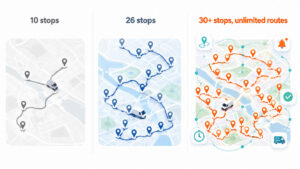
MapQuest Route Planner vs Bodha comparison of stops, routes, and features

The pattern is pretty clear. On the free-planner side of the line, Bodha covers everything MapQuest does and adds the details that make a working day easier: more stops per route, unlimited routes, per-stop arrival times, and no signup wall. And on the other side of that same line, when your operation grows, Bodha extends into the fleet features MapQuest simply doesn’t offer at any price. It’s the difference between a tool that stops helping when you hit its ceiling and a tool that grows with you.

If you’d rather see how the leading route planners compare across the wider market before committing, we’ve put seven of them through their paces in a separate rundown that’s worth a read. And if your work is specifically parcel or courier delivery, this guide to planning a courier route with multiple stops gets into the details that matter for that trade.

A few habits that get more out of MapQuest

If you’re staying on MapQuest for now, and for plenty of drivers that’s the right call, a handful of small habits sharpen every route you build.

Always turn on automatic reordering. It’s the single biggest time saving the tool offers, and leaving it switched off throws that saving straight in the bin. Switch to import the moment you’re past five stops, because manual typing is where wrong pins and typos creep in, and one bad address can distort an entire route. Front-load every address with its city and ZIP so geocoding doesn’t send you on a mystery detour to the wrong side of the county. Test any address you’re unsure about on its own, before it goes into a big route, so a single problem stop doesn’t wreck the sequence around it. And keep this one in mind above all: MapQuest gives you drive time, not service time. It doesn’t know you’ll spend eight minutes at each door. Add a realistic allowance for every stop, plus a cushion for traffic, so the plan you build at 7 a.m. actually survives contact with the real day.

Get those habits in place and MapQuest will serve you well for as long as your operation fits inside its limits. And when it doesn’t, Bodha’s free planner is the easiest next step: 30 stops, unlimited routes, no signup, and the same engine your fleet software would run on later.

Frequently Asked Questions

To use the MapQuest route planner, open it, enter your starting address, and add each destination with "Add Destination." MapQuest maps the stops in the order you enter them, and you can drag them to reorder or use its optimize option. Once your list is set, it gives you turn-by-turn directions for the whole route, which you can follow on desktop or in the app.

Yes, the MapQuest route planner is free to use, with no signup required to plan a basic route. It is supported by ads on the page. The trade-off for free is the practical limits: up to 26 stops per route, no delivery time windows, and no multi-driver support.

To plan a multi-stop route on MapQuest, open the Route Planner, enter your start address, then add each stop with the "Add Destination" option. MapQuest maps them in the order you enter, and you can drag stops to reorder or use its optimize option. When your list is set, it gives you turn-by-turn directions for the whole run.

MapQuest's route planner allows up to 26 stops on a single route. If your day regularly runs longer than that, you have to split it into two routes and stitch them together yourself, which is the point where most drivers start looking for a tool with a higher stop limit.

MapQuest has an optimize option that reorders your middle stops for a shorter route, but it does not touch your first or last stop, and the result is decent rather than fully optimized. For simple runs it helps. For tight, time-sensitive routes it can still hand you an order your own judgment improves.

Yes. MapQuest has a free app for iOS and Android, and you can also open the planner in a mobile browser. You can follow turn-by-turn directions from your phone, though building a long multi-stop route is usually easier on a desktop screen first.

No. MapQuest plans routes by location only and does not support delivery time windows, so an appointment like "drop off between 2 and 4 p.m." is something you have to plan around by hand. Tools built for delivery, like Bodha, build those windows into the route automatically.

Yes, you can share a MapQuest route as a link, and the driver can open the directions on their phone. What you do not get is live tracking, so once the driver leaves you are calling for updates rather than watching progress on a map.

MapQuest needs a connection to build and load a route, and its offline coverage is thin, so a weak-signal patch can leave a driver without directions mid-route. If you work rural or low-signal areas often, an offline-capable planner is worth considering.

The bottom line

The MapQuest Route Planner has earned its long run. For a road trip, a batch of errands, or a small single-driver delivery route, it’s free, familiar, and roomier than the mapping apps most people default to. Learn the optimize toggle and the import trick and you’ll have solid MapQuest driving directions in a couple of minutes flat.

Its limits are just as honest, though. It maps a route; it doesn’t run a delivery operation. The morning you cross 26 stops, add a second driver, or start fielding “where’s my order?” calls, you’ve asked a mapping tool to do a job it was never built for, and no amount of manual patching changes that.

When that morning comes, Bodha is the easiest next step, because there’s nothing to sign up for. Add your stops, hit optimize, and watch the route fall into the fastest order with an arrival time on every stop. Then decide for yourself whether you ever go back.

Plan your first optimized route with Bodha, free, no signup →

Beat MapQuest's 26-stop limit.

Optimizes up to 30 stops per route with unlimited routes, No Signup and No card.

Related blogs

How to Plan Delivery Routes: A Practical Guide for Operators

How to Plan Delivery Routes: A Practical Guide for Operators

Back Table Of Content Something every experienced dispatcher knows: the difference between a good day and a chaotic…

Reduce Delivery Costs: 10 Proven Strategies That Actually Work

Reduce Delivery Costs: 10 Proven Strategies That Actually Work

Back Table Of Content Last-mile delivery is the most expensive part of the logistics chain. It accounts for…

Best Route Optimization Software for Food Distributors in 2026: Features, Pricing & Top Picks

Best Route Optimization Software for Food Distributors in 2026: Features,…

Back Table Of Content In food distribution, the clock runs everything. You’re moving perishable stock through narrow receiving…

Best Route Planning Software in 2026: Compared by Cost

Best Route Planning Software

Best Route Planning Software in 2026: Compared by Cost

user profile

Ruchita Purohit

July 30, 2026

Table Of Content

Nobody buys route planning software because they’re curious. They buy it the week the wheels come off. A solo courier with 18 drops realizes they’ve been splitting the day into two Google Maps trips, because it won’t take more than 10 stops at once, and doubling back across town twice a day. A three-van delivery shop loses the one person who knew the routes by heart, and the whole operation turns out to have lived in that person’s memory, which just walked out the door. A regional carrier with forty vehicles fails a compliance audit. Three different problems, three different budgets, and here’s what almost every “best route planning software” article gets wrong: it throws all of them into one list and compares a free app against a platform that costs thousands a month, as if price alone told you anything.

It doesn’t, because route planning software isn’t one market. It’s four, stacked by cost, and the single most useful thing we can do is show you where the price cliffs are so you buy in the right tier instead of overpaying by a factor of ten or underbuying and getting stuck. So this guide is built around cost, tier by tier.

The four kinds of route planning software

Here’s the whole market on one screen, cheapest to most expensive.

Most buyers are really choosing inside one of the two middle tiers, so those are where we put the real cost comparison. The two ends we’ll clarify quickly, because they matter mostly as boundaries: the free tier is where you start, and the enterprise tier is where you’ve stepped into a different budget and a different guide.

The mistake that costs money is comparing across tiers. A $20 solo app looks brilliant next to a $150 team platform right up until you notice the solo app can’t send one customer notification or capture a single signature. The two prices aren’t measuring the same thing. So we compare within a tier, never across, and we tell you exactly where each tool sits.

One note on Bodha, since it shows up in three of these four tiers: there’s a free web planner, a free individual driver app, and Bodha Fleet for teams. That’s deliberate, so you don’t have to change vendors every time you climb a tier, and we’ll flag which Bodha product belongs to each tier as we go.

Tier 1: free web tools (where everyone starts)

Free web tools are browser-based route optimizers. You paste a list of addresses, they return a sensible order to drive them, and that’s the whole job. They’re genuinely useful and they cost nothing, so there’s no cost ranking to do here. What varies is the stop cap and whether the tool truly optimizes, so those are what to check.

The main ones worth knowing: Bodha’s free web route planner handles up to 30 stops a route with no signup and no card, which is the most generous free ceiling of the group. Google Maps is free and on every phone but caps you at 10 stops and doesn’t optimize even those, since it drives them in the order you type them, so treat it as your control group rather than a planner. RouteXL optimizes up to 20 stops free (paid tiers raise that cap to 100 or 200 for €35 to €70 a month, but it stays a bare optimizer). Speedy Route offers a small free tier and paid multi-vehicle plans, though its own domain now redirects to Spoke’s Delivery Planner, so confirm it’s still independent before relying on it.

What none of them do is the operational layer: no driver app to hand out, no proof of delivery, no live tracking, no customer notifications. The moment you need any of that, you’ve left this tier. For a solo driver who just wants a cleaner order of stops for free, though, this is often all you’ll ever need, and Bodha’s 30-stop planner is the place to start: plan a route free.

How we compared the paid tiers on cost

For the two tiers people actually pay for, we scored every tool on the same four questions, and we weighted the two that vendors bury.

The real price at your size. For an individual app that’s the monthly cost for one driver. For team software it’s the true all-in number for a small team once you count the features you’ll actually use, because the headline price and the working price are rarely the same.

The billing model, because it decides your future bill. Per driver, per order, per user, or flat all scale completely differently as you grow, and the cheapest tool today is often the most expensive one in a year.

Whether it caps your work. Stops per route, orders per month, routes per day. A cap you haven’t hit yet will eventually stop your day cold.

What you actually get for the money. Proof of delivery, live tracking, and customer notifications are bundled by some tools and sold as extras by others, so identical-looking prices can hide very different invoices.

All pricing below is current as of July 2026, rounded for comparison. Some vendors don’t publish prices, and we flag those. Confirm the live figure before you commit.

Tier 2: individual driver apps, compared by cost

These are mobile apps for one driver: optimize the day, navigate it, manage the stops. They run from free to about $25 a month, and this is the first tier where the price differences are worth comparing.

Bodha driver app

Bodha’s individual driver app is free for up to 20 stops a route, which reframes this whole tier: the baseline isn’t “which cheap app do I pay for,” it’s “why pay at all until you need to.” You get real optimization and turn-by-turn navigation for a single driver at no cost. It doesn’t include team features like proof of delivery, customer notifications, or a manager’s view, because those live in the team tier, but for a solo driver optimizing their own runs it’s the cheapest genuine option here, which is to say free. Get it at Bodha’s driver app.

Spoke (formerly Circuit)

Spoke, the app most people still call Circuit, is the polished paid solo tool and honest about its limits. Free covers 10 stops, Lite is $10 a month with unlimited stops, and Standard is $20 a month with unlimited stops and the full solo feature set. For a driver who wants a refined app and doesn’t mind paying $10 to $20 for it, it’s excellent. Every plan is single-driver only, with no proof of delivery, notifications, or manager tracking at any price. Its multi-driver product, Spoke Dispatch, is a separate thing in the team tier below, so don’t read Spoke’s $20 as a team price.

Choose Spoke if you want a paid solo app with a bit more polish than a free tool and you’ll stay a single driver.

Zeo Route Planner

Zeo’s entry Route Optimization tier is about $24 per driver per month on annual billing, but it caps you at 3 routes a day, which a working driver blows through fast, and it bills annually with no monthly option and only a 7-day trial. Its higher tiers add unlimited routes and proof of delivery and cross into the team tier, so we cover those below. As a pure individual app, its entry price is higher than a free Bodha app or a $10 Spoke plan and comes with the route cap, so it makes sense mainly if you’ll grow into its upper tiers. (Zeo’s entry price comes from third-party 2026 breakdowns, so confirm it.)

Cost takeaway for this tier: a solo driver’s honest options are free (Bodha’s app or a free web tool), $10 to $20 (Spoke), or about $24 with a route cap (Zeo). Unless you specifically want Spoke’s polish, there’s little reason to pay anything for one-driver optimization in 2026.

Tier 3: team software, compared by cost

This is where most real money is spent and where the cost comparison matters most. Team software coordinates several drivers, captures proof of delivery, sends customers tracking notifications, and gives a manager one screen for the operation. It runs from about $30 to $200-plus a month, and it bills in four different shapes that diverge sharply as you grow, so we’ve priced each one for a realistic team of about five drivers.

Bodha Fleet

Bodha Fleet is the team product, and on cost it’s the one to beat. It’s a flat $29.99 per driver per month (a little under $24 on annual billing), with no limits on deliveries, stops, or routes, and it includes the entire operational layer as standard: proof of delivery with photo and signature, customer notifications by both SMS and email, live tracking with customer links, a barcode scanner, full analytics, and multi-vehicle dispatch. There’s a 7-day free trial of the full product with no card, and because there’s no hardware, most teams are dispatching real routes in under an hour.

Do the math and a five-driver team pays about $150 a month, everything in. The comparable platforms below run from roughly $200 (Spoke Dispatch, flat) and $220 (OptimoRoute) up past $300, and several of them charge extra for the SMS notifications Bodha bundles or hide proof of delivery behind a higher tier. Bodha isn’t chasing the cheapest solo-app title, because for a single driver a free app already wins. Its edge is here, in the team tier, where $29.99 all-in is the lowest genuine price for a full operational platform. Start with Bodha Fleet.

Spoke Dispatch (formerly Circuit for Teams)

Spoke’s team product is the interesting outlier on cost because it bills a flat account fee rather than per driver: roughly $125 a month for Starter, $200 for Premium, and $1,000 for Expert, with the full operational set (driver app, unlimited routes and stops, live tracking, proof of delivery, automated notifications) landing on Premium. Adding drivers doesn’t change the price. That flat model means a small team pays more than Bodha (five drivers is about $150 on Bodha versus $200 on Spoke Premium), but a larger team can come out ahead, at the cost of a $200 floor even with two drivers. Confirm the live tiers, since they come from third-party listings.

OptimoRoute

OptimoRoute is a strong per-driver platform. Lite is about $35 per driver and Pro about $44 on annual billing, and the catch is that proof of delivery, analytics, and customer order tracking only appear on Pro, so most delivery teams need the higher tier. Its order caps (700 on Lite, 1,000 on Pro) are per optimization batch, not a monthly ceiling. A five-driver team on Pro lands around $220 a month, which makes it the closest per-driver competitor to Bodha Fleet, still meaningfully higher per head.

Routific

Routific bills by order volume, and drivers are unlimited and free, a genuinely different model. A free tier covers 100 orders a month, a $150 base covers up to 1,000, and above that you pay a shrinking per-order rate, so a team doing 2,000 to 4,000 orders a month lands around $300 to $530. Proof of delivery, tracking, email notifications, and dispatch are included, but customer SMS is a paid add-on, which matters because SMS is what most customers expect. The order-based model is a bargain if you have many drivers and few orders, and it climbs with volume exactly when you’re busiest.

Route4Me

Route4Me is a highly configurable platform built on a marketplace model, where a base subscription is topped up with paid add-ons for SMS, geofencing, recurring routes, and more. It bills per user, counting drivers and dispatchers, usually with a five-user minimum. The buyer’s problem is that it publishes no pricing and third-party estimates for five users swing from about $300 to $1,500 a month before add-ons, too wide to plan against without a direct quote. Choose it if you want deep configurability and you’ll price it out carefully.

Zeo (team tiers)

Zeo’s per-driver seats scale into the team tier: Route Management around $42 per driver adds proof of delivery, and Fleet Management around $50 per driver adds notifications, API, and delivery zones. A five-driver team lands roughly $210 to $250 a month on annual billing, with notifications included only at the top tier. It’s a reasonable middle option, priced above Bodha Fleet and OptimoRoute per driver.

Badger Maps

Badger Maps belongs on a route planning list but not a delivery one. It’s built for field sales reps, sitting on a CRM and optimizing a selling day rather than a delivery run, at $58 per user per month on annual billing for Business (about $69 monthly) and $95 for Enterprise. Proof of delivery and notifications don’t apply, because the win is face-time with accounts. Choose it only if your stops are sales accounts.

What a five-driver team actually pays

This is the comparison the whole guide is built to make, so here it is in one place. Put five drivers through each real team platform with the features a delivery team genuinely needs, and the all-in monthly cost looks roughly like this: Bodha Fleet around $150, Spoke Dispatch about $200 flat whatever your driver count, OptimoRoute around $220, Zeo around $210 to $250, Routific around $300 to $530, and Route4Me somewhere in an unpublished $300 to $1,500 band. Bodha comes out lowest, and it’s the only one that includes customer SMS rather than charging extra or gating it behind a higher tier.

The numbers spread that far because the four billing shapes behave completely differently as you grow. Per-driver pricing (Bodha, OptimoRoute, Zeo) tracks headcount and ignores volume. Flat account pricing (Spoke Dispatch) ignores both, a floor when you’re tiny and a bargain once you’re big. Per-order pricing (Routific) ignores headcount and tracks volume, a bargain with many drivers and few orders and painful in reverse. Per-user pricing that counts dispatchers too (Route4Me) inflates as your back office grows, and its add-on model means the sticker price and the working price are different numbers.

No model is always cheapest. The point is to price your year-two self, not your today-self, and match the model to how you’ll grow. A team whose order volume is climbing should avoid per-order pricing. A team adding drivers steadily wants predictable per-driver pricing with nothing metered on top, which is the shape Bodha Fleet uses and the reason its all-in number stays low and flat.

Tier 4: enterprise software (when you've outgrown this guide)

Above team software sits a different animal, and a different budget. Enterprise route planning is for multi-vehicle fleets: dozens of vehicles, a dispatch desk, telematics hardware in the cabs, and compliance requirements like hours-of-service logging. Pricing is custom and usually lands somewhere from several hundred to a few thousand dollars a month, often with hardware costs and multi-year contracts on top. Tools in this tier include Onfleet (published plans run roughly $599 to $2,999-plus a month), Geotab (custom pricing plus installed hardware), and Verizon Connect (custom quote, multi-year terms), along with the enterprise tiers of platforms like Route4Me.

We don’t rank these on cost here, for two reasons: the pricing is quote-only, so there’s no clean number to compare, and it’s a genuinely different buying decision with telematics and compliance at its center. If several vehicles, a dispatcher, and hardware describe your operation, you’ve stepped out of this guide. Our fleet routing software comparison is written for exactly that decision.

The setup-time gap nobody publishes

The other number vendors leave off the pricing page is how long until the software is actually working, and it matters because you’re usually shopping in a week where you needed it yesterday. Free web tools and individual apps are minutes to live. The no-hardware team platforms, where Bodha Fleet sits, are same-day to under an hour, because there’s a driver app to hand out but nothing to install. The heavier team platforms (Routific, Route4Me, and CRM-integrated Badger) run days to a couple of weeks. And enterprise tools with telematics run weeks to months. A long setup is fine for a long-term decision, but if a driver just quit and you need routes out on Monday, it’s the most important number on the page.

Which tier is right for you

If you plan the odd run and want it free, stay in the free web tools and use Bodha’s 30-stop planner.

If you’re a solo driver on the road every day, you’re in the individual-app tier, and the honest answer is you may not need to pay: Bodha’s driver app is free to 20 stops, and if you want more polish, Spoke at $10 to $20 is the paid pick.

If you’re a small team fielding “where’s my order?” calls, you’ve reached the team tier, and the fair fight is team-to-team on cost: Bodha Fleet at about $150 a month all-in for five drivers is the lowest genuine price here, with Spoke Dispatch, OptimoRoute, and Routific as the pricier alternatives.

If you’re running a multi-vehicle fleet with a dispatch desk and telematics, you’re in enterprise territory and past this guide. Read the fleet routing comparison.

Where people go wrong choosing route software

Comparing across tiers. The single most expensive mistake, and the reason this guide is built in tiers. A $20 solo app is not cheaper than a $150 team platform, because it isn’t doing the same job. Pick your tier first, then compare price only within it.

Buying a tier too high. Paying for team dispatch as a solo courier, or enterprise telematics for a five-van shop. Buy the tier you’re in and climb when you actually need to.

Reading the sticker price instead of the billing model. Two team platforms at similar headline prices can end up double each other by year two depending on whether they bill per driver, per order, flat, or per user with add-ons. Model your future bill.

Missing what’s an add-on. Customer SMS, proof of delivery, and notifications are bundled by some tools and sold as extras by others. The feature list can look identical while the invoice doesn’t.

Ignoring setup time until it’s urgent. If you only start shopping the week your planner quits, a two-week onboarding becomes a two-week outage.

Frequently Asked Questions

It takes a list of addresses and works out the most efficient order to drive them, then hands that route to a driver. It comes in four tiers: free web tools, individual driver apps, team software that adds proof of delivery and customer notifications, and enterprise platforms with telematics for large fleets.

Free web tools are $0. Individual driver apps run $0 to about $25 per driver per month. Team software runs roughly $30 to $200-plus a month depending on the billing model and team size. Enterprise platforms are custom-quoted, often several hundred to a few thousand dollars a month plus hardware.

An individual app optimizes one person's stops. Team software coordinates several drivers and adds proof of delivery, customer notifications, and a manager's view, which is why it costs more. Compare apps to apps and team tools to team tools, never one against the other.

It's the team price, for Bodha Fleet, and it includes proof of delivery, SMS and email notifications, live tracking, a scanner, and analytics per driver, with no limits on deliveries, stops, or routes. Against other team platforms, which start around $200 a month for five drivers, it's the lowest all-in price here. For solo use, Bodha's free web planner and free driver app cover you at no cost.

For a solo driver, Bodha gives two free options, a web planner up to 30 stops and a driver app up to 20 stops, both ahead of Spoke's free 10 stops and RouteXL's free 20. Google Maps is free but doesn't truly optimize.

The team platforms: Bodha Fleet, Spoke Dispatch, OptimoRoute, Routific, Route4Me, and Zeo's upper tiers. The free web tools and solo apps optimize one driver's day and don't coordinate a team.

Yes, and the messier your current routes, the bigger the win. Once drivers stop doubling back, mileage usually falls 20 to 30%, and fuel tracks mileage almost one for one. Record what you spend now, before you switch, so the saving is a measured number.

Most paid tools offer one. Bodha Fleet's runs 7 days with everything switched on and no card required. The free web tools and Bodha's free driver app need no trial, since they're free to use.

Start where you are

The best route planning software isn’t the one with the longest feature list. It’s the one in the right tier for you, at a price that matches the job. Work out whether you need a free web tool, an individual app, team software, or enterprise, compare only within that tier, and check the setup time before you need it.

If you want to start free, plan a route in Bodha’s web planner, no signup and no card. And when you become a team that needs proof of delivery, customer tracking, and dispatch, Bodha Fleet is $29.99 per driver all-in, with a 7-day trial one click past it.

Not sure which tier you're in?

Plan your first optimized route in Bodha's web planner, no signup, no card, up to 30 stops. When you grow into a team, Bodha Fleet is one click away.

Related blogs

How to Plan Delivery Routes: A Practical Guide for Operators

How to Plan Delivery Routes: A Practical Guide for Operators

Back Table Of Content Something every experienced dispatcher knows: the difference between a good day and a chaotic…

Reduce Delivery Costs: 10 Proven Strategies That Actually Work

Reduce Delivery Costs: 10 Proven Strategies That Actually Work

Back Table Of Content Last-mile delivery is the most expensive part of the logistics chain. It accounts for…

Best Route Optimization Software for Food Distributors in 2026: Features, Pricing & Top Picks

Best Route Optimization Software for Food Distributors in 2026: Features,…

Back Table Of Content In food distribution, the clock runs everything. You’re moving perishable stock through narrow receiving…

Last-Mile Delivery Software vs Building Your Own: What It Costs

Last-Mile Delivery Software vs Building Your Own

Last-Mile Delivery Software vs Building Your Own: What It Costs

user profile

Ruchita Purohit

July 29, 2026

Table Of Content

Last mile delivery used to be simple. Load the van, drive the route, drop the parcels. Done.

It isn’t that anymore. Now you’re optimizing routes on the fly, watching where drivers are, texting customers their ETA, snapping proof of delivery, and trying to figure out what each run actually cost you. And somewhere around the point where all of that gets genuinely hard to juggle, a certain thought tends to pop up.

We could just build our own software.

I get why. You’d get the exact features you want. No monthly bill. Total control over the thing your whole operation runs on. And for a small number of companies, that instinct is correct. But most people who go down this road learn the same lesson a bit too late: the real cost of a home-built last mile platform is nowhere near the number you’re quoted at the start. It keeps billing you long after the “finished” version ships.

So, off-the-shelf last mile delivery software or roll your own? It’s a real decision with real trade-offs, and almost everything written about it is propaganda from one side or the other. SaaS vendors tell you to buy. Dev agencies tell you to build. This one just puts the numbers on the table and lets you make the call. Here goes.

Why teams think building their own delivery software is the smart move

On paper the build looks obvious, especially if you already have a developer on staff or a founder who used to ship code. The case usually rests on four beliefs. Each one is partly true. Each one hides something.


“We’ll have total control and customization.”

True, mostly. A custom build does whatever you tell it to. The problem is that what you want it to do never stops changing. Your routing rules shift. A carrier rewrites their API. A customer asks for a notification you didn’t build. The mapping provider quietly changes their pricing. Control isn’t something you buy one time and keep. It’s a chore you just signed up for, permanently, and it does not care that it’s Sunday.


“It’ll be cheaper than paying a subscription forever.”

Feels airtight. Why rent when you can own? Trouble is, you never actually finish owning it. You build it, then you maintain it, host it, patch it, and upgrade it until the day you retire it. The subscription you were dodging comes back as salaries, cloud invoices, and API fees. Those don’t stop either. They usually cost more.


“Our developers can handle it.”

Sure, they can write code. But this isn’t really a coding problem. It’s a logistics problem in a coding costume. Route optimization alone is a nasty computer-science puzzle that specialist teams have been grinding on for years. Bolt on live GPS, a driver app that survives a dead zone in a stairwell, dispatch logic, exception handling… now you’re asking generalists to rebuild, from scratch, things that already work really well elsewhere.


“We’ll just stitch a few APIs together.”

The duct-tape plan. Mapping API here, an SMS service there, a tracking widget, glue. And it does work. Right up until something snaps mid-route and suddenly you’re the support desk. Every integration is one more thing to babysit, pay for, and pray doesn’t break during your Friday rush. The quick fix has a way of turning into a fragile pile that exactly one person on your team actually understands.

Look, none of these beliefs is dumb. They’re just half the picture. The missing half is where the real money hides, so let’s go find it.

What building your own last mile delivery software actually costs

This is the part where most build-vs-buy articles suddenly get shy. They’ll call building “expensive” or throw around the word “millions” and never show you a single figure. Fine. Let’s be specific. There are three layers of cost here, and only the first one ever makes it into the initial quote.


Layer 1: the upfront build

Shipping a production-grade last mile platform takes a team. A product owner. Backend developers. A mobile dev for the driver app. A frontend dev for the dispatch dashboard. Design and QA on top. In North America or Western Europe, senior developers cost roughly $100 to $200 an hour once you count everything. Offshore in Eastern Europe or South Asia drops that to $30 to $80, though you’ll pay some of that saving back in extra management and testing time.

A bare-bones MVP, basic route sequencing plus a simple driver app and tracking, usually lands around $75,000 to $150,000. Something that can actually go toe-to-toe with commercial last mile delivery software, meaning real route optimization, live tracking, notifications, proof of delivery, the reporting, all of it, is closer to $200,000 to $400,000, and it climbs from there. All of that spend happens before you’ve delivered one package, because the build eats six to twelve months during which you’re paying the team and have nothing to show drivers yet.

And it’s worth being blunt about what “production-grade” really means, because that’s where budgets quietly blow up. You’re not building one app. You’re building at least three things that have to talk to each other: a dashboard where dispatchers plan and watch routes, a driver app that keeps working when the signal dies in a basement, and a backend holding the whole thing together in real time. Then come the ugly edge cases that make delivery genuinely hard. Nobody home. An address that geocodes to the wrong street. A driver who drops offline halfway through a route. A parcel that bounces back. Commercial tools have spent years getting beaten up by these exact situations. Your fresh build meets every one of them for the first time in production, live, with your real customers watching it happen.


Layer 2: the APIs you rent forever

Here’s the layer almost nobody puts in the budget. Even a “self-built” system leans on paid outside services that bill you every month for as long as it runs:

  • Mapping and geocoding. Turning addresses into coordinates, and coordinates into sensible routes, means a provider like Google Maps Platform. Once you’re running real volume, geocoding plus directions plus route-optimization calls can run anywhere from a few hundred to a few thousand dollars a month.
  • SMS and email notifications. Those “driver’s 3 stops away” texts cost about a cent each through something like Twilio. Do 10,000 deliveries a month with a couple of messages each and you’re at a few hundred dollars, more as volume grows.
  • Cloud hosting and infrastructure. Servers, databases, storage. Call it hundreds a month, rising as you scale.

Individually, none of these will scare you. Stacked together, though, they mean your “free to own” software carries a recurring bill that looks an awful lot like the subscription you were trying to avoid.


Layer 3: the maintenance tail nobody budgets for

Study after study on custom software lands on the same uncomfortable finding: the build is the cheap part. Something like 80% of a system’s lifetime cost shows up after launch, buried in maintenance, upgrades, bug fixes, and migrations. A sane planning figure is 15% to 20% of the original build cost, every year, just to keep the lights on and the thing current.

Line all three layers up and the whole picture shifts. Building isn’t a one-time $250,000 call. It’s a $250,000 call that then invoices you fifty grand a year, indefinitely, for a tool that’s only ever as good as your most recent update.

The hidden costs that never make the quote

Honestly, even those numbers undersell it. The most expensive parts of building your own delivery software don’t come with line items. They turn up quietly, months later, in ways no spreadsheet flags for you upfront.


It’s never actually finished

A commercial platform ships improvements while you sleep. Yours only gets better when you pay someone to make it better. Every carrier API change, every OS update, every “hey, can it also do this?” from a customer joins a backlog that’s now fighting your actual business for developer hours. “Done” turns out to be a place you never quite arrive.


Developer time gets stolen from your real product

This one stings. Every hour your team burns debugging route logic is an hour not spent on the thing that pays the bills. Plenty of companies that set out to build their own logistics tool wake up one day and realize they’ve accidentally become a part-time software company. Nobody chose that on purpose.


Key-person risk

Custom systems have a habit of living inside one developer’s head. That’s fine, until that person takes a holiday, a better offer, or a sick day right in the middle of your busiest week. Then you find out exactly how much of your operation was quietly resting on one set of shoulders. Software you bought doesn’t hand in its notice.


The months you spend with no tool at all

While the build drags on for six to twelve months, your dispatchers are still sorting routes by hand and your money is still leaking out of all the places we mapped in the last mile delivery cost breakdown. Every week you spend building is a week you’re not saving. That’s a cost too, even if it never shows up on an invoice.

What buying last mile delivery software actually costs

Now the other column, and thankfully it’s a short read. Commercial last mile delivery software sells as a monthly subscription, usually per driver or per vehicle. For a small-to-mid-size fleet, real pricing runs from free tools up to somewhere around $150 to $1,500 a month depending on the platform and your volume. Bodha sits at $29.99 per driver per month, so a 10-driver outfit is looking at roughly $300 a month. About $3,600 a year.

For that, the build, the APIs, the hosting, the maintenance, and yes, the 2am bug that wakes someone up, are all somebody else’s job. You get route optimization, a driver app, live tracking, automated notifications, and proof of delivery on day one instead of month twelve. Updates just show up. And when you’re ready to pick between platforms, that’s worth doing carefully, our last mile delivery software buyer’s guide puts the main options side by side with real pricing, and our breakdown of delivery software costs walks through what to expect at different fleet sizes.

Build vs buy: the break-even math nobody shows you

Let’s just put the two next to each other for a real 10-driver fleet.

Build. Say $250,000 upfront. Add $50,000 a year in maintenance. Add another $15,000 or so a year for APIs and hosting. Year one: $315,000. Every year after that: about $65,000.

Buy. That same fleet, at $29.99 a driver, pays around $3,600 a year. Even if you go pricey with a fancier platform and some add-ons, call it $10,000.

There’s no catching up here. You could pay for the subscription for decades before you’d match what one year of building costs, and the built version still needs constant upkeep that the subscription just handles for you. For a small or mid-size fleet, the break-even point is basically never.

Flip the numbers around and it gets almost silly. That $315,000 first-year build budget would cover something like 87 years of SaaS for a 10-driver fleet. Realistically, the interest on the cash you’d sink into building would probably cover your subscription by itself, and the bought software is live and fully featured this week while the build is still a hiring plan and a Gantt chart. The only scenario where the math starts leaning toward building is when your fleet is big enough that per-driver fees pile into six figures a year. At that scale a dedicated engineering team stops looking crazy. Below it, it just is.

So who should build? A few companies genuinely should, to be fair. It can make sense if your delivery workflows are so unusual that no vendor comes close, if you’re operating at a scale where subscription fees would out-cost a whole engineering team, and if software is already something you do well, with the developers to back it up. That’s a real group. It’s just a small one, and it’s mostly big enterprises.

For everybody else, which is nearly every business running 3 to 50 vehicles, buying isn’t the lazy shortcut. It’s the sensible answer. Better tool, faster, at a sliver of the cost, and your people stay pointed at deliveries instead of stack traces.

The bottom line

“Build your own last mile delivery software” whispers control and savings. Do the honest arithmetic, though, and it usually delivers the opposite. A fat upfront build. A recurring API bill you never actually escaped. A maintenance tail that runs for as long as the system lives. Months of waiting before you launch anything at all. Buying flips every one of those: most of the cost, all of the upkeep, and all of the risk shift over to the vendor, and you’re live in days rather than quarters.

Unless your operation is truly one of a kind and you’ve got the engineering muscle to match, the smart money buys. Bodha hands you optimized multi-driver routing, live tracking, automated customer updates, and proof of delivery for $29.99 a driver, running this week, not next year. Start a free 7-day trial and watch it work before you spend a single dollar building anything.

Frequently Asked Questions

A basic MVP with simple routing and tracking usually costs $75,000 to $150,000. A production-grade platform with real route optimization, a driver app, live tracking, and proof of delivery is more like $200,000 to $400,000 or higher. And the build isn't the end of it, plan on 15% to 20% of that cost every year for maintenance, plus ongoing mapping, SMS, and hosting fees. It's rarely a one-time expense.

For nearly every small and mid-size fleet, buying wins by a mile. A 10-driver operation might spend around $3,600 a year on SaaS versus $250,000-plus upfront and about $65,000 a year to build and run its own. Building only gets competitive at very large scale, or when your needs are so specific that no commercial platform can meet them.

Because the visible build cost is just the opening bill. Route optimization is a hard technical problem on its own, and you still need a driver app, a dispatch dashboard, live tracking, and notifications around it. After launch, roughly 80% of the total cost of ownership comes from maintenance, upgrades, third-party API fees, and hosting, and those keep running for as long as you use the system.

Building can be worth it when you're operating at a scale where per-driver subscription fees would cost more than an in-house engineering team, when your delivery workflows are genuinely unlike anything a vendor supports, and when software development is already a core strength with dedicated developers on hand. For most businesses running 3 to 50 vehicles, buying is the better move.

At a minimum: route optimization for multi-stop, multi-driver planning, a mobile driver app, real-time GPS tracking, automated customer notifications, proof of delivery, and solid cost and performance reporting. Buying these as one bundled platform means they're maintained and updated for you, instead of you building and babysitting each one yourself.

Test-drive it before you commit a single dollar

Upload your stops, build an optimized multi-driver route, and see what finished software feels like.

Related blogs

How to Plan Delivery Routes: A Practical Guide for Operators

How to Plan Delivery Routes: A Practical Guide for Operators

Back Table Of Content Something every experienced dispatcher knows: the difference between a good day and a chaotic…

Reduce Delivery Costs: 10 Proven Strategies That Actually Work

Reduce Delivery Costs: 10 Proven Strategies That Actually Work

Back Table Of Content Last-mile delivery is the most expensive part of the logistics chain. It accounts for…

Best Route Optimization Software for Food Distributors in 2026: Features, Pricing & Top Picks

Best Route Optimization Software for Food Distributors in 2026: Features,…

Back Table Of Content In food distribution, the clock runs everything. You’re moving perishable stock through narrow receiving…

Last Mile Delivery Cost Breakdown: Where Your Money Goes

Last Mile Delivery Cost Breakdown

Last Mile Delivery Cost Breakdown: Where Your Money Goes

user profile

Ruchita Purohit

July 29, 2026

Table Of Content

Ask most delivery business owners what a single delivery costs them and you’ll get a pause, then a guess. They can tell you the fuel bill to the dollar. They know payroll cold. But the actual cost of getting one parcel from the depot to a doorstep? That number tends to live in a fog.

That fog is expensive. The last mile, the final hop to the customer’s door, now swallows roughly 53% of total shipping costs, up from about 41% back in 2018. Read that again: the shortest leg of the whole journey costs more than warehousing and more than the long-haul freight that carried your stock across the country in the first place.

So where does all that money actually go? That’s the whole point of this piece. We’re going to pull the last mile delivery cost apart, line by line, and show you which pieces are quietly draining your margin. No vague hand-waving about “efficiency.” Just a straight breakdown, some real dollar figures, and a simple way to work out your own cost per delivery. Once you can see where the money leaks, plugging the holes gets a lot easier.

What is last mile delivery, and why is it such a money pit?

Quick definition first. Last mile delivery is the final stretch of the shipping journey, from your warehouse, kitchen, store, or depot to the person waiting at home. You’ll also hear it called final mile delivery, which is a little misleading, because it’s almost never a single mile. The real average sits closer to six to nine miles.

Now the strange part. The last mile is the shortest leg of your supply chain and, by a distance, the priciest. Why? Because it’s the point where consolidation falls apart.

Think about how your stock reaches you. A manufacturer loads a truck, that truck drives to your warehouse, done. One trip, one route, everything moving together. Cheap per unit. The last mile is the opposite of that. Suddenly every parcel is its own little mission, with its own address, its own driveway, its own gate code, and its own decent chance that nobody’s home when the driver knocks.

The industry word for the core problem is density, or rather the lack of it. When a driver is making fewer than three drops an hour, or doubling back across town because two stops on the same street somehow ended up on opposite ends of the schedule, the cost per delivery shoots up. Layer on rising driver wages, congestion charges creeping into more city centers, failed deliveries, and returns, and you’ve got a cost base that keeps climbing even on a quiet month. Which is exactly why understanding the breakdown of your last mile costs matters before you try to cut a single dollar.

The last mile delivery cost breakdown: where every dollar goes

There’s no one villain here. Your last mile delivery costs are the sum of several moving parts, each one adding a bit before the package ever reaches the door. Here’s roughly how the stack splits for a typical small fleet:

Those percentages wobble depending on your routes, your vehicles, and where you operate. But the pecking order almost never changes. Labor and fuel run the show in every last mile delivery cost breakdown you’ll ever see. Let’s go through them one at a time.

Labor costs

If you only fix one thing after reading this, make it labor, because it’s about half of everything. Delivery drivers in the US generally earn somewhere between $16 and $24 an hour, with the Bureau of Labor Statistics pinning the average for light-truck drivers near $19.43. But the wage on the payslip isn’t the real number. Add overtime, payroll taxes, benefits, training, and the slow bleed of turnover, which runs high in this line of work and costs you again every time a driver quits and you start over with someone new.

And that’s just the people in the vans. Somebody has to plan the routes, assign the zones, and keep drivers and customers talking to each other. In a small operation that somebody is usually you, which means the cost is buried in your own hours rather than showing up on a spreadsheet. Grow a little and you’ll eventually hire a dispatcher, and there’s another labor line. Outsource the whole thing to a third-party courier and you haven’t escaped the cost, you’ve just wrapped it inside their rate. However you arrange it, people are the beating heart of your last mile delivery costs.

Fuel costs

Fuel is the runner-up, usually 10% to 25% of the total, and last mile work is brutal on it. Delivery vans can drop to around 6.5 miles per gallon in stop-and-go city traffic, and every crawl, brake, and idle at the curb burns fuel that moves the parcel exactly nowhere. Rural routes flip the problem: fewer stops, but long empty stretches between them.

What stings is how much of that fuel is pure waste rather than genuine cost. A route sequenced by hand, or by best guess, tacks on unnecessary miles day after day, and an engine left running at each stop adds up fast across a fleet. This is the one cost that responds almost immediately to sharper route optimization, because a tighter stop order cuts the miles driven, and the miles driven are the fuel.

Vehicle costs

Fuel aside, your vehicles bring their own bundle of last mile delivery costs. Buying or leasing the van is only the opening bid. After that comes maintenance, repairs, tires, depreciation, and commercial insurance, which runs pricier than a personal policy because delivery vehicles clock more miles, carry more liability, and wear out faster. Haul anything temperature-sensitive, food, flowers, medication, and a refrigerated van pushes those premiums higher still.

There are newer costs sneaking in too. As more cities roll out congestion charges and low-emission zones, those fees land straight on the fleets working built-up areas. And then there’s the nightmare scenario every operator knows: a breakdown mid-route. One dead van triggers a chain reaction, emergency re-dispatch, driver overtime to cover the gap, missed drops, maybe a tow. It’s the priciest vehicle cost of all, and it’s largely preventable. A boring maintenance schedule is a lot cheaper than the chaos a breakdown unleashes.

Packaging, handling and warehousing costs

Before a parcel ever sees a van, it gets picked, packed, and stored, and every step of that adds to your last mile delivery costs. Labor is the heavyweight again here, with pick-and-pack workers averaging around $15 to $16 an hour. Then the materials: a plain medium cardboard box usually costs under a dollar, but slap your branding on it and you’re looking at $2 to $3, and protective fill like void packing or corrugated inserts stacks on top.

Storage is the other side of it. Whether you’re renting a modest unit or running a proper warehouse, you’re paying for the space that holds stock until it ships. Buying packaging in bulk shaves the per-unit price but eats storage room, so the two costs quietly trade against each other. Per order it’s small. At volume, it’s relentless.

Technology and software costs

Here’s the line item that looks like a cost but behaves like a discount. Last mile delivery software is usually just 1% to 5% of your total, and it’s the one entry on this list that drags every other number down. It rolls route optimization, live tracking, automated customer notifications, and proof of delivery into one system, and quietly retires the spreadsheets, the group chats, and the printed manifests.

You’ll typically pay a monthly per-driver or per-vehicle subscription, running from free tools up to a few hundred dollars a month for a small fleet. The reason it earns its keep is simple leverage: a small spend that trims fuel, kills failed deliveries, and hands your dispatcher hours back pays for itself several times over. Think of it less as a bill and more as a lever on all the bigger costs above it. If you’re actually shopping, our last mile delivery software buyer’s guide lays the main platforms side by side with real pricing.

Failed deliveries and reverse logistics

Now the sneaky one. This category almost never makes it into people’s mental math, and it should. A failed first delivery attempt costs about $17.78 once you tally the wasted trip, the re-handling, the admin, and whatever you throw at the annoyed customer to keep them happy. Roughly 5% of deliveries flop on the first go, and get this, nearly 45% of those flops trace back to something as dumb as a bad address. Do 200 deliveries a day and even a modest failure rate is torching hundreds of dollars while you’re not looking.

Returns pile on from there. Reverse logistics, the whole business of handling returns, refunds, and lost parcels, has ballooned right alongside e-commerce, and most online shoppers have sent something back at least once. Every return means paying to bring the item home, restock it, and often ship a replacement, so you end up funding the same delivery two or three times over. Cutting failed delivery attempts with address checks and a heads-up text before the driver arrives is one of the highest-return fixes going.

Compliance and regulatory costs

Last and quietest: the paperwork costs. Driver overtime rules, business and vehicle licensing, insurance minimums, tax filing, data-protection duties for all that customer info you’re holding, plus the odd congestion or emissions permit. None of them are huge on their own. But ignore them and the fines land hard enough to make every one of your last mile delivery costs look reasonable by comparison. Staying on the right side of the rules is simply cheaper than not.

How to actually calculate your cost per delivery

Every plan to tame last mile delivery costs runs through one number most operators don’t track: cost per delivery. Without it you’re flying blind. You can’t tell a money-making route from a money-losing one, and you can’t prove any change you make actually worked.

The math is refreshingly simple:

Cost per delivery = Total monthly operating costs ÷ Total deliveries completed that month

Fold everything from the breakdown above into that top number, fuel, wages, vehicle depreciation and upkeep, insurance, packaging, software.

Say you run a 10-driver fleet doing 50 stops per driver per day, roughly 11,000 deliveries a month. It might shake out like this:

  • Driver wages: $44,000
  • Fuel: $6,000
  • Vehicle costs (maintenance, insurance, depreciation): $8,000
  • Packaging and handling: $3,000
  • Software: $300
  • Total: ~$61,300 ÷ 11,000 deliveries ≈ $5.57 per delivery

Get that number, then keep going and break it down by route and by zone, because that’s where the real story hides. One route that runs 25 miles out of your patch to serve a handful of stragglers might be costing $18 a delivery while the rest of your fleet cruises under $6, and your tidy overall average smooths that disaster right over. Route analytics that report cost per delivery per route drag those leaks into the light.

So what's a good cost per delivery?

Once you’ve got your figure, you need something to measure it against. For most small and mid-sized operations, cost per delivery lands between $4 and $12, depending on how dense your routes are, what you’re driving, and how fiddly the stops get. A well-optimized small fleet running tight routes usually hits $3 to $5. Sitting up at $9 to $12? There’s plenty of room to move, and now you know it.

Cost per package is a cousin of this, and it swings mostly on weight and size. Analysis puts distribution cost per package anywhere from about $1.40 for light, dense drops up to $12 for heavier or scattered ones, with bulky items climbing higher again. That huge spread is exactly why flat delivery pricing burns so many businesses: a $6 flat fee feels great on a packed urban route and quietly bleeds you dry on a sparse rural one. Knowing your true cost per delivery by area lets you price like you mean it instead of crossing your fingers.

How to bring your last mile delivery costs down

Working out where the money goes is half the job. The other half is doing something about it, and the encouraging news is that your two biggest costs, labor and fuel, are also the two most fixable, mostly through smarter routing and fewer failed drops. The moves that pull the most weight:

  • Optimize routes to lift delivery density. A tighter stop order cuts miles, fuel, and driver hours all at once. Fastest lever you’ve got on cost per delivery.
  • Kill failed deliveries with proactive notifications. An automated ETA and an out-for-delivery text give people time to be home, dragging failure rates from the usual 5–8% down toward 1–2%.
  • Give customers other options. Click-and-collect, parcel lockers, and set delivery windows keep customers happy while quietly tightening your route density.
  • Watch cost per delivery by route, every week. You can’t fix a leak you never see.

Each of these is worth a proper deep dive of its own. For the full playbook with the dollar math attached, head to our guide on how to reduce delivery costs with 10 proven strategies.

The bottom line

Last mile delivery is a tangle of labor, fuel, vehicles, packaging, failed drops, and software, and together they eat the lion’s share of your shipping spend. Some of it you’re stuck with, drivers have to be paid and vans have to be maintained. But a real chunk of your last mile delivery costs is just waste hiding in bad routes, preventable failed deliveries, and a cost per delivery nobody’s tracking. See where every dollar goes and you get to choose, deliberately, which leak to plug first.

The quickest way to move the needle is to stop planning routes by hand. Bodha’s delivery route planning software builds optimized multi-driver routes in seconds, tracks your drivers live, fires off customer updates on its own, and reports cost per delivery by route, so your last mile costs stop being a fog and start being a dashboard. Try it free for 7 days, no credit card needed.

Frequently Asked Questions

Around 53% of total shipping costs, based on widely cited industry research, up from roughly 41% in 2018. That makes the final hop to the customer's door the most expensive single stage of the whole delivery process, costing more than warehousing or long-haul freight. It's also why optimizing the last mile moves your overall delivery margins more than anything else you can tweak.

For most small and mid-sized delivery operations, cost per delivery runs between $4 and $12. A well-optimized small fleet on dense routes usually lands at $3 to $5. If yours is sitting at $9 to $12 or higher, there's real room to bring it down through better route optimization, higher delivery density, and fewer failed deliveries.

Because it's the point where consolidation ends. Instead of moving stock in one bulk trip, drivers scatter individual parcels across dozens of separate addresses, each with its own drive time, parking hunt, and risk of nobody being home. Low delivery density, climbing driver wages, fuel wasted in stop-start traffic, congestion charges, and the cost of returns all pile up to make the shortest leg of the supply chain the dearest one.

Labor is the largest, at roughly 50% of the total, covering driver wages, overtime, and turnover. Fuel comes next at 10–25%, then vehicle costs like maintenance, insurance, and depreciation at around 20%. Failed deliveries, reverse logistics, packaging, software, and compliance make up the rest. Labor and fuel together dominate nearly every last mile delivery cost breakdown.

The biggest wins come from optimizing routes to raise delivery density, cutting failed deliveries with automated customer notifications, offering options like click-and-collect and delivery windows, and tracking cost per delivery by route so you can fix your least profitable ones. Route optimization software usually pays for itself on fuel and labor savings alone.

Plan a smarter route in the next 5 minutes

Upload your stops, let Bodha build the optimized multi-driver route, and watch your cost per delivery drop.

Related blogs

How to Plan Delivery Routes: A Practical Guide for Operators

How to Plan Delivery Routes: A Practical Guide for Operators

Back Table Of Content Something every experienced dispatcher knows: the difference between a good day and a chaotic…

Reduce Delivery Costs: 10 Proven Strategies That Actually Work

Reduce Delivery Costs: 10 Proven Strategies That Actually Work

Back Table Of Content Last-mile delivery is the most expensive part of the logistics chain. It accounts for…

Best Route Optimization Software for Food Distributors in 2026: Features, Pricing & Top Picks

Best Route Optimization Software for Food Distributors in 2026: Features,…

Back Table Of Content In food distribution, the clock runs everything. You’re moving perishable stock through narrow receiving…