





Vehicle Loading Plan

Bodha tells your driver exactly where each parcel is stowed in the van. Load in reverse delivery order, then find every package in one glance at every stop.

Avg. cost reduction
0 %
Faster route planning
0 X
On-time delivery rate
0 %

Trusted by 1,000+ businesses

A place for every parcel, and a way to find it fast

Most route planners stop at the route. Bodha turns it into a loading plan, assigns each parcel a spot, and makes the van’s contents readable.
Without Route Planner
With Route Planner
Fuel image

20 -30 %

average fuel savings
calendar

$400 +

Saved monthly

map image

20 +

More stops per day

clock image

1 Hour

Less driving time

No credit card required. Start optimizing routes in seconds.

Load the van one parcel at a time

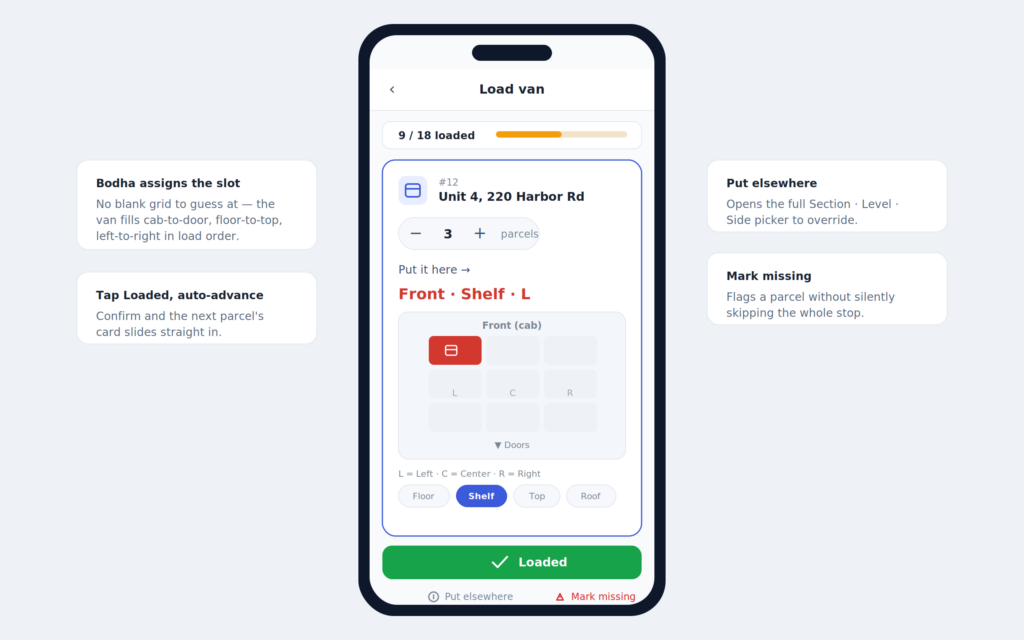
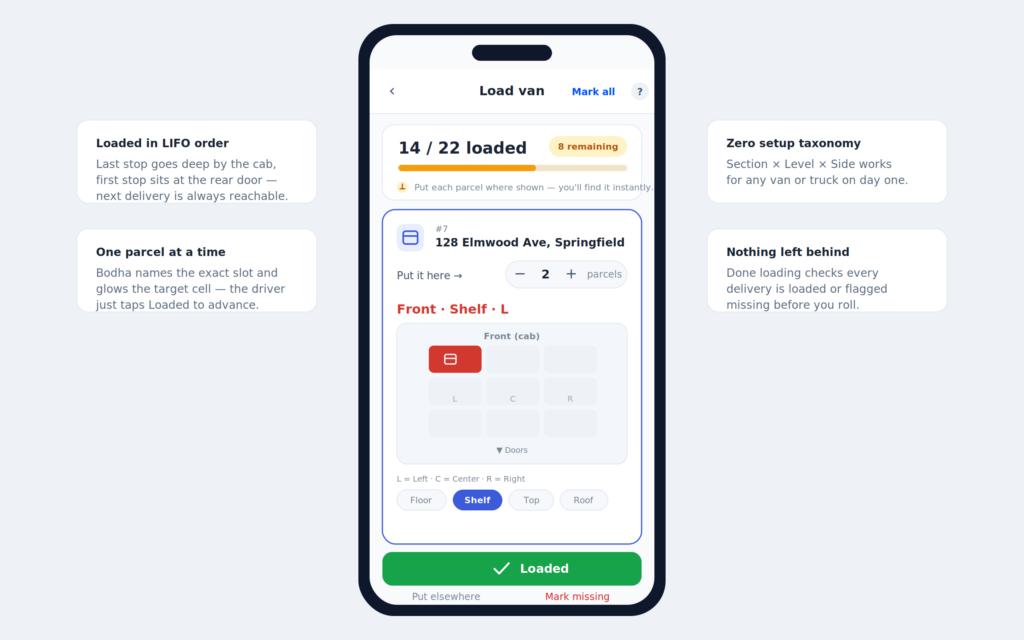
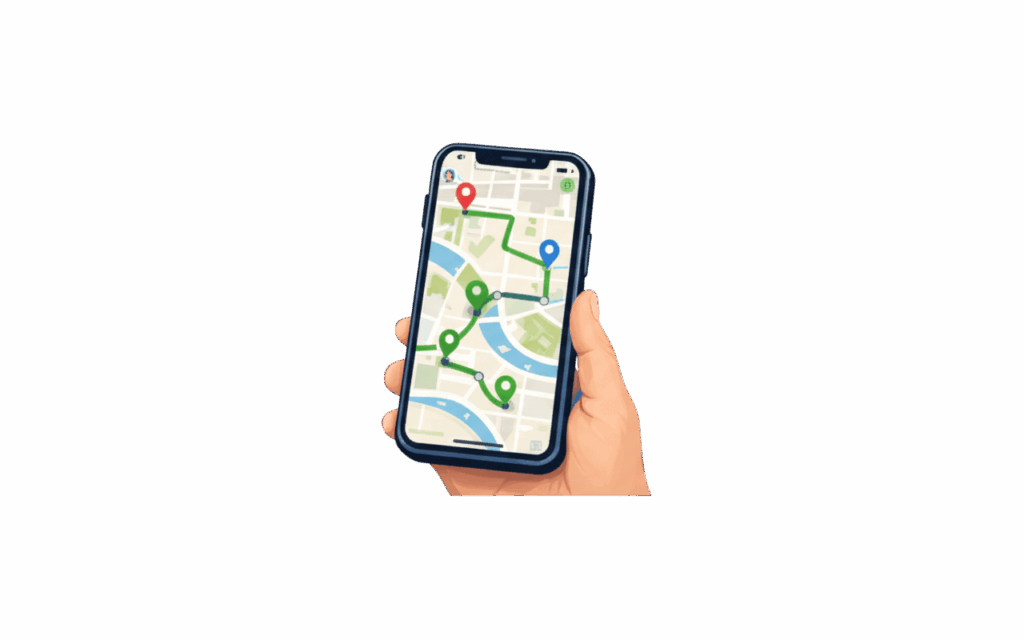
Bodha turns the route into a loading plan and walks the driver parcel by parcel, so no one picks a slot from a blank grid.

  • Each parcel gets a concrete slot, like “Front · Shelf · Left”
  • Deliveries sorted into reverse-sequence load order automatically
  • Tap “Loaded” to confirm and auto-advance, or “Mark all loaded” to bulk fill

A place for every parcel, checked before you roll

A fixed placement grid describes where each parcel sits, surfaces it on every screen, and checks the whole van is loaded before the route starts.

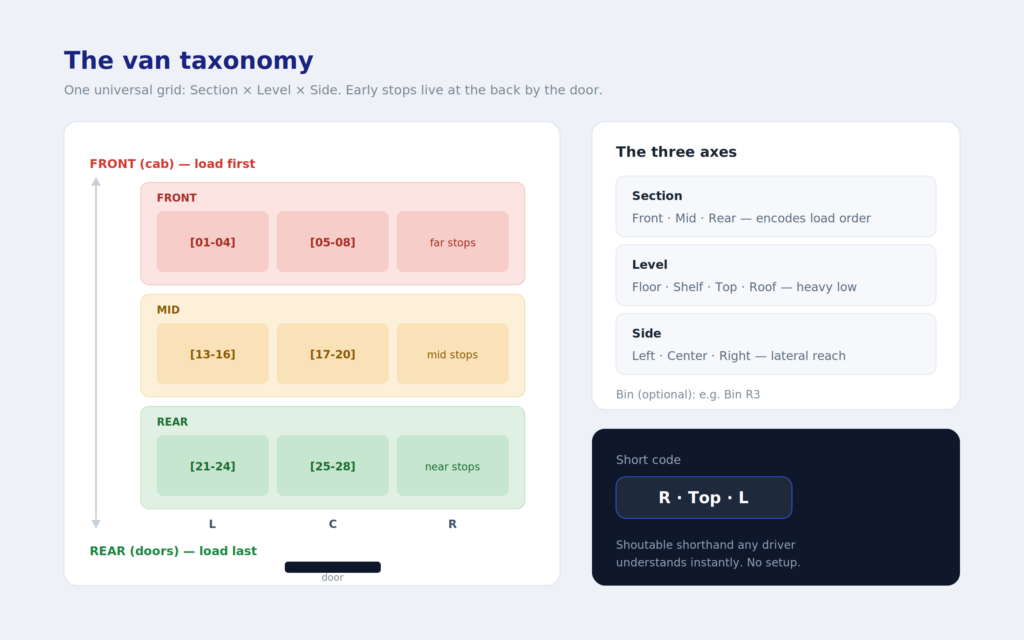
  • A fixed grid: Section, Level, Side, plus an optional bin like “Bin R3”, zero setup on any vehicle
  • “Mark missing” or “Put elsewhere” handle exceptions without silently skipping a stop
  • “Done loading” confirms every parcel is loaded or flagged, and dispatch sees any load exception

Last stop loads first, first stop loads last

Bodha sequences loading in reverse of the route, so the last stop sits deep by the cab and the first stop is at the rear door, ready to come out first.

  • Load order derived straight from the optimized route
  • First stop at the rear door, out first, no digging
  • Re-sequence the route and the load order re-derives to match

The van’s load, mirrored to the office

The same placement data syncs back to the dispatcher web app, so counts and slots appear on stop cards and route detail.

  • Per-stop parcel count badges across route detail and stop cards
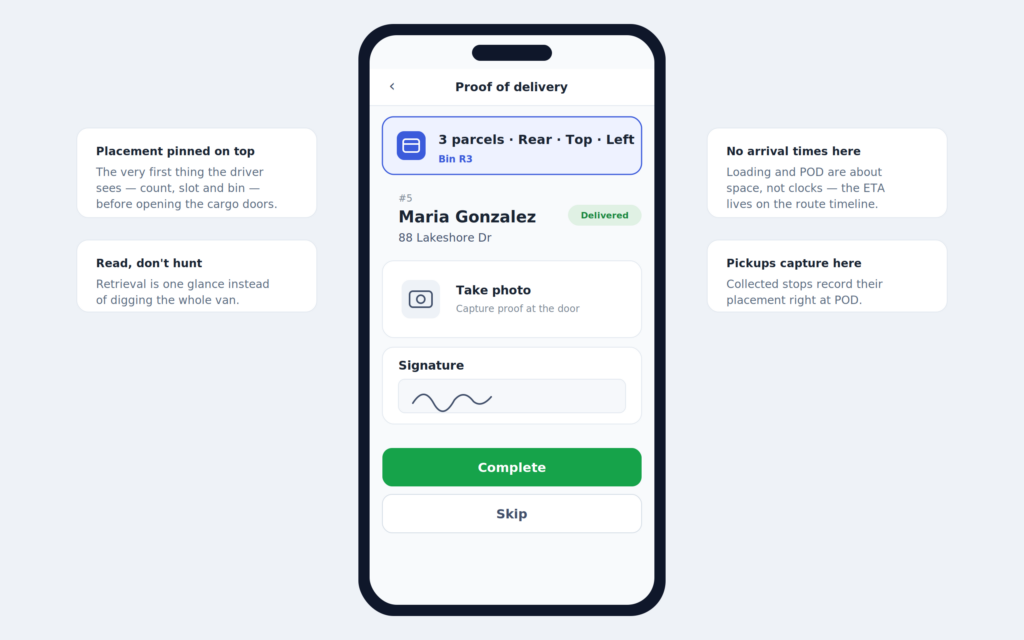
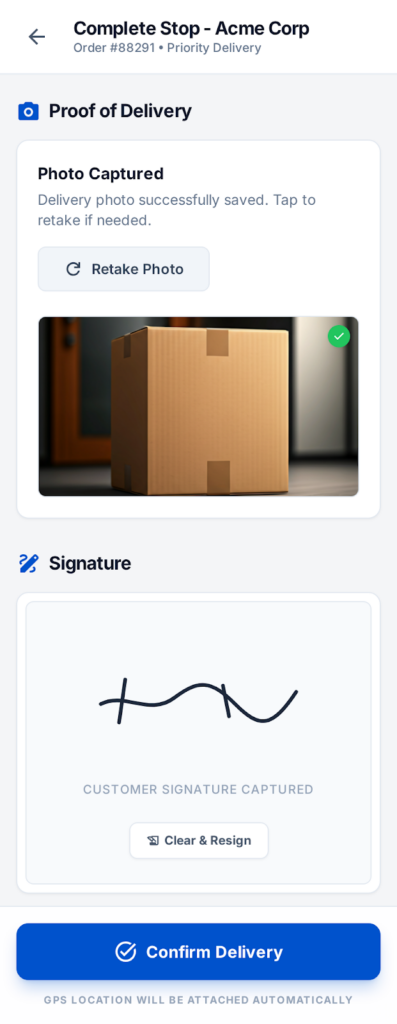
  • Placement shown on stops and in POD review, like “Pulled from Rear · Top · Left”
  • Syncs offline-first, so loading at a no-signal depot still reaches the office

Loved by delivery teams

Join thousands of businesses growing with Bodha.

The route adjusts on its own when things change. If a big order comes in late or the kitchen is running behind, Bodha reshuffles everything automatically. I don't have to ring the driver or manually move deliveries around. Customer notifications go out without anyone doing anything extra. Planning time has dropped a lot and each driver is getting through twice the drops they used to.

Johnathan D FreshBite Catering

The automated texts are what made the biggest difference for us. Customers get a message in the morning telling them roughly when the truck is coming, and the second the driver marks the pickup done they get a confirmation with a photo and timestamp. Before this we had no way to prove a pickup happened if a customer disputed it. Now it's all right there. Our support calls dropped massively and the drivers don't have to explain themselves to dispatch anymore either.

Marcus V Grubswift Waste Collection

Our lads were carrying two devices to every single drop, 1st phone for the route and a separate scanner for the parcels. I asked Bodha if they could build the scanning straight into the app. Thought they'd say it's on a waiting list. Instead they had it done in a few weeks for us. Drivers just use the phone camera now, scan the parcel, done. We got rid of the old scanner hardware altogether which saved us a fair bit on its own.

Brett C PrimeHVAC Solutions

10M+

App Downloads

4.8

App Store Rating

150K+

Active Drivers Daily

#1

Route Planner App

Solutions for every industry.

Bodha is tailored to the unique challenges of your business, whether you deliver food, flowers, or furniture.

Frequently Asked Questions

Everything you need to know about Bodha. 

A Load Map turns your optimized route into a loading plan. For each stop it shows a parcel count and one placement, made of Section (Front, Mid, Rear), Level (Floor, Shelf, Top, Roof), and Side (Left, Center, Right), plus an optional bin label. So a driver sees something like "3 parcels · Rear · Top · Left · Bin R3" before opening the cargo doors.

LIFO load order means the van is loaded in reverse of the route: last stop first, first stop last. That way the first stop's parcels sit at the rear door and come out first, so the driver never digs through the van. It saves a few minutes at every stop and cuts the misdeliveries that happen when the wrong parcel is grabbed.

No. Bodha assigns the slot and guides the driver parcel by parcel, with the target cell glowing on a van diagram. The driver never picks from a blank grid, they just follow along and tap loaded.

Yes. Placements and load status are saved on the device and synced back to the dispatcher web view later, even with no signal at the depot.

Parcel counts arrive with your stops through a mappable "Parcel Count" column in the spreadsheet import, and dispatchers can also edit counts on the web.

Still have questions?

Our team is here to help you find the right solution for your delivery needs.

Ready to optimize your delivery routes?

Join 1000+ businesses already using Bodha’s delivery route planning software to save time and reduce operational costs.

No credit card required · Cancel anytime