Best Route Planning Software in 2026: Compared by Cost

Best Route Planning Software

Best Route Planning Software in 2026: Compared by Cost

user profile

Ruchita Purohit

July 30, 2026

Table Of Content

Nobody buys route planning software because they’re curious. They buy it the week the wheels come off. A solo courier with 18 drops realizes they’ve been splitting the day into two Google Maps trips, because it won’t take more than 10 stops at once, and doubling back across town twice a day. A three-van delivery shop loses the one person who knew the routes by heart, and the whole operation turns out to have lived in that person’s memory, which just walked out the door. A regional carrier with forty vehicles fails a compliance audit. Three different problems, three different budgets, and here’s what almost every “best route planning software” article gets wrong: it throws all of them into one list and compares a free app against a platform that costs thousands a month, as if price alone told you anything.

It doesn’t, because route planning software isn’t one market. It’s four, stacked by cost, and the single most useful thing we can do is show you where the price cliffs are so you buy in the right tier instead of overpaying by a factor of ten or underbuying and getting stuck. So this guide is built around cost, tier by tier.

The four kinds of route planning software

Here’s the whole market on one screen, cheapest to most expensive.

Most buyers are really choosing inside one of the two middle tiers, so those are where we put the real cost comparison. The two ends we’ll clarify quickly, because they matter mostly as boundaries: the free tier is where you start, and the enterprise tier is where you’ve stepped into a different budget and a different guide.

The mistake that costs money is comparing across tiers. A $20 solo app looks brilliant next to a $150 team platform right up until you notice the solo app can’t send one customer notification or capture a single signature. The two prices aren’t measuring the same thing. So we compare within a tier, never across, and we tell you exactly where each tool sits.

One note on Bodha, since it shows up in three of these four tiers: there’s a free web planner, a free individual driver app, and Bodha Fleet for teams. That’s deliberate, so you don’t have to change vendors every time you climb a tier, and we’ll flag which Bodha product belongs to each tier as we go.

Tier 1: free web tools (where everyone starts)

Free web tools are browser-based route optimizers. You paste a list of addresses, they return a sensible order to drive them, and that’s the whole job. They’re genuinely useful and they cost nothing, so there’s no cost ranking to do here. What varies is the stop cap and whether the tool truly optimizes, so those are what to check.

The main ones worth knowing: Bodha’s free web route planner handles up to 30 stops a route with no signup and no card, which is the most generous free ceiling of the group. Google Maps is free and on every phone but caps you at 10 stops and doesn’t optimize even those, since it drives them in the order you type them, so treat it as your control group rather than a planner. RouteXL optimizes up to 20 stops free (paid tiers raise that cap to 100 or 200 for €35 to €70 a month, but it stays a bare optimizer). Speedy Route offers a small free tier and paid multi-vehicle plans, though its own domain now redirects to Spoke’s Delivery Planner, so confirm it’s still independent before relying on it.

What none of them do is the operational layer: no driver app to hand out, no proof of delivery, no live tracking, no customer notifications. The moment you need any of that, you’ve left this tier. For a solo driver who just wants a cleaner order of stops for free, though, this is often all you’ll ever need, and Bodha’s 30-stop planner is the place to start: plan a route free.

How we compared the paid tiers on cost

For the two tiers people actually pay for, we scored every tool on the same four questions, and we weighted the two that vendors bury.

The real price at your size. For an individual app that’s the monthly cost for one driver. For team software it’s the true all-in number for a small team once you count the features you’ll actually use, because the headline price and the working price are rarely the same.

The billing model, because it decides your future bill. Per driver, per order, per user, or flat all scale completely differently as you grow, and the cheapest tool today is often the most expensive one in a year.

Whether it caps your work. Stops per route, orders per month, routes per day. A cap you haven’t hit yet will eventually stop your day cold.

What you actually get for the money. Proof of delivery, live tracking, and customer notifications are bundled by some tools and sold as extras by others, so identical-looking prices can hide very different invoices.

All pricing below is current as of July 2026, rounded for comparison. Some vendors don’t publish prices, and we flag those. Confirm the live figure before you commit.

Tier 2: individual driver apps, compared by cost

These are mobile apps for one driver: optimize the day, navigate it, manage the stops. They run from free to about $25 a month, and this is the first tier where the price differences are worth comparing.

Bodha driver app

Bodha’s individual driver app is free for up to 20 stops a route, which reframes this whole tier: the baseline isn’t “which cheap app do I pay for,” it’s “why pay at all until you need to.” You get real optimization and turn-by-turn navigation for a single driver at no cost. It doesn’t include team features like proof of delivery, customer notifications, or a manager’s view, because those live in the team tier, but for a solo driver optimizing their own runs it’s the cheapest genuine option here, which is to say free. Get it at Bodha’s driver app.

Spoke (formerly Circuit)

Spoke, the app most people still call Circuit, is the polished paid solo tool and honest about its limits. Free covers 10 stops, Lite is $10 a month with unlimited stops, and Standard is $20 a month with unlimited stops and the full solo feature set. For a driver who wants a refined app and doesn’t mind paying $10 to $20 for it, it’s excellent. Every plan is single-driver only, with no proof of delivery, notifications, or manager tracking at any price. Its multi-driver product, Spoke Dispatch, is a separate thing in the team tier below, so don’t read Spoke’s $20 as a team price.

Choose Spoke if you want a paid solo app with a bit more polish than a free tool and you’ll stay a single driver.

Zeo Route Planner

Zeo’s entry Route Optimization tier is about $24 per driver per month on annual billing, but it caps you at 3 routes a day, which a working driver blows through fast, and it bills annually with no monthly option and only a 7-day trial. Its higher tiers add unlimited routes and proof of delivery and cross into the team tier, so we cover those below. As a pure individual app, its entry price is higher than a free Bodha app or a $10 Spoke plan and comes with the route cap, so it makes sense mainly if you’ll grow into its upper tiers. (Zeo’s entry price comes from third-party 2026 breakdowns, so confirm it.)

Cost takeaway for this tier: a solo driver’s honest options are free (Bodha’s app or a free web tool), $10 to $20 (Spoke), or about $24 with a route cap (Zeo). Unless you specifically want Spoke’s polish, there’s little reason to pay anything for one-driver optimization in 2026.

Tier 3: team software, compared by cost

This is where most real money is spent and where the cost comparison matters most. Team software coordinates several drivers, captures proof of delivery, sends customers tracking notifications, and gives a manager one screen for the operation. It runs from about $30 to $200-plus a month, and it bills in four different shapes that diverge sharply as you grow, so we’ve priced each one for a realistic team of about five drivers.

Bodha Fleet

Bodha Fleet is the team product, and on cost it’s the one to beat. It’s a flat $29.99 per driver per month (a little under $24 on annual billing), with no limits on deliveries, stops, or routes, and it includes the entire operational layer as standard: proof of delivery with photo and signature, customer notifications by both SMS and email, live tracking with customer links, a barcode scanner, full analytics, and multi-vehicle dispatch. There’s a 7-day free trial of the full product with no card, and because there’s no hardware, most teams are dispatching real routes in under an hour.

Do the math and a five-driver team pays about $150 a month, everything in. The comparable platforms below run from roughly $200 (Spoke Dispatch, flat) and $220 (OptimoRoute) up past $300, and several of them charge extra for the SMS notifications Bodha bundles or hide proof of delivery behind a higher tier. Bodha isn’t chasing the cheapest solo-app title, because for a single driver a free app already wins. Its edge is here, in the team tier, where $29.99 all-in is the lowest genuine price for a full operational platform. Start with Bodha Fleet.

Spoke Dispatch (formerly Circuit for Teams)

Spoke’s team product is the interesting outlier on cost because it bills a flat account fee rather than per driver: roughly $125 a month for Starter, $200 for Premium, and $1,000 for Expert, with the full operational set (driver app, unlimited routes and stops, live tracking, proof of delivery, automated notifications) landing on Premium. Adding drivers doesn’t change the price. That flat model means a small team pays more than Bodha (five drivers is about $150 on Bodha versus $200 on Spoke Premium), but a larger team can come out ahead, at the cost of a $200 floor even with two drivers. Confirm the live tiers, since they come from third-party listings.

OptimoRoute

OptimoRoute is a strong per-driver platform. Lite is about $35 per driver and Pro about $44 on annual billing, and the catch is that proof of delivery, analytics, and customer order tracking only appear on Pro, so most delivery teams need the higher tier. Its order caps (700 on Lite, 1,000 on Pro) are per optimization batch, not a monthly ceiling. A five-driver team on Pro lands around $220 a month, which makes it the closest per-driver competitor to Bodha Fleet, still meaningfully higher per head.

Routific

Routific bills by order volume, and drivers are unlimited and free, a genuinely different model. A free tier covers 100 orders a month, a $150 base covers up to 1,000, and above that you pay a shrinking per-order rate, so a team doing 2,000 to 4,000 orders a month lands around $300 to $530. Proof of delivery, tracking, email notifications, and dispatch are included, but customer SMS is a paid add-on, which matters because SMS is what most customers expect. The order-based model is a bargain if you have many drivers and few orders, and it climbs with volume exactly when you’re busiest.

Route4Me

Route4Me is a highly configurable platform built on a marketplace model, where a base subscription is topped up with paid add-ons for SMS, geofencing, recurring routes, and more. It bills per user, counting drivers and dispatchers, usually with a five-user minimum. The buyer’s problem is that it publishes no pricing and third-party estimates for five users swing from about $300 to $1,500 a month before add-ons, too wide to plan against without a direct quote. Choose it if you want deep configurability and you’ll price it out carefully.

Zeo (team tiers)

Zeo’s per-driver seats scale into the team tier: Route Management around $42 per driver adds proof of delivery, and Fleet Management around $50 per driver adds notifications, API, and delivery zones. A five-driver team lands roughly $210 to $250 a month on annual billing, with notifications included only at the top tier. It’s a reasonable middle option, priced above Bodha Fleet and OptimoRoute per driver.

Badger Maps

Badger Maps belongs on a route planning list but not a delivery one. It’s built for field sales reps, sitting on a CRM and optimizing a selling day rather than a delivery run, at $58 per user per month on annual billing for Business (about $69 monthly) and $95 for Enterprise. Proof of delivery and notifications don’t apply, because the win is face-time with accounts. Choose it only if your stops are sales accounts.

What a five-driver team actually pays

This is the comparison the whole guide is built to make, so here it is in one place. Put five drivers through each real team platform with the features a delivery team genuinely needs, and the all-in monthly cost looks roughly like this: Bodha Fleet around $150, Spoke Dispatch about $200 flat whatever your driver count, OptimoRoute around $220, Zeo around $210 to $250, Routific around $300 to $530, and Route4Me somewhere in an unpublished $300 to $1,500 band. Bodha comes out lowest, and it’s the only one that includes customer SMS rather than charging extra or gating it behind a higher tier.

The numbers spread that far because the four billing shapes behave completely differently as you grow. Per-driver pricing (Bodha, OptimoRoute, Zeo) tracks headcount and ignores volume. Flat account pricing (Spoke Dispatch) ignores both, a floor when you’re tiny and a bargain once you’re big. Per-order pricing (Routific) ignores headcount and tracks volume, a bargain with many drivers and few orders and painful in reverse. Per-user pricing that counts dispatchers too (Route4Me) inflates as your back office grows, and its add-on model means the sticker price and the working price are different numbers.

No model is always cheapest. The point is to price your year-two self, not your today-self, and match the model to how you’ll grow. A team whose order volume is climbing should avoid per-order pricing. A team adding drivers steadily wants predictable per-driver pricing with nothing metered on top, which is the shape Bodha Fleet uses and the reason its all-in number stays low and flat.

Tier 4: enterprise software (when you've outgrown this guide)

Above team software sits a different animal, and a different budget. Enterprise route planning is for multi-vehicle fleets: dozens of vehicles, a dispatch desk, telematics hardware in the cabs, and compliance requirements like hours-of-service logging. Pricing is custom and usually lands somewhere from several hundred to a few thousand dollars a month, often with hardware costs and multi-year contracts on top. Tools in this tier include Onfleet (published plans run roughly $599 to $2,999-plus a month), Geotab (custom pricing plus installed hardware), and Verizon Connect (custom quote, multi-year terms), along with the enterprise tiers of platforms like Route4Me.

We don’t rank these on cost here, for two reasons: the pricing is quote-only, so there’s no clean number to compare, and it’s a genuinely different buying decision with telematics and compliance at its center. If several vehicles, a dispatcher, and hardware describe your operation, you’ve stepped out of this guide. Our fleet routing software comparison is written for exactly that decision.

The setup-time gap nobody publishes

The other number vendors leave off the pricing page is how long until the software is actually working, and it matters because you’re usually shopping in a week where you needed it yesterday. Free web tools and individual apps are minutes to live. The no-hardware team platforms, where Bodha Fleet sits, are same-day to under an hour, because there’s a driver app to hand out but nothing to install. The heavier team platforms (Routific, Route4Me, and CRM-integrated Badger) run days to a couple of weeks. And enterprise tools with telematics run weeks to months. A long setup is fine for a long-term decision, but if a driver just quit and you need routes out on Monday, it’s the most important number on the page.

Which tier is right for you

If you plan the odd run and want it free, stay in the free web tools and use Bodha’s 30-stop planner.

If you’re a solo driver on the road every day, you’re in the individual-app tier, and the honest answer is you may not need to pay: Bodha’s driver app is free to 20 stops, and if you want more polish, Spoke at $10 to $20 is the paid pick.

If you’re a small team fielding “where’s my order?” calls, you’ve reached the team tier, and the fair fight is team-to-team on cost: Bodha Fleet at about $150 a month all-in for five drivers is the lowest genuine price here, with Spoke Dispatch, OptimoRoute, and Routific as the pricier alternatives.

If you’re running a multi-vehicle fleet with a dispatch desk and telematics, you’re in enterprise territory and past this guide. Read the fleet routing comparison.

Where people go wrong choosing route software

Comparing across tiers. The single most expensive mistake, and the reason this guide is built in tiers. A $20 solo app is not cheaper than a $150 team platform, because it isn’t doing the same job. Pick your tier first, then compare price only within it.

Buying a tier too high. Paying for team dispatch as a solo courier, or enterprise telematics for a five-van shop. Buy the tier you’re in and climb when you actually need to.

Reading the sticker price instead of the billing model. Two team platforms at similar headline prices can end up double each other by year two depending on whether they bill per driver, per order, flat, or per user with add-ons. Model your future bill.

Missing what’s an add-on. Customer SMS, proof of delivery, and notifications are bundled by some tools and sold as extras by others. The feature list can look identical while the invoice doesn’t.

Ignoring setup time until it’s urgent. If you only start shopping the week your planner quits, a two-week onboarding becomes a two-week outage.

Frequently Asked Questions

It takes a list of addresses and works out the most efficient order to drive them, then hands that route to a driver. It comes in four tiers: free web tools, individual driver apps, team software that adds proof of delivery and customer notifications, and enterprise platforms with telematics for large fleets.

Free web tools are $0. Individual driver apps run $0 to about $25 per driver per month. Team software runs roughly $30 to $200-plus a month depending on the billing model and team size. Enterprise platforms are custom-quoted, often several hundred to a few thousand dollars a month plus hardware.

An individual app optimizes one person's stops. Team software coordinates several drivers and adds proof of delivery, customer notifications, and a manager's view, which is why it costs more. Compare apps to apps and team tools to team tools, never one against the other.

It's the team price, for Bodha Fleet, and it includes proof of delivery, SMS and email notifications, live tracking, a scanner, and analytics per driver, with no limits on deliveries, stops, or routes. Against other team platforms, which start around $200 a month for five drivers, it's the lowest all-in price here. For solo use, Bodha's free web planner and free driver app cover you at no cost.

For a solo driver, Bodha gives two free options, a web planner up to 30 stops and a driver app up to 20 stops, both ahead of Spoke's free 10 stops and RouteXL's free 20. Google Maps is free but doesn't truly optimize.

The team platforms: Bodha Fleet, Spoke Dispatch, OptimoRoute, Routific, Route4Me, and Zeo's upper tiers. The free web tools and solo apps optimize one driver's day and don't coordinate a team.

Yes, and the messier your current routes, the bigger the win. Once drivers stop doubling back, mileage usually falls 20 to 30%, and fuel tracks mileage almost one for one. Record what you spend now, before you switch, so the saving is a measured number.

Most paid tools offer one. Bodha Fleet's runs 7 days with everything switched on and no card required. The free web tools and Bodha's free driver app need no trial, since they're free to use.

Start where you are

The best route planning software isn’t the one with the longest feature list. It’s the one in the right tier for you, at a price that matches the job. Work out whether you need a free web tool, an individual app, team software, or enterprise, compare only within that tier, and check the setup time before you need it.

If you want to start free, plan a route in Bodha’s web planner, no signup and no card. And when you become a team that needs proof of delivery, customer tracking, and dispatch, Bodha Fleet is $29.99 per driver all-in, with a 7-day trial one click past it.

Not sure which tier you're in?

Plan your first optimized route in Bodha's web planner, no signup, no card, up to 30 stops. When you grow into a team, Bodha Fleet is one click away.

Related blogs

How to Plan Delivery Routes: A Practical Guide for Operators

How to Plan Delivery Routes: A Practical Guide for Operators

Back Table Of Content Something every experienced dispatcher knows: the difference between a good day and a chaotic…

Reduce Delivery Costs: 10 Proven Strategies That Actually Work

Reduce Delivery Costs: 10 Proven Strategies That Actually Work

Back Table Of Content Last-mile delivery is the most expensive part of the logistics chain. It accounts for…

Best Route Optimization Software for Food Distributors in 2026: Features, Pricing & Top Picks

Best Route Optimization Software for Food Distributors in 2026: Features,…

Back Table Of Content In food distribution, the clock runs everything. You’re moving perishable stock through narrow receiving…

What Is Route Optimization: The Ultimate Guide

Route Optimization Banner

What Is Route Optimization: The Ultimate Guide

user profile

Ruchita Purohit

July 28, 2026

Table Of Content

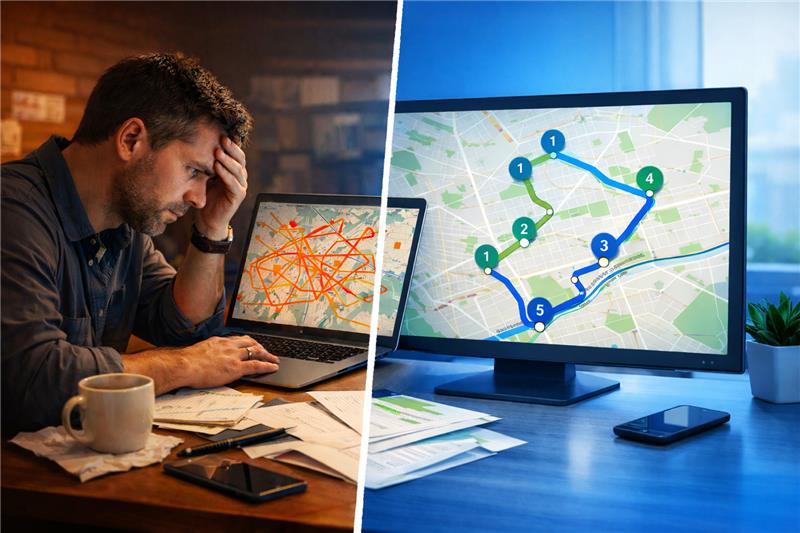
It’s 6:45 on a Monday morning. You’ve got sixty orders staged, one driver just called in sick, and the two who did show up are standing by their vans waiting to hear where to go first. So there you are, hunched over a spreadsheet, coffee going cold, dragging addresses up and down and trying to guess a sensible order before the traffic builds.

Sound familiar? That daily scramble is the whole reason route optimization exists.

In this guide we’ll walk through what route optimization actually is, how the technology works behind the scenes, how to tell when you’ve outgrown planning by hand, and what the switch is really worth in fuel, time, and extra deliveries. No vague promises. Just the real numbers.

What Is Route Optimization?

Here’s the short version. Route optimization is the process of using software to work out the most efficient order and path for a driver, or a whole team of them, to finish a set of stops. And it does this while respecting the messy real-world stuff: traffic, delivery windows, how much each van can carry, when each shift ends.

That sounds simple enough. It isn’t.

Take just ten stops. A driver could follow them in more than 3.6 million different orders. Bump that up to twenty stops and the number of possible sequences gets so large it stops meaning anything to a human brain. Nobody at a desk is solving that with a highlighter and a map. Software does it in a couple of seconds.

And here’s the part people miss. The goal isn’t just “shortest distance.” A route can look beautifully tidy on a screen and still fall apart the second a driver hits the road, because it ignored a customer’s 2pm to 4pm window, packed one van past its limit, or scheduled a stop for after someone’s shift ends. Good optimization weighs all of that at the same time. That’s the gap between a route that looks efficient and one that actually survives contact with a real Tuesday.

Route Optimization vs. Route Planning: They're Not the Same Thing

People throw these two terms around like they mean the same thing. They don’t, and the confusion quietly costs money.

Route planning is just the act of making a route. You pick your stops, put them in some order, and off you go. A whiteboard works. A spreadsheet works. Google Maps works. If you’ve got five stops and no time pressure, honestly, that’s fine.

Route optimization is what happens when you hand that ordering decision to an algorithm instead. The software figures out the sequence based on live traffic, time windows, vehicle capacity, driver hours, and a handful of other variables you almost certainly aren’t tracking by hand.

Want to see the difference in plain terms? A dispatcher planning routes for eight drivers by hand might burn ninety minutes on it every morning. Run the same job through optimization and the routes come out in under two minutes, and they’re usually shorter too. That saved hour isn’t a one-off. It comes back every single working day, forever. If you’d rather see it in action than read about it, our free route planner lets you try it on your own stops.

How Route Optimization Actually Works

Under the hood, one optimization run moves through the same handful of steps every time.

First, your addresses go in. You type them, upload a spreadsheet, or pull them straight from your order system through an API. Decent software reads each address and figures out the exact location on its own, so you’re never hunting down coordinates.

Then you set your constraints. This is the bit most people underestimate right up until it burns them. Constraints are the rules that make a route real. This customer is only home between 2 and 4. This van tops out at 300kg. This driver starts from a different depot. This pickup has to happen before that drop. You lock all of that in before anything runs.

Next, the algorithm solves it. The engine chews through the enormous pile of possible orderings, far faster than any person could, and hands back a sequence that keeps your rules intact while shaving off as much time and distance as possible.

After that, routes land on the drivers’ phones. In order, with turn-by-turn navigation and stop notes attached, right inside the driver mobile app. No printouts. No dropping a list of addresses into a group chat.

Finally, the plan adjusts on the fly. A new order at 11am? A cancelled stop? A driver stuck behind an accident? Modern systems re-shuffle whatever’s left of the route and quietly update the driver without you lifting a finger.

If you want the nerdy footnote: all of this traces back to a famous computer science puzzle called the travelling salesman problem, which asks for the shortest route that visits every location once and comes back to the start. It’s brutally hard precisely because the options explode with every stop you add. Which is exactly why you want a machine on it, not a gut feeling.

The Benefits of Route Optimization

So what do you actually get out of it? Five things, mostly, and every one of them shows up on either your bank statement or your customer reviews.

Lower fuel and fewer miles

Bad routes are full of wasted motion. Doubling back. Crossing the same neighborhood twice. Zig-zagging down a street instead of just working it end to end. Tighten the sequence and total mileage usually drops by 20 to 30%. That flows straight into a smaller fuel bill and less wear on the vans.

More deliveries per driver

When drivers stop wasting time getting from one stop to the next, they simply fit more stops into a shift. Most operations see somewhere between 15 and 25% more deliveries per driver per day. That’s extra capacity you didn’t have to hire or buy a van for.

Fewer missed time windows

Optimization builds delivery windows into the route from the very start instead of treating them as an afterthought. Missed windows drop, and so do all those failed first-attempt deliveries that follow them around.

Better visibility and happier customers

Once your routes are optimized, reliable ETAs and live tracking suddenly become possible. That means fewer “where’s my order?” phone calls, especially once you’ve got automated delivery notifications going out, and a dispatcher who can see the whole fleet on one live map, redirect people, and react the moment something goes sideways.

Calmer drivers who stick around

A driver following a clear, pre-sorted route with no guessing about what comes next finishes the day a lot less frazzled. It’s a soft benefit, sure. But drivers are expensive to lose and replace, and that calm adds up quietly over months.

The Challenges Nobody Warns You About

In a perfect world, planning routes would be a solved problem. Out in the real world, it’s a bit of a wrestling match. Knowing where the friction comes from helps.

Disruptions are the big one. Accidents, roadworks, a sudden downpour. One of these can wreck an otherwise perfect plan, and if your tool can’t re-sequence mid-day, that single disruption cascades through everything after it.

Driver scheduling is trickier than it looks too. It’s not just about the shortest path. You’ve got availability, breaks, legal driving-hour limits, and the fact that not every driver can do every job. The right person has to land on the right route.

Then there’s the manual planning trap itself. Done by hand, it’s slow, it’s inconsistent between whoever’s doing it, and it basically can’t account for live traffic and time windows at the same time. Throw electric vehicles into the mix, with their charging windows and range limits, and doing it in your head becomes genuinely impossible.


And looming over all of it: customer expectations keep rising. People want tight, reliable windows and updates on their phone. Fuzzy ETAs and surprise delays chip away at trust, and eventually at your reputation.

What Route Optimization Is Really Worth (The Actual Dollar Math)

Let’s skip the hand-waving and run some real numbers. Two common setups.

Setup A: five drivers, roughly 40 stops each per day. A 20% cut in mileage saves around 25 to 30 miles per driver, per day. At today’s fuel prices that’s about $12 to $15 each. Across a 22-day working month, you’re looking at $1,320 to $1,650 saved on fuel alone. Stack that against software costing a low three figures a month and the return is strong before you’ve even counted the time you get back or the extra deliveries you can now fit.

Setup B: ten drivers, 60-plus stops each per day. Now that same 20% saves closer to $2,800 to $3,500 a month in fuel. Add the 60 to 90 minutes of daily planning you’re no longer losing, plus the extra stops each driver squeezes in, and most operations this size hit payback inside two to three weeks.

Here’s a thing worth flagging though. Fuel is the saving everyone sees, but it’s often not the biggest one. A failed first-attempt delivery costs somewhere around $15 to $25 per package once you count the re-handling and the second trip. If sloppy routing is causing even a handful of missed windows a day, that quietly outpaces your fuel savings. And if you want to actually see where the money’s going, route analytics breaks down cost per drop, stops per hour, and where the misses happen.

The classic example is UPS deciding to stop turning left. Left turns force a truck to sit there idling against oncoming traffic, so they designed most of them out of their routes. That one change now saves the company millions of gallons of fuel a year. You’re almost certainly not running at UPS scale, and that’s not the point. The point is that small, consistent tweaks to how stops are ordered pile up into enormous numbers over time.

7 Signs You've Already Outgrown Manual Planning

This is the uncomfortable part. Most businesses that need optimization can feel that something’s off. They just haven’t connected it back to routing yet. See how many of these land.

  1. Planning takes more than 30 minutes a day. An hour of daily planning works out to 250-plus hours a year that software would handle in seconds.

  2. Drivers run late on time windows regularly. Not the odd rough day. A pattern. That means your sequence isn’t respecting the constraints.

  3. Fuel cost per delivery keeps creeping up as you add stops. Routes should get tighter as you scale, not messier.

  4. Every driver plans their own way. You lose consistency, you lose the ability to compare, you lose control.

  5. Customers keep calling to ask where their delivery is. Unreliable ETAs are a routing symptom, plain and simple.

  6. Adding one mid-day stop means replanning from scratch. That doesn’t scale, and you know it.

  7. You’re planning one driver at a time. Which means you’re optimizing individual routes instead of balancing the whole fleet at once. This is exactly the jump fleet routing software is built for.

If more than two of these describe your operation, staying manual is almost certainly costing you more than switching would.

What About Just Using Google Maps?

Everyone’s already got Google Maps. It’s free, it works, your drivers know it inside out. So the obvious question is: why on earth would you pay for anything else?

Fair question, and here’s the honest answer. Google Maps was built for a regular person driving to one place. It was never built for a delivery operation, and the gap between the two is bigger than it looks. It caps you at a small handful of stops. It has no idea what a delivery time window is. It doesn’t understand vehicle capacity. It can’t track your fleet, it can’t text your customers, and it has no proof of delivery.

For a few stops and one driver, it’s genuinely fine. But run multiple drivers with 30-plus stops each, with customers who expect to know when you’re arriving, and you’ve quietly outgrown it. You might just not have noticed yet. If you want the full side-by-side, our route optimization software page breaks it down.

Static vs. Dynamic Optimization: Which One Do You Need?

There are two broad flavors of optimization, and the right one comes down to how your day actually runs.

Static optimization means you plan your routes ahead of time, usually the night before or first thing in the morning, from a finished order list. It suits scheduled work beautifully: grocery runs, pharmacy deliveries, meal kits, anything where you know all your stops before the vans leave. Most small and mid-sized operations run this way, and it’s the simpler of the two.

Dynamic optimization is for the businesses where orders keep landing all day and have to be slotted into routes that are already out on the road. Think same-day couriers or restaurant delivery. The software keeps re-sequencing as new stops come in, which is a fair bit more complex to pull off.


The practical takeaway? Most scheduled operations don’t actually need dynamic optimization. But you should know which mode a tool supports before you sign up for it.

Where It Makes the Biggest Difference

Any multi-stop operation benefits from this. But some feel it harder than others.

Food delivery notices first, because route quality and product quality are the same thing here. A badly ordered route means cold food, and cold food means a one-star review before dinner’s even over.

Pharmacy and medical delivery is another world entirely. Strict windows, temperature rules, documentation requirements. Here optimization isn’t a nice-to-have, it’s a compliance thing.

Courier services running 80 to 100 stops a driver see the biggest raw efficiency gains, simply because tiny per-stop savings compound massively at that kind of volume.

And furniture or large-item trucking runs have their own headache: you have to load the van in the right order, because the first thing you deliver shouldn’t be the thing buried at the very back. A proper vehicle loading plan solves exactly that.


It doesn’t stop there either. Waste collection, field service, lawn care, and HVAC and plumbing teams all run into the same routing math. You can see the full list of industries if yours isn’t mentioned here.

Where Route Optimization Is Heading in 2026

The tech is moving quickly, so if you’re picking a tool for the long haul, it’s worth knowing where things are going.

AI-driven routing is becoming the standard rather than the premium add-on. These systems now learn from your history. Which driver tends to move faster in which part of town, where the traffic reliably jams up on a Friday, and they fold all of that into future routes automatically. The routes literally get smarter the longer you use them.

EV fleet optimization is a genuinely new constraint that barely existed a couple of years ago. Electric vans have range limits and need charging time planned into the day, and the better tools now treat a charging stop the same way they treat a delivery window. If EVs are anywhere on your horizon, ask about this directly.

Sustainability reporting has quietly become its own feature category. Tracking carbon per stop is turning into a real business requirement, not just a nice line for the website, and route optimization happens to be the main lever for cutting emissions per delivery. It’s one of those rare cases where the greener choice and the cheaper choice are the exact same choice.

What to Actually Look For When You're Shopping Around

If you’re comparing tools, here’s what genuinely matters versus what’s just marketing noise.

Stop capacity matters more than people think. If a tool caps you at 100 or 200 stops per route, you’ll smack into that ceiling the moment you grow. Give yourself plenty of headroom.

Real-time GPS tracking is non-negotiable for any multi-driver setup. And not just a dot wandering around a map. Actual live status updates as drivers arrive and mark stops done.

Proof of delivery shouldn’t be an afterthought. Photos, signatures, and notes captured right in the app. When a customer disputes a drop, timestamped evidence ends the argument fast. Bonus points if it comes with a package scanner so nothing rides the wrong van in the first place.

Customer notifications should be built in, not stitched together through some separate integration you have to babysit. Automated text notifications with live ETAs cut your inbound calls dramatically.


And finally, how fast can you actually start? Some enterprise platforms take weeks to set up and need IT involved. For most delivery businesses that’s a dealbreaker. You should be building your first real route the same day. For reference, Bodha’s route optimization software covers all five of these, and most teams are running inside an hour.

Questions We Get Asked Often

Route planning is choosing your stops and roughly ordering them. Route optimization is having software calculate the genuinely best sequence based on distance, time windows, capacity, and traffic, automatically, in seconds. The two really start to diverge once your stop count climbs.

It's a classic maths puzzle. Given a list of places, what's the shortest route that visits each one once and returns to the start? It's famously hard because the possibilities grow exponentially with every stop you add, which is exactly why software beats manual planning here.

Often it works even better for small ones, proportionally. If a solo dispatcher is losing 90 minutes every single morning to planning, optimization hands that time straight back. Day after day. It adds up fast. Even a solo driver can start with the route planner app.

Most tools aimed at smaller operations land somewhere between $25 and $100 per driver per month. For one driver doing 40-plus stops a day, the fuel savings alone usually cover the cost several times over, with most people seeing payback in the first two or three weeks. You can compare plans on our pricing page.

Seconds. You upload your stops, hit optimize, and the routes are ready.

Last-mile is that final leg from a local depot to the customer's door, and it's where the costs pile up, often 40 to 53% of total logistics spend. Last-mile delivery software is just route optimization pointed at that stage, and because the stops are packed so densely there, the gains tend to be the biggest.
Directly, yes. Fewer miles means less fuel burned and lower emissions per delivery, and some tools now report carbon per stop for businesses that need to track it. The financial win and the environmental win point the same direction.

The Bottom Line

Most delivery businesses don’t struggle because their product is bad or their drivers are bad. They struggle because the gap between what they’re spending on the road and what they could be spending, with tighter routing, quietly eats away at their margins every single day.

Route optimization closes that gap. It won’t magically fix everything in your operation. But it will make your routes shorter, your drivers’ days more manageable, and your fuel bills noticeably lower. And for most businesses, it pays for itself within a few weeks.

If you’re still sending drivers out with a hand-sorted list or a Google Maps link, do yourself a favor. Spend twenty minutes seeing what optimized routes look like for your own stops and your own patch.

Start your free 7-day Bodha trial and run your first optimized route today.

Ready to optimize your delivery routes?

Join 10,000+ businesses already using Bodha’s delivery route planning software to save time and reduce operational costs.

Related blogs

How to Plan Delivery Routes: A Practical Guide for Operators

How to Plan Delivery Routes: A Practical Guide for Operators

Back Table Of Content Something every experienced dispatcher knows: the difference between a good day and a chaotic…

Reduce Delivery Costs: 10 Proven Strategies That Actually Work

Reduce Delivery Costs: 10 Proven Strategies That Actually Work

Back Table Of Content Last-mile delivery is the most expensive part of the logistics chain. It accounts for…

Best Route Optimization Software for Food Distributors in 2026: Features, Pricing & Top Picks

Best Route Optimization Software for Food Distributors in 2026: Features,…

Back Table Of Content In food distribution, the clock runs everything. You’re moving perishable stock through narrow receiving…

Reduce Delivery Costs: 10 Proven Strategies That Actually Work

reduce delivery costs banner

Reduce Delivery Costs: 10 Proven Strategies That Actually Work

user profile

Ruchita Purohit

April 6, 2026

Table Of Content

Last-mile delivery is the most expensive part of the logistics chain. It accounts for roughly 53% of total shipping costs. Not because the distances are long, but because the density is low, the stops are unpredictable, and the variables that drive cost upward are numerous.

For a delivery business running 10 drivers, getting from average to efficient typically means the difference between $8,000 and $5,500 in monthly operating costs for the same delivery volume. That $2,500 gap is not theoretical. It shows up in fuel bills, driver overtime, failed deliveries, and planning inefficiencies that compound quietly week after week.

This guide covers 10 strategies that actually move that number, with the dollar math behind each one so you can prioritise which to tackle first.

First: Know Your Cost Per Delivery

Before any of the strategies below are worth implementing, you need one number: your cost per delivery.

Most delivery operators know their monthly fuel bill and their payroll. Fewer know what each individual delivery actually costs them. Without this number, you cannot measure improvement, identify your worst-performing routes, or make a credible case for investing in software.

Calculating it is straightforward. Take your total monthly operating costs (fuel, driver wages, vehicle depreciation, insurance, platform costs, any maintenance) and divide by total deliveries completed that month.

For most SMB delivery operations, this number sits somewhere between $4 and $12 per delivery depending on route density, vehicle type, and stop complexity. Industry benchmark for optimised small-fleet operations is $3-5 per delivery. If you’re at $9-12, there is significant room to move.

Track this number monthly. Every strategy below should move it.

Strategy 1: Route Optimisation (With the Real Dollar Math)

Every article about reducing delivery costs mentions route optimisation. Few show what it’s actually worth.

Here is the calculation for a 10-driver fleet doing 50 stops per driver per day:
Poorly planned routes typically add 15-20 unnecessary miles per driver per day compared to optimised routes. At current fuel prices and average delivery vehicle consumption, that’s roughly $7-10 in wasted fuel per driver daily. For 10 drivers over 22 working days: $1,540-$2,200 per month in unnecessary fuel spend.

Add the planning time. Manual planning for 10 routes takes an experienced dispatcher 60-90 minutes per morning. Route optimisation software reduces this to 5-10 minutes. At a dispatcher salary of $20/hour, that’s $260-$390 per month in recovered labour time.

Route optimisation software for a 10-driver fleet costs roughly $300/month. The fuel savings alone cover that. The planning time savings are profit.

The implementation is straightforward with Bodha Fleet: import your stops via spreadsheet or API, set your constraints (time windows, vehicle capacity, driver shift times), optimise, and dispatch routes to drivers’ phones in minutes. Most operations see measurable mileage reduction in the first week.

Strategy 2: Cut Failed First-DeliveryAttempts

Failed deliveries are one of the most expensive and least-discussed cost drivers in last-mile logistics. Each failed first attempt costs an average of $15-25 in additional handling, re-dispatch labour, and vehicle time. If your operation does 200 deliveries per day and 5% fail on first attempt (a conservative estimate), that’s $150-250 per day in pure waste. Over a month: $3,300-$5,500.

The fix is almost entirely about customer communication. Most failed deliveries happen because the customer was not home. Most customers who are not home simply did not receive enough notice, or received it too late.

Automated SMS and email notifications sent when the driver is 30-60 minutes away give customers enough time to get home, ask a neighbour to accept, or communicate alternative instructions. Operations that implement proactive notifications consistently reduce failed delivery rates to 1-2% from industry averages of 5-8%.

The secondary fix is flexible re-delivery options. Customers who can specify a safe place or request a neighbour delivery via a tracking link cause far fewer failed attempts than customers who have no way to communicate instructions in real time.

Both capabilities, automated notifications and customer tracking links, are standard in modern delivery platforms. If yours does not have them, the cost of failed deliveries is likely exceeding the cost of upgrading.

Strategy 3:Increase Delivery Density Per Route

Every delivery route has fixed costs (the driver’s time, the vehicle’s fuel for the journey, the wear on the vehicle) that exist regardless of how many stops are on the route. The more stops you add to a route within a given area, the lower your cost per delivery becomes. This is delivery density, and it’s one of the highest-leverage cost levers available to small and mid-sized fleets.

Three ways to improve it:
Geographic clustering at dispatch. Before you assign stops to routes, sort and group them by neighbourhood or postcode. Stops in the same area belong on the same route. This sounds obvious and is routinely ignored in manual planning because it takes time to do properly. Route optimisation software does it automatically.

Time window management. If customers can pick any delivery window they like, some will pick windows that force drivers to cross town twice. If you offer windows that match your geographic routing (morning deliveries in zone A, afternoon in zone B), customers still get a choice but you get far better route density. Bringg data suggests this approach reduces miles per stop by 15-25%.

Order consolidation. If you have multiple small orders going to the same building or street, combining them into a single delivery run where possible reduces total stop count without reducing delivery volume. B2B deliveries and apartment blocks with multiple customers are obvious candidates.

Strategy 4: Address Driver Behaviour and Fuel Waste

Drivers covering the same routes in similar vehicles can have fuel costs that vary by 15-20% based purely on driving behaviour. Idling engines, harsh acceleration from traffic lights, speeding on short stretches, and unnecessary deviation from planned routes all add fuel cost without adding delivery value.

For a 10-driver operation with a combined monthly fuel bill of $6,000, a 12% reduction from behaviour improvement alone saves $720/month. Over a year, that’s $8,640 recovered without changing a single route.

The practical approach has two components. First, telematics or GPS tracking data (which most route optimisation platforms provide) shows you idling time, route deviation, and average speed patterns per driver. You don’t need expensive dedicated telematics hardware to start seeing this data. Second, simple driver scorecards reviewed weekly in a brief team meeting create awareness that changes behaviour without requiring confrontational management conversations.

The change is typically fastest when drivers understand that the data is there to identify operational issues, not to catch people out. Frame it correctly and most drivers respond well. They generally prefer efficient routes too.

Strategy 5:Improve Vehicle Load Planning and Utilisation

This is the most consistently overlooked cost reduction lever in small fleet operations. If your vehicles are leaving the depot at 60-65% capacity when they could leave at 85-90%, you’re either making more trips than necessary or running more vehicles than your actual delivery volume requires.

Two specific problems to address:
First, load order. Vehicles loaded in the wrong sequence (where the first delivery stop is buried under everything else) force drivers to spend 5-10 minutes at each stop rearranging the load. On a 40-stop route, that’s 3-7 hours of lost productivity per driver per day across your fleet. A loading manifest that maps packages to vehicle position by delivery sequence adds planning time upfront but saves far more on the road.

Second, vehicle-to-route matching. Sending a large van on a 15-stop residential route when a smaller vehicle would do increases fuel cost and makes parking harder. If you have mixed vehicle types in your fleet, matching vehicle size to stop density and package volume is worth the additional planning complexity.

Strategy 6: Manage Time Windows to Shape Route Efficiency

This is an operator-level decision that most businesses never make deliberately, and it’s worth thinking through.

When customers are given completely free choice over delivery time (any time between 8am and 6pm), the resulting stop distribution across your delivery area is essentially random. Routes that could be geographically tight become scattered because two customers in the same street want morning and evening deliveries respectively.

Offering structured windows (morning or afternoon, for example) that align with how you’ve zoned your delivery area lets customers feel they have a choice while dramatically improving your route density. Taking this a step further: offering a slightly reduced delivery fee for the window that fits your routing better incentivises customers to select the option that costs you less, without making them feel constrained.

This requires a shift in how you present delivery options but very little operational change. Operations that manage windows deliberately report 15-25% better route density compared to fully open windows.

Strategy 7: Calculate and Track Cost Per Delivery By Route and Area

Most operators who know their overall cost per delivery don’t know which routes or delivery areas are profitable and which are quietly losing money.

A route that goes 25 miles out of your usual area to serve a handful of customers might have a cost per delivery of $18 when the rest of your fleet is averaging $6. You might be unaware because the overall average hides it.

Breaking down cost per delivery by route, zone, or geographic area reveals which parts of your operation are efficient and which need to change, either through pricing adjustments, route restructuring, or, in some cases, the honest assessment that certain customers are not worth the delivery cost.

Most route management platforms capture the data needed to do this analysis automatically. The time investment is in reviewing it weekly and acting on what you find, not in gathering it.

Strategy 8: Preventive Maintenance to Avoid Unplanned Breakdowns

An unplanned vehicle breakdown mid-route triggers a cascade of costs that rarely show up on a single line in anyone’s budget. The immediate costs: emergency re-dispatch or route redistribution to remaining drivers, driver overtime to cover the additional stops, missed deliveries with potential penalty or re-delivery costs, and any roadside assistance or towing fees.

For a typical delivery operation, a single mid-day breakdown costs $500-1,500 in total when all the downstream effects are counted. A 10-vehicle fleet experiencing even two unplanned breakdowns per month is spending $1,000-3,000 monthly on a problem that a scheduled maintenance calendar largely prevents.

The fix is unglamorous: a simple preventive maintenance schedule with reminders. Oil changes at the right intervals, tyre pressure and tread checks weekly, brake inspections on schedule. Operations that maintain this discipline report breakdown rates 60-70% lower than those that do maintenance reactively.

If you’re managing a fleet without a maintenance log, starting one this week is one of the highestROI changes available to you at zero cost.

Strategy 9: Automate Customer Notifications to Cut Support Call Volume

A dispatcher who spends 2 minutes per call handling “where is my delivery?” enquiries and takes 25 such calls per day is spending nearly an hour of paid time per day answering a question that software can answer automatically.

At $20/hour that’s $400/month in dispatcher labour absorbed by customer queries that add no delivery value. In operations where the dispatcher is the owner, it’s their time, and that’s worth considerably more than $20 per hour.

Automated notifications (a message when the order is out for delivery, a second when the driver is approaching, and a delivery confirmation with proof of delivery photo) eliminate most of these calls before they happen. Operations implementing automated notifications consistently report 60-70% reductions in inbound support calls related to delivery status.

The secondary benefit is customer satisfaction. Customers who receive proactive updates without having to ask are measurably more satisfied with the delivery experience, which drives repeat orders. The cost reduction and the customer experience improvement happen simultaneously.

Strategy 10: Post-Route Analytics Review as a Weekly Practice

The previous nine strategies will reduce your delivery costs. This one keeps them falling over time instead of plateauing.

Every week, spending 30 minutes reviewing your route performance data will reveal patterns that are invisible in daily operations. A specific stop that consistently runs 20 minutes over planned service time has something that needs fixing: incorrect address data, an access issue, a customer who’s always difficult to reach. A route that runs 15% over planned mileage every Tuesday has a traffic pattern or deviation problem that can be corrected.

The metrics worth reviewing regularly are: planned vs actual arrival time per stop, planned vs actual total route time, miles driven vs planned miles, failed delivery rate by route and by zone, and cost per delivery by route.

Most modern delivery platforms capture all of this automatically. The operational discipline is not in gathering the data. It’s in actually sitting down with it weekly and feeding what you find back into next week’s planning decisions.

Operations that build this habit consistently reduce their cost per delivery by an additional 5- 10% per year beyond the initial improvement from the strategies above, simply by finding and fixing the recurring leaks.

How These 10 Strategies Stack Up Financially

For a 10-driver operation running 50 stops per driver per day, implementing all 10 strategies realistically looks like this:

Route optimisation: $1,540-$2,200/month in fuel savings Failed delivery reduction: $1,650-$2,750/month recovered (assuming current 5% failure rate drops to 2%)
Delivery density improvement: 15-20% mileage reduction, approximately $900-$1,200/month
Driver behaviour improvement: $500-$800/month in fuel recovered
Preventive maintenance: $500-$1,000/month in avoided breakdown costs
Automated notifications: $400/month in dispatcher labour recovered

Conservatively: $5,490-$7,950 per month in recoverable costs across a 10-driver operation. Against a route optimisation platform cost of $300/month, the return is not close.

Not every operation will realise every saving immediately. But any two or three of these strategies implemented well will move your cost per delivery measurably in the first month.

Where to Start

The sequence matters. Start with the strategies that cost nothing or close to nothing, and use the savings to fund the ones that require investment.

Week one: calculate your current cost per delivery and break it down by route. This takes 30 minutes and everything else depends on it.

Week two: implement a vehicle maintenance log and review driver behaviour data if you have GPS tracking. Both are zero-cost.

Month one: implement automated customer notifications if your platform supports it, and start structuring delivery time windows. Both should reduce failed deliveries and support calls within weeks.

Month two onwards: if you’re still planning routes manually at this point, the cost savings from route optimisation software should now be obvious from the data you’ve been tracking. The investment decision is much easier to make when you know exactly how much you’re spending on inefficiency.

Try Bodha Fleet free for 7 days. Route optimisation, automated notifications, proof of delivery, and full analytics included. No credit card required.

Frequently Asked Questions

Industry benchmark for a well-optimised small fleet is $3-5 per delivery for standard parcel-type drops in moderate-density areas. Operations at $8-12 per delivery typically have significant room to improve through route optimisation and density improvements alone.

For a 10-driver operation, the realistic fuel saving from route optimisation is $1,500-$2,200 per month based on typical 15-20% mileage reduction. Add planning time savings and the total is often $1,800-$2,600 per month, against a platform cost of $200-400/month.

Industry average is 5-8%. Well-run operations using proactive customer notifications get this to 1-2%. The cost difference at scale is significant. For a 200-delivery-per-day operation, dropping from 5% to 2% failure rate saves $90-$150 per day in re-delivery costs.

Take your total monthly operating costs (fuel, driver wages, vehicle depreciation and maintenance, insurance, software) and divide by total deliveries completed. Do this monthly. Track it by route once you have the data infrastructure to do so.

Failed delivery reduction through automated notifications typically shows the fastest ROI because the savings start from day one and require no behaviour change from drivers or significant process change from dispatchers. Route optimisation takes a few days to implement but shows measurable fuel savings in the first week.

Most apply to any scale. Route optimisation, load sequencing, and post-route analytics review are as relevant for a solo courier doing 60 stops daily as for a 20-driver fleet. The dollar amounts scale down, but the percentage improvements are often similar or better for solo operators because there's more room to improve.
Ready to optimize your delivery routes?

Join 10,000+ businesses already using Bodha’s delivery route planning software to save time and reduce operational costs.

Subscribe to Our Blog

    Related blogs

    How to Plan Delivery Routes: A Practical Guide for Operators

    How to Plan Delivery Routes: A Practical Guide for Operators

    Back Table Of Content Something every experienced dispatcher knows: the difference between a good day and a chaotic…

    Reduce Delivery Costs: 10 Proven Strategies That Actually Work

    Reduce Delivery Costs: 10 Proven Strategies That Actually Work

    Back Table Of Content Last-mile delivery is the most expensive part of the logistics chain. It accounts for…

    Best Route Optimization Software for Food Distributors in 2026: Features, Pricing & Top Picks

    Best Route Optimization Software for Food Distributors in 2026: Features,…

    Back Table Of Content In food distribution, the clock runs everything. You’re moving perishable stock through narrow receiving…

    How to Plan Delivery Routes: A Practical Guide for Operators

    plan delivery route banner

    How to Plan Delivery Routes: A Practical Guide for Operators

    user profile

    Ruchita Purohit

    April 6, 2026

    Table Of Content

    Something every experienced dispatcher knows: the difference between a good day and a chaotic one is almost always decided before 8am. If the routes went out clean, with stops sequenced logically, time windows respected, drivers assigned to areas they know, and load order matching drop sequence, the day runs itself. If the routes were thrown together fast because the morning got away from you, you’ll be fielding calls until 6pm.

    This guide is written for operators who already know what they’re doing and want to do it better. Not a beginner tutorial. A proper playbook for planning routes that hold up in the real world, handling the disruptions that will inevitably happen, and building a system that gets smarter over time.

    One thing you can do right now, before reading any further, that will improve your routes today:
    group your stops by postcode or zip code in a spreadsheet before you do anything else. Sort by postcode, then assign zones to drivers. It takes ten minutes and immediately eliminates the most common source of backtracking in manually planned routes. If you’re already doing that and need more, keep reading.

    What Good Route Planning Actually Involves

    Planning delivery routes sounds like a logistics task. It’s actually a resource allocation problem with time constraints, and that distinction matters for how you approach it.

    You’re not just deciding which road to take. You’re deciding how to distribute a finite set of driver hours across a set of deliveries with different time requirements, priority levels, and geographic positions, while respecting vehicle capacity limits, customer windows, road conditions, and the unpredictable reality that about 10-15% of what you plan for won’t survive first contact with the actual day.

    Good route planning accounts for all of this upfront. Poor route planning accounts for the address and not much else, which is why a lot of routes that look fine on a map turn into a mess by lunchtime.

    Specifically, a well-built route will factor in:

    • How long each stop actually takes, not how long it’s supposed to take in theory.
    • Vehicle load capacity and load sequence (the last stop gets loaded first).
    • Delivery time windows that customers have been promised.
    • Traffic patterns at the actual times your drivers will hit certain roads.
    • Which driver knows which area, because familiarity with local roads is genuinely worth 10-15 minutes per route.
    • Priority stops that need to happen regardless of efficiency.
    • A realistic buffer for the unexpected, because there always is one.

    Routes that skip any of these factors look efficient on paper and create problems on the road.

    The Morning Dispatch Workflow: Step by Step

    This is the section most guides skip. Here’s a realistic sequence from the moment your order list is ready to the moment your drivers leave.

    Step 1: Pull your complete order list and validate addresses

    Before you optimize anything, check the data. Wrong or incomplete addresses are the most common cause of failed deliveries, and catching them at planning time costs nothing. Catching them at delivery time costs the driver’s time, a failed attempt fee, and a frustrated customer.

    A few minutes spent running your address list through geocoding software or even a basic validation pass in your route planner is almost always worth it. Most modern delivery platforms do this automatically when you import stops.

    While you’re at it, flag anything unusual: access restrictions, gate codes needed, commercial addresses with loading bay requirements, customers who are notoriously hard to reach. These notes need to be in the driver’s instructions before they leave, not discovered at the doorstep.

    Step 2: Set your constraints before you touch the sequence

    This is the step that separates experienced operators from less experienced ones. Before you think about which stop comes first, set the parameters that the route has to respect.

    Time windows are the most critical. If customerA is available until 11am and customer B is only available after 2pm, the sequence has to work around that. Any route that doesn’t account for this upfront will hit a wall mid-day.

    Vehicle capacity is next. How many stops can each vehicle handle at full load? What’s the weight or volume limit? If you’re running different vehicle types across your fleet, this gets more complex, and the assignment of drivers to routes needs to match vehicle capability to stop requirements.

    Driver shift times matter more than people think. A route that asks a driver to do 55 stops in a 7-hour shift, accounting for realistic service times, is already overloaded before it starts. Set a realistic ceiling per driver based on your actual average service time per stop, not an optimistic estimate.

    Step 3: Cluster stops geographically before sequencing

    Even if you’re using optimization software, understanding your geographic clusters helps you spot problems the algorithm might not. The basic principle: stops that are close together geographically should generally be close together in the route sequence.

    The main exception is time windows. If two stops are next door to each other but one needs to be done at 9am and the other at 3pm, they obviously can’t be consecutive regardless of geography.

    For manual planners: sort your stops by postcode first, then look at them on a map. Draw rough zones. Assign each zone to a driver. Then within each zone, sequence the stops in a logical geographic flow. A good zone route works through a neighborhood in one direction rather than zigzagging back and forth.

    For software users: let the algorithm do this, but review the output on a map before dispatching. A good route optimization engine won’t produce spaghetti routes, but it’s worth a 90-second visual check to catch anything that looks obviously wrong.

    Step 4: Sort load order to match delivery sequence

    This is the step that consistently gets forgotten and consistently causes problems. Your driver’s last delivery stop should be loaded first, and the first stop should be at the front of the vehicle.

    If your team loads vehicles in the wrong order, drivers spend 5-10 minutes at each stop digging through the load to find the right parcel. Multiply that by 40 stops a day across 8 drivers and you’ve added several hours of productive delivery time to your daily cost.

    For operations with complex mixed loads or multiple product types per stop, a loading manifest that maps packages to vehicle position makes a real difference. It takes time to build initially, but experienced loading teams work much faster with a clear schema.

    Step 5: Assign routes to drivers based on familiarity and shift timing

    Driver-route matching is underrated as a planning decision. A driver who knows a specific area, knows where parking is awkward, knows which apartment buildings have difficult access, and knows the local traffic patterns is measurably faster than an unfamiliar driver on the same route, often by 15-20 minutes on a full day’s run.

    Where possible, keep drivers on familiar zones. It builds efficiency over time and reduces the number of “can’t find the address” calls you get during the day.

    Shift timing matters too. If you have drivers starting at different times, routes need to be structured so early starters aren’t waiting around for the later shift to fill out their routes, and late starters aren’t being given time-sensitive early-morning stops.

    Step 6: Send routes to drivers, not just addresses

    A route pushed to a driver’s phone should contain more than a list of addresses. It should include:
    The planned sequence with estimated arrival times at each stop.
    Any specific instructions per stop (access codes, customer notes, contact numbers).
    Package information so drivers can verify they have the right items before leaving.
    The estimated end time for the route so drivers can plan their day.

    If you’re dispatching manually via text or email, this is harder to do cleanly. If you’re using a platform with a driver app, all of this can go to the driver’s phone automatically.

    The 5 Things That Break a Good Route

    You can plan a solid route and still have it fall apart because of one of these.

    Underestimating service time. Most operations plan for an average service time per stop without accounting for variance. A residential doorstep delivery might take 2 minutes. A delivery to a commercial building with a loading bay, signature requirement, and a lift that’s slow might
    take 20. If your planning assumptions use the first type of timing for a route full of the second type, the schedule collapses before lunchtime.

    The fix: track actual service times by stop type and location, not by averages. Most route management platforms capture dwell time automatically. Use that data.

    Ignoring access restrictions. Low bridges, weight-restricted roads, no-entry zones, pedestrian areas that come into effect at certain hours, construction closures that have been there for six months but somehow never made it into the route notes. Access issues that a driver discovers at the stop cost time and sometimes make the delivery impossible.

    Build a simple running list of known access restrictions in your area. Any time a driver reports a new one, it goes on the list. Feed it into your routing constraints if your software supports it, or note it manually in the stop instructions.

    Planning routes that don’t account for the actual traffic at the actual time. Planning a route at 6am using current traffic conditions doesn’t tell you what the traffic will be like at 11am when the driver reaches that part of the city. Historical traffic patterns by time of day are built into most
    modern route optimization software. If you’re planning manually, you need to know your delivery area’s rush hour patterns and build them into your sequencing decisions.

    Overloading drivers without building in real buffer time. A route with 50 stops and a planned finish time of 3pm that has zero buffer will run to 5pm when two customers aren’t home, one stop has a 15-minute wait, and there’s an accident on the main road. Experienced dispatchers build 10-15% buffer into their route timing. It feels like leaving capacity on the table. What it actually does is stop you getting calls at 4:30pm asking why the driver isn’t there yet.

    Dispatching routes that drivers didn’t have input on. This sounds like a management issue, but it’s a route quality issue. Drivers have local knowledge that doesn’t exist in any database: the customer who always parks across the loading bay, the apartment block where you can never get
    a signal to confirm delivery, the shortcut that saves eight minutes on the way back to the depot. Operations that treat driver feedback as route improvement input consistently produce better routes over time than operations that treat drivers as route-followers

    Handling In-Day Disruptions Without Starting Over

    Every experienced dispatcher has a version of this story: it’s 10:30am, a driver has a breakdown, a major customer has cancelled their order, and three urgent jobs have just come in that weren’t on the morning plan. What happens next determines whether the day is salvageable or a write-off.

    A few principles that actually work:
    Triage by time-sensitivity first. Not all disruptions need an immediate response. A driver running 20 minutes late on a stop that doesn’t have a hard time window is different from a driver running 20 minutes late on a stop with a hard 11am commitment. Deal with the constrained ones
    first.

    Redistribute, don’t rebuild. When a driver goes down, the instinct is to rebuild all the routes from scratch. Usually this is wrong. Identify the 2-3 highest-priority stops from the affected driver’s remaining route, redistribute those to the closest available driver with capacity, and let the rest slide or reschedule. A full route rebuild mid-day causes more disruption than it solves.

    New urgent stops go in at the closest logical point in an existing route, not at the start or end.
    This sounds obvious but a lot of dispatchers default to adding urgent stops to the end of a route when there’s a much more sensible insertion point mid-route that adds less total mileage.
    Communicate downstream before the problem arrives. If you know a delivery is going to be late, customer notification that goes out before the customer is waiting is infinitely better than notification that goes out after they’ve already called you. Most delivery platforms handle this
    automatically. If yours doesn’t, this is the most compelling reason to upgrade.

    Manual Planning vs Software: Where the Real Threshold Is

    For operations doing under 20-25 deliveries per day with one or two drivers, manual planning with a spreadsheet and Google Maps is genuinely workable. It’s not ideal, but the time cost of the planning process is manageable and the optimization gap isn’t enormous at that scale.

    Once you’re at 30-40 deliveries per day, the math changes. Route optimization software typically reduces total mileage by 20-30% compared to manual planning at this volume. Let’s say you have five drivers each doing 40 stops.

    Manual planning for five routes at that volume probably takes an experienced dispatcher 60-90 minutes per morning. Route optimization software does the same job in 2-3 minutes.

    That’s 60+ minutes of dispatcher time saved every single day, or roughly 22 hours per month. At any reasonable salary rate, that’s the software cost covered several times over before you count the fuel savings.

    The fuel math is stark too. A 20% mileage reduction on five drivers doing typical delivery routes is probably 15-20 miles saved per driver per day. At current fuel prices, that’s $7-10 per driver per day, or $35-50 per day for the fleet. Over a 22-day working month that’s $770-$1,100 in unnecessary fuel spend per month for a five-driver operation.

    The real question for most operators isn’t whether to use software. It’s which software, and when to make the switch. The answer to the second part is almost always earlier than it feels.

    Using Driver Feedback to Make Routes Better Over Time

    This is the most consistently overlooked part of route planning, and the operations that do it well have a compounding advantage over ones that don’t.

    Your drivers spend 8 hours a day on the roads you plan. They see things you don’t: the customer who’s never home on Tuesdays, the building that added a new access control system, the backroad shortcut that saves six minutes between two stops you’d never look at on a map. That knowledge is worth capturing.

    The simplest version of a feedback loop is a driver debrief at the end of each day. Five minutes, not a formal meeting. What took longer than expected? Any access issues? Anything on the route that didn’t make sense? Keep a running log.

    The better version is a route debrief system built into your delivery software. Modern platforms track planned time vs actual time at every stop, flag stops where drivers deviate significantly from the planned route, and capture delivery notes that include things like “couldn’t access loading bay, had to park three streets away.” All of that is data you can feed back into your next planning cycle.

    Over time, operations with strong feedback loops build a route knowledge base that makes their routes genuinely better each week. Operations without feedback loops plan the same inefficiencies on repeat.

    How Bodha Fits Into This Workflow

    Bodha Fleet handles the dispatch workflow described in this guide from start to finish: address validation on import, constraint-based optimization that respects time windows and vehicle capacity, automatic load sequencing, driver app with turn-by-turn navigation and delivery instructions, real-time fleet tracking for dispatchers, automated customer notifications, proof of delivery capture, and post-route performance data.

    Most dispatchers get comfortable with the platform within the first couple of routes. The learning curve is short because the workflow maps to how experienced dispatchers already think about planning, not a new system they have to adapt to.

    For solo drivers, Bodha Drive handles individual route planning with the same optimization engine, up to 500 stops per route.

    Try it free for 7 days. No credit card required.

    Frequently Asked Questions

    For a 5-10 driver operation, manual planning typically takes 60-90 minutes. With route optimization software, the same job takes 5-10 minutes. If your planning time consistently exceeds 30 minutes per day, the time saving from software alone almost certainly justifies the cost.

    Depends almost entirely on your average service time per stop. A driver doing doorstep parcel drops can realistically do 80-100 stops in a full shift. A driver making deliveries that require customer sign-off, carrying items indoors, or handling returns might max out at 20-30. Calculate your realistic average service time, subtract a 15% buffer, and divide into available shift hours to get your realistic ceiling.

    Evening before is better for most operations, because it gives drivers time to review their routes before they start. It also means the morning dispatch is confirmation rather than planning, which is much less stressful. The tradeoff is that orders arriving after cut-off need to be inserted manually the next morning. Most delivery platforms handle late additions without requiring a full route rebuild.

    Build re-delivery into your planning rather than treating it as an exception. If you know that a certain stop has a history of missed deliveries, schedule it with a narrow buffer and trigger the customer notification earlier so they have more warning. For operations with high failed-delivery rates, a dedicated second-attempt route run at a different time of day is often more efficient than inserting re-deliveries randomly into existing routes.

    The clearest threshold is around 30-40 deliveries per day total. At that point, the manual planning time and the optimization gap both become expensive enough that the software cost is easily justified by fuel savings and time savings alone.

    Planned vs actual arrival time per stop, dwell time per stop (planned vs actual), failed delivery rate by route and by stop, miles driven per stop, and driver comments on access issues or unusual circumstances. Most route planning platforms capture most of this automatically. The key is actually reviewing it weekly and feeding insights back into the next planning cycle.

    The Takeaway

    Planning delivery routes well is not complicated, but it does require being deliberate about each part of the process. The operations that run efficient, consistent routes do the same things: they set constraints before they sequence, they match load order to delivery sequence, they account for realistic service times, they build in buffer, and they treat driver feedback as a planning input rather than an afterthought.

    The operations that struggle with routes typically skip one or more of those steps because the morning gets busy and the shortcuts seem harmless. They aren’t. They show up as fuel costs, overtime, missed windows, and dispatcher stress.

    If you’re running more than 30 stops per driver per day and still planning manually, the cost of staying manual is almost certainly higher than you think.

    Try it free for 7 days. No credit card required

    Ready to optimize your delivery routes?

    Join 10,000+ businesses already using Bodha’s delivery route planning software to save time and reduce operational costs.

    Subscribe to Our Blog

      Related blogs

      How to Plan Delivery Routes: A Practical Guide for Operators

      How to Plan Delivery Routes: A Practical Guide for Operators

      Back Table Of Content Something every experienced dispatcher knows: the difference between a good day and a chaotic…

      Reduce Delivery Costs: 10 Proven Strategies That Actually Work

      Reduce Delivery Costs: 10 Proven Strategies That Actually Work

      Back Table Of Content Last-mile delivery is the most expensive part of the logistics chain. It accounts for…

      Best Route Optimization Software for Food Distributors in 2026: Features, Pricing & Top Picks

      Best Route Optimization Software for Food Distributors in 2026: Features,…

      Back Table Of Content In food distribution, the clock runs everything. You’re moving perishable stock through narrow receiving…

      Is There a Free Route Planner With Unlimited Stops? An Honest 2026 Guide

      Best Free route planner with unlimited stops banner

      Is There a Free Route Planner With Unlimited Stops? An Honest 2026 Guide

      user profile

      Ruchita Purohit

      April 6, 2026

      Table Of Content

      Let’s get the uncomfortable part out of the way first.

      If you searched for a free route planner with unlimited stops, you have probably already clicked through three or four articles and found the same trick every time: a tool that shouts “unlimited,” then quietly reveals a 10-stop cap, a 20-stop limit, or a “free” plan that turns into a paywall after a week.

      So here is the honest answer, up front: a truly free route planner with unlimited stops does not really exist.

      Not because the technology is hard. Because the mapping data, the optimization, and the servers behind all of it cost real money, and sooner or later somebody has to pay for it. The companies that tried giving away genuinely unlimited stops for free either shut the doors (Speedy Route closed in February 2025) or quietly moved everyone onto paid plans.

      What does exist is a handful of free tools that get you close, some better than others depending on what you are actually doing, plus a few paid tools with free trials generous enough to feel “practically free” while you test them. This guide walks through all of it, organized by what you are trying to do, because someone running weekend errands needs something completely different from a courier doing 80 drops a day. If you want a broader feature-by-feature breakdown afterwards, our best free route planner comparison covers that side.

      Stop Limits at a Glance

      Before the detail, here is the part everyone actually wants: how many stops you get for nothing, and who each tool suits. These figures are each tool’s published free tier at the time of writing, so double-check before you rely on one.

      Notice the pattern. Genuinely free planners land somewhere between 10 and 30 stops per route. Nobody on that list hands you unlimited stops for free, and anyone claiming otherwise is usually counting a time-limited trial as “free.”

      Why "Unlimited and Free" Isn't Really a Thing

      It helps to understand why the wall exists, because once you do, the marketing stops fooling you.

      Every optimized route costs the provider something. Each address has to be looked up and pinned to a real location, and that geocoding is metered and billed. Then the optimization itself, working out the best order through dozens of stops, burns real computing time. A company can absorb that for small, occasional routes, which is why so many tools give you ten or twenty stops for free. What they cannot do is eat that cost for a courier running hundreds of paid deliveries a day off a free account. That is the whole reason a free route planner with unlimited stops keeps turning out to be a trial in disguise.


      So the honest way to shop is to stop hunting for “unlimited and free,” which is a unicorn, and instead ask two questions: what is the highest real free stop count I can get, and is there a no-card trial generous enough to handle my big days while I decide?

      For Personal Errands and Occasional Trips

      If you are planning a charity run, a big errand day, or the odd multi-stop trip, you do not need delivery features or fleet tracking. You just need your stops in a sensible order without paying. These do the job:

      • Google Maps. Everyone already has it, the navigation is excellent, and 10 stops is honestly enough for most personal trips. The catch is it does not optimize the order, it drives them exactly as you typed them, so you do the sequencing yourself.
      • Apple Maps. A slightly higher 15-stop limit and clean navigation on iPhone, but, like Google, it lists your stops rather than reordering them, and it is iOS only.
      • MyWay. A free mobile option that does optimize, up to 15 stops, which makes it a step up from the map apps for a casual route.
      • Waze. Brilliant for live traffic, but it only lets you add one extra stop, so it is really a single-trip tool, not a multi-stop planner.

      For this kind of use, none of the “unlimited” hand-wringing matters. Pick whichever you already like and move on.

      For Delivery and Business Routes

      This is where free stop limits start to bite, because real delivery days blow past ten stops fast. These are the tools worth knowing:

      • RouteXL. Genuine optimization for up to 20 stops per route, with unlimited routes, and it takes a spreadsheet import. The trade-off is that it is web only, so you plan at a desk and then navigate in a separate app.
      • MapQuest. The most generous of the older web planners at 26 free stops, with basic optimization and fuel estimates. It is ad-supported, and some drivers report shaky ETAs.
      • RoadWarrior. A simple mobile app with optimization, but the free tier sits around 10 stops, so you hit the ceiling quickly on a real route.
      • Bodha (free tool). Optimizes up to 30 stops per route, the top of the genuinely-free range, with unlimited routes, CSV and Excel import, and no signup or card. We will come back to this one, because it is also the cleanest answer to the “unlimited” question.

      If you regularly run more than 30 stops in a single route, every option on this list will eventually push you toward a paid plan. That is not a flaw in any one tool, it is just where free ends and a business tool begins.

      The Closest Thing to Unlimited Stops, Free

      Since a free route planner with unlimited stops is not real, the practical question becomes: what gets you closest without paying? Two things, and you can use them together.

      First, the highest genuinely-free stop count you can find. Among the tools above, that is Bodha at 30 stops per route, with unlimited routes, no account, and no card. For the large majority of single-driver days, 30 stops in a route is plenty, and “unlimited routes” means you are never rationing how many you plan.

      Second, a no-card trial generous enough to cover your biggest days while you decide. This is where Bodha’s free route planner pairs with its app. The web tool is free forever at 30 stops. When you genuinely need more, the Bodha app runs a 7-day free trial of the full platform, which lifts the stop limit and adds real-time tracking, proof of delivery, and automatic customer notifications. No credit card to start the trial.

      So the honest version of “unlimited free” is this: plan free, every day, up to 30 stops a route with unlimited routes, and use the 7-day trial to handle the big days and see whether the full tool is worth paying for. That is as close to unlimited-and-free as this market actually gets, without the bait-and-switch.

      How to Decide in 30 Seconds

      • A few personal stops? Google Maps or Apple Maps. Done.
      • A casual route you want optimized? MyWay or RouteXL.
      • Real delivery work up to ~30 stops? A free route planner built for it, like Bodha’s free tool, gives you AI optimization and spreadsheet import with no card.
      • Regularly past 30 stops, or running a team? You have outgrown free. Use a 7-day trial to test a full delivery platform before paying.

      FAQs: Free Route Planner With Unlimited Stops

      No, not as an always-free plan. Mapping and optimization cost money, so free tiers cap somewhere between 10 and 30 stops per route. The closest you get is the highest free count (around 30) plus a no-card trial for your bigger days.

      Among genuinely free tools, the order runs roughly Google Maps 10, Apple Maps 15, RouteXL 20, MapQuest 26, and Bodha 30 per route. Bodha also gives unlimited routes with no signup.

      Usually it means unlimited routes, not unlimited stops in one route, or unlimited use during a time-limited trial. Always check which one a tool means before trusting the word.

      A genuinely free 30-stop tool for everyday routes, paired with a 7-day no-card trial for the days you need more. Bodha is set up exactly this way: free up to 30 stops per route, with the trial lifting the limit and adding tracking and proof of delivery.

      No permanent free tier, but the 7-day trial is full access with no credit card required. Paid plans start at $29.99 per driver per month after that. For delivery businesses doing real volume, most find the trial pays for several months of the subscription in fuel savings alone.
      Plan Your Route Free Today

      You do not need to chase a free route planner with unlimited stops that does not exist. Start with the genuinely free option

      Subscribe to Our Blog

        Related blogs

        How to Plan Delivery Routes: A Practical Guide for Operators

        How to Plan Delivery Routes: A Practical Guide for Operators

        Back Table Of Content Something every experienced dispatcher knows: the difference between a good day and a chaotic…

        Reduce Delivery Costs: 10 Proven Strategies That Actually Work

        Reduce Delivery Costs: 10 Proven Strategies That Actually Work

        Back Table Of Content Last-mile delivery is the most expensive part of the logistics chain. It accounts for…

        Best Route Optimization Software for Food Distributors in 2026: Features, Pricing & Top Picks

        Best Route Optimization Software for Food Distributors in 2026: Features,…

        Back Table Of Content In food distribution, the clock runs everything. You’re moving perishable stock through narrow receiving…