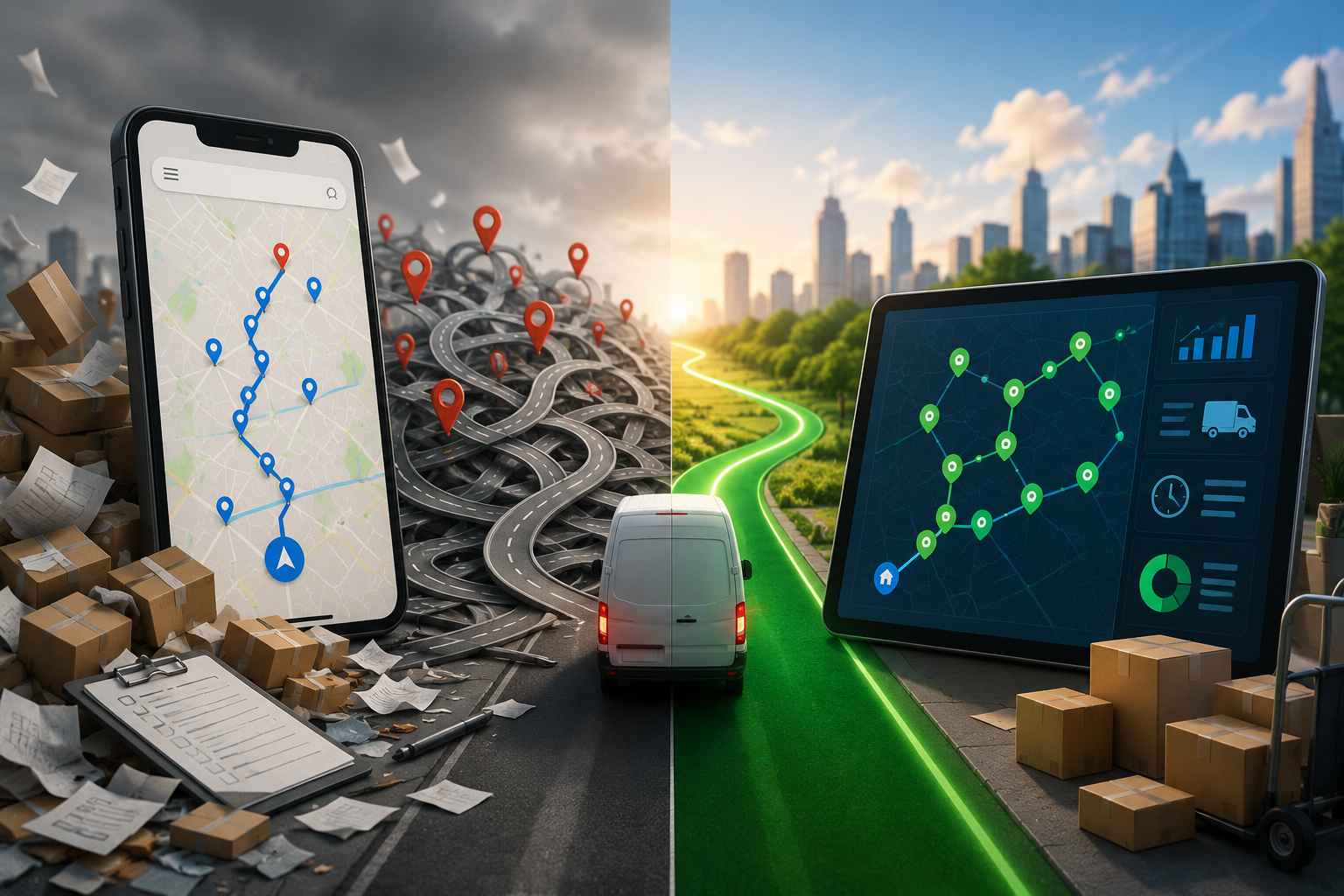
Pest Control Scheduling Software: How to Stop Missing Recurring Treatments

Pest Control Scheduling Software

Pest Control Scheduling Software: How to Stop Missing Recurring Treatments

user profile

Ruchita Purohit

July 8, 2026

Table Of Content

Every pest control owner knows the number that actually matters isn’t how many new customers you signed this month. It’s how many of last year’s recurring accounts are still on the books. Quarterly generals, monthly mosquito, bi-monthly rodent, the annual termite renewal. That recurring base is the business. And the fastest way to lose it is quietly, one missed treatment at a time.

The right pest control scheduling software exists to plug that leak. This guide walks through what these tools actually do, the four different kinds you’ll run into while shopping, a checklist for comparing them fairly, and how to keep every recurring visit on cycle. No sales pitch, just how to choose well.

Why Recurring Treatments Slip Through the Cracks

Here’s the uncomfortable truth about pest control: most missed visits aren’t dramatic. Nobody decides to skip a customer. The quarterly account just rolls a week late because the office was slammed, then another week because someone was out, and by the time anyone looks, the treatment window has passed and the customer is wondering why nobody came.

Recurring service is where the money lives. Industry bodies like the NPMA have long pegged recurring contracts as the majority of revenue at well-run operations, which means every dropped cadence is a direct hit to the number that keeps the lights on. A single lapsed quarterly account isn’t one missed job. It’s a canceled contract, a chunk of lost lifetime value, and often a five-star review that goes to the competitor instead.

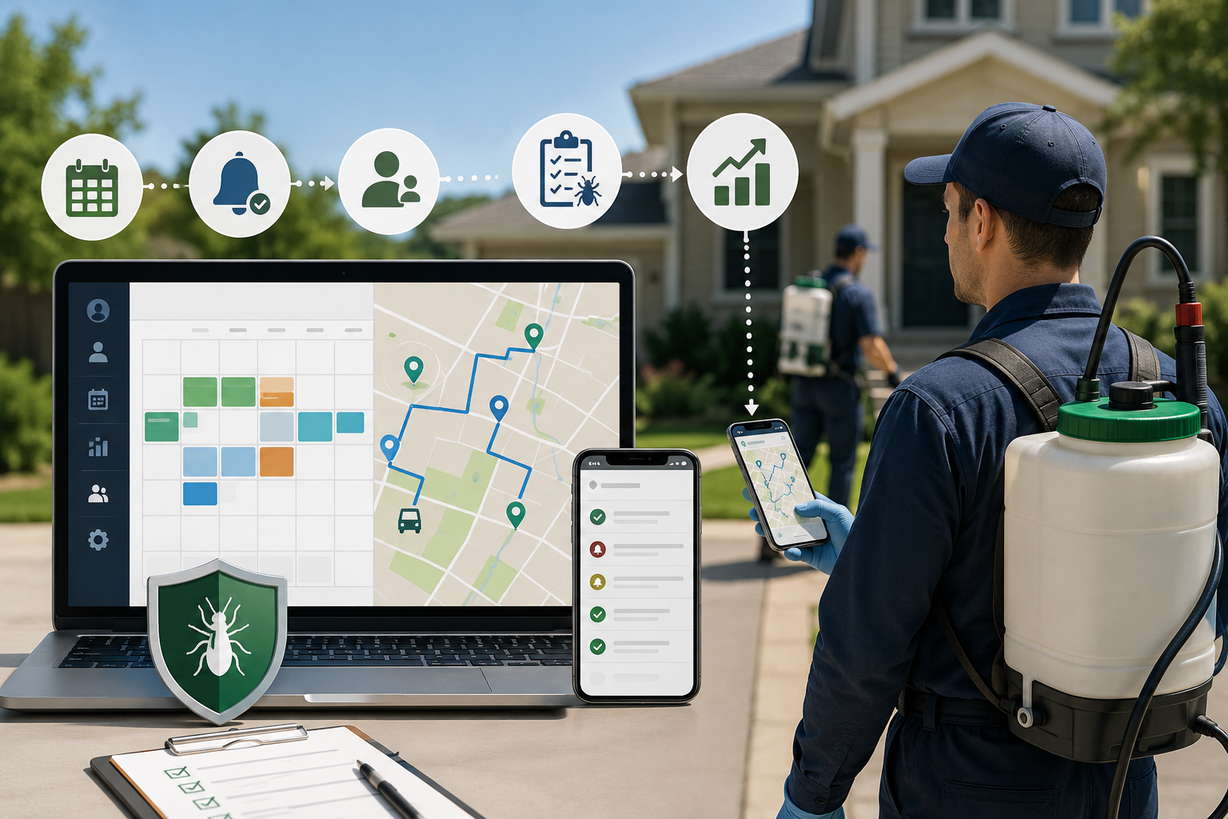
The root cause is almost always the same: the schedule lives somewhere it shouldn’t. A whiteboard. A shared spreadsheet. A senior tech’s memory. Those work fine at twenty accounts. At two hundred, tracking who’s due, who got bumped by a holiday, and who hasn’t confirmed becomes a full-time guessing game. Pest control scheduling software replaces the guessing with a live calendar the whole operation works from, so a treatment can’t quietly fall off the radar.

Signs You've Outgrown the Spreadsheet

A spreadsheet or whiteboard genuinely works for a while, so the switch rarely feels urgent until it’s overdue. A few honest signs you’ve outgrown it:

  • You’ve missed or double-booked a recurring visit in the last month, and only caught it because a customer called.
  • Building the day’s schedule eats a chunk of someone’s morning, every morning.
  • Only one or two people actually understand how the schedule works, and the whole operation wobbles when they’re out.
  • You can’t answer, quickly, which recurring accounts are overdue right now.
  • Techs regularly show up to a stop missing a gate code, a prep note, or the account’s history.

If two or more of those sound familiar, you’re past the point where pest control scheduling software pays for itself. The monthly cost of the software is almost always smaller than the cost of the recurring contracts a manual system quietly loses.

What to Expect from Pest Control Scheduling Software

Strip it back and pest control scheduling software does a handful of core jobs. The good ones cover all of them:

  • Hold every account’s recurring cadence, quarterly, monthly, bi-monthly, or custom, and surface exactly who’s due on any given day.
  • Absorb the messy stuff, skip dates, holidays, reschedules, and mid-day emergency calls, without breaking the underlying cycle.
  • Send appointment reminders and confirmations so customers actually show up, and show up prepped.
  • Keep client details, service history, and treatment notes attached to each account.
  • Feed the day’s due list into an efficient route, so scheduling and driving aren’t two separate chores.

Notice that last one. In pest control, scheduling and routing are joined at the hip. A pest technician runs ten to fifteen stops a day, far more than a plumber’s three or four, so a schedule that ignores drive time creates a mess the moment it hits the road. The best pest control scheduling software treats the calendar and the route as one problem, not two.

The Four Types of Scheduling Tools, and Which One Fits You

Once you start shopping, you’ll notice the tools marketed at you aren’t all the same animal. They fall into four rough buckets, and knowing which one you’re looking at saves a lot of wasted demos.

1. Generic calendars and booking apps. Google Calendar, Calendly, and the like. Cheap or free, easy to start, and completely blind to recurring cadences, routes, and client history. Fine for a solo operator’s first month, a liability by account fifty.

2. Dedicated pest control appointment software. These are booking-and-reminder tools built for the trade, often with a customer self-scheduling portal, automated reminders, and a clean calendar. Good pest control appointment software cuts no-shows and looks professional to customers. The limit is depth: many handle bookings well but do little with routing or long-range recurring programs.

3. All-in-one FSM suites and pest control CRM platforms. The heavyweights. A full pest control CRM bundles scheduling with invoicing, payments, chemical and compliance tracking, marketing, and a sales pipeline. Powerful, and genuinely the right call if billing or FIFRA compliance is your bottleneck. The trade-off is weight and price: you often buy a dozen modules to get the scheduling you wanted, and onboarding can stretch into weeks.

4. Routing-first scheduling tools. These lead with route optimization and pair it with recurring scheduling and a light client record. They won’t run your books, but they’re sharp at the specific job of keeping technicians on cycle and off the road longer than they need to be. This is the lane Bodha sits in.

There’s no universally correct pick, and no single kind of pest control scheduling software that’s right for every shop. The question is where your pain actually is. If it’s billing and compliance, you want a full suite. If it’s no-shows and a professional booking experience, a dedicated appointment tool. If it’s drive time and recurring cadences eating your margin, a routing-first tool earns its keep fastest.

A Buyer's Checklist: What to Demand Before You Sign

Whatever category you lean toward, hold every candidate against the same list. If a tool can’t do the first three, it isn’t really pest control scheduling software, it’s a calendar with a nicer logo.

  • True recurring cadences. It has to handle quarterly, monthly, bi-monthly, and odd custom patterns natively, and auto-populate future visits. Setting a recurring pest treatment scheduling rule once should mean it just keeps generating, not that you rebuild it every cycle.
  • A due-today view. Office staff should open one screen and see exactly who needs service, without cross-referencing a spreadsheet.
  • Reschedule and skip handling. Moving one visit shouldn’t knock the whole cadence off. Holidays and seasonal pauses should be settings, not manual surgery.
  • Automated reminders and confirmations. Branded texts and emails before each visit. This is the single biggest lever on no-shows.
  • Client records that travel. Gate codes, pets, prep notes, and service history attached to the account and visible to whoever runs it this week.
  • Routing built in or tightly linked. A due list should become an optimized route in a couple of clicks, not a separate export into another app.
  • Reporting you’ll actually use. Which accounts are slipping cadence, which are overdue, and how the recurring base is trending over the season.

One more piece of hard-won advice: buy for the operation you run today, not the one on your five-year plan. A three-truck shop drowning in no-shows needs reliable reminders and dependable recurring pest treatment scheduling far more than it needs an enterprise analytics suite it will never fully switch on.

Getting Recurring Pest Treatment Scheduling Right

If there’s one thing your pest control scheduling software has to get right, it’s this. Recurring pest treatment scheduling is the engine of the whole business, and it’s also the thing spreadsheets handle worst.

Done well, you set each account’s cadence once, the day they sign, and the software generates every future visit on schedule: the quarterly general, the monthly mosquito through summer, the bi-monthly rodent program. From then on, your job isn’t building the schedule, it’s just working the due-today list the software hands you.

The details are where tools separate. Watch how a candidate handles the awkward cases. What happens when a holiday lands on a service day? Can you pause a seasonal mosquito program over winter and have it wake back up in spring without re-entering forty accounts by hand? When you move one visit, does the rest of the cadence stay put? Good recurring pest treatment scheduling makes all of that a setting. Weak tools make it your problem.

Then there’s the safety net: adherence reporting. A recurring account that’s slipped never raises its hand. A due-versus-served report does, flagging the account that’s drifting before the customer notices and calls to cancel. For a business built on repeat revenue, that one report can be worth more than any flashy feature on the box.

Client Records and the Light-CRM Question

Somewhere in your shopping you’ll hit the word CRM, and it’s worth being clear-eyed about it, because “pest control CRM” means very different things depending on who’s selling.

At the heavy end, a full pest control CRM is a sales-and-marketing machine: lead capture, pipelines, email campaigns, invoicing, the works. At the light end, pest control client management just means your customer records, addresses, gate codes, pets, prep notes, and full service history, live in one place and travel to whoever services the account. Most operations genuinely need the second thing far more urgently than the first.

Here’s the honest framing. If your bottleneck is generating and nurturing leads, you want a real pest control CRM, and you should shop for one on those terms. If your bottleneck is that a tech showed up without knowing the dog needed to be inside, or that nobody could pull up the account’s last three treatments, then solid pest control client management tied into your scheduling is what fixes it, and you don’t need to buy a marketing suite to get there.

Plenty of well-run shops pair a focused scheduling-and-routing tool with the accounting or pest control CRM platform they already use. That combination usually beats forcing one bloated app to do everything at seventy percent.

Cutting No-Shows with Reminders and Confirmations

No-shows are a quiet tax on pest control. A missed appointment isn’t just a gap in the day, it’s a broken treatment cycle, a wasted drive, and a customer who now has to be rebooked. The fix is boring and effective: automated reminders.

The best pest control appointment software and scheduling tools send a confirmation when a visit is booked, a reminder the day before, and an on-the-way text when the tech is close, and they let you customize each one. Pest work has a twist here that other trades don’t: the reminder often needs to carry prep instructions. Clear the counters, put the dog inside, move the patio furniture. A reminder that tells the customer how to get ready is the difference between a productive visit and a wasted trip.

Branded messages matter too. A text that clearly comes from your company, ideally with a live tracking link, gets read. A message from an unknown number gets swiped away, and the visit gets missed anyway.

Where Bodha Fits, and Where It Doesn't

Bodha is a routing-first tool, so within the pest control scheduling software landscape it sits squarely in that fourth category. It pairs recurring scheduling with route optimization and light pest control client management in one place: recurring accounts land on a due-today calendar, technicians get gate codes, notes, and service history on the mobile route sheet, customers get automatic reminders, and adherence reports flag any account slipping its cycle.

You can see how it maps to the trade on the Pest Control Route Planner page. And because scheduling and driving are really one problem in pest control, it’s worth reading alongside our companion guide on pest control route planning software, which covers the routing side in depth.

Now the honest part. Bodha is not a full pest control CRM, and it doesn’t try to be. There’s no built-in invoicing, no payment processing, and no FIFRA chemical or compliance reporting. If those are your bottleneck, you’ll want a heavier suite, or you run Bodha next to the billing tool you already have. What Bodha does do, keep recurring treatments on cycle and technicians off the road longer than they need to be, it does well, and it’s free to start.

Rolling It Out Without a Painful Transition

Owners often stall on switching because they picture a painful migration. In practice, moving to pest control scheduling software is usually a two-part job: getting the data in, and getting the team to trust it.

The data side is mostly import. Pull your customer list and existing cadences from a spreadsheet or your current tool, and a decent platform geocodes the addresses and sets up the recurring programs from there. Set aside an afternoon, not a month.

The people side is the real work, and it’s cultural, not technical. Dispatchers and technicians have their own trusted habits, and a new tool only helps if they actually use it instead of quietly running the old spreadsheet in parallel. The fix is to start narrow: put one or two crews on it, let the time savings speak, and let those techs sell the rest of the team. Most operations are running their real recurring pest treatment scheduling through the new system within a week or two, once the first crew stops going back.

Frequently asked questions

It's software that tracks every account's recurring service cadence, quarterly, monthly, bi-monthly, or custom, shows you who's due each day, and sends reminders so customers show up. The better tools also turn that due list into an efficient route.

It generates every recurring visit automatically and flags anything that slips its cadence with a due-versus-served report, so a treatment can't quietly fall off a spreadsheet and lapse into a canceled contract.

Not exactly. Scheduling software focuses on cadences, reminders, and the calendar. A full pest control CRM adds lead capture, marketing, invoicing, and a sales pipeline. Some tools do both, but many operations pair a focused scheduler with separate pest control client management or accounting tools.

Pest control appointment software usually centers on customer self-booking and reminders for individual visits. Pest control scheduling software covers the broader job of managing recurring programs, technician assignment, and often routing. There's overlap, but scheduling tools tend to go deeper on recurring pest treatment scheduling.

It ranges widely. Generic calendars are free, dedicated tools run from low monthly fees, and full all-in-one suites can cost hundreds per month or per user. Several tools, Bodha included, offer a free way to start, so you can test the fit before committing.
Ready to keep every recurring treatment on cycle?

Start a free trial of Bodha's pest control scheduling and routing

Subscribe to Our Blog

    Related blogs

    How to Plan Delivery Routes: A Practical Guide for Operators

    How to Plan Delivery Routes: A Practical Guide for Operators

    Back Table Of Content Something every experienced dispatcher knows: the difference between a good day and a chaotic…

    Reduce Delivery Costs: 10 Proven Strategies That Actually Work

    Reduce Delivery Costs: 10 Proven Strategies That Actually Work

    Back Table Of Content Last-mile delivery is the most expensive part of the logistics chain. It accounts for…

    Best Route Optimization Software for Food Distributors in 2026: Features, Pricing & Top Picks

    Best Route Optimization Software for Food Distributors in 2026: Features,…

    Back Table Of Content In food distribution, the clock runs everything. You’re moving perishable stock through narrow receiving…

    Lawn Care Route Planning Software: Save Time & Fuel

    awn Care Route Planning Software: Save Time & Fuel

    Lawn Care Route Planning Software: Save Time & Fuel

    user profile

    Ruchita Purohit

    July 7, 2026

    Table Of Content

    Lawn Care Route Planning Software: How to Cut Windshield Time and Keep Every Mow on Schedule

    Quick answer: Lawn care route planning software takes your list of properties for the day and puts them in the shortest, most practical driving order. It factors in service windows, how long each job takes, and real drive times on real roads. Add recurring scheduling on top and it keeps every weekly and biweekly account on cycle, so your crews spend less time behind the wheel and more time actually mowing. This guide walks through what the software does, the features that separate a real tool from a plain map app, and how to pick the right one for your business.

    Why Lawn Care Businesses Quietly Lose Money to Bad Routing

    Lawn care is a repeat business. Same properties, same weekly or biweekly rhythm, spread out across a town or a whole service area. You’d think all that repetition would make routing easy. It usually doesn’t. Most crews still build the day from memory, a printed list, or a spreadsheet that has no clue about traffic, service windows, or which yards are even due today.

    So the same problems keep showing up. Too many miles between stops. A mowing cycle that slowly drifts off schedule. A phone that won’t stop ringing because clients don’t know when you’re coming. Every one of those traces back to the same thing: the route was a guess instead of a plan.

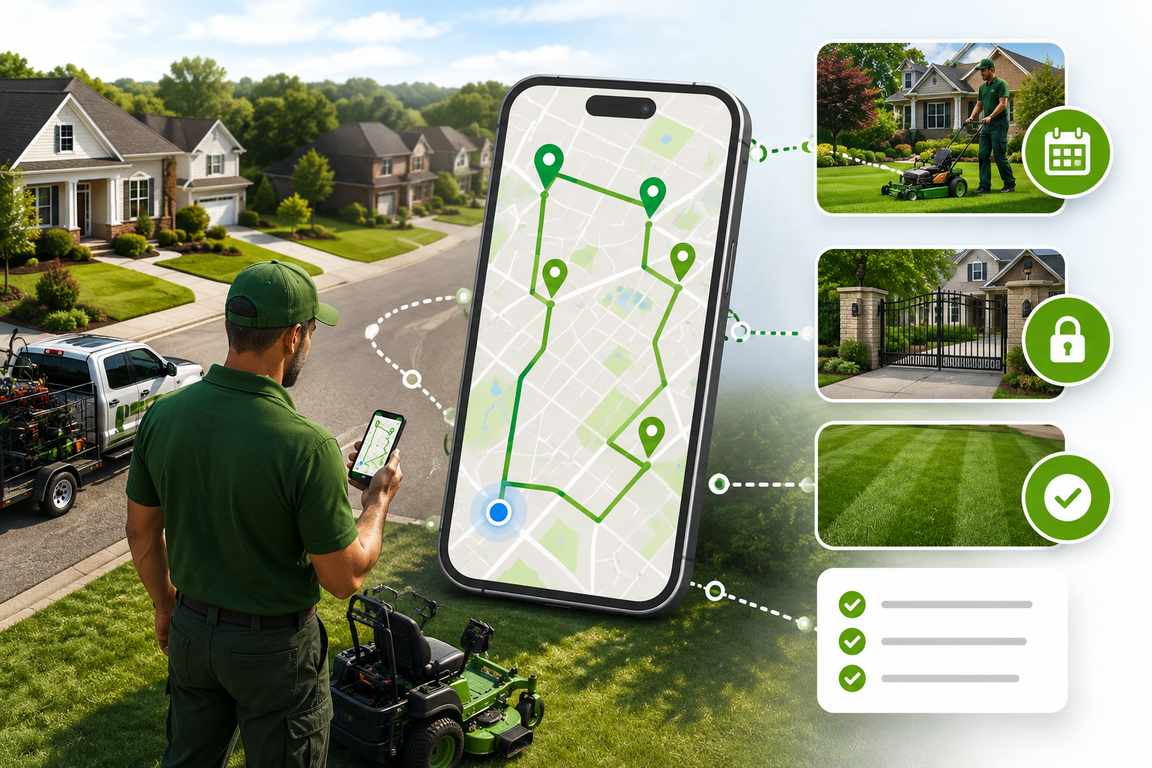
    That’s the job lawn care route planning software is built to do. It looks at every property on your list, weighs the drive time, how long each job runs, and how many hours your crew actually has, then hands back the order that cuts the most lawns with the least driving in between. Run five stops a day and it helps. Run ten or twenty and it adds up fast, week after week, in hours you get back and fuel you stop burning.

    What Lawn Care Route Planning Software Actually Does

    Strip it right down and lawn care routing software does one thing: it turns a list of addresses into an optimized order for the day. But the tools actually worth paying for go a lot further than drawing lines on a map. The good ones pull three jobs into a single place:

    • Route optimization that groups nearby properties and works out the shortest realistic order for the day.
    • Recurring scheduling that keeps track of who’s due on a weekly, biweekly, or custom cycle, so the route almost builds itself.
    • Client and property records, think gate codes, yard notes, and service history, sitting right there for the crew in the field instead of lost in a text thread.

    A regular map app can handle a few stops. What it can’t do is manage a mowing cadence, remember that a client swapped their gate code last month, or tell you which of your forty biweekly accounts came due this week. That’s the gap a proper landscaping route planner fills.

    Dedicated lawn care route planning software vs. a generic GPS app

    What to Look for in Lawn Care Routing Software

    Plenty of tools claim they’ll optimize your routes. Not all of them are built for how a mowing operation actually runs. When you’re weighing your options, hold each one up against these six things.

    1. Route optimization built around service windows

    A good landscaping route planner does more than connect the dots between pins. It sequences the day around each property’s service window, your crew’s working hours, and real drive times on real roads, so the plan still holds up once the truck pulls out of the yard.

    2. A true recurring mowing schedule

    Recurring accounts are the whole game in lawn care. You want recurring mowing schedule software that lets you set a cadence once, whether that’s weekly, biweekly, monthly, or something custom, and then shows you exactly who’s due each day. Setting it once beats rebuilding the same route from scratch every single cycle.

    3. Gate codes and yard notes in the field

    Access details, pet warnings, the little client preferences, all of it should ride along with the route instead of living in someone’s head. When it shows up on the mobile route sheet at every stop, your crew stops guessing and just gets on with the work.

    4. Automatic client updates

    A quick branded text or email that tells a client when they’re scheduled, when the crew is on the way, and when the job’s done will kill off most of those “are you coming today?” calls that chew through your office hours.

    5. Proof of service

    Timestamped photos and notes at each property, even when there’s no signal, give you a clean record if a client ever questions whether you showed up. That’s worth a lot on bigger properties, or on accounts that get split between technicians.

    6. Multi-crew planning that scales

    Add trucks and you’ll need to balance the load and plan several routes off one client list in a single sitting, without a dispatcher rebuilding the whole thing by hand every morning.

    How Route Optimization Saves Fuel and Adds Stops Per Day

    Windshield time is the cost nobody puts on an invoice. When a crew bounces around between properties instead of working a tight cluster, they burn fuel, pile hours onto the truck, and get to fewer lawns before the day’s gone. Hand that clustering and sequencing over to the software and it does in seconds what used to eat a dispatcher’s whole morning.

    The part that’s easy to miss is how it stacks up. Shave even a little off your daily drive time, then multiply that across five days a week and forty-odd weeks a year, and you’re suddenly looking at a serious pile of labor hours back per truck. Hours you can aim at new accounts instead of leaving them stuck in traffic between the ones you already have.

    How big is the gain? It comes down to your setup, how spread out your accounts are, how many stops you run in a day, and how loose your routes were to begin with. But the pattern holds across service fleets: tighter sequencing means fewer miles, less fuel, and enough time clawed back to fit another property or two into the same shift. Even a small daily saving turns into a real number once you stretch it across a full mowing season.

    Recurring Scheduling: The Real ROI for Lawn Care Teams

    Route optimization sorts out the driving. Recurring scheduling sorts out the thing sitting underneath it, which is keeping every weekly and biweekly account on cycle without someone in the office tracking due dates by hand. This is exactly where recurring mowing schedule software earns its place. The better lawn care route planning software lets you drop in skip dates, holiday presets, and seasonal pauses, so the cadence bends around a holiday instead of falling apart the first time one lands mid-week.

    This really earns its keep in the shoulder seasons. Spring startup and fall wind-down both shift the cadence for a big chunk of your client base all at once. A lawn care scheduling app that can handle bulk cadence changes without a fuss saves you a ton of admin time right when the office is already slammed.

    Then plan-adherence reporting ties it all off by flagging any recurring account that’s starting to drift, before the client notices and picks up the phone. When your revenue is built on repeat work, that kind of early warning can be worth more than the fuel savings.

    How to Get Started With a Lawn Care Route Planner

    1. Import your client list from a spreadsheet or CSV. A good tool will geocode the addresses and flag duplicates for you.

    2. Set recurring plans for every account that repeats weekly, biweekly, or monthly.

    3. Run the optimizer and let it sequence the day’s properties around service windows and drive time.

    4. Send the route to the crew’s phone, complete with gate codes and yard notes for every stop.

    5. Turn on automatic client updates so the office stops fielding “where are you?” calls.

    6. Check adherence and completion reports weekly to catch any account before it slips.

    Why Bodha Works Well for Lawn Care and Landscaping Teams

    Bodha pulls route optimization, a recurring mowing schedule, and a light client CRM into one place. That combination is pretty much what a lawn care operation needs when it’s juggling repeat accounts across a spread-out service area. Crews get gate codes and yard notes right in the mobile route sheet, clients get automatic arrival updates, and owners get plan-adherence reports that call out any account slipping its cycle.

    Want to see how the optimizer actually builds a day’s sequence? Take a look at the route planning feature. And if you want the version aimed squarely at mowing operations, the Lawn Care & Landscaping Route Planner page breaks it down.

    Bodha Route Planner at a glance

    • Best for: Lawn care and landscaping teams running recurring residential and commercial accounts across a wide service area.
    • Standout features: Service-window route optimization, recurring scheduling with skip dates and seasonal pauses, gate codes and yard notes in the driver app, automatic client notifications, and timestamped proof of service.
    • Pros: Purpose-built for recurring, route-based service. The light CRM keeps property details tied to the route, you can plan multiple crews from a single client list, and it’s free to start.
    • Keep in mind: Bodha is a dedicated route planning and scheduling platform rather than a full accounting and invoicing suite, so teams that need built-in payments usually pair it with the billing tool they already use.

    Frequently asked questions

    It organizes a day's properties into the most efficient order, taking service windows, job durations, and drive time into account, so a crew spends less time driving and more time working.

    Yes. A good lawn care scheduling app lets you set a mowing cadence, whether that's weekly, biweekly, monthly, or custom, and then shows you exactly who's due each day, turning those properties into an optimized route in a couple of clicks.

    A general map app can sequence a few stops, but it can't track recurring accounts, store gate codes and yard notes, or send branded client updates. Dedicated lawn care route planning software rolls all of that into one system.

    For most operations running more than a handful of daily stops, yes. The fuel and time savings from optimized routing usually pay for the software within the first few weeks, and recurring scheduling takes an ongoing admin headache off your plate.

    Yes. A good tool plans and balances several routes from one client list in a single session, so adding trucks doesn't mean rebuilding every route by hand each morning.

    It depends on how many drivers you have and which features you need, and plenty of tools, Bodha included, give you a free way to start. Check Bodha's pricing for current plans.

    Ready to cut windshield time and keep every recurring mow on schedule?

    Start a free trial of Bodha's lawn care route planner

    Subscribe to Our Blog

      Related blogs

      How to Plan Delivery Routes: A Practical Guide for Operators

      How to Plan Delivery Routes: A Practical Guide for Operators

      Back Table Of Content Something every experienced dispatcher knows: the difference between a good day and a chaotic…

      Reduce Delivery Costs: 10 Proven Strategies That Actually Work

      Reduce Delivery Costs: 10 Proven Strategies That Actually Work

      Back Table Of Content Last-mile delivery is the most expensive part of the logistics chain. It accounts for…

      Best Route Optimization Software for Food Distributors in 2026: Features, Pricing & Top Picks

      Best Route Optimization Software for Food Distributors in 2026: Features,…

      Back Table Of Content In food distribution, the clock runs everything. You’re moving perishable stock through narrow receiving…

      Lawn Care Scheduling Software: Never Miss a Mow

      Lawn Care Scheduling Software

      Lawn Care Scheduling Software: Never Miss a Mow

      user profile

      Ruchita Purohit

      July 7, 2026

      Table Of Content

      Lawn Care Scheduling Software: How to Manage Recurring Clients Without Missing a Mow

      Quick answer: Lawn care scheduling software tracks every client’s service cadence, weekly, biweekly, monthly, whatever you run, and tells you who’s due for a visit today. Wire that up to route optimization, automatic reminders, and half-decent client records, and your recurring accounts stay on cycle without anyone in the office squinting at a spreadsheet every morning. Below: what this software should actually do, how to set up recurring plans that don’t fall apart, and how to pick a tool that fits the way your crews really work.

      Why Recurring Clients Are Where Lawn Care Businesses Actually Make Money

      Most lawn care money isn’t in one-off jobs. It’s in the same client, same cadence, week after week, all season long. That repeat base is what makes the whole thing a business instead of a constant hustle for the next gig.

      Trouble is, it’s only stable if the scheduling holds. Miss one mow on a weekly account and you’ve usually lost more than a visit. You’ve got a customer sitting there thinking maybe they’ll try the guy who left a flyer on the door last Tuesday.

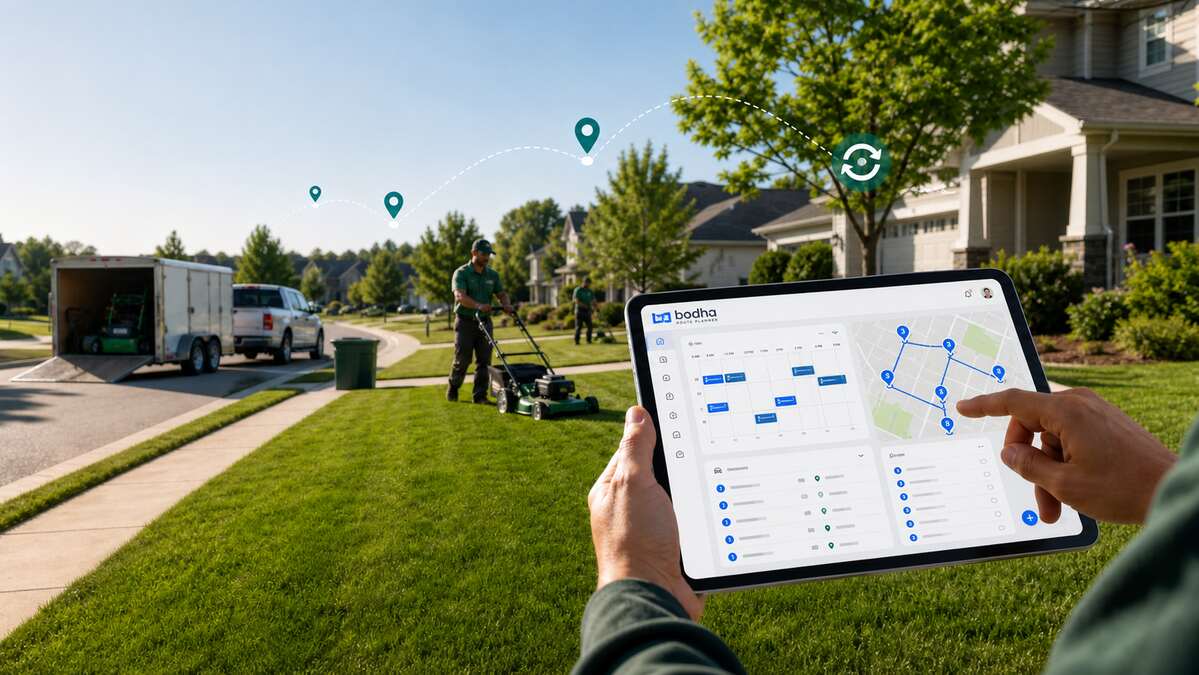
      So that’s the real job lawn care scheduling software is doing. It takes who’s-due-for-service out of your head, off the sticky notes, out of the group text, and drops it in one place that just tells you who needs a visit today.

      The Hidden Cost of Scheduling by Memory or Spreadsheet

      A spreadsheet is fine for holding a list of names. Ask it which of your forty biweekly accounts are due this week and not last, though, and you’re back to scrolling and counting on your fingers.

      Past a handful of clients, that manual tracking turns into a liability without ever announcing itself. Visits get skipped. Days get double-booked. One holiday week bumps everything down and suddenly a whole month’s cadence is off, and nobody noticed until a customer did.

      It costs you twice. Once in the revenue you lose when a skipped client walks, and again in the hours your office burns checking who’s due instead of getting the route out the door.

      What Lawn Care Scheduling Software Should Do

      Forget the feature lists for a second. A lawn care scheduling software really just has to get a few things right:

      • Hold a recurring cadence for every client, weekly, biweekly, monthly, or some odd custom pattern.
      • Give you a due-today view, so the office can build the day without a spreadsheet.
      • Let you set skip dates, holiday presets, and seasonal pauses without wrecking the cadence underneath.
      • Keep the client’s details, gate codes, yard notes, and service history in one profile instead of five different places.
      • Fire off reminders and arrival updates on its own, so fewer people call to ask when you’re showing up.


      Nail those and most of the daily chaos sorts itself out.

      Where Scheduling Software Fits Among Your Lawn Care Tools

      “Lawn care software” gets used to mean about six different things, so it helps to know which one you’re actually shopping for:

      • Scheduling and dispatch. Where lawn care scheduling software and any decent lawn mowing schedule app live. Cadences, crew assignments, getting the work out the door.
      • Routing. Lawn care routing software puts the day’s stops in an order that doesn’t waste fuel and daylight. Scheduling says who’s due, routing says what order to hit them.
      • Client management. Lawn care client management software keeps history, notes, and the little quirks tied to each property.
      • Invoicing and accounting. Billing, payments, the books. Almost always its own thing, and plenty of owners just wire a scheduling tool up to QuickBooks and leave it there.

      Nobody needs all four crammed into one mega-app. What you buy first comes down to where it hurts. If the pain’s in the field, who’s due, what order, which truck, start with scheduling and routing. If it’s in the office, chasing quotes and payments, a CRM or invoicing suite matters more. Bodha sits in the scheduling-and-routing lane and gets along fine with whatever you bill through.

      Setting Up Recurring Service Plans That Actually Stick

      Here’s the test: you should set a client up once, not re-enter them every cycle. Good recurring lawn care scheduling lets you lock in the mowing cadence the day someone signs on, weekly, biweekly, custom, whatever they’re on, and from then on that account shows up on the due-today calendar by itself until something changes.

      Skipping a week for the Fourth? That’s a checkbox. Not you deleting the client and hoping you remember to add them back next Tuesday.

      The shoulder seasons are where this really earns back the money. Come spring startup and fall wind-down, half your client base shifts cadence at once, and a tool that pushes those bulk changes through in one go saves you a mountain of admin right when you’ve got the least time for it.

      The payoff doesn’t show up on any single Tuesday. It shows up at the end of the season, when you notice you didn’t lose an account to a missed cadence, and your crews never burned a morning on a schedule somebody had to rebuild by hand. That’s the real return on recurring lawn care scheduling. A little admin saved every week, a handful of skipped mows that just never happened, and a client base that renews because the service kept showing up like clockwork.

      Keeping Clients Informed Without More Phone Calls

      Be honest about how many calls to your office are just “hey, are you coming today?” It’s a lot. Automatic notifications knock most of them out: one text when the visit’s booked, one when the crew’s rolling, one when it’s done. That’s the whole point of service reminder software for lawn care.

      Branded messages with a live tracking link also beat a bare text every time, because the client can see it’s you and not some random number they’ll swipe away.

      Client Profiles: The Details That Save a Visit

      Long-term clients collect little details. The gate code that changed back in March. The dog that has to be inside before anyone starts. The one patch by the fence they want left alone. Lose track of any of it and a crew rolls up, gets stuck at the gate, and calls the office. Or worse, does the job wrong and you hear about it.

      Lawn care client management software fixes that by keeping every one of those notes right on the client’s profile, where whoever’s running the account this week can see it before they even pull up.

      Reports That Catch a Missed Mow Before the Client Does

      This is the report nobody gets excited about and everybody should have. Plan-adherence, due-versus-served, whatever your tool calls it. Instead of finding out an account got skipped when the client calls hot, you see the gap the same day, while there’s still time to swing back or get ahead of it with a quick call. On a business built out of repeat accounts, it might be the most useful screen you’ve got.

      How to Choose Lawn Care Scheduling Software

      When you’re comparing tools, hold each one up against this:

      • Does it actually handle the cadences you run, weekly, biweekly, monthly, and the custom ones?
      • Can it push seasonal changes in bulk, spring on, fall off, without you re-entering everyone?
      • Do client details and gate codes follow the job to whoever’s servicing it?
      • Are client notifications built in, or is it one more app to babysit?
      • Is there adherence or due-versus-served reporting, or just a map?
      • Does scheduling feed straight into routing, so a due-today list becomes a real route in a couple of clicks?

      And one bit of hard-won advice: buy for the business you’ve got today, not the one on your vision board. A solo operator with fifty lawns needs cadences and reminders that just work, not a fifteen-seat platform they’ll supposedly grow into.

      Scheduling-first tool vs. all-in-one suite vs. spreadsheet

      Why Bodha Works as a Lawn Care Scheduling Tool

      Bodha puts recurring scheduling, route optimization, and a light CRM in one place, so your due-today list and an optimized route are basically the same two clicks instead of two separate logins. Gate codes and yard notes ride out to the field on the client’s profile, the automatic updates soak up the “are you coming” calls, and the adherence report catches a slipping account before the customer does.

      The full feature rundown lives on the Lawn Care & Landscaping Route Planner page. And if you want the routing half of the story, our companion piece on lawn care route planning software walks through how the optimizer builds a day.

      Straight talk, though: Bodha isn’t a full invoicing-and-accounting suite, and it’s not pretending to be one. Most teams run it right next to whatever they already bill through, and that combo tends to beat one bloated app trying to do everything at seventy percent.

      Bodha at a glance
      • Best for: Lawn care and landscaping crews that live on recurring accounts and want scheduling wired straight to route efficiency.
      • Standout stuff: Recurring scheduling with skip dates and seasonal pauses, a due-today calendar, built-in routing, gate codes and yard notes in the driver app, automatic client reminders, and adherence reporting.
      • Pros: Scheduling and routing under one roof, a light CRM that keeps property notes with the account, client updates built in, and it’s free to start.
      • Keep in mind: No built-in invoicing or payments, so you’ll run it alongside your billing tool.

      Frequently asked questions

      It tracks each client's recurring cadence, weekly, biweekly, monthly, or custom, and tells you which accounts are due on a given day, so nobody has to check by hand.

      Yes. Solid recurring lawn care scheduling handles skip dates, holiday presets, and seasonal pauses, so cadences shift on their own instead of making you pull a client out and add them back every cycle.

      Scheduling tracks who's due. Routing puts the day's stops in the best order. The good tools do both, so a due-today list rolls straight into an optimized route.

      It does. Automatic updates when a visit's booked, on the way, and finished answer the question most people were about to call about. That's the core of service reminder software for lawn care.

      Anywhere from free to a few hundred a month, depending on crew size and features. A handful of tools, Bodha included, let you start free. Check Bodha's pricing for what's current.

      Ready to keep every recurring client on schedule?

      Start a free trial of Bodha's lawn care scheduling software

      Subscribe to Our Blog

        Related blogs

        How to Plan Delivery Routes: A Practical Guide for Operators

        How to Plan Delivery Routes: A Practical Guide for Operators

        Back Table Of Content Something every experienced dispatcher knows: the difference between a good day and a chaotic…

        Reduce Delivery Costs: 10 Proven Strategies That Actually Work

        Reduce Delivery Costs: 10 Proven Strategies That Actually Work

        Back Table Of Content Last-mile delivery is the most expensive part of the logistics chain. It accounts for…

        Best Route Optimization Software for Food Distributors in 2026: Features, Pricing & Top Picks

        Best Route Optimization Software for Food Distributors in 2026: Features,…

        Back Table Of Content In food distribution, the clock runs everything. You’re moving perishable stock through narrow receiving…

        The Best Free Route Planner Apps for Delivery Drivers in 2026

        The Best Free Route Planner Apps for Delivery Drivers in 2026

        The Best Free Route Planner Apps for Delivery Drivers in 2026

        user profile

        Ruchita Purohit

        July 6, 2026

        Table Of Content

        Ask any delivery driver what makes or breaks their day, and it usually isn’t traffic or weather. It’s the order they run their stops in. Get it right and you’re home early. Get it wrong and you’re crisscrossing the same neighborhood three times, burning fuel and daylight.

        That’s the whole job a route planner app does for you. And the good news is you don’t have to pay for one to feel the difference.

        We dug into the free route planner apps that delivery drivers actually use day to day. Not the marketing promises, but what you really get before the app asks for your card. Here’s how they stack up.

        Key takeaways

        • A free route planner app can save a driver real time and fuel. But “free” means wildly different things from one app to the next, so read the fine print.
        • Most free plans cap you somewhere between 8 and 30 stops per route. A few “free” apps are really just short trials wearing a disguise.
        • Bodha has the most generous free tier here, with 30 stops per route, unlimited routes, no signup, and spreadsheet import, all running on the same engine its paying fleets use.
        • If you’d rather drive with an app than a browser tab, Bodha Drive is free too: 20 stops per route, unlimited routes, with voice entry, camera scanning, and manual stop shuffling. Signup only, no card details.
        • SoloRoute (20 stops) and MyWay (15 stops) are strong free options too.
        • Free planners are made for solo drivers running their own routes. The moment you’re juggling a team, live tracking, or proof of delivery, you’ll start eyeing a paid plan.

        Who this is for

        If you load up a vehicle and plan your own stops, whether that’s courier parcels, groceries, or pharmacy runs, this guide is for you. Full-time, part-time, weekend side hustle, it doesn’t matter. What matters is that you’ve got a pile of addresses and you’re the one deciding the order.

        One quick exception. If you drive for a food delivery app that hands you one pickup and one drop at a time, a multi-stop planner isn’t really your tool. A good nav app is. Everyone else, read on.

        Let's be honest about what "free" actually means

        This is where a lot of drivers get burned, so let’s clear it up first.

        A route planner isn’t Google Maps. Maps gets you from A to B. A planner takes your whole list and figures out the smartest order to hit every stop. That sounds simple until you realize that just fifteen stops have more possible orderings than there are seconds in a year. Nobody’s eyeballing that. That’s the entire point of the app.

        Now, when an app calls itself “free,” it’s almost always one of three things:

        First, there’s the genuine free tier. You can use it forever, but with a cap on stops, saved addresses, or features. Second, there’s the free trial, which gives you everything for a week or two and then starts charging. Third, there’s the free companion tool, a lighter web planner a company offers alongside its paid product.

        Here’s the reality: most serious route apps charge $10 to $20 a month once you’re hooked. So don’t ask “is it free?” Ask “how much can I actually get done before I hit the wall?” That’s the question we kept in mind for every app below.

        And one more thing worth asking: what does it cost me to find out? An app that wants your card number before you’ve optimized a single route isn’t really free, whatever the pricing page says. A free tier you can reach with an email address and nothing else is a different proposition entirely.

        What actually makes a free planner worth using

        Not every free app is worth your thumb-taps. The ones that are usually get these right:

        • It reorders your stops for you. If it just draws a line through the order you typed them in, that’s not a planner. That’s a to-do list.
        • The stop cap fits your day. Do 25 drops but the app stops at 10? You’ll spend your morning splitting routes.
        • Adding stops is fast. Typing 30 addresses by hand is a punishment. You want paste and spreadsheet import. The best apps go further and let you speak an address or point your camera at a list.
        • It routes on real roads. Actual drive times, not straight lines on a map.
        • It gives you ETAs and a clean run sheet you can follow top to bottom, and it’s even better if you can print it.
        • It knows your vehicle. A truck and a scooter shouldn’t get the same route.
        • You can still overrule it. Sometimes you know something the algorithm doesn’t, like a customer who’s never in before noon. A good planner lets you shuffle stops by hand and then re-optimize around your changes.
        • No sneaky catch. No surprise card wall, no “free” that’s really a countdown clock.

        The best free route planner apps for delivery drivers

        We ranked these by how much you can realistically get done for free, biggest and most useful free tier first.

        One heads-up before we start: free limits and prices shift constantly and vary by country. Everything below is accurate as of early 2026, but give the app store listing a glance before you commit to anything.

        1. Bodha: the most you’ll get for free

        Bodha is built for delivery teams, but it does something most rivals won’t. It hands its core optimization engine to solo drivers for free, through a free web planner with no account, no download, and no card. It’s the same engine its paying fleets run every day, just opened up for single routes.

        And that’s exactly why it tops this list. You get 30 stops per route with unlimited routes, which covers most drivers’ entire daily run in one shot. No other free tier here comes close.

        Adding stops is quick. Type them, paste a list, or upload a spreadsheet. That last one is the big time-saver: drop in a .csv or Excel file, point it at your address column, and it maps every row. If it can’t read one, it tells you instead of quietly dropping it, which matters when a missed address means a missed delivery.

        Pick your vehicle, whether that’s a car, bike, scooter, or truck, and the stop order and timings shift to match. You get an ETA for every stop and a printable PDF run sheet you can stick on the dash, so you’re not thumbing your phone at every red light. It all runs on real road data, not guesswork.

        And if you’d rather have it in your pocket: Bodha Drive

        The web planner is great at a desk the night before. But most drivers plan on the move, so there’s also Bodha Drive, Bodha’s free route planner app for delivery drivers on iOS and Android. The free plan there gets you:

        • 20 stops per route, unlimited routes a day. Plan as many runs as your day needs, every day, at no cost.
        • Add stops by voice. Hands full of parcels? Speak the address and Bodha adds the stop. No stopping, no typing.
        • Scan a whole list with your camera. Point the camera at a printed manifest or a sheet of addresses and Bodha reads it and adds the stops in one go, rather than making you scan them one at a time.
        • Add multiple stops at once. Paste a block of addresses straight from an email, a message, or a spreadsheet.
        • Shuffle stops your way, then optimize. Drag your stops into the order you want, pin the ones that have to happen when they have to happen, and let Bodha optimize around them. You stay in charge of the route; the app just does the maths.
        • Free means free. All of the above sits inside the free plan. It takes a signup, but no card details, so there’s no trial clock ticking in the background and nothing to cancel.

        That combination, voice, camera, paste, and manual reordering, is why Bodha Drive is worth a look even if another app on this list caught your eye. Most free tiers make you choose between a decent stop cap or fast ways to enter stops. Here you get both.

        So where’s the ceiling? A single free route maxes out at 30 stops in the web planner and 20 in Bodha Drive, which is plenty for most people, though heavy days need the paid app. In the web planner, routes aren’t saved either. Your stops live in the browser and clear when you close the tab. That’s great for privacy, but less handy if you run the same route every day. And proof of delivery, live tracking, the package scanner, mid-route re-optimizing, and customer texts live in Bodha’s paid products, not the free tool.

        The upgrade path is the sensible part. Start free on Bodha Drive as a solo driver. When the work grows and 20 stops stops being enough, the paid plan lifts the stop limit and adds proof of delivery, mid-route re-optimizing, the package scanner, and route history from around $14.99/mo, or $99.99/yr. And when you’re no longer driving alone, Bodha Fleet brings multi-driver dispatch, live GPS, and automatic customer notifications. Both come with a 7-day free trial, no card needed. You upgrade when the business grows, not before.

        Free web planner: 30 stops per route, unlimited routes, no signup

        Free app (Bodha Drive): 20 stops per route, unlimited routes, signup only, no card

        Add stops: type, paste, speak, camera scan, or CSV/Excel import

        Vehicles: car, bike, scooter, truck

        Best for: drivers who want the biggest free stop count with zero setup

        Paid: free 7-day trial on Drive and Fleet, no card required

        2. SoloRoute Mobile: simple, clean, and generous

        SoloRoute is one of the newer apps, and it leans into being simple on purpose. Its free tier is one of the best going: 20 stops per route, with no cap on how many routes you plan a day. It won’t bury you in features, and for a lot of drivers just getting started, that’s the appeal.

        Paste your addresses from a list, drop pins on the map, hit optimize, and drag stops around if you want to tweak the order. Navigation hands off to Google Maps.

        As for trade-offs, there are no delivery photos or signatures, no per-stop notes, and the free plan limits your saved address book. Navigation is Google Maps only.

        Free tier: 20 stops per route, unlimited routes

        Best for: a clean, no-frills free planner

        Paid: around $9.99/mo for more stops

        3. MyWay: the most ways to add a stop

        MyWay has built a following on flexibility. There are something like seven ways to add an address, including phone contacts, camera scan, paste, and file upload. The free tier gets you up to 15 stops per route.

        It also handles the delivery basics well. You can mark a stop done, snap a photo, grab a signature, or log why a drop failed. And it plays nice with a wide range of nav apps.

        The catch is that its optimization can be a little hit-or-miss, and some drivers notice it slowing down in weak-signal areas.

        Free tier: up to 15 stops per route

        Best for: drivers who want lots of ways to enter stops

        Paid: around $9.99/mo

        4. Zeo Route Planner: feature-packed, if a bit buggy

        Zeo has piled on features over the past couple of years and now goes toe-to-toe with the bigger names. That includes a handy vehicle-loading helper that tells you the order to load your van. The free tier lands at around 12 stops per route.

        You also get spreadsheet upload and plenty of nav choices for free, which is generous at this level.

        That said, drivers do report recurring bugs, and editing a route is more locked-down than rivals. You can’t always shuffle stops freely.

        Free tier: ~12 stops per route

        Best for: loading order plus spreadsheet upload for free

        Paid: from roughly $16.99/mo

        5. Spoke Route Planner (formerly Circuit): polished and beginner-friendly

        Spoke is a favorite among couriers, mostly because it’s genuinely easy to pick up and it has a clever package finder that tracks exactly where each parcel sits in your vehicle. The catch is a modest free cap of up to 10 stops per route.

        For that you get a few ways to add addresses, route reversal, map editing, and a solid list of nav apps.

        The 10-stop limit is tight for a full day, though. Spreadsheet upload isn’t available on iPhone, and you can’t drag individual stops around to reorder them.

        Free tier: up to 10 stops per route

        Best for: beginners who like polish and the package finder

        Paid: Lite ~$9.99/mo, Standard ~$19.99/mo

        6. Route4Me: grows with you

        Route4Me has been around a while and it shows. There’s a friendly interface, plus strong delivery tools once you move up the plans, like photo and signature proof of delivery, barcode scanning, and ETA messages. Free, you’re looking at 10 stops per route.

        You do get several ways to add addresses, easy drag-and-drop reordering, and a good spread of nav apps on the free plan.

        On the downside, it’s subscription-only with no pay-as-you-go, and a handful of drivers mention stability hiccups on certain phones.

        Free tier: 10 stops per route

        Best for: drivers who’ll grow into proof-of-delivery tools

        Paid: Basic ~$9.99/mo, Enhanced ~$19.99/mo

        7. RoadWarrior: great controls, thin free tier

        RoadWarrior has been in the game a long time, and it gives you a lot of knobs to turn. You can optimize by time or distance, dodge highways, tolls, or ferries, and do one-way or return trips. The problem is the free tier is the smallest here at around 8 stops, with no spreadsheet upload and no proof of delivery.

        If you love fine-tuning and don’t mind adding stops one at a time, it’s worth a look. If you want to import a list, look elsewhere.

        Free tier: up to ~8 stops

        Best for: drivers who want granular optimization controls

        Paid: from roughly $14.99/mo

        The free tiers, side by side

        Bodha runs two free options: the browser-based free planner (30 stops, no account at all) and the Bodha Drive app (20 stops, unlimited routes, free with a signup and no card details). Same optimization engine behind both.

        Numbers are indicative for early 2026 and change often, so check the current listing before deciding.

        Getting the most out of a free planner

        A few small habits go a long way:

        • Import, don’t type. If your stops are already in a spreadsheet, upload the file. You’ll save more time here than anywhere else. If they’re on paper, scan the sheet with your camera instead of copying it out.
        • Set your real start time and location. ETAs are only useful if the app knows when and where you’re rolling out.
        • Pick the right vehicle. A route built for a truck will send a scooter the long way round.
        • Lock the stops that can’t move, then optimize. A 9am appointment or a customer who’s only in after lunch should be pinned in place. Let the optimizer sort out everything else around them.
        • Re-optimize after any change. Added or dropped a stop? Run it again, and don’t just wedge the new one into the old order.
        • Keep the run sheet in front of you. A printed list on the dash beats glancing at your phone at every junction.

        When free is enough, and when it isn't

        For a solo driver whose daily run fits inside the free stop cap, a free route planner app is often the whole answer. Loads of drivers never need more than that, and there’s no shame in it.

        You’ll know it’s time to pay when the free version starts getting in your way. Maybe you want your routes saved so you’re not rebuilding them every morning. Maybe you need proof of delivery, like a photo, a signature, or a timestamp, to shut down an “it never arrived” dispute. Maybe you’ve added a second driver and now you need dispatch and live GPS. Or you’re tired of “where’s my order?” calls and want the app to text customers for you. Or your routes just keep blowing past the free stop limit.

        That’s really the shape of it for an independent driver. You start free because the work is small. Then the work isn’t small anymore, the round grows past 20 stops, a customer disputes a drop, you take on a second van, and each of those is a reason to upgrade that pays for itself. The point of a good free tier isn’t to keep you there forever. It’s to let the business tell you when you’re ready to move.

        So if you’ve reached that point, the next question is the obvious one: which app is actually the best one to pay for?

        The best route planner app for delivery drivers, free or paid

        Here’s where the comparison gets more interesting. When you’re only weighing free tiers, stop count is almost the whole story. Once you’re willing to pay, or you just want the best route planner app you can mount on the dash and forget about, three more things start to matter as much:

        • App-store rating. These are consumer apps with tens of thousands of driver reviews, so the store score is a rare honest signal. Google Play and the App Store often disagree, and a gap between them usually means one platform’s version is weaker.
        • Offline capability. Delivery routes run through parking garages, rural roads, and dead zones. The good apps let you keep following an optimized route with no signal; the weak ones freeze.
        • Real cost after free. A $15 solo app and a per-driver platform that climbs with add-ons are not the same purchase, so it’s worth knowing where each one lands before you commit.

        We ranked these the way a driver would judge them at the wheel, thumb on the screen at a red light, not the way a boardroom would.

        The apps at a glance

        The same apps, on the features that separate them

        Price and ratings are only half the picture. What actually makes a delivery day faster is the stuff between stops: how quickly you get addresses in, whether the app plans your van, how it handles proof at the door, and whether it survives a dead zone. Optimization and turn-by-turn navigation are table stakes, every app here does them, so the table below is only the features that pull them apart.

        Line these up and one app stands alone: Bodha Drive is the only one that does all six. The tell is the uncommon features. Van loading is rare (only Bodha, Circuit, and Route4Me have it), curbside is rare (Bodha, MyWay, Route4Me), and a real undo is rarest of all (just Bodha and OptimoRoute), and Bodha is the only name that shows up in all three lists. Circuit comes closest overall but has no offline mode, no undo, and photo-only proof. Everyone else does two or three of the six well and leaves visible gaps.


        Now the verdicts, best first. You’ve already met most of these apps above, so here’s what changes once money and mileage enter the picture.

        1. Bodha Drive, the one that scales with you. It’s already top of the free list, and it stays top here for a reason the others can’t match: it’s the same app from your first free route to a growing round to a small team. When 20 stops stops being enough, the $14.99/mo plan lifts the cap to unlimited and adds one-tap mid-route re-optimize plus proof of delivery, a GPS-tagged photo, an on-screen signature, and an automatic timestamp, still under Circuit’s $20 Standard tier for more capability. And when you’re no longer driving alone, Bodha Fleet adds multi-driver dispatch, live GPS, and automatic customer texts at a flat $29.99 per driver, bundled rather than sold as the per-feature add-ons several rivals charge for. You never switch apps to level up.

        2. Circuit (now Spoke), the polished solo favourite. The app most drivers name first, and the reviews prove it: 4.7 on Google Play across roughly 184,000 ratings, an order of magnitude more than anyone else here. Slick, fast, easy. The gaps are proof of delivery (photo and notes only), no offline planning, and no undo. Unlimited stops run $20/mo. The one to beat on pure quality if you’ll pay for it.

        3. Zeo, for high-volume gig drivers. Well reviewed (4.7 Play, 4.5 App Store) and built for serious daily volume, with offline route completion. The catch is the commercial model: it bills annually from around $24 per driver, so it rewards the committed over the casual.

        4. MyWay, the highest-rated small app. 4.8 on both stores, the best raw scores in this list, though on smaller review counts. One of the few with a curbside setting, plus offline mode and photo-plus-signature proof. No scan entry, no van loading, no undo. Pick it if ratings matter most and 15 free stops covers your runs.

        5. RoadWarrior, the pro name under MapQuest. Ratings split hard by platform (4.0 Play vs 4.6 App Store), so iOS drivers get the better app. Lots of fine-tuning controls, but no scan or voice entry and offline isn’t documented. Best if you’re already in the MapQuest world on iPhone.

        6. Route4Me, the true offline champion. The only app here with a fully documented offline mode: navigate, capture proof, update stops, and scan barcodes with no signal, then sync later. The trade-off is no permanent free plan (trial only) and a per-user price that climbs with add-ons. Worth it if your routes genuinely run through dead zones.

        7. Upper, strong on iOS, thin on free. A real platform split (3.5 Play vs 4.5 App Store) and no permanent free tier, just a generous 7-day, 500-stop trial. An evaluate-then-pay tool rather than a free option. Good scan and voice entry and full proof of delivery, but several extras are paid add-ons.

        8. OptimoRoute Driver, a companion, not a standalone. The phone app for the OptimoRoute platform, and its low ratings (3.8 Play, 3.3 App Store) show it isn’t the main event. It needs an OptimoRoute account, so there’s no standalone free plan. Only worth it if your team already runs OptimoRoute.


        9. Google Maps, the free baseline. On every phone, genuinely free, and where most drivers start. But it caps at about 10 manually entered stops and drives them in the order you type them, with no reordering and none of the driver features. Use it as your control group. The moment you’re dragging pins around guessing the shortest loop, a real optimizer, even a free one, beats it.

        How to choose in one minute

        Want the most free stops and room to grow later? Bodha Drive at 20, no payment. Want the most proven, polished app and will pay $20? Circuit. Doing high daily volume and fine with an annual plan? Zeo. Care most about star ratings on a smaller app? MyWay. Routes through real dead zones? Route4Me for its offline mode. Already on a platform like OptimoRoute? Use its companion app. And if you just have a handful of stops in an order you already know, Google Maps is free and fine, until it isn’t.

        Frequently asked questions

        For most drivers it comes down to the free tier and the app-store rating. Bodha Drive gives the most free stops (20) and is the only one that scales from a free route to a paid plan to a full fleet product without switching apps. Circuit (Spoke) has by far the most positive reviews (4.7 across ~184,000 on Google Play), and MyWay has the highest raw score (4.8 on both stores). The right pick depends on whether you value free room, a proven track record, or top ratings.

        Yes, but with limits. An app that optimizes unlimited stops in one route for free basically doesn't exist, because that kind of optimization costs real money to run. Most free tools cap each route between 8 and 30 stops. Bodha sits at the top of that range with 30 stops per route in its web planner, unlimited routes, and no signup, and 20 stops in the Bodha Drive app.

        Maps drives your stops in whatever order you type them and caps how many you can add. A planner works out the fastest order for you, gives every stop an ETA, and lets you dump in a whole list at once. For multi-stop delivery, that ordering is the entire game.

        Route4Me has the most complete offline mode, letting you navigate, capture proof of delivery, and update stops with no signal. Circuit, Zeo, MyWay, and Bodha Drive let you follow an already-optimized route offline, but planning or re-optimizing generally needs a connection. Google Maps supports downloaded offline maps.

        Sometimes a big one. RoadWarrior scores 4.0 on Google Play but 4.6 on the App Store, and Upper scores 3.5 on Play versus 4.5 on the App Store, so on those two, iOS drivers get the stronger app. Circuit, Zeo, MyWay, Route4Me, and Bodha Drive are consistent across both.

        Twenty stops per route with unlimited routes a day, plus every way of adding a stop: type, paste a list, speak it out loud, or scan a printed list with your camera and add them all at once. You can drag your stops into any order and optimize around it. It's free with a signup and no card details, so there's no trial countdown and nothing to cancel. You only add a card if you decide to upgrade.

        When you need saved routes, proof of delivery, multiple drivers, live tracking, or automatic customer texts, or when your daily route keeps running past the free limit. Until then, a free planner is usually all a solo driver needs. When you do outgrow it, Bodha's paid plan lifts the 20-stop cap and adds proof of delivery, mid-route re-optimizing, and the package scanner from $14.99/mo or $99.99/yr, and Bodha Fleet takes over once you're running a team.

        The bottom line

        The right route planner app is simply the one whose free tier covers your day and reorders your stops without a fight, and that grows with you when your day gets bigger. Nearly every app here does something well, but they tend to trip over the same wall: a stop cap that’s too low, a spreadsheet you can’t upload, a “free” plan that’s really counting down to a paywall, or a jump to paid that means starting over in a different app.

        If you want the most breathing room before any of that becomes your problem, Bodha’s free planner is the easiest place to start. You get 30 stops a route, unlimited routes, spreadsheet import, and a printable run sheet, with no signup and no card. And if you’d rather plan from the cab than a browser, Bodha Drive gives you 20 stops a route, voice and camera entry, and stops you can shuffle yourself, free with a signup and no card. When the round grows past free, the $14.99 plan and then Bodha Fleet are right there. You upgrade when the business tells you to, not before.

        Build a route in the next two minutes, see how much driving it shaves off, and only pay when you actually need to.

        Try the free Bodha Drive app

        Stop Guessing the Order

        Bodha sorts 20 stops into the fastest route in about 5 seconds. Less fuel, less backtracking, home earlier.

        Subscribe to Our Blog

          Related blogs

          How to Plan Delivery Routes: A Practical Guide for Operators

          How to Plan Delivery Routes: A Practical Guide for Operators

          Back Table Of Content Something every experienced dispatcher knows: the difference between a good day and a chaotic…

          Reduce Delivery Costs: 10 Proven Strategies That Actually Work

          Reduce Delivery Costs: 10 Proven Strategies That Actually Work

          Back Table Of Content Last-mile delivery is the most expensive part of the logistics chain. It accounts for…

          Best Route Optimization Software for Food Distributors in 2026: Features, Pricing & Top Picks

          Best Route Optimization Software for Food Distributors in 2026: Features,…

          Back Table Of Content In food distribution, the clock runs everything. You’re moving perishable stock through narrow receiving…

          How to Reduce Failed Delivery Attempts (Couriers’ Biggest Hidden Cost)

          How to Reduce Failed Delivery Attempts

          How to Reduce Failed Delivery Attempts (Couriers’ Biggest Hidden Cost)

          user profile

          Ruchita Purohit

          July 3, 2026

          Table Of Content

          Ask a courier where their money leaks and they will usually point at fuel. Fair enough, you can watch fuel drain at the pump. But there is a bigger leak most operators barely track, because it hides inside “normal” operations: the failed delivery attempt. The parcel that comes back because nobody was home, the address was wrong, or the driver could not get through the gate. Each one feels small. A quick “we will try again tomorrow.” But learn to reduce failed deliveries and you often find more profit there than in any fuel saving, because a failed attempt is not one wasted trip. It is unpaid work you end up doing twice, plus a stack of hidden costs that never show up on a delivery report.

          This is the playbook for shrinking that number. First, what a failed attempt truly costs, because the real figure is worse than it looks. Then why deliveries fail. Then the concrete moves that push your first-attempt success rate up where it belongs.

          What a failed delivery attempt actually costs

          Most couriers log a redelivery and move on, which badly undercounts the damage. Let me total it up properly.

          The direct cost of a single failed attempt runs about $17.78 on average once you add the wasted drive, the driver’s time, and the handling. The reattempt then costs two to three times the original delivery, because you are sending a van out a second time for one parcel. And this is not rare. Somewhere between 5 and 15 percent of deliveries fail on the first go, depending on the area and the type of drop, so on a busy round it is a steady, daily tax.

          Now the costs that never make it onto a report. Every failed stop burns ten to fifteen minutes of a driver’s day, time that should have gone to a paying drop. The “where is my parcel” calls that follow eat your office hours, and those queries make up close to a fifth of all support tickets across the industry. Then there is the customer. Between a quarter and a third of people will not order again after a delivery falls over on them. You did not just lose a trip. You lost the account and every order behind it.

          Stack all of that and the true cost of a failed attempt is usually put at $25 to $40 once you count service time and lost business, not the $17 the redelivery line suggests. Multiply by your failure rate across a year and it is one of the largest, quietest costs in the whole operation. Which is exactly why it is worth attacking properly.

          Put it in real numbers

          Percentages slide off the brain, so let me make it concrete. Say you run 40 stops a day, five days a week, and 8 percent fail on the first attempt. That is a bit over three failed drops a day, sixteen a week, and somewhere near 800 a year. At a conservative $25 all-in per failure, you are watching roughly $20,000 a year evaporate into redeliveries, wasted fuel, and customers who never come back. And that is a modest failure rate on a small operation. Now flip it. Cut that failure rate from 8 percent to 4 and you have handed yourself back around $10,000 a year, most of it without driving a single extra mile. That is the prize sitting inside this one number, and it is why it deserves more attention than the fuel gauge.

          Why deliveries fail in the first place

          You cannot fix what you have not named. Nearly every failed attempt traces back to one of five causes, and once you see them, the playbook writes itself.

          The recipient is not home. The classic, especially on signature-required parcels. An empty house and the whole trip is wasted. The address is wrong or vague. A missing flat number, a mistyped postcode, two similar street names in the same town. Address errors alone drive up to 45 percent of failed deliveries, and as many as one in five orders arrives with an address that is off in some way. Access problems. A gate code that lived in an email instead of on the stop, a broken buzzer, a business that shut at four. No safe place, so a “leave it somewhere” instruction turns into a carded return. And bad timing, where the driver arrives during the exact window the customer asked them to avoid.

          Notice something. Almost none of these are really about driving. They are about information and communication. The right details on the stop, the right order of stops, and a heads-up to the customer knock out most of them before the van even arrives. That is good news, because it means most failed deliveries are preventable without hiring anyone or buying a bigger fleet.

          Where your failures are actually hiding

          Not every stop fails at the same rate, and knowing which ones fail helps you aim the fixes instead of spraying effort everywhere. Residential deliveries fail far more often than business ones, because homes sit empty during the day while offices are staffed. Signature-required parcels fail more than leave-safe ones, for obvious reasons. First-time customers fail more than regulars, because you do not yet have their access notes or their habits. And certain addresses, the gated estate, the apartment block with the broken buzzer, the office with strict reception hours, will fail again and again until you capture what makes them awkward.

          So treat failures as data, not bad luck. If you tag why each one failed, even roughly, patterns surface within a fortnight. Maybe one estate accounts for a fifth of your misses. Maybe your afternoon residential runs fail twice as often as your morning business drops. Once you can see it, you can fix it, by resequencing those stops into a better time slot, adding the missing note, or nudging the customer to name a safe place. Guesswork keeps you parked at the industry-average failure rate. Paying attention is how you beat it.

          The playbook to reduce failed delivery attempts

          Here is the practical part. Seven moves, each aimed at one of those causes, and each one something a courier of any size can put in place.

          1. Validate addresses before the van leaves

          Since bad data causes up to 45 percent of failures, this is the highest-return five minutes in your day. Clean and check addresses on import, not on the doorstep. Catch the missing flat number at the desk, when fixing it costs nothing, rather than at the kerb, when it costs a whole trip. Pulling stops in cleanly from a spreadsheet or order system, rather than retyping them, removes a big chunk of the typos too.

          2. Use time windows and sequence around them

          A parcel that turns up when the customer asked you not to come is a failed attempt you scheduled yourself. Capture the window, and let your routing respect it, so the “before noon” jobs land in the morning leg and nothing gets driven into a known dead zone. This is where good parcel delivery route planning quietly prevents failures rather than just saving fuel.

          3. Send accurate ETAs and arrival notifications

          This is the single most effective fix for “nobody was home,” and it is worth more than any other item on this list. When a customer gets a text saying the driver is 20 minutes out, they stay in, or they reply to reschedule before you waste the trip. Automatic delivery notifications turn a blind drop into an expected one. They also cut the “where is my parcel” calls, so you win twice.

          4. Carry access notes to the driver

          Every gate code, buzzer number, and “ring twice, leave with the neighbour” instruction needs to travel with the stop to the driver’s phone, not sit in an email nobody opens on the road. A locked gate the driver cannot get through is a failed delivery that a single line of text would have prevented.

          5. Offer a safe place or backup instruction

          Give customers a way to say “leave it behind the bin” or “with the shop next door” up front. A pre-agreed safe place converts a lot of would-be failures into clean first-time drops, and it is exactly the kind of small touch that makes a courier feel reliable.

          6. Capture proof of delivery on every drop

          Proof of delivery does not stop a failure by itself, but it closes the loophole that failures create. When a delivery is disputed, a photo, signature, and GPS stamp settle it in seconds. Proof of delivery protects you from the chargebacks and “it never arrived” claims that often follow a messy delivery, and it is what larger clients expect before they hand you a contract.

          7. Track, re-optimize, and review the failures

          Some misses will still happen, so handle them well. Real-time tracking lets you spot a problem mid-round and re-slot a redelivery cleanly rather than letting it pile up. And crucially, review your failures weekly. If the same street, the same building, or the same time slot keeps failing, that is a pattern with a fixable root cause, not bad luck. Route analytics help you see it.

          Set a target and measure it

          What gets measured gets fixed. Most operations run a first-attempt success rate somewhere around 80 percent without really tracking it. Put the moves above in place, and you can realistically push past 92 percent, with the best operations targeting 95 and up. Start by simply logging your current first-attempt rate for a couple of weeks. The maths is easy: take the deliveries that succeeded on the first try, divide by the total you attempted, and there is your number. Then watch how it moves as you add each fix. Notifications alone usually shift it within days, because the nobody-home misses fall fastest. Once you can see the number, the improvements become obvious, and every point you add is money that stops leaking, week after week. This ties directly into the wider last-mile workflow for small courier teams, where reducing failures is one of the biggest wins available.

          How Bodha helps you reduce failed deliveries

          Bodha lines up against every cause of a failed attempt. As a parcel delivery route planner it validates and imports your stops so bad addresses get caught early, sequences around time windows so nothing arrives at the wrong hour, and carries access notes to the driver’s phone. Automatic ETAs and notifications keep customers in and cut the misses, proof of delivery ends disputes, and real-time tracking plus reporting help you catch and fix the patterns.

          You can start for free, too. If you only need up to 20 stops per route, you can optimize unlimited routes for free in the Bodha Drive app, which is enough to tighten a single round and start cutting misses. For the full anti-failure kit, meaning notifications, proof of delivery, tracking, and multi-driver dispatch, paid plans start at $29 a month. The pricing page has the tiers.

          For the bigger picture on cutting cost and fuel alongside failures, read our guide to parcel delivery route optimization, and if you are still using a maps app for the round, see why Google Maps runs out of road for couriers.

          Stop paying for the same delivery twice

          A failed attempt is unpaid work you do twice, and most of them are preventable with clean data, accurate ETAs, and access notes that reach the driver. Bodha’s courier route planner puts all of that in one place, and you can start free.

          Start your free 7-day trial (no card needed) or book a quick demo.

          Frequently asked questions

          A failed delivery attempt is any trip where the driver reaches the address but cannot complete the drop, usually because the recipient is not home, the address is wrong, there is no safe place, or the driver cannot get access. It triggers a redelivery, which is why each one costs you twice.

          The direct cost averages around $17.78 per attempt once you count the wasted trip and handling, and the reattempt runs two to three times the original delivery. Adding customer service time and lost repeat business, the true cost is usually put at $25 to $40 per failure, which adds up fast across a year.

          Bad or incomplete address data is the leading cause, behind up to 45 percent of failed deliveries, followed by the recipient not being home and access problems like missing gate codes. Because these are largely information problems, they are highly preventable.

          Validate addresses before dispatch, sequence around time windows, send accurate ETAs and arrival notifications, carry access notes to the driver, offer a safe-place option, capture proof of delivery, and review your failure patterns to fix root causes. Together these commonly lift first-attempt success past 92 percent.

          Yes, they are the single most effective fix for the "nobody was home" failure, which is one of the most common. An accurate ETA text means the customer either stays in or reschedules before you waste the trip, and it also reduces the volume of status calls to your office.

          You can make a real dent for free. The Bodha Drive app optimizes up to 20 stops per route across unlimited routes at no cost, which helps you sequence around time windows on a single round. For the notifications, proof of delivery, and tracking that prevent most failures at scale, you move to a paid plan from $29 a month.

          One Workflow, Every Van

          Optimize 20 stops per route on unlimited routes, free. Import, optimize, and prove every drop in one workflow.

          Subscribe to Our Blog

            Related blogs

            How to Plan Delivery Routes: A Practical Guide for Operators

            How to Plan Delivery Routes: A Practical Guide for Operators

            Back Table Of Content Something every experienced dispatcher knows: the difference between a good day and a chaotic…

            Reduce Delivery Costs: 10 Proven Strategies That Actually Work

            Reduce Delivery Costs: 10 Proven Strategies That Actually Work

            Back Table Of Content Last-mile delivery is the most expensive part of the logistics chain. It accounts for…

            Best Route Optimization Software for Food Distributors in 2026: Features, Pricing & Top Picks

            Best Route Optimization Software for Food Distributors in 2026: Features,…

            Back Table Of Content In food distribution, the clock runs everything. You’re moving perishable stock through narrow receiving…

            Last-Mile Delivery: A Practical Workflow for Small Courier Teams

            A Practical Workflow for Small Courier Teams

            Last-Mile Delivery: A Practical Workflow for Small Courier Teams

            user profile

            Ruchita Purohit

            July 3, 2026

            Table Of Content

            Everyone in logistics loves talking about the last mile, usually while making it sound like a problem only a warehouse full of engineers could ever crack. For a small courier team, that framing is worse than useless. You do not have a data science department. You have three vans, a phone that will not stop buzzing, and a promise to a customer that their parcel lands today. Here is the reassuring part: last-mile delivery, at your size, is not really a technology problem. It is a workflow problem. Build one repeatable rhythm and run it every single day, from the first import in the morning to the last proof of delivery at night, and the scary part goes quiet.

            So this is that workflow, start to finish. No jargon, no enterprise fluff. Just the shift the way a small courier team actually runs it, and where a bit of software quietly takes the pain out of the parts that used to hurt.

            Why the last mile is where small teams win or lose

            Before the how, a quick word on why this matters more for you than for the big carriers. The last mile is the most expensive stretch of the entire delivery journey, soaking up around 53 percent of total shipping cost, up from 41 percent back in 2018. It is also the only part the customer ever sees. Nobody thanks you for a smooth line-haul across three states. They remember whether the parcel showed up when you said it would.

            For a small team, that cuts both ways. You will never beat a national carrier on price or scale. But you can absolutely beat them on the thing that actually wins local contracts: reliability the customer can feel. The neighbourhood courier who texts an accurate ETA, turns up in the window, and sends a photo of the parcel on the porch looks more professional than the giant who dumps it at the wrong door and vanishes.

            There is a revenue angle here too, not just a cost one. A customer who gets a smooth, well-communicated delivery is far more likely to order again and to tell the sender you did a good job, which is exactly how local couriers win repeat contracts. A messy last mile does the reverse. One misdelivered parcel and the client quietly starts shopping for your replacement. So the last mile is not only your biggest cost, it is your biggest piece of marketing. Every clean drop is a quiet advert for the next contract.

            That edge does not come from spending more. It comes from running a tighter shift. Which brings us to the workflow.

            The small courier team's last-mile workflow

            Think of the day in three acts. Before the wheels turn, while they are turning, and after they stop. Nail all three and you have a last-mile route planning routine that holds up whether you are running two vans or ten.

            1. The night before, or first thing: gather and import

            Everything downstream depends on getting the day’s stops in cleanly. Pull every order into one list: the deliveries, the pickups, the same-day jobs that came in overnight. The fastest way to do this is to import the whole lot from a spreadsheet or straight from your order system, rather than typing addresses one at a time while the clock ticks.

            This is also the moment to catch bad data. A wrong postcode or a missing flat number is a failed delivery in waiting, and it is a lot cheaper to fix at a desk than to discover on a doorstep. Clean the list now, and the rest of the day gets easier.

            2. Build and optimize the routes

            Now turn that list into routes. This is where a small team either saves an hour or loses one. Group stops by area so each driver gets a tight patch, sequence them for the shortest sensible run around traffic and time windows, and split the work so nobody finishes at lunchtime while someone else is out until eight.

            Doing this by hand works for a dozen well-clustered stops. Past thirty it falls apart, because the number of possible orderings explodes and no human is finding the best one on a spreadsheet. Optimized routing typically saves 20 to 40 percent of drive time against booking order, which for a small team is the difference between three vans and needing a fourth. If you want the mechanics of this step, our guide on how to plan a courier route with multiple stops breaks it down.

            3. Load the vans in the right order

            Small teams skip this step and pay for it all day. If parcels go into the van in a random pile, the driver is digging at every stop, adding a minute here and there that stacks up to an hour by evening. A vehicle loading plan tells each driver where every parcel sits and has them load in reverse delivery order, so the first drop is right by the door and comes out first. It is unglamorous and it saves more time than almost anything else on this list.

            4. On the road: status, notes, and navigation

            Once the vans roll, the office needs to know what is happening without ringing every driver. Each stop should reach the driver’s phone through a driver mobile app with navigation, the parcel details, and the access notes (gate codes, buzzer numbers, “leave with reception”). As they work, drivers mark each stop done or failed with a tap, so you can see the round progressing in real time rather than guessing.

            Keep the nav familiar, too. A good workflow does not force drivers into a strange navigation app. It optimizes the order, then hands each leg off to Google Maps or Waze, which the driver already knows cold.

            5. Keep the customer in the loop

            This is the step that separates a small team that feels professional from one that feels chaotic, and it costs you nothing once it is set up. Automatic ETAs and arrival notifications tell the customer when to expect the driver, which is the single most effective way to make sure someone is actually home. Fewer failed drops, fewer “where is my parcel” calls landing on your one office phone. Meanwhile real-time tracking means when a client rings to ask where their delivery is, you can answer in five seconds without interrupting the driver.

            6. Handle the curveballs

            No shift goes to plan. A customer reschedules. A pickup runs late. A same-day job lands at 2pm and needs slotting in. The whole point of a good workflow is that these are shrugs, not crises. A route that re-optimizes on the fly lets you drop the new stop into the nearest gap and re-sequence the rest, instead of rebuilding the day from scratch at the kerb. If a delivery fails, the driver logs why, and it flows back to the office to sort a redelivery cleanly.

            7. Proof of delivery at every drop

            Every completed stop should end with proof of delivery: a photo, a signature, a GPS-stamped record. For a small team chasing bigger clients, this is not optional. It ends “I never got it” disputes in seconds, and it is exactly the kind of professionalism that wins you the next contract. Capturing it should be one tap for the driver, not a form.

            8. End of day: reconcile and review

            When the vans are back, close the loop. Check that every stop is accounted for, sort any failed deliveries for tomorrow, and glance at the numbers. Route analytics show you which routes ran long, where drivers doubled back, and how your stops-per-hour is trending. Five minutes here is how next week’s routes get tighter. Small teams that skip the review keep repeating the same detour for months without ever noticing.

            The tools a small team actually needs (and the ones you can ignore)

            Here is where a lot of small operators go wrong. They either try to run the whole thing on a spreadsheet and a maps app, or they get talked into a heavy enterprise platform built for a fleet of 200 and priced accordingly. Neither fits.

            What a small courier team genuinely needs is fairly short: multi-stop route optimization, a driver app with proof of delivery, customer notifications, and simple reporting. What you can happily ignore for now is the enterprise stuff, the deep API integrations, the warehouse management modules, the per-seat licensing that assumes a call centre. Match the tool to your size. If you are weighing options, our comparison of route planner apps for couriers is built around exactly this decision.

            Common last-mile mistakes small teams make

            A few traps show up again and again in small operations:

            Planning in booking order, which quietly wastes miles all day. Overloading the reliable driver while a newer one sits idle. Leaving access notes in emails instead of on the stop, so the driver gets locked out. Never sending the customer an ETA, then wondering why so many people are not home. And never looking at the end-of-day numbers, so the same mistakes repeat on a loop. None of these are dramatic. That is precisely why they survive for months and cost real money.

            How the workflow scales as you add vans

            The best thing about getting this rhythm right early is that it does not break when you grow. With one or two vans you might run the whole thing from a phone and a laptop, and that is fine. At three to five vans, the dispatcher side starts to matter, because now you are balancing work across drivers, watching a live map, and answering client questions while the vans are out. The steps do not change. The tooling steps up, from a solo planner to a proper dispatch view. That is the moment a single shared system stops being a nice-to-have and becomes the thing holding the operation together, because knowledge stuck in one driver’s head does not scale to five. Build the habit now, while it is simple, and growth becomes a matter of adding drivers to a system that already works, rather than reinventing your whole day every time you buy a van.

            How Bodha runs this workflow for you

            Everything above is one connected workflow in Bodha, which is built for exactly this kind of operation. You import the day, the courier route planner optimizes and splits routes across your drivers in seconds, the loading plan sorts the van, drivers get navigation and proof of delivery on their phones, customers get automatic ETAs, and you watch the whole shift on a live map. At the end of the day the numbers are waiting for you. For a team running multiple vans, Bodha Fleet ties the dispatcher side together.

            On cost, you can start without spending a thing. If a driver only needs up to 20 stops per route, they can optimize unlimited routes for free in the Bodha Drive app, which is a genuine way to test the workflow before you commit. When you want the full team setup, meaning multi-driver dispatch, proof of delivery, tracking, and reporting, paid plans start at $29 a month. The pricing page has the detail.

            Two related reads worth your time: our guide to parcel delivery route optimization digs into cutting fuel and failed drops, and the focused playbook on how to reduce failed delivery attempts covers the single biggest hidden cost in this whole workflow.

            Run a tighter last mile from tomorrow

            You do not need enterprise software to run a professional last mile. You need one repeatable workflow and a tool that carries it from import to proof of delivery. Bodha’s courier route planner does exactly that, and you can start free.

            Start your free 7-day trial (no card needed) or book a quick demo and run tomorrow’s shift through it.

            Frequently asked questions

            Last-mile delivery is the final step of getting a parcel from a local depot or pickup point to the customer's door. For a small courier team it is the whole job, and because it is the most expensive and most visible part of delivery, running it as a tight, repeatable workflow is where a small operation competes with the big carriers.

            It runs in three acts: before the shift you import and clean the day's stops and optimize the routes, during the shift drivers navigate, capture status and proof of delivery, and customers get ETAs, and after the shift you reconcile and review the numbers. Each step feeds the next, so nothing falls through the cracks.

            Once you are past about thirty stops a day or running more than one van, yes. Manual planning stops finding efficient routes at that scale, and optimization typically saves 20 to 40 percent of drive time. You can start free with a 20-stop planner and only pay when you need multi-driver dispatch and proof of delivery.

            On reliability the customer can feel, not on price or scale. Accurate ETAs, tight routes, on-time drops, and proof of delivery make a small team look more professional than a giant that misdelivers and disappears. That local trust is what wins and keeps contracts.

            The last mile, which accounts for around 53 percent of total shipping cost. That is why tightening the last-mile workflow, rather than the long-haul legs, gives a small courier operation the biggest return on its effort.

            Yes. Start with the free Bodha Drive app, which optimizes up to 20 stops per route across unlimited routes at no cost. It lets you see your real drive times and cost per drop first, so your rate card is built on numbers, and you only move to a paid plan when you want reporting, proof of delivery, or multi-driver dispatch.

            One Workflow, Every Van

            Optimize 20 stops per route on unlimited routes, free. Import, optimize, and prove every drop in one workflow.

            Subscribe to Our Blog

              Related blogs

              How to Plan Delivery Routes: A Practical Guide for Operators

              How to Plan Delivery Routes: A Practical Guide for Operators

              Back Table Of Content Something every experienced dispatcher knows: the difference between a good day and a chaotic…

              Reduce Delivery Costs: 10 Proven Strategies That Actually Work

              Reduce Delivery Costs: 10 Proven Strategies That Actually Work

              Back Table Of Content Last-mile delivery is the most expensive part of the logistics chain. It accounts for…

              Best Route Optimization Software for Food Distributors in 2026: Features, Pricing & Top Picks

              Best Route Optimization Software for Food Distributors in 2026: Features,…

              Back Table Of Content In food distribution, the clock runs everything. You’re moving perishable stock through narrow receiving…

              How Much Should a Courier Charge? Pricing Your Delivery Service

              How Much Should a Courier Charge

              How Much Should a Courier Charge? Pricing Your Delivery Service

              user profile

              Ruchita Purohit

              July 3, 2026

              Table Of Content

              Get your pricing right and you have solved the hardest problem in the courier business, because price is where the profit lives or quietly dies. Set it too low and you are basically a charity that moves parcels, working hard to cover your own fuel. Set it too high without the service to back it up and clients drift to the next van. So when someone asks how much to charge for courier delivery, the real answer is not a magic number and it is definitely not “whatever the courier down the road charges.” It comes from three things: knowing your own costs, picking the pricing model that fits the work, and then protecting that margin once the wheels start turning. Let me walk through all three.

              If the last piece looked at courier pay from the driver’s seat, this is the same coin flipped to the owner’s side. Here is how to land on a rate that actually makes money in 2026.

              The three ways couriers charge

              Most courier pricing boils down to three models, and plenty of operators blend them. Each one suits a different kind of job, so it helps to know when to reach for which.

              Per mile is the distance model. You charge for the miles driven, it scales cleanly with the job, and it suits longer runs where distance is the main cost. Typical rates land around $1 to $3 a mile, often near $1.50 for a car and $2.00 or more for a van, with dense cities like New York running higher, into the $2 to $5 range. One number worth tattooing somewhere: the IRS 2026 business mileage rate is 72.5 cents a mile. That is roughly what it costs just to run the vehicle. Charge anywhere near it and you are covering the van and nothing else, not your time, not a penny of profit.

              Per hour is the time model. You bill for hours rather than miles, which suits jobs heavy on loading, waiting, or setup, where the distance is short but the effort is not. A common figure is around $45 an hour, which works out to about 75 cents a minute, so a half-hour job bills near $22.50. Local courier rates often sit in the $45 to $65 an hour band depending on the vehicle and the market. The upside is fair pay for slow, fiddly work. The downside is a hard daily ceiling, since there are only so many hours in a shift.

              Per stop is the multi-drop model, and it is the natural fit for dense courier rounds and recurring routes. You charge a set fee per drop, which rewards you for efficiency, because the more stops you pack into a run, the more you earn on the same miles. Medical and recurring contract routes often price this way. The catch, and it is a big one, is that a per-stop rate only works if you can actually fit enough stops into the run to cover the driving between them. More on that shortly, because it is where routing and pricing collide.

              There is no single right model. Long, variable-distance work leans per mile. Slow, wait-heavy work leans per hour. Dense multi-drop and recurring work leans per stop. Most couriers end up quoting per job, using whichever model gives the fairest number for that particular route.

              The surcharges you should not skip

              Your base rate is only half the invoice. Experienced couriers protect their margin with surcharges for the stuff that genuinely costs extra, and leaving these off is one of the quietest ways to bleed money. The usual suspects:

              Urgency. Same-day, rush, and sub-one-hour dispatch carry a premium, often 20 to 60 percent over standard. If someone needs it there in an hour, that convenience is worth paying for. After-hours, weekends, and holidays. Usually a flat after-hours fee, somewhere around $25 to $75, or a weekend surcharge of 10 to 25 percent. Waiting time. If the pickup is not ready and your driver is stood around, bill for it. The industry norm is roughly $1 to $2 a minute after a short grace period. Oversize or heavy items. A bigger vehicle or an overweight parcel costs more to carry, so a handling fee is fair, for example a per-pound charge over 50 pounds. And fuel. A fuel surcharge, commonly 5 to 15 percent, lets you ride out price swings without rewriting your whole rate card every month.

              For context on where the totals land: same-day courier jobs frequently run anywhere from $25 to $300 or more once distance, vehicle, and surcharges stack up. Specialised work sits higher still. Standard medical routes often run $30 to $45 for a short same-day drop, while STAT medical deliveries can hit $90 to $160 or more, because the timing is not negotiable.

              A simple way to set your first rate

              Ranges are handy for a sanity check, but your real number has to come from your own costs, not a blog’s averages. The framework is not complicated:

              Cost per mile, or per delivery, equals your fixed costs plus your variable costs, divided by the total miles or deliveries you actually do, and then you add your profit margin on top.

              Fixed costs are the ones that do not care how far you drive: insurance, licensing, your phone, and the vehicle itself, which averages well over $11,000 a year to own and run. Variable costs move with the work: fuel, maintenance, tyres, depreciation. Add them up, divide by the miles or deliveries you genuinely complete in a period, and you have your break-even. Then add the margin you want. If that final number lands wildly above or below the local market, do not just shrug and change the price. Go back and look at your costs or your efficiency first, because one of them is telling you something.

              And here is the warning that comes up from experienced couriers more than any other: do not win work by being the cheapest. Undercutting either signals “low quality” to clients or eats a margin you never properly worked out. Plenty of successful couriers deliberately price 15 to 25 percent above the market floor and back it up with reliability, tracking, and proof of delivery. People will pay for certainty. They will not pay for a stranger with a car and no proof anything arrived.

              Pricing multi-drop runs so they actually pay

              Multi-drop work is where couriers make or lose the real money, because one badly built run can wipe out the margin on every stop inside it. The trick is to price the route, not just the individual drops. A per-stop rate looks great on paper, but it only holds up if you can fit enough stops into the run to cover the miles between them. Pack a route with backtracking and your true cost per drop climbs, even though the number on the invoice never moved. This is the exact point where route efficiency stops being an “operations thing” and becomes a pricing thing. Your per-stop rate is only as profitable as your routing lets it be.

              Route efficiency is just margin protection

              Here is the link most pricing guides skip entirely. Once you have set a good rate, efficiency is what lets you keep the profit that is supposed to be in it. Every dead mile, every failed delivery, every hour a driver spends crossing town for a stop they drove past earlier eats straight into the margin you priced for. Failed attempts are the worst of the lot, because a redelivery is unpaid work you swallow twice.

              A courier delivery route planner protects your pricing from the operational side. Tighter routes drop your cost per stop. Accurate ETAs cut the failed attempts. And clear reporting means you finally know your real cost per delivery instead of guessing, which is the thing that lets you price with a straight face and hold your rate when a client pushes back.

              How Bodha helps you price and hold your margin

              You cannot price well if you do not know your true cost per drop, and most couriers are guessing at it. Bodha’s route analytics show stops per route, distance, and time per driver, so your pricing sits on real numbers rather than a hunch. The routing itself keeps that cost per drop down by cutting dead miles, and proof of delivery protects you from the disputes and chargebacks that eat margin after the fact. Running a team? Bodha Fleet puts planning, tracking, and reporting in one place.

              You can also start without spending anything, which is handy when you are still working out your rates. If you only need up to 20 stops per route, you can optimize unlimited routes for free in the Bodha Drive app, enough to see your real drive times before you commit to a price list. When you want the full feature set, meaning dispatch, proof of delivery, and reporting, paid plans start at $29 a month. The pricing page lays out the tiers.

              If you are still setting up, our guide on starting a courier business covers the whole launch, and the companion post on how much courier drivers make shows the earnings side of the same equation, which is worth reading alongside this one.

              Price with confidence, then protect it

              A rate is only profitable if your routes are efficient enough to keep it that way. Bodha’s route planner for couriers cuts your cost per drop and hands you the numbers to price from, and you can start for free.

              Start free for 7 days (no card needed) or book a quick demo.

              Frequently asked questions

              Most couriers charge between $1 and $3 per mile, often around $1.50 for a car and $2.00 or more for a van, with dense cities running higher. Use the IRS business mileage rate as a cost floor and add your time and profit on top, because charging near the mileage rate alone covers the vehicle and nothing else.

              It depends on the work. Per mile suits longer, variable-distance jobs. Per hour suits slow, wait-heavy jobs. Per stop suits dense multi-drop and recurring routes because it rewards efficiency. Many couriers use whichever gives the fairest number for a given route, and quote per job rather than sticking rigidly to one model.

              Add your fixed costs, meaning insurance, licensing, and the vehicle, to your variable costs, meaning fuel, maintenance, and depreciation, then divide by the miles or deliveries you actually complete and add your profit margin. That gives you a rate grounded in your real costs rather than a guess or a competitor's number.

              The common ones cover urgency such as rush and same-day, after-hours and weekend work, waiting time at roughly $1 to $2 a minute, oversize or heavy items, and fuel at around 5 to 15 percent. Leaving these off the invoice is one of the most common ways couriers quietly lose the margin they thought they had.

              It protects your margin. Tighter routes lower your real cost per drop, which is exactly what makes a per-stop rate profitable, and fewer failed deliveries mean less unpaid rework. Route reporting also tells you your true cost per delivery, so you can price accurately instead of hoping.

              Yes. Start with the free Bodha Drive app, which optimizes up to 20 stops per route across unlimited routes at no cost. It lets you see your real drive times and cost per drop first, so your rate card is built on numbers, and you only move to a paid plan when you want reporting, proof of delivery, or multi-driver dispatch.

              Know Your Cost Per Drop

              Optimize 20 stops per route on unlimited routes, free. Lower your cost per drop and know your real numbers.

              Subscribe to Our Blog

                Related blogs

                How to Plan Delivery Routes: A Practical Guide for Operators

                How to Plan Delivery Routes: A Practical Guide for Operators

                Back Table Of Content Something every experienced dispatcher knows: the difference between a good day and a chaotic…

                Reduce Delivery Costs: 10 Proven Strategies That Actually Work

                Reduce Delivery Costs: 10 Proven Strategies That Actually Work

                Back Table Of Content Last-mile delivery is the most expensive part of the logistics chain. It accounts for…

                Best Route Optimization Software for Food Distributors in 2026: Features, Pricing & Top Picks

                Best Route Optimization Software for Food Distributors in 2026: Features,…

                Back Table Of Content In food distribution, the clock runs everything. You’re moving perishable stock through narrow receiving…

                How Much Do Courier Drivers Make And How to Earn More Per Shift

                How Much Do Courier Drivers Make

                How Much Do Courier Drivers Make And How to Earn More Per Shift

                user profile

                Ruchita Purohit

                July 3, 2026

                Table Of Content

                If you are asking how much do courier drivers make, here is the short version: most employed courier drivers in the United States take home somewhere between $18 and $25 an hour, which lands around $38,000 to $53,000 a year, and the strong ones push past $60,000. Useful to know. But that short version hides the part that actually matters, because courier pay is oddly elastic. Two drivers working the same streets, for the same kind of money on paper, can finish the year thousands of dollars apart. A big slice of that gap is not luck or seniority. It is how well they run the shift.

                So I will give you the real numbers first, employed and self-employed, and then spend most of this on the bit the salary sites skip: how to earn more per shift without simply staying out later.

                How much do courier drivers make in 2026?

                Pay swings a lot depending on how you are hired, where you drive, and what you carry. Here is the honest spread rather than one tidy figure.

                Employed courier drivers sit in the middle of the range. Pull together the salary aggregators and job-board data and the US average lands somewhere around $38,000 to $51,000 a year, or roughly $18 to $25 an hour. The middle band, the 25th to 75th percentile, runs about $33,000 to $60,000, and the top tenth report $60,000 to $75,000. That is a wide spread, and the width itself is the lesson: experience, city, and the exact role move this number around far more than the job title suggests.

                Self-employed and contract couriers are where the ceiling lifts, and where the floor gets wobbly. Independent courier drivers report averages a touch above $40,000, but that number is almost meaningless on its own, because as an owner-driver you keep more of every delivery and you also carry every cost. A busy operator with steady contracts clears well above the employed average. A quiet fortnight bites in a way a salaried driver never feels. Higher upside, more risk. That is the trade.

                Medical and specialised work pays a premium, and for good reason. Carrying lab samples, prescriptions, or STAT medical runs demands reliability and a bit of compliance, so it earns more than shifting general parcels. Standard employed medical courier roles sit in the mid-$30,000s, but the specialised, time-critical end runs higher.

                A quick word for UK readers, since the numbers are structured differently. Employed couriers there usually land somewhere in the £22,000 to £30,000 range, while self-employed owner-drivers tend to think in day rates instead, often aiming for £150 to £300 a day depending on the vehicle and the work.

                Treat all of these as reference points, not promises. They drift with fuel prices, local demand, and how the work is structured. If one exact figure matters to you, go and check current local data for your own patch before you bank on it.

                Employed, self-employed, or gig: which pays best?

                People new to the trade tend to fixate on the hourly rate and miss that the pay model shapes almost everything.

                An employed, hourly job is the steady option. You know what lands in your account, holiday and sick cover usually come with it, and a slow week is the company’s problem, not yours. The catch is the ceiling: you cannot really out-earn the rate, no matter how sharp you get.

                Self-employment flips that. Every efficiency you find, every extra drop you fit in, every dead mile you cut lands in your pocket instead of the company’s. The ceiling is high. But you are also buying your own fuel, insurance, and van, and there is no one to cover a quiet spell. This is the model where “earn more per shift” stops being a nice idea and becomes the difference between a good month and a scary one.

                Gig and app-based work sits somewhere in between, and it is the most variable of the lot. Pay per drop can look decent in a busy hour and dreadful in a dead one, and you are largely at the mercy of the platform’s demand. Plenty of couriers stack a couple of platforms, or use gig work to fill gaps around contract runs.

                There is no single “best.” But if your income is tied to output in any way, the rest of this guide is where your raise actually comes from.

                Where the fuel quietly disappears

                The other leak is distance, and it is bigger than most owners think. The last mile now soaks up around 53 percent of total shipping cost, up from 41 percent back in 2018. It is the single most expensive stretch of the whole journey, and parcel work makes it worse because the drops are dense and the temptation to just run them in the order they landed in the system is strong.

                Here is what that looks like on the road. A driver hits a street, delivers three roads over, doubles back for a parcel they drove past twenty minutes ago, then loops round again because two stops on the same close got split across the list. None of it feels dramatic. It is a couple of wasted minutes here, half a mile there. Stack it across 80 or 100 drops and you have paid for a chunk of a tank you did not need to burn, plus the wear and the hour that pushes the driver into overtime. Route density, which is just a fancy way of saying more stops per mile you actually drive, is the single biggest lever on cost per drop. And tighter sequencing is where density comes from.

                How to earn more per shift

                Here is the part the salary pages leave out. When your pay is tied to output, whether that is per delivery, per stop, or your own margin, earning more is mostly about fitting more paid drops into the same hours. A few levers do the heavy lifting.

                The first is simply completing more drops in the same time. Couriers average somewhere around 30 to 50 stops a day, and the order you drive them in decides how many you can physically fit before the shift ends. Optimized sequencing usually saves 20 to 40 percent of drive time against running stops in the order they came in. That reclaimed time is not a longer lunch. It is more billable drops. Say you normally clear 25 stops and smarter routing lets you slot in five more. That is a 20 percent bump on a per-drop income, for the exact same day.

                The second is killing dead miles. Every mile you drive that does not end at a paid door is fuel and time you are giving away, and as an owner-driver you are paying for it out of your own margin. Cut the backtracking and you are not earning more per drop, but you are keeping more of what you earn, which comes to the same thing at the bank.

                The third is refusing to lose time to failed deliveries. A failed attempt is unpaid work twice over, the wasted trip now and the redelivery later. Accurate arrival times and clear access notes keep first-attempt rates high, which quietly protects your effective hourly rate.

                The fourth is moving toward better-paid work. Here is the knock-on effect people miss. When tighter routing frees up an hour a day, you suddenly have room for the premium jobs, the medical run, the same-day rush, the priority contract, that you had to turn down when your day was full of backtracking. Efficiency does not just save time. It buys you the capacity to chase higher-value drops.

                Notice the thread running through all four. Your take-home is capped less by the rate on each drop than by how many good drops you can complete cleanly in a day. Routing is the lever on that, which is why a tool that plans your round is really an earnings tool wearing an operations badge.

                The maths, in plain numbers

                Let me make it concrete, because percentages are easy to nod along to and ignore. Say you are self-employed, averaging 30 drops a day at $6 net per drop. That is $180 a day. Now tighten the round so six more drops fit in the same hours. You are at 36 drops, $216, without working a minute longer. Over a five-day week that is roughly $180 more. Over a working year it is thousands, all from driving the same stops in a smarter order. Push the drop count or the rate up and the gap only widens. This is exactly why route efficiency is a pay conversation, not just an ops one, and why the drivers who treat it seriously pull ahead of the ones who wing it.

                Mistakes that quietly cost couriers money

                A few habits show up again and again in drivers who feel busy but never seem to earn more.

                Running stops in booking order. It feels efficient because you are always moving, but you are moving in a bad sequence, and the wasted miles do not announce themselves. Ignoring the notes. A gate code skimmed instead of read is a wasted trip later. Chasing volume over value, packing the day with cheap drops when a couple of premium jobs would pay more for less driving. And never looking at the numbers, so the same daily detour repeats for months because nobody ever added it up.

                None of these are dramatic on any given day. That is exactly why they persist, and why fixing them adds up.

                How Bodha helps you earn more

                For a solo courier, Bodha Drive takes your list of stops and sequences them into the shortest sensible run in seconds, then hands off to Google Maps or Waze for the actual driving. Fewer dead miles, more drops per shift, more in the account. And the starting cost is nothing: if you only need up to 20 stops per route, you can optimize unlimited routes for free in the Bodha Drive app, which covers a lot of solo rounds on its own. When you want the full kit, dispatch across drivers plus proof of delivery and tracking, paid plans start at $29 a month.

                Run a team? The full route planner for couriers adds multi-driver dispatch and route analytics, so you can see exactly where the time and miles are going and squeeze more paid drops out of every shift. The pricing page has the tiers.

                Thinking bigger than one van? Our guide on starting a courier business covers turning driving into an operation, the companion piece on how much to charge for courier delivery is the pricing side of the same coin, and the walkthrough on how to plan a courier route with multiple stops is the practical how-to.

                Fit more paid drops into every shift

                More drops per shift is more take-home, and it comes from routing, not from staying out later. Bodha’s courier route planner sequences your stops in seconds so you cover fewer miles and finish more deliveries, and you can start for free.

                Start free for 7 days (no card needed) or book a quick demo.

                Frequently asked questions

                Employed courier drivers in the US typically earn around $18 to $25 an hour, with the average sitting near $20 to $22 depending on which source you trust. Pay rises with experience, with location, and with specialised work like medical courier delivery, which pays a premium over general parcels.

                They can, because they keep more of each delivery, but the income is less stable and they carry their own costs for fuel, insurance, and the van. A busy owner-driver with steady contracts often out-earns an hourly employee, while a slow stretch hits far harder with no company to absorb it.

                Specialised and time-critical work generally pays best. Medical, legal, and same-day or STAT courier services command higher rates than general parcel delivery because they demand reliability, compliance, and speed, and fewer drivers are set up to do them well.

                Fit more paid drops into the same shift by optimizing your route. Efficient sequencing commonly saves 20 to 40 percent of drive time, which turns straight into more completed deliveries. Cutting dead miles and reducing failed attempts protects that gain instead of leaking it back out.

                It varies a lot by area and delivery type, but many couriers handle somewhere between 30 and 50 stops a day. Dense urban rounds sit at the top of that range, spread-out rural routes lower, and route optimization raises how many you can actually complete cleanly in the hours you have.

                No. You can start free with the Bodha Drive app, which optimizes up to 20 stops per route across unlimited routes at no cost. That is enough for most solo rounds to see the time savings, and you only move to a paid plan when you want proof of delivery, tracking, or multi-driver dispatch.

                Pay figures here are general 2026 reference ranges and vary by employer, location, and market. This is not financial advice; check current local data before making decisions based on it.

                Earn More Per Shift

                Optimize 20 stops per route on unlimited routes, free. Fit more paid drops into the same shift.

                Subscribe to Our Blog

                  Related blogs

                  How to Plan Delivery Routes: A Practical Guide for Operators

                  How to Plan Delivery Routes: A Practical Guide for Operators

                  Back Table Of Content Something every experienced dispatcher knows: the difference between a good day and a chaotic…

                  Reduce Delivery Costs: 10 Proven Strategies That Actually Work

                  Reduce Delivery Costs: 10 Proven Strategies That Actually Work

                  Back Table Of Content Last-mile delivery is the most expensive part of the logistics chain. It accounts for…

                  Best Route Optimization Software for Food Distributors in 2026: Features, Pricing & Top Picks

                  Best Route Optimization Software for Food Distributors in 2026: Features,…

                  Back Table Of Content In food distribution, the clock runs everything. You’re moving perishable stock through narrow receiving…

                  Parcel Delivery Route Optimization: Cut Failed Deliveries and Fuel

                  Cut Failed Deliveries and Fuel

                  Parcel Delivery Route Optimization: Cut Failed Deliveries and Fuel

                  user profile

                  Ruchita Purohit

                  July 3, 2026

                  Table Of Content

                  Ask a parcel courier what really eats their profit and you tend to get two answers, usually in a tired voice. Fuel. And failed deliveries. The parcels that come back because nobody was in. The miles that pile up because the round got planned in a rush. What almost nobody says out loud is that those two problems are the same problem wearing different clothes. Both trace back to how the route was built. That is the whole case for parcel delivery route optimization. Fix the sequencing, clean up the addresses, and give the customer a heads-up, and you watch the failed drops and the wasted fuel drop together, off one fix.

                  So let me keep this practical. First, what those two costs actually are in 2026, with real numbers. Then the levers that move them, and how a decent parcel delivery route planner pulls all of them at once.

                  What a failed delivery really costs you

                  Most operators file a failed delivery under “send it again tomorrow” and move on. That is the mistake, because the second trip is the cheap part.

                  Count everything and a single failed attempt runs about $17.78 on average. That is the wasted drive, the driver’s time, the handling, the parcel going back to the depot. Then the reattempt usually costs two to three times the original delivery. And this is not some rare edge case you can ignore. Somewhere between 5 and 15 percent of parcel deliveries fail on the first go, depending on the area and the type of drop. On a busy round, that is a tax you pay every single day.

                  Now the part that never shows up on a delivery report. Every failed stop burns ten to fifteen minutes of a driver’s day, time that could have gone to a paying drop. The “where’s my parcel” calls that follow eat your office hours, and those queries make up close to a fifth of all support tickets across the industry. Worst of all is the customer. Somewhere between a quarter and a third of people will not order again after a delivery falls over on them. You did not lose a trip. You lost the relationship, and every order that would have come with it.

                  Here is the frustrating bit. Most of this is preventable, and the biggest culprit is dull as dishwater: bad address data. Wrong or incomplete addresses cause up to 45 percent of failed deliveries, and as many as one in five orders turns up with an address that is off in some way. Which means the fix starts long before the driver turns the key.

                  Why parcels fail in the first place

                  If you want to cut failures, it helps to know the handful of ways a parcel actually dies on the round. In my experience talking to couriers, they are nearly always one of these five.

                  Nobody is home. The classic. A signature-required parcel and an empty house, and the whole trip is wasted. Wrong or vague address. The flat number is missing, the street has three similar names, the postcode is a digit off. Access problems. A gate code that lived in an email instead of on the stop, a buzzer that does not work, a business that shut at four. No safe place, so a leave-safe instruction turns into a “carded and returned.” And timing, where the driver arrives during the one two-hour window the customer asked them to avoid.

                  Notice how few of those are really about driving. They are about information and communication, which is exactly why routing software helps more than people expect. The right details on the stop, the right order of stops, and a text to the customer knock out most of these before they happen.

                  Where the fuel quietly disappears

                  The other leak is distance, and it is bigger than most owners think. The last mile now soaks up around 53 percent of total shipping cost, up from 41 percent back in 2018. It is the single most expensive stretch of the whole journey, and parcel work makes it worse because the drops are dense and the temptation to just run them in the order they landed in the system is strong.

                  Here is what that looks like on the road. A driver hits a street, delivers three roads over, doubles back for a parcel they drove past twenty minutes ago, then loops round again because two stops on the same close got split across the list. None of it feels dramatic. It is a couple of wasted minutes here, half a mile there. Stack it across 80 or 100 drops and you have paid for a chunk of a tank you did not need to burn, plus the wear and the hour that pushes the driver into overtime. Route density, which is just a fancy way of saying more stops per mile you actually drive, is the single biggest lever on cost per drop. And tighter sequencing is where density comes from.

                  How parcel delivery route optimization fixes both

                  This is the good part, and it is why the two problems are worth solving together. The same pass that trims your dead miles also strips out the causes of failed drops. A solid parcel delivery route optimization routine really comes down to five moves.

                  Clean the addresses first. Since bad data drives up to 45 percent of failures, validating and de-duplicating your stops on import is the highest-return five minutes in the whole day. Catch the dodgy address at the depot, not when the driver is sat outside a house that does not exist.

                  Cluster tight, then sequence. Group stops by area so a driver clears a patch in one sweep, then order them for the shortest sensible run. This is the move that kills backtracking and fuel, and it is exactly the kind of sequencing a human stops doing well somewhere north of thirty stops.

                  Respect the windows. A fast route that blows through a “before noon” promise is a slow route the moment you add the redelivery. Window-aware sequencing keeps first-attempt rates up without wrecking the day’s efficiency.

                  Re-optimize when things change. A same-day add-on or a customer who reschedules should slot into the nearest gap on an existing route, not blow up the plan. When the round can flex, a surprise at 2pm is a shrug, not a scramble.

                  Close the loop with the customer. Accurate arrival times and a proactive text are the single most effective fix for “nobody was home.” Put real-time updates, tight sequencing, and clear driver guidance together and first-attempt rates climb past 92 percent, against an industry average nearer 80. The best operations push for 95 and up.

                  Do those five and both numbers move at once. AI-driven route optimization tends to cut delivery time by around a quarter and fuel by around a fifth versus planning by hand, while lifting first-attempt success at the same time. One pass, two wins. That is rare in logistics, so it is worth grabbing.

                  A quick self-audit

                  Want a fast read on your own operation? Run down this list and count the “no” answers.

                  • Are addresses validated before dispatch, or are drivers finding the errors on the road?
                  • Are stops grouped by density, or planned in the order the orders arrived?
                  • Does every stop reach the driver with its time window and access notes attached?
                  • Can you drop a new stop into a live route without rebuilding the whole thing?
                  • Do customers get an accurate ETA and an arrival heads-up?
                  • Is every drop backed by proof of delivery, so a dispute ends in seconds?

                  Every “no” on that list is a failed delivery or a wasted mile waiting to happen. Most operators find three or four, and each one is money.

                  What it looks like when it clicks

                  Picture two versions of the same round. In the first, the driver gets a printed list in booking order, no windows, no notes. They spend the morning doubling back, guessing gate codes, and phoning the office. Three parcels come back. Dispatch spends the afternoon fielding “where is it” calls.

                  In the second, the round comes in optimized. Stops are clustered, sequenced, and carry their access notes. The customer got a text with a two-hour window. The driver clears each street once, and the two people who were not home had already replied to reschedule. Zero returns, an hour off the clock, and a quiet office. Same drivers, same parcels, same city. The only thing that changed was how the route was built. That gap, repeated five days a week, is the whole return on getting routing right.

                  How Bodha handles parcel routing

                  Bodha was built for exactly this. As a parcel delivery route planner it validates and imports your stops, sequences hundreds of drops across your drivers in seconds around traffic and time windows, and re-optimizes on the fly when the day shifts under you. You can pull stops straight from a spreadsheet or your order system so the bad addresses get caught early instead of on a doorstep.

                  On the failed-delivery side, automatic ETAs and customer texts cut the “nobody home” misses, real-time tracking lets you answer a client without ringing the driver, and proof of delivery with photo, signature, and GPS stamp ends the disputes on the spot. Running several vans? Bodha Fleet puts the lot on one dispatcher screen.

                  Cost-wise, you can start without spending anything. If you only need up to 20 stops per route, you can optimize unlimited routes for free in the Bodha Drive app, which is plenty for a solo parcel round to prove the idea. When you want the full kit, meaning multi-driver dispatch, proof of delivery, tracking, and the rest, paid plans start at $29 a month. The pricing page lays out the tiers.

                  Want the day-to-day method behind the sequencing? Our guide on how to plan a courier route with multiple stops walks it through. Still choosing a tool? We put the options side by side in our roundup of route planner apps for couriers. And if you are trying to stretch a maps app across a parcel round, read why Google Maps runs out of road for couriers before you commit to that.

                  Cut failed drops and fuel on your next round

                  You do not need a bigger fleet to fix failed deliveries and dead miles. You need tighter routes, clean data, and customers who know when to expect you. Bodha’s courier delivery route planner brings parcel optimization, proof of delivery, tracking, and customer ETAs into one place built for parcel work, and you can try it free.

                  Start your free 7-day trial (no card needed) or book a quick demo and run a real round through it.

                  Frequently asked questions

                  It is the work of putting a set of parcel drops in the most efficient order while respecting time windows, vehicle capacity, and traffic. Done well it cuts the miles a driver covers, and because it keeps deliveries on time with accurate ETAs, it also lowers the rate of failed first attempts. The same pass helps both fuel and reliability.

                  The direct cost of a failed attempt is around $17.78 once you count the wasted trip and handling, and the reattempt often runs two to three times the original delivery cost. Add customer service time and lost repeat business and the true figure is usually put at $25 to $40 per failure.

                  Bad address data is the leading cause, behind up to 45 percent of failures, followed by the recipient not being home and access problems like missing gate codes. Because those are largely preventable, address validation, accurate ETAs, and clear access notes remove most failed attempts before they happen.

                  Yes. Tighter sequencing and higher route density mean fewer miles for the same deliveries. AI-driven route optimization usually trims fuel use by about a fifth and delivery time by about a quarter compared with planning by hand, and the savings compound across a full week of rounds.

                  Proof of delivery does not stop a failure by itself, but it settles disputes instantly and protects you when someone claims a parcel never arrived. Paired with accurate ETAs and notifications, which do prevent misses, it closes the loop on the whole delivery and keeps chargebacks down.

                  Use the free Bodha Drive app for a single round. It optimizes up to 20 stops per route across unlimited routes at no cost, which is enough to see the fuel and time savings for yourself before you move up to a paid plan for proof of delivery, tracking, and multi-driver dispatch.
                  Fewer Failed Drops

                  Optimize 20 stops per route on unlimited routes, free. Tighter routes, fewer misses, less wasted fuel.

                  Subscribe to Our Blog

                    Related blogs

                    How to Plan Delivery Routes: A Practical Guide for Operators

                    How to Plan Delivery Routes: A Practical Guide for Operators

                    Back Table Of Content Something every experienced dispatcher knows: the difference between a good day and a chaotic…

                    Reduce Delivery Costs: 10 Proven Strategies That Actually Work

                    Reduce Delivery Costs: 10 Proven Strategies That Actually Work

                    Back Table Of Content Last-mile delivery is the most expensive part of the logistics chain. It accounts for…

                    Best Route Optimization Software for Food Distributors in 2026: Features, Pricing & Top Picks

                    Best Route Optimization Software for Food Distributors in 2026: Features,…

                    Back Table Of Content In food distribution, the clock runs everything. You’re moving perishable stock through narrow receiving…

                    Google Maps vs a Courier Route Planner: Why 10 Stops Isn’t Enough

                    Google Maps vs a Courier Route Planner

                    Google Maps vs a Courier Route Planner: Why 10 Stops Isn’t Enough

                    user profile

                    Ruchita Purohit

                    July 3, 2026

                    Table Of Content

                    For years the courier morning has looked the same in thousands of depots. A spreadsheet of addresses on one screen, Google Maps open in another tab, and a driver squinting at both, trying to guess a sensible order before they set off. It works, right up until it doesn’t. Start typing stops into a Google Maps courier route and you hit the wall fast, because the app stops you at ten, and it will not put them in a smart order for you either. For a courier running 30, 50, sometimes 100 drops a day, ten stops is not a route. It is barely the first street.

                    Let me be clear before we go further: this is not a Google Maps takedown. It is a brilliant navigation app, and couriers should keep using it. The point is that navigation and route planning are two different jobs, and Google Maps only nails one of them. Here is exactly where the line sits, and the dead-simple setup that lets you keep the app you love while fixing the part it cannot do.

                    What Google Maps is genuinely great at

                    Credit where it is due, because plenty of couriers live in this app for good reason and I am not about to pretend otherwise.

                    For turn-by-turn driving, Google Maps is hard to beat. The real-time traffic and rerouting are excellent, the ETAs are accurate, and the map data is about as complete as it gets anywhere on earth. Drivers already know the interface inside out, so there is zero training and zero grumbling about a new tool. It handles the actual business of getting from one door to the next better than almost anything, and it costs nothing. None of that is in question. If your whole day is a handful of stops, Google Maps on its own is fine, which is exactly why so many couriers start there and never think twice.

                    Where Google Maps runs out of road

                    The trouble starts the moment the operation gets serious. A Google Maps courier route runs into a set of hard limits that a growing courier simply cannot design around. Let me go through them, because each one shows up as a real cost on a real day.

                    The ten-stop cap is the headline. Google Maps lets you add up to ten stops on a route, full stop. A proper courier round is several times that, so you end up chopping the day into chunks of ten and stitching them together by hand, which is its own little time sink every morning.

                    No route optimization is the quieter, bigger problem. Even inside those ten stops, Google Maps drives them in the order you typed them. It does not work out the best sequence. So you are still the one guessing the order, and every guess that is slightly off is a bit of backtracking and a bit of fuel you did not need to spend. People fixate on the stop cap and miss this one, and this one costs more.

                    No mid-route re-planning. Dispatch calls at 2pm with an urgent pickup, and Google Maps has no way to fold it into your existing round and re-sequence the rest. You rebuild the plan in your head at the kerb, which is exactly when you are least able to.

                    No proof of delivery. There is nowhere to snap a photo, grab a signature, or stamp a time. So when a customer insists the parcel never arrived, you have nothing but your word.

                    No live tracking or customer heads-up. You cannot see where your drivers are, and customers get no automatic “arriving soon” message, which means more “where is my parcel” calls landing on whoever answers the phone.

                    No multi-driver dispatch. Google Maps plans one route for one phone. It has no idea your team exists, so there is no way to balance the work across drivers or push routes out from an office.

                    And no manifest import. You type or paste stops one at a time. There is no clean way to drop in a spreadsheet or pull from your order system, which at volume is soul-destroying.

                    None of these are flaws, exactly. They are just jobs the app was never built to do. Google Maps is a navigation tool. Courier work needs a planning tool sitting behind it.

                    The maths: why ten is nowhere near enough

                    Put a number on it and the gap gets obvious. Couriers commonly run somewhere between 30 and 50 stops a day, and dense city rounds go higher. Optimized sequencing typically saves 20 to 40 percent of drive time versus handling stops in the order they came in. On a Google Maps courier route you get neither the capacity nor the optimization, so you are handing back that time, and the fuel that rides along with it, every single day. For a courier paid by the drop, that is lost income sitting on the table. For one paying for their own fuel, it is a straight cost you chose not to cut.

                    When Google Maps actually is enough

                    Let me be fair, because the honest answer is not “always upgrade.” If you are a hobby courier or just starting out with fewer than ten stops a day, Google Maps alone genuinely does the job, and paying for software would be silly. The trouble is that couriers grow out of that window fast, usually within weeks of landing a real contract, and the ten-stop wall shows up right as things get busy.

                    There is a middle path that a lot of couriers miss, though. You do not have to jump from “free Google Maps” straight to “paid platform.” A free planner that lifts the stop cap and adds optimization is the natural next step. The Bodha Drive app does exactly that: if you only need up to 20 stops per route, you can optimize unlimited routes for free, then open each leg in Google Maps or Waze to drive it. That covers the exact gap between “Google Maps is fine” and “I need a full dispatch platform,” at no cost. When you do outgrow it, meaning you want proof of delivery, live tracking, and multi-driver dispatch, paid plans start at $29 a month.

                    The best-of-both-worlds workflow

                    Here is the setup couriers actually like, because it does not ask you to give up the nav app you trust. Use each tool for the job it is best at.

                    Plan and optimize in a dedicated courier route planner. Import the whole day, let it sequence every stop in the best order around traffic and time windows, and split the work across drivers if you have a team. Then, for the driving, hand each leg off to Google Maps or Waze for turn-by-turn. The planner solves the ordering and the capacity. Google Maps solves the road. Your driver still sees the familiar blue line on the screen, and you stop losing an hour a day to a ten-stop wall and a guessed order.

                    That handoff is the whole trick, and it is worth saying plainly: a good route planner for courier delivery does not try to replace the navigation drivers already like. It does the heavy planning Google Maps cannot, then opens each stop in the maps app of their choice. Nobody has to learn a new way to drive.

                    Google Maps vs a courier route planner, side by side

                    The takeaway is not “stop using Google Maps.” It is “stop using Google Maps for the job it was never built to do.”

                    How Bodha fits with Google Maps

                    Bodha is built for exactly this workflow. As a solo courier, Bodha Drive takes your full list of stops, optimizes the order in seconds, and then opens each leg in Google Maps, Waze, or Apple Maps so you navigate with the app you already know. And as covered above, it is free for up to 20 stops per route on unlimited routes, so you can get off the ten-stop wall without spending a thing.

                    For teams, the full courier route planner adds multi-driver dispatch, a driver mobile app, proof of delivery, and real-time tracking, all while still handing navigation off to the maps apps drivers trust. Paid plans start at $29 a month, and the pricing page has the detail.

                    Hitting the same wall on other tools? Our MapQuest alternative guide covers that app’s version of the ceiling. For the day-to-day method, read how to plan a courier route with multiple stops, and if you are weighing your options, we compare the best route planner apps for couriers. To see how a better sequence cuts failed drops and fuel, our guide to parcel delivery route optimization has the numbers.

                    Get past the 10-stop wall

                    Keep Google Maps for navigation. Add a planner for everything it cannot do. Bodha optimizes your whole round in seconds, then hands off to the maps app your drivers already use, and you can start free for up to 20 stops per route.

                    Start free for 7 days (no card needed) or book a quick demo.

                    Frequently asked questions

                    Google Maps lets you add up to ten stops on a single route. For couriers running dozens of drops a day, that means splitting the day into several routes and planning the order by hand, which is exactly the job a dedicated route planner takes off your plate.

                    No. Google Maps navigates your stops in the order you enter them and does not reorder them for efficiency. A courier route planner works out the most efficient sequence automatically, which is what cuts the drive time and the fuel that a manual order quietly wastes.

                    Yes, and most couriers do. You plan and optimize the route in the planner, then open each leg in Google Maps or Waze for turn-by-turn navigation. You get proper multi-stop planning and keep the nav app your drivers already trust, so there is nothing new to learn on the road.

                    It handles navigation well but was never built for delivery operations. It caps you at ten stops, does not optimize the order, and has no proof of delivery, no live tracking, no customer notifications, and no multi-driver dispatch, all of which a working courier operation needs once it is past a handful of drops a day.

                    A free route planner that lifts the stop cap and adds optimization. The Bodha Drive app optimizes up to 20 stops per route across unlimited routes for free, then hands off to Google Maps or Waze to drive, which covers the gap between a handful of stops and a full dispatch platform without any cost.

                    Once you are past ten or so stops a day, the time and fuel it saves usually cover the cost several times over. You can start free with the 20-stop Bodha Drive app and only move to a paid plan, from $29 a month, when you want proof of delivery, tracking, or multi-driver dispatch.

                    Beat the 10-Stop Limit

                    Optimize 20 stops per route on unlimited routes, free. Then navigate with Google Maps or Waze.

                    Subscribe to Our Blog

                      Related blogs

                      How to Plan Delivery Routes: A Practical Guide for Operators

                      How to Plan Delivery Routes: A Practical Guide for Operators

                      Back Table Of Content Something every experienced dispatcher knows: the difference between a good day and a chaotic…

                      Reduce Delivery Costs: 10 Proven Strategies That Actually Work

                      Reduce Delivery Costs: 10 Proven Strategies That Actually Work

                      Back Table Of Content Last-mile delivery is the most expensive part of the logistics chain. It accounts for…

                      Best Route Optimization Software for Food Distributors in 2026: Features, Pricing & Top Picks

                      Best Route Optimization Software for Food Distributors in 2026: Features,…

                      Back Table Of Content In food distribution, the clock runs everything. You’re moving perishable stock through narrow receiving…