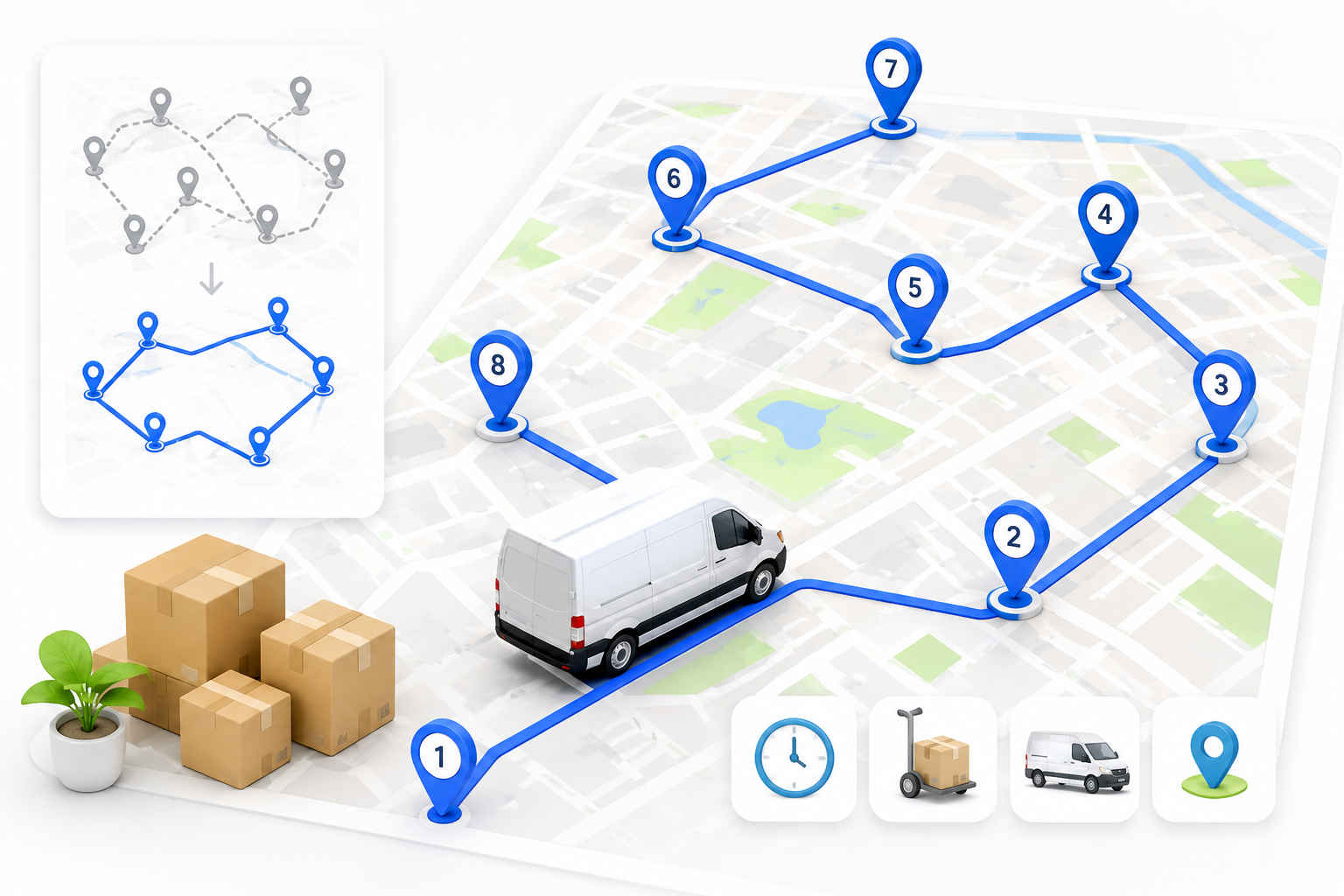
Ask any delivery driver what makes or breaks their day, and it usually isn’t traffic or weather. It’s the order they run their stops in. Get it right and you’re home early. Get it wrong and you’re crisscrossing the same neighborhood three times, burning fuel and daylight.
That’s the whole job a route planner app does for you. And the good news is you don’t have to pay for one to feel the difference.
We dug into the free route planner apps that delivery drivers actually use day to day. Not the marketing promises, but what you really get before the app asks for your card. Here’s how they stack up.
Key takeaways
- A free route planner app can save a driver real time and fuel. But “free” means wildly different things from one app to the next, so read the fine print.
- Most free plans cap you somewhere between 8 and 30 stops per route. A few “free” apps are really just short trials wearing a disguise.
- Bodha has the most generous free tier here, with 30 stops per route, unlimited routes, no signup, and spreadsheet import, all running on the same engine its paying fleets use.
- If you’d rather drive with an app than a browser tab, Bodha Drive is free too: 20 stops per route, unlimited routes, with voice entry, camera scanning, and manual stop shuffling. Signup only, no card details.
- SoloRoute (20 stops) and MyWay (15 stops) are strong free options too.
- Free planners are made for solo drivers running their own routes. The moment you’re juggling a team, live tracking, or proof of delivery, you’ll start eyeing a paid plan.
Who this is for
If you load up a vehicle and plan your own stops, whether that’s courier parcels, groceries, or pharmacy runs, this guide is for you. Full-time, part-time, weekend side hustle, it doesn’t matter. What matters is that you’ve got a pile of addresses and you’re the one deciding the order.
One quick exception. If you drive for a food delivery app that hands you one pickup and one drop at a time, a multi-stop planner isn’t really your tool. A good nav app is. Everyone else, read on.
Let's be honest about what "free" actually means
This is where a lot of drivers get burned, so let’s clear it up first.
A route planner isn’t Google Maps. Maps gets you from A to B. A planner takes your whole list and figures out the smartest order to hit every stop. That sounds simple until you realize that just fifteen stops have more possible orderings than there are seconds in a year. Nobody’s eyeballing that. That’s the entire point of the app.
Now, when an app calls itself “free,” it’s almost always one of three things:
First, there’s the genuine free tier. You can use it forever, but with a cap on stops, saved addresses, or features. Second, there’s the free trial, which gives you everything for a week or two and then starts charging. Third, there’s the free companion tool, a lighter web planner a company offers alongside its paid product.
Here’s the reality: most serious route apps charge $10 to $20 a month once you’re hooked. So don’t ask “is it free?” Ask “how much can I actually get done before I hit the wall?” That’s the question we kept in mind for every app below.
And one more thing worth asking: what does it cost me to find out? An app that wants your card number before you’ve optimized a single route isn’t really free, whatever the pricing page says. A free tier you can reach with an email address and nothing else is a different proposition entirely.
What actually makes a free planner worth using
Not every free app is worth your thumb-taps. The ones that are usually get these right:
- It reorders your stops for you. If it just draws a line through the order you typed them in, that’s not a planner. That’s a to-do list.
- The stop cap fits your day. Do 25 drops but the app stops at 10? You’ll spend your morning splitting routes.
- Adding stops is fast. Typing 30 addresses by hand is a punishment. You want paste and spreadsheet import. The best apps go further and let you speak an address or point your camera at a list.
- It routes on real roads. Actual drive times, not straight lines on a map.
- It gives you ETAs and a clean run sheet you can follow top to bottom, and it’s even better if you can print it.
- It knows your vehicle. A truck and a scooter shouldn’t get the same route.
- You can still overrule it. Sometimes you know something the algorithm doesn’t, like a customer who’s never in before noon. A good planner lets you shuffle stops by hand and then re-optimize around your changes.
- No sneaky catch. No surprise card wall, no “free” that’s really a countdown clock.
The best free route planner apps for delivery drivers
We ranked these by how much you can realistically get done for free, biggest and most useful free tier first.
One heads-up before we start: free limits and prices shift constantly and vary by country. Everything below is accurate as of early 2026, but give the app store listing a glance before you commit to anything.
1. Bodha: the most you’ll get for free
Bodha is built for delivery teams, but it does something most rivals won’t. It hands its core optimization engine to solo drivers for free, through a free web planner with no account, no download, and no card. It’s the same engine its paying fleets run every day, just opened up for single routes.
And that’s exactly why it tops this list. You get 30 stops per route with unlimited routes, which covers most drivers’ entire daily run in one shot. No other free tier here comes close.
Adding stops is quick. Type them, paste a list, or upload a spreadsheet. That last one is the big time-saver: drop in a .csv or Excel file, point it at your address column, and it maps every row. If it can’t read one, it tells you instead of quietly dropping it, which matters when a missed address means a missed delivery.
Pick your vehicle, whether that’s a car, bike, scooter, or truck, and the stop order and timings shift to match. You get an ETA for every stop and a printable PDF run sheet you can stick on the dash, so you’re not thumbing your phone at every red light. It all runs on real road data, not guesswork.
And if you’d rather have it in your pocket: Bodha Drive
The web planner is great at a desk the night before. But most drivers plan on the move, so there’s also Bodha Drive, Bodha’s free route planner app for delivery drivers on iOS and Android. The free plan there gets you:
- 20 stops per route, unlimited routes a day. Plan as many runs as your day needs, every day, at no cost.
- Add stops by voice. Hands full of parcels? Speak the address and Bodha adds the stop. No stopping, no typing.
- Scan a whole list with your camera. Point the camera at a printed manifest or a sheet of addresses and Bodha reads it and adds the stops in one go, rather than making you scan them one at a time.
- Add multiple stops at once. Paste a block of addresses straight from an email, a message, or a spreadsheet.
- Shuffle stops your way, then optimize. Drag your stops into the order you want, pin the ones that have to happen when they have to happen, and let Bodha optimize around them. You stay in charge of the route; the app just does the maths.
- Free means free. All of the above sits inside the free plan. It takes a signup, but no card details, so there’s no trial clock ticking in the background and nothing to cancel.
That combination, voice, camera, paste, and manual reordering, is why Bodha Drive is worth a look even if another app on this list caught your eye. Most free tiers make you choose between a decent stop cap or fast ways to enter stops. Here you get both.
So where’s the ceiling? A single free route maxes out at 30 stops in the web planner and 20 in Bodha Drive, which is plenty for most people, though heavy days need the paid app. In the web planner, routes aren’t saved either. Your stops live in the browser and clear when you close the tab. That’s great for privacy, but less handy if you run the same route every day. And proof of delivery, live tracking, the package scanner, mid-route re-optimizing, and customer texts live in Bodha’s paid products, not the free tool.
The upgrade path is the sensible part. Start free on Bodha Drive as a solo driver. When the work grows and 20 stops stops being enough, the paid plan lifts the stop limit and adds proof of delivery, mid-route re-optimizing, the package scanner, and route history from around $14.99/mo, or $99.99/yr. And when you’re no longer driving alone, Bodha Fleet brings multi-driver dispatch, live GPS, and automatic customer notifications. Both come with a 7-day free trial, no card needed. You upgrade when the business grows, not before.
Free web planner: 30 stops per route, unlimited routes, no signup
Free app (Bodha Drive): 20 stops per route, unlimited routes, signup only, no card
Add stops: type, paste, speak, camera scan, or CSV/Excel import
Vehicles: car, bike, scooter, truck
Best for: drivers who want the biggest free stop count with zero setup
Paid: free 7-day trial on Drive and Fleet, no card required
2. SoloRoute Mobile: simple, clean, and generous
SoloRoute is one of the newer apps, and it leans into being simple on purpose. Its free tier is one of the best going: 20 stops per route, with no cap on how many routes you plan a day. It won’t bury you in features, and for a lot of drivers just getting started, that’s the appeal.
Paste your addresses from a list, drop pins on the map, hit optimize, and drag stops around if you want to tweak the order. Navigation hands off to Google Maps.
As for trade-offs, there are no delivery photos or signatures, no per-stop notes, and the free plan limits your saved address book. Navigation is Google Maps only.
Free tier: 20 stops per route, unlimited routes
Best for: a clean, no-frills free planner
Paid: around $9.99/mo for more stops
3. MyWay: the most ways to add a stop
MyWay has built a following on flexibility. There are something like seven ways to add an address, including phone contacts, camera scan, paste, and file upload. The free tier gets you up to 15 stops per route.
It also handles the delivery basics well. You can mark a stop done, snap a photo, grab a signature, or log why a drop failed. And it plays nice with a wide range of nav apps.
The catch is that its optimization can be a little hit-or-miss, and some drivers notice it slowing down in weak-signal areas.
Free tier: up to 15 stops per route
Best for: drivers who want lots of ways to enter stops
Paid: around $9.99/mo
4. Zeo Route Planner: feature-packed, if a bit buggy
Zeo has piled on features over the past couple of years and now goes toe-to-toe with the bigger names. That includes a handy vehicle-loading helper that tells you the order to load your van. The free tier lands at around 12 stops per route.
You also get spreadsheet upload and plenty of nav choices for free, which is generous at this level.
That said, drivers do report recurring bugs, and editing a route is more locked-down than rivals. You can’t always shuffle stops freely.
Free tier: ~12 stops per route
Best for: loading order plus spreadsheet upload for free
Paid: from roughly $16.99/mo
5. Spoke Route Planner (formerly Circuit): polished and beginner-friendly
Spoke is a favorite among couriers, mostly because it’s genuinely easy to pick up and it has a clever package finder that tracks exactly where each parcel sits in your vehicle. The catch is a modest free cap of up to 10 stops per route.
For that you get a few ways to add addresses, route reversal, map editing, and a solid list of nav apps.
The 10-stop limit is tight for a full day, though. Spreadsheet upload isn’t available on iPhone, and you can’t drag individual stops around to reorder them.
Free tier: up to 10 stops per route
Best for: beginners who like polish and the package finder
Paid: Lite ~$9.99/mo, Standard ~$19.99/mo
6. Route4Me: grows with you
Route4Me has been around a while and it shows. There’s a friendly interface, plus strong delivery tools once you move up the plans, like photo and signature proof of delivery, barcode scanning, and ETA messages. Free, you’re looking at 10 stops per route.
You do get several ways to add addresses, easy drag-and-drop reordering, and a good spread of nav apps on the free plan.
On the downside, it’s subscription-only with no pay-as-you-go, and a handful of drivers mention stability hiccups on certain phones.
Free tier: 10 stops per route
Best for: drivers who’ll grow into proof-of-delivery tools
Paid: Basic ~$9.99/mo, Enhanced ~$19.99/mo
7. RoadWarrior: great controls, thin free tier
RoadWarrior has been in the game a long time, and it gives you a lot of knobs to turn. You can optimize by time or distance, dodge highways, tolls, or ferries, and do one-way or return trips. The problem is the free tier is the smallest here at around 8 stops, with no spreadsheet upload and no proof of delivery.
If you love fine-tuning and don’t mind adding stops one at a time, it’s worth a look. If you want to import a list, look elsewhere.
Free tier: up to ~8 stops
Best for: drivers who want granular optimization controls
Paid: from roughly $14.99/mo
The free tiers, side by side
Bodha runs two free options: the browser-based free planner (30 stops, no account at all) and the Bodha Drive app (20 stops, unlimited routes, free with a signup and no card details). Same optimization engine behind both.
Numbers are indicative for early 2026 and change often, so check the current listing before deciding.
Getting the most out of a free planner
A few small habits go a long way:
- Import, don’t type. If your stops are already in a spreadsheet, upload the file. You’ll save more time here than anywhere else. If they’re on paper, scan the sheet with your camera instead of copying it out.
- Set your real start time and location. ETAs are only useful if the app knows when and where you’re rolling out.
- Pick the right vehicle. A route built for a truck will send a scooter the long way round.
- Lock the stops that can’t move, then optimize. A 9am appointment or a customer who’s only in after lunch should be pinned in place. Let the optimizer sort out everything else around them.
- Re-optimize after any change. Added or dropped a stop? Run it again, and don’t just wedge the new one into the old order.
- Keep the run sheet in front of you. A printed list on the dash beats glancing at your phone at every junction.
When free is enough, and when it isn't
For a solo driver whose daily run fits inside the free stop cap, a free route planner app is often the whole answer. Loads of drivers never need more than that, and there’s no shame in it.
You’ll know it’s time to pay when the free version starts getting in your way. Maybe you want your routes saved so you’re not rebuilding them every morning. Maybe you need proof of delivery, like a photo, a signature, or a timestamp, to shut down an “it never arrived” dispute. Maybe you’ve added a second driver and now you need dispatch and live GPS. Or you’re tired of “where’s my order?” calls and want the app to text customers for you. Or your routes just keep blowing past the free stop limit.
That’s really the shape of it for an independent driver. You start free because the work is small. Then the work isn’t small anymore, the round grows past 20 stops, a customer disputes a drop, you take on a second van, and each of those is a reason to upgrade that pays for itself. The point of a good free tier isn’t to keep you there forever. It’s to let the business tell you when you’re ready to move.
So if you’ve reached that point, the next question is the obvious one: which app is actually the best one to pay for?
The best route planner app for delivery drivers, free or paid
Here’s where the comparison gets more interesting. When you’re only weighing free tiers, stop count is almost the whole story. Once you’re willing to pay, or you just want the best route planner app you can mount on the dash and forget about, three more things start to matter as much:
- App-store rating. These are consumer apps with tens of thousands of driver reviews, so the store score is a rare honest signal. Google Play and the App Store often disagree, and a gap between them usually means one platform’s version is weaker.
- Offline capability. Delivery routes run through parking garages, rural roads, and dead zones. The good apps let you keep following an optimized route with no signal; the weak ones freeze.
- Real cost after free. A $15 solo app and a per-driver platform that climbs with add-ons are not the same purchase, so it’s worth knowing where each one lands before you commit.
We ranked these the way a driver would judge them at the wheel, thumb on the screen at a red light, not the way a boardroom would.
The apps at a glance
The same apps, on the features that separate them
Price and ratings are only half the picture. What actually makes a delivery day faster is the stuff between stops: how quickly you get addresses in, whether the app plans your van, how it handles proof at the door, and whether it survives a dead zone. Optimization and turn-by-turn navigation are table stakes, every app here does them, so the table below is only the features that pull them apart.
Line these up and one app stands alone: Bodha Drive is the only one that does all six. The tell is the uncommon features. Van loading is rare (only Bodha, Circuit, and Route4Me have it), curbside is rare (Bodha, MyWay, Route4Me), and a real undo is rarest of all (just Bodha and OptimoRoute), and Bodha is the only name that shows up in all three lists. Circuit comes closest overall but has no offline mode, no undo, and photo-only proof. Everyone else does two or three of the six well and leaves visible gaps.
Now the verdicts, best first. You’ve already met most of these apps above, so here’s what changes once money and mileage enter the picture.
1. Bodha Drive, the one that scales with you. It’s already top of the free list, and it stays top here for a reason the others can’t match: it’s the same app from your first free route to a growing round to a small team. When 20 stops stops being enough, the $14.99/mo plan lifts the cap to unlimited and adds one-tap mid-route re-optimize plus proof of delivery, a GPS-tagged photo, an on-screen signature, and an automatic timestamp, still under Circuit’s $20 Standard tier for more capability. And when you’re no longer driving alone, Bodha Fleet adds multi-driver dispatch, live GPS, and automatic customer texts at a flat $29.99 per driver, bundled rather than sold as the per-feature add-ons several rivals charge for. You never switch apps to level up.
2. Circuit (now Spoke), the polished solo favourite. The app most drivers name first, and the reviews prove it: 4.7 on Google Play across roughly 184,000 ratings, an order of magnitude more than anyone else here. Slick, fast, easy. The gaps are proof of delivery (photo and notes only), no offline planning, and no undo. Unlimited stops run $20/mo. The one to beat on pure quality if you’ll pay for it.
3. Zeo, for high-volume gig drivers. Well reviewed (4.7 Play, 4.5 App Store) and built for serious daily volume, with offline route completion. The catch is the commercial model: it bills annually from around $24 per driver, so it rewards the committed over the casual.
4. MyWay, the highest-rated small app. 4.8 on both stores, the best raw scores in this list, though on smaller review counts. One of the few with a curbside setting, plus offline mode and photo-plus-signature proof. No scan entry, no van loading, no undo. Pick it if ratings matter most and 15 free stops covers your runs.
5. RoadWarrior, the pro name under MapQuest. Ratings split hard by platform (4.0 Play vs 4.6 App Store), so iOS drivers get the better app. Lots of fine-tuning controls, but no scan or voice entry and offline isn’t documented. Best if you’re already in the MapQuest world on iPhone.
6. Route4Me, the true offline champion. The only app here with a fully documented offline mode: navigate, capture proof, update stops, and scan barcodes with no signal, then sync later. The trade-off is no permanent free plan (trial only) and a per-user price that climbs with add-ons. Worth it if your routes genuinely run through dead zones.
7. Upper, strong on iOS, thin on free. A real platform split (3.5 Play vs 4.5 App Store) and no permanent free tier, just a generous 7-day, 500-stop trial. An evaluate-then-pay tool rather than a free option. Good scan and voice entry and full proof of delivery, but several extras are paid add-ons.
8. OptimoRoute Driver, a companion, not a standalone. The phone app for the OptimoRoute platform, and its low ratings (3.8 Play, 3.3 App Store) show it isn’t the main event. It needs an OptimoRoute account, so there’s no standalone free plan. Only worth it if your team already runs OptimoRoute.
9. Google Maps, the free baseline. On every phone, genuinely free, and where most drivers start. But it caps at about 10 manually entered stops and drives them in the order you type them, with no reordering and none of the driver features. Use it as your control group. The moment you’re dragging pins around guessing the shortest loop, a real optimizer, even a free one, beats it.
How to choose in one minute
Want the most free stops and room to grow later? Bodha Drive at 20, no payment. Want the most proven, polished app and will pay $20? Circuit. Doing high daily volume and fine with an annual plan? Zeo. Care most about star ratings on a smaller app? MyWay. Routes through real dead zones? Route4Me for its offline mode. Already on a platform like OptimoRoute? Use its companion app. And if you just have a handful of stops in an order you already know, Google Maps is free and fine, until it isn’t.
Frequently asked questions
The bottom line
The right route planner app is simply the one whose free tier covers your day and reorders your stops without a fight, and that grows with you when your day gets bigger. Nearly every app here does something well, but they tend to trip over the same wall: a stop cap that’s too low, a spreadsheet you can’t upload, a “free” plan that’s really counting down to a paywall, or a jump to paid that means starting over in a different app.
If you want the most breathing room before any of that becomes your problem, Bodha’s free planner is the easiest place to start. You get 30 stops a route, unlimited routes, spreadsheet import, and a printable run sheet, with no signup and no card. And if you’d rather plan from the cab than a browser, Bodha Drive gives you 20 stops a route, voice and camera entry, and stops you can shuffle yourself, free with a signup and no card. When the round grows past free, the $14.99 plan and then Bodha Fleet are right there. You upgrade when the business tells you to, not before.
Build a route in the next two minutes, see how much driving it shaves off, and only pay when you actually need to.
Try the free Bodha Drive app