The Best Free Route Planner Apps for Delivery Drivers in 2026

The Best Free Route Planner Apps for Delivery Drivers in 2026

The Best Free Route Planner Apps for Delivery Drivers in 2026

user profile

Ruchita Purohit

July 6, 2026

Table Of Content

Ask any delivery driver what makes or breaks their day, and it usually isn’t traffic or weather. It’s the order they run their stops in. Get it right and you’re home early. Get it wrong and you’re crisscrossing the same neighborhood three times, burning fuel and daylight.

That’s the whole job a route planner app does for you. And the good news is you don’t have to pay for one to feel the difference.

We dug into the free route planner apps that delivery drivers actually use day to day. Not the marketing promises, but what you really get before the app asks for your card. Here’s how they stack up.

Key takeaways

  • A free route planner app can save a driver real time and fuel. But “free” means wildly different things from one app to the next, so read the fine print.
  • Most free plans cap you somewhere between 8 and 30 stops per route. A few “free” apps are really just short trials wearing a disguise.
  • Bodha has the most generous free tier here, with 30 stops per route, unlimited routes, no signup, and spreadsheet import, all running on the same engine its paying fleets use.
  • If you’d rather drive with an app than a browser tab, Bodha Drive is free too: 20 stops per route, unlimited routes, with voice entry, camera scanning, and manual stop shuffling. Signup only, no card details.
  • SoloRoute (20 stops) and MyWay (15 stops) are strong free options too.
  • Free planners are made for solo drivers running their own routes. The moment you’re juggling a team, live tracking, or proof of delivery, you’ll start eyeing a paid plan.

Who this is for

If you load up a vehicle and plan your own stops, whether that’s courier parcels, groceries, or pharmacy runs, this guide is for you. Full-time, part-time, weekend side hustle, it doesn’t matter. What matters is that you’ve got a pile of addresses and you’re the one deciding the order.

One quick exception. If you drive for a food delivery app that hands you one pickup and one drop at a time, a multi-stop planner isn’t really your tool. A good nav app is. Everyone else, read on.

Let's be honest about what "free" actually means

This is where a lot of drivers get burned, so let’s clear it up first.

A route planner isn’t Google Maps. Maps gets you from A to B. A planner takes your whole list and figures out the smartest order to hit every stop. That sounds simple until you realize that just fifteen stops have more possible orderings than there are seconds in a year. Nobody’s eyeballing that. That’s the entire point of the app.

Now, when an app calls itself “free,” it’s almost always one of three things:

First, there’s the genuine free tier. You can use it forever, but with a cap on stops, saved addresses, or features. Second, there’s the free trial, which gives you everything for a week or two and then starts charging. Third, there’s the free companion tool, a lighter web planner a company offers alongside its paid product.

Here’s the reality: most serious route apps charge $10 to $20 a month once you’re hooked. So don’t ask “is it free?” Ask “how much can I actually get done before I hit the wall?” That’s the question we kept in mind for every app below.

And one more thing worth asking: what does it cost me to find out? An app that wants your card number before you’ve optimized a single route isn’t really free, whatever the pricing page says. A free tier you can reach with an email address and nothing else is a different proposition entirely.

What actually makes a free planner worth using

Not every free app is worth your thumb-taps. The ones that are usually get these right:

  • It reorders your stops for you. If it just draws a line through the order you typed them in, that’s not a planner. That’s a to-do list.
  • The stop cap fits your day. Do 25 drops but the app stops at 10? You’ll spend your morning splitting routes.
  • Adding stops is fast. Typing 30 addresses by hand is a punishment. You want paste and spreadsheet import. The best apps go further and let you speak an address or point your camera at a list.
  • It routes on real roads. Actual drive times, not straight lines on a map.
  • It gives you ETAs and a clean run sheet you can follow top to bottom, and it’s even better if you can print it.
  • It knows your vehicle. A truck and a scooter shouldn’t get the same route.
  • You can still overrule it. Sometimes you know something the algorithm doesn’t, like a customer who’s never in before noon. A good planner lets you shuffle stops by hand and then re-optimize around your changes.
  • No sneaky catch. No surprise card wall, no “free” that’s really a countdown clock.

The best free route planner apps for delivery drivers

We ranked these by how much you can realistically get done for free, biggest and most useful free tier first.

One heads-up before we start: free limits and prices shift constantly and vary by country. Everything below is accurate as of early 2026, but give the app store listing a glance before you commit to anything.

1. Bodha: the most you’ll get for free

Bodha is built for delivery teams, but it does something most rivals won’t. It hands its core optimization engine to solo drivers for free, through a free web planner with no account, no download, and no card. It’s the same engine its paying fleets run every day, just opened up for single routes.

And that’s exactly why it tops this list. You get 30 stops per route with unlimited routes, which covers most drivers’ entire daily run in one shot. No other free tier here comes close.

Adding stops is quick. Type them, paste a list, or upload a spreadsheet. That last one is the big time-saver: drop in a .csv or Excel file, point it at your address column, and it maps every row. If it can’t read one, it tells you instead of quietly dropping it, which matters when a missed address means a missed delivery.

Pick your vehicle, whether that’s a car, bike, scooter, or truck, and the stop order and timings shift to match. You get an ETA for every stop and a printable PDF run sheet you can stick on the dash, so you’re not thumbing your phone at every red light. It all runs on real road data, not guesswork.

And if you’d rather have it in your pocket: Bodha Drive

The web planner is great at a desk the night before. But most drivers plan on the move, so there’s also Bodha Drive, Bodha’s free route planner app for delivery drivers on iOS and Android. The free plan there gets you:

  • 20 stops per route, unlimited routes a day. Plan as many runs as your day needs, every day, at no cost.
  • Add stops by voice. Hands full of parcels? Speak the address and Bodha adds the stop. No stopping, no typing.
  • Scan a whole list with your camera. Point the camera at a printed manifest or a sheet of addresses and Bodha reads it and adds the stops in one go, rather than making you scan them one at a time.
  • Add multiple stops at once. Paste a block of addresses straight from an email, a message, or a spreadsheet.
  • Shuffle stops your way, then optimize. Drag your stops into the order you want, pin the ones that have to happen when they have to happen, and let Bodha optimize around them. You stay in charge of the route; the app just does the maths.
  • Free means free. All of the above sits inside the free plan. It takes a signup, but no card details, so there’s no trial clock ticking in the background and nothing to cancel.

That combination, voice, camera, paste, and manual reordering, is why Bodha Drive is worth a look even if another app on this list caught your eye. Most free tiers make you choose between a decent stop cap or fast ways to enter stops. Here you get both.

So where’s the ceiling? A single free route maxes out at 30 stops in the web planner and 20 in Bodha Drive, which is plenty for most people, though heavy days need the paid app. In the web planner, routes aren’t saved either. Your stops live in the browser and clear when you close the tab. That’s great for privacy, but less handy if you run the same route every day. And proof of delivery, live tracking, the package scanner, mid-route re-optimizing, and customer texts live in Bodha’s paid products, not the free tool.

The upgrade path is the sensible part. Start free on Bodha Drive as a solo driver. When the work grows and 20 stops stops being enough, the paid plan lifts the stop limit and adds proof of delivery, mid-route re-optimizing, the package scanner, and route history from around $14.99/mo, or $99.99/yr. And when you’re no longer driving alone, Bodha Fleet brings multi-driver dispatch, live GPS, and automatic customer notifications. Both come with a 7-day free trial, no card needed. You upgrade when the business grows, not before.

Free web planner: 30 stops per route, unlimited routes, no signup

Free app (Bodha Drive): 20 stops per route, unlimited routes, signup only, no card

Add stops: type, paste, speak, camera scan, or CSV/Excel import

Vehicles: car, bike, scooter, truck

Best for: drivers who want the biggest free stop count with zero setup

Paid: free 7-day trial on Drive and Fleet, no card required

2. SoloRoute Mobile: simple, clean, and generous

SoloRoute is one of the newer apps, and it leans into being simple on purpose. Its free tier is one of the best going: 20 stops per route, with no cap on how many routes you plan a day. It won’t bury you in features, and for a lot of drivers just getting started, that’s the appeal.

Paste your addresses from a list, drop pins on the map, hit optimize, and drag stops around if you want to tweak the order. Navigation hands off to Google Maps.

As for trade-offs, there are no delivery photos or signatures, no per-stop notes, and the free plan limits your saved address book. Navigation is Google Maps only.

Free tier: 20 stops per route, unlimited routes

Best for: a clean, no-frills free planner

Paid: around $9.99/mo for more stops

3. MyWay: the most ways to add a stop

MyWay has built a following on flexibility. There are something like seven ways to add an address, including phone contacts, camera scan, paste, and file upload. The free tier gets you up to 15 stops per route.

It also handles the delivery basics well. You can mark a stop done, snap a photo, grab a signature, or log why a drop failed. And it plays nice with a wide range of nav apps.

The catch is that its optimization can be a little hit-or-miss, and some drivers notice it slowing down in weak-signal areas.

Free tier: up to 15 stops per route

Best for: drivers who want lots of ways to enter stops

Paid: around $9.99/mo

4. Zeo Route Planner: feature-packed, if a bit buggy

Zeo has piled on features over the past couple of years and now goes toe-to-toe with the bigger names. That includes a handy vehicle-loading helper that tells you the order to load your van. The free tier lands at around 12 stops per route.

You also get spreadsheet upload and plenty of nav choices for free, which is generous at this level.

That said, drivers do report recurring bugs, and editing a route is more locked-down than rivals. You can’t always shuffle stops freely.

Free tier: ~12 stops per route

Best for: loading order plus spreadsheet upload for free

Paid: from roughly $16.99/mo

5. Spoke Route Planner (formerly Circuit): polished and beginner-friendly

Spoke is a favorite among couriers, mostly because it’s genuinely easy to pick up and it has a clever package finder that tracks exactly where each parcel sits in your vehicle. The catch is a modest free cap of up to 10 stops per route.

For that you get a few ways to add addresses, route reversal, map editing, and a solid list of nav apps.

The 10-stop limit is tight for a full day, though. Spreadsheet upload isn’t available on iPhone, and you can’t drag individual stops around to reorder them.

Free tier: up to 10 stops per route

Best for: beginners who like polish and the package finder

Paid: Lite ~$9.99/mo, Standard ~$19.99/mo

6. Route4Me: grows with you

Route4Me has been around a while and it shows. There’s a friendly interface, plus strong delivery tools once you move up the plans, like photo and signature proof of delivery, barcode scanning, and ETA messages. Free, you’re looking at 10 stops per route.

You do get several ways to add addresses, easy drag-and-drop reordering, and a good spread of nav apps on the free plan.

On the downside, it’s subscription-only with no pay-as-you-go, and a handful of drivers mention stability hiccups on certain phones.

Free tier: 10 stops per route

Best for: drivers who’ll grow into proof-of-delivery tools

Paid: Basic ~$9.99/mo, Enhanced ~$19.99/mo

7. RoadWarrior: great controls, thin free tier

RoadWarrior has been in the game a long time, and it gives you a lot of knobs to turn. You can optimize by time or distance, dodge highways, tolls, or ferries, and do one-way or return trips. The problem is the free tier is the smallest here at around 8 stops, with no spreadsheet upload and no proof of delivery.

If you love fine-tuning and don’t mind adding stops one at a time, it’s worth a look. If you want to import a list, look elsewhere.

Free tier: up to ~8 stops

Best for: drivers who want granular optimization controls

Paid: from roughly $14.99/mo

The free tiers, side by side

Bodha runs two free options: the browser-based free planner (30 stops, no account at all) and the Bodha Drive app (20 stops, unlimited routes, free with a signup and no card details). Same optimization engine behind both.

Numbers are indicative for early 2026 and change often, so check the current listing before deciding.

Getting the most out of a free planner

A few small habits go a long way:

  • Import, don’t type. If your stops are already in a spreadsheet, upload the file. You’ll save more time here than anywhere else. If they’re on paper, scan the sheet with your camera instead of copying it out.
  • Set your real start time and location. ETAs are only useful if the app knows when and where you’re rolling out.
  • Pick the right vehicle. A route built for a truck will send a scooter the long way round.
  • Lock the stops that can’t move, then optimize. A 9am appointment or a customer who’s only in after lunch should be pinned in place. Let the optimizer sort out everything else around them.
  • Re-optimize after any change. Added or dropped a stop? Run it again, and don’t just wedge the new one into the old order.
  • Keep the run sheet in front of you. A printed list on the dash beats glancing at your phone at every junction.

When free is enough, and when it isn't

For a solo driver whose daily run fits inside the free stop cap, a free route planner app is often the whole answer. Loads of drivers never need more than that, and there’s no shame in it.

You’ll know it’s time to pay when the free version starts getting in your way. Maybe you want your routes saved so you’re not rebuilding them every morning. Maybe you need proof of delivery, like a photo, a signature, or a timestamp, to shut down an “it never arrived” dispute. Maybe you’ve added a second driver and now you need dispatch and live GPS. Or you’re tired of “where’s my order?” calls and want the app to text customers for you. Or your routes just keep blowing past the free stop limit.

That’s really the shape of it for an independent driver. You start free because the work is small. Then the work isn’t small anymore, the round grows past 20 stops, a customer disputes a drop, you take on a second van, and each of those is a reason to upgrade that pays for itself. The point of a good free tier isn’t to keep you there forever. It’s to let the business tell you when you’re ready to move.

So if you’ve reached that point, the next question is the obvious one: which app is actually the best one to pay for?

The best route planner app for delivery drivers, free or paid

Here’s where the comparison gets more interesting. When you’re only weighing free tiers, stop count is almost the whole story. Once you’re willing to pay, or you just want the best route planner app you can mount on the dash and forget about, three more things start to matter as much:

  • App-store rating. These are consumer apps with tens of thousands of driver reviews, so the store score is a rare honest signal. Google Play and the App Store often disagree, and a gap between them usually means one platform’s version is weaker.
  • Offline capability. Delivery routes run through parking garages, rural roads, and dead zones. The good apps let you keep following an optimized route with no signal; the weak ones freeze.
  • Real cost after free. A $15 solo app and a per-driver platform that climbs with add-ons are not the same purchase, so it’s worth knowing where each one lands before you commit.

We ranked these the way a driver would judge them at the wheel, thumb on the screen at a red light, not the way a boardroom would.

The apps at a glance

The same apps, on the features that separate them

Price and ratings are only half the picture. What actually makes a delivery day faster is the stuff between stops: how quickly you get addresses in, whether the app plans your van, how it handles proof at the door, and whether it survives a dead zone. Optimization and turn-by-turn navigation are table stakes, every app here does them, so the table below is only the features that pull them apart.

Line these up and one app stands alone: Bodha Drive is the only one that does all six. The tell is the uncommon features. Van loading is rare (only Bodha, Circuit, and Route4Me have it), curbside is rare (Bodha, MyWay, Route4Me), and a real undo is rarest of all (just Bodha and OptimoRoute), and Bodha is the only name that shows up in all three lists. Circuit comes closest overall but has no offline mode, no undo, and photo-only proof. Everyone else does two or three of the six well and leaves visible gaps.


Now the verdicts, best first. You’ve already met most of these apps above, so here’s what changes once money and mileage enter the picture.

1. Bodha Drive, the one that scales with you. It’s already top of the free list, and it stays top here for a reason the others can’t match: it’s the same app from your first free route to a growing round to a small team. When 20 stops stops being enough, the $14.99/mo plan lifts the cap to unlimited and adds one-tap mid-route re-optimize plus proof of delivery, a GPS-tagged photo, an on-screen signature, and an automatic timestamp, still under Circuit’s $20 Standard tier for more capability. And when you’re no longer driving alone, Bodha Fleet adds multi-driver dispatch, live GPS, and automatic customer texts at a flat $29.99 per driver, bundled rather than sold as the per-feature add-ons several rivals charge for. You never switch apps to level up.

2. Circuit (now Spoke), the polished solo favourite. The app most drivers name first, and the reviews prove it: 4.7 on Google Play across roughly 184,000 ratings, an order of magnitude more than anyone else here. Slick, fast, easy. The gaps are proof of delivery (photo and notes only), no offline planning, and no undo. Unlimited stops run $20/mo. The one to beat on pure quality if you’ll pay for it.

3. Zeo, for high-volume gig drivers. Well reviewed (4.7 Play, 4.5 App Store) and built for serious daily volume, with offline route completion. The catch is the commercial model: it bills annually from around $24 per driver, so it rewards the committed over the casual.

4. MyWay, the highest-rated small app. 4.8 on both stores, the best raw scores in this list, though on smaller review counts. One of the few with a curbside setting, plus offline mode and photo-plus-signature proof. No scan entry, no van loading, no undo. Pick it if ratings matter most and 15 free stops covers your runs.

5. RoadWarrior, the pro name under MapQuest. Ratings split hard by platform (4.0 Play vs 4.6 App Store), so iOS drivers get the better app. Lots of fine-tuning controls, but no scan or voice entry and offline isn’t documented. Best if you’re already in the MapQuest world on iPhone.

6. Route4Me, the true offline champion. The only app here with a fully documented offline mode: navigate, capture proof, update stops, and scan barcodes with no signal, then sync later. The trade-off is no permanent free plan (trial only) and a per-user price that climbs with add-ons. Worth it if your routes genuinely run through dead zones.

7. Upper, strong on iOS, thin on free. A real platform split (3.5 Play vs 4.5 App Store) and no permanent free tier, just a generous 7-day, 500-stop trial. An evaluate-then-pay tool rather than a free option. Good scan and voice entry and full proof of delivery, but several extras are paid add-ons.

8. OptimoRoute Driver, a companion, not a standalone. The phone app for the OptimoRoute platform, and its low ratings (3.8 Play, 3.3 App Store) show it isn’t the main event. It needs an OptimoRoute account, so there’s no standalone free plan. Only worth it if your team already runs OptimoRoute.


9. Google Maps, the free baseline. On every phone, genuinely free, and where most drivers start. But it caps at about 10 manually entered stops and drives them in the order you type them, with no reordering and none of the driver features. Use it as your control group. The moment you’re dragging pins around guessing the shortest loop, a real optimizer, even a free one, beats it.

How to choose in one minute

Want the most free stops and room to grow later? Bodha Drive at 20, no payment. Want the most proven, polished app and will pay $20? Circuit. Doing high daily volume and fine with an annual plan? Zeo. Care most about star ratings on a smaller app? MyWay. Routes through real dead zones? Route4Me for its offline mode. Already on a platform like OptimoRoute? Use its companion app. And if you just have a handful of stops in an order you already know, Google Maps is free and fine, until it isn’t.

Frequently asked questions

For most drivers it comes down to the free tier and the app-store rating. Bodha Drive gives the most free stops (20) and is the only one that scales from a free route to a paid plan to a full fleet product without switching apps. Circuit (Spoke) has by far the most positive reviews (4.7 across ~184,000 on Google Play), and MyWay has the highest raw score (4.8 on both stores). The right pick depends on whether you value free room, a proven track record, or top ratings.

Yes, but with limits. An app that optimizes unlimited stops in one route for free basically doesn't exist, because that kind of optimization costs real money to run. Most free tools cap each route between 8 and 30 stops. Bodha sits at the top of that range with 30 stops per route in its web planner, unlimited routes, and no signup, and 20 stops in the Bodha Drive app.

Maps drives your stops in whatever order you type them and caps how many you can add. A planner works out the fastest order for you, gives every stop an ETA, and lets you dump in a whole list at once. For multi-stop delivery, that ordering is the entire game.

Route4Me has the most complete offline mode, letting you navigate, capture proof of delivery, and update stops with no signal. Circuit, Zeo, MyWay, and Bodha Drive let you follow an already-optimized route offline, but planning or re-optimizing generally needs a connection. Google Maps supports downloaded offline maps.

Sometimes a big one. RoadWarrior scores 4.0 on Google Play but 4.6 on the App Store, and Upper scores 3.5 on Play versus 4.5 on the App Store, so on those two, iOS drivers get the stronger app. Circuit, Zeo, MyWay, Route4Me, and Bodha Drive are consistent across both.

Twenty stops per route with unlimited routes a day, plus every way of adding a stop: type, paste a list, speak it out loud, or scan a printed list with your camera and add them all at once. You can drag your stops into any order and optimize around it. It's free with a signup and no card details, so there's no trial countdown and nothing to cancel. You only add a card if you decide to upgrade.

When you need saved routes, proof of delivery, multiple drivers, live tracking, or automatic customer texts, or when your daily route keeps running past the free limit. Until then, a free planner is usually all a solo driver needs. When you do outgrow it, Bodha's paid plan lifts the 20-stop cap and adds proof of delivery, mid-route re-optimizing, and the package scanner from $14.99/mo or $99.99/yr, and Bodha Fleet takes over once you're running a team.

The bottom line

The right route planner app is simply the one whose free tier covers your day and reorders your stops without a fight, and that grows with you when your day gets bigger. Nearly every app here does something well, but they tend to trip over the same wall: a stop cap that’s too low, a spreadsheet you can’t upload, a “free” plan that’s really counting down to a paywall, or a jump to paid that means starting over in a different app.

If you want the most breathing room before any of that becomes your problem, Bodha’s free planner is the easiest place to start. You get 30 stops a route, unlimited routes, spreadsheet import, and a printable run sheet, with no signup and no card. And if you’d rather plan from the cab than a browser, Bodha Drive gives you 20 stops a route, voice and camera entry, and stops you can shuffle yourself, free with a signup and no card. When the round grows past free, the $14.99 plan and then Bodha Fleet are right there. You upgrade when the business tells you to, not before.

Build a route in the next two minutes, see how much driving it shaves off, and only pay when you actually need to.

Try the free Bodha Drive app

Stop Guessing the Order

Bodha sorts 20 stops into the fastest route in about 5 seconds. Less fuel, less backtracking, home earlier.

Subscribe to Our Blog

    Related blogs

    How to Plan Delivery Routes: A Practical Guide for Operators

    How to Plan Delivery Routes: A Practical Guide for Operators

    Back Table Of Content Something every experienced dispatcher knows: the difference between a good day and a chaotic…

    Reduce Delivery Costs: 10 Proven Strategies That Actually Work

    Reduce Delivery Costs: 10 Proven Strategies That Actually Work

    Back Table Of Content Last-mile delivery is the most expensive part of the logistics chain. It accounts for…

    Best Route Optimization Software for Food Distributors in 2026: Features, Pricing & Top Picks

    Best Route Optimization Software for Food Distributors in 2026: Features,…

    Back Table Of Content In food distribution, the clock runs everything. You’re moving perishable stock through narrow receiving…

    Best Alternative to MapQuest: 7 Best Route Planners for 2026

    Best Alternative to MapQuest

    Best Alternative to MapQuest: 7 Best Route Planners for 2026

    user profile

    Ruchita Purohit

    June 30, 2026

    Table Of Content

    Plan more than a handful of stops and you’ll run into MapQuest’s wall pretty quickly. The free planner caps you at 26 stops. It drives them in the order you typed, not the order that gets you home fastest. And the free version still throws ads at you while you’re trying to read the route. For printing off directions to one place, that’s all fine. For a full day of deliveries or service calls, it means you’re back to dragging stops around by hand and doubling back across town.

    So it’s no surprise drivers and dispatchers keep searching for a MapQuest alternative. The upside? In 2026 there are plenty of them, from free browser tools to full-blown fleet platforms. Below are the seven best, what each one’s actually good at, how to pick the right fit for your day, and what a proper planner can save you over a year on the road.

    Short on time? The best alternative to MapQuest for multi-stop routes is Bodha — a free MapQuest alternative that optimizes up to 30 stops per route, gives you an arrival time for every stop, and prints a clean route sheet. No ads, no signup.

    Why people look for a MapQuest alternative

    It helps to spell out exactly what pushes people to switch. Almost every MapQuest alternative on this list exists to solve at least one of these:

    • The 26-stop cap. MapQuest’s free planner won’t take more than 26 stops, and a busy run blows past that in no time.
    • No real optimization. A proper route planner reshuffles your stops into the quickest order. MapQuest mostly keeps the order you entered, so the hard part is still on you.
    • Ads on the free tier. Banner ads get in the way right when you’re trying to read your route.
    • Nothing built for drivers. No proof of delivery, no live tracking, no ETA texts to customers, no printable run sheet for the dash.
    • A dated feel. MapQuest helped invent online mapping back in 1996, and honestly, parts of it still feel that way.

    There’s also been a shake-up worth knowing about. SpeedyRoute, a free planner a lot of people relied on, closed down in early 2025, leaving its occasional users hunting for a replacement. If that was you, several picks below slot straight into the gap. And if you want the bigger picture on why stop order matters so much, our guide on what route optimization actually is breaks it down.

    When MapQuest is still good enough

    Switching isn’t always the answer, so let’s be fair to MapQuest. For straightforward point-to-point directions, it’s reliable and familiar. Its 26-stop free tier is actually roomy next to Google Maps’ ten or so. And it throws in U.S. fuel-cost estimates, which a lot of free planners skip. So if you rarely go past a couple of dozen stops, don’t need the order optimized, and can shrug off the odd ad, MapQuest still does the trick. The argument for a MapQuest alternative only really kicks in once one of those changes more stops, a need for the fastest order, or business features like proof of delivery.

    What to look for in a MapQuest alternative

    “Route planner” covers a lot of very different tools, so it pays to match one to how you actually work. When you’re weighing up alternatives to MapQuest, these are the things that make a real difference:

    • Real optimization. This is the whole point. The tool should reorder your stops into the fastest run on its own. If it doesn’t, it’s a map, not a planner.
    • Stop capacity. Compare the free and paid limits against your busiest day, not your average one.
    • Spreadsheet import. If your addresses already sit in Excel or a CSV, uploading the lot beats retyping every line, especially if the tool flags any address it can’t read.
    • Per-stop ETAs. A time for each stop, not just a total, lets you tell customers when you’ll show up and spot an overloaded day before you leave.
    • A route sheet you can print or share. A clean PDF on the dash beats glancing at your phone at every red light.
    • Vehicle profiles. A truck, a bike, and a car don’t take the same roads or the same time. Good planners adjust for that.
    • Room to grow. Planning on adding drivers? Pick a tool whose free planner runs on the same engine as its paid fleet plan, so you’re not rebuilding everything later.
    • Pricing that suits you. Free, cheap monthly, or full enterprise — match it to how often you really route.

    The 7 best MapQuest alternatives in 2026

    1. Bodha Route Planner – best free MapQuest alternative overall

    Bodha was built for the exact moment MapQuest gives up. Drop in your stops in any order (type them or import a list from a spreadsheet) and Bodha works out the fastest sequence on real roads, then hands back an arrival time, leg distance, and drive time for every stop before you pull away.

    MapQuest stops at 26 and leaves the ordering to you. Bodha optimizes up to 30 stops per route, across unlimited routes, for free, with no ads, no signup, and no card. Finish up and a single tap gives you a PDF route sheet to print and prop on the dash.

    Here’s what makes it a genuine MapQuest replacement:

    • It optimizes, it doesn’t just map. One click reorders everything into the quickest run and shows what you saved against your original order.
    • Spreadsheet import. Upload a .csv, .xlsx, or .xls, point it at the address column, and it pins every row, flagging anything it can’t read so nothing quietly goes missing.
    • It knows your vehicle. Car, bike, scooter, or truck changes both the order and the timings.
    • It grows with you. The free planner runs on the same engine as Bodha’s paid fleet platform, so when you need multiple drivers, live tracking, and proof of delivery, you’re not starting from scratch.
    • Bulk paste, with your start and finish set. Got a block of addresses sitting in an email, a text, or your notes? Paste the whole lot in, one per line, instead of adding them one at a time. Tick a box to make the first line your start address and the last line your end address, so a round trip back to the depot or a fixed finish point is set before you optimize.

    One fair caveat: the free web planner is for sorting your route before you set off, not turn-by-turn navigation. For that you send the finished route to your nav app. For most people leaving MapQuest, getting the fastest order plus a printable sheet, for nothing, is exactly the upgrade they came for.

    Best for: delivery drivers, couriers, and field-service pros who’ve outgrown MapQuest’s cap and want real sequencing for free. Try Bodha free →

     
    2. Circuit – best for solo courier and gig drivers

    Circuit is a favourite with couriers and gig drivers, mostly thanks to a polished mobile app and smooth hand-off to Google Maps and Waze. The free tier is light on stops, so it fits shorter daily runs, while the paid plan unlocks unlimited stops plus delivery-day extras like quick package finding and proof of delivery. If your whole day runs off your phone, Circuit’s worth a look.

    Best for: solo delivery drivers who work mainly from a phone.

     
    3. Route4Me – best for enterprises and developers

    Route4Me is one of the older names here, aimed at businesses planning, dispatching, and tracking at scale. Its edge is breadth: multi-driver management, a deep API for custom builds, and analytics for teams that want to push past a single day’s route. All that power means more setup and a bigger bill than a solo driver needs, and there’s no real free tier, just a trial. Overkill for the odd route, but a solid MapQuest alternative for operations teams that have outgrown their spreadsheets.

    Best for: bigger fleets and technical teams that need API access and dispatch tools.

     
    4. OptimoRoute – best for planning and scheduling ahead

    OptimoRoute is built around planning and scheduling. It suits delivery and field-service businesses that juggle time windows, spread work evenly across drivers, and map out whole days in advance, pickups and drop-offs in the same plan. There’s no permanent free tier (you trial it), so it’s a commitment rather than a quick fix, but for teams scheduling recurring work it’s a capable alternative to MapQuest.

    Best for: delivery and field-service teams that plan work ahead across a crew.


    5. Zeo Route Planner – best mobile-first budget option

    Zeo is a mobile-first planner with a big driver following, known for quick route computation and a low price. The free mobile tier covers a small number of stops; the paid plan opens that up and adds ETA sharing, voice input for stops, and proof-of-delivery capture. If you want a phone-native tool at rock-bottom cost, Zeo’s a reasonable MapQuest alternative. Just check that free stop limit against a normal day for you.

    Best for: drivers who want a cheap, phone-first app.

     
    6. RouteXL – best free web tool for occasional routes

    RouteXL is a tidy, ad-free web planner that handles around 20 stops per route on the free tier, with nothing to install. It’s a natural home for ex-SpeedyRoute users and anyone who needs an efficient multi-stop run every now and then without committing to a subscription. Paste addresses or import them from a spreadsheet, then share the route to a nav app. The free geocoding can misplace an address here and there, but for no-fuss browser planning it gets the job done.

    Best for: occasional, browser-based multi-stop planning with no ads.

     
    7. Google Maps (and Waze) – best free everyday navigation

    Not running a delivery business and just lining up a few errands or a road trip? Google Maps is still the easiest free option going, and Waze is brilliant for live traffic on point-to-point drives. The snag is the same one that sends pros elsewhere: Google Maps tops out around 10 stops and won’t truly optimize the order, and Waze only really handles one stop in the middle. They’re excellent at navigating, which is a different job from planning. Plenty of drivers run both, optimizing in a planner and navigating here.

    Best for: personal trips and light, everyday navigation.

    MapQuest vs. the top alternatives

    How much can a route planner actually save you?

    It’s tempting to file route planning under “chores” rather than “costs,” but the math doesn’t really let you. The last mile is reliably the priciest part of getting anything delivered (industry estimates often peg it at around half the total cost of shipping), and most of that comes down to time, fuel, and miles that smart sequencing simply removes.

    Picture a route in the wrong order. It sends a driver back across town twice, piling on miles and fuel each time. Tack a 20-minute detour onto every day for a year and you’ve burned days of paid time and a real fuel bill, all for driving in the wrong sequence. That’s the gap a MapQuest alternative closes: it finds the fastest order in seconds, so nobody spends an hour guessing at it.

    There’s a service angle too. Per-stop ETAs mean tighter arrival windows and far fewer “where are you?” calls, and a route that wraps up early leaves room for one more job. Want the full breakdown? Our rundown of proven ways to reduce delivery costs shows exactly where the savings hide.

    How to choose the right MapQuest alternative

    The best pick really comes down to what your day looks like:

    • Solo driver who blew past the 26-stop cap and wants it free? Go with Bodha — 30 optimized stops per route, no ads, no signup, printable route sheet. It’s basically “MapQuest, but it actually sorts your stops.”
    • Running courier or trucking work with a team? Sooner or later you’ll want proof of delivery, live tracking, and multiple drivers. Look at tools that scale, like Bodha’s fleet plan, Route4Me, or OptimoRoute, depending on budget and how complex things get.
    • Only plan a route once in a while? A free web tool like Bodha or RouteXL beats paying for a subscription you’ll barely touch.
    • Just need everyday directions? Google Maps or Waze are plenty. You don’t need a delivery platform.

    And if your stops already live in a spreadsheet, that’s the thing to optimize for. A planner that imports a multi-stop list and sorts it in seconds saves more time than any single feature on a comparison table.

    How to switch from MapQuest in 5 steps

    Moving off MapQuest is way less hassle than it sounds. Most people are planning a real route inside five minutes. Using Bodha’s free tool as the example:

    1. Set your start. Pick where the route begins and when you leave. Every arrival time keys off that.

    2. Add your stops, or import them. Type them with suggestions, or upload a CSV or Excel file and choose the address column.

    3. Pick your vehicle. Car, bike, scooter, or truck. The route and timings shift to match.

    4. Optimize. One click reorders every stop into the fastest run and shows ETAs, drive times, and total distance.

    5. Print or send it. Grab the PDF route sheet for the dash, or push the optimized order over to Google Maps or Waze to navigate.

    That’s the whole move. No account, no data to migrate, no learning curve. Switching off MapQuest rarely takes more than a single route to feel worth it.

    Frequently asked questions

    For multi-stop delivery and service routes, Bodha is a strong free MapQuest alternative: up to 30 stops per route, unlimited routes, per-stop ETAs, and a printable route sheet, all with no ads and no signup. For smaller, occasional routes, RouteXL is another good free web option.

    Only up to a point. MapQuest plots the stops, but it mostly keeps the order you entered instead of reshuffling them into the fastest run. Dedicated route planners do that sequencing automatically, which is the main reason people switch.

    The free MapQuest planner takes up to 26 stops per route. Several alternatives go further. Bodha optimizes 30 per route for free, and business platforms handle hundreds or more.

    Yes. Bodha's free planner has no ads and needs no account or card. You just open it and start. RouteXL is ad-free on the web too.

    When one route regularly passes the free stop cap, when you are coordinating more than one driver, or when customers expect tracking and proof of delivery. At that point free software becomes a bottleneck, and a paid platform usually saves more than it costs.

    With most modern alternatives, yes, and it's one of the biggest reasons to switch. Tools like Bodha let you upload a CSV or Excel file and pick the address column, turning a list you already keep into an optimized route with no retyping. MapQuest's free planner is built around adding stops one at a time.

    A nav app like Google Maps or Waze gets you from A to B with live traffic, but it won't figure out the best order for a pile of stops. A route planner solves that ordering problem first, and then you navigate the result. For multi-stop days, you really want both.

    The bottom line

    MapQuest earned its spot in internet history, but it was made to map a route, not optimize one. The moment your day runs past a couple of dozen stops, or you just want the fastest order handed to you, a dedicated planner pays for itself in time and fuel.

    Out of everything here, Bodha is the easiest to try, simply because there’s nothing to sign up for. Add your stops, hit optimize, and watch your route fall into the fastest order with arrival times in seconds. Then decide for yourself whether you ever go back.

    See why Bodha is the best free MapQuest alternative →

    Beat MapQuest's 26-Stop Limit

    Bodha optimizes 30 stops per route on unlimited routes — free, with no ads and no signup.

    Subscribe to Our Blog

      Related blogs

      How to Plan Delivery Routes: A Practical Guide for Operators

      How to Plan Delivery Routes: A Practical Guide for Operators

      Back Table Of Content Something every experienced dispatcher knows: the difference between a good day and a chaotic…

      Reduce Delivery Costs: 10 Proven Strategies That Actually Work

      Reduce Delivery Costs: 10 Proven Strategies That Actually Work

      Back Table Of Content Last-mile delivery is the most expensive part of the logistics chain. It accounts for…

      Best Route Optimization Software for Food Distributors in 2026: Features, Pricing & Top Picks

      Best Route Optimization Software for Food Distributors in 2026: Features,…

      Back Table Of Content In food distribution, the clock runs everything. You’re moving perishable stock through narrow receiving…

      Best Free Route Planner Software for Delivery Teams in 2026

      Best Free Route Planner Software for Delivery Teams in 2026

      Best Free Route Planner Software for Delivery Teams in 2026

      user profile

      Ruchita Purohit

      June 25, 2026

      Table Of Content

      When you run a business with drivers, “free route planner” means something very different than it does for someone planning a weekend of errands. You are not just trying to order a few stops. You need to assign routes to several drivers, see where everyone is during the day, capture proof of delivery, and keep customers updated, all without the morning planning swallowing an hour. That is the difference between a basic planner and real route planner software.

      This guide compares the best free route planner software for delivery teams in 2026. We will be straight about what is genuinely free versus what is a trial in disguise, which features actually matter once you have a fleet, and the point where free stops being enough. This one is squarely for the business side, the operations running drivers, rather than the solo errand-runner.

      What Counts as Route Planner Software, Not Just a Planner

      A map app or a single-route tool gets one person from stop to stop. Route planner software runs an operation. The line between the two is worth drawing, because a lot of “free route planner software” you will find online is really a consumer tool with a business label stuck on it.

      Proper route planning software for a delivery team does several things a basic planner never will:

      • Plans across multiple drivers at once, balancing stops by area, vehicle, and shift instead of one route at a time.
      • Gives a dispatcher a live view, so someone in the office can see progress and step in when a driver falls behind.
      • Captures proof of delivery, photos, signatures, or notes, tied to each stop.
      • Keeps customers informed automatically with arrival notifications, which cuts the “where is my order” calls.
      • Connects to the rest of your stack, pulling orders in from a spreadsheet, an order system, or an ecommerce platform rather than retyping them.

      If a tool cannot do most of that, it is a route planner, not route planner software. Keep that distinction in mind as you read, because it is the fastest way to separate the genuine business tools from the rest.

      What to Look for in Free Route Planner Software

      Once you are choosing for a team rather than yourself, the checklist changes. Here is what actually matters in free route planning software for a business:

      • Multi-driver dispatch. Can you plan and assign routes for several drivers from one place, or are you stuck planning one route at a time?
      • Real-time tracking. Can a dispatcher see live driver locations and progress, or are you back to phoning drivers to ask where they are?
      • Proof of delivery. Photo, signature, or note capture at each stop, with a clean digital record afterward.
      • Customer notifications. Automatic SMS or email as a delivery approaches, which is one of the biggest cuts to support calls you can make.
      • Bulk import and integrations. CSV and Excel upload at minimum, ideally an API or connectors for Shopify, WooCommerce, or your order system.
      • A driver mobile app. Turn-by-turn navigation and the delivery list in the driver’s hand, on both iOS and Android.


      A consumer tool might tick one or two of these. Business-grade route planner software ticks most of them. The catch, as we will get to, is that very little of it is permanently free.

      The Honest Catch With "Free" Route Planning Software

      Here is the part the listicles skim over. Truly free route planner software that does all of the above for a whole fleet, forever, does not really exist. The reason is the same one that applies to any free tool: mapping, optimization, and tracking cost the provider real money, and they cannot give that away to a business running hundreds of paid deliveries a day.

      So in practice, “free” route planning software comes in three flavours, and it pays to know which one you are looking at:

      • Genuinely free, but limited. A real free tier that caps stops (usually 10 to 30 per route) and leaves out team features. Great for getting started or for a solo driver.
      • Free trial of a paid platform. Full features for a week or two, then a subscription. This is most “free” business route planner software, and it is fine, as long as you know the clock is running.
      • Free for one driver, paid for a team. Some tools are free at single-driver scale and charge the moment you add dispatch and tracking.

      None of these is a trick, as long as the tool is honest about which one it is. The smart way to shop is to get the most generous genuinely-free tier for everyday use, and lean on a no-card trial to test the full platform on your real routes before paying.

      What Free Route Planning Software Usually Leaves Out

      Free tiers are generous in the places that demo well and quiet about the places that matter once you are running a business. Before you settle on any route planning software free of charge, check what is missing, not just what is included:

      • Multiple drivers. Most free plans optimize one route at a time. The moment you have a second driver, you are either upgrading or planning each route by hand.
      • A live view of the day. Tracking and ETAs are almost always paid, so on a free plan the dispatcher is back to phoning drivers to ask where they are.
      • Data you can take with you. Some free tools limit exports or how long routes are stored, which gets awkward when you need records for a customer dispute.
      • Support when it breaks. Free usually means a help forum, not someone who answers when a route will not load at 6am.


      None of these make free route planning software useless. They just mark the line where free was always going to end for a growing operation.

      Will Free Route Planner Software Fit the Tools You Already Use?

      A route planner does not live on its own in a delivery business. Orders come from somewhere, an online store, an order system, a CRM, and the addresses have to get into your planner without someone retyping them every morning. This is where a lot of free route planner software quietly falls short.

      At the basic level, look for CSV and Excel import so you can drop a full delivery list straight in. A step up is direct connectors or an API that pull orders from Shopify, WooCommerce, or your order management system automatically, so the route builds itself as orders land. The more your route planning software free tier can ingest without manual entry, the less time the morning takes and the fewer addresses get fat-fingered. If integrations matter to you, check them early, because they are the feature most often missing from a free plan and the hardest to work around by hand.

      Best Free Route Planner Software Compared (2026)

      Here is how the main business-focused options stack up. These reflect each provider’s published free tier at the time of writing, so confirm the current limits before you rely on one.

      A quick read of that table: only a few tools give a business anything genuinely free, and the team features almost always sit on paid plans or trials. Below is the honest detail on each.

      Bodha

      Bodha’s free tool optimizes up to 30 stops per route with unlimited routes, no signup and no card, running the same engine as its paid platform. For a solo driver or a small operation that is plenty. The team features, multi-driver dispatch, live tracking, proof of delivery, and automatic customer notifications, sit in the app and Bodha Fleet on a 7-day free trial. So you start genuinely free, then test the full platform on your own routes before paying.

      Best for: delivery teams that want a real free starting point and a clear, no-card path to full software.


      Routific

      Routific is built for local delivery businesses and is one of the more generous free tiers, with planning free up to around 100 stops a month, unlimited routes, and a free driver app. Optimization and multi-route planning are solid, and proof of delivery and the heavier features come on paid plans.

      Best for: small delivery businesses that want multi-driver planning without paying on day one.


      RouteXL

      RouteXL optimizes up to 20 stops per route for free with unlimited routes and spreadsheet import. The trade-off is that it is web only, with no driver app and no tracking or proof of delivery, so it suits planning at a desk and navigating elsewhere.

      Best for: solo planners doing desk-based route building on a budget.


      Circuit (Spoke)

      Circuit, now under Spoke, is a polished app with a free tier of around 10 stops a day. The team features, dispatch and tracking, live on its paid Teams plans.

      Best for: solo drivers with light, occasional routes who want a clean mobile app.


      Route4Me, OptimoRoute, and Onfleet

      These three are capable enterprise platforms rather than free tools. Route4Me’s trial requires a card, OptimoRoute and Onfleet are trial-based with no real free plan, and all three put dispatch, tracking, and proof of delivery on paid tiers. They are strong software once you are paying, but they are not where a budget-conscious business starts.

      Best for: larger operations with a budget and a need for advanced fleet features.


      Track-POD

      Track-POD is a commercial delivery platform with strong proof-of-delivery tooling, offered on a free trial rather than a free plan. It suits established fleets, and like the enterprise tools above, the real features are paid.

      Best for: commercial fleets that want heavy proof-of-delivery features and will pay for them.

      Which Free Route Planning Software Is Right for Your Business?

      The right pick depends less on the feature list and more on your size and how you deliver.

      • Solo driver or owner-operator (up to ~30 stops a day). Start with a genuinely free tool. Bodha’s free route planner software gives you AI optimization, vehicle-aware routing, and spreadsheet import with no card, which covers a solo day comfortably.
      • Small team (2 to 10 drivers). Now you need multi-driver dispatch and a live view of the day. Routific’s free tier or a no-card trial of a full platform like Bodha lets you test team planning before committing.
      • Growing operation (10+ drivers, hundreds of stops). You have outgrown free. The question becomes which paid platform fits, and a trial is the way to compare them on your real routes. If you are in a specialised vertical like food distribution or pharmacy, this is also where niche tools matter, since cold-chain timing, compliance records, and capacity rules are needs that general software tends to ignore.

      Knowing how the optimization itself works, and why it consistently beats manual planning, helps you judge any tool on this list rather than taking the marketing at face value.

      What Route Planner Software Costs Once You Outgrow Free

      Since most team features sit behind paid plans, it helps to know roughly what you are walking toward before you start. Pricing for route planner software usually works one of two ways, per driver per month or per vehicle, sometimes with tiers based on how many stops or routes you run. For a small fleet, that often lands at a modest monthly cost per driver, which is easy to justify the moment the software saves each driver an hour a day in planning and backtracking.

      The point of starting on free route planner software is not to dodge paying forever. It is to prove the value on your own routes first, so that when you do upgrade, it is a decision backed by your own numbers rather than a leap of faith. A genuine free tier paired with a no-card trial lets you reach that decision without spending a thing, which is the whole reason free route planning software is worth taking seriously even for a business that will eventually pay.

      Questions to Ask Before You Commit to Route Planner Software

      Choosing route planner software for a team is a purchase, not just a download, so it is worth a few minutes of due diligence. Run any tool, free or paid, past these:

      • Does it plan for all my drivers at once, or one route at a time?
      • Can a dispatcher see live progress, and reassign a stop mid-day if someone falls behind?
      • How does it handle proof of delivery, and can I get those records out easily?
      • Will it import from my order system or ecommerce platform, or am I retyping addresses?
      • What does it cost the day I outgrow free, and is the jump reasonable?
      • Can I test it on my real routes first, ideally without a credit card?

      That last one matters most. The best free route planner software lets you prove the value on your own deliveries before any money changes hands, which is exactly why a genuine free tier paired with a no-card trial beats a feature list every time.

      How Bodha Works as Free Route Planner Software

      Getting started takes a few minutes, with no card for the free tool:

      1. Open the free route planner software and set your start point and time.

      2. Add stops by typing or pasting them, or import your delivery list from a CSV or Excel file. Bodha geocodes every address and flags any it cannot read.

      3. Pick the vehicle and click Optimize. The AI engine sequences the route in seconds.

      4. Review it on the map, drag any stop you want to adjust, and send it to your phone or print the run sheet.

      5. When you need a team view, move into the app and Fleet on a 7-day free trial to add multi-driver dispatch, live tracking, proof of delivery, and customer notifications.

      Same engine for the free single routes and the full platform, so nothing changes when you scale up except the features you unlock.

      Free Route Planner Software FAQs

      There is genuinely free software for small-scale use, but not full team features forever. The best free route planner software gives you real optimization at single-driver scale (Bodha at 30 stops per route, Routific up to 100 stops a month), with dispatch, tracking, and proof of delivery on paid plans or trials.

      For a team, look for multi-driver dispatch, tracking, and proof of delivery. Most of that sits on paid tiers, so the practical answer is to start on a generous free tier and test a full platform on a no-card trial. Bodha is set up this way: free up to 30 stops per route, with the full team software on a 7-day trial.

      Some of it. Bodha's free route planner runs with no card at all, and its 7-day trial of the full platform also starts without one. Several enterprise tools, by contrast, ask for card details before the trial.

      A free route planner orders stops for one driver. Route planner software runs a delivery operation, multi-driver dispatch, live tracking, proof of delivery, notifications, and integrations. Many tools labelled "free route planner software" are really the former.

      When one route regularly passes the free stop cap, when you are coordinating more than one driver, or when customers expect tracking and proof of delivery. At that point free software becomes a bottleneck, and a paid platform usually saves more than it costs.
      Try Free Route Planner Software

      Optimizes up to 30 stops per route with unlimited routes, No Signup and No card.

      Subscribe to Our Blog

        Related blogs

        How to Plan Delivery Routes: A Practical Guide for Operators

        How to Plan Delivery Routes: A Practical Guide for Operators

        Back Table Of Content Something every experienced dispatcher knows: the difference between a good day and a chaotic…

        Reduce Delivery Costs: 10 Proven Strategies That Actually Work

        Reduce Delivery Costs: 10 Proven Strategies That Actually Work

        Back Table Of Content Last-mile delivery is the most expensive part of the logistics chain. It accounts for…

        Best Route Optimization Software for Food Distributors in 2026: Features, Pricing & Top Picks

        Best Route Optimization Software for Food Distributors in 2026: Features,…

        Back Table Of Content In food distribution, the clock runs everything. You’re moving perishable stock through narrow receiving…

        AI Route Planner 2026: How Route Optimization Software Is Replacing Spreadsheets

        AI Route Planner 2026: How Route Optimization Software Is Replacing Spreadsheets

        AI Route Planner 2026: How Route Optimization Software Is Replacing Spreadsheets

        user profile

        Ruchita Purohit

        June 23, 2026

        Table Of Content

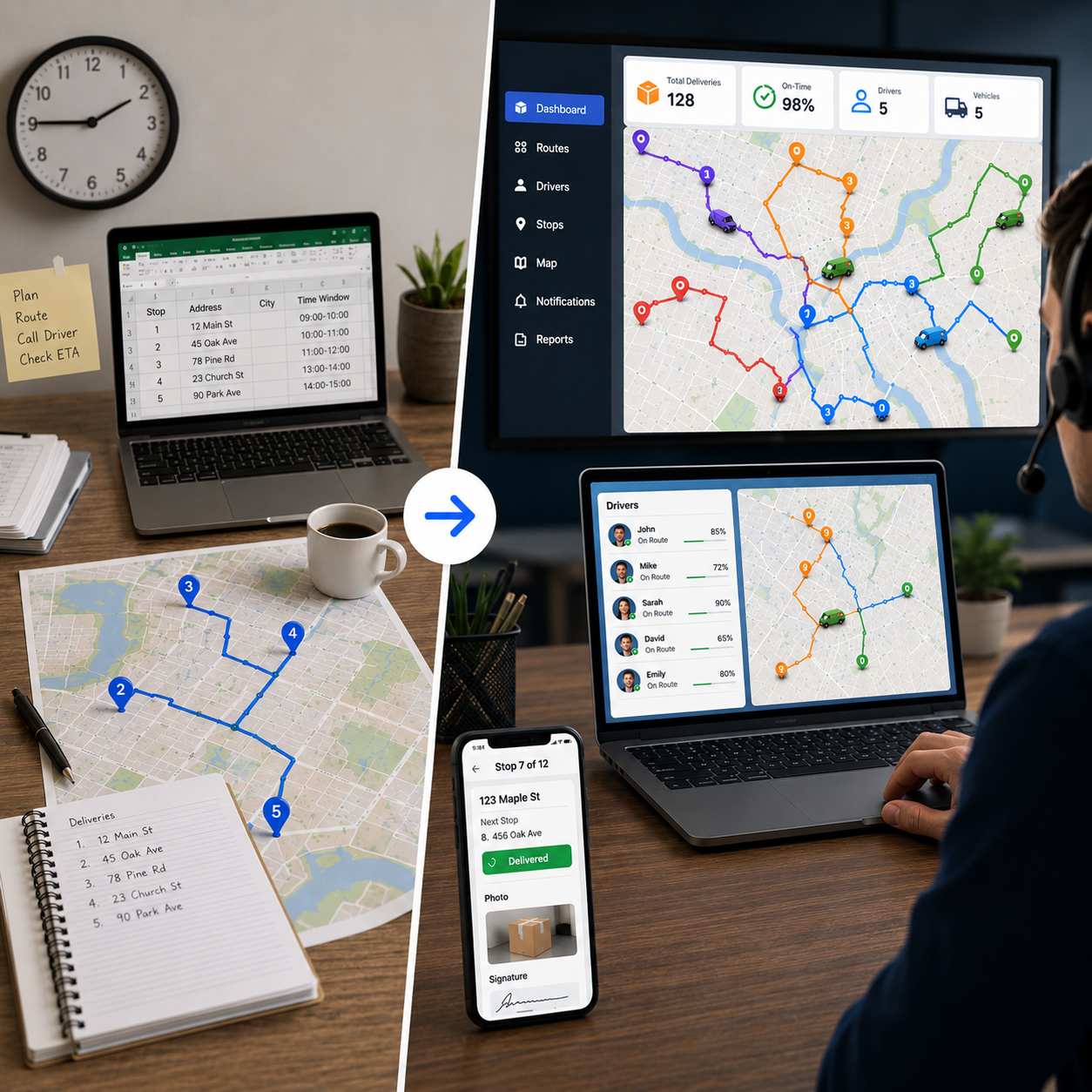
        For years, the morning looked the same at most delivery businesses. A spreadsheet full of addresses. Google Maps open in another tab. A dispatcher with a coffee going cold, dragging stops around the list until the order looked about right.

        It worked. Sort of.

        In 2026, that routine is finally dying off, the way the fax machine did before it. And it has nothing to do with chasing shiny tech. It is about money. A modern AI route planner does in a few seconds what used to swallow the first hour of someone’s day, and the route it produces is better than the one a person would have pieced together by hand. Route optimization software cuts the wasted miles, hands back the planning time, and catches the lazy backtracking that nobody spots until the fuel bill lands. Better still, you can test the whole idea on a genuinely free route planner before paying anyone a cent.

        So here is the plan for this piece: how AI route planning actually works, why route optimization software leaves the spreadsheet habit behind, what you get free versus paid, and how to switch without blocking out a whole week for it. Whether you run one van or a small fleet, an AI route planner 2026 buyers now treat as basic kit puts real optimization within reach, usually free to start.

        The Old Way: Spreadsheets, Google Maps, and the Cost Nobody Adds Up

        Picture a small delivery outfit, a few drivers, a couple hundred stops a day. The morning goes roughly like this:

        1. Orders trickle in by phone, email, and the website, and somebody keys them into a spreadsheet.

        2. The dispatcher sorts them by postcode. It feels organised. It is really just a guess.

        3. Then comes Google Maps, address by address, until the 10-stop wall hits and the whole thing splinters into three or four mini-routes per driver.

        4. Drivers get their lists over WhatsApp, by text, or on a printed page.

        5. A stop gets skipped or traffic backs up, and since nobody has a live view, the dispatcher just rings the driver to ask what is going on.

        6. Customers wondering where their order is get handled one call at a time.

        Add it up and that is forty-five minutes to a couple of hours gone every single morning, before a van has even moved. Pay someone for that time, five days a week, week after week, and “free” planning turns out to be one of the more expensive things you do. That is before the extra fuel from routes that were never really optimized in the first place. Closing that gap is the whole job of route optimization software.

        What Route Optimization Software (and AI Route Planning) Really Means

        Strip the jargon away and route optimization software does one job: it works out the smartest order to hit a list of stops, for one driver or a whole fleet. You hand it the addresses, it builds the sequence, and it weighs distance, real roads, drive times, delivery windows, and vehicle type all at once, instead of leaving you to eyeball it.

        AI route planning takes that further. A basic tool sorts stops by which one is nearest. An AI route planner weighs thousands of possible orderings at the same time and lands on the one that saves the most time and distance while still keeping your rules. That is the gap between sorting and optimizing, and on a busy day it is worth a real slice of your mileage. It is also why “route optimization software” and “route planner software” are the same thing described from two angles, and why a solid free route planner software comparison is worth a read before you marry any one platform. The best free route planner software gives you that optimization without a paywall blocking the door.

        How an AI Route Planner Actually Works

        Underneath, route optimization software is wrestling with a famous maths problem, the Travelling Salesman Problem, and its messier cousin the Vehicle Routing Problem. In plain English: given all these stops and all these rules, what order should I drive them in? An AI route planner juggles several things at once to answer that:

        • Distance and drive time, which stop being the same number the moment traffic shows up
        • Time windows on individual stops
        • Priority or VIP drops that have to come early
        • How much the vehicle can actually carry
        • Driver hours and shift limits

        A dispatcher is sharp, but holding hundreds of stops against all of those rules at once is not a human strength. Most of us can keep maybe seven things straight at a time. An algorithm checks every stop against every rule in a blink. That is the whole pitch behind AI route planning.


        Traffic, Time Windows, and What the Van Can Carry

        A decent AI route planner pulls live traffic and adjusts on the fly. Build a route at 7am and it can plan around the 8:30 crawl and the clearer roads after ten, steering drivers clear of the worst of it. Time windows are where it really earns its keep. A delivery promised between nine and eleven gets slotted in early even if it sits dead in the middle of the map, because the software is balancing geography against the promise you made. Capacity rules stop anyone rolling out with more than the van holds.

         
        Why the Software Beats Doing It by Hand

        In practice, an optimized route usually comes in noticeably shorter than the hand-built version of the same stops, somewhere around a fifth to a third less driving. The honest answer is that it depends on your city, how tightly your stops cluster, and what you drive, so take any single percentage with a pinch of salt. What does not change is the direction. The more stops you have, the more slack there is to cut, so the gap between a spreadsheet and a real AI route planner only widens as you grow.

        What "Good" Route Optimization Actually Looks Like

        Not all route optimization software is built the same, and the difference shows up on the road, not in the report. The cheaper logic chases shortest distance and nothing else, and it hands drivers what the trade calls “spaghetti routes,” paths that loop over the same streets and send you doubling back on yourself. On paper it looks tidy. In the cab it is maddening, and it costs you in wrong turns, lost minutes, and drivers who quietly start eyeing the exit.

        Good route optimization software trades a little raw efficiency for a route a human can actually follow. It keeps each driver in their own patch, stops sending people back over ground they already covered, and produces an order that makes sense from the driver’s seat. The better an AI route planner is, the more it leans on real drive times rather than straight-line distance, so a route that looks a touch longer on the map can be the faster one once one-way streets and traffic are in the picture. When you trial something, judge the route you would actually have to drive, not the number on the summary screen.

        What to Look For in Route Optimization Software

        Before you commit to anything, it helps to know what matters day to day. Run any route optimization software past this list:

        • Real optimization, not a glorified sort. Make sure it rebuilds the order, not just lists your stops nearest-first. That rebuild is where the savings live.
        • Genuinely free access. A free route planner should let you plan a real route with no card and no bait-and-switch. Be suspicious of “free” that turns out to be a seven-day countdown.
        • A fair stop cap and unlimited routes. Check how many stops you get per route for nothing, and whether you can make as many routes as you like.
        • Spreadsheet import. CSV and Excel upload with automatic geocoding stops being optional past twenty stops, and the tool should flag a dud address rather than swallow it.
        • Time windows and priorities. If you make promises on timing, the software has to honour them, not just sort by geography.
        • Vehicle awareness. Car, bike, scooter, or truck should change the route and the ETAs, because in real life it does.
        • A clean handoff to the driver. Turn-by-turn or a printable run sheet, plus the option to fire each stop into Google Maps, Waze, or Apple Maps.
        • Somewhere to grow into. When solo planning stops being enough, the same tool should add multi-driver dispatch, tracking, and proof of delivery without making you start over.

        Work down that list and the real route optimization software separates itself from the basic stop-sorters wearing the same badge pretty fast. If you would rather have it done for you across the main tools, our free route planner software comparison lays them out side by side.

        Free vs Paid AI Route Planners: What You Actually Get

        You do not have to pay to find out whether this works. Here is how a free route planner stacks up against a paid plan, using Bodha as the example:

        Short version: the free route planner hands you the real AI engine for up to 30 stops a route, unlimited routes, no signup, no card. When the days get bigger than that, or you need several drivers, tracking, and proof of delivery, the app and Bodha Fleet pick up the slack on a 7-day free trial. Want the wider lay of the land first? The free route planner software comparison covers it.

        Which Businesses Get the Most From an AI Route Planner

        Just about anyone sending a vehicle to more than a few addresses a day will get something back, but a handful of operations feel it most:

        • E-commerce and last-mile: volumes lurch from a sleepy Tuesday to a Saturday in peak season, and AI route planning soaks that up without anyone re-planning by hand.
        • Food and grocery: tight windows and stock that goes off mean the order has to be right first time, which is squarely what route optimization software is for.
        • Pharmacy and medical: time-critical drops, where an item has to land inside a strict window, lean hard on time-window optimization.
        • Couriers and parcels: counts that leap from thirty to three hundred stops need software that scales, not a spreadsheet that falls over.
        • Field service and maintenance: techs scattered across a region, jobs that run long or short, customer windows all over the place. Smart sequencing earns its keep.
        • Florists and gifting: Valentine’s and Mother’s Day turn an ordinary round into a stress test that manual planning rarely survives.
        • Property and inspections: agents and surveyors running eight to twenty viewings a day claw back real time from a better order.

        The thread tying them together is volume and change. The more you run, and the more it shifts day to day, the harder an AI route planner works for you. And since you can start on a free route planner, there is no need to take any of this on faith. Run your own route through it and watch.

        5 Signs You Need an AI Route Planner

        If more than one of these rings true, you already know the answer:

        1. Your dispatcher burns more than half an hour every morning building routes.

        2. Drivers keep missing windows, or doubling back for a stop they drove past an hour ago.

        3. Customers ring up asking where their delivery is and you have nothing live to tell them.

        4. Fuel is climbing faster than your order count, which nearly always means wasted miles.

        5. You added drivers to grow and found deliveries per dollar barely moved.

        Any one of these and route optimization software pays for itself in short order. All five, and you are handing ground to competitors who already made the jump.

        How to Move From Spreadsheets to a Free AI Route Planner

        This is not the IT project people brace for. Most teams are running by end of day:

        1. Export your address list from wherever it lives now, a spreadsheet, an order system, or a CRM, as a CSV.

        2. Open the free route planner. No signup, no card for the free web tool.

        3. Drop in your CSV. Bodha places every address and flags anything it cannot read before you move on.

        4. Hit Optimize. Look over the route on the map and drag a stop if a special case needs it.

        5. Push each stop to Google Maps, Waze, or Apple Maps, or print the run sheet for the dash.

        6. Need several drivers, live tracking, and proof of delivery? Move the same flow into the Bodha app and Fleet on a 7-day free trial.

        Most outfits feel the difference inside a week, which is the whole reason to start free instead of committing blind.

        FAQs About AI Route Planning and Route Optimization Software

        1. Is there a free AI route planner?

        Yes. Bodha’s free route planner runs the full AI engine for up to 30 stops a route, with unlimited routes, no signup, and no card. Need unlimited stops, several drivers, and tracking? The app adds a 7-day free trial.


        2. What is the best route optimization software in 2026?

        There is no single winner. It comes down to your size and how you deliver. Solo drivers and small businesses do well on a free route planner with real AI optimization, while bigger fleets need multi-driver dispatch, tracking, and proof of delivery. Our free route planner software comparison weighs up the trade-offs.


        3. How is an AI route planner different from Google Maps?

        Google Maps stops you at 10 waypoints and drives them in the order you typed, with no optimization at all. An AI route planner 2026 buyers would look at takes the whole list and rebuilds it into the fastest sensible sequence, factoring in traffic, time windows, and the vehicle.


        4. How much does route optimization software cost?

        Anywhere from free to enterprise money. A free route planner like Bodha’s covers up to 30 stops a route with unlimited routes at no cost, and paid plans pile on unlimited stops, multiple drivers, tracking, and proof of delivery. What you need comes down to volume, so starting free and upgrading later is the low-risk way in.


        5. Can an AI route planner re-optimize during the day?

        On paid and fleet plans, yes. A driver runs late, a fresh order lands, traffic turns, and the software rebuilds what is left of the route on the spot rather than leaving the morning’s plan frozen. That live re-optimization is one of the biggest things an AI route planner has over a static spreadsheet.

        Try AI Route Planning Free!

        No spreadsheets. No backtracking. No card.

        Related blogs

        How to Plan Delivery Routes: A Practical Guide for Operators

        How to Plan Delivery Routes: A Practical Guide for Operators

        Back Table Of Content Something every experienced dispatcher knows: the difference between a good day and a chaotic…

        Reduce Delivery Costs: 10 Proven Strategies That Actually Work

        Reduce Delivery Costs: 10 Proven Strategies That Actually Work

        Back Table Of Content Last-mile delivery is the most expensive part of the logistics chain. It accounts for…

        Best Route Optimization Software for Food Distributors in 2026: Features, Pricing & Top Picks

        Best Route Optimization Software for Food Distributors in 2026: Features,…

        Back Table Of Content In food distribution, the clock runs everything. You’re moving perishable stock through narrow receiving…

        Best Free Route Planner 2026 – Plan Unlimited Stops

        Best Free Route Planner 2026

        Best Free Route Planner 2026 – Plan Unlimited Stops

        user profile

        Ruchita Purohit

        June 22, 2026

        Table Of Content

        Searching for a free route planner? You’re in good company. Every single day, thousands of delivery drivers, field sales reps, and small business owners type that exact phrase into Google, and for a pretty obvious reason. Planning a route by hand eats up time, invites mistakes, and quietly costs you money in fuel. Anyone who has tried to line up twenty stops on a map knows the feeling: you squint at the screen, take a guess at the order, and still somehow cross town twice before lunch.

        A good free route planner takes that headache off your plate. It can hand you back a few hours every week, trim the miles you waste, and let you fit more stops into the same shift.

        In the sections below, we’ll walk through the best free route planners you can use in 2026, what actually matters when you pick one, and how to start planning optimized multi-stop routes for free with Bodha. The short version of the Bodha offer:

        • 30 stops per route
        • Unlimited routes
        • No signup, no credit card

        We’ll also be straight about where each tool’s free plan runs out, so there are no surprises after you’ve already loaded a route into it.

        What Is a Free Route Planner, and Who Actually Needs One?

        A free route planner is a tool that works out the smartest order to visit a list of stops, then does it for you in seconds. A regular maps app just follows whatever order you typed in. A real route planner is different: it looks at distance, live road networks, drive times, and even your vehicle type, then rearranges everything into the fastest sequence.

        It’s worth understanding why this isn’t something you can just eyeball. With only fifteen stops, the number of possible orders is larger than the population of most countries. No person can hold that in their head. Software can.

        As a rule of thumb, once you’re doing more than five stops a day, a planner starts paying for itself. The people who get the most out of one tend to fall into a few groups.

         
        Delivery Drivers and Couriers

        If you’re moving parcels, food, groceries, or pharmacy orders, every shift is a race to fit in as many drops as possible. A planner that sorts your stops into the right order cuts out the backtracking, which means less driving and more deliveries done. Those savings stack up week after week, because every detour you skip is fuel you didn’t burn and time you didn’t lose.

        Gig drivers running several apps at once get an even bigger lift. Stops come in from two or three different platforms, usually jumbled by postcode or just by whatever order they landed. Drop them all into one planner, hit optimize, and you get a single clean route instead of bouncing between apps mid-shift. You drive less and finish earlier.

         
        Field Sales and Service Representatives

        Reps and technicians often map out tomorrow’s visits the night before, either in a spreadsheet or in their head. A planner does that work for them and sequences the day properly, so they spend more time with customers and less time stuck in traffic. For teams working around appointment windows, it also keeps arrival times honest, so you’re not promising a 2pm slot you can’t actually make.

         
        Small Business Owners Doing Their Own Deliveries

        Plenty of small businesses, from florists to furniture shops, run their own deliveries on Google Maps, and they slam into the 10-stop limit almost straight away. A proper route planner clears that ceiling and adds the optimization Google Maps was never built to do. When you’re the one behind the wheel, that’s often the difference between wrapping up the morning’s drops by lunch and dragging them into the afternoon.

        What to Look for in a Free Route Planner

        Not every free planner is worth your time. A lot of them advertise a free tier, then quietly limit your stops, lock the useful features, or ask for a card before you can plan a thing. Here’s what to check before you commit:

        • A usable stop cap, plus unlimited routes. Let’s be honest: a free planner with truly unlimited stops in one route doesn’t really exist. Most cap each route somewhere between 10 and 30 stops. So aim for the highest real cap you can get, and make sure you can create as many routes as you want. Bodha gives you 30 stops per route with unlimited routes. Google Maps stops you at 10.
        • Real optimization, not just a stop list. There’s a big gap between a tool that lets you add stops and one that actually reorders them for the fastest path. Real optimization runs an algorithm across real roads and drive times. Without it, you’re just typing your manual plan into a screen. Google Maps, for example, keeps whatever order you entered.
        • No credit card to get going. A genuinely free tool lets you start straight away, no account, no card. If you’re asked for payment details up front, that’s a trial dressed up as a free plan, and the clock is already ticking. Bodha asks for neither.
        • Spreadsheet import. Past roughly twenty stops, typing addresses by hand is misery. The better planners let you upload a CSV or Excel file and place every address automatically. Just as important, they flag any row they can’t read, so a bad address doesn’t silently disappear from your run.
        • Mobile access. A planner only earns its keep if your driver can use it on the road. The free Bodha planner runs in your phone’s browser, prints a clean PDF run sheet, and hands each stop off to Google Maps, Waze, or Apple Maps. If you want turn-by-turn navigation, proof of delivery, and tracking inside one app, the Bodha mobile app adds those on a 7-day free trial.
        • Vehicle-aware routing. A scooter can slip through gaps a box truck never could, and a truck needs to stay off roads it doesn’t belong on. Routing that knows your vehicle gives you an order and ETAs that hold up in the real world, not just on screen. Bodha’s free tool handles car, bike, scooter, and truck.
        • Proof of delivery and tracking. If you’re running a business rather than personal errands, you’ll eventually want photo or signature proof at each stop, plus live tracking so the office (and the customer) can see where the driver is. These are usually paid features, so it helps to know which tools offer them and at what point you’d need to upgrade.

        Key Benefits of Route Optimization Software for Food Distributors

        When food delivery route optimization is set up well, it shows up on nearly every line of your P&L.

        • Lower fuel and transportation costs. Tighter routes cover the same deliveries in fewer miles. Most distributors report fuel and transport savings somewhere in the 10 to 30% range once they leave manual planning behind. Spread that across 20 or 50 trucks and the annual figure gets serious. Better utilization can even shrink how many vehicles you need in the first place.
        • Faster, steadier deliveries. Smarter sequencing cuts out the backtracking and protects your time windows. More accounts get served before they open, and on-time numbers climb.
        • Less spoilage. Time in transit is the most direct lever you have on shrink. Quicker, more predictable routes keep perishables inside their safe window and cut down on rejected loads.
        • More productive drivers and dispatchers. Drivers get a clean, neighborhood-by-neighborhood flow instead of second-guessing the next turn. Dispatchers get back the hours they used to burn building routes by hand.
        • Visibility you can actually use. Live tracking and ETAs let you warn an account before a delivery slips, rather than finding out when the phone rings.

        None of this is theoretical. Bodha Route Planner customers, for instance, tend to see roughly a 30% drop in fuel costs, 25% more deliveries per driver, and 70% fewer “where’s my order” calls inside the first month.

        Common Use Cases in Food Distribution

        Food distribution isn’t a single business. It’s really a dozen different operating models, each with its own routing headaches, and food delivery route optimization bends to fit them. Here’s where it tends to earn its keep.

        Fresh produce distribution. Produce is a same-day-or-spoil game. Distributors lean on food distribution route planning to set up pre-dawn drops that land before grocery and restaurant doors even open, which protects shelf life on the most fragile thing in the truck.

        Dairy and frozen delivery. Cold-chain goods give you zero margin on temperature. A capacity-aware multi stop route planner for food delivery business operations keeps refrigerated and ambient cargo apart, orders the stops so doors stay shut longer, and trims the total time anything spends out of safe range.

        Restaurant and hotel supply. Kitchens live by their receiving windows. Supplies have to be there before prep starts, full stop. Route optimization can juggle dozens of overlapping windows in a single shift so every account lands on time, not just whenever the route happens to swing by.

        Grocery and retail replenishment. Here you’re usually running recurring routes with order sizes that bounce around. The software keeps the steady backbone of the route but flexes when volume spikes. A store doubles its order for a holiday weekend, and the routes rebalance on their own instead of forcing a manual rebuild.

        Broadline and specialty food and beverage distribution. Mixed-SKU operations hauling everything from dry goods to chilled drinks get the most out of true food and beverage distribution software, since it balances weight, volume, and compartment limits across the fleet in one pass.

        How Food Delivery Route Optimization Software Works

        The math under the hood is genuinely complicated. The day-to-day, though, is pretty straightforward, and it usually breaks into five steps.

        1. Import your orders and stops. You get your delivery data in, either through a CSV or spreadsheet upload or a direct API link to your order, ERP, or WMS system. Each stop brings its address, size or weight, the required window, and any special notes. Save your recurring accounts once and you’re not re-typing the same customers every morning.

        2. Set your constraints. This is where you hand the software your rules. Delivery windows, like a restaurant that only takes deliveries between 6 and 9 a.m. Vehicle and compartment capacity, so refrigerated and ambient loads stay separate. Driver shifts and breaks, service time at each stop, and where routes start and end.

        3. Optimize. Now the software does the heavy lifting. It chews through every order, every constraint, and live road conditions, then returns optimized routes in seconds, even when that means hundreds of stops across a fleet. Dispatchers can review everything on a map and adjust before anything goes out.

        4. Dispatch and monitor. Routes land in the driver’s mobile app with turn-by-turn navigation. As stops get completed, dispatch watches locations, status, and ETAs update in real time. If a cancellation or a rush order lands mid-shift, the system can re-optimize without scrapping the day.

        5. Report and refine. Once the day wraps, you get planned-versus-actual reports: miles driven, on-time rate, service times. Over a few weeks that data tells you where to tighten your routing rules.

        Must-Have Features in Software for Food Distributors

        Plenty of delivery apps simply aren’t built for distribution. When you’re weighing up route planning software for delivery in this space, don’t compromise on these:

        • High-volume multi-stop optimization. It needs to handle hundreds of stops across many vehicles at once and balance the load across the fleet. This is the heart of any serious multi stop route planner for food delivery business use.
        • Minute-level time-window control. Plus priority flags for your most time-sensitive drops and a heads-up when a route is about to miss a window.
        • Capacity and load planning. By weight, volume, and compartment type, so chilled and ambient goods get grouped right and nothing’s overloaded.
        • Dynamic re-optimization. Add, drop, or reassign a stop in the middle of the day and have the route recalculate on the spot, no manual replanning.
        • A solid driver app. Turn-by-turn navigation, the stop sequence, one-tap confirmation, and a line to dispatch, all without much training.
        • Proof of delivery and tracking. Photos, e-signatures, GPS-stamped times, and condition notes that quietly double as your FSMA paper trail.
        • Integrations. API access and ready-made connectors to your ERP, WMS, and order systems so the routing always reflects today’s orders.

        If a tool skips capacity planning or proof of delivery, it’s really just a general route app with a food label slapped on. It isn’t true food and beverage distribution software.

        Best Free Route Planners Compared (2026)

        Here’s how the popular free options stack up side by side. These numbers reflect each provider’s published free tier at the time of writing, and free tiers change often, so double-check the limit that matters most to you before you lean on it.

        Below is a closer look at what each one actually gives you for free, and where the ceiling sits.

        1. Bodha Route Planner: Best Free Option for Delivery Work

        Bodha’s free web planner runs the same routing engine that powers its paid fleet product, just opened up for single routes. It isn’t a crippled demo built to nag you into paying, which is why it sits at the top of this list for real delivery work.

        What you get for free:

        • 30 stops per route, with unlimited routes
        • Real road-network optimization in about five seconds
        • Per-stop ETAs, leg distances, total drive time, and your finish time
        • Five vehicle types: car, bike, scooter, and truck
        • CSV and Excel import that finds the address column on its own and flags rows it can’t read.
        • A printable PDF run sheet for the dash
        • No signup, no card, and your stops stay in your browser rather than being stored

        Step up when you need more. The Bodha mobile app adds unlimited stops, multiple drivers, proof of delivery, live tracking, and automatic customer notifications. You can try all of it on a 7-day free trial. Same engine, more features.

        Best for: drivers, couriers, gig workers, and field reps running up to about 30 stops who want genuine optimization without handing over an email or card.

        Worth knowing: for routes bigger than 30 stops, or for coordinating a team, you’ll want the app or fleet plan rather than the free web tool.


        2. EZRoutePlanner: A Free Web Planner That Covers the Basics

        EZRoutePlanner began as an internal tool for a service business and grew into a free, no-signup web planner. The pitch is speed and simplicity: land on the page and start planning, with no account and no card in the way.

        What you get for free:

        • Up to 30 stops per route, with unlimited routes
        • Smart route optimization
        • Export to Google Maps for navigation
        • Real-time route visualization
        • 50 geocoding credits a month, used when you look up new addresses
        • No signup and no card, with an optional free account to save routes across devices

        What’s missing: the free plan is metered by those 50 monthly geocoding credits, so once you’ve looked up that many new addresses, you’re nudged toward a paid subscription. Bigger stop counts, more credits, and priority support all sit on the paid tiers. There’s also no proof of delivery or live tracking, and it’s a web tool rather than a dedicated driver app.

        Best for: individuals and small service businesses planning a handful of routes a month who want optimization without signing up.

        Worth knowing: the free tier handles light use well, but the monthly credit cap means steady daily routing will push you onto a paid plan fairly quickly. Bodha matches the 30-stops-per-route and unlimited-routes setup on its free tier, and adds CSV and Excel import with bad-row flagging, five vehicle types, and a printable PDF run sheet.


        3. Google Maps: Great for Errands, Not for Deliveries

        Google Maps is the navigation app almost everyone already has, and its traffic data is hard to beat. It just wasn’t built to plan a delivery route.

        What you get for free:

        • Up to 10 waypoints per route
        • Excellent live traffic and rerouting
        • Familiar interface on web, iOS, and Android

        What’s missing: there’s no optimization (it follows the order you type), no spreadsheet import, no proof of delivery, and no customer alerts.

        Best for: a few personal stops where you already know the order.

        Worth knowing: the moment you pass 10 stops, or need the order figured out for you, it runs out of room.

         
        4. MapQuest: The Most Generous “Old School” Free Cap

        MapQuest has been around for years and still offers one of the highest free stop counts among the traditional web planners.

        What you get for free:

        • Up to 26 stops per route
        • Basic route optimization
        • Fuel cost estimates along the route
        • Add stops line by line, paste them, or import a list

        What’s missing: it’s web-focused with no real mobile app, it’s ad-supported, and drivers sometimes report shaky ETAs and the odd address mix-up.

        Best for: people who want a high free stop count from a familiar web tool. 

        Worth knowing: the ads can get in the way when you’re trying to focus on a route.

         
        5. RouteXL: A Clean Free Web Optimizer for Occasional Use

        RouteXL keeps things simple and ad-free, and it actually optimizes, which puts it ahead of the basic maps apps.

        What you get for free:

        • 20 stops per route, with unlimited routes
        • Genuine optimization by time or distance
        • Add addresses by paste, or upload from Excel or CSV
        • Notes on stops, and the option to share the route to a navigation app or by email

        What’s missing: there’s no mobile app, so when you send a route to your phone it opens as a list in the browser and you navigate with Google or Apple Maps. No proof of delivery on the free tier either.

        Best for: planning your route at a desk before you head out. 

        Worth knowing: paid plans lift you to 100 or 200 stops per route if you outgrow the free 20.


        6. Spoke (Circuit) Route Planner

        Spoke (Circuit) is a polished, mobile-first app with a tidy interface and built-in navigation, but the free tier is tight.

        What you get for free:

        • Around 10 stops a day
        • Route optimization
        • Built-in turn-by-turn navigation on iOS and Android

        What’s missing: CSV import, real-time tracking, and the team-management tools all sit behind paid plans.

        Best for: solo drivers with short, occasional routes who want navigation built in.

        Worth knowing: that 10-stop daily cap gets tight fast once you’re doing real delivery volume.

         
        7. RoadWarrior

        RoadWarrior is a straightforward option that works well for light, solo workloads.

        What you get for free:

        • Around 10 stops per route
        • Route optimization
        • A simple drag-and-drop layout on iOS and Android

        What’s missing: spreadsheet import, live tracking, and customer notifications are reserved for the paid tiers.

        Best for: solo drivers on light routes who want something simple.

        Worth knowing: you’ll hit the paywall quickly if you need import or tracking.


        8. Route4Me

        Route4Me is a serious enterprise platform with deep features for big operations, but it isn’t really a free tool.

        What you get for “free”:

        • A limited trial of the optimization and planning features
        • Web and mobile access during the trial

        What’s missing: the trial requires a credit card, and the features that matter for a growing business, like multi-driver dispatch, proof of delivery, and tracking, are paid.

        Best for: large logistics teams with a budget.

        Worth knowing: for a single driver who just wants to plan a free route, this isn’t the place to start.

        How to Use Bodha as Your Free Route Planner

        Getting going takes a couple of minutes. Here’s the whole process:

        1. Open the free Bodha route planner and set your starting point and start time. There’s no signup or card, and every ETA is counted from there.

        2. Add your stops. Type them with address suggestions, paste a list, or drop pins on the map.

        3. Or skip the typing and upload a CSV or Excel file. Point to the address column and Bodha places every row, calling out anything it can’t read.

        4. Pick your vehicle: car, bike, scooter, or truck. The order and the timings shift to match.

        5. Hit Optimize. In about five seconds you get the fastest order on a real map, with per-stop ETAs, leg distances, total drive time, and your finish time.

        6. Print the PDF run sheet for the dash, or send each stop to Google Maps, Waze, or Apple Maps. Plans change? Drag a stop and re-optimize.

        Quick tip: there’s a “Load a sample route” button inside the planner if you want to watch it work before adding your own stops. And when you need turn-by-turn navigation, proof of delivery, and live tracking in one app, the Bodha driver app covers all three on a 7-day free trial.

        How Much Can a Free Route Planner Really Save You?

        The savings are real, though the exact figure depends on your stops, your city, and your vehicle. Here’s a simple way to picture it, using a 30-stop route:

        • Planned by hand: you work through the stops in a rough order, doubling back across the same neighborhoods and piling on extra kilometres and time.
        • Optimized with Bodha: the same 30 stops get sequenced to keep total distance down, so the wasted legs disappear and you get fuel and minutes back.

        Even shaving 15 to 25 percent off your daily distance adds up fast over a week, both at the pump and on the clock. The planning itself drops from fifteen or twenty minutes of dragging stops around to a single click, which matters when you’re doing it every morning. For a small team, multiply that across each driver. The honest way to find your own number is to run a real route through the free planner and read the before and after it shows you.

        Free Route Planner FAQs

        1.  Is there a truly free route planner with unlimited stops?

        Not for a single route. Most free tools cap each route between 10 and 30 stops. Bodha gives you up to 30 stops per route with unlimited routes, free, and no card. For more than 30 stops in one route, or for multiple drivers, you’d move to the Bodha app or fleet plan.


        2. Can I use a free route planner on my phone?

        Yes. Bodha’s free web tool runs in your phone’s browser, and the Bodha mobile app (iOS and Android) adds turn-by-turn navigation, proof of delivery, and tracking on a 7-day free trial.


        3. What’s the best free route planner for a small business?

        Look for the highest real free cap, genuine optimization, spreadsheet import, and no card. Bodha ticks all four with 30 stops per route and unlimited routes. MapQuest (26 stops) and RouteXL (20 stops) are reasonable web-only alternatives.


        4. Does a free route planner include turn-by-turn navigation?

        The free Bodha web tool gives you an optimized route with ETAs and a printable PDF, then passes each stop to Google Maps, Waze, or Apple Maps. Built-in turn-by-turn navigation comes with the Bodha mobile app on the 7-day free trial.


        6. How many stops can I plan for free with Bodha?

        Up to 30 per route, with unlimited routes, which covers the vast majority of daily runs. Need more in one route, or more than one driver? Grab the app and start a 7-day free trial of the full platform.


        7. Do I need to create an account to use the free planner?

        No. Land on the page and start planning right away. No account, no install, no card. An account only comes into play if you move up to the app or fleet plan to save routes and add drivers.

        Start Planning Free Routes with Bodha Today

        30 stops per route. Unlimited routes. Five vehicle types. CSV and Excel import. A printable PDF. No signup, no credit card.

        Related blogs

        How to Plan Delivery Routes: A Practical Guide for Operators

        How to Plan Delivery Routes: A Practical Guide for Operators

        Back Table Of Content Something every experienced dispatcher knows: the difference between a good day and a chaotic…

        Reduce Delivery Costs: 10 Proven Strategies That Actually Work

        Reduce Delivery Costs: 10 Proven Strategies That Actually Work

        Back Table Of Content Last-mile delivery is the most expensive part of the logistics chain. It accounts for…

        Best Route Optimization Software for Food Distributors in 2026: Features, Pricing & Top Picks

        Best Route Optimization Software for Food Distributors in 2026: Features,…

        Back Table Of Content In food distribution, the clock runs everything. You’re moving perishable stock through narrow receiving…