Garbage Collection Route Optimization: The Ultimate Guide

Garbage Collection Route Optimization

Garbage Collection Route Optimization: The Ultimate Guide

user profile

Ruchita Purohit

July 28, 2026

Table Of Content

Ask a hauler where the money goes and you’ll usually hear fuel and labor. Both are right. The costlier answer is the money that never makes it onto an invoice at all. A truck running twelve empty miles back from the transfer station. One driver stuck on overtime while another clocks out at two. A recycling route that grew a tail of new stops nobody ever rebalanced. A “you missed us” call that turns into a credit because nobody can prove the crew showed up.

None of that gets billed. It shows up at month end as margin you expected and didn’t get. And most of it comes back to one habit: routes built from memory, a spreadsheet, and a maps app that was never meant for a collection truck.


Garbage collection route optimization is how you fix it. Not by shaving a few minutes off one trip, but by turning the way you plan, run, and prove collection into something you can measure and repeat. This guide is written for private and commercial haulers, the operators who have outgrown a spreadsheet but don’t need an enterprise municipal platform. It covers what garbage collection route optimization actually changes, why ordinary route planners fall apart on a garbage truck, the specific costs it removes, and how to choose garbage truck routing software sized for your business instead of a city’s.

What Garbage Collection Route Optimization Actually Means

Strip away the jargon and garbage collection route optimization is easy enough to describe. You build the most efficient, workable sequence for every truck each day, then you keep that plan accurate as your service area shifts. Workable is the word that carries the weight. A route can look short on a screen and still fall apart on the street. If it sends a rear loader up a road it can’t service from both sides, or fills a truck to the brim fifteen stops from the nearest disposal site, the math did you no favors.

Real garbage collection route optimization weighs what a collection day is actually made of. How many stops a truck holds before it has to dump. Which streets clear in one pass and which need two. The time windows on commercial accounts. Driver shift length. The recurring cadence that makes Tuesday’s route nothing like Wednesday’s. Get that right and your crews cover more ground on fewer miles, the trucks fill up just as they reach the transfer station, and the day wraps on time instead of sliding into overtime.

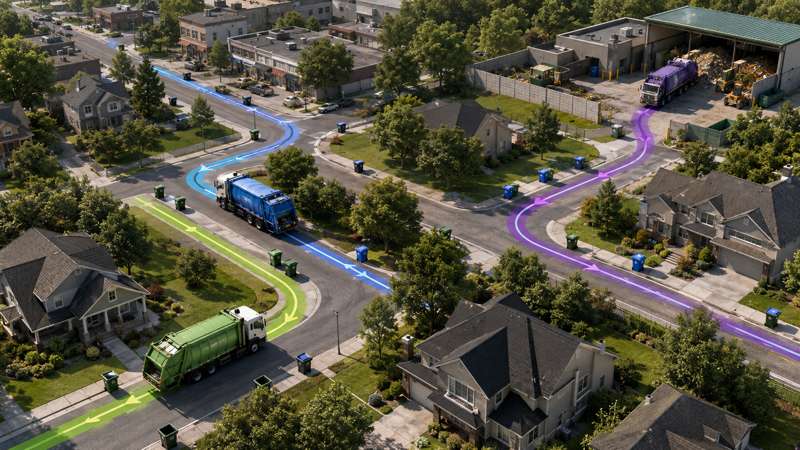
One distinction is worth spelling out, because it’s the thing that catches out haulers who try to run collection on consumer tools. A delivery driver hops between a few addresses on a block and moves on. A collection truck has to service almost every property along a street. That changes how a good route gets built. You aren’t joining a handful of dots, you’re covering whole streets in the safest, fullest, least repeated way you can. Generic apps don’t think that way. It’s why garbage collection route optimization is its own discipline, and why purpose built garbage truck routing software exists in the first place. If you want the planning side in more depth, our companion guide to waste collection route planning software goes further on building the daily plan.

Why Generic Route Planners Break on a Garbage Truck

Plenty of haulers start on Google Maps or a basic delivery planner, hit a wall, and decide routing software just isn’t for them. Usually they were using the wrong tool. Here is what a collection truck needs that a generic planner skips over.

Same side of street sequencing. On a quiet residential road a truck can grab bins from both sides in one pass. On a busy arterial it can’t. The crew services one side, turns somewhere safe, and comes back for the other. A generic planner treats both sides as a single line of stops and hands you a route that reads fine on paper but leaves a driver making unsafe crossings all afternoon. Waste aware garbage truck routing software understands single versus double sided service and sequences around it.

Capacity tied to disposal, not just distance. A parcel van’s capacity is roughly how many boxes fit. A garbage truck’s is a moving target, set by compaction and how full each stop runs. The route has to be arranged so the truck hits its limit right as it nears the landfill, not half empty on a long detour and not overflowing ten stops early. Optimization that ignores capacity to disposal timing sends trucks on extra trips, and every one of those trips is pure deadhead cost.

Recurring pickups, not one off deliveries. Collection is repeat business. The same accounts, weekly or biweekly or on some custom cadence, spread across the week. Generic planners rebuild the day from scratch every morning. Good garbage collection route optimization holds each account’s cadence and tells you who’s due today, so the route nearly builds itself and nothing slips off cycle. This is the backbone of any Garbage collection route planner worth paying for.

Multiple waste streams. Refuse, recycling, and organics often run as separate routes, with different trucks, different disposal points, and different frequencies. A tool that can’t keep those streams straight will happily blend them into one plan that makes no sense on the ground.

Heavy vehicle reality. Weight limits, bridge heights, tight residential corridors, and the maneuvers that make waste one of the more dangerous trades: too many left turns across traffic, U turns, long stretches in reverse. Consumer mapping data doesn’t know your truck is a truck. Commercial routing data does, and it can design the riskiest moves out of the plan before a driver ever pulls out.

Skip these and no amount of so called optimization gives you a plan your drivers will follow. Cover them and you have the foundation everything else is built on.

The Four Expensive Leaks Garbage Collection Route Optimization Closes

This is the part your P&L cares about. Set the theory aside. There are four places haulers lose money week after week, and garbage collection route optimization plugs each one.

1. Deadhead miles

Deadhead is every mile you drive that doesn’t service a customer. Overlap where two trucks clip the same street. Long empty runs between zones. Half full trips to the transfer station. It grows without anyone noticing, because new customers get bolted onto whatever route sits nearest instead of being folded into a rebalanced plan. Every deadhead mile burns fuel, wears down brakes and tires, and adds emissions for no revenue at all. Tightening sequences and balancing loads across the fleet is usually where the first real savings turn up, often a double digit cut in total miles that lands more or less straight on the fuel bill.

2. Unbalanced loads and overtime

When routes aren’t balanced, one crew runs long while another finishes early. The long crew tips into overtime, and overtime is the priciest labor you buy. Garbage collection route optimization evens out the tonnage and the stop counts across trucks, so the day ends when the shift ends. On a fleet of any size, cutting even a couple of overtime hours a week per driver adds up to a serious yearly number.

3. Missed pickup disputes

A skipped stop is bad. A skipped stop you can’t prove, and don’t catch until the customer calls a week later, is worse. It becomes a credit, a complaint, and sometimes a lost account. Optimization paired with in app proof of service, meaning a photo and a timestamp at each stop, turns a dispute into a ten second lookup. Same shift exception flagging means a miss gets caught while there’s still time to send a truck back. This is where garbage truck routing software protects revenue you would otherwise refund away.

4. Route rot

The one everyone forgets. Routes get built once and then left alone while the service area keeps changing underneath them. Streets get repaved. Subdivisions open. Accounts churn. Volumes swing with the season. A route that was tight in March is leaking miles by August. Treating garbage collection route optimization as a habit rather than a one off project, and re optimizing as the map changes instead of once every few years, is what keeps the savings from slipping away.

Put those four together and it is clear why optimization isn’t a nice to have. It’s the line between a hauler that scales profitably and one that keeps buying trucks just to outrun its own inefficiency.

What Good Garbage Truck Routing Software Actually Does

Route optimization sits on every vendor’s feature list, so the phrase alone tells you almost nothing. What separates real garbage truck routing software from a generic planner wearing a waste label is how it handles the collection specific work above, and what it does around the route. A few things to look for.

Optimization that respects collection constraints. Same side of street service, capacity to disposal timing, vehicle type (rear, front, and side loaders all behave differently), time windows, and driver hours, all weighed together rather than two out of five. This is the engine. If it can’t model your constraints, nothing else about the tool matters. Bodha’s route optimization is built around exactly these collection rules.

Recurring scheduling built in. The software should hold every account’s cadence and turn a due today list into an optimized route in a couple of clicks, with skip dates and seasonal pauses handled without a fuss. For a business run on repeat pickups, a big share of the admin savings lives right here.

A driver app that survives a real day. Turn by turn guidance, the day’s stops, and per account notes on the phone, working offline through dead zones and syncing once signal returns. If closing a stop takes six taps, or the driver app falls over without coverage, drivers stop using it and your data goes dark.

Proof of service and live tracking. A photo, a timestamp, and a GPS pin at each stop, plus a live map so dispatch can watch progress and flag a missed bin the same shift. This is the feature that ends the “you missed us” arguments and cuts the “where’s my truck” calls. Our guide to waste collection fleet tracking covers the visibility side in detail.

Customer notifications. Automatic collection day and on the way messages with a tracking link take a real bite out of inbound calls, a support cost most haulers underrate. Text and email updates should come as standard, not as a paid extra.

Analytics that close the loop. Planned versus actual, cost per stop, stops per hour, exceptions. Without route analytics you can’t prove the ROI, and you can’t catch a route starting to rot.

The tools serving waste run from lightweight hauler grade platforms up to enterprise systems like RouteSmart, AMCS, Routeware, and Rubicon built for city scale, GIS heavy work. The right tier depends entirely on who you are, which is the next question.

How to Run a Garbage Collection Route Optimization Without a Two Year Project

Enterprise municipal rollouts really are multi phase efforts, running from GIS data aggregation through algorithm generation, human calibration, and in cab deployment. If you’re a private or commercial hauler, you can skip most of that ceremony. A practical garbage collection route optimization for a growing operation looks more like this.

Start with clean stop data. Export your accounts to a spreadsheet: address, service type, frequency, container size, any time windows. Good garbage truck routing software will geocode each address, validate it, and flag the duplicates and bad entries that wreck a route. Nearly every hauler finds five to fifteen percent of their address data is wrong on the first pass, so fix it at the source. If you’d rather not touch a CSV, a straight spreadsheet import handles the same job.

Set the constraints that actually bind you. Truck capacities, disposal site locations, driver shift lengths, same side streets, and the cadence for each account. This is where you teach the software the operational reality a plain map can’t see.

Optimize, then let your drivers red pen it. Run the optimizer and hand the result to your most experienced drivers before it goes live. They know the dock that jams after three, the alley a particular truck can’t take, the corner that’s unsafe to back into. Treat the software’s routes as a strong first draft for the first couple of weeks, not gospel. It’s also how you win driver buy in, since people tend to run routes they helped shape.

Dispatch to the cab and measure. Push the finished routes to the driver app, switch on customer notifications, and start capturing proof of service. Then compare planned miles against what the trucks actually drove. That comparison is the whole game. It shows you the optimization worked, and it shows you where the next round of savings is hiding.

Re optimize on a cadence. Add new stops as they come, and rebalance the larger route boundaries a couple of times a year to absorb growth and the seasonal swings. That is what stops route rot from creeping back in.

For most haulers this is days of work, not quarters. Import in an afternoon, pilot for a week, roll out across two.

Measuring the ROI in Real Dollars

Vendors love a savings percentage. Here is how to check one against your own numbers, because that’s the only version worth trusting.

Take twenty trucks running 110 miles a day over 22 working days. That’s about 48,400 miles a month. At 6 mpg and $4.10 a gallon, you’re spending roughly $33,000 a month on fuel. A garbage collection route optimization that trims 15 percent of those miles saves close to $5,000 a month on fuel alone, before you count the brake and tire wear you didn’t rack up.

Now labor. If balanced routes claw back two overtime hours per driver each week across those twenty drivers, at a $32 loaded rate, that’s around $5,500 a month. Add the capacity you free up, because tighter routes mean more stops per truck, and that’s revenue you catch without buying another truck or hiring another crew. Then add the missed pickup credits you stop issuing once proof of service ends the disputes.

There’s a slower burning saving most haulers forget, too. Fewer miles and fewer aggressive maneuvers mean longer gaps between brake jobs, tire changes, and truck maintenance, plus a lower collision risk that holds down insurance costs across a year. Set all of that against what garbage truck routing software costs and the payback usually lands inside the first month or two.

That’s why optimization is one of the safer bets a hauler can make. The savings are large, fast, and easy to see. You don’t have to take anyone’s word for it. You can watch the mileage drop.

Choosing Garbage Truck Routing Software That Fits Your Operation

Here is the distinction that saves haulers the most money, and the most regret: municipal grade versus hauler grade.

Enterprise municipal platforms are built for cities routing hundreds of thousands of carts across a whole population, with deep GIS integration, in cab hardware, and long implementations to match. They’re powerful, and if you run a large municipality they’re the right call. But for a private or commercial hauler with three to fifty trucks, that’s a lot of platform, contract, and cost to reach routing you’ll use a fraction of.

What a growing hauler needs is the collection specific routing (same side of street, capacity aware, recurring pickups), plus proof of service, tracking, and notifications, at a price that scales with your fleet instead of a city budget. That’s the lane Bodha’s Garbage collection route planner is built for. Real waste routing for private and commercial haulers, with the constraints that matter on a truck, minus the cost and complexity of an enterprise municipal system. Import your stops and you’re optimizing the same day, proof of service closes out the missed pickup disputes, and the pricing fits an operation that’s still growing.

A fair warning in the other direction. If you’re a city that needs GIS scale routing, in cab tablets, and municipal compliance reporting, a purpose built municipal platform is the honest answer, not a hauler tool. Match the software to the shape of the operation. The most expensive mistake in this category is buying enterprise software for an SMB problem, or the reverse, stretching a consumer app across a job it was never built for.

The Bottom Line

Strip garbage collection route optimization back to what it does and you’ll see it isn’t a hunt for the shortest path. The real job is closing the four leaks that drain a hauler’s margin week after week without ever showing up as a line item: deadhead miles, overtime, missed pickup disputes, and route rot. Use tools built for collection rather than delivery, treat it as a habit instead of a one off project, and measure it against your own real mileage. Done that way, it becomes one of the fastest and most provable wins a growing waste operation can find.

The haulers who pull ahead aren’t the ones with the biggest fleets. They’re the ones who stopped running collection on memory and paper and started running it on data: the right garbage truck routing software, sized to their business, aimed at the leaks that actually cost them money.

Frequently Asked Questions

Garbage collection route optimization is the practice of building the most efficient, workable sequence for each collection truck and then keeping that plan accurate as your service area changes. It weighs collection specific factors like truck capacity and disposal timing, same side of street service, recurring pickup cadences, time windows, and driver hours, so crews cover more stops in fewer miles, trucks fill up right as they reach the transfer station, and the day ends on time.

Google Maps solves a point to point problem, meaning the fastest way between a few distinct addresses. A collection truck has to service nearly every property along a street, respect single versus double sided service, stay within truck capacity relative to the disposal site, and follow recurring schedules. Consumer navigation ignores all of that, which is why haulers need dedicated garbage truck routing software rather than a generic maps app.

Yes, and those are usually the first savings haulers notice. By cutting deadhead miles and balancing loads across the fleet, optimization commonly trims total mileage by double digits and ends the unbalanced days that push one crew into overtime while another finishes early. Fuel savings land almost straight on the bottom line, and reduced overtime often matches or beats them.

Yes. Capable garbage truck routing software runs separate, concurrent routing models for refuse, recycling, and organics, accounting for the different trucks, disposal points, and collection frequencies each stream needs. Your recycling route and your refuse route each get optimized on their own terms rather than mashed together.

Treat it as an ongoing cycle rather than a one time fix. Add new stops as accounts come on, and rebalance your larger route boundaries a couple of times a year to absorb growth and seasonal swings like fall yard waste volume. Routes built once and left alone slowly rot as streets, customers, and volumes change, quietly giving back the savings you gained.

No. Enterprise municipal platforms are built for city scale, GIS heavy deployments and carry the cost and complexity to match. A private or commercial hauler running three to fifty trucks usually needs collection specific routing, plus proof of service, tracking, and notifications, at a price that scales with the fleet. Match the tier of garbage truck routing software to the size of your operation rather than overbuying for a city's problem.

Optimize Your Collection Routes

Import your stops and see the deadhead miles disappear, same day. Free trial, no credit card, no hardware.

Related blogs

How to Plan Delivery Routes: A Practical Guide for Operators

How to Plan Delivery Routes: A Practical Guide for Operators

Back Table Of Content Something every experienced dispatcher knows: the difference between a good day and a chaotic…

Reduce Delivery Costs: 10 Proven Strategies That Actually Work

Reduce Delivery Costs: 10 Proven Strategies That Actually Work

Back Table Of Content Last-mile delivery is the most expensive part of the logistics chain. It accounts for…

Best Route Optimization Software for Food Distributors in 2026: Features, Pricing & Top Picks

Best Route Optimization Software for Food Distributors in 2026: Features,…

Back Table Of Content In food distribution, the clock runs everything. You’re moving perishable stock through narrow receiving…

Fleet Dispatch Software: The 10 Best Dispatch Tools for 2026

Fleet Dispatch Software

Fleet Dispatch Software: The 10 Best Dispatch Tools for 2026

user profile

Ruchita Purohit

July 27, 2026

Table Of Content

Ask any dispatcher what their morning looks like and you’ll hear some version of the same story. Stops coming in from three places, drivers texting to ask where they’re headed, a spreadsheet that made sense yesterday and doesn’t today, and the quiet knowledge that at least one route is going to fall apart before lunch. Fleet dispatch software exists to take that whole scramble off their plate.

The catch is that “dispatch software” now covers a huge range of tools. Some are last-mile delivery platforms that assign and sequence stops across a team of drivers. Some are heavy telematics systems built around hardware, engine data, and compliance, with dispatch bolted on top. Some are trucking tools built for loads and freight rather than doorsteps. They all call themselves dispatch software, and they are not remotely the same purchase.

This guide compares the ten best fleet dispatch software tools for 2026, what each one is actually good at, who it fits, and roughly what it costs, so you can match a tool to your operation instead of guessing from a feature list. We lead with the ones built for last-mile and multi-driver delivery, then cover the enterprise and trucking-focused platforms.

What is fleet dispatch software?

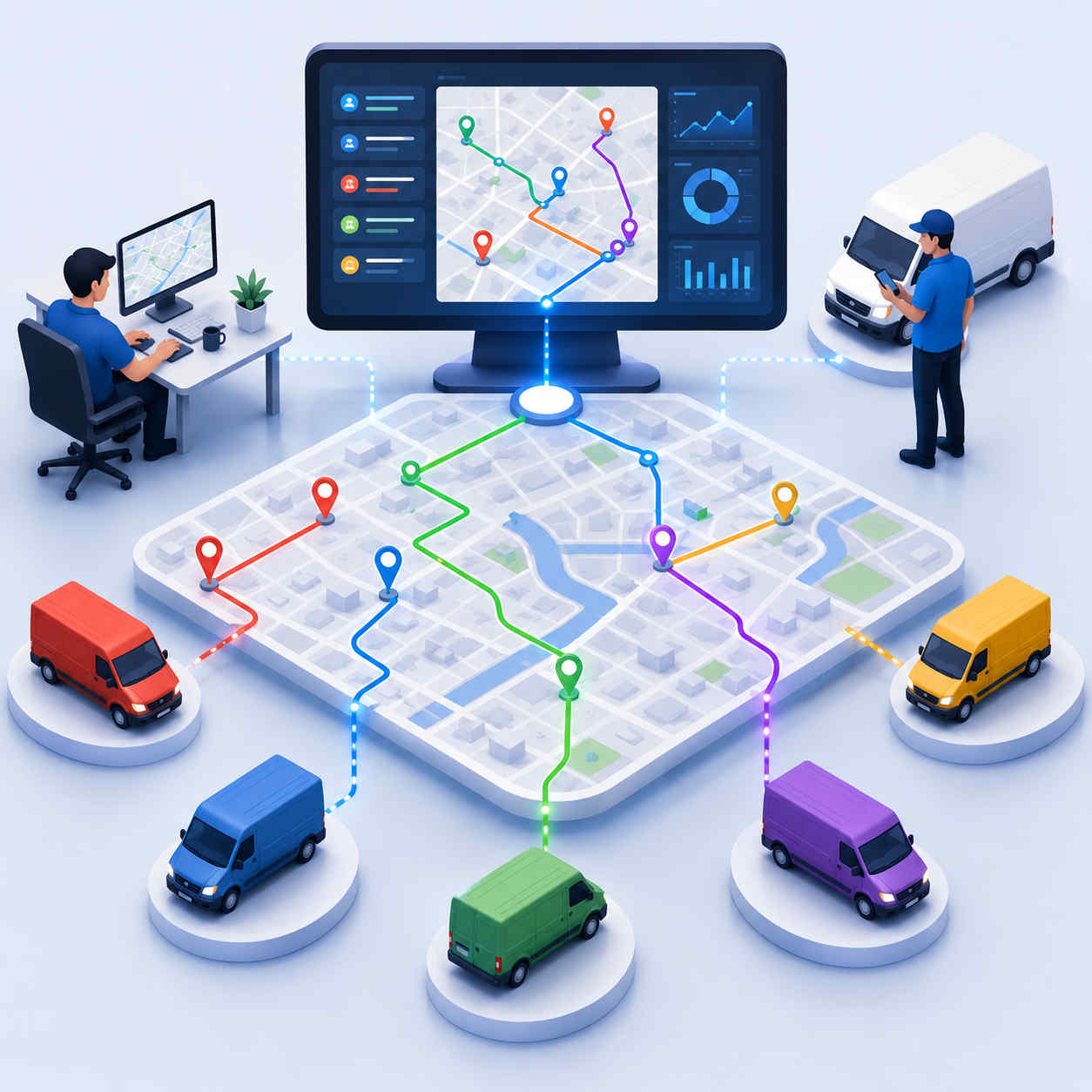
Fleet dispatch software is a tool that lets you assign work to drivers, send them optimized routes, track them in real time, and keep customers updated, all from one dashboard. Instead of a dispatcher hand-building routes and phoning drivers, the software takes the day’s stops, splits them across the available drivers, sequences each route for the fewest miles, and pushes everything to a driver app. Good dispatch software also adjusts live when the day changes, reassigning stops when a driver drops out or a rush order lands.

The difference between plain route optimization and true fleet dispatch software is the team layer. Route optimization sequences one driver’s stops. Dispatch software decides which driver gets which stops in the first place, balances the load across everyone, and gives you a control room to run the whole day from. If you manage more than a couple of drivers, that team layer is where the real time savings live.

You’ll also see the terms fleet dispatch software and fleet dispatching software used interchangeably, and for practical purposes they mean the same thing. Whether a vendor labels it fleet dispatch or fleet dispatching, what you’re buying is a system that turns a pile of orders into assigned, sequenced, trackable routes.

How fleet dispatching works, step by step

Under the buzzwords, fleet dispatching follows a simple sequence, and understanding it makes the tool choices below much clearer. Modern fleet dispatch software runs this entire loop automatically, where a manual operation runs it by hand and pays for the difference in time and mistakes.

It starts with intake. Orders arrive from wherever you take them: a spreadsheet, a CSV export, or a live API feed from your order or e-commerce system. From there, the fleet dispatching software validates and geocodes each address, so every stop lands in the right place on the map.

Next comes assignment, the step that defines fleet dispatch. The software looks at who’s working, what each vehicle can carry, and where every driver starts, then splits the day’s stops across the team so the workload is balanced rather than dumped on whoever the dispatcher trusts most. This is the part manual fleet dispatching gets wrong most often.

Then sequencing. For each driver, the fleet dispatching software orders the stops for the fewest miles and the best chance of hitting every time window, factoring in real roads and live traffic rather than straight-line distance.

Fourth is dispatch to the driver. Finished routes land in a driver mobile app with turn-by-turn navigation, delivery notes, and the day’s stops in order, so nobody’s working from a printed sheet or a group text.

Fifth is live tracking and re-dispatch. As drivers work, the dispatcher watches progress on a live map, and when the day shifts, whether that’s a cancellation, a rush order, or a driver out sick, the fleet dispatch software re-dispatches on the spot instead of forcing a rebuild. Customers stay informed through automatic delivery notifications the whole time.

Finally, proof and reporting. Each drop is confirmed with a photo, signature, or GPS-stamped time, and once the day wraps, route analytics turn it into planned-versus-actual numbers you can act on. That closed loop, from intake to insight, is what good fleet dispatching software delivers, and a whiteboard never will.

What to look for in fleet dispatch software

Before the list, here’s the short version of what separates a tool that runs your day from one that just draws lines on a map.

The biggest one is multi-driver assignment. Plenty of tools marketed as dispatch software really only plan a single route at a time. If you still have to decide who takes what before the software runs, you haven’t automated the expensive part. Real fleet dispatch software splits the whole day across your drivers on its own.

Then there’s live re-dispatching. A plan built at 6 a.m. is wrong by 10. The dispatch software worth paying for absorbs new orders, reacts to a driver running behind, and reshuffles when someone calls in sick, without you rebuilding from scratch.

After that it’s the practical stuff: whether the tool respects real constraints like time windows, vehicle capacity, and driver shifts; whether it captures proof of delivery and sends customer notifications; how fast you can get started; and, increasingly, whether it demands hardware. Older dispatch software wanted a tracker wired into every vehicle. The modern baseline is live tracking through the driver’s phone with nothing to install.

Keep those in mind as you read. Now the list.

Why fleets are moving to dispatch software in 2026

The pull toward fleet dispatching software isn’t really about technology for its own sake. It’s about money that’s been leaking out of manual fleet dispatch for years, now that the tools to stop it are cheap and quick to deploy.

Start with fuel and miles. When a human splits routes by hand, they can’t hold enough variables in their head to find the tightest plan, so drivers backtrack, overlap, and cover ground nobody needed to. Fleet dispatch software that runs proper route optimization across the whole team routinely trims 20 to 30 percent off the miles, and the fuel bill follows the miles down. On a fleet of any size, that alone tends to cover the subscription several times over.

Then there’s the dispatcher’s time. The two hours every morning spent building routes, plus the constant firefighting through the day, is expensive labor doing work software now does in seconds. Move that to dispatch software and the dispatcher shifts from building plans to supervising exceptions, which is both cheaper and more useful. Most teams get ten to twenty hours a week back.

The quieter savings matter just as much. Balanced assignment means less overtime and fewer burned-out drivers, which shows up in retention, since replacing a driver is never cheap. Window-aware routing means more first-try deliveries, so you pay to attempt fewer stops twice. And automatic customer notifications mean fewer “where’s my order” calls tying up the office. Delivery teams commonly report support calls dropping by 40 percent or more once dispatch software is sending ETAs on its own.

There’s also a customer-expectation shift underneath all of this. People now expect a national-carrier tracking experience even from a local delivery: a morning ETA, a live link, a photo at the door. You simply can’t produce that by hand, and the dispatch software that assigns your routes is the same system generating those updates. So the operational win and the customer-experience win arrive together.

Add it up and 2026 is the year the math stopped being close. When the hardware barrier is gone and setup takes an hour, sticking with a whiteboard is the expensive option. With that context, here’s how the leading tools compare.

1. Bodha: Best overall fleet dispatch software for last-mile teams

Bodha is dispatch software built specifically for last-mile and multi-stop delivery fleets, and it’s the tool we’d point most delivery operators to first. You import the day’s stops from a spreadsheet or through the API, and Bodha assigns them across every driver and sequences each route in under thirty seconds, with delivery windows, vehicle capacity, and driver availability built into the plan rather than bolted on afterward.

What makes it stand out as fleet dispatch software is the control room. Dispatchers work the whole day from one live map, drag stops between drivers mid-shift, and reassign a sick driver’s entire route in two clicks while the system rebalances everyone else. Its live tracking runs on the GPS already in drivers’ phones, so there’s no hardware to buy and no per-vehicle box, and every customer gets a branded tracking link with automatic ETAs.

Best for: Courier, food and beverage, waste, pharmacy, and field-service fleets that want proper dispatch software without a hardware rollout. 

Pricing: From around $29.99 per driver per month with unlimited stops (see plans); notifications, proof of delivery, and scanning included rather than gated a tier up. 

Watch for: It’s focused on last-mile delivery dispatch, not heavy telematics like engine diagnostics or DOT/ELD compliance, so long-haul trucking fleets that need those will want a telematics platform alongside it.

2. Onfleet: Best for high-volume last-mile delivery dispatch

Onfleet is a well-known last-mile delivery management platform with strong dispatch software features: route optimization, driver tracking, customer notifications, and proof of delivery in a clean interface. It’s a popular choice for e-commerce and food delivery operations that push a lot of volume through a warehouse or kitchen.

As fleet dispatch software it’s capable and mature, but the pricing model tends toward enterprise. It’s billed by tasks rather than drivers, so costs scale with delivery volume, and SMS is charged separately on top. For a busy mid-market operation that’s fine; for a smaller fleet it can get expensive fast.

Best for: Mid-market e-commerce and food delivery with high daily volume. 

Pricing: Roughly $599–$619 per month for about 2,500 tasks, before SMS. 

Watch for: Task-based pricing means your bill climbs with volume; smaller fleets often find per-driver dispatch software cheaper.

3. OptimoRoute: Best for planning-heavy dispatch and field service

OptimoRoute leans toward the planning and scheduling side of dispatch software. It’s strong on scheduling recurring work, spreading jobs evenly across a crew, and mapping whole days or weeks in advance, which makes it a good fit for field service as well as delivery. Capacity-aware optimization and solid reporting round it out.

It works well as fleet dispatching software for teams that plan ahead, though the entry tier caps order volume and there’s no permanent free plan, so it’s more of a commitment than a quick trial.

Best for: Delivery and field-service teams scheduling recurring work across a crew. 

Pricing: Around $35.10 per driver per month on annual billing; entry tier caps you near 700 orders. 

Watch for: The order cap on the base plan, and no free tier to test on real routes long-term.

4. Route4Me: Best mature, broad-market dispatch platform

Route4Me is one of the longest-running names in this category, with dispatch software covering everything from solo drivers up to enterprise teams. It has deep route optimization, a wide integration library, and a lot of configurability, which is both its strength and its learning curve.

If you want a feature-rich platform with a long track record and don’t mind investing time to set it up, Route4Me delivers. The trade-off is that it can feel heavier and less modern than newer dispatch software, and it doesn’t publish standard pricing.

Best for: Businesses wanting a mature, highly configurable dispatch platform. 

Pricing: Not publicly listed; quote-based by tier. 

Watch for: Configurability comes with complexity, and the lack of transparent pricing makes budgeting harder.

5. Spoke Dispatch: Best for small delivery teams

Worth clearing up the name first, because a lot of comparison posts still get it wrong: Circuit for Teams was rebranded as Spoke Dispatch in late 2025, and the solo Circuit Route Planner became Spoke Route Planner. Same product and team, new name. If you’re evaluating “Circuit” today, you’re looking at Spoke.

As dispatch software it’s clean, modern, and easy for small teams to pick up, with good multi-stop optimization, a dispatcher view, driver tracking, and proof of delivery. It’s a strong pick for teams of a handful of drivers who want something simple.

Best for: Small delivery teams that want straightforward fleet dispatch software. 

Pricing: Around $100 per month for 500 stops, with overage fees beyond that. 

Watch for: Stop-package pricing with overages can bite in a busy month; heavier fleets outgrow the entry tier.

6. Samsara: Best for large mixed fleets needing telematics plus dispatch

Samsara is a telematics platform first, with dispatch software as one capability inside a much larger system built around vehicle diagnostics, driver-behavior scoring, cameras, and compliance. For a big mixed fleet that wants hardware-level visibility into vehicles and a way to dispatch them, it’s a serious contender.

The trade-off is that you’re buying a telematics ecosystem, not a lightweight dispatch tool. That means per-vehicle hardware, longer rollouts, and custom pricing. The dispatch and routing layer is capable but isn’t the product’s center of gravity the way it is for a dedicated last-mile tool.

Best for: Large mixed fleets that need telematics and dispatch in one system. 

Pricing: Custom, plus per-vehicle hardware. 

Watch for: Hardware installs and multi-year contracts; overkill if you only need last-mile dispatch software.

7. Motive: Best for trucking and freight dispatch with compliance

Motive (formerly KeepTruckin) is built around trucking: ELD compliance, hours-of-service, driver safety, and fleet management, with dispatch software geared toward loads and long-haul rather than doorstep deliveries. If your operation is freight and your dispatch problem is which truck hauls which load while staying compliant, Motive is designed for exactly that world.

It’s less suited to dense last-mile delivery, where the problem is sequencing sixty stops across a van rather than assigning a single load to a rig. Like other telematics-first platforms, it involves hardware and custom pricing.

Best for: Trucking and freight fleets that need dispatch plus ELD/HOS compliance. 

Pricing: Custom, plus hardware. 

Watch for: It’s freight-oriented dispatch software; last-mile delivery teams are a poor fit.

8. Verizon Connect: Best for enterprise fleet tracking with dispatch

Verizon Connect is an enterprise fleet management and telematics platform with dispatch software and routing among its many modules. It offers deep GPS tracking, vehicle diagnostics, and reporting at scale, aimed at larger organizations that want one vendor across the whole fleet.

As with the other telematics giants, dispatch is a feature within a broad suite rather than the core focus, and it comes with hardware and enterprise pricing. Smaller last-mile operations tend to find it heavier and pricier than they need.

Best for: Enterprises wanting telematics and dispatch from a single large vendor. 

Pricing: Custom, plus per-vehicle hardware. 

Watch for: Enterprise sales cycles, hardware, and contracts; not built for quick last-mile setup.

9. Geotab: Best for telematics-first fleets adding dispatch

Geotab is a telematics powerhouse, and its dispatch software capability comes largely through MyGeotab plus its Marketplace of integrated routing and dispatch add-ons like Route4Me, Elite EXTRA, and others. If you’re already running Geotab hardware for tracking and compliance, layering dispatch on through the Marketplace is a natural extension.

The flip side is that dispatch isn’t native in the way it is for a dedicated tool, so you’re often stitching together the telematics core with a third-party routing add-on. That’s powerful for a hardware-committed fleet and unnecessarily complex for a small delivery team.

Best for: Fleets already invested in Geotab telematics who want to add dispatch. 

Pricing: Custom, plus per-vehicle hardware; add-on costs vary by Marketplace partner. 

Watch for: Dispatch via add-ons rather than native; more moving parts to manage.

10. Elite EXTRA: Best for dispatch with delivery management add-ons

Elite EXTRA handles live fleet dispatch and delivery management side by side, letting teams build and optimize routes, push them out to drivers, and follow progress as the day runs. On the delivery side it layers in the record-keeping extras, like signature and photo capture at the door plus barcode scanning, so your proof and your fleet dispatching sit in one place. It also connects to telematics platforms, Geotab among them.

It’s a solid dispatch tool, though it’s more of a traditional enterprise, quote-based product than a self-serve one, so expect a sales conversation rather than an instant signup.

Best for: Delivery operations wanting dispatch plus signature, photo, and barcode capture. 

Pricing: Custom/quote-based. 

Watch for: Quote-based onboarding; less self-serve than newer dispatch software.

Fleet dispatch software by industry

Fleet dispatching looks different depending on what you move, and the best fit often depends on your vertical more than your size. Courier and parcel operations need dense multi-stop sequencing and proof of delivery, which is the core of last-mile fleet dispatch software; Bodha’s courier dispatch setup is built around exactly that. Food and beverage fleets add tight time windows and temperature-sensitive loads, so the fleet dispatching software has to respect capacity and freshness, not just distance. Waste and recycling haulers care most about service verification and route adherence. Pharmacy and medical delivery needs airtight proof and scheduled windows. Field service teams, like HVAC, plumbing, pest control, and cleaning, need fleet dispatch that handles job durations and skills alongside geography. And trucking fleets lean toward load-based dispatch and compliance. The takeaway: match the fleet dispatching software to the shape of your work, because a tool built for one of these rarely fits another cleanly.

How to choose the right fleet dispatch software

Strip away the branding and the choice usually comes down to one question: are you dispatching deliveries or dispatching vehicles?

If your day is about getting stops to doors (courier, food, pharmacy, waste, field service), you want dedicated last-mile fleet dispatch software that assigns and sequences stops across drivers, tracks through the phone, and gets you live the same day. Bodha, Onfleet, OptimoRoute, and Spoke all live in this camp, with Bodha the strongest all-round fit for fleets that want full dispatch without a hardware project.

If your day is about managing trucks and compliance across a large or long-haul fleet, the telematics-first platforms (Samsara, Motive, Verizon Connect, Geotab) give you hardware-level vehicle data with dispatch as one piece of a bigger system. They cost more, take longer to roll out, and are overkill if all you actually need is to route a team of drivers.

A few practical habits make any rollout smoother. Start with a pilot route rather than flipping the whole operation overnight, decide upfront what success looks like (miles cut, windows hit, planning time saved), and measure against your current numbers before you scale. The same step-by-step approach works whether you’re routing couriers or field techs. Train dispatchers and drivers separately, because they need different things from the fleet dispatching software. And confirm current pricing directly with each vendor, since rates in this category shift through the year and any figure in a comparison post is a starting point, not a quote.

Get the match right and fleet dispatch software stops being software you bought and starts being the thing that quietly runs your day. If you want to see it on your own routes, you can start a free trial of Bodha and dispatch a real day’s stops within the hour.

Frequently Asked Questions

Fleet dispatch software is a tool that assigns work to drivers, sends them optimized routes, tracks them in real time, and keeps customers updated from one dashboard. Instead of a dispatcher hand-building routes and calling drivers, the dispatch software splits the day's stops across the team, sequences each route, and pushes it to a driver app, adjusting live when the day changes.

Route optimization sequences the stops on a single route for the fewest miles. Fleet dispatch software does that and decides which driver gets which stops in the first place, balances the workload across the whole team, tracks drivers live, and lets you re-dispatch when things change. If you run more than a couple of drivers, that team-level assignment is the part that saves the most time.

It depends on the type. Telematics-first dispatch software like Samsara, Motive, Verizon Connect, and Geotab uses per-vehicle hardware. Modern last-mile dispatch software like Bodha runs on the GPS already in drivers' phones, so you get live tracking and dispatch with nothing to install and no per-vehicle box to buy.


It varies by billing model. Per-driver dispatch software starts around $29.99 per driver per month with unlimited stops. Task- and stop-based tools like Onfleet and Spoke price by volume, starting near $599 and $100 per month respectively. Telematics platforms like Samsara and Geotab use custom pricing plus hardware. Always confirm current rates with the vendor.

Small last-mile teams are usually best served by dedicated dispatch software that's quick to set up and priced per driver, such as Bodha or Spoke Dispatch. These avoid the hardware, long rollouts, and enterprise contracts that come with telematics-first platforms, and they let a small team start dispatching real routes the same day.

Most tools specialize in one. Trucking-focused dispatch software like Motive is built around loads, freight, and ELD compliance, while last-mile dispatch software like Bodha or Onfleet is built around sequencing many stops across delivery drivers. Large mixed fleets sometimes run a telematics platform for the vehicles and a dedicated last-mile tool for the delivery dispatch.

Still Comparing Dispatch Software?

Run a real day of your own stops through Bodha and see the difference. Free trial, no card.

Related blogs

How to Plan Delivery Routes: A Practical Guide for Operators

How to Plan Delivery Routes: A Practical Guide for Operators

Back Table Of Content Something every experienced dispatcher knows: the difference between a good day and a chaotic…

Reduce Delivery Costs: 10 Proven Strategies That Actually Work

Reduce Delivery Costs: 10 Proven Strategies That Actually Work

Back Table Of Content Last-mile delivery is the most expensive part of the logistics chain. It accounts for…

Best Route Optimization Software for Food Distributors in 2026: Features, Pricing & Top Picks

Best Route Optimization Software for Food Distributors in 2026: Features,…

Back Table Of Content In food distribution, the clock runs everything. You’re moving perishable stock through narrow receiving…

AI Dispatch Software: How Fleets Are Automating Route Assignment in 2026

AI Fleet Dispatch Software

AI Dispatch Software: How Fleets Are Automating Route Assignment in 2026

user profile

Ruchita Purohit

July 27, 2026

Table Of Content

Walk into most delivery operations at 6 a.m. and you’ll see the same scene you’d have seen ten years ago. A dispatcher with three screens open, a printed manifest, a coffee going cold, and a whiteboard covered in driver names. They’re deciding, by hand, who takes which stops. It takes an hour, sometimes two. And by the time the drivers roll out, a chunk of the morning is already gone.

Then the day starts moving and the plan starts breaking. A driver calls in sick. A rush order lands. Traffic swallows a whole zone. The dispatcher spends the rest of the shift firefighting — moving stops around, calling drivers, apologizing to customers about missed windows.

Here’s what changed in 2026: fleets stopped doing this by hand. The assignment part — deciding which driver gets which stops, in what order — is now something software does in seconds. That’s the shift this article is about. Not route planning in the abstract, but the specific, unglamorous, expensive job of assigning work across a fleet, and how modern AI dispatch software has quietly taken it over.

If you run deliveries and you’re still building routes manually, this is the part of your operation with the most money hiding in it.

What "automating route assignment" actually means

Let’s be precise, because the words get thrown around loosely.

Route assignment is the decision layer. Given a pile of stops and a set of drivers, who does what? Route sequencing is the next layer once a driver has their stops, what order minimizes the miles? For years, dispatch software handled the sequencing part reasonably well and left the assignment to a human. You’d optimize one driver’s route at a time and still eyeball the split across the team.

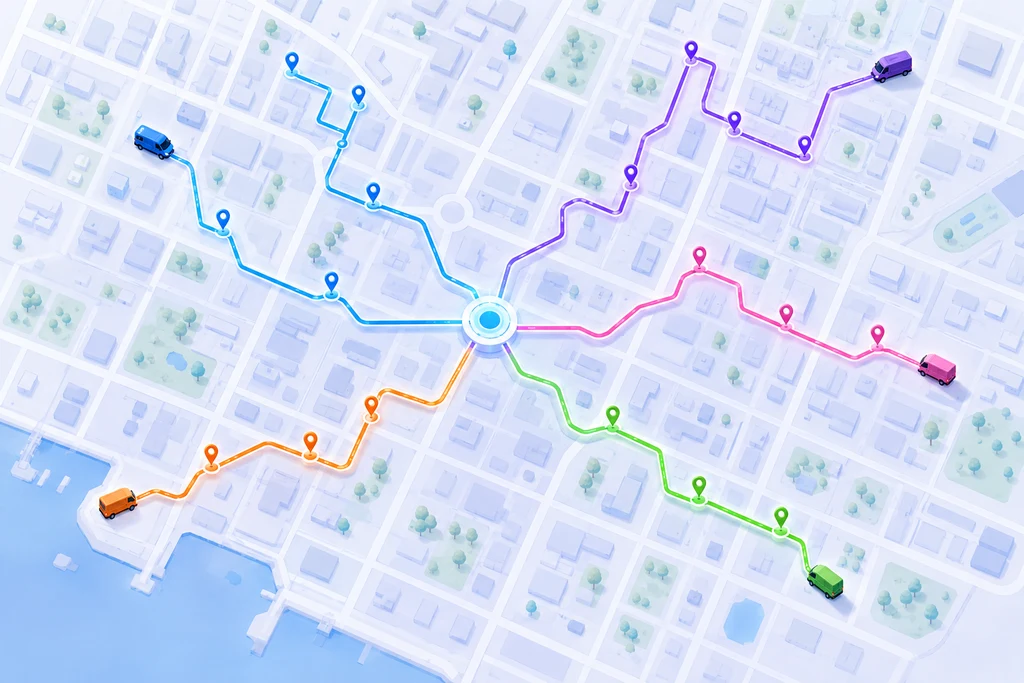
AI dispatch software collapses both jobs into one. You drop in the day’s stops, and the system decides the split and the sequence together, across every driver at once. It looks at who’s available, what each vehicle can carry, where everyone is starting from, the delivery windows customers were promised, and it produces a finished plan. Every driver, every stop, every order done.

The reason this matters is that assignment and sequencing aren’t really separate problems. The best order for a stop depends on which driver has it, and the best driver for a stop depends on what else is on their route. A human can’t hold all of that in their head at once. Nobody can. You’re juggling maybe five or six variables before your brain taps out, and a mid-size fleet has thousands of possible combinations. Good dispatch software runs through those combinations in the time it takes you to read this sentence.

That’s the whole trick. Dispatching software used to mean “tell the nearest driver to grab this.” Now it means “figure out the entire day for the entire fleet, and adjust it live as things change.” The assignment happens automatically, and the human moves up to managing the exceptions instead of grinding out the plan.

Route assignment is not the same as load assignment

Quick but important detour, because there are two very different worlds using similar words.

If you run long-haul trucking, “assignment” usually means matching a load to a truck which rig hauls which freight, factoring in hours-of-service, backhauls, and empty miles. That’s load assignment, and there’s plenty of dispatch software built for it.

Last-mile is a different animal. A single driver might have sixty stops in an afternoon. The question isn’t “which truck gets this one load” it’s “how do we split hundreds of stops across a dozen drivers so nobody’s overloaded, everybody hits their windows, and the total miles stay low.” That’s stop-level assignment, and it’s exactly what last-mile AI dispatch software is built to solve.

The distinction matters when you’re shopping. A tool designed for freight will talk about lanes and loads and carriers. A tool designed for last-mile delivery — proper dispatching software for multi-stop routes — talks about stops, windows, drivers, and proof of delivery. If your business is dropping packages, food, or parts at a lot of doors every day, you want the second kind. The vocabulary on a vendor’s homepage tells you which world they were built for.

How AI dispatch software assigns routes

Under the hood it’s less mysterious than the marketing makes it sound. There are three moving parts: what goes in, what happens in the middle, and what comes out.

What goes in. The system needs to know a few things to make good calls. Your stops, obviously — addresses, delivery windows, any special notes like “leave at side gate” or “signature required.” Your drivers and vehicles — who’s working today, what each van holds, where each one starts. And live conditions — current traffic, and where everyone actually is right now rather than where they were an hour ago. Feed it garbage and you get garbage back, which is why the fleets that get the most out of AI dispatch software tend to be the ones that cleaned up their address data first.

What happens in the middle. This is the part that earns the “AI” label, though it’s really applied math doing a lot of heavy lifting. The engine weighs goals that pull against each other — shortest total distance, balanced workloads, respected time windows, on-time arrivals — and finds the arrangement that serves all of them best. The nearest driver isn’t automatically the right driver. Someone slightly farther out who’s already headed that direction, with room left in the van, is often the smarter pick. That’s the kind of trade-off AI dispatch handles that a person under time pressure simply can’t.

What comes out. A finished plan the dispatcher can actually read. Each driver’s stops, in order, with realistic arrival times, pushed straight to the driver’s phone. No re-keying, no printing, no group text with a screenshot of a spreadsheet. The dispatcher glances at it, sees nothing on fire, and approves. What used to eat two hours now takes a few minutes of review.

And when the day shifts — because it always shifts — the same engine re-runs. A driver drops out, a big order comes in late, a road closes. Good dispatch software recalculates the affected routes and hands the dispatcher a fix instead of a fresh problem. They accept it, tweak it, or override it. Either way they’re supervising, not rebuilding.

Why 2026 is the year this went mainstream

AI dispatch isn’t brand new. The math behind it has existed for years, and big enterprise logistics teams have used some version of it for a while. What changed recently is that it got cheap, fast, and simple enough for ordinary operators — the courier with ten vans, the food distributor, the pest-control company running service routes. AI dispatch software stopped being an enterprise luxury and became something a small team can turn on in an afternoon.

A few things pushed it over the line. Phone GPS got good enough that you no longer need hardware in every vehicle to track a fleet or feed live positions back into the plan, which knocked out the biggest upfront cost. Mapping and traffic data got accurate enough that the drive times the software calculates actually match what the driver experiences. And the software itself got faster — where a full run once took real computing muscle, modern dispatching software returns a finished, assigned plan in seconds on ordinary cloud infrastructure.

Costs pushed too. Fuel prices climbed and stayed high, driver pay went up, and margins in delivery got thinner. When every mile costs more, the miles you waste hurt more, and manual assignment wastes plenty of them. That math finally tipped for a lot of operators who’d been getting by on spreadsheets. The savings from good AI dispatch software stopped being a nice bonus and became the difference between a route that’s profitable and one that isn’t.

There’s also a customer-expectation angle that’s easy to overlook. People now expect the same tracking experience from a local delivery that they get from a national carrier — a morning heads-up, a live link, a photo when it’s dropped. You can’t deliver that experience if a human is still shuffling stops on a whiteboard and phoning drivers for updates. The dispatch software that assigns routes automatically is also the thing generating those live ETAs and tracking links, so the operational upgrade and the customer-facing upgrade arrive in the same box.

Put those together and 2026 is simply the year the barriers fell at once. The hardware barrier, the cost barrier, the speed barrier, and the expectation barrier all moved in the same direction. AI dispatch software that used to be out of reach for a small operator is now a monthly subscription you can start this week. That’s why the operators who spent the last few years planning by hand are switching now, and why the ones who wait another year are going to be competing against rivals whose dispatchers are twice as productive.

None of this means the dispatcher disappears. It means the boring, repetitive, error-prone part of their job — the raw assignment — gets handed to the software, and the judgment part stays with the human. That’s the trade every fleet is making right now, and it’s a good one.

What actually changes on the floor

Numbers are fine, but here’s what it looks like in a real shift, because that’s where you’ll feel it.

Take a courier running eight drivers and around two hundred drops a day. Before, the owner came in early to build routes because nobody else could. It was a two-hour job and it was the same two hours every single morning. If he was out, the day started late. That’s a business with a single point of failure standing at a whiteboard.

With AI dispatch software in place, the morning build is a review, not a construction project. The day’s stops come in overnight from the order system. By the time he sits down, there’s already a plan waiting — split across the eight drivers, sequenced, windows respected. He scans it, moves two stops he knows are tricky, and sends it. Fifteen minutes. Drivers are moving before the coffee’s cold this time.

Then the interesting part, which is the middle of the day. A driver texts in sick at 9:40. In the old world that’s a scramble — pull his manifest, figure out which of the other seven can absorb the stops, call each one, hope nothing gets dropped. With dispatch software doing the assignment, the dispatcher reassigns that route in a couple of clicks. The system spreads those stops across the available drivers, re-sequences everyone it touched, and pushes the updates. The customers on that route never know anything happened.

That’s the real payoff, and it’s easy to miss when you’re staring at fuel percentages. AI dispatch doesn’t just save time in the morning. It removes the panic from the rest of the day. Your dispatcher stops being a human load-balancer and starts being someone who catches the problems the software flags. Same person, much higher-value work.

Where the savings actually come from

When people pitch AI dispatch software, they lead with fuel, and fuel is real. Smarter stop order and smarter driver splits cut the total miles your fleet drives, and fewer miles means less fuel. Fleets running solid route optimization commonly see fuel drop by 20 to 30 percent from routing alone — not from driving slower, just from not backtracking across town three times a day.

But fuel is only the headline. The quieter savings are usually bigger.

There’s the dispatcher’s time — those ten to twenty hours a week that used to disappear into manual planning, now freed up for work that actually grows the business. There’s overtime, which shrinks when workloads are balanced and nobody’s stuck finishing a bloated route at 7 p.m. There’s vehicle wear, because miles you don’t drive are repairs you don’t pay for. And there’s the cost of failure — the redeliveries, the refunds, the support calls from customers wondering where their order is. Balanced, window-aware assignment means more stops land on the first try, and every first-try delivery is one you don’t have to pay to attempt twice.

Then there’s the one nobody puts on a spreadsheet: driver retention. Drivers hate unfair routes. When one person always seems to get the brutal day and another coasts, resentment builds and good drivers leave. Dispatch software assigns by the numbers, not by who the dispatcher likes, and fair workloads keep people around. Replacing a driver isn’t cheap. Keeping the ones you have is one of the least-discussed returns on good AI dispatch software.

Add it up and the fuel line, big as it is, ends up being maybe a third of the story. The rest is time, breakage, and people. That’s the part most operators underestimate before they switch, and the part they talk about most once they have. The fuel savings get you in the door; the calmer, more predictable operation is what keeps you from ever going back.

What to look for in AI dispatch software

Not every tool that calls itself dispatch software actually assigns work across a team. A lot of them optimize a single driver’s route and stop there. If you run more than one driver, that’s only half the job. So here’s what separates dispatching software that automates assignment from the tools that just draw a tidy line on a map.

True multi-driver assignment. This is the whole point. The system should take the full day’s stops and split them across every driver on its own, balancing the load, not just sequence a list you’ve already divided by hand. If you’re still deciding who gets what before the software runs, you haven’t automated the expensive part.

Live re-optimization. A plan built at 6 a.m. is wrong by 10. The best AI dispatch software adjusts through the day — absorbing new orders, reacting to a driver who’s running behind, reshuffling when someone drops out. Static planning that can’t bend is a downgrade dressed up as software.

Real constraints, not just distance. Delivery windows, vehicle capacity, driver shifts, priority customers — these are the things that make a route actually work in the real world. Dispatch software that only knows distance will happily hand you a beautiful, impossible plan.

Easy in, easy out. You should be able to drop in a spreadsheet or connect your order system by API and be dispatching the same day, not next quarter. And the routes need to land on the driver’s phone with navigation and proof-of-delivery built in, or you’ve just moved the paperwork around.

No hardware tax. Older dispatching software wanted a tracker bolted into every vehicle. Modern tools use the GPS already in your drivers’ phones. Live tracking with nothing to install and no per-vehicle box to buy — that’s the current baseline, and anything asking you to wire up hardware is asking you to pay for last decade’s approach.

Get those five right and the tool will actually take the assignment work off your plate. Miss two or three and you’ve bought a fancier way to do the same manual job.

Is your fleet ready for automated dispatch?

You don’t need to be huge for this to pay off, but there’s a rough line where it goes from nice-to-have to no-brainer.

If you’re running one or two drivers with simple, similar stops, honestly, a basic route planner and some discipline might carry you. The math is still small enough for a person. But once you’re past a handful of drivers — call it five or more — and your stop count climbs into the dozens per driver, manual assignment starts costing you real money without you seeing it. The signal to watch for is your dispatcher: the moment they can’t hold the whole picture in their head anymore and start making rushed, so-so calls just to get drivers out the door, you’ve outgrown the whiteboard and it’s time for real dispatch software.

Two other things make AI dispatch software pay off faster. One is variety — if your stops differ in windows, vehicle needs, or priority, the number of trade-offs explodes and software pulls further ahead of any human. The other is data. If you’re already tracking deliveries digitally, you’ve got the fuel the system runs on. If you’re still on paper, the first move is getting off paper; the dispatching gains follow right after.

A simple gut check: can you answer “what was our on-time rate last Tuesday?” in under a minute? If yes, you’re ready to let dispatch software do the assigning. If no, that’s the thing to fix first, and it’s a good reason to adopt a platform that tracks it for you.

How Bodha automates dispatch for your fleet

This is exactly the job Bodha’s AI dispatch software was built for. You import the day’s stops from a spreadsheet or straight through the API, and Bodha handles the assignment — splitting hundreds of stops across every driver and sequencing each route, all in under thirty seconds. Delivery windows, vehicle capacity, and driver availability are baked into the plan, not bolted on afterward.

When the day moves, Bodha moves with it. Reassign a sick driver’s whole route in two clicks and the system rebalances the rest of the team automatically. New orders slot into existing routes. The dispatcher watches the day unfold on one live map and fixes problems by dragging a stop, not by working the phones.

And there’s no hardware to buy. Bodha’s live tracking runs on the GPS already in your drivers’ phones, so every customer gets a branded tracking link and every dispatcher gets real-time visibility with nothing to install. Drivers get their whole round in order, turn-by-turn navigation, and proof-of-delivery capture in one app. Whether you’re a courier, a food and beverage operation, a waste-collection crew, or a field-service team, Bodha’s dispatching software is tailored to how your routes actually run.

Most teams are live within an hour. If you’re ready to stop building routes by hand and let dispatch software do the assigning, you can start a free trial and be routing today.

Frequently Asked Questions

AI dispatch software is a tool that plans and assigns delivery routes across a team of drivers automatically. Instead of a dispatcher deciding who takes which stops by hand, the software looks at all your stops, drivers, vehicles, and delivery windows at once, then splits and sequences the work across the whole fleet in seconds. Good dispatch software also adjusts those assignments live as conditions change during the day.

A basic route planner usually optimizes one driver's route at a time. Dispatch software handles the whole operation — assigning stops across multiple drivers, tracking them live, capturing proof of delivery, and notifying customers, all from one dashboard. If you run more than a couple of drivers, the multi-driver assignment inside AI dispatch software is the part that saves the most time and money.

Fleets using solid AI dispatch software commonly report fuel savings of around 20 to 30 percent, purely from smarter stop order and better driver splits that cut unnecessary miles. The bigger picture usually adds dispatcher time saved, lower overtime, less vehicle wear, and fewer failed deliveries on top of the fuel line.

Not with modern tools. Older systems required a GPS tracker in every vehicle, but current dispatching software uses the GPS already in your drivers' phones. That gives you live tracking and real-time updates with nothing to install and no per-vehicle hardware cost.

Most teams are up and running within an hour. You import your stops from a spreadsheet or connect your order system through an API, set up your drivers, and the dispatch software generates optimized, assigned routes right away. Full fine-tuning improves over the first few weeks as the system learns your operation, but you'll see value from day one.

It depends on your complexity. With one or two drivers and simple stops, a basic planner may be enough. Once you're past about five drivers, or your stops vary in windows and vehicle needs, manual assignment starts costing real money in wasted miles and dispatcher time — and that's where AI dispatch software pays for itself quickly.

Automate Your Fleet's Dispatch

Assign hundreds of stops across every driver in under 30 seconds. Start free — no credit card.

Related blogs

How to Plan Delivery Routes: A Practical Guide for Operators

How to Plan Delivery Routes: A Practical Guide for Operators

Back Table Of Content Something every experienced dispatcher knows: the difference between a good day and a chaotic…

Reduce Delivery Costs: 10 Proven Strategies That Actually Work

Reduce Delivery Costs: 10 Proven Strategies That Actually Work

Back Table Of Content Last-mile delivery is the most expensive part of the logistics chain. It accounts for…

Best Route Optimization Software for Food Distributors in 2026: Features, Pricing & Top Picks

Best Route Optimization Software for Food Distributors in 2026: Features,…

Back Table Of Content In food distribution, the clock runs everything. You’re moving perishable stock through narrow receiving…

Delivery Fleet Management Software Cost in 2026: What You Should Actually Pay

Delivery Fleet Management Software Cost in 2026

Delivery Fleet Management Software Cost in 2026: What You Should Actually Pay

user profile

Ruchita Purohit

July 23, 2026

Table Of Content

Quick answer: Most delivery fleets pay between $25 and $60 per vehicle per month for software in 2026. But that number hides more than it reveals, because vendors bill on four completely different models: per driver, per vehicle, per task, and per stop. Picking the wrong one for your operation can triple your bill without adding a single feature.

Here is the part nobody tells you when you request a demo.

Two delivery companies with identical fleets can pay wildly different amounts for essentially the same software. A ten-van grocery operation running 4,000 drops a month and a ten-van furniture delivery business running 400 drops a month will get quoted the same per-driver rate. On a per-task platform, one of them pays roughly ten times what the other does. Neither rate is wrong. They are simply built for different shapes of business, and most buyers never find out which shape they are until the invoice arrives.

This guide breaks down what the major platforms actually charge in 2026, what a fleet of 5, 25, and 100 vehicles should expect to spend, and where the real money hides, which is almost never in the headline monthly rate.

The four pricing models, and why picking the wrong one costs you

Before you compare a single price, work out which model fits how your business behaves. This matters more than any feature checklist.

The most common model in last-mile software is per driver, per month. You pay a fixed amount for every driver seat regardless of how many deliveries that person makes, which is predictable and easy to budget but punishes you if you run seasonal staff or if volume per driver is low. A team that hires eight extra drivers for December pays for eight extra seats in December. Per-vehicle pricing works the same way but ties the fee to the asset rather than the person, and it dominates telematics and GPS tracking, where the hardware physically lives in the van. If your drivers rotate across a smaller pool of vehicles it works out cheaper than per driver. If you have more vans than drivers, it works out worse.

The alternative is metered billing. Per-task or per-order pricing gives you a flat monthly fee covering an allowance of deliveries, with overage charges beyond it. That is excellent when your driver count fluctuates but volume stays steady, and brutal when volume spikes. A team doing 2,000 orders in a quiet month and 5,000 in peak season can watch its bill swing by 80% with no way to lock in a rate. Per-stop pricing is a variation on the same idea, usually a base subscription plus a few cents for every stop past the included allowance, and those overage rates look trivial right up until you multiply them by a busy quarter.

The mismatch between model and operation is where fleets quietly lose money. Take a six-driver bakery distribution business doing 5,000 drops a month, a high-volume operation with a small, stable team. On a per-driver platform at $30 a seat they pay $180 a month. On a per-task platform with a 5,000-task tier at $1,299, they pay seven times more for the same work. Now flip it. A courier firm that runs eight drivers most of the year and eighteen through the holidays, at 2,000 drops a month either way, pays $240 rising to $540 on per-driver pricing, while a per-task plan holds flat no matter how many people it onboards.

Same software category, same feature list. The only variable is which number the vendor decided to meter. Work this out before you look at a single price.

What the major platforms actually charge in 2026

A note on sourcing before the numbers. The last-mile delivery platforms below publish their pricing openly, and these figures come from vendor pricing pages and review directories. The telematics giants, namely Samsara, Motive and Verizon Connect, publish nothing at all. Every figure quoted for them comes from customer reports, procurement records and RFP responses, so treat those as reported ranges rather than quotes you can hold anyone to.

Several of these deserve a closer look, because the entry price is rarely the story.

OptimoRoute runs a clean per-driver model with no contract and a 10% discount for paying annually. Lite covers 700 orders planned at once; Pro raises that to 1,000 and adds proof of delivery, live tracking and analytics. The catch is simple arithmetic. At $44.10 per driver on Pro with annual billing, a fifteen-driver fleet lands at roughly $7,900 a year whether those drivers run 200 stops a month or 2,000.

Track-POD is the one to read carefully. The advertised $49 is annual billing only, month-to-month is $59, and every plan carries a mandatory three-driver minimum, so the genuine floor is around $147 a month even if you operate a single van. The Advanced tier also caps you at 6,000 orders a month, and SMS notifications bill separately on every plan. Track-POD runs a parallel per-order model starting at $285 a month for 1,500 orders, which works out to roughly $0.19 per order.

Routific switched from per-vehicle to per-order pricing in mid-2024, which means much of the comparison content still circulating online describes a product that no longer exists. Today it is free up to 100 orders a month, $150 flat from 101 to 1,000, then a sliding per-order scale starting around $0.15 and falling to roughly $0.03 in the highest bands, with unlimited drivers and dispatchers throughout. For a ten-van operation doing under a thousand drops, that flat $150 works out to about $15 per vehicle, cheaper than any per-driver competitor at that size.

Onfleet sits at the top end and makes no apology for it. Launch is $599 a month for 2,500 tasks, Scale is $1,299 for 5,000, and Enterprise is $2,999 for 10,000 or more, with unlimited users on every tier. That user policy is genuinely generous. But if you are running 800 deliveries a month on Launch, you are paying roughly $0.75 per delivery for capacity you never touch, and SMS and voice are billed separately on top.

Spoke Dispatch, the platform most people still call Circuit for Teams and which was renamed in October 2025, tiers by monthly stop volume with per-stop charges beyond the allowance. Published tiers have moved around since the rebrand, so treat roughly $125 to $1,000 a month as the working range and confirm your band directly with them.

The telematics platforms solve a different problem entirely. They are built for vehicle tracking, driver safety, dashcams and DOT compliance rather than route planning, and their commercial model reflects that. Samsara is reported at $27 to $33 per vehicle per month for base telematics, rising to $40 to $60 once dashcams and add-ons are included, and a government price sheet that entered the public record lists $39 per vehicle per month plus $55 a month for a dual AI dashcam. Hardware runs roughly $99 to $148 per vehicle for the gateway, with AI dashcams adding $200 to $400, and all of it sits behind a three-year minimum with the full remaining balance due if you leave early. Motive is reported at $25 to $35 per vehicle per month on one-to-three-year terms, a meaningfully lighter commitment. Verizon Connect is reported at $20 to $45 depending on fleet size and negotiation, with three-year contracts standard at the lower end and early termination fees reported around $220 per device. Those figures sit inside the wider industry band of $20 to $60 per vehicle per month that is typically reported across the fleet management category. For a pure delivery operation, none of these really compete with a routing platform. You would buy them to solve compliance and safety, not to plan tomorrow’s routes.

What a fleet your size should actually budget

This is where the abstract ranges turn into real money. The figures below are software only, at typical mid-tier pricing, before any hardware.

A five-driver operation running roughly 1,000 deliveries a month is the cleanest comparison, because every model is still viable. At $29.99 per driver, Bodha Fleet comes to $150 a month, or $1,799 a year on annual billing. OptimoRoute Pro at $44.10 lands at $221 a month, or $2,646 a year. Track-POD’s Advanced tier at $49 works out to $245 a month, or $2,940. Routific’s flat rate covers you at $150 a month, or $1,800 a year. Onfleet’s Launch plan, meanwhile, costs $599 a month, which is $7,188 a year, and includes 2,500 tasks against your 1,000. You spend an entire year paying for headroom you never use. The spread between the cheapest sensible option and the most expensive is roughly fourfold, for software doing broadly the same job.

Scale that to twenty-five drivers running around 6,000 deliveries a month and the ranking changes. Bodha Fleet is $750 a month, or $8,997 a year on annual billing. OptimoRoute Pro reaches $1,103 a month, or $13,230 a year. Track-POD hits $1,225 a month, or $14,700. Routific, now well into per-order territory, comes to roughly $900 a month or $10,800 a year, and Onfleet’s Scale tier is $1,299 a month, or $15,588. Notice what has happened. Per-order pricing has stopped being the cheapest option because volume grew faster than headcount, and the gap between the lowest and highest per-driver option is now more than $5,700 a year.

Above one hundred vehicles almost everything moves to negotiated pricing and published rates stop meaning much. Assume $30 to $50 per vehicle per month for delivery software, which is $36,000 to $60,000 a year, and push for volume discounts because they exist. If you are buying telematics alongside it at a reported $27 to $45 per vehicle, that is a second line item of similar size, plus hardware on top.

Whatever your size, the number actually worth calculating is cost per delivery. Divide your monthly software spend by your monthly drops. Under $0.10 is efficient, $0.10 to $0.30 is normal, and anything above $0.50 means you are almost certainly on the wrong pricing model rather than the wrong platform.

Where the money actually hides

The subscription is rarely the largest number in a three-year total, and the gap between quoted price and real cost is where most buyers get caught.

Hardware is the first divergence. Route planning software runs on the phone your driver already carries, so hardware cost is zero. Telematics does not work that way. Gateways at $99 to $148 per vehicle and AI dashcams at $200 to $400 add up quickly across a fleet, and installation is usually extra. Before accepting any hardware-bundled quote, ask what happens to those devices if you cancel.

Contract length is the clause most buyers skim and the one that costs most. Three-year minimums are standard in telematics, and early termination typically means paying the entire remaining balance rather than a modest fee. A twenty-five-van fleet on a three-year deal at $35 per vehicle is committing to $31,500 before it has planned a single route. Month-to-month billing costs slightly more per month and is worth every cent if there is any chance your fleet size changes. While you are at it, ask what the rate does at renewal and get the answer in writing, because steep renewal increases are a well-documented complaint across the telematics category and the moment to negotiate is before you sign.

Then there are the smaller charges that compound. Plenty of platforms cap back-office users separately from drivers, so adding a second dispatcher can force a tier upgrade even though you have not added a vehicle. Confirm that dispatcher seats are unlimited if more than one person works the office. Customer SMS notifications are billed separately on several major platforms, and at a few cents a message across thousands of deliveries that quietly becomes a real line item. Onboarding is the last one to check. Modern last-mile platforms should have you running the same day at no cost, while enterprise systems can carry implementation fees running into thousands and take weeks to deploy. If a vendor cannot tell you how long onboarding takes and what it costs, you have your answer.

What the software has to earn back to be worth it

Cost is only half the question. The other half is what threshold the software has to clear before it pays for itself, and for delivery operations that bar is lower than most people assume.

Run the numbers on a ten-driver fleet paying $30 per driver per month, or $3,600 a year. Fuel is the obvious saving. If each van covers 800 miles a month at 18 mpg with fuel around $3.50 a gallon, you are spending roughly $155 per van per month, which is $18,600 a year across ten vans. A 15% mileage reduction from better route sequencing, which is conservative for an operation currently planning by hand, returns about $2,790 and covers three quarters of the subscription on its own.

Labour is bigger and routinely ignored. A dispatcher spending two hours every morning sequencing stops burns roughly 500 hours a year. At $22 an hour that is $11,000 of salaried time spent doing something software finishes in thirty seconds. You will not fire that person, but you get those hours back for work that actually grows the business.

Failed deliveries are the quiet killer in last-mile economics. Every reattempt costs fuel, driver time and often a refund or an angry phone call. If you run 4,000 drops a month at a 4% failure rate, that is 160 redeliveries. Cutting that to 2% through accurate ETAs, customer notifications and photo proof of delivery saves 80 reattempts a month, and at roughly $15 each in fuel and labour that comes to $14,400 a year.

Add it up and the subscription is not really the decision. The decision is whether the platform you pick genuinely delivers those reductions, which is exactly what a free trial is for. Run it against a real week of your own stops rather than a demo dataset, and measure miles per drop before and after.

So what should you actually pay?

Strip away the noise and it comes down to three questions.

The first is whether you need routing or compliance. If your problem is that dispatchers spend two hours every morning sequencing stops in a spreadsheet, you need route optimization, and you should be paying $25 to $50 per driver per month. If your problem is hours-of-service logging, DOT audits and dashcam footage for insurance claims, you need telematics, and you are shopping in a different category with hardware and multi-year terms attached. Plenty of fleets need both. Very few need to buy both from the same vendor.

The second is how stable your headcount is against your volume. A steady team with growing volume is protected by per-driver pricing. A fluctuating team with steady volume is protected by per-task pricing. If both are moving, prioritise month-to-month billing over the headline rate, because flexibility is worth more than a few dollars a seat.

The third is the total over three years, not the monthly figure. Add subscription, hardware, installation, onboarding, SMS and the cost of leaving. A platform at $30 a driver with no contract and no hardware frequently beats one at $25 with a three-year lock-in and $150 of kit per vehicle.

For most delivery operations running between 5 and 50 drivers, the honest answer is that you should be paying somewhere around $30 per driver per month for genuine route optimization, live tracking, proof of delivery and customer notifications, with no hardware, no contract and no separate charge for the dispatcher who actually uses the thing.

That is why Bodha Fleet is $29.99 per driver per month, published openly on our pricing page where anyone can read it, with unlimited route optimization, unlimited stops per route, proof of delivery and email and text notifications included. Annual billing brings it to $287.90 per driver per year. There is a seven-day free trial and no card required to start. We publish the number because the alternative, making you sit through a discovery call just to find out whether you can afford us, wastes your morning and ours. If you are comparing options, put our rate against the ones above and check the total over three years rather than the monthly figure. That comparison is the entire point of this article.

Frequently Asked Questions

Most delivery fleets pay $25 to $60 per vehicle or driver per month for software. Route optimization platforms cluster between $30 and $50, while telematics and GPS tracking systems are reported in the $20 to $45 range but add hardware costs of $99 to $148 per vehicle and typically require multi-year contracts.

It depends on your volume per driver. If each driver completes a high, steady number of deliveries, per-driver pricing is usually cheaper because you are not paying for volume. If you run a small fixed team handling large or unpredictable order volumes, or your headcount swings seasonally, per-order pricing protects you better. Calculate your cost per delivery under both models before deciding.

Not for route planning. Modern last-mile platforms run entirely on drivers' existing smartphones, so hardware cost is zero. Hardware only becomes necessary if you need telematics-grade vehicle diagnostics, ELD compliance or AI dashcams, where gateways run roughly $99 to $148 per vehicle and dashcams add $200 to $400.

All three sell through a sales-led model with negotiated, volume-based contracts, so published rates would undercut their own negotiations. Reported figures from customers and procurement records put Samsara at $27 to $33 per vehicle per month for base telematics, Motive at $25 to $35, and Verizon Connect at $20 to $45, but you will need to go through a demo to get a firm quote.

Contract length and what early termination actually costs, renewal pricing in writing, whether back-office dispatcher seats are limited, whether customer SMS notifications are billed separately, and any onboarding or implementation fee. On multi-year telematics agreements, early termination usually means paying the full remaining balance, which is frequently the largest hidden number in the deal.

See Exactly What You'd Pay

$29.99 per driver per month. Unlimited stops, no contract, no hardware, no setup fee. Seven-day free trial, no card required.

Related blogs

How to Plan Delivery Routes: A Practical Guide for Operators

How to Plan Delivery Routes: A Practical Guide for Operators

Back Table Of Content Something every experienced dispatcher knows: the difference between a good day and a chaotic…

Reduce Delivery Costs: 10 Proven Strategies That Actually Work

Reduce Delivery Costs: 10 Proven Strategies That Actually Work

Back Table Of Content Last-mile delivery is the most expensive part of the logistics chain. It accounts for…

Best Route Optimization Software for Food Distributors in 2026: Features, Pricing & Top Picks

Best Route Optimization Software for Food Distributors in 2026: Features,…

Back Table Of Content In food distribution, the clock runs everything. You’re moving perishable stock through narrow receiving…

8 Best Fleet Routing Software Tools in 2026

Best Fleet Routing Software Platforms in 2026

8 Best Fleet Routing Software Tools in 2026

user profile

Ruchita Purohit

July 21, 2026

Table Of Content

Most fleets don’t shop for fleet routing software until something breaks.

A dispatcher quits and nobody else knows the territories. Volume doubles for a seasonal push and the spreadsheet stops holding. Or a driver runs 40 miles of quiet backtracking every day for six months, and nobody catches it until someone actually reads the fuel card statement.

By the time you’re searching for fleet routing software, you usually need it working this month. Not next quarter, after a hardware rollout and a three-year contract.

That’s the gap Bodha was built to close, and it’s the lens we’ve used for this comparison. Below you’ll find eight fleet routing software platforms, also sold as route planner or route optimizer, compared on the four things that actually decide the purchase: what they cost as you grow, whether they cap your stops, how long until you’re dispatching real routes, and what your drivers have to put up with.

The short version. If your problem is routing rather than engine diagnostics, Bodha is the strongest fit on this list, whether you’re running three vans or three hundred. Flat $29.99 per driver, unlimited stops, no hardware, live inside an hour. The rest of this guide explains why that combination is rarer than it should be, and covers the seven alternatives worth knowing about.

What Is Fleet Routing Software?

Fleet routing software takes a list of stops and works out the most efficient order to run them across your vehicles, assigns those routes to drivers, sends them to a mobile app, and tracks progress live. Instead of a dispatcher sequencing stops by hand in a spreadsheet and a maps tab, the software weighs traffic, delivery time windows, vehicle capacity, and driver shift length, then returns clean routes across the whole fleet in seconds.

Fleet routing software is the multi-vehicle end of the category: it optimizes routes, but its real job is coordinating several drivers at once under a dispatcher, not sequencing one person’s stops. If you’re a solo driver or a small team, general route planner will fit you better and cost less. The naming is mostly emphasis: fleet routing software tends to be used for mixed fleets where dispatch, tracking, and vehicle oversight sit alongside routing, while route planner leans toward last-mile drops with proof of delivery and customer notifications. When you compare tools, ignore the label and look at the four things that actually differ: pricing model, stop limits, setup time, and how usable the driver app is. This guide is built around exactly those four. If you want the product itself rather than a comparison, start with Bodha’s route planner and run a real day of stops through it.

What Separates Good Fleet Routing Software From the Rest

Before the platform list, here’s the checklist we’d use. Six things decide whether fleet routing software works out or gets abandoned in month three.

1. Does it cap your stops? Plenty of platforms meter you per stop or per task. It looks cheap during evaluation and gets expensive exactly when business is good. Flat pricing with unlimited stops means a strong December doesn’t produce a surprise invoice.

2. How fast can you actually go live? Some platforms need hardware fitted to every vehicle and a six-week integration. Others import a spreadsheet and dispatch the same afternoon. This gap is the single biggest predictor of whether a rollout succeeds, because momentum dies during long implementations.

3. Is the driver app any good? Your dispatcher uses the platform half an hour a day. Your driver lives in it for nine. If closing a stop takes six taps or the app falls over when signal drops, adoption fails regardless of how clever the optimizer is.

4. Can it prove the delivery happened? Signature, photo, timestamp, captured in the app. Without it you’re relying on a driver’s memory in every customer dispute.

5. Does it tell customers anything? Automated notifications with live ETAs typically cut “where is my delivery” calls by more than half. That’s a support cost, not a nice-to-have.

6. What happens when you double in size? The tool that’s cheapest at eight drivers is often the most expensive at thirty. Model year two before you sign anything.

Bodha was built against that list specifically. Here’s how it works.

The 8 Best Fleet Routing Software Tools

1. Bodha: Best Fleet Routing Software for Growing Delivery and Service Fleets

Any fleet size, from one driver to enterprise · $29.99/driver/month · unlimited stops · live in under an hour · 7-day free trial

Bodha exists because of a gap we kept hitting. Growing fleets get served badly by this market. They’re past what a solo-driver app handles, but they don’t want enterprise telematics with hardware installs and a three-year term either. So they end up underserved, overcharged, or both in sequence.

We do routing, dispatch, tracking, and proof of delivery properly. We deliberately don’t do engine diagnostics.

How a day runs on Bodha

Morning, 7:04am. Your dispatcher drops today’s stops in from Excel or CSV, or they’ve already synced through the API from Shopify, WooCommerce, or your order system. Bodha validates and geocodes every address as it lands, so bad data surfaces immediately rather than at 11am when a driver’s standing in the wrong street.

7:06am. Route optimization runs. The algorithm weighs traffic patterns, delivery time windows, vehicle capacity, and driver schedules, then returns clean routes across every driver. If your dispatcher knows something the algorithm doesn’t, like a customer who needs the back gate or a dock that jams after 3pm, they drag and drop to fix it. Two minutes, not two hours.

7:10am. Routes dispatch to the driver app on iOS and Android. Every driver gets turn-by-turn navigation, their full manifest, and per-stop notes. Loaders work from the vehicle loading plan, so parcels go in reverse delivery order and nobody’s digging through the van at stop 14.

Through the day. Your dispatcher watches live GPS positions with predictive ETAs. Customers get SMS and email updates automatically as their delivery approaches, with a live tracking link, so the phone stops ringing. Drivers scan parcels using the phone camera instead of a separate handheld unit.

At each stop. Proof of delivery captured in-app: signature, photo, notes, timestamped and synced to the cloud. When a customer disputes a delivery six weeks later, it takes ten seconds to settle.

End of day. Route analytics show you driver performance, route efficiency, and delivery time trends. You find out which routes are quietly bleeding miles before the fuel card statement does it for you.

What makes Bodha different

Unlimited stops on every paid plan. No per-stop meter. No task tier you slip out of in December. One rate per driver, whatever volume you push through it. Fleets switching off per-stop pricing usually notice within a month, because their bill stops moving.

Live inside an hour. No hardware. No professional services engagement. No implementation fee. Most teams import their addresses and dispatch a real optimized route the same morning they sign up.

No hardware to buy, fit, or replace. Location comes from the driver’s phone. That removes an install cost per vehicle, a support contract, and the awkward conversation about fitting devices to vehicles you lease.

The scanner is in the app. If your drivers currently carry a phone for the route and a handheld scanner for parcels, that’s two devices doing one job. Bodha’s package scanner uses the camera they already have.

Everything’s included, not tiered. Proof of delivery, notifications, tracking, and analytics aren’t locked behind an upgrade. The price you evaluate on is the price you operate on.


It scales without a migration. Bodha Drive covers individual drivers. Bodha Fleet runs multi-driver dispatch. White label puts your brand and domain on top of our engine with full API access. Growing from one to the next doesn’t mean rebuilding.

Who Bodha suits

Delivery, courier, field service, waste, pharmacy, and trade fleets of any size, from a single driver through to enterprise operations running several thousand stops a day. Particularly strong for fleets with seasonal volume swings, because flat pricing absorbs them, and for anyone scaling fast enough that a per-stop bill would become a problem.

Where we’re honest about not being the answer: if you need ELD and Hours-of-Service compliance or engine fault codes, that’s a telematics job and you’ll want Geotab or Verizon Connect, possibly with routing alongside.

2. Routific

Free up to 100 orders/month · $150/month up to 1,000 orders · per-order fees above that · one to two weeks to set up

Routific handles local delivery routing with a focus on route quality over feature breadth. It produces tidy, well-separated routes and handles time windows competently. Fine for urban and suburban work.

The billing model is the thing to understand. Routific moved off per-vehicle pricing in mid-2024, so there are no per-driver or per-dispatcher fees at all, and unlimited drivers are included. Instead you pay by order volume: free to 100 orders a month, a flat $150 up to 1,000, then per-order charges on top that start around $0.15 and decline as volume rises. For a fleet with genuinely flat volume that can work out well. For a fleet with a peak season it means your software bill rises exactly when you’re busiest.

SMS notifications are a paid add-on rather than included. Rural and long-distance routing gets less attention than urban work, and the fleet management layer underneath is lighter than platforms built for larger operations.

Against Bodha: unlimited drivers is a real advantage if you run a large part-time roster on low volume. Past roughly 1,000 orders a month the order-based fees start compounding, while Bodha stays flat at $29.99 per driver with unlimited stops and SMS included rather than added on.

3. OptimoRoute

Lite $35.10/driver/month, Pro $44.10 (annual billing) · order caps per tier · 30-day trial · two to three weeks to set up

Built for appointment-based field service rather than delivery. Handles time windows, skills-based technician assignment, and multi-day planning for jobs that span a week, and it does that part well.

Two things the headline price hides. First, both paid tiers cap how many orders you can plan at once: Lite tops out at 700, Pro at 1,000. If your volume runs above that you’re on a custom quote. Second, proof of delivery isn’t in the entry plan. Neither is real-time order tracking, geofencing, or customer feedback. Those sit in Pro at $44.10 per driver, so the tier most delivery operations actually need costs about 47 percent more than the advertised rate.

Monthly billing runs closer to $39 per driver, with the $35.10 figure applying only if you pay a year upfront. Setup is real work too, because you’re modelling a service catalogue rather than uploading addresses.

Against Bodha: OptimoRoute goes deeper on appointment scheduling and offers a longer 30-day trial. But Bodha includes proof of delivery, tracking, and notifications at the entry rate rather than gating them a tier up, has no order ceiling at any level, and deploys in an hour rather than weeks. For field service fleets that need routing more than a scheduling engine, that’s a meaningful gap.

4. Spoke Dispatch (formerly Circuit for Teams)

Solo app around $20/month · team plans from $100/month for 500 stops · overage fees per extra stop · same-day setup

Worth clearing up the naming first, because plenty of comparison posts still get it wrong. Circuit for Teams was rebranded as Spoke Dispatch in October 2025, and the solo Circuit Route Planner became Spoke Route Planner. Same product and team, new name. If you’re evaluating “Circuit” today, you’re evaluating Spoke.

It grew out of a consumer driver app and it’s still the simplest tool here to hand to someone with no interest in software. For one person with a van, the solo plan at roughly $20 a month is a sensible purchase.

Team pricing is where it gets expensive. Plans are sold as stop packages starting around $100/month for 500 stops, rising through published tiers toward $750 to $1,000/month at higher volumes, and every stop beyond your allowance carries an overage fee of roughly $0.04 to $0.07. So your bill moves with your busiest month, not your headcount. Manager-side features lag too: proof of delivery and analytics sit on higher tiers, and route editing after dispatch is a recurring complaint in user reviews.

Against Bodha: cheaper for a genuine solo driver. For a team it inverts quickly. Three drivers on Bodha is $89.97 a month with unlimited stops; the equivalent Spoke tier is $100 for 500 stops before any overage. Every stop you add moves the comparison further in Bodha’s favour.

5. Route4Me

Reported at $60 to $349 per user/month depending on source · five-user minimum · add-on marketplace on top · three to six weeks to set up

Route4Me is genuinely capable, and if your routing requirement is unusual it can probably model it. Territory management is among the strongest available anywhere and the API is solid.

Pricing is the problem, starting with the fact that nobody can tell you what it is. Route4Me doesn’t publish rates on its own site, and third-party sources disagree sharply. Treat any single figure you read, including ours, as unverified until you have a quote.

What’s consistent across sources is more useful than the number. There’s a five-user minimum, so a three-person team still pays for five seats. Drivers count as billed users. The entry plan reportedly doesn’t include the optimization engine at all, meaning you need the tier above it to get the actual routing. And a large marketplace of add-ons covers things most competitors bundle, including SMS notifications, geofencing, voice navigation, and curbside routing, mostly without published prices. Route4Me also removed its 7-day free trial in early 2026, so evaluating it now means a sales call.

Against Bodha: Route4Me handles genuinely unusual constraints that we don’t. For a typical delivery or service fleet, you’re assembling a configuration of uncertain cost, with a five-seat floor and paid add-ons, to reach roughly what Bodha includes at $29.99 per driver with published pricing you can read before talking to anyone.

6. Onfleet

Launch from roughly $599 to $619/month for about 2,500 tasks · Scale around $1,299 to $1,349 · Enterprise from about $2,999 · two to four weeks, often with API work

Aimed at very high-volume last mile. Auto-dispatch assigns tasks dynamically as orders arrive rather than locking in a morning plan, which genuinely suits on-demand delivery, and the API is the best on this list if you’re embedding routing inside your own product. Unlimited users are included on every plan.

Billing is by completed task, not by driver, which cuts both ways. It’s fine if you’re a small team pushing enormous volume. It’s punishing if you have a lot of vehicles doing moderate stop counts, because a 60-truck operation doing six large drops each is paying into a model designed around 600 small ones.

Watch the extras. SMS and voice bill separately per segment on top of the plan. Barcode scanning, ID verification, and auto-dispatch sit above the entry tier, so most courier operations end up on Scale rather than Launch. Published reports also show the entry price moving upward through 2026, so confirm current rates rather than trusting any figure in a comparison post.

Against Bodha: at the entry tier Onfleet is roughly $599 to $619 for about 2,500 tasks before SMS. A 20-driver Bodha fleet is $599.80 with unlimited stops, notifications, and scanning included. For last-mile operations below enterprise scale, the maths rarely favours per-task pricing.

7. Geotab

100+ vehicles · custom pricing plus hardware · several weeks including installs

A telematics platform first. Routing is one capability inside a much larger system built around engine diagnostics, driver behaviour scoring, preventive maintenance, and DOT or ELD compliance.

Every vehicle needs a GO device bought and fitted, which is real money upfront and a real deployment timeline. Multi-year contracts are standard. Routing optimization isn’t where it competes hardest, and the feature surface overwhelms smaller teams without dedicated IT.

Against Bodha: different category. If you need compliance and vehicle health data, Geotab does things we don’t. If you need routing, you’d be buying a lot of platform and hardware to get it. Many Geotab customers run a dedicated routing tool alongside for exactly this reason.

8. Verizon Connect

100+ vehicles · custom quote · several weeks to deploy

Routing inside a broad fleet management suite covering GPS tracking, compliance, driver safety, and dashcams, running on Verizon’s network.

Pricing is opaque and comes via a sales cycle. Contracts often run three years, which is a long commitment for software you haven’t lived with. Dashcams and compliance modules are add-ons on top.

Against Bodha: worth it if you’re already in the Verizon ecosystem and want one vendor. For a fleet whose actual problem is routing, it’s considerably more platform, more contract, and more cost than the job requires.

Side by Side Comparison

Matching Fleet Routing Software to Your Fleet Size

1 to 5 vehicles. Cost and simplicity are all that matter. Ignore telematics, API access, and advanced analytics. Bodha Drive or Spoke’s solo plan both work. Expect 15 to 25 percent off your mileage versus manual planning and roughly an hour a day back.

5 to 25 vehicles. Where manual planning properly breaks and most fleets buy their first real fleet routing software. This is also the point where teams start searching for route planner software by name. You need a dispatcher view, driver accountability, and proof of delivery, which rules out most of the cheap tier. Bodha Fleet is built for exactly this band: everything included, flat pricing, live the same day. Realistic gain is 20 to 30 percent mileage reduction plus one to two dispatcher hours daily.

25 to 100 vehicles. Integration starts mattering, and your reporting has to survive contact with a finance team. Bodha handles both through the API and route analytics, with the same flat per-driver rate you started on. Route4Me and OptimoRoute are the alternatives worth a look. Watch total cost of ownership rather than sticker price, because add-ons and implementation fees are where budgets go wrong.

100+ vehicles and enterprise. Procurement and change management dominate at this scale. If you need ELD compliance and engine diagnostics, that’s Geotab or Verizon Connect territory. If you need routing, Bodha Enterprise handles it without the hardware rollout: unlimited stops, advanced analytics, custom branding and white-labelling, full API access, priority 24/7 support, and a dedicated account manager. No GO devices to fit, no three-year term, and deployment measured in weeks rather than quarters.

Best Fleet Routing Software by Industry

Courier and parcel. High stop density and constant delivery disputes. You want in-app scanning, timestamped photo POD, and customer notifications. Load sequencing matters more than fleets expect, because a route optimized without reverse-order loading has drivers digging through the van at every stop.

Food and beverage. Time-critical, constantly re-planned as late orders land. Dynamic re-optimization is essential and ETA accuracy drives satisfaction more directly than in any other vertical.

Field service, HVAC, and trades. Appointment windows and job durations vary enormously. Any system assuming uniform stop time produces a schedule that collapses by mid-afternoon. Also covers HVAC and plumbing, pest control, lawn care, and cleaning fleets.

Waste collection. Fixed recurring routes and heavy vehicles. Week-to-week stability beats daily optimization, and a timestamped photo proving collection settles most disputes before they start.

Trucking and freight. Weight and height restrictions, bridge limits, HOS. Consumer mapping engines will cheerfully send a 13’6″ truck under a 12’8″ bridge, so commercial vehicle routing data is non-negotiable.

Pharmacy and medical. Chain of custody, signature capture, audit trails. Encryption standards outrank optimization speed. Bodha runs 256-bit encryption with SOC 2 and GDPR compliance.

The Pricing Trap Nobody Warns You About

Four billing models dominate this category, and they produce wildly different bills at identical volume.

Per driver. Flat rate per seat. Predictable, immune to seasonal spikes, scales with headcount rather than success. Bodha and OptimoRoute.

Per stop. You pay per delivery. Cheap while you’re small, punishing when you’re not, and it penalises exactly the growth you’re chasing. Spoke team plans.

Per task. Tiered bands of monthly tasks. Fine inside a band, painful when you straddle one. Onfleet, and Routific by order volume.

Per vehicle plus hardware. Monthly rate plus device cost and installation upfront, usually with a multi-year contract. Geotab and Verizon Connect.

Run the numbers on your own fleet

Twenty drivers, 9,000 stops a month:

  • Bodha at $29.99 per driver: $599.80. Flat. Still $599.80 when December spikes to 14,000 stops.
  • Per stop at $0.05: $450 in a normal month, $700 in December, and rising every time you grow.
  • Per task at a 10,000-task tier: roughly $1,299, and December tips you into the next band.

Same fleet, three very different annual totals. Model twelve months rather than one, use your peak volume rather than your average, and count the separately billed items like SMS. An hour with a spreadsheet saves more than any negotiation will.

What Bodha Pays Back

Vendors quote savings percentages. Here’s how to check them against your own numbers.

Fuel. Twenty vehicles at 120 miles a day over 22 days is 52,800 miles a month. At 12 mpg and $3.80 a gallon that’s roughly $16,720. Cut 22 percent and you’ve saved about $3,680.

Labour. Two hours of daily planning down to fifteen minutes returns about 38 hours a month. At a $28 loaded rate, roughly $1,064.

Capacity. Usually the biggest number and the one most fleets forget. Shorter routes mean more stops per driver. Twenty drivers each fitting in four more stops at $6 contribution margin is about $10,560 a month in extra capacity without hiring anyone.

Support. Automated delivery notifications typically cut “where’s my delivery” calls by 50 to 70 percent.

Set all that against $599.80 a month and payback lands inside the first month. Our customers report around 30 percent lower fuel costs, 25 percent more daily deliveries, and 70 percent fewer support calls within the first month. You can read how they measured it in our customer stories.

Switching From Another Platform

Most fleets arriving at Bodha are leaving something else, usually per-stop pricing or a spreadsheet. Here’s how that goes.

Your data comes with you. Export your stop list, customer records, and driver roster from your current tool as CSV. Import it straight in. If you’re connected through an order system, the API or webhooks handle it and nobody re-keys anything.

Run both for a week. Keep your existing platform live and put two or three drivers on Bodha in parallel. Compare planned miles on the same stops. This is the only comparison that settles the question, and it protects you if something needs configuring.

Expect messy addresses. Nearly every fleet finds 5 to 15 percent of their address data is wrong, incomplete, or ambiguous. Geocoding failures at import are normal. Fix them in the source system or you’ll be doing it again next quarter.

Bring your drivers in early. Someone who’s run a territory for six years knows things the optimizer doesn’t. Which dock jams after 3pm. Which customer needs the back gate. Let them flag problem stops and visibly act on it. Treat routes as suggestions for the first fortnight. Trust first, adoption follows.

Record your baseline before you switch. Current miles per stop, stops per driver per day, on-time percentage, planning hours. Route analytics handle the after-picture, but the before-picture is on you, and without it you can’t prove the ROI later.

Typical timeline for a 25-vehicle fleet: an hour to import and configure, a week piloting, two weeks to full rollout.

Common Mistakes

Buying telematics to fix a routing problem. The most expensive error in this category. If mileage and planning time are the pain, buy routing. Telematics can come later.

Comparing feature lists instead of route quality. Everyone lists “route optimization.” The gap between implementations runs 8 to 15 percent of your fuel bill. Test with real data.

Ignoring the driver app. Six taps to close a stop, or an app that dies without signal, and adoption fails no matter how good the optimizer is.

Under-modelling year two. The cheapest tool at eight drivers is frequently the most expensive at thirty.

Signing long before you’ve lived with it. Multi-year terms make sense for hardware-dependent telematics. For software routing, insist on something you can walk away from.

Quick Decision Path

  • Any multi-driver fleet wanting routing done properly goes to Bodha Fleet
  • Enterprise scale without a hardware rollout goes to Bodha Enterprise
  • Seasonal volume swings go to Bodha, because flat pricing absorbs them
  • Appointment-heavy field service goes to Bodha or OptimoRoute
  • Very high task volume, technical team goes to Bodha last mile or Onfleet
  • Reselling logistics under your own brand goes to Bodha White Label
  • ELD/HOS compliance and engine diagnostics goes to Geotab or Verizon Connect

Start With Your Own Data, Not a Demo

Fleet routing software is one of the few operational purchases where payback is fast and measurable. The question isn’t which platform is best in the abstract. It’s which one fits your fleet, your volume, and your timeline.

If your problem is genuinely routing, meaning too many miles, too much planning time, no idea where drivers are, arguments about whether a delivery happened, then Bodha handles all of it in one platform at one flat per-driver rate, with unlimited stops and setup measured in hours.

Import yesterday’s stop list into a free trial. Compare our optimized mileage against what your drivers actually drove. If the gap doesn’t cover the subscription, don’t buy it.

Start your 7-day free trial · No credit card required · Cancel anytime. Book a 30-minute demo and we’ll run your real stop list on the call.

Frequently Asked Questions

Fleet routing software works out the most efficient sequence of stops for one or many vehicles, assigns routes to drivers, sends them to a mobile app, and tracks progress live. It replaces manual planning in spreadsheets and consumer mapping apps, factoring in traffic, delivery windows, vehicle capacity, and driver schedules to cut mileage and fit more stops into the day.

If you're running several vehicles with a dispatcher and you want live oversight of the whole operation, that's fleet routing software, and it's what this guide covers. If you're a solo driver or a small team simply putting stops in the best order, a lighter route planner will serve you better for less money. We compare those in our best route planning software guide. Bodha spans both, so you can start light and move up without changing tools.route planning

For most delivery and service fleets, Bodha is the strongest fit: $29.99 per driver flat, unlimited stops, proof of delivery and notifications included rather than tiered, no hardware, and live inside an hour. Routific suits fleets that want unlimited drivers on flat order volume, OptimoRoute goes deeper on appointment scheduling, and Onfleet fits very high task volumes with a technical team. The right pick depends on your fleet size, volume, and how quickly you need to be running.

It depends entirely on the billing model. Per-driver platforms like Bodha start at $29.99 per driver per month with unlimited stops, and OptimoRoute at $35.10 on annual billing, though its entry tier caps you at 700 orders. Order-based platforms like Routific run $150 a month up to 1,000 orders, then charge per order above that. Stop-package platforms like Spoke Dispatch start around $100 a month for 500 stops with overage fees beyond. Task-based platforms like Onfleet begin near $599 to $619 for roughly 2,500 tasks. Route4Me doesn't publish rates. Geotab and Verizon Connect use custom pricing plus per-vehicle hardware.

No. Every paid plan includes unlimited route optimization and unlimited stops. There's no per-stop meter and no task tier to slip out of, so a busy season doesn't produce a surprise invoice.

With Bodha, most teams import addresses and dispatch a real route within an hour, because there's no hardware and no integration prerequisite. Mid-tier platforms like Routific and OptimoRoute usually take one to three weeks including training. Enterprise telematics deployments with hardware installs commonly run six weeks to several months.

Fleets moving off manual planning typically see mileage drop 20 to 30 percent, and that translates almost directly into fuel. Bodha customers report around 30 percent lower fuel costs within the first month. If you're already using a basic routing tool, expect a smaller gain when switching, usually 8 to 15 percent.

Yes. Bodha Fleet runs multi-driver dispatch from one dashboard, with live tracking and drag-and-drop reassignment through the day as orders land or stops fail.

Only platforms using commercial vehicle routing data handle this properly. Standard mapping engines route by car specs and will send a box truck under a low bridge. Check commercial vehicle profiles covering height, weight, axle count, and hazmat before choosing anything for a heavy fleet.

Bodha runs a 7-day free trial with full access to route optimization, GPS tracking, driver apps, notifications, proof of delivery, and analytics. No credit card required. Free tiers elsewhere generally cap stops or drivers, so you end up evaluating a stripped-back version rather than the actual product.

Beat Yesterday's Route

Paste the stops your drivers actually ran and see what Bodha would have done instead.

Subscribe to Our Blog

    Related blogs

    How to Plan Delivery Routes: A Practical Guide for Operators

    How to Plan Delivery Routes: A Practical Guide for Operators

    Back Table Of Content Something every experienced dispatcher knows: the difference between a good day and a chaotic…

    Reduce Delivery Costs: 10 Proven Strategies That Actually Work

    Reduce Delivery Costs: 10 Proven Strategies That Actually Work

    Back Table Of Content Last-mile delivery is the most expensive part of the logistics chain. It accounts for…

    Best Route Optimization Software for Food Distributors in 2026: Features, Pricing & Top Picks

    Best Route Optimization Software for Food Distributors in 2026: Features,…

    Back Table Of Content In food distribution, the clock runs everything. You’re moving perishable stock through narrow receiving…