Best Route Planner App for Delivery Drivers in 2026

Best Route Planner Apps for Couriers in 2026

Best Route Planner App for Delivery Drivers in 2026

user profile

Ruchita Purohit

July 3, 2026

Table Of Content

A delivery driver’s route planner lives in one place: a phone, on a mount, in a moving vehicle, often with one bar of signal. That’s a different test from the software a dispatcher runs on a laptop, and it’s the test most “best app” lists quietly skip. They rank tools on business features and forget that the person actually using the app is the driver, mid-route, thumb on the screen at a red light.

So we ranked these the way a driver would judge them. How many stops does the free version give you before it asks for money? What does it score on the App Store and Google Play, where real drivers leave real reviews? Does it keep working when the signal drops? And how much does it cost once you outgrow free? Nine apps, compared on the things that matter at the wheel, not in a boardroom.

Quick orientation before the list. If you’re comparing full desktop platforms for a dispatch team, that’s a different question and we answer it in our route planning software guide. If you specifically want the best genuinely free options, we go deep on those in our best free route planner apps guide. This page is the middle ground most drivers actually search for: the best route planner app, free or paid, for getting a day of deliveries done.

What actually matters in a driver's app

Free stop limit. Almost every app has a free tier, and the only number that matters in it is how many stops you can plan before you pay. That single figure ranges from 8 to 20 across these apps, and it decides whether the free version is useful or a teaser.

App-store rating. These are consumer apps with tens of thousands of driver reviews, so the store rating is a rare honest signal. We list both Google Play and App Store scores, because they often disagree, and a gap between them usually means one platform’s app is weaker.

Offline capability. Delivery routes run through parking garages, rural roads, and dead zones. The good apps let a driver keep following an optimized route with no signal; the weak ones freeze. Most vendors are vague about this, so we pin it down per app.

Real cost after free. The paid price only matters once you’ve outgrown the free tier, so we note where each one lands, without pretending a $20 solo app and a per-driver platform are the same purchase.

The apps at a glance

The apps by feature

Price is only half the picture. What actually makes a delivery day faster is the stuff between stops: how quickly you can get addresses in, whether the app plans your van, how it handles proof at the door, and whether it survives a dead zone. Here is how the apps compare on the features that matter at the wheel. Route optimization and turn-by-turn navigation are table stakes, every app here does them, so the columns below are the features that actually separate them.

Line these up and one app stands alone: Bodha Drive is the only one that does all six. The tell is the uncommon features. Van loading is rare (only Bodha, Circuit, and Route4Me have it), curbside is rare (Bodha, MyWay, Route4Me), and a real undo is rarest of all (just Bodha and OptimoRoute), and Bodha is the only name that shows up in all three of those lists. Circuit comes closest overall but has no offline mode, no undo, and photo-only proof. Route4Me matches Bodha on van loading, curbside, and offline, but drops voice and map stop entry and has no undo. Everyone else does two or three of the six well and leaves visible gaps.

Now the detail, best first.


1. Bodha Drive: the most generous free tier

Bodha Drive is the free driver app, and its number is the one to beat in this whole list: 20 free stops per route. Every other genuinely free tier here gives you less, Circuit stops at 10, RoadWarrior at 8, Zeo and MyWay around 15, so for a driver who wants real optimization without paying, Bodha simply hands you more road before the paywall. You get proper multi-stop optimization and turn-by-turn navigation on both iOS and Android, and you can follow an optimized route even when the signal drops.

On features it’s the most complete driver app here, and most of it is free. You add stops by scanning a paper list with the camera, by voice, or by tapping the map; it plans a smart van-loading sequence so you know what order to load parcels; it navigates turn-by-turn or opens any stop in Google Maps, Waze, or Apple Maps; it works fully offline; and a one-tap undo fixes a stop you marked by mistake. The $14.99 plan adds one-tap re-optimize mid-route and proof of delivery with a GPS-tagged photo, an on-screen signature, and an automatic timestamp. That is the entire checklist above, from a single app.

It’s also the honest answer to “why pay at all.” A solo driver doing 20 or fewer stops a run may never need anything else, and if your runs regularly top 20, the paid app plan is $14.99 a month for unlimited stops, still under Circuit’s $20 Standard tier. And when you grow into a team, Bodha is the one app here that scales into a full product without making you switch: proof of delivery, customer SMS and tracking, and dispatch live in Bodha Fleet at a flat $29.99 per driver, bundled rather than sold as the per-feature add-ons several rivals here charge for. For most drivers reading this, though, the story is simpler: it’s the free route planner app with the highest free ceiling. Get it from the Bodha Drive app page.


2. Circuit (now Spoke): the polished solo favourite

Circuit, now branded Spoke, is the app most drivers name first, and the store scores back it up: 4.7 on Google Play across roughly 184,000 reviews and 4.7 on the App Store. That review count is an order of magnitude above anyone else here, which tells you how many working drivers rely on it. The app is genuinely slick, with fast stop entry by voice or camera and a clean navigation handoff, and it can navigate a loaded route offline even though optimizing a new one needs signal.

On features it’s strong for a solo driver: all three stop-entry methods (camera scan, voice, and map tap) and a Package Finder that tells you which parcel to grab at each stop. The gaps are proof of delivery (photo and notes only, no signature on the solo app), no offline mode, and no undo, and any customer notifications need the separate Spoke Dispatch product. The free plan caps at 10 stops, and unlimited stops cost $20 a month on the Standard plan. For a solo driver who wants the most polished experience and will pay $20, it’s the app to beat on quality.


3. Zeo Route Planner: built for high-volume gig drivers

Zeo is the workhorse for drivers doing serious daily volume, and it’s well reviewed for it: 4.7 on Google Play across about 35,000 reviews, with a lower but solid 4.5 on the App Store. Drivers can keep working through a route offline once it’s planned, and the free tier gives you around 15 deliveries to try it. The catch is the commercial model: paid plans bill annually rather than monthly, starting around $24 per driver, so it rewards drivers who are committed rather than casual. On features Zeo covers the core well: all three stop-entry methods, full proof of delivery (signature, photo, and barcode), and offline completion. It skips the rarer touches, with no van loading, curbside, or undo.

Choose Zeo if you’re a high-volume gig or courier driver comfortable with an annual plan.


4. MyWay Route Planner: the highest-rated small app

MyWay is the quiet standout on pure ratings: 4.8 on both Google Play and the App Store, the best scores in this list, though on smaller review counts (roughly 1,300 and 2,200). It gives a free Starter plan up to 15 stops, navigates a pre-optimized route offline if you’ve downloaded the maps, and offers a no-card 7-day trial for its paid tiers. The smaller user base is the only real caveat: fewer reviews means a bit less certainty than Circuit’s 184,000. On features MyWay punches above its size: it’s one of the few apps with a road-side (curbside) setting, plus offline mode and proof of delivery with photo and signature. Stop entry is voice and map only though, with no scan, and there’s no van loading or undo.

Choose MyWay if store ratings matter most to you and 15 free stops covers your runs.


5. RoadWarrior: the pro-driver name, now under MapQuest

RoadWarrior has a long history with professional drivers and now sits under the MapQuest umbrella. Its ratings split noticeably by platform: 4.0 on Google Play but a stronger 4.6 on the App Store, which suggests the iOS app is the better of the two. The free Basic plan is the tightest here at 8 stops, and Pro removes the cap. Offline behaviour isn’t documented, so treat it as unverified if dead zones are part of your route. On features it’s lightweight: map and search stop entry, drag-to-reorder, and photo-plus-signature proof of delivery on the Flex plan. There’s no scan or voice entry, no van loading, curbside, or undo, and offline isn’t documented.

Choose RoadWarrior if you’re an iOS driver already in the MapQuest ecosystem.


6. Route4Me: the one that truly works offline

Route4Me is the app to reach for when connectivity is the actual problem. It’s the only one here with a fully documented offline mode: it caches your loaded route and lets you navigate, update stop status, capture proof of delivery, and scan barcodes with no signal, then syncs when you reconnect. Store ratings are strong and consistent, 4.3 on Google Play (about 15,000 reviews) and 4.6 on the App Store. The trade-off is cost and commitment: there’s no permanent free plan, only a trial, and Route4Me is a per-user platform that gets expensive with add-ons. On driver features it’s deep: barcode scan-to-load, curbside routing, full proof of delivery, the most robust offline mode here, and the only genuine built-in voice navigation rather than a handoff. Its gaps are voice and map stop entry and an undo, and it leans on paid add-ons.

Choose Route4Me if your routes genuinely run through dead zones and offline reliability outranks price.


7. Upper Route Planner: strong on iOS, thin on free

Upper is a capable planner with a real platform split in its ratings: 3.5 on Google Play against 4.5 on the App Store, so Android drivers should test carefully before committing. Its bigger limitation for this list is that there’s no permanent free tier at all, just a 7-day trial (generous at 500 stops), so it’s an evaluate-then-pay tool rather than a free option. Offline capability isn’t documented. On features Upper has scan and voice stop entry, a clean “deliver this stop next” override, and full GPS-tagged proof of delivery, but no van loading, curbside, offline, or undo, and several extras are paid add-ons, so the working price climbs fast.

Choose Upper if you’re on iOS and happy to decide inside a trial window.


8. OptimoRoute Driver: a companion, not a standalone app

The OptimoRoute Driver app is the phone companion to the OptimoRoute platform, and its ratings show it isn’t the main event: 3.8 on Google Play and just 3.3 on the App Store, on very small review counts. It’s marketed as low-data and usable where cell service is poor, though full offline operation isn’t clearly confirmed, and it requires an OptimoRoute account, so there’s no standalone free plan for an individual driver. On driver features it’s the only app besides Bodha with a real undo (undo completed stops), plus full proof of delivery and offline use. But stop entry is barcode-for-completion only, with no add-by-scan, voice, or map.

Choose OptimoRoute Driver only if your team already runs OptimoRoute.


9. Google Maps: the free baseline everyone measures against

Google Maps is free, on every phone, and where nearly every driver starts, so it’s the honest baseline. It supports offline maps and gets a 4.7 on the App Store across millions of ratings. But it is not a delivery optimizer: it caps at about 10 manually entered stops and drives them in the order you type them, with no reordering, and none of the driver features either, no van loading, proof of delivery, offline route completion, or undo, just navigation. (Its Google Play rating is widely cited around 3.2 but we couldn’t verify it from the live listing, so treat that figure with caution.)

Use Google Maps as your control group. The moment you’re dragging pins around guessing the shortest loop, a real optimizer, even a free one, will beat it.

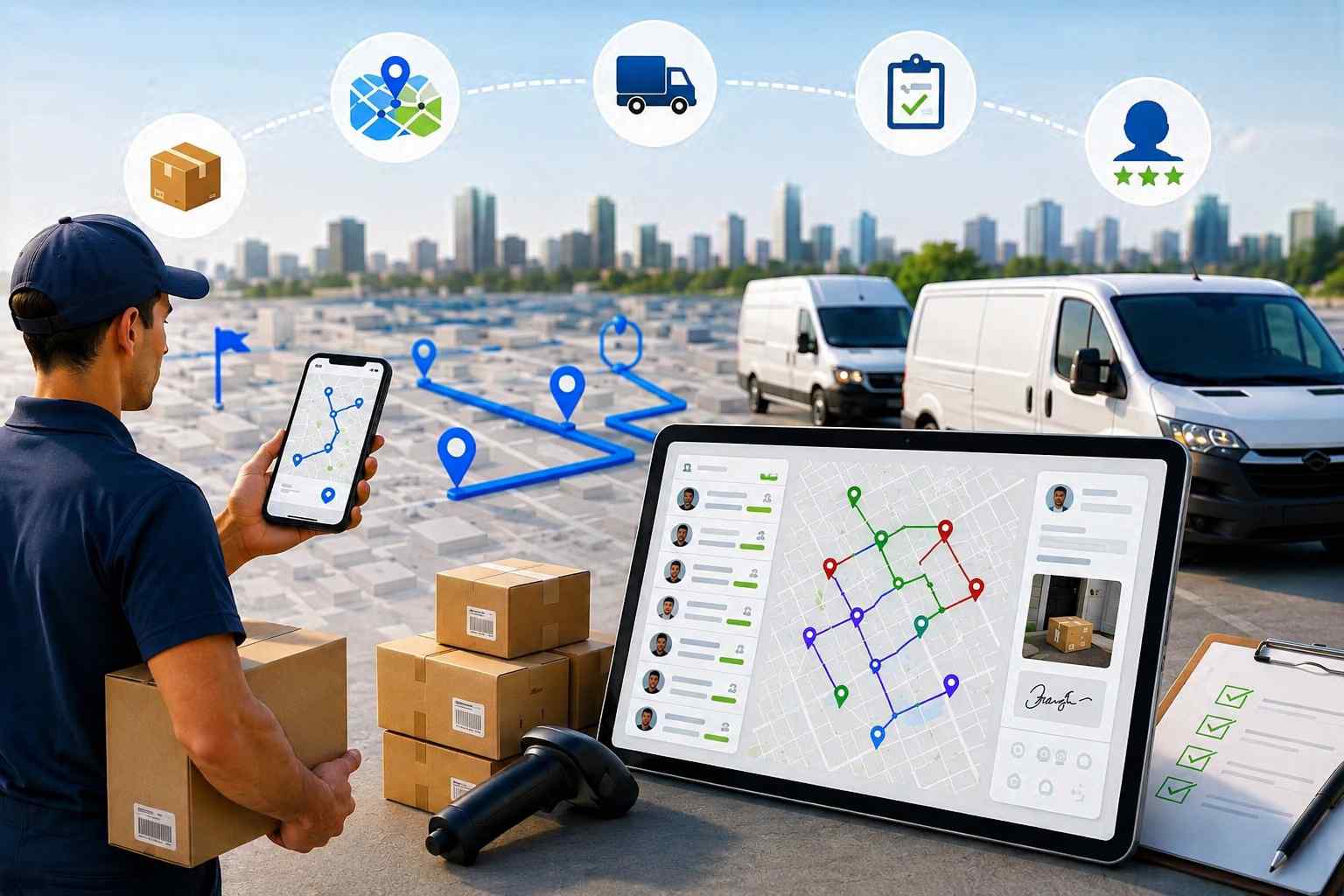
If you want the cheapest option: go free first

Notice how many of these have a real free tier. For a lot of drivers the honest move is to never pay: start on Bodha Drive’s 20 free stops or Circuit’s 10, and only upgrade when your daily stop count genuinely outgrows the free ceiling. If free is your priority, we compare the free tiers in depth, and how far each one really gets you, in our best free route planner apps guide.

How to choose in one minute

Want the most free stops? Bodha Drive at 20, no payment. Want the most proven, polished app and will pay $20? Circuit. Doing high daily volume and fine with an annual plan? Zeo. Care most about star ratings on a smaller app? MyWay. Routes through real dead zones? Route4Me for its offline mode. Already on a platform like OptimoRoute? Use its companion app. And if you just have a handful of stops in an order you already know, Google Maps is free and fine, until it isn’t.

Frequently asked questions

For most drivers it comes down to the free tier and the app-store rating. Bodha Drive gives the most free stops (20), Circuit (Spoke) has the highest number of positive reviews by far (4.7 across ~184,000 on Google Play), and MyWay has the highest raw score (4.8 on both stores). The right pick depends on whether you value free room, a proven track record, or top ratings.

Bodha Drive leads on the free stop limit at 20, ahead of Circuit's 10 and RoadWarrior's 8, with Zeo and MyWay around 15. Google Maps is free too but doesn't optimize your stop order. We break the free tiers down further in our best free route planner apps guide.

Route4Me has the most complete offline mode, letting you navigate, capture proof of delivery, and update stops with no signal. Circuit, Zeo, MyWay, and Bodha Drive let you follow an already-optimized route offline, but planning or re-optimizing generally needs a connection. Google Maps supports downloaded offline maps.

Sometimes a big one. RoadWarrior scores 4.0 on Google Play but 4.6 on the App Store, and Upper scores 3.5 on Play versus 4.5 on the App Store, so on those two, iOS drivers get the stronger app. Circuit, Zeo, MyWay, and Route4Me are consistent across both.

If you run within a free tier's stop limit, free is genuinely enough. Pay only when your daily stop count outgrows it, or when you need proof of delivery and customer notifications, which belong to team apps rather than solo ones.

Start free, upgrade only when you need to

The best route planner app for delivery drivers is the one that gets your stops in the right order without charging you before you need it. Start on a free tier, use the app-store ratings and offline notes above to pick one you’ll actually enjoy using at the wheel, and only pay when your volume, or your need for proof of delivery and customer tracking, genuinely outgrows free.

Bodha Drive is the place to start, with the most free stops of any app here: get the free Bodha Drive app. And when you grow into a team that needs proof of delivery, tracking, and dispatch, Bodha Fleet picks up where the free app leaves off.

App-store ratings and free-tier details are current as of July 2026 and can change. Confirm the current figure on each app’s store listing before relying on it.

Start free with the most stops of any app

Bodha Drive optimizes up to 20 stops free, works offline, and needs no card. Download it on iOS or Android and plan your first route in minutes.

Subscribe to Our Blog

    Related blogs

    How to Plan Delivery Routes: A Practical Guide for Operators

    How to Plan Delivery Routes: A Practical Guide for Operators

    Back Table Of Content Something every experienced dispatcher knows: the difference between a good day and a chaotic…

    Reduce Delivery Costs: 10 Proven Strategies That Actually Work

    Reduce Delivery Costs: 10 Proven Strategies That Actually Work

    Back Table Of Content Last-mile delivery is the most expensive part of the logistics chain. It accounts for…

    Best Route Optimization Software for Food Distributors in 2026: Features, Pricing & Top Picks

    Best Route Optimization Software for Food Distributors in 2026: Features,…

    Back Table Of Content In food distribution, the clock runs everything. You’re moving perishable stock through narrow receiving…

    How to Start a Courier Business in 2026

    How to Start a Courier Business in 2026

    How to Start a Courier Business in 2026

    user profile

    Ruchita Purohit

    July 2, 2026

    Table Of Content

    If you have been thinking about how to start a courier business, 2026 is a reasonable time to do it. Online orders keep climbing, big carriers keep outsourcing the last leg of delivery, and local businesses still need someone reliable to move documents, samples, and parcels across town today, not in three days. The US courier and local delivery market was worth close to $180 billion in 2025 and has grown year on year, and the global express and courier market sits well north of $430 billion. Demand is not the problem. Standing out and running a tight operation is.

    This guide takes you from idea to first delivery: picking a niche, setting up legally, sorting insurance and vehicles, choosing your software, pricing the work, and landing your first clients. There is a startup checklist at the end you can work straight through.

    Is a courier business actually worth starting in 2026?

    A few things make couriers an attractive small business to launch.

    The barrier to entry is low. You can start with one vehicle you already own and scale as contracts come in, without a storefront or heavy inventory. The work is fairly recession-resistant, because documents, lab samples, and purchased goods still need to move whether the economy is up or down. And profitability is mostly in your control, because it tracks closely with efficiency. Tighter routes and more drops per hour feed straight into your margin.

    The catch is competition. This is a crowded field, from national names down to the driver who started last month. The operators who last pick a lane, deliver reliably, and keep their cost per drop under control. That is the whole game.

    How to start a courier business, step by step

    Step 1: Choose your niche and delivery model

    The biggest early mistake is trying to deliver anything for anyone. Narrow it down. Your niche shapes your vehicle, your insurance, your pricing, and your pitch, so choosing it early saves you from buying the wrong van or the wrong cover.

    Common courier niches include:

    • Same-day and on-demand local delivery for retailers and offices that need speed and will pay for it
    • Medical courier work, moving lab samples, prescriptions, and specimens, which pays more and rewards reliability, though it comes with extra compliance
    • Legal courier work, handling time-sensitive court filings and documents where a missed deadline is a serious problem for the client
    • E-commerce last-mile, subcontracting the final delivery leg for online sellers or larger carriers, which gives you volume from day one
    • B2B parcel and pallet runs between local businesses on regular, predictable schedules that are easy to route and bill

    Then decide your model: owner-operator driving the van yourself, or a small fleet where you dispatch other drivers. Most people start as an owner-operator to keep costs down and learn the work from the inside, then add drivers once the volume is steady. Both are valid. Just be honest about which one you are building, because the numbers, the software, and the daily routine all differ a lot between the two.


    Step 2: Write a lean business plan

    You do not need a fifty-page document. You need clarity on a few things: who your customers are, what you will charge, what it costs you to run a single delivery, and how many deliveries you need each week to break even. Add a short competitor scan, meaning who already serves your area, what they charge, and where they are weak, and a simple cash forecast for the first six to twelve months.

    That runway matters, because most courier businesses spend before the invoices start landing. A plan that ignores the gap between “started working” and “got paid” is a plan that runs out of money in month three. Write down the break-even number and keep it somewhere you will see it.


    Step 3: Pick a legal structure and register

    Get this right early, because it affects your taxes and your personal liability.

    In the US, the common options are sole proprietorship, LLC, partnership, or corporation. Many new couriers form an LLC to separate personal assets from the business. You will also want an EIN from the IRS for taxes and for hiring drivers later.

    In the UK, most start as a sole trader, which is simpler but leaves you personally liable for debts, or set up a limited company, which means more admin and reporting but more protection and sometimes a tax advantage. Either way you register with HMRC, and a limited company also registers with Companies House.

    If you are unsure, a short conversation with an accountant usually pays for itself within the first year. This is general guidance, not legal or tax advice, so check the rules for your own location before you file anything.


    Step 4: Sort licences, permits, and compliance

    There is no single national courier licence in the US. What you need depends on your state, city, delivery type, and vehicle class. Expect a general business licence from your county or city, and check whether crossing state lines or your cargo type triggers extra federal or interstate permits. Specialised work adds requirements: medical couriers may need HIPAA awareness and HAZMAT handling depending on what they carry.

    In the UK you do not need a special licence to work as an independent courier. But if you plan to carry dangerous goods such as chemicals or fuel, you will need ADR certification, and carrying goods for hire means the right insurance category, which we come to next.


    Step 5: Get the right insurance

    This is the step new couriers most often underestimate, and the one that protects the whole business. The cover you need depends on your model and cargo, but typically includes:

    • Commercial vehicle insurance, because personal auto cover does not extend to paid delivery work and a claim can be refused if you are underinsured
    • Goods in transit or cargo insurance, to cover the parcels you are carrying if they are lost or damaged
    • Public or general liability, in case you cause damage or injury while working
    • In the UK, hire and reward cover, which is the category for carrying other people’s goods for payment

    Medical and high-value work usually needs higher limits, and some contracts will specify a minimum before they let you quote. Price this properly before you set your rates, because it is a real and recurring line in your cost per delivery, not an afterthought.


    Step 6: Sort your vehicle and equipment

    Match the vehicle to the niche. Documents and small parcels can start in a car. General courier work usually means a cargo van. Refrigerated or specialist work needs the right fit-out. Buying a used van keeps startup costs down, while leasing a newer one spreads the cost and comes with fewer surprises and less downtime. Both are common. Pick based on your cash position and expected mileage, not on what looks best on the driveway.

    Beyond the vehicle, budget for a reliable smartphone, a parcel scanner or a scanning app, basic packaging materials, fuel, and vehicle maintenance. These smaller lines add up faster than people expect.


    Step 7: Build the software stack you will actually need

    This is where a lot of first-time owners lose money without realising it, so it deserves its own step. A modern courier operation runs on a small stack of tools:

    • Route planning and optimization. This is the core. It is what turns a list of addresses into an efficient run and decides how many drops each driver can complete in a shift. Operators who lock in route optimization from day one tend to see meaningfully lower fuel costs, often in the range of 15 to 30 percent, and reach profitability faster than those who wing it with a maps app.
    • Proof of delivery, so every drop has a photo, signature, or GPS-stamped record. This settles disputes and, in plain terms, wins and keeps contracts.
    • Real-time tracking and customer notifications, so clients can see where their parcel is and stop calling you to ask.
    • Order import and reporting, so you are not retyping addresses every morning and you can see where the money and the time actually go.
    • A vehicle loading plan. This is the one most first-time owners have never heard of, and it is a quiet money-saver for parcel work. A vehicle loading plan turns the route into a loading order, tells the driver exactly where each parcel sits in the van (section, level, and side), and has them load in reverse delivery order so the first stop is at the rear door. The payoff is real: no digging through the van at every stop, fewer wrong-parcel grabs that turn into failed deliveries, and any fill-in driver can load and run the van correctly because the plan is not stuck in one person’s head.

    You can buy these as separate tools, but for a small courier operation it is cheaper and simpler to run them in one place. A route planner for couriers like Bodha covers all of it. If you start as a solo owner-driver, Bodha Drive handles fast multi-stop optimization on your phone. When you add drivers, Bodha Fleet brings in multi-driver dispatch, real-time tracking, proof of delivery, a vehicle loading plan that shows drivers where each parcel sits, the ability to import orders from a spreadsheet, and route analytics so you can watch your cost per drop. You can see what each tier includes on the pricing plans page, and if you want to compare options first, we compare courier route planner apps in a separate guide.

    Once you are running, our walkthrough on how to plan a courier route with multiple stops shows the day-to-day method.


    Step 8: Price your service to protect your margin

    Your price has to cover fuel, the vehicle, insurance, your time, and a profit on top. Local courier rates in the US commonly land somewhere around $45 to $65 an hour depending on vehicle, distance, and urgency, while UK owner-drivers often aim for £150 to £300 a day. Those are starting reference points, not rules. The real number comes from working backward from your own costs.

    Most couriers price per mile, per hour, or per stop, with surcharges for urgency, waiting time, or after-hours work. Whatever model you pick, know your cost per delivery cold, because that is what tells you whether a job is worth taking. Pricing deserves its own guide, but even a rough cost model beats guessing.


    Step 9: Land your first clients

    Marketing plan or not, revenue only starts when someone hires you. The fastest early wins for a local courier usually come from direct outreach: walk into nearby pharmacies, print shops, law offices, and medical practices and ask who handles their deliveries now, and what annoys them about it. Niche down where you can, because a medical or legal courier is easier to remember and refer than a general one. Subcontracting for a larger carrier or joining a courier exchange can fill your calendar while you build direct relationships.

    Then keep them. Reliable, on-time, proof-backed delivery is what turns a one-off job into a standing contract, and route efficiency is what lets you keep that promise without burning your margin. Finding and keeping clients is a big topic on its own, and one we will cover separately.

    Scaling from owner-operator to a fleet

    Plenty of couriers are happy staying as a one-van operation, and that is a perfectly good business. But if you want to grow, the jump from driving yourself to dispatching others is the real transition, and it is more about systems than vehicles.

    When you add your second and third driver, the daily planning stops fitting in your head. This is the point where a courier delivery route planner with a proper dispatcher view earns its keep, because you are now balancing work across people, tracking who is where, and proving deliveries to clients who expect it. Later, if you want to put your own brand on the customer-facing tracking and apps, a white-label route platform lets you run the whole operation under your name. Grow into these rather than buying them on day one.


    Common mistakes new courier businesses make
    • Underpricing to win early work. Cheap jobs that lose money are not a foundation, they are a trap. Price for profit from the start.
    • Skimping on insurance. One rejected claim can end a young business. Get the right categories and limits first.
    • Buying too much van too soon. Match the vehicle to real, current volume, not the fleet you hope to have next year.
    • Ignoring efficiency until it hurts. Fuel and dead miles quietly eat margin. Route optimization is not a nice-to-have, it is the margin.
    • Not funding runway. Most failures are cash-flow failures, not idea failures. Fund several months before the invoices land.

    What does it cost to start a courier business?

    Costs vary enormously by niche and scale, so treat these as planning buckets rather than a fixed number. A solo owner-driver using a vehicle they already own can start lean, mostly needing insurance, a scanner or app, software, and marketing. Buying or leasing a dedicated van adds the largest single cost. A small staffed fleet needs far more, because you are funding driver pay, more vehicles, and a few months of payroll runway before contracts convert.

    The principle that holds at any scale: fund a few months of runway, not just the setup. The businesses that fail rarely fail on the idea. They run out of cash before the invoices land.

    Your courier business startup checklist
    • Choose a niche and decide owner-operator or fleet
    • Write a lean business plan with a break-even number
    • Pick a legal structure and register (LLC or sole trader / limited company)
    • Get an EIN (US) and register with HMRC / Companies House (UK)
    • Confirm licences and permits for your area and cargo type
    • Line up commercial vehicle, goods in transit, and liability insurance
    • Buy or lease the right vehicle and fit it out
    • Set up your software: routing, proof of delivery, tracking, notifications, reporting
    • Build your pricing around a known cost per delivery
    • Do direct outreach to local B2B clients and niche targets
    • Fund several months of operating runway, not just startup costs

    Give your courier business the right routing from day one

    The operators who stay profitable are the ones who route efficiently from the very first delivery. Bodha’s route planner for couriers brings multi-stop optimization, proof of delivery, real-time tracking, and a vehicle loading plan into one place, so you can run a tight operation from day one without paying for a stack of separate tools.

    Start your free 7-day trial (no card required) or book a quick demo to see it running on your own delivery stops.

    Frequently asked questions

    It ranges widely. A solo owner-driver using an existing vehicle can start with insurance, a phone, scanning and routing software, and marketing, which is a modest outlay. The largest single cost is usually the van if you buy or lease one, and a staffed fleet needs several months of payroll runway on top. Budget for runway, not just setup.

    In the UK you do not need a special licence to work as an independent courier, though carrying dangerous goods requires ADR certification and you need the right insurance category. In the US there is no single national courier licence; you typically need a local business licence, plus extra permits for interstate work or specialised cargo like medical items. Always check your own state, city, and cargo rules.

    It can be. Profit tracks closely with efficiency, so more drops per hour and lower fuel and dead miles feed straight into margin. Specialised niches such as medical or legal courier work often pay more than general delivery. The operators who struggle are usually the ones who underprice or run inefficient routes.

    There is no single best niche, but specialised lanes tend to be more profitable and less crowded than general parcel work. Medical, legal, and same-day B2B delivery are popular because clients value reliability and will pay for it. Pick a niche you can serve consistently in your area.

    At minimum you want route optimization, proof of delivery, real-time tracking with customer notifications, and a way to import orders without retyping them. Running these in one courier route planner is usually cheaper and simpler for a small operation than stitching together separate tools.
    Route Right From Day One

    Bodha optimizes 20 stops per route on unlimited routes, free, with no ads and no signup.

    Subscribe to Our Blog

      Related blogs

      How to Plan Delivery Routes: A Practical Guide for Operators

      How to Plan Delivery Routes: A Practical Guide for Operators

      Back Table Of Content Something every experienced dispatcher knows: the difference between a good day and a chaotic…

      Reduce Delivery Costs: 10 Proven Strategies That Actually Work

      Reduce Delivery Costs: 10 Proven Strategies That Actually Work

      Back Table Of Content Last-mile delivery is the most expensive part of the logistics chain. It accounts for…

      Best Route Optimization Software for Food Distributors in 2026: Features, Pricing & Top Picks

      Best Route Optimization Software for Food Distributors in 2026: Features,…

      Back Table Of Content In food distribution, the clock runs everything. You’re moving perishable stock through narrow receiving…

      How to Plan a Courier Route With Multiple Stops (Step-by-Step)

      How to Plan a Courier Route With Multiple Stops

      How to Plan a Courier Route With Multiple Stops (Step-by-Step)

      user profile

      Ruchita Purohit

      July 2, 2026

      Table Of Content

      Ask ten dispatchers how to plan a courier route and you will get ten different answers, most of them involving a spreadsheet, a maps tab, and a fair bit of guesswork. Courier work is its own animal. You are not running one tidy set of drop-offs like a pizza shop. You have pickups and deliveries mixed into the same run, parcels that need scanning, gate codes buried in notes, and a customer who books a same-day collection at 3pm when the van is already halfway across town. This guide walks through how to plan a courier route with multiple stops in a way that survives a real day, not just a neat plan on paper.

      By the end you will have a repeatable method you can run every morning, whether you are a solo owner-driver clearing your own list or a dispatcher juggling fifteen vans. We will cover what makes courier routes different, the exact steps to build one, the small mistakes that quietly bleed time and fuel, and where software takes over from the spreadsheet.

      Why planning a courier route is different from other delivery routes

      Most “plan your delivery route” advice treats every stop as the same: a fixed address you drive to and drop at. Courier routing breaks that assumption in five ways, and if your process ignores them, the route falls apart by mid-morning.

      Pickups and deliveries share the same run. A parcel courier rarely does deliveries only. You collect from a warehouse or a customer, then deliver somewhere else, sometimes with the collection and the drop on the same route. Logistics people call this a pickup and delivery problem, and it matters because a pickup has to happen before its matching delivery. Sequence them wrong and a driver is holding a parcel they were supposed to collect two stops later, or worse, arriving at a delivery empty-handed.

      The drops are dense and clustered. Courier runs are high volume. Sixty, a hundred, two hundred stops in a shift is normal, often packed into a few postcodes or ZIP zones. That density is an opportunity. Plan it well and a driver clears a whole street before moving on. Plan it badly and they cross the same neighbourhood four times, burning fuel and daylight on distance that added nothing.

      New stops land after the van leaves. Same-day and on-demand work means your list is never final. The 4pm urgent collection is the one that blows up a badly built afternoon. A good courier route leaves room to slot in a stop without rebuilding everything from scratch, so one phone call does not undo an hour of planning.

      Time windows overlap and fight each other. “Before noon,” “after 2pm,” “business hours only,” “not during the school run.” String enough of these together and the constraints start to contradict. Sequencing has to respect them, not just chase the shortest distance, because a fast route that misses three windows is a slow route in disguise once you count the redeliveries.

      Every stop carries parcel-level detail. Barcodes, package sizes, signature required, leave-safe instructions, gate codes, buzzer numbers, which entrance to use. This detail has to travel with the stop to the driver, or you get failed attempts and a stream of “where do I leave it” calls that pull the driver and the office off task.

      Keep those five in mind and the steps below make a lot more sense.

      How to plan a courier route with multiple stops: the step-by-step

      Step 1: Build one clean stop list

      Everything starts with the data. Pull every job for the run into a single list before you sequence anything. For each stop you want the full address, whether it is a pickup or a delivery, the time window, the parcel reference or barcode, and any access note such as a gate code, floor number, or “ring twice.”

      The fastest way to do this at volume is to import your stops from a spreadsheet or straight from your order system, rather than typing addresses one by one. Bad or missing addresses are the single biggest cause of a wrecked route, so validate them now, not when the driver is parked outside a building that does not exist. Five minutes of cleanup here saves an hour of chaos later.


      Step 2: Group by area, not by the order jobs came in

      The instinct is to plan stops in the order they were booked. Resist it. Booking order has nothing to do with geography. Instead, group your stops into clusters by neighbourhood, postcode, or ZIP zone. You are trying to give each driver a tight patch they can work through cleanly rather than a scattered list that sends them back and forth across the city.

      If you run more than one driver, this is also where you split the work. Balance the clusters so no single driver is overloaded while another finishes at lunchtime with nothing left to do. Aim for zones that roughly match how your drivers already picture the map, since a plan that fights their local knowledge tends to get quietly ignored on the road. Even, sensible zones are the foundation everything else sits on.


      Step 3: Sequence pickups and deliveries together

      Now order the stops inside each cluster. This is the part manual planning gets wrong most often, because you have to hold two things in your head at once: the shortest sensible path, and the rule that a pickup comes before its matching delivery.

      Work the run so collections feed naturally into the drops that follow. If you are collecting three parcels from a depot and delivering them across one suburb, the depot pickup obviously leads. Where pickups and deliveries are independent, weave them so the driver is never doubling back for a collection they passed an hour ago. Done right, the route reads like a loop rather than a scribble.


      Step 4: Layer in the time windows and priorities

      With a rough sequence in place, force it to respect the promises you made. Slot the “before noon” jobs into the morning leg. Flag priority or express parcels so they are not sitting at the back of the run. When two windows clash, the tighter or higher-value one wins, and the rest of the sequence bends around it.

      This is exactly where a spreadsheet starts to creak. Every time you move one stop to hit a window, the knock-on effect ripples through the whole list, and you are re-checking the entire thing by eye. Miss one and you find out at 11:58 when the driver is three streets away.


      Step 5: Account for the real-world limits

      A route that looks perfect on a map can still fail in the van. Check it against the constraints that actually apply: how much the vehicle can carry, how long the driver’s shift is, service time at each stop (a signature-required medical drop takes longer than a leave-safe parcel), and current traffic. A courier route that ignores load capacity or shift length is a route that ends in unpaid overtime or a second trip back to base to reload. It is also worth checking the vehicle suits the run, because a large van sent down narrow residential streets loses time on every turn.


      Step 6: Leave room to re-optimize mid-shift

      Because new stops will land, build the run so it can flex. When that 4pm collection comes in, you want to drop it into the nearest point on an existing route and re-sequence the tail of the day, not tear up the whole plan. The ability to re-optimize on the fly is the difference between absorbing a surprise and being derailed by it. It is also the difference between saying yes to a lucrative last-minute job and turning it away.


      Step 7: Dispatch with everything the driver needs on one screen

      The route only pays off if the driver can follow it without ringing you. Each stop should reach their phone with turn-by-turn navigation, the parcel details, and those access notes from Step 1. Let them scan each parcel so the right package is matched to the right stop, which kills a whole category of mis-delivery before it happens. A good driver mobile app puts navigation, notes, and scanning in one place so the driver is not juggling three tools at the kerb.

      There is one step between planning and driving that is easy to overlook: how the van gets loaded. A vehicle loading plan turns the sequenced route into a loading order, tells the driver where each parcel should sit, and has them load in reverse delivery order so the first stop is at the rear door and comes out first. On a dense run that saves a minute or two of digging at every single stop, which adds up to a lot of daylight over a hundred drops.


      Step 8: Capture proof, notify customers, then review

      As drivers work the run, they should capture proof of delivery at each drop: a photo, a signature, a GPS-stamped record. That evidence settles “I never got it” disputes in seconds. Meanwhile, automatic customer ETAs cut down the “where is my parcel” calls that eat your afternoon. And because you can track drivers in real time, you can answer a client’s question without calling the driver at all.


      At the end of the day, look back. Which stops ran long? Where did drivers double back? Which windows nearly slipped? That five-minute review is how next week’s routes get tighter, and it compounds over a month into real savings.

      Common courier route planning mistakes to avoid

      Even experienced operators fall into the same traps. A few worth naming:

      Planning in booking order. Covered above, but it is worth repeating because it is the most common one. The order jobs arrive in is almost never the order you should drive them.

      Overloading the “best” driver. Handing your fastest driver the biggest zone feels efficient, until they are still out at 7pm while the newer driver sat idle from four. Balance by workload, not by who you trust most.

      Ignoring service time. Two routes can have the same mileage but wildly different finish times if one is all quick letterbox drops and the other is full of buzzer-and-wait apartment deliveries. Build the time-at-stop into the plan.

      Treating access notes as optional. A gate code left in an email instead of on the stop is a failed delivery waiting to happen. If the driver cannot get in, the parcel comes back, and you pay to send it again tomorrow.

      Planning once and never reviewing. The best routes are refined, not invented. If you never look at what actually happened versus what you planned, you keep repeating the same detour every single week.

      Planning by hand vs using software

      You can absolutely plan a courier route by hand, and plenty of small operators do. For a dozen well-clustered stops it is fine. The trouble starts when volume climbs. Manual sequencing does not scale, because every constraint you add (a window, a pickup-before-delivery rule, a driver’s capacity) multiplies the number of possible orderings a human has to weigh. By around thirty stops, no one is finding the best route on a spreadsheet. They are finding a route that is good enough and hoping.

      A route planner for courier delivery does the sequencing math in seconds and holds all those constraints at once. That is the entire reason the category exists, and it is why operators who adopt it rarely go back to the spreadsheet.

      How Bodha plans courier routes

      Bodha was built for this exact workflow. You import a manifest, and the courier delivery route planner sequences hundreds of pickups and deliveries across your whole fleet in under a minute, working around traffic, time windows, and what each driver can carry. When a stop gets added or the traffic shifts, it re-optimizes without you starting over.

      Which product you use depends on how you operate. If you are a solo owner-driver planning your own day, Bodha Drive gives you fast multi-stop optimization and navigation on the phone. If you dispatch a team, Bodha Fleet adds multi-driver planning, live tracking, and a dispatcher dashboard so you can assign and rebalance work across every van from one screen. Either way, drivers get the route with navigation, parcel scanning, access notes, and proof of delivery built in, customers get automatic ETAs, and you can see the whole run on a live map. It is the eight steps above, minus the spreadsheet gymnastics. You can see the plans on the pricing plans page, and there is a free trial if you want to run a real day of your own stops through it first.

      If you are still setting up your operation, it is worth reading our guide on starting a courier business, and if you are weighing tools, our rundown of the best route planner apps for couriers compares the main options fairly.

      Plan your next courier route in seconds

      You do not need a spreadsheet and three map tabs to build a clean run. Bodha’s courier delivery route planner sequences your pickups and deliveries in seconds, loads the van in the right order, and puts navigation, parcel scanning, and proof of delivery in the driver’s hand.

      Start your free 7-day trial (no card required) or book a quick demo and run a real day of your own stops through it.

      Frequently asked questions

      There is no fixed cap, it depends on stop density, service time per drop, and the driver's shift. Dense urban routes can run well past a hundred stops a day, while spread-out rural runs top out much lower. Software helps because it keeps the sequence efficient as the count climbs, where manual planning gets unreliable somewhere around thirty stops.

      Group stops by area first, then sequence within each area so that any pickup happens before its matching delivery. Where collections and drops are unrelated, order them for the shortest sensible path without backtracking. The rule that never breaks is that you cannot deliver a parcel you have not collected yet.

      You can for a handful of stops, but Google Maps caps you at ten and does not optimize the order, handle pickups before deliveries, capture proof, or send customer ETAs. For real courier volume you need a dedicated courier route planner that does the sequencing and carries parcel details to the driver.

      Slot it into the nearest point on an existing route and re-sequence only the remaining stops, rather than rebuilding the whole day. A planner that re-optimizes on the fly makes this a few seconds of work instead of a scramble.

      Failed attempts usually come from missed time windows, wrong addresses, or missing access details. Clean data, window-aware sequencing, and access notes carried to the driver remove most of those causes, and proof of delivery documents the ones that still slip through.
      Ditch the Spreadsheet

      Bodha sequences your pickups and deliveries and loads the van in order. Free, no ads, no signup.

      Subscribe to Our Blog

        Related blogs

        How to Plan Delivery Routes: A Practical Guide for Operators

        How to Plan Delivery Routes: A Practical Guide for Operators

        Back Table Of Content Something every experienced dispatcher knows: the difference between a good day and a chaotic…

        Reduce Delivery Costs: 10 Proven Strategies That Actually Work

        Reduce Delivery Costs: 10 Proven Strategies That Actually Work

        Back Table Of Content Last-mile delivery is the most expensive part of the logistics chain. It accounts for…

        Best Route Optimization Software for Food Distributors in 2026: Features, Pricing & Top Picks

        Best Route Optimization Software for Food Distributors in 2026: Features,…

        Back Table Of Content In food distribution, the clock runs everything. You’re moving perishable stock through narrow receiving…

        Best Alternative to MapQuest: 7 Best Route Planners for 2026

        Best Alternative to MapQuest

        Best Alternative to MapQuest: 7 Best Route Planners for 2026

        user profile

        Ruchita Purohit

        June 30, 2026

        Table Of Content

        Plan more than a handful of stops and you’ll run into MapQuest’s wall pretty quickly. The free planner caps you at 26 stops. It drives them in the order you typed, not the order that gets you home fastest. And the free version still throws ads at you while you’re trying to read the route. For printing off directions to one place, that’s all fine. For a full day of deliveries or service calls, it means you’re back to dragging stops around by hand and doubling back across town.

        So it’s no surprise drivers and dispatchers keep searching for a MapQuest alternative. The upside? In 2026 there are plenty of them, from free browser tools to full-blown fleet platforms. Below are the seven best, what each one’s actually good at, how to pick the right fit for your day, and what a proper planner can save you over a year on the road.

        Short on time? The best alternative to MapQuest for multi-stop routes is Bodha — a free MapQuest alternative that optimizes up to 30 stops per route, gives you an arrival time for every stop, and prints a clean route sheet. No ads, no signup.

        Why people look for a MapQuest alternative

        It helps to spell out exactly what pushes people to switch. Almost every MapQuest alternative on this list exists to solve at least one of these:

        • The 26-stop cap. MapQuest’s free planner won’t take more than 26 stops, and a busy run blows past that in no time.
        • No real optimization. A proper route planner reshuffles your stops into the quickest order. MapQuest mostly keeps the order you entered, so the hard part is still on you.
        • Ads on the free tier. Banner ads get in the way right when you’re trying to read your route.
        • Nothing built for drivers. No proof of delivery, no live tracking, no ETA texts to customers, no printable run sheet for the dash.
        • A dated feel. MapQuest helped invent online mapping back in 1996, and honestly, parts of it still feel that way.

        There’s also been a shake-up worth knowing about. SpeedyRoute, a free planner a lot of people relied on, closed down in early 2025, leaving its occasional users hunting for a replacement. If that was you, several picks below slot straight into the gap. And if you want the bigger picture on why stop order matters so much, our guide on what route optimization actually is breaks it down.

        When MapQuest is still good enough

        Switching isn’t always the answer, so let’s be fair to MapQuest. For straightforward point-to-point directions, it’s reliable and familiar. Its 26-stop free tier is actually roomy next to Google Maps’ ten or so. And it throws in U.S. fuel-cost estimates, which a lot of free planners skip. So if you rarely go past a couple of dozen stops, don’t need the order optimized, and can shrug off the odd ad, MapQuest still does the trick. The argument for a MapQuest alternative only really kicks in once one of those changes more stops, a need for the fastest order, or business features like proof of delivery.

        What to look for in a MapQuest alternative

        “Route planner” covers a lot of very different tools, so it pays to match one to how you actually work. When you’re weighing up alternatives to MapQuest, these are the things that make a real difference:

        • Real optimization. This is the whole point. The tool should reorder your stops into the fastest run on its own. If it doesn’t, it’s a map, not a planner.
        • Stop capacity. Compare the free and paid limits against your busiest day, not your average one.
        • Spreadsheet import. If your addresses already sit in Excel or a CSV, uploading the lot beats retyping every line, especially if the tool flags any address it can’t read.
        • Per-stop ETAs. A time for each stop, not just a total, lets you tell customers when you’ll show up and spot an overloaded day before you leave.
        • A route sheet you can print or share. A clean PDF on the dash beats glancing at your phone at every red light.
        • Vehicle profiles. A truck, a bike, and a car don’t take the same roads or the same time. Good planners adjust for that.
        • Room to grow. Planning on adding drivers? Pick a tool whose free planner runs on the same engine as its paid fleet plan, so you’re not rebuilding everything later.
        • Pricing that suits you. Free, cheap monthly, or full enterprise — match it to how often you really route.

        The 7 best MapQuest alternatives in 2026

        1. Bodha Route Planner – best free MapQuest alternative overall

        Bodha was built for the exact moment MapQuest gives up. Drop in your stops in any order (type them or import a list from a spreadsheet) and Bodha works out the fastest sequence on real roads, then hands back an arrival time, leg distance, and drive time for every stop before you pull away.

        MapQuest stops at 26 and leaves the ordering to you. Bodha optimizes up to 30 stops per route, across unlimited routes, for free, with no ads, no signup, and no card. Finish up and a single tap gives you a PDF route sheet to print and prop on the dash.

        Here’s what makes it a genuine MapQuest replacement:

        • It optimizes, it doesn’t just map. One click reorders everything into the quickest run and shows what you saved against your original order.
        • Spreadsheet import. Upload a .csv, .xlsx, or .xls, point it at the address column, and it pins every row, flagging anything it can’t read so nothing quietly goes missing.
        • It knows your vehicle. Car, bike, scooter, or truck changes both the order and the timings.
        • It grows with you. The free planner runs on the same engine as Bodha’s paid fleet platform, so when you need multiple drivers, live tracking, and proof of delivery, you’re not starting from scratch.
        • Bulk paste, with your start and finish set. Got a block of addresses sitting in an email, a text, or your notes? Paste the whole lot in, one per line, instead of adding them one at a time. Tick a box to make the first line your start address and the last line your end address, so a round trip back to the depot or a fixed finish point is set before you optimize.

        One fair caveat: the free web planner is for sorting your route before you set off, not turn-by-turn navigation. For that you send the finished route to your nav app. For most people leaving MapQuest, getting the fastest order plus a printable sheet, for nothing, is exactly the upgrade they came for.

        Best for: delivery drivers, couriers, and field-service pros who’ve outgrown MapQuest’s cap and want real sequencing for free. Try Bodha free →

         
        2. Circuit – best for solo courier and gig drivers

        Circuit is a favourite with couriers and gig drivers, mostly thanks to a polished mobile app and smooth hand-off to Google Maps and Waze. The free tier is light on stops, so it fits shorter daily runs, while the paid plan unlocks unlimited stops plus delivery-day extras like quick package finding and proof of delivery. If your whole day runs off your phone, Circuit’s worth a look.

        Best for: solo delivery drivers who work mainly from a phone.

         
        3. Route4Me – best for enterprises and developers

        Route4Me is one of the older names here, aimed at businesses planning, dispatching, and tracking at scale. Its edge is breadth: multi-driver management, a deep API for custom builds, and analytics for teams that want to push past a single day’s route. All that power means more setup and a bigger bill than a solo driver needs, and there’s no real free tier, just a trial. Overkill for the odd route, but a solid MapQuest alternative for operations teams that have outgrown their spreadsheets.

        Best for: bigger fleets and technical teams that need API access and dispatch tools.

         
        4. OptimoRoute – best for planning and scheduling ahead

        OptimoRoute is built around planning and scheduling. It suits delivery and field-service businesses that juggle time windows, spread work evenly across drivers, and map out whole days in advance, pickups and drop-offs in the same plan. There’s no permanent free tier (you trial it), so it’s a commitment rather than a quick fix, but for teams scheduling recurring work it’s a capable alternative to MapQuest.

        Best for: delivery and field-service teams that plan work ahead across a crew.


        5. Zeo Route Planner – best mobile-first budget option

        Zeo is a mobile-first planner with a big driver following, known for quick route computation and a low price. The free mobile tier covers a small number of stops; the paid plan opens that up and adds ETA sharing, voice input for stops, and proof-of-delivery capture. If you want a phone-native tool at rock-bottom cost, Zeo’s a reasonable MapQuest alternative. Just check that free stop limit against a normal day for you.

        Best for: drivers who want a cheap, phone-first app.

         
        6. RouteXL – best free web tool for occasional routes

        RouteXL is a tidy, ad-free web planner that handles around 20 stops per route on the free tier, with nothing to install. It’s a natural home for ex-SpeedyRoute users and anyone who needs an efficient multi-stop run every now and then without committing to a subscription. Paste addresses or import them from a spreadsheet, then share the route to a nav app. The free geocoding can misplace an address here and there, but for no-fuss browser planning it gets the job done.

        Best for: occasional, browser-based multi-stop planning with no ads.

         
        7. Google Maps (and Waze) – best free everyday navigation

        Not running a delivery business and just lining up a few errands or a road trip? Google Maps is still the easiest free option going, and Waze is brilliant for live traffic on point-to-point drives. The snag is the same one that sends pros elsewhere: Google Maps tops out around 10 stops and won’t truly optimize the order, and Waze only really handles one stop in the middle. They’re excellent at navigating, which is a different job from planning. Plenty of drivers run both, optimizing in a planner and navigating here.

        Best for: personal trips and light, everyday navigation.

        MapQuest vs. the top alternatives

        How much can a route planner actually save you?

        It’s tempting to file route planning under “chores” rather than “costs,” but the math doesn’t really let you. The last mile is reliably the priciest part of getting anything delivered (industry estimates often peg it at around half the total cost of shipping), and most of that comes down to time, fuel, and miles that smart sequencing simply removes.

        Picture a route in the wrong order. It sends a driver back across town twice, piling on miles and fuel each time. Tack a 20-minute detour onto every day for a year and you’ve burned days of paid time and a real fuel bill, all for driving in the wrong sequence. That’s the gap a MapQuest alternative closes: it finds the fastest order in seconds, so nobody spends an hour guessing at it.

        There’s a service angle too. Per-stop ETAs mean tighter arrival windows and far fewer “where are you?” calls, and a route that wraps up early leaves room for one more job. Want the full breakdown? Our rundown of proven ways to reduce delivery costs shows exactly where the savings hide.

        How to choose the right MapQuest alternative

        The best pick really comes down to what your day looks like:

        • Solo driver who blew past the 26-stop cap and wants it free? Go with Bodha — 30 optimized stops per route, no ads, no signup, printable route sheet. It’s basically “MapQuest, but it actually sorts your stops.”
        • Running courier or trucking work with a team? Sooner or later you’ll want proof of delivery, live tracking, and multiple drivers. Look at tools that scale, like Bodha’s fleet plan, Route4Me, or OptimoRoute, depending on budget and how complex things get.
        • Only plan a route once in a while? A free web tool like Bodha or RouteXL beats paying for a subscription you’ll barely touch.
        • Just need everyday directions? Google Maps or Waze are plenty. You don’t need a delivery platform.

        And if your stops already live in a spreadsheet, that’s the thing to optimize for. A planner that imports a multi-stop list and sorts it in seconds saves more time than any single feature on a comparison table.

        How to switch from MapQuest in 5 steps

        Moving off MapQuest is way less hassle than it sounds. Most people are planning a real route inside five minutes. Using Bodha’s free tool as the example:

        1. Set your start. Pick where the route begins and when you leave. Every arrival time keys off that.

        2. Add your stops, or import them. Type them with suggestions, or upload a CSV or Excel file and choose the address column.

        3. Pick your vehicle. Car, bike, scooter, or truck. The route and timings shift to match.

        4. Optimize. One click reorders every stop into the fastest run and shows ETAs, drive times, and total distance.

        5. Print or send it. Grab the PDF route sheet for the dash, or push the optimized order over to Google Maps or Waze to navigate.

        That’s the whole move. No account, no data to migrate, no learning curve. Switching off MapQuest rarely takes more than a single route to feel worth it.

        Frequently asked questions

        For multi-stop delivery and service routes, Bodha is a strong free MapQuest alternative: up to 30 stops per route, unlimited routes, per-stop ETAs, and a printable route sheet, all with no ads and no signup. For smaller, occasional routes, RouteXL is another good free web option.

        Only up to a point. MapQuest plots the stops, but it mostly keeps the order you entered instead of reshuffling them into the fastest run. Dedicated route planners do that sequencing automatically, which is the main reason people switch.

        The free MapQuest planner takes up to 26 stops per route. Several alternatives go further. Bodha optimizes 30 per route for free, and business platforms handle hundreds or more.

        Yes. Bodha's free planner has no ads and needs no account or card. You just open it and start. RouteXL is ad-free on the web too.

        When one route regularly passes the free stop cap, when you are coordinating more than one driver, or when customers expect tracking and proof of delivery. At that point free software becomes a bottleneck, and a paid platform usually saves more than it costs.

        With most modern alternatives, yes, and it's one of the biggest reasons to switch. Tools like Bodha let you upload a CSV or Excel file and pick the address column, turning a list you already keep into an optimized route with no retyping. MapQuest's free planner is built around adding stops one at a time.

        A nav app like Google Maps or Waze gets you from A to B with live traffic, but it won't figure out the best order for a pile of stops. A route planner solves that ordering problem first, and then you navigate the result. For multi-stop days, you really want both.

        The bottom line

        MapQuest earned its spot in internet history, but it was made to map a route, not optimize one. The moment your day runs past a couple of dozen stops, or you just want the fastest order handed to you, a dedicated planner pays for itself in time and fuel.

        Out of everything here, Bodha is the easiest to try, simply because there’s nothing to sign up for. Add your stops, hit optimize, and watch your route fall into the fastest order with arrival times in seconds. Then decide for yourself whether you ever go back.

        See why Bodha is the best free MapQuest alternative →

        Beat MapQuest's 26-Stop Limit

        Bodha optimizes 30 stops per route on unlimited routes — free, with no ads and no signup.

        Subscribe to Our Blog

          Related blogs

          How to Plan Delivery Routes: A Practical Guide for Operators

          How to Plan Delivery Routes: A Practical Guide for Operators

          Back Table Of Content Something every experienced dispatcher knows: the difference between a good day and a chaotic…

          Reduce Delivery Costs: 10 Proven Strategies That Actually Work

          Reduce Delivery Costs: 10 Proven Strategies That Actually Work

          Back Table Of Content Last-mile delivery is the most expensive part of the logistics chain. It accounts for…

          Best Route Optimization Software for Food Distributors in 2026: Features, Pricing & Top Picks

          Best Route Optimization Software for Food Distributors in 2026: Features,…

          Back Table Of Content In food distribution, the clock runs everything. You’re moving perishable stock through narrow receiving…