Truck Route Optimization vs Google Maps: Why Fleets Need More Than Free Navigation | Bodha Route Planner

Truck Route Optimization vs Google Maps

Truck Route Optimization vs Google Maps: Why Fleets Need More Than Free Navigation | Bodha Route Planner

user profile

Bodha Route

July 13, 2026

Table Of Content

Let’s start by giving Google Maps its due, because most articles on this topic skip straight to the beating.

Google Maps is a genuinely extraordinary piece of engineering. The live traffic data is superb. The map coverage is close to universal. Street View has saved more drivers from a bad loading dock than any piece of trucking software ever will. And it costs nothing. If you’re driving one truck to one place, it is a perfectly good tool and you should keep using it.

The problem isn’t that Google Maps is bad. The problem is that it was built for a person driving a car to a destination, and you are running a fleet of trucks through a day. Those are different jobs. And there’s a specific, identifiable line where the free tool stops helping and quietly starts costing you money.

This article is about finding that line. Where Google Maps genuinely earns its place in a trucking operation, where it hits a wall, and what truck route optimization software actually does differently once you cross it. Five walls, in the order most fleets hit them.

What Google Maps Is Actually Good At

Be honest about this, because knowing what to keep matters as much as knowing what to replace.

Live traffic and rerouting. Few tools match it. Google sees congestion forming in near real time and reacts.

Street View for scouting. This is the one experienced dispatchers never give up. Before you send a truck to an unfamiliar address, you can drop into Street View and actually look at the entrance, the dock, the turn-in, the overhead clearance at the gate. That’s real, practical value and no route optimizer replaces it.

The final approach. Even fleets running dedicated software often hand off the last leg to a familiar navigation app. That’s fine. It’s what drivers know.

So the answer isn’t “delete Google Maps.” It’s understanding that navigation and optimization are two separate problems. Google solves the first one brilliantly and doesn’t attempt the second at all, which is the entire reason truck route optimization software exists as a category.

Wall One: The Ten-Stop Ceiling

Here’s the first hard wall, and it’s the one most fleets hit before any other.

Google Maps caps you at around ten stops per route. That’s it. If your driver has 22 drops today, you cannot put that day into Google Maps. You have to split it into three separate routes and stitch them together by hand, which means the “route” your driver follows was never planned as one route at all. It’s three fragments with seams in the middle, and the seams are where the wasted miles hide.

And here’s the part people miss. Even within those ten stops, Google Maps does not optimize. It plots the stops in the order you typed them. If you enter your manifest in the order the orders came in, that is exactly the order your driver will drive them, no matter how much backtracking it creates.

That’s the fundamental difference, and it’s worth sitting with. Google Maps answers “how do I get from here to there.” Truck route optimization software answers a much harder question: “what is the smartest possible order to visit all 22 of these places, given the traffic, the time windows, and what this truck can carry.” One is navigation. The other is optimization. A fleet needs both, and only one of them comes free.

Wall Two: It Doesn't Know Your Truck Exists

The second wall is the dangerous one.

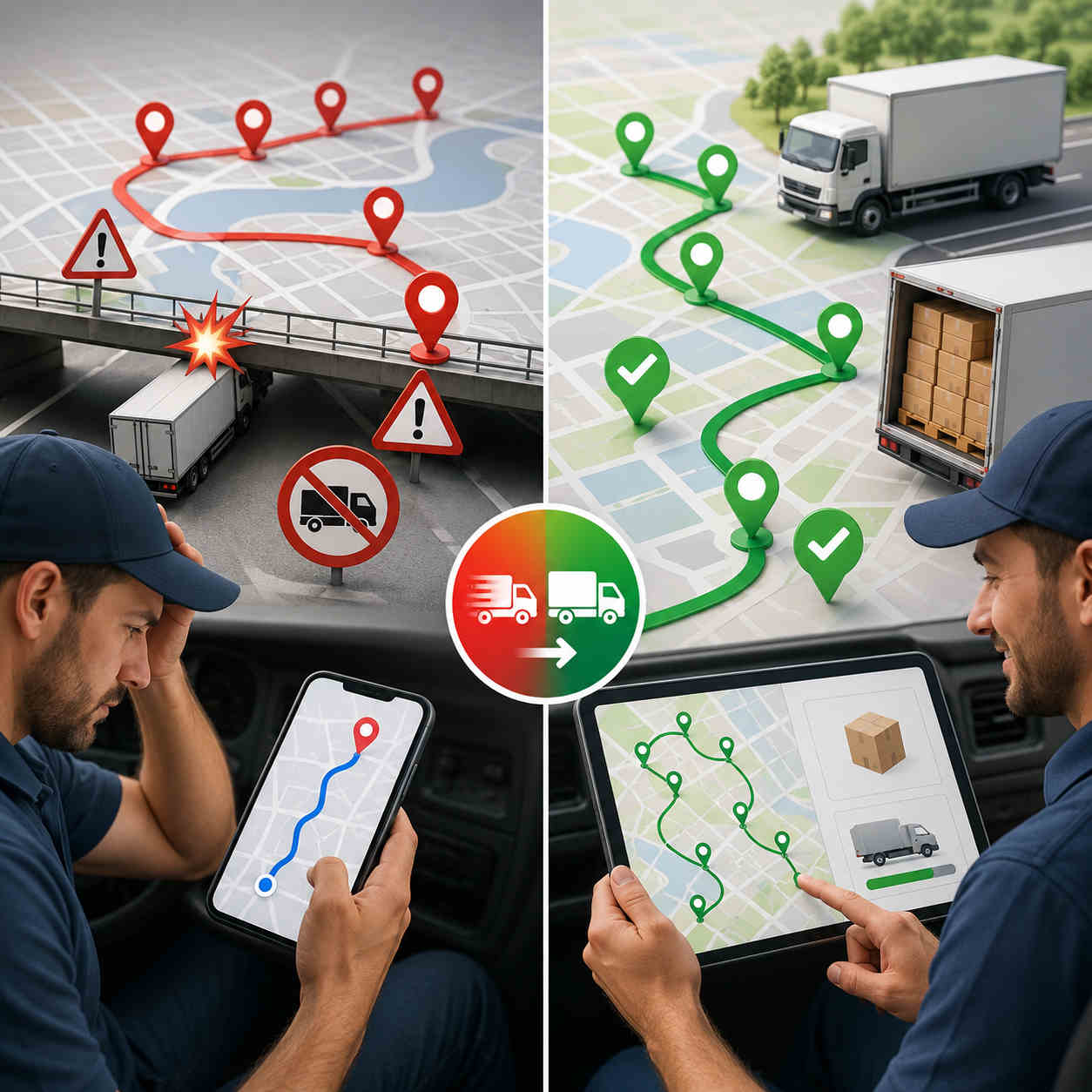
Google Maps has no truck mode. It doesn’t know your vehicle’s height, weight, length, or width, and it has no way for you to tell it. So it plans your 13-foot-6 box truck exactly the way it plans a Honda Civic, which means it will route you under low bridges, down weight-restricted roads, and onto parkways that ban commercial vehicles outright, with total confidence and no warning whatsoever.

A bridge strike is not a small mistake. It’s a five-figure repair, a wrecked load, a driver whose license is suddenly in question, and an insurance claim that follows you for years. Weight violations mean fines. And there’s no version of Google Maps where you can enter your dimensions and have it plan around them, because that capability simply is not in the product.

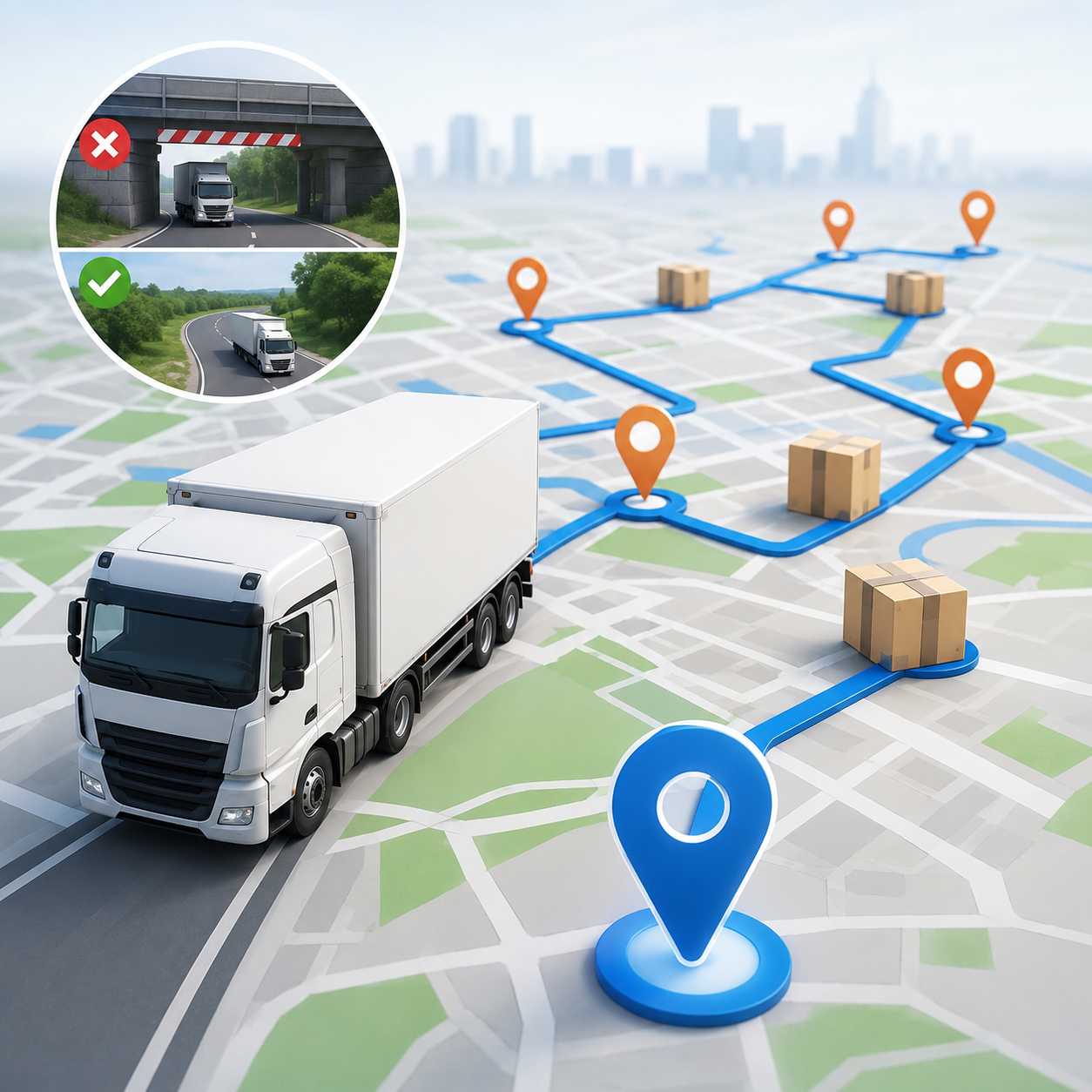
This is the single clearest reason fleets need a proper google maps alternative for trucking. It takes your vehicle’s real dimensions as an input and builds the route around them from the start, avoiding low clearances, weight limits, and restricted roads by design rather than flagging them after your driver is already committed to the road.

And it isn’t only bridges. Truck-safe routing also keeps rigs off roads that are legal but miserable: tight residential turns, streets with no room to reverse, entrances a trailer physically cannot swing into. Every one of those costs a driver twenty minutes and a bit of paint, and Google Maps will send him down all of them without a flicker of hesitation.

Wall Three: No Load, No Capacity, No Constraints

Even a perfectly safe, perfectly sequenced route can be useless if the truck physically cannot carry what you’ve assigned it.

Google Maps has no concept of capacity. It doesn’t know your truck holds 40 pallets, or that the load for stop 18 won’t fit alongside the load for stop 4. It doesn’t know your driver’s shift ends at four, or that the receiving dock at stop 9 closes at noon and stop 14 only accepts deliveries after 2 p.m.

Real truck route optimization software treats every one of those as a constraint the route must respect, and good fleet route optimization software does it across every vehicle at once. Vehicle capacity. Delivery time windows. Driver shift length and breaks. The route it produces isn’t just short, it’s actually executable, which is a completely different standard. A route that’s twelve miles shorter but arrives at a closed dock has cost you a redelivery, not saved you fuel.

Wall Four: Everybody Is Flying Blind

Once your trucks leave the yard with a Google Maps route, you have no idea what’s happening.

You can’t see where the trucks are. You can’t tell which driver is running ahead and which is two hours behind. When a customer calls to ask where their delivery is, you call the driver, who is driving, and either he doesn’t pick up or he pulls over to answer, and either way you now have a slower day and an annoyed customer.

There’s no proof of delivery either. When someone insists a drop never arrived, you have a driver’s memory against a customer’s invoice, and you will usually just eat the cost to keep the peace.

A multi-stop route planner for trucks closes every one of those gaps. Every truck sits on one live map. Customers get automatic ETAs and a tracking link, which deletes an entire category of phone call from your office. And drivers capture a photo, a signature, and a timestamp at each drop, so a disputed delivery ends in ten seconds instead of a week of arguing.

Wall Five: The Dispatcher's Morning

This is the cost nobody puts on a spreadsheet, and it might be the biggest.

Because Google Maps won’t optimize, and won’t take more than ten stops, the actual optimization work still has to happen. It just happens in a human brain, at 6 a.m., under time pressure. Someone opens the manifest, eyeballs the addresses, guesses a sensible order, splits the day into chunks Google will accept, divides the stops across the trucks, and sends the lists out.

That’s an hour of skilled labor, every single morning. Longer if a truck’s down or a rush order lands. And the output is a route built on intuition, which is perfectly adequate at six stops and completely hopeless at twenty-six, because the number of possible stop orders explodes past anything a person can hold in their head.

Then you add a truck and it gets worse, and not in a straight line. Now your dispatcher isn’t just sequencing stops, they’re deciding which truck gets which stops and balancing the load so one driver isn’t finished at three while another is out until seven. This is the wall growing fleets actually hit, and it’s rarely the fuel bill that forces the change. It’s the moment the morning planning session stops fitting into the morning.

Truck route optimization software collapses that hour into seconds. Import the manifest once, and every truck’s route gets planned from that single list in one pass, sequenced, capacity-aware, and truck-safe. Your dispatcher gets their morning back for the work that genuinely needs a human being.

So What Does the Free Route Really Cost?

Add the walls up and the arithmetic gets uncomfortable.

Every unnecessary mile is diesel you bought and burned for nothing. Every hour a driver spends backtracking is paid labor generating zero revenue. Every drop that didn’t fit into the day is capacity you already own and simply failed to use. Every disputed delivery you can’t prove is revenue you hand back. And every morning your dispatcher spends hand-building routes is an expensive person doing a job software finishes before they’ve finished their coffee.

For contrast, here’s what fleets running Bodha’s truck route optimization software report: fuel costs down 20 to 30%, route planning 3 times faster than by hand, and 20 or more additional stops fitted into the same day. That works out to roughly an hour less driving and over $1,000 saved monthly for a typical operation, with on-time delivery landing around 98%, for the simple reason that when a route is realistic, the ETA you promised the customer is realistic too.

Google Maps isn’t free. It just sends the invoice somewhere you’re not looking.

What Actually Makes a Good Google Maps Alternative for Trucking

If you’re shopping for a replacement, the marketing all sounds identical. Here’s what genuinely separates the real tools, and what each one means once you’re using it daily.

It plans around your actual vehicle. You enter height, width, length, and weight once, and every route from then on respects them. The test to run in a demo: hand it a route with a known low bridge on the fast path and watch whether it plans around the bridge or merely warns you about it. Those are very different products.

It optimizes, it doesn’t just sequence. Real truck route optimization software takes 25 stops and returns the order that covers them in the fewest miles, in seconds. If it simply plots the stops in the order you entered them, you’ve bought a prettier Google Maps.

It respects real-world constraints. Capacity, delivery windows, driver shifts and breaks. A route that ignores these isn’t a plan, it’s a wish.

It plans your whole fleet from one list. Import a manifest, and a proper fleet route optimization software builds every truck’s route in a single session, balanced across the fleet. The tell: if adding one more truck lengthens your dispatcher’s morning, the tool isn’t doing its job.

It shows you the day as it happens. Live tracking, automatic customer ETAs, and the ability to see which route is slipping while there’s still time to do something about it.

It proves the work. Photo, signature, timestamp on every drop, captured offline and synced when signal returns.

Miss the first two and it isn’t truck route optimization software. It’s navigation with a truck sticker on it.

Picking the Best Truck GPS App for Multiple Stops

One useful distinction before you buy, because it trips people up constantly.

A truck GPS app is built for the driver. One truck, one person, turn-by-turn guidance, truck-safe roads, maybe weigh stations and truck stops along the way. If you’re an owner-operator running a single long haul, that’s genuinely all you need.

Truck route optimization software is built for the operation. It’s what a dispatcher uses to take a full manifest and decide which truck goes where and in what order, before anyone turns a key.

So when you’re evaluating the best truck gps app for multiple stops, be clear about which problem is actually hurting you. If your drivers keep ending up on roads their trucks can’t handle, a truck-safe navigation app fixes that. If your real pain is that nobody knows the right order to visit 22 addresses, and your dispatcher is losing an hour a day guessing, no navigation app on earth will help. That’s a sequencing problem, and it needs a multi-stop route planner for trucks.

Most growing fleets eventually need both, and the good news is the better tools now do both in one place. The best truck gps app for multiple stops, in other words, is usually the one that’s also a real optimizer underneath.

Where Bodha Fits

Bodha is built for exactly the gap this article describes. It’s truck route optimization software that handles the truck-safe part and the multi-stop part together, which is precisely what Google Maps cannot do.

Enter your truck’s height, width, length, and weight, and Bodha plans around them, avoiding low bridges, weight limits, and restricted roads, while sequencing a full manifest of 20, 30, or more drops into the fewest legal miles. Routes are capacity-aware and respect delivery windows and driver shifts. Drivers get truck-safe turn-by-turn navigation with curbside arrival, and every drop is logged with proof of delivery. Live tracking puts every truck on one screen with automatic customer ETAs, so nobody has to call a driver to find out where he is.

There’s more on the Trucking Route Planner page and the route planning feature page, and if you want the deeper dive on choosing a planner, start with our guide to trucking route planners. Running a larger operation? Bodha Fleet handles multi-truck dispatch and live management.

The honest boundaries, same as we’d tell anyone: Bodha doesn’t do hazardous-material road routing, and it isn’t an IFTA fuel-tax reporting system or an ELD for hours-of-service logging. You can set driving-hour limits, shift length, and breaks as route constraints, but fleets needing true hazmat routing or IFTA filing should pair Bodha with a dedicated compliance system. What it does, keeping trucks on safe roads and manifests sequenced tight, it does well, and it’s free to start.

The Honest Verdict

Keep Google Maps. Use it for Street View, use it to eyeball a tricky dock before you send a truck, let your drivers navigate the last mile with whatever they’re comfortable with.

But stop asking it to run your fleet. It was never built for that, it doesn’t know your truck exists, it caps out at ten stops, it won’t optimize the ten it takes, and it leaves your dispatcher doing by hand the exact job that software does in seconds.

The moment your day involves more than ten stops, or a vehicle that won’t fit under every bridge, or more than one truck, you’ve crossed the line into territory that needs truck route optimization software. Everything past that line is being paid for somewhere: in fuel, in overtime, in disputed deliveries you can’t prove, and in the drops you simply never got to.

Frequently asked questions

Google Maps has no truck mode. It doesn't account for bridge heights, weight limits, or commercial vehicle restrictions, so it will route a truck onto roads it can't legally or physically use. It also caps out around ten stops and doesn't optimize their order.

Around ten per route, and it plots them in the order you enter them rather than optimizing the sequence. Truck route optimization software handles far larger manifests and works out the most efficient order automatically, which is the core difference between navigating a route and planning one.

The right choice depends on your bottleneck. If drivers are ending up on unsuitable roads, you need truck-safe routing. If your dispatcher is losing an hour a day sequencing stops by hand, you need a multi-stop route planner for trucks. Growing fleets usually need both in one tool.

By cutting unnecessary miles and keeping trucks on suitable roads, fleets see meaningful fuel and time savings. Bodha fleets report fuel costs down 20 to 30%, planning 3 times faster, and 20 or more extra stops a day, with most seeing a return within the first few months.

No. It remains excellent for live traffic, for Street View scouting of unfamiliar docks and entrances, and for final-leg navigation. Use it for what it's good at, and use fleet route optimization software for planning, sequencing, tracking, and proof of delivery.
Ready to move past free navigation?

Start a free trial of Bodha's truck route optimization software and see what your routes look like when they're actually optimized.

Subscribe to Our Blog

    Related blogs

    How to Plan Delivery Routes: A Practical Guide for Operators

    How to Plan Delivery Routes: A Practical Guide for Operators

    Back Table Of Content Something every experienced dispatcher knows: the difference between a good day and a chaotic…

    Reduce Delivery Costs: 10 Proven Strategies That Actually Work

    Reduce Delivery Costs: 10 Proven Strategies That Actually Work

    Back Table Of Content Last-mile delivery is the most expensive part of the logistics chain. It accounts for…

    What Is Route Optimization? (And Why Your Delivery Business Can’t Afford to Ignore It)

    What Is Route Optimization? (And Why Your Delivery Business Can’t…

    Back Table Of Content Picture this: it’s 7am, you’ve got 60 deliveries to get out, two drivers called…

    Trucking Route Planner: Plan Smarter Routes and Cut Fuel Costs

    Trucking Route Planner

    Trucking Route Planner: Plan Smarter Routes and Cut Fuel Costs

    user profile

    Bodha Route

    July 13, 2026

    Table Of Content

    There are two ways a truck route goes wrong, and most fleets only worry about one of them.

    The first is the one everybody talks about. The route sends a 13-foot-6 box truck under a 12-foot bridge, and suddenly you’ve got a damaged trailer and a very bad phone call. Scary, obvious, easy to understand.

    The second is quieter, and over a year it costs more. The route is perfectly legal. It’s also terrible. The stops sit in whatever order the orders came in, which has nothing to do with geography, and your driver spends the day zigzagging across town burning an extra 60 to 100 miles nobody asked for and nobody notices.

    A real trucking route planner has to solve both. Keep the truck on roads it can legally and physically use, and sequence every drop into the fewest miles. Most tools do one or the other and call it a day. Here’s how to tell them apart, what each mistake actually costs you, and how to pick the right planner for the kind of trucking you actually do.

    Problem One: Car Routes Get Trucks in Trouble

    Consumer map apps route your truck like it’s a sedan. They don’t know your height. They don’t know your weight. And they have no idea your trailer can’t make that turn.

    The consequences aren’t theoretical. Low bridges. Weight-restricted roads. Parkways that ban commercial vehicles outright. A bridge strike is a five-figure repair on a good day, plus a wrecked load, a driver’s license on the line, and an insurance conversation nobody enjoys. Weight violations mean fines. And every wrong turn a truck has to reverse out of is time you can’t bill anyone for.

    That’s the gap truck-safe routing fills, and it’s the first thing to check in any trucking route planner. The software needs your truck’s real dimensions, height, width, length, and weight, and it needs to plan around them: avoiding low bridges, weight limits, and roads unsuitable for a vehicle your size. Crucially, it has to do that as an input to the route, not a warning slapped on top of a car route after the fact.

    One honest note. If your fleet hauls hazardous materials, or needs IFTA fuel-tax reporting or ELD hours-of-service logging, those are specialist compliance jobs needing a dedicated compliance system. Truck-safe routing and regulatory reporting are two different purchases, and knowing which you’re shopping for saves a stack of pointless demos.

    Problem Two: A Legal Route Can Still Be a Terrible Route

    Now the expensive one.

    Picture a driver with 20 drops. The manifest was built in the order the orders landed, so stop 3 is clear across town from stop 2, and stop 11 sits two streets from stop 4 but he won’t reach it for another four hours. Nothing about this route is illegal. It’s just quietly bleeding money all day.

    A badly sequenced manifest can pile 60 to 100 unnecessary miles onto a single shift. Multiply that by your fleet, then by a working year. That’s a fuel bill you paid for nothing, wear on trucks for nothing, and drops you couldn’t fit because the clock ran out.

    This is what truck route optimization actually means. Not “give me directions.” It means taking a full manifest and working out the exact order that clears every drop in the fewest miles, while respecting time windows, what the truck can carry, and how long the driver can legally work. Doing that well by hand across several trucks is effectively impossible, because the number of possible stop orders explodes once you’re past a handful of drops. A human being cannot brute-force that. Software can, in seconds.

    What Bad Routing Actually Costs

    “Inefficient routing” sounds abstract until you put a price on it, so let’s do that.

    Every unnecessary mile is diesel you bought and set on fire. Every hour a driver spends backtracking is paid labor producing zero revenue. Every drop that didn’t fit is capacity you own and failed to use. And every morning your dispatcher spends hand-building routes is an expensive person doing a job software finishes in seconds.

    The flip side is what makes this worth doing. Fleets using Bodha’s trucking route planner report cutting fuel costs by 20 to 30%, planning routes 3 times faster than by hand, and squeezing in 20 or more additional stops per day. That works out to roughly an hour less driving time and north of $1,000 saved every month for a typical operation. On-time delivery lands around 98%, for the simple reason that when a route is realistic, the ETA you promised the customer is realistic too.

    None of that is magic. It’s just what a trucking route planner does once you stop making the two mistakes above.

    The Six Things a Trucking Route Planner Must Do

    Plenty of tools call themselves a trucking route planner. Far fewer earn it. Here’s the checklist I’d walk into any demo with, and what each item really means once you’re using it daily.

    1. Truck-safe routing built on your actual vehicle. You enter height, width, length, and weight once, and from then on every route respects them. The test to run in a demo: give the tool a route with a known low bridge on the fast path and see whether it plans around it, or just flashes a warning after the fact. Those are very different products.

    2. True multi-stop optimization. Real truck route planning software sequences 15, 20, 30 drops into the fewest legal miles in seconds. A lot of “truck” apps are point-to-point navigation with a vehicle profile bolted on. That’s a driver tool, not a dispatcher tool, and it won’t touch your sequencing problem.

    3. Capacity awareness. The route respects what the truck can physically carry, or you build a flawless plan that overloads the vehicle by stop 12 and find out at the dock.

    4. Multi-truck planning from one list. Import a manifest and a proper fleet route planner builds every truck’s route in one session, balanced across the fleet. The tell: if adding a truck lengthens your dispatcher’s morning, the tool isn’t doing its job.

    5. Live tracking and automatic customer ETAs. Every truck’s progress on one screen, and customers get a tracking link instead of calling you. Owners consistently undervalue this before buying and rave about it after, because it quietly deletes an entire category of phone call from the office.

    6. Proof of delivery on every drop. Photo, signature, timestamp, captured offline. The first time a customer insists a delivery never arrived and you settle it in ten seconds with a timestamped photo, this pays for the software.

    Miss the first two and you don’t have a trucking route planner. You have a map with a truck sticker on it.

    Why Google Maps Falls Apart for a Truck Fleet

    It’s worth spelling out why the free option isn’t the option, because a lot of fleets try to make it work for far too long.

    A consumer map app has no concept of your vehicle. It won’t route around a low bridge, it doesn’t know your weight limit, and it will happily send you down a commercial-vehicle-restricted road with total confidence. That alone disqualifies it for trucking.

    Even setting safety aside, it can’t do the job. Most consumer apps cap out around ten stops, and even then they don’t truly optimize, they just plot stops in the order you typed them. No capacity awareness, so nothing stops you overloading a truck. No way to plan several trucks off one manifest, so the dispatcher builds each route by hand anyway. No automatic ETAs, so the office phone rings all afternoon. No proof of delivery, so a disputed drop becomes your driver’s word against the customer’s.

    That’s the honest comparison. A tool that can’t route your vehicle safely, can’t sequence your day, and can’t prove you showed up isn’t cheap. It’s just billing you somewhere else.

    Choosing the Best Route Planner for Trucking: Match the Tool to the Job

    Here’s where buying decisions go sideways. People shop for “trucking software” as if it’s one category. It’s at least three, solving genuinely different problems.

    Compliance and mileage platforms, the PC*Miler tier, are built around regulatory accuracy: hazmat routing, IFTA reporting, freight billing, driver-pay auditing. If you’re long-haul with hazardous loads and heavy state-mileage reporting, this is your category, and no multi-stop tool will replace it. Don’t try.

    Driver navigation apps are built for one truck, one driver, turn by turn. Excellent for an owner-operator on a long haul. Useless to a dispatcher sequencing a manifest across six vehicles.

    Truck-safe multi-stop planners are for fleets whose day is defined by drops. Local and regional distribution, box trucks and straight trucks, fifteen to thirty stops a shift, where the question isn’t “how do I get to Ohio legally” but “what order do I hit these 22 addresses in without putting the truck somewhere it can’t go.” Most local and regional fleets live squarely here, and it’s where a multi-stop trucking route planner pays for itself fastest.

    So the best route planner for trucking is simply the trucking route planner that matches the shape of your day. Ask yourself one question: is my biggest risk regulatory, navigational, or sequencing? Buy for that answer. Don’t pay for a compliance suite whose reporting modules you will never once open.

    The Dispatcher Cost Nobody Prices In

    There’s a cost buried in most fleets that never appears on a fuel report: the hour your dispatcher burns every single morning building routes by hand.

    Someone opens the manifest, squints at the addresses, guesses a sensible order, splits the stops across trucks, and sends the lists out. An hour on a good day, longer when a truck’s down. And the output is a route built on intuition, which is fine at six stops and hopeless at twenty-six.

    Then you add a truck, and it doesn’t get harder in a straight line, it gets harder fast. Now the dispatcher is deciding which truck gets which stops and balancing the load so one driver isn’t done at three while another is out until seven. This is the wall growing fleets hit. The work outgrows the person doing it.

    A real fleet route planner collapses that. Import the manifest once and every truck’s route is planned from that single list in one session, balanced, truck-safe, sequenced. What ate an hour takes seconds, and you hand a skilled person their morning back.

    Recurring Runs: The Part Everyone Forgets

    A lot of trucking work repeats. The same distribution route, the same weekly commercial accounts, the same Tuesday run to the same six sites. A good fleet route planner holds those cadences, daily, weekly, or custom, shows who’s due, and turns that list into an optimized route without anyone rebuilding it every cycle.

    Pair that with customer records carrying dock notes and history, and your driver rolls up already knowing which entrance to use and who to ask for. It sounds minor. It’s the difference between a 12-minute stop and a 30-minute one, repeated across every drop, every week.

    Four Mistakes That Quietly Drain Trucking Fleets

    Even experienced operations leave money on the table in the same predictable ways.

    Sequencing the manifest in the order the orders arrived. The most common and most expensive habit in local trucking. The order your customers happened to place their orders has precisely nothing to do with geography.

    Treating truck-safe routing as a warning rather than an input. Some tools plan a car route and then flag a low bridge along the way. That’s backwards, and it puts the decision on a driver who’s already committed to the road.

    Ignoring capacity until the truck is loaded. A route that’s geographically perfect and overloads the vehicle at stop 12 isn’t a plan, it’s a problem waiting at the dock.

    Buying for a business you don’t have. Fleets routinely overbuy compliance and telematics modules they never open, while completely under-solving the sequencing problem that’s costing them money daily. Diagnose the real bottleneck first, then buy.

    Getting Started

    Switching is faster than most fleet owners expect. Most teams are running real routes the same day.

    You start by setting your trucks, entering each vehicle’s dimensions and capacity once so every future route is planned around them. Then you import your manifest from Excel or CSV, and good truck route planning software geocodes and de-duplicates the addresses as it goes. You hit optimize, and it builds a truck-safe, capacity-aware route in the fewest miles, across one truck or the whole fleet. Routes go out to drivers’ phones with navigation, dock notes, and access details on every stop. Automatic ETAs keep customers off the phone, drivers capture proof of delivery at each drop, and the reports afterwards show miles, drive time, and adherence.

    The real adjustment isn’t technical, it’s habit. Dispatchers who’ve planned by hand for years need a week to trust the optimizer. The time savings tend to settle that argument on their own.

    Where Bodha Fits

    Bodha is built for that middle category: a trucking route planner that gets the truck-safe part and the multi-stop part right in one tool. Enter your truck’s height, width, length, and weight, and Bodha plans around them, avoiding low bridges, weight limits, and restricted roads, while sequencing a full manifest of 15, 20, or more drops into the fewest legal miles. Routes are capacity-aware, drivers get truck-safe turn-by-turn navigation with curbside arrival, and every drop is logged with proof of delivery.

    Live tracking puts every truck on one screen with automatic customer ETAs, and recurring schedules with a built-in CRM keep repeat runs on cycle. There’s more on the Trucking Route Planner page and the route planning feature page. Running a larger operation? Bodha Fleet handles multi-truck dispatch.

    The honest boundaries, the same ones we’d give anyone: Bodha doesn’t do hazardous-material road routing, it isn’t an IFTA fuel-tax or state-mileage reporting system, and it isn’t an ELD for hours-of-service logging. You can set driving-hour limits, shift length, and breaks as route constraints, but fleets needing true hazmat routing or IFTA filing should pair Bodha with a dedicated compliance system. What it does, keeping your trucks on safe roads and your manifests sequenced tight, it does well, and it’s free to start.

    Frequently asked questions

    A trucking route planner is software that plans routes around a truck's size and sequences its stops into the most efficient order. It takes your truck's height, width, length, and weight, avoids low bridges and restricted roads, and optimizes the full multi-stop run, so fleets drive fewer miles on truck-safe roads.

    Truck route optimization sequences your manifest into the shortest practical run while keeping the truck on roads it can legally and physically use. It plans around vehicle dimensions, capacity, and shift limits, and re-optimizes when a stop is added or a truck goes down.

    Consumer map apps route trucks like cars. They ignore bridge heights, weight limits, and truck-restricted roads, and they typically cap out around ten stops with no real optimization. For a fleet running 20 drops a day, that's both a safety risk and an expensive one.

    By cutting unnecessary miles and keeping trucks on suitable roads, fleets see real fuel and time savings. Bodha fleets report 20 to 30% lower fuel costs, planning that's 3 times faster, and 20 or more extra stops a day, with most seeing a return within the first few months.

    For multi-drop work, look for a planner that combines truck-safe routing with genuine multi-stop optimization across a full manifest, plus capacity awareness and multi-truck planning from a single list. That combination is what a local or regional distribution fleet actually needs day to day.
    Ready to plan smarter, truck-safe routes?

    Start a free trial of Bodha's trucking route planner and keep every truck on safe roads and the shortest miles.

    Subscribe to Our Blog

      Related blogs

      How to Plan Delivery Routes: A Practical Guide for Operators

      How to Plan Delivery Routes: A Practical Guide for Operators

      Back Table Of Content Something every experienced dispatcher knows: the difference between a good day and a chaotic…

      Reduce Delivery Costs: 10 Proven Strategies That Actually Work

      Reduce Delivery Costs: 10 Proven Strategies That Actually Work

      Back Table Of Content Last-mile delivery is the most expensive part of the logistics chain. It accounts for…

      What Is Route Optimization? (And Why Your Delivery Business Can’t Afford to Ignore It)

      What Is Route Optimization? (And Why Your Delivery Business Can’t…

      Back Table Of Content Picture this: it’s 7am, you’ve got 60 deliveries to get out, two drivers called…