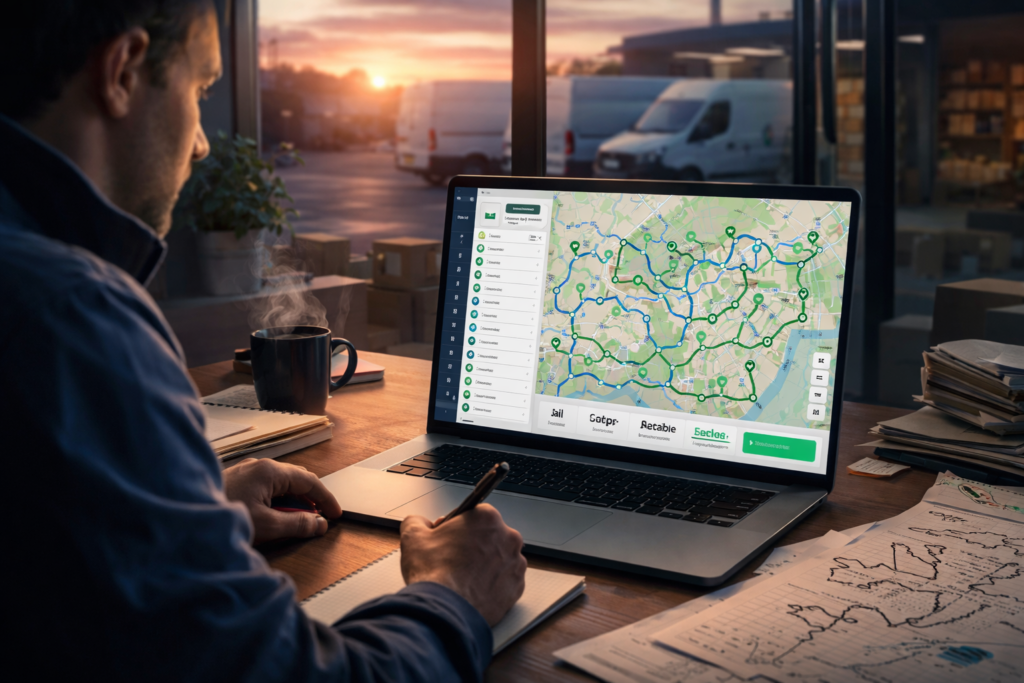
Something every experienced dispatcher knows: the difference between a good day and a chaotic one is almost always decided before 8am. If the routes went out clean, with stops sequenced logically, time windows respected, drivers assigned to areas they know, and load order matching drop sequence, the day runs itself. If the routes were thrown together fast because the morning got away from you, you’ll be fielding calls until 6pm.
This guide is written for operators who already know what they’re doing and want to do it better. Not a beginner tutorial. A proper playbook for planning routes that hold up in the real world, handling the disruptions that will inevitably happen, and building a system that gets smarter over time.
One thing you can do right now, before reading any further, that will improve your routes today:
group your stops by postcode or zip code in a spreadsheet before you do anything else. Sort by postcode, then assign zones to drivers. It takes ten minutes and immediately eliminates the most common source of backtracking in manually planned routes. If you’re already doing that and need more, keep reading.
What Good Route Planning Actually Involves
Planning delivery routes sounds like a logistics task. It’s actually a resource allocation problem with time constraints, and that distinction matters for how you approach it.
You’re not just deciding which road to take. You’re deciding how to distribute a finite set of driver hours across a set of deliveries with different time requirements, priority levels, and geographic positions, while respecting vehicle capacity limits, customer windows, road conditions, and the unpredictable reality that about 10-15% of what you plan for won’t survive first contact with the actual day.
Good route planning accounts for all of this upfront. Poor route planning accounts for the address and not much else, which is why a lot of routes that look fine on a map turn into a mess by lunchtime.
Specifically, a well-built route will factor in:
- How long each stop actually takes, not how long it’s supposed to take in theory.
- Vehicle load capacity and load sequence (the last stop gets loaded first).
- Delivery time windows that customers have been promised.
- Traffic patterns at the actual times your drivers will hit certain roads.
- Which driver knows which area, because familiarity with local roads is genuinely worth 10-15 minutes per route.
- Priority stops that need to happen regardless of efficiency.
- A realistic buffer for the unexpected, because there always is one.
Routes that skip any of these factors look efficient on paper and create problems on the road.
The Morning Dispatch Workflow: Step by Step
This is the section most guides skip. Here’s a realistic sequence from the moment your order list is ready to the moment your drivers leave.
Step 1: Pull your complete order list and validate addresses
Before you optimize anything, check the data. Wrong or incomplete addresses are the most common cause of failed deliveries, and catching them at planning time costs nothing. Catching them at delivery time costs the driver’s time, a failed attempt fee, and a frustrated customer.
A few minutes spent running your address list through geocoding software or even a basic validation pass in your route planner is almost always worth it. Most modern delivery platforms do this automatically when you import stops.
While you’re at it, flag anything unusual: access restrictions, gate codes needed, commercial addresses with loading bay requirements, customers who are notoriously hard to reach. These notes need to be in the driver’s instructions before they leave, not discovered at the doorstep.
Step 2: Set your constraints before you touch the sequence
This is the step that separates experienced operators from less experienced ones. Before you think about which stop comes first, set the parameters that the route has to respect.
Time windows are the most critical. If customerA is available until 11am and customer B is only available after 2pm, the sequence has to work around that. Any route that doesn’t account for this upfront will hit a wall mid-day.
Vehicle capacity is next. How many stops can each vehicle handle at full load? What’s the weight or volume limit? If you’re running different vehicle types across your fleet, this gets more complex, and the assignment of drivers to routes needs to match vehicle capability to stop requirements.
Driver shift times matter more than people think. A route that asks a driver to do 55 stops in a 7-hour shift, accounting for realistic service times, is already overloaded before it starts. Set a realistic ceiling per driver based on your actual average service time per stop, not an optimistic estimate.
Step 3: Cluster stops geographically before sequencing
Even if you’re using optimization software, understanding your geographic clusters helps you spot problems the algorithm might not. The basic principle: stops that are close together geographically should generally be close together in the route sequence.
The main exception is time windows. If two stops are next door to each other but one needs to be done at 9am and the other at 3pm, they obviously can’t be consecutive regardless of geography.
For manual planners: sort your stops by postcode first, then look at them on a map. Draw rough zones. Assign each zone to a driver. Then within each zone, sequence the stops in a logical geographic flow. A good zone route works through a neighborhood in one direction rather than zigzagging back and forth.
For software users: let the algorithm do this, but review the output on a map before dispatching. A good route optimization engine won’t produce spaghetti routes, but it’s worth a 90-second visual check to catch anything that looks obviously wrong.
Step 4: Sort load order to match delivery sequence
This is the step that consistently gets forgotten and consistently causes problems. Your driver’s last delivery stop should be loaded first, and the first stop should be at the front of the vehicle.
If your team loads vehicles in the wrong order, drivers spend 5-10 minutes at each stop digging through the load to find the right parcel. Multiply that by 40 stops a day across 8 drivers and you’ve added several hours of productive delivery time to your daily cost.
For operations with complex mixed loads or multiple product types per stop, a loading manifest that maps packages to vehicle position makes a real difference. It takes time to build initially, but experienced loading teams work much faster with a clear schema.
Step 5: Assign routes to drivers based on familiarity and shift timing
Driver-route matching is underrated as a planning decision. A driver who knows a specific area, knows where parking is awkward, knows which apartment buildings have difficult access, and knows the local traffic patterns is measurably faster than an unfamiliar driver on the same route, often by 15-20 minutes on a full day’s run.
Where possible, keep drivers on familiar zones. It builds efficiency over time and reduces the number of “can’t find the address” calls you get during the day.
Shift timing matters too. If you have drivers starting at different times, routes need to be structured so early starters aren’t waiting around for the later shift to fill out their routes, and late starters aren’t being given time-sensitive early-morning stops.
Step 6: Send routes to drivers, not just addresses
A route pushed to a driver’s phone should contain more than a list of addresses. It should include:
The planned sequence with estimated arrival times at each stop.
Any specific instructions per stop (access codes, customer notes, contact numbers).
Package information so drivers can verify they have the right items before leaving.
The estimated end time for the route so drivers can plan their day.
If you’re dispatching manually via text or email, this is harder to do cleanly. If you’re using a platform with a driver app, all of this can go to the driver’s phone automatically.
The 5 Things That Break a Good Route
You can plan a solid route and still have it fall apart because of one of these.
Underestimating service time. Most operations plan for an average service time per stop without accounting for variance. A residential doorstep delivery might take 2 minutes. A delivery to a commercial building with a loading bay, signature requirement, and a lift that’s slow might
take 20. If your planning assumptions use the first type of timing for a route full of the second type, the schedule collapses before lunchtime.
The fix: track actual service times by stop type and location, not by averages. Most route management platforms capture dwell time automatically. Use that data.
Ignoring access restrictions. Low bridges, weight-restricted roads, no-entry zones, pedestrian areas that come into effect at certain hours, construction closures that have been there for six months but somehow never made it into the route notes. Access issues that a driver discovers at the stop cost time and sometimes make the delivery impossible.
Build a simple running list of known access restrictions in your area. Any time a driver reports a new one, it goes on the list. Feed it into your routing constraints if your software supports it, or note it manually in the stop instructions.
Planning routes that don’t account for the actual traffic at the actual time. Planning a route at 6am using current traffic conditions doesn’t tell you what the traffic will be like at 11am when the driver reaches that part of the city. Historical traffic patterns by time of day are built into most
modern route optimization software. If you’re planning manually, you need to know your delivery area’s rush hour patterns and build them into your sequencing decisions.
Overloading drivers without building in real buffer time. A route with 50 stops and a planned finish time of 3pm that has zero buffer will run to 5pm when two customers aren’t home, one stop has a 15-minute wait, and there’s an accident on the main road. Experienced dispatchers build 10-15% buffer into their route timing. It feels like leaving capacity on the table. What it actually does is stop you getting calls at 4:30pm asking why the driver isn’t there yet.
Dispatching routes that drivers didn’t have input on. This sounds like a management issue, but it’s a route quality issue. Drivers have local knowledge that doesn’t exist in any database: the customer who always parks across the loading bay, the apartment block where you can never get
a signal to confirm delivery, the shortcut that saves eight minutes on the way back to the depot. Operations that treat driver feedback as route improvement input consistently produce better routes over time than operations that treat drivers as route-followers
Handling In-Day Disruptions Without Starting Over
Every experienced dispatcher has a version of this story: it’s 10:30am, a driver has a breakdown, a major customer has cancelled their order, and three urgent jobs have just come in that weren’t on the morning plan. What happens next determines whether the day is salvageable or a write-off.
A few principles that actually work:
Triage by time-sensitivity first. Not all disruptions need an immediate response. A driver running 20 minutes late on a stop that doesn’t have a hard time window is different from a driver running 20 minutes late on a stop with a hard 11am commitment. Deal with the constrained ones
first.
Redistribute, don’t rebuild. When a driver goes down, the instinct is to rebuild all the routes from scratch. Usually this is wrong. Identify the 2-3 highest-priority stops from the affected driver’s remaining route, redistribute those to the closest available driver with capacity, and let the rest slide or reschedule. A full route rebuild mid-day causes more disruption than it solves.
New urgent stops go in at the closest logical point in an existing route, not at the start or end.
This sounds obvious but a lot of dispatchers default to adding urgent stops to the end of a route when there’s a much more sensible insertion point mid-route that adds less total mileage.
Communicate downstream before the problem arrives. If you know a delivery is going to be late, customer notification that goes out before the customer is waiting is infinitely better than notification that goes out after they’ve already called you. Most delivery platforms handle this
automatically. If yours doesn’t, this is the most compelling reason to upgrade.
Manual Planning vs Software: Where the Real Threshold Is
For operations doing under 20-25 deliveries per day with one or two drivers, manual planning with a spreadsheet and Google Maps is genuinely workable. It’s not ideal, but the time cost of the planning process is manageable and the optimization gap isn’t enormous at that scale.
Once you’re at 30-40 deliveries per day, the math changes. Route optimization software typically reduces total mileage by 20-30% compared to manual planning at this volume. Let’s say you have five drivers each doing 40 stops.
Manual planning for five routes at that volume probably takes an experienced dispatcher 60-90 minutes per morning. Route optimization software does the same job in 2-3 minutes.
That’s 60+ minutes of dispatcher time saved every single day, or roughly 22 hours per month. At any reasonable salary rate, that’s the software cost covered several times over before you count the fuel savings.
The fuel math is stark too. A 20% mileage reduction on five drivers doing typical delivery routes is probably 15-20 miles saved per driver per day. At current fuel prices, that’s $7-10 per driver per day, or $35-50 per day for the fleet. Over a 22-day working month that’s $770-$1,100 in unnecessary fuel spend per month for a five-driver operation.
The real question for most operators isn’t whether to use software. It’s which software, and when to make the switch. The answer to the second part is almost always earlier than it feels.
Using Driver Feedback to Make Routes Better Over Time
This is the most consistently overlooked part of route planning, and the operations that do it well have a compounding advantage over ones that don’t.
Your drivers spend 8 hours a day on the roads you plan. They see things you don’t: the customer who’s never home on Tuesdays, the building that added a new access control system, the backroad shortcut that saves six minutes between two stops you’d never look at on a map. That knowledge is worth capturing.
The simplest version of a feedback loop is a driver debrief at the end of each day. Five minutes, not a formal meeting. What took longer than expected? Any access issues? Anything on the route that didn’t make sense? Keep a running log.
The better version is a route debrief system built into your delivery software. Modern platforms track planned time vs actual time at every stop, flag stops where drivers deviate significantly from the planned route, and capture delivery notes that include things like “couldn’t access loading bay, had to park three streets away.” All of that is data you can feed back into your next planning cycle.
Over time, operations with strong feedback loops build a route knowledge base that makes their routes genuinely better each week. Operations without feedback loops plan the same inefficiencies on repeat.
How Bodha Fits Into This Workflow
Bodha Fleet handles the dispatch workflow described in this guide from start to finish: address validation on import, constraint-based optimization that respects time windows and vehicle capacity, automatic load sequencing, driver app with turn-by-turn navigation and delivery instructions, real-time fleet tracking for dispatchers, automated customer notifications, proof of delivery capture, and post-route performance data.
Most dispatchers get comfortable with the platform within the first couple of routes. The learning curve is short because the workflow maps to how experienced dispatchers already think about planning, not a new system they have to adapt to.
For solo drivers, Bodha Drive handles individual route planning with the same optimization engine, up to 500 stops per route.
Try it free for 7 days. No credit card required.
Frequently Asked Questions
The Takeaway
Planning delivery routes well is not complicated, but it does require being deliberate about each part of the process. The operations that run efficient, consistent routes do the same things: they set constraints before they sequence, they match load order to delivery sequence, they account for realistic service times, they build in buffer, and they treat driver feedback as a planning input rather than an afterthought.
The operations that struggle with routes typically skip one or more of those steps because the morning gets busy and the shortcuts seem harmless. They aren’t. They show up as fuel costs, overtime, missed windows, and dispatcher stress.
If you’re running more than 30 stops per driver per day and still planning manually, the cost of staying manual is almost certainly higher than you think.
Try it free for 7 days. No credit card required