Plan more than a handful of stops and you’ll run into MapQuest’s wall pretty quickly. The free planner caps you at 26 stops. It drives them in the order you typed, not the order that gets you home fastest. And the free version still throws ads at you while you’re trying to read the route. For printing off directions to one place, that’s all fine. For a full day of deliveries or service calls, it means you’re back to dragging stops around by hand and doubling back across town.
So it’s no surprise drivers and dispatchers keep searching for a MapQuest alternative. The upside? In 2026 there are plenty of them, from free browser tools to full-blown fleet platforms. Below are the seven best, what each one’s actually good at, how to pick the right fit for your day, and what a proper planner can save you over a year on the road.
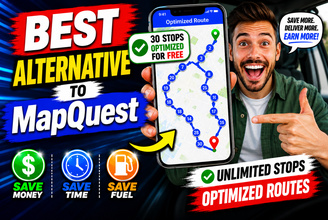
Short on time? The best alternative to MapQuest for multi-stop routes is Bodha — a free MapQuest alternative that optimizes up to 30 stops per route, gives you an arrival time for every stop, and prints a clean route sheet. No ads, no signup.
Why people look for a MapQuest alternative
It helps to spell out exactly what pushes people to switch. Almost every MapQuest alternative on this list exists to solve at least one of these:
- The 26-stop cap. MapQuest’s free planner won’t take more than 26 stops, and a busy run blows past that in no time.
- No real optimization. A proper route planner reshuffles your stops into the quickest order. MapQuest mostly keeps the order you entered, so the hard part is still on you.
- Ads on the free tier. Banner ads get in the way right when you’re trying to read your route.
- Nothing built for drivers. No proof of delivery, no live tracking, no ETA texts to customers, no printable run sheet for the dash.
- A dated feel. MapQuest helped invent online mapping back in 1996, and honestly, parts of it still feel that way.
There’s also been a shake-up worth knowing about. SpeedyRoute, a free planner a lot of people relied on, closed down in early 2025, leaving its occasional users hunting for a replacement. If that was you, several picks below slot straight into the gap. And if you want the bigger picture on why stop order matters so much, our guide on what route optimization actually is breaks it down.
When MapQuest is still good enough
Switching isn’t always the answer, so let’s be fair to MapQuest. For straightforward point-to-point directions, it’s reliable and familiar. Its 26-stop free tier is actually roomy next to Google Maps’ ten or so. And it throws in U.S. fuel-cost estimates, which a lot of free planners skip. So if you rarely go past a couple of dozen stops, don’t need the order optimized, and can shrug off the odd ad, MapQuest still does the trick. The argument for a MapQuest alternative only really kicks in once one of those changes more stops, a need for the fastest order, or business features like proof of delivery.
What to look for in a MapQuest alternative
“Route planner” covers a lot of very different tools, so it pays to match one to how you actually work. When you’re weighing up alternatives to MapQuest, these are the things that make a real difference:
- Real optimization. This is the whole point. The tool should reorder your stops into the fastest run on its own. If it doesn’t, it’s a map, not a planner.
- Stop capacity. Compare the free and paid limits against your busiest day, not your average one.
- Spreadsheet import. If your addresses already sit in Excel or a CSV, uploading the lot beats retyping every line, especially if the tool flags any address it can’t read.
- Per-stop ETAs. A time for each stop, not just a total, lets you tell customers when you’ll show up and spot an overloaded day before you leave.
- A route sheet you can print or share. A clean PDF on the dash beats glancing at your phone at every red light.
- Vehicle profiles. A truck, a bike, and a car don’t take the same roads or the same time. Good planners adjust for that.
- Room to grow. Planning on adding drivers? Pick a tool whose free planner runs on the same engine as its paid fleet plan, so you’re not rebuilding everything later.
- Pricing that suits you. Free, cheap monthly, or full enterprise — match it to how often you really route.
The 7 best MapQuest alternatives in 2026
1. Bodha Route Planner – best free MapQuest alternative overall
Bodha was built for the exact moment MapQuest gives up. Drop in your stops in any order (type them or import a list from a spreadsheet) and Bodha works out the fastest sequence on real roads, then hands back an arrival time, leg distance, and drive time for every stop before you pull away.
MapQuest stops at 26 and leaves the ordering to you. Bodha optimizes up to 30 stops per route, across unlimited routes, for free, with no ads, no signup, and no card. Finish up and a single tap gives you a PDF route sheet to print and prop on the dash.
Here’s what makes it a genuine MapQuest replacement:
- It optimizes, it doesn’t just map. One click reorders everything into the quickest run and shows what you saved against your original order.
- Spreadsheet import. Upload a
.csv, .xlsx, or .xls, point it at the address column, and it pins every row, flagging anything it can’t read so nothing quietly goes missing. - It knows your vehicle. Car, bike, scooter, or truck changes both the order and the timings.
- It grows with you. The free planner runs on the same engine as Bodha’s paid fleet platform, so when you need multiple drivers, live tracking, and proof of delivery, you’re not starting from scratch.
One fair caveat: the free web planner is for sorting your route before you set off, not turn-by-turn navigation. For that you send the finished route to your nav app. For most people leaving MapQuest, getting the fastest order plus a printable sheet, for nothing, is exactly the upgrade they came for.
Best for: delivery drivers, couriers, and field-service pros who’ve outgrown MapQuest’s cap and want real sequencing for free. Try Bodha free →
2. Circuit – best for solo courier and gig drivers
Circuit is a favourite with couriers and gig drivers, mostly thanks to a polished mobile app and smooth hand-off to Google Maps and Waze. The free tier is light on stops, so it fits shorter daily runs, while the paid plan unlocks unlimited stops plus delivery-day extras like quick package finding and proof of delivery. If your whole day runs off your phone, Circuit’s worth a look.
Best for: solo delivery drivers who work mainly from a phone.
3. Route4Me – best for enterprises and developers
Route4Me is one of the older names here, aimed at businesses planning, dispatching, and tracking at scale. Its edge is breadth: multi-driver management, a deep API for custom builds, and analytics for teams that want to push past a single day’s route. All that power means more setup and a bigger bill than a solo driver needs, and there’s no real free tier, just a trial. Overkill for the odd route, but a solid MapQuest alternative for operations teams that have outgrown their spreadsheets.
Best for: bigger fleets and technical teams that need API access and dispatch tools.
4. OptimoRoute – best for planning and scheduling ahead
OptimoRoute is built around planning and scheduling. It suits delivery and field-service businesses that juggle time windows, spread work evenly across drivers, and map out whole days in advance, pickups and drop-offs in the same plan. There’s no permanent free tier (you trial it), so it’s a commitment rather than a quick fix, but for teams scheduling recurring work it’s a capable alternative to MapQuest.
Best for: delivery and field-service teams that plan work ahead across a crew.
5. Zeo Route Planner – best mobile-first budget option
Zeo is a mobile-first planner with a big driver following, known for quick route computation and a low price. The free mobile tier covers a small number of stops; the paid plan opens that up and adds ETA sharing, voice input for stops, and proof-of-delivery capture. If you want a phone-native tool at rock-bottom cost, Zeo’s a reasonable MapQuest alternative. Just check that free stop limit against a normal day for you.
Best for: drivers who want a cheap, phone-first app.
6. RouteXL – best free web tool for occasional routes
RouteXL is a tidy, ad-free web planner that handles around 20 stops per route on the free tier, with nothing to install. It’s a natural home for ex-SpeedyRoute users and anyone who needs an efficient multi-stop run every now and then without committing to a subscription. Paste addresses or import them from a spreadsheet, then share the route to a nav app. The free geocoding can misplace an address here and there, but for no-fuss browser planning it gets the job done.
Best for: occasional, browser-based multi-stop planning with no ads.
7. Google Maps (and Waze) – best free everyday navigation
Not running a delivery business and just lining up a few errands or a road trip? Google Maps is still the easiest free option going, and Waze is brilliant for live traffic on point-to-point drives. The snag is the same one that sends pros elsewhere: Google Maps tops out around 10 stops and won’t truly optimize the order, and Waze only really handles one stop in the middle. They’re excellent at navigating, which is a different job from planning. Plenty of drivers run both, optimizing in a planner and navigating here.
Best for: personal trips and light, everyday navigation.
MapQuest vs. the top alternatives
How much can a route planner actually save you?
It’s tempting to file route planning under “chores” rather than “costs,” but the math doesn’t really let you. The last mile is reliably the priciest part of getting anything delivered (industry estimates often peg it at around half the total cost of shipping), and most of that comes down to time, fuel, and miles that smart sequencing simply removes.
Picture a route in the wrong order. It sends a driver back across town twice, piling on miles and fuel each time. Tack a 20-minute detour onto every day for a year and you’ve burned days of paid time and a real fuel bill, all for driving in the wrong sequence. That’s the gap a MapQuest alternative closes: it finds the fastest order in seconds, so nobody spends an hour guessing at it.
There’s a service angle too. Per-stop ETAs mean tighter arrival windows and far fewer “where are you?” calls, and a route that wraps up early leaves room for one more job. Want the full breakdown? Our rundown of proven ways to reduce delivery costs shows exactly where the savings hide.
How to choose the right MapQuest alternative
The best pick really comes down to what your day looks like:
- Solo driver who blew past the 26-stop cap and wants it free? Go with Bodha — 30 optimized stops per route, no ads, no signup, printable route sheet. It’s basically “MapQuest, but it actually sorts your stops.”
- Running courier or trucking work with a team? Sooner or later you’ll want proof of delivery, live tracking, and multiple drivers. Look at tools that scale, like Bodha’s fleet plan, Route4Me, or OptimoRoute, depending on budget and how complex things get.
- Only plan a route once in a while? A free web tool like Bodha or RouteXL beats paying for a subscription you’ll barely touch.
- Just need everyday directions? Google Maps or Waze are plenty. You don’t need a delivery platform.
And if your stops already live in a spreadsheet, that’s the thing to optimize for. A planner that imports a multi-stop list and sorts it in seconds saves more time than any single feature on a comparison table.
How to switch from MapQuest in 5 steps
Moving off MapQuest is way less hassle than it sounds. Most people are planning a real route inside five minutes. Using Bodha’s free tool as the example:
- Set your start. Pick where the route begins and when you leave. Every arrival time keys off that.
- Add your stops, or import them. Type them with suggestions, or upload a CSV or Excel file and choose the address column.
- Pick your vehicle. Car, bike, scooter, or truck. The route and timings shift to match.
- Optimize. One click reorders every stop into the fastest run and shows ETAs, drive times, and total distance.
- Print or send it. Grab the PDF route sheet for the dash, or push the optimized order over to Google Maps or Waze to navigate.
That’s the whole move. No account, no data to migrate, no learning curve. Switching off MapQuest rarely takes more than a single route to feel worth it.
Frequently asked questions
The bottom line
MapQuest earned its spot in internet history, but it was made to map a route, not optimize one. The moment your day runs past a couple of dozen stops, or you just want the fastest order handed to you, a dedicated planner pays for itself in time and fuel.
Out of everything here, Bodha is the easiest to try, simply because there’s nothing to sign up for. Add your stops, hit optimize, and watch your route fall into the fastest order with arrival times in seconds. Then decide for yourself whether you ever go back.
See why Bodha is the best free MapQuest alternative →