Emergency Dispatch for HVAC and Plumbing: How to Route Urgent Calls to the Right Tech

Emergency Dispatch for HVAC and Plumbing

Emergency Dispatch for HVAC and Plumbing: How to Route Urgent Calls to the Right Tech

user profile

Bodha Route

July 16, 2026

Table Of Content

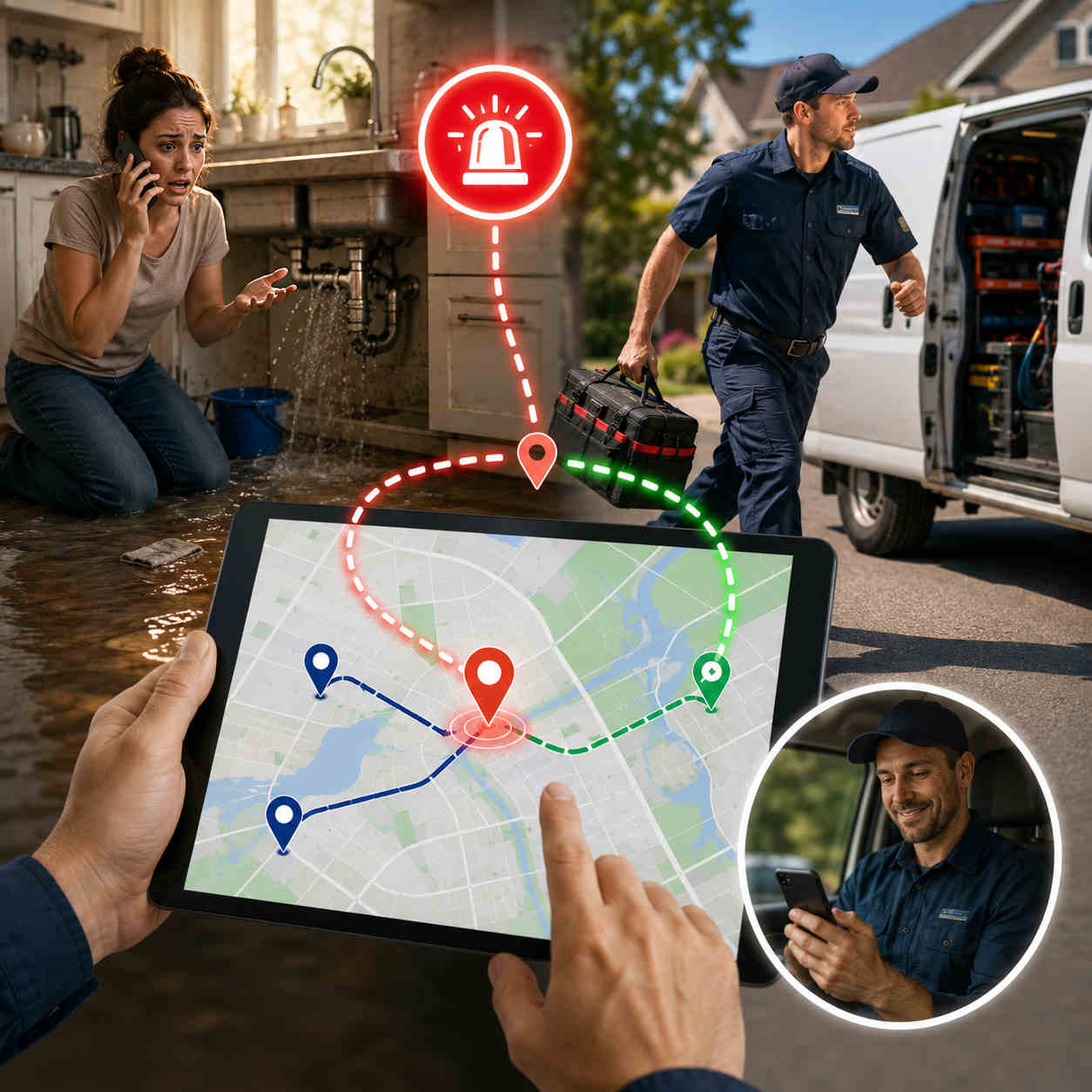
Three o’clock. Hottest day of the year. The phone rings and it’s a family whose AC just quit, there’s a baby in the house, and they need somebody now. Your dispatcher’s face does that little thing it does, and then the scramble starts. Who’s closest? Nobody’s totally sure. One tech gets pinged, turns out he’s halfway across town. Another’s elbow-deep in a job and can’t leave. Twenty minutes go by. The customer’s still sweating. And somewhere in the back of their mind, a one-star review is already writing itself.

You know that scene. Every shop does. But look closely and it isn’t really a people problem. Your dispatcher is good. The problem is that they’re flying blind, because you can’t route what you can’t see. When the whereabouts of your crew live in someone’s head instead of on a screen, every urgent call becomes a guess. That’s the whole reason HVAC emergency dispatch software exists. It tells you who’s genuinely closest and free, drops the urgent job into the day without knocking everything else over, and gets the right person moving in minutes, not twenty.

So let’s get into it. What HVAC emergency dispatch software actually does, why the manual way falls apart at the exact moment you need it most, how the urgent call routing HVAC and plumbing crews depend on really works under the hood, and what to look for so your next 3pm disaster is a two-tap reassignment instead of a fire drill. Burst pipe or dead furnace, the job’s the same: get the right person there fast, and don’t torch the rest of the day doing it.

What Is HVAC Emergency Dispatch Software?

Plainly put, it’s the tool that gets the right tech to an urgent job fast, on its own, instead of your dispatcher working three phones at once. A same-day call comes in. The software shows you every tech’s live location and what they’re in the middle of, helps you send the nearest one who can actually break away, reshuffles that tech’s route to fit the new job, and drops the change onto their phone. The customer gets an ETA without anyone lifting a receiver. And your office quits firefighting.

Worth drawing a clear line here, because the trades software aisle is a confusing place. A full field service platform runs the paperwork: job records, invoicing, parts, memberships. An answering service makes sure somebody picks up at 2am. HVAC emergency dispatch software is the bit in between, the part that turns a logged panic call into a truck actually pointed at the problem. Same story for plumbing emergency dispatch, by the way. A pipe letting go at 4pm is the same puzzle as a furnace dying at midnight: someone needs help this minute, and you need your closest capable person there without wrecking five other appointments.

Here’s what trips people up, though. You don’t have to throw out what you’ve already got. Decent same-day service dispatch software doesn’t fight your stack, it slides in next to it. Already running an FSM or an answering service? Emergency dispatch adds the live eyes and the instant rerouting those tools usually don’t have. Still working off a whiteboard and a cell phone? Then honestly, this is the one upgrade that’ll change your ugliest days the most. Either way the pitch is the same: quicker urgent call routing HVAC and plumbing operators can lean on, minus the chaos.

Why Manual Emergency Dispatch Falls Apart Under Pressure

On a slow day, a sharp dispatcher with a whiteboard and a phone looks like a wizard. Problem is, emergencies don’t book themselves for slow days. They land on the days you’re already slammed, and that’s precisely when the manual way buckles. Here’s where the cracks show.

You’re guessing who’s closest. No live tracking means “who can grab this?” gets answered from memory, off a mental map that went stale an hour ago. That tech you pictured nearby? He wrapped up and drove clear across town twenty minutes back. Guess wrong on an emergency and a fifteen-minute response becomes forty. This, right here, is the daily headache behind urgent call routing HVAC teams keep losing sleep over.

Double-books and dropped balls. Mid-scramble, two techs get aimed at the same job while a third request slips off the whiteboard entirely. One move, and you’ve burned a truck and lost a customer. Manual plumbing emergency dispatch punishes this hardest, because water doesn’t wait around politely while you untangle the mix-up. It’s soaking the drywall the whole time.

One emergency, whole day gone. Wedge an urgent call onto a tech by hand and watch his next three appointments wobble, then slide, then collapse. Those customers ring in irritated. The afternoon dominoes. You spend the back half of the day saying sorry. Without same-day service dispatch software to reslot things cleanly, a single emergency taxes everything downstream of it.

It all lives in one head. When “who’s where and what’s on fire” exists only in your dispatcher’s memory, the whole operation stops the second they take lunch. That’s a shaky way to run the part of the business your reputation hangs on.

And the reputation hit keeps on giving. A slow emergency isn’t one bad afternoon and done. It’s a one-star review parked on your profile for years, quietly waving the next customer toward the competition. In this trade, how you handle the emergency is the story people tell, at the cookout, in the neighborhood Facebook group, in the review that pops up when somebody Googles you at midnight with a flooded basement. Get it right and it sells for you for years. Get it wrong and it costs you just as long. Field service dispatch software is how you make sure it’s the good version.

Tally it up and manual emergency handling isn’t just stressful, it’s a slow bleed. Every laggy response, every double-book, every blown schedule leaks money and goodwill out the same hole. HVAC emergency dispatch software patches it by swapping the guesswork for a live picture you can actually act on.

How Emergency Dispatch Software Routes Urgent Calls to the Right Tech

Cut through the sales speak and good HVAC emergency dispatch software really does five plain things the instant an urgent call hits. Each one lifts a task off your dispatcher’s plate at the worst possible moment. Here’s the sequence, front to back.

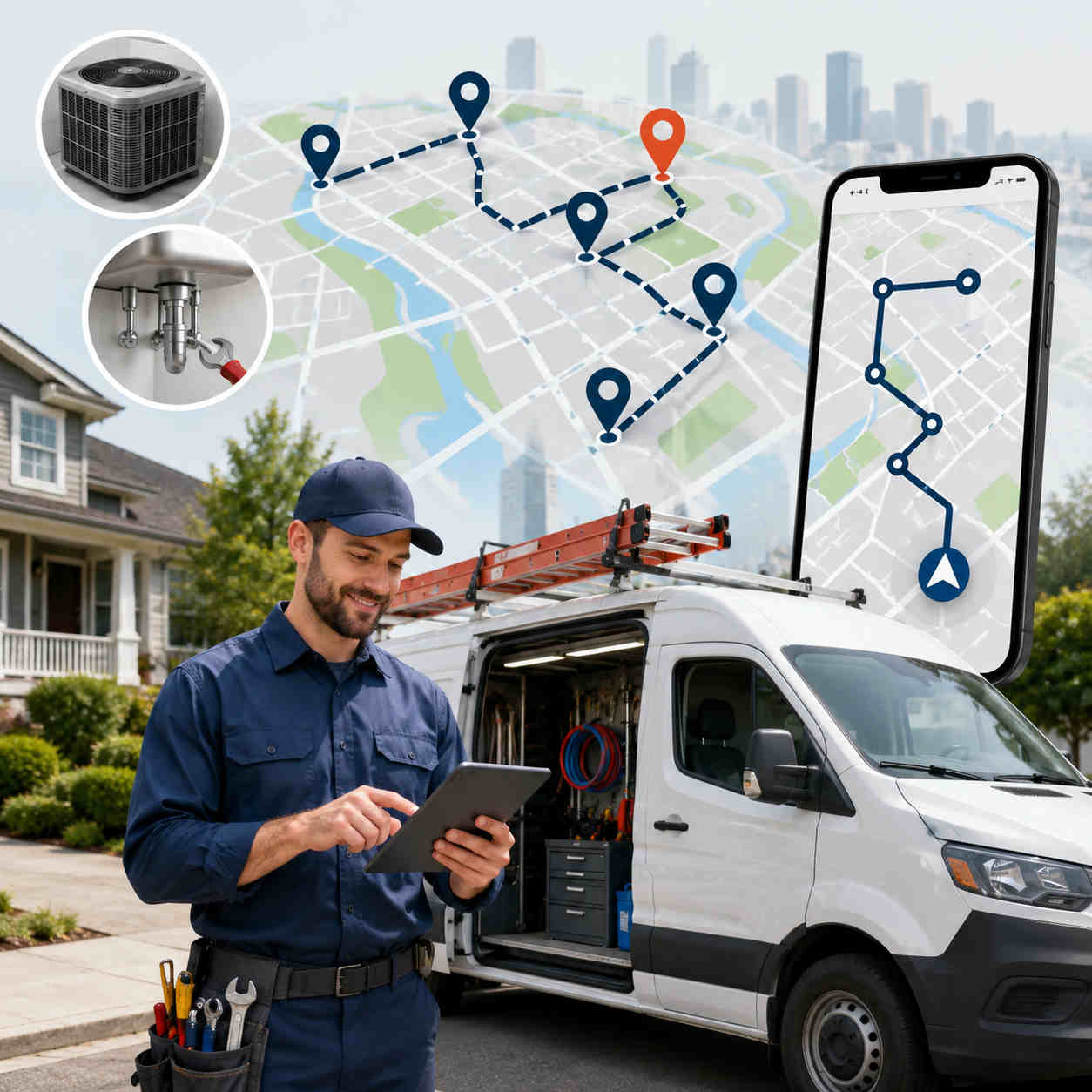
First, it shows you who’s actually closest. Live GPS tracking puts the whole crew on one map, updating in real time, so “who’s nearest?” stops being a hunch. You see where everyone is and what they’re doing, and you pick the tech who can truly get there quickest, not the one you half-remember being in that zip code. That’s the bedrock of any real urgent call routing HVAC and plumbing shops can trust.

Then it slots the job in and re-optimizes on the spot. Adding an emergency shouldn’t mean rebuilding the whole day from zero. Solid route planning reshuffles that tech’s remaining stops around the new urgent job in seconds, and lets you grab it and drag it yourself when you’d rather override the machine. This is the line between same-day service dispatch software and a glorified calendar: the day flexes to swallow the emergency instead of snapping under it.

Next, the new route lands on the tech’s phone. The updated stop shows up in the technician’s mobile app right away, navigation, notes, gate codes and all. No phone call, no “okay so from where you are, head back toward Elm.” He just sees it and goes.

Meanwhile, the customer gets a heads-up automatically. The second a tech is assigned and rolling, an ETA text and a tracking link go out on their own. For a panicked homeowner watching their kitchen flood, “help is 15 minutes out” is the whole difference between a grateful review and a furious one. Just as true for plumbing emergency dispatch as for a no-cool call in August.

And finally, it captures proof. Timestamped, photo-backed proof of service logs exactly when the truck showed and what got done. Anybody ever argues the response time or the work, you’ve got the receipt. Quiet insurance a paper job sheet could never give you.

String those five together and the urgent call routing HVAC and plumbing teams used to dread stops being a scramble. Call comes in, you spot who’s closest, the job drops in, the tech rolls, the customer’s already been texted, all in less time than it used to take just to find somebody.

Balancing Emergencies With the Planned Day

Here’s what makes trades dispatch genuinely tricky, and it’s worth sitting with. Your day is never all emergencies or all planned work. It’s both, braided together. A tech’s got a tidy morning of tune-ups, and then 2pm rolls around and a no-cool call lands that flat-out can’t wait. The whole craft of dispatch is soaking up the urgent without ditching the planned, and protecting that balance is really what HVAC emergency dispatch software is for.

It comes down to the re-optimization. Add an emergency and the software doesn’t just staple it to the end of somebody’s day and let the rest topple. It weighs the whole board: who can take the urgent job with the least damage, whose leftover stops can shift, how to keep the most appointments on time. Good same-day service dispatch software treats the emergency as one more thing to solve around, not a grenade rolled under the schedule.

That balancing act guards your recurring money, too. The maintenance agreements and seasonal tune-ups that actually pay your rent don’t get sacrificed every single time an urgent call jumps the line, because the system reslots with some sense instead of bumping whatever’s easiest to bump. Tie that to a client CRM holding every site’s history and access notes, and even a last-minute fill-in tech rolls up knowing where the shutoff is and which dog bites. That’s where field service dispatch software quietly pays for itself, not on the dramatic rescue, but on keeping the ordinary day whole while it pulls off the dramatic one.

What to Look For in HVAC & Plumbing Emergency Dispatch Software

Plenty of tools wear the “dispatch software” label without being built for the speed a real emergency demands. So when you’re weighing up HVAC emergency dispatch software, these are the things that actually earn their money at 3pm on the worst afternoon of the summer.

Live GPS, not “last check-in.” You need every tech’s true, current spot on one map, or you can’t send the genuinely closest person. Any field service dispatch software worth a dime treats this as the whole point, not a bolt-on.

Re-optimization that’s actually instant. Dropping in an urgent job and resequencing the affected route should take seconds. If it’s twenty minutes of manual dragging, the tool just failed the one exam that counted. This is the beating heart of same-day service dispatch software.

An app your techs won’t hate. The slickest reassignment on earth is useless if it never reaches the truck cleanly. You want a fast app, real navigation, job notes, and one-tap status updates flowing back to dispatch.

Customer texts that fire on their own. An ETA and a tracking link the moment a tech’s en route. For plumbing emergency dispatch especially, that little bit of reassurance flips a frightened caller into a loyal customer.

Proof of service. Timestamped, photo-backed, arrival to sign-off, so response times and finished work are never a “well, he said he showed up” situation.

It plays nice with what you already run. The best HVAC emergency dispatch software rides alongside your FSM, your scheduler, your answering service, instead of demanding you rip everything out. Import the jobs, dispatch, reroute, keep the invoicing and booking you already trust.

Setup measured in minutes. Emergencies won’t hold for a three-month rollout. Look for something you can load from a spreadsheet and run inside an hour.

Reports you’ll actually open. Analytics on response times and completed jobs tell you whether your urgent call routing HVAC and plumbing process is getting better or just feels like it is, and where to aim next.

Check most of those boxes and you’ve got emergency dispatch that holds up when the pressure’s on, not one more screen to glare at while the phone won’t stop.

What Faster Emergency Response Actually Delivers

Easy to talk about all this in the abstract, so let’s put it in dollars and reviews. The obvious win is speed. Shaving an emergency from forty minutes to fifteen is the kind of thing customers don’t forget, and not forgetting is exactly what turns a one-time panic call into a regular and a glowing review. Your emergency response is your reputation, and your reputation fills next month’s calendar.

Then there’s the leak you plug. Fewer double-books means fewer wasted truck rolls. Cleaner rerouting means the planned jobs you’d otherwise bump stay on the books, so you protect the day’s revenue instead of robbing one job to pay another. And because good field service dispatch software banks proof of every response, the callback squabbles that used to swallow an afternoon get settled in about ten seconds. There’s a softer payoff too: your dispatcher climbs out of permanent fight-or-flight. When the map does the finding and the software does the reslotting, the person running your board gets to manage the day instead of just surviving it. Calmer office, faster trucks, better reviews. That’s the quiet compounding you get from nailing the urgent call routing HVAC and plumbing teams live or die by.

Where Emergency Dispatch Fits: Software vs. FSM vs. Answering Service

People tie themselves in knots here, so let’s untangle it. These tools overlap, but they fix different things, and knowing which you actually need keeps you from overpaying for the rest.

An answering service makes sure the call gets caught, day or night. Necessary, but it taps out at “we’ve logged your emergency.” A field service management platform runs the back office, records, invoices, parts, memberships. Also worth having, but heavy, and not built for split-second rerouting. HVAC emergency dispatch software is the connective tissue between them, the thing that turns a logged urgent call into a truck physically closing in on the problem, and keeps the rest of the day standing while it happens.


So the real answer is they work best shoulder to shoulder, not instead of each other. Answering service catches the call. Your same-day service dispatch software finds the nearest tech, reslots the route, gets them moving. Your FSM cuts the invoice after. Loads of shops run good field service dispatch software right next to the tools they already own and let each one do the job it’s actually good at. That’s exactly how Bodha’s built, tight routing, dispatch, tracking, and proof that tucks into your setup instead of bulldozing it.

Getting Started With Bodha

Best part for anyone drowning in emergency chaos? How fast this flips. Because Bodha is software-first and runs off the tech’s app, most shops are dispatching live inside an hour. Pull your jobs and customer list in from a spreadsheet, get the crew on the app, and you’re ready before the next urgent call even rings. No hardware, no drawn-out onboarding.

After that, emergencies get almost boring, which is the whole idea. Call lands, you glance at the live map in Bodha Fleet, spot who’s closest, drop the job in, and the route re-optimizes and pushes itself to the tech’s phone. Customer gets an ETA. Proof of service closes it out. Shops that switch usually see quicker response times, fewer blown schedules, and a real dent in the “where’s my technician?” calls that used to eat the front desk alive, on top of the up-to-30% fuel savings that come with tighter routing across the board.

Bodha’s HVAC and plumbing route planner keeps its focus narrow on purpose: live tracking, instant re-optimization, proof of service, automatic customer texts, all riding alongside the FSM and answering service you already run. Poke around the pricing page before you spend a nickel. If urgent calls keep turning your afternoons into fire drills, HVAC emergency dispatch software is the shortest path out, and you could be handling the next one calmly by this afternoon. (Want the wider picture on tightening every route, not just the 3pm scrambles? Start with our guide to HVAC and plumbing route planning software.)

Frequently asked questions

It's the system that gets the right tech to an urgent job fast, automatically, instead of a dispatcher working the phones. When a same-day call lands, HVAC emergency dispatch software shows every tech's live location, helps you send the nearest one who can break away, reshuffles their route to fit the emergency, and pushes the change to their phone, while the customer gets an automatic ETA.


It starts with live GPS, so you see who's genuinely closest instead of guessing from memory. You assign that tech, the software re-optimizes their remaining stops around the new job, and the updated route lands on their phone with navigation and notes. That's what turns the urgent call routing HVAC and plumbing teams wrestle with into a quick, confident call.

Yes, and that's the entire point. Rather than stapling the urgent job to the end of someone's day and letting the rest slide, good same-day service dispatch software resequences the affected route with some sense, keeping as many planned appointments on time as it can. Your recurring maintenance and scheduled work stay protected while the emergency gets handled.

Completely. A burst pipe is the same dispatch problem as a dead AC, get the nearest capable tech there fast before the damage spreads. Plumbing emergency dispatch runs on the same live tracking, instant rerouting, and automatic ETAs, so plumbing shops get the same fast, calm response HVAC teams do.

No, and it usually shouldn't. Bodha's field service dispatch software is meant to work beside your existing tools, your answering service catches the call, Bodha finds the nearest tech and reroutes them, your FSM handles the invoice afterward. You keep what you rely on and just add the live visibility and instant rerouting those tools tend to lack.

Setup itself is usually under an hour, since there's no hardware, just import your jobs and get the techs on the app. After that, responding to an urgent call takes seconds: see who's closest, drop the job in, and the route re-optimizes and dispatches on its own. Most shops notice quicker response times and fewer scheduling headaches inside the first week.

Ready to get your techs off the road and onto the job?

Start a free trial of Bodha's routing built for HVAC and plumbing teams.

Subscribe to Our Blog

    Related blogs

    How to Plan Delivery Routes: A Practical Guide for Operators

    How to Plan Delivery Routes: A Practical Guide for Operators

    Back Table Of Content Something every experienced dispatcher knows: the difference between a good day and a chaotic…

    Reduce Delivery Costs: 10 Proven Strategies That Actually Work

    Reduce Delivery Costs: 10 Proven Strategies That Actually Work

    Back Table Of Content Last-mile delivery is the most expensive part of the logistics chain. It accounts for…

    What Is Route Optimization? (And Why Your Delivery Business Can’t Afford to Ignore It)

    What Is Route Optimization? (And Why Your Delivery Business Can’t…

    Back Table Of Content Picture this: it’s 7am, you’ve got 60 deliveries to get out, two drivers called…

    HVAC & Plumbing Route Planning Software: Fit More Service Calls Into the Day

    HVAC & Plumbing Route Planning Software

    HVAC & Plumbing Route Planning Software: Fit More Service Calls Into the Day

    user profile

    Bodha Route

    July 16, 2026

    Table Of Content

    Here’s the uncomfortable math behind most trades businesses. Your technicians are skilled, your phone is ringing, and your calendar is full. So why does the day always seem to end with jobs left undone? Nine times out of ten, the answer isn’t the work. It’s the driving. A tech who spends two hours a day crawling across town between calls is a tech who’s being paid a skilled-trade wage to sit in traffic.

    That’s the exact problem HVAC plumbing route planning software is built to solve. It takes the jobs you already have, the techs you already employ, and the territory you already cover, and it sequences all of it into the tightest possible day, so your people spend more time turning wrenches and less time behind the windshield. Do that well and you can often fit an extra call or two into every tech’s day without hiring a single new person.

    This guide walks through what HVAC plumbing route planning software actually is, why drive time punishes the trades harder than almost any other business, what to look for before you buy, and where routing fits alongside the dispatch and field service tools you might already run. No jargon, no enterprise sales pitch. Just how to get more billable hours out of the day you already have.

    What Is HVAC & Plumbing Route Planning Software?

    At its core, HVAC plumbing route planning software is a tool that decides the smartest order and assignment for your service calls. Give it the day’s jobs and your available technicians, and it figures out who goes where, in what order, to burn the least drive time across the whole team. Then it hands each tech a clean route on their phone and lets dispatch watch it play out live.

    It helps to be precise about what this is and isn’t, because the trades software market is crowded and confusing. A full field service management (FSM) platform handles everything: job creation, invoicing, price books, parts, memberships. HVAC dispatch software handles the assignment and scheduling of work orders. And a technician route planner handles the piece those tools often do worst, the actual geography, sequencing stops so nobody criss-crosses the service area all afternoon. Good HVAC plumbing route planning software is really field service route optimization focused on that geographic layer, and it’s usually the fastest, cheapest win available to a growing shop.

    Here’s the part that trips people up. You don’t have to rip out your existing system to get it. The best technician route planner works alongside whatever you already use, pulling in the jobs and pushing back optimized routes. So if you’ve got plumbing scheduling software or an FSM you like, routing complements it rather than replacing it. If you’re still on spreadsheets and a whiteboard, HVAC plumbing route planning software is often the simplest first upgrade you can make, and the one your techs will feel on day one.

    Why Drive Time Punishes HVAC & Plumbing Teams So Hard

    Every field business deals with drive time. But a few things about the trades make it especially expensive, which is exactly why field service route optimization pays off faster here than almost anywhere else. Picture a five-tech shop where each tech loses ninety minutes a day to avoidable driving. That’s seven and a half hours of skilled labor evaporating daily, nearly a full extra tech’s worth of capacity you’re paying for and never getting. Now picture clawing back even half of it. That’s the size of the prize, and it’s why the trades are almost the textbook case for a technician route planner.

    Skilled labor is costly, and windshield time wastes it. A plumber or HVAC tech is one of your highest-paid field employees, and a typical service call runs anywhere from forty-five minutes to a couple of hours. Every half hour they spend driving is a big chunk of a billable job spent producing nothing. A technician route planner exists to claw that time back and turn it into wrench time.

    Customers hold you to appointment windows. Someone took the afternoon off work to meet your tech. When drive times slip, the window slips, the phone rings, and the rest of the day’s schedule starts to wobble. Tight routing keeps arrivals predictable, and predictable arrivals keep customers off the phone and out of your one-star reviews.

    Emergencies land on top of a full day. An AC unit dies on the hottest afternoon of the year. A pipe bursts at 2pm. These calls don’t wait, and jammed onto the end of a route by hand they wreck the day’s efficiency. This is where re-optimizing HVAC plumbing route planning software earns its keep, slotting the urgent job into the right place instead of the last place.

    The work is spread all over the map. A ten-call day across residential neighborhoods, commercial sites, one-way streets, and rush-hour traffic looks nothing like a tidy line on a map. Routes built from a dispatcher’s memory quietly pile up wasted miles, every tech, every day. Field service route optimization is what turns that mess into a clean, drivable sequence.

    Recurring maintenance stacks on top of repairs. Seasonal tune-ups, filter changes, service-agreement visits, all running alongside one-off repairs. Juggling recurring work and reactive work by hand is where plumbing scheduling software and a solid technician route planner start to look less like a luxury and more like a necessity.

    Add it up and the trades are almost the perfect case for routing software. High labor cost, tight windows, constant curveballs, and work scattered across a metro area. HVAC plumbing route planning software attacks the single biggest drain on the day, and it does it every single morning.

    How HVAC & Plumbing Route Planning Software Actually Works

    Strip away the buzzwords and a good technician route planner does a handful of concrete things, one after another, and each one removes a headache you’re currently eating by hand.

    It optimizes across every tech at once. This is the difference between real field service route optimization and a glorified map. Instead of a dispatcher balancing techs by gut feel, the software sequences the whole team in one pass, spreading the workload and cutting company-wide drive time. Import your jobs from a spreadsheet and it maps and plans the lot in seconds.

    It uses real road drive times, not straight lines. A route that looks efficient on a flat map can fall apart the second a tech hits a highway backup or a school zone. Good HVAC plumbing route planning software plans on actual road speeds, so the day holds up on the street, not just on screen. Bodha’s route optimization works exactly this way.

    It re-optimizes when the day changes. A cancellation, a job that runs long, an emergency call, none of it should mean rebuilding the schedule from scratch. The software reshuffles on the fly and pushes the update out. That’s the feature that makes emergency work manageable instead of chaotic.

    It puts the route on the tech’s phone. An optimized route is useless if it lives on a dispatcher’s screen. A proper driver and technician mobile app gives each tech turn-by-turn navigation, job notes, and access details, so they roll from stop to stop without calling the office.

    It tracks the whole team live. Dispatch sees every tech on one map through live tracking, which kills the “let me call and check” reflex and makes it easy to see who’s closest when an urgent call drops.

    It keeps customers in the loop automatically. Automatic ETA texts and a tracking link tell customers when the tech is on the way, and proof of service captured at the job settles any question about what was done. That’s the combination that quietly ends “where’s my technician?” calls.

    Stack those together and HVAC plumbing route planning software stops being a planning chore and becomes the engine that runs the day.

    What to Look For in a Technician Route Planner

    Not every tool sold to the trades is built for the trades, and the wrong one adds steps instead of removing them. When you’re comparing HVAC plumbing route planning software, these are the things that actually matter once real jobs and real traffic get involved.

    Multi-technician optimization in one pass. Some tools only optimize a single route at a time, which just moves the balancing act back onto your dispatcher. You want true field service route optimization across the whole team at once.

    Real drive-time data. Straight-line distance produces routes that look smart and drive badly. Insist on a technician route planner that uses real road times and traffic patterns.

    Fast, easy mid-day changes. Emergencies and cancellations are a daily fact of trades life. Adding an urgent job and re-optimizing should take seconds, not a schedule rebuild. This is where a lot of clunky HVAC dispatch software falls down.

    Recurring scheduling built in. For maintenance agreements and seasonal work, you want plumbing scheduling software behavior baked in: set a cadence per customer, and the system shows who’s due and drops them into the route. Bodha ties this to a built-in client CRM that keeps every site’s access notes and history in one place.

    A mobile app techs will actually use. If the route lands as a plain address list, that’s not an upgrade. Techs need navigation, notes, and one-tap status updates that sync back to dispatch.

    Live tracking and proof of service. Dispatch needs eyes on the team, and you need a timestamped, photo-backed record of each job to settle disputes and callbacks fast.

    Automatic customer notifications. ETA texts and a tracking link are what cut the inbound calls and make a small shop look polished.

    It plays nicely with your other tools. The best HVAC plumbing route planning software complements your existing FSM or plumbing scheduling software instead of forcing a rip-and-replace. You should be able to import jobs, optimize, and push routes without abandoning the invoicing and booking you already trust.

    Tick most of these and you’ve found a technician route planner worth paying for, not a generic map app in a work-truck costume.

    Route Planning vs. Dispatch vs. Full Field Service Software

    This is where a lot of buyers get stuck, so let’s make it simple. These three things overlap, but they solve different problems, and knowing which you actually need saves you money.

    Field service management is the big all-in-one: job creation, customer records, invoicing, price books, parts, memberships. Powerful, but heavy, pricey, and often overkill for a small-to-mid shop. HVAC dispatch software is the piece that assigns and schedules work orders, deciding which tech gets which job and when. And HVAC plumbing route planning software is the geographic brain, the technician route planner that sequences those jobs into the least-drive-time order and navigates techs through the day.

    Here’s the practical takeaway. If drive time is your biggest cost and your current setup doesn’t optimize geography, a dedicated technician route planner is usually the highest-return tool you can add, and you don’t need to abandon your FSM to get it. Many shops run capable field service route optimization alongside the HVAC dispatch software or plumbing scheduling software they already own, letting each tool do the part it’s best at. Routing handles the “who goes where, in what order.” Your FSM handles the paperwork. Everybody wins, and you’re not paying enterprise prices for a problem a focused tool solves better.

    That’s deliberately how Bodha is built. It’s routing, scheduling, tracking, and proof of service, designed to slot alongside the booking and invoicing tools you already use rather than replace them.

    Who HVAC & Plumbing Route Planning Software Is Right For

    You don’t need a hundred trucks to benefit from this. In fact, the sweet spot is smaller than most people assume.

    For a one- or two-tech operation where the owner knows every customer by name and builds the day from memory, manual planning is usually fine. The math changes fast around three to five techs, where building routes by hand starts eating real time every morning and the quality gets inconsistent. That’s the point where HVAC plumbing route planning software starts paying for itself almost immediately.

    It fits residential HVAC and plumbing shops running a mix of service calls and maintenance. It fits commercial contractors coordinating techs across job sites. It fits any team juggling recurring service agreements alongside reactive repairs, and any operation where emergency calls regularly blow up the schedule. If your day involves a list of stops and a lot of driving between them, a technician route planner is built for you. And because the good ones complement your existing plumbing scheduling software or FSM, adopting field service route optimization doesn’t mean tearing up the systems your office already runs on.

    What Better Routing Actually Delivers

    It’s worth being clear about where the return comes from, because “optimize your routes” can sound abstract until you see it on the P&L. The first thing you feel is more capacity: tighter sequencing frees up enough time that most shops fit an extra call or two per tech per day, which is pure added revenue with no new payroll. Then the costs drop, because fewer miles means less fuel and less wear on the trucks, and honest field service route optimization tends to trim both meaningfully.


    There’s a service-quality dividend too. When routes hold up and customers get an automatic heads-up, arrival windows stop slipping and the office phone goes quiet. When an emergency lands, re-optimizing HVAC plumbing route planning software absorbs it instead of letting it torch the afternoon. And when a customer questions whether a job got done, proof of service settles it in seconds. Add the accountability that comes from live tracking and clean analytics, and a good technician route planner doesn’t just shave drive time, it makes the whole operation calmer, more predictable, and easier to grow. That’s the real reason the trades keep reaching for HVAC dispatch software and routing tools together: one runs the paperwork, the other runs the road.

    Getting Started With Bodha

    The best part is how little it takes to start. Because Bodha is software-first and runs through the technician app, most shops are up and optimizing within an hour. Import your customer list and jobs from a spreadsheet, set any recurring maintenance cadences, optimize the first routes, and dispatch to your techs the same day. No installers, no long onboarding.

    From there it runs. Techs follow their optimized routes and capture proof at each job. Dispatch watches the whole team live through Bodha Fleet and reshuffles instantly when an emergency drops. Customers get automatic ETAs. And every route feeds analytics you can use to tighten things further. Shops that switch from manual planning typically see up to 30% less fuel, around 25% more jobs handled, and a full extra hour back in the day, which is how you fit those extra service calls in without extending anyone’s shift.

    Bodha’s HVAC and plumbing route planner is deliberately focused: real routing, real-time tracking, proof of service, recurring scheduling, and customer notifications, working alongside the tools you already have rather than replacing them. You can see exactly what it costs on the pricing page before committing a dollar. If drive time is quietly capping how many calls your team can run, HVAC plumbing route planning software is the most direct lever you can pull, and you could be running a tighter day by this afternoon. (Emergencies eating your schedule in particular? Our guide to emergency dispatch for HVAC and plumbing digs into that specifically.)

    Frequently asked questions

    It's a tool that sequences and assigns your service calls across your technicians to minimize total drive time, then delivers each tech an optimized route with navigation on their phone. In practice, HVAC plumbing route planning software is field service route optimization focused on the geographic side of your day, so your team spends more time on jobs and less time driving between them.

    HVAC dispatch software assigns and schedules work orders, and full field service management handles invoicing, price books, and parts. A technician route planner focuses on the geography, the order and routing of stops to cut travel time. They complement each other, which is why many shops run routing alongside the dispatch or plumbing scheduling software they already own rather than replacing it.

    Yes, and this is one of the biggest wins. When an urgent job lands, good HVAC plumbing route planning software lets you drop it in and re-optimize instantly, slotting it to the nearest available tech instead of tacking it onto the end of a route. Live tracking makes it easy to see who's closest, so emergencies stop derailing the whole afternoon.

    Yes. Strong plumbing scheduling software behavior is built in: set a cadence for each maintenance agreement or seasonal tune-up, and the system flags who's due and builds them into the route automatically. Paired with a client CRM that stores each site's access notes and history, recurring work stops slipping through the cracks.

    It doesn't have to, and usually it shouldn't. Bodha's technician route planner is designed to work alongside your existing FSM or scheduling tools, importing jobs and pushing back optimized routes, so you keep the invoicing and booking you already use and simply add the field service route optimization those tools often lack.

    For one or two techs, manual routing is often manageable. The payoff usually becomes obvious around three to five techs, where hand-building routes eats real time daily. Setup is quick, most shops import their jobs, optimize, and dispatch within an hour, and many see tighter routes and fewer calls in the first week.

    Ready to get your techs off the road and onto the job?

    Start a free trial of Bodha's routing built for HVAC and plumbing teams.

    Subscribe to Our Blog

      Related blogs

      How to Plan Delivery Routes: A Practical Guide for Operators

      How to Plan Delivery Routes: A Practical Guide for Operators

      Back Table Of Content Something every experienced dispatcher knows: the difference between a good day and a chaotic…

      Reduce Delivery Costs: 10 Proven Strategies That Actually Work

      Reduce Delivery Costs: 10 Proven Strategies That Actually Work

      Back Table Of Content Last-mile delivery is the most expensive part of the logistics chain. It accounts for…

      What Is Route Optimization? (And Why Your Delivery Business Can’t Afford to Ignore It)

      What Is Route Optimization? (And Why Your Delivery Business Can’t…

      Back Table Of Content Picture this: it’s 7am, you’ve got 60 deliveries to get out, two drivers called…