Snow Plow Dispatch Software: How to Coordinate Multiple Trucks During a Storm | Bodha Route Planner

Snow Plow Dispatch Software: How to Coordinate Multiple Trucks During a Storm

Snow Plow Dispatch Software: How to Coordinate Multiple Trucks During a Storm | Bodha Route Planner

user profile

Bodha Route

July 9, 2026

Table Of Content

It’s 2 a.m., eight inches are coming down, and you’ve got ten trucks somewhere out there in the dark. One driver just called to say he’s finished his list. Another isn’t answering the radio. A property manager is on the other line asking why her lot, which opens at six, still hasn’t been touched. You can’t see the whole board at once, so you’re piecing the picture together one phone call at a time, and the snow keeps falling while you do.

That’s the exact moment snow plow dispatch software is built for. Running one truck is a routing problem. Running ten during a live storm is a coordination problem, and coordination is where most snow operations quietly bleed time, money, and contracts. This guide walks through where manual dispatch falls apart, gap by gap, and how the right software closes each one.

Why Coordinating Multiple Trucks Is Snow's Hardest Problem

Plenty of trades run multiple vehicles. What makes snow different is that the coordination happens all at once, under a deadline, in the dark, while conditions change by the hour.

Think about the moving parts. Every truck is at a different point in its list. Some zones got hit harder than others. Priority accounts, hospitals, fire lanes, lots that open early, carry contractual clearing deadlines that don’t care how busy you are. Plowing crews and salting crews are working the same properties on different passes. And every fifteen minutes something changes: a truck goes down, a new emergency call lands, a zone that was fine an hour ago is buried again.


Running one truck, you hold all of that in your head. Running ten, you can’t. Multi-truck snow dispatch is a fundamentally different job, less about any single route and more about seeing the whole operation at once and moving resources to wherever they’re needed next. That’s snow removal crew coordination, and it’s the part that separates a storm that goes smoothly from one that turns into a long night of phone tag and angry property managers. This is the coordination problem snow plow dispatch software is built to solve, and the tools that handle it well share one trait: they give the dispatcher a single, live view of everything, so decisions come from data instead of guesswork.

The Phone-and-Radio Trap

Most snow operations still coordinate by phone and radio, and it works fine right up until it doesn’t. Calling each driver to check status doesn’t scale past a handful of trucks, and it gets slowest at exactly the wrong moment, the peak hours of an active storm, when you’re trying to talk to ten people at once.

The real problem isn’t the talking, it’s the blindness. A dispatcher working the phones has no way to see the full picture at once, so rebalancing the workload across crews becomes guesswork. Two trucks end up working the same neighborhood without realizing it. A priority account gets reached late, not because nobody cared, but because nobody could see which truck was closest.

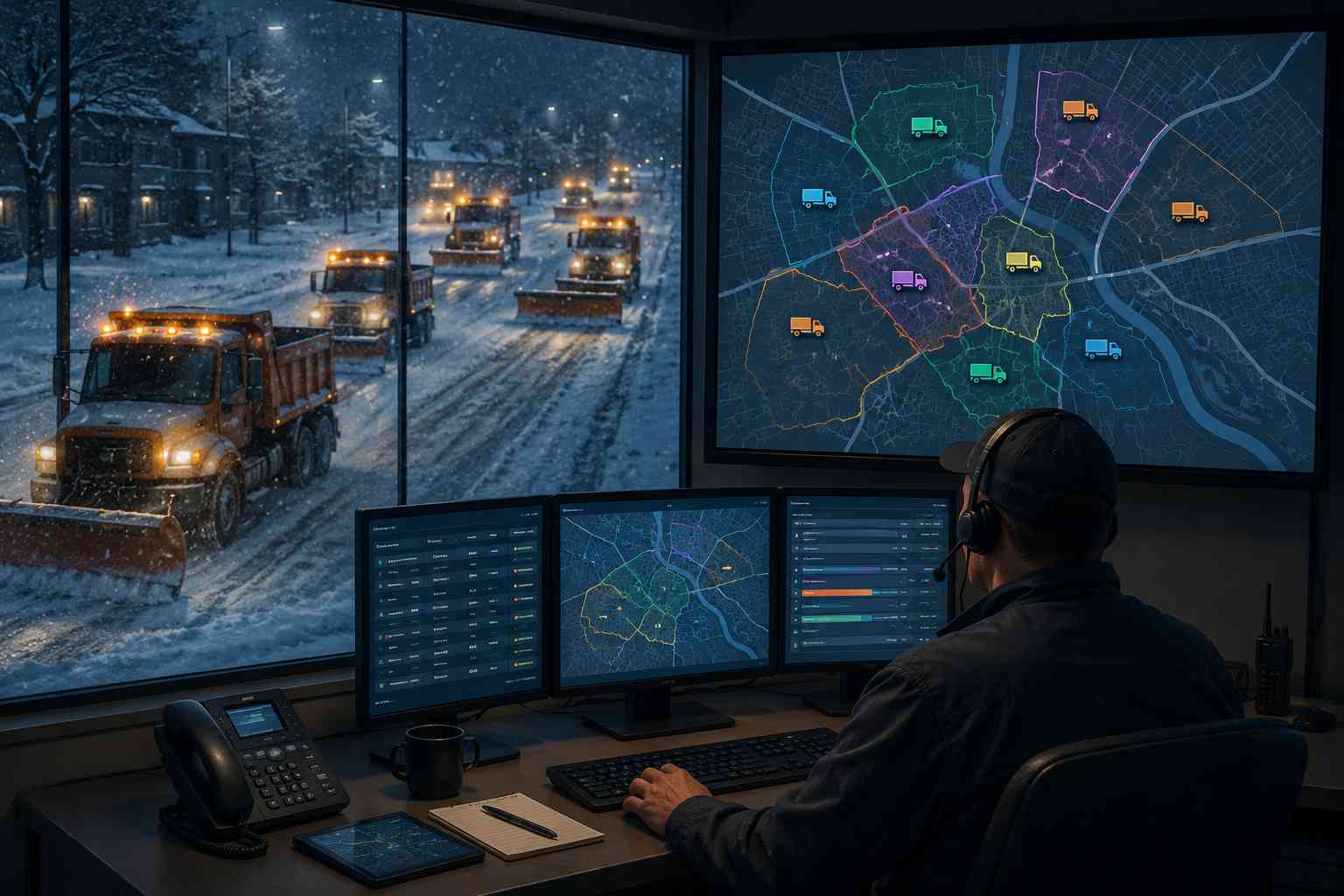
Snow plow dispatch software exists to kill that blindness. It swaps the phone-and-radio scramble for a live map of every truck’s location, status, and remaining workload. From there, each gap in manual dispatch has a clear fix.

Gap 1: You Can’t See Where Your Trucks Are

The first and biggest gap is simple: during a storm, you often don’t actually know where your trucks are. You know where they were when they last checked in, which by 2 a.m. is not the same thing.

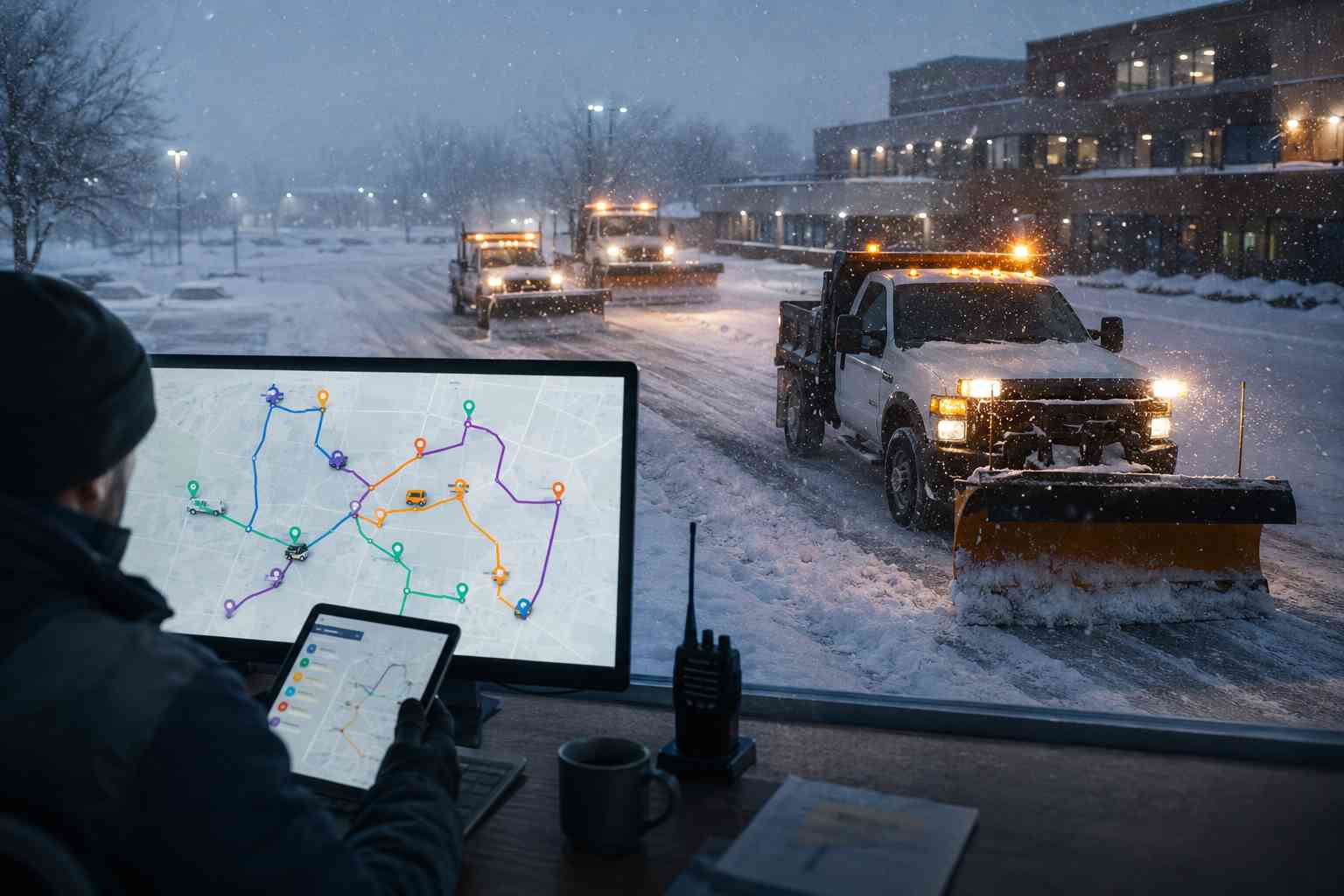
This is what live GPS tracking fixes, and it’s the foundation everything else is built on. Good snow plow tracking software puts every truck on one map in real time, so a dispatcher can see, at a glance, who’s where and how far along each route is. No calling around to ask.

That visibility does two things. First, it turns the dispatcher’s screen into a single source of truth for the whole operation, which is what makes fast decisions possible. Second, it quietly builds a record: the software logs exactly when each truck reached each property, which matters later when a client asks why their lot wasn’t done by six, or an insurer wants proof of when a surface was cleared.

Without solid snow plow tracking software, every other part of coordination is a guess. That’s why snow plow dispatch software leads with the map. You can’t rebalance what you can’t see.

Gap 2: The Work Isn’t Balanced Across Trucks

Storms don’t fall evenly. One zone gets eight inches while another gets three. One driver flies through a list of small residential drives while another is stuck on a sprawling commercial lot. The result, on a manual operation, is predictable: some trucks finish early and sit idle while others fall hours behind, and nobody has the full picture to fix it.

This is the heart of multi-truck snow dispatch, and it’s where the payoff is biggest. When snow plow dispatch software shows real-time completion status for every truck, a dispatcher can spot the imbalance instantly and act on it: pull that idle truck off its finished route and send it to a zone that’s drowning. Instead of a finished driver heading home while a neighbor’s route stays buried, the whole fleet stays productive until the last property is clear.

That rebalancing is nearly impossible to do well by phone, because it requires seeing everyone’s progress at the same moment. It’s the difference between finishing the storm at 7 a.m. and finishing at 9, and in snow, those two hours are the gap between beating the morning commute and eating a stack of angry calls. For multi-truck operations, that balancing act is the single biggest reason to run snow plow dispatch software. Balanced crews clear more properties in less time, full stop.

Gap 3: Reassigning Crews Is Too Slow When Conditions Change

Even when a dispatcher knows a change is needed, manual reassignment is painfully slow. Moving three stops from an overloaded truck to a free one means calling both drivers, reading out addresses, confirming they’ve got it, and hoping nothing gets lost over a bad radio connection. By the time it’s done, conditions have shifted again.

Snow plow dispatch software collapses that into a few taps. A dispatcher drags stops from one truck’s route to another’s, and the change pushes to both drivers’ phones instantly, updated sequence, addresses, and notes included. No phone call, no confusion, no rewriting anyone’s night by hand.

This speed matters most for the curveballs. A property manager calls mid-storm begging for an unscheduled clearing. Instead of blowing up the plan, the dispatcher drops the new stop onto the nearest crew’s route and the software re-sequences around it. A truck breaks down, and its remaining stops get absorbed across the rest of the fleet in seconds. The plan bends instead of breaking, which is exactly what a storm demands.

Gap 4: Plowing and Salting Crews Drift Out of Sync

Here’s a gap that costs operations quietly, every single storm. Plowing and salting are often run by separate crews making separate passes on the same properties. On a phone-and-radio setup, those are two disconnected queues, and it’s easy for a lot to get marked “done” after the plow while the salting pass never happens, or happens a day late.

That’s not a small miss. An unsalted lot is a slip-and-fall liability, and it’s the kind of gap that surfaces as a lawyer’s letter in spring, not a complaint that night.

Snow plow dispatch software that shows both crew types on the same map, tied to the same job, closes it. A property isn’t complete until both the plow and the salt passes are logged, and the dispatcher can see at a glance which properties have been plowed but still need ice control. Coordinating the two as connected steps on one job, rather than two unrelated dispatch lists, is one of those unglamorous features that pays for the whole tool the first time it saves you from an uncleared, unsalted lot.

Gap 5: Crew Communication Turns Into Chaos

During a bad storm, a dispatcher’s phone becomes a bottleneck. Drivers calling for the next stop, property managers asking if their lot’s done, everyone needing something at once. Communication stops being a tool and becomes the problem.

Snow plow dispatch software untangles this on both sides. On the crew side, routes, stop details, notes, and reassignments all live in the driver’s app, so drivers aren’t calling in for information they can already see, and a dispatcher can push an update or a mass message to the whole team at once. That’s snow removal crew coordination that runs on the screen instead of the phone lines.

On the client side, automatic notifications do the heavy lifting. The moment a crew marks a property complete, the software can text or email the property manager, which answers the single question they always have, “is my lot done yet?”, before they pick up the phone. Fewer inbound calls during peak hours means the dispatcher can actually dispatch.

Gap 6: You Have No Record of Who Cleared What

The last gap shows up after the storm, when the invoices go out and the disputes come in. Snow removal arguments almost always land on the same question: was this property cleared, when, and how many times? On a manual operation, the answer is a driver’s memory, which is no answer at all three days later.

Snow plow dispatch software builds the record automatically as the crews work. Timestamped proof of service, photos and notes tied to each property, means that when a client challenges an invoice, you have a photo of their cleared lot stamped 5:14 a.m., and the argument’s over. Because storms knock out signal, that capture has to work offline and sync once connectivity returns.

The same record speeds up billing. For per-event or per-push contracts, the log of when and where each pass happened is already attached to the property, so invoicing becomes a matter of exporting what the system captured rather than reconstructing the night from memory. Proof protects both your revenue and your reputation.

What to Look for in Snow Plow Dispatch Software

If you’re evaluating snow plow dispatch software to run all of that, the winter-specific capabilities matter more than the generic ones. Here’s what separates the real thing from a generic scheduling app:

  • Live GPS tracking. Every truck on one map in real time. Strong snow plow tracking software is the foundation of the whole thing.
  • Real-time rebalancing. Completion status per truck, so you can move an idle crew into a zone that’s behind, the core of multi-truck snow dispatch.
  • Drag-and-drop reassignment. Move stops between trucks in taps, with instant push to drivers’ phones.
  • Priority and SLA flagging. Contractual accounts surfaced so they’re covered first, every storm.
  • Plow-and-salt coordination. Both crew types on one job, so nothing’s marked done until it truly is.
  • Automatic client notifications. Property managers updated the moment their lot is cleared.
  • Offline-capable proof of service. Timestamped photos and notes that work when signal drops and sync later.

One more: the tool should be built for the messy reality of a storm, not a calm weekday. A dispatch tool that shines on a sunny Tuesday but chokes at 2 a.m. under a foot of snow isn’t the one you want.

Dispatch Software, Route Planner, or Fleet Management: Sorting the Labels

Shopping for winter tools, you’ll see three labels used almost interchangeably, and the differences matter.

A snow removal route planner builds the routes: it sequences each truck’s stops for the most efficient path before and during a storm. Snow plow dispatch software is about coordinating the crews live once they’re rolling: seeing every truck, rebalancing, reassigning, and communicating in real time, the live side of snow removal crew coordination. The two are tightly linked, you plan the routes, then you dispatch and adjust them, which is why the best tools do both. We cover the planning side in depth in our companion guide on snow removal route planning.


Then there’s snow removal fleet management, and this one is worth a clear-eyed distinction. Full snow removal fleet management usually means telematics: GPS hardware wired into each vehicle for engine diagnostics, fuel and maintenance data, driver-behavior scoring, and asset tracking. That’s a different category, owned by hardware-based platforms. Some snow operations want that depth. Many just need to coordinate crews and prove the work, which is dispatch, not telematics. Knowing which problem you’re actually solving keeps you from overpaying for hardware you’ll never use, and it’s why snow plow dispatch software and fleet management aren’t the same purchase.

Getting Your Dispatch Setup Ready Before the Season

The worst time to learn a new tool is at 2 a.m. during the first storm. The work that makes snow plow dispatch software pay off happens before the season, when it’s calm.

A quick pre-season checklist:

  • Import your full property list, flagging which accounts carry service-level requirements.
  • Assign trucks to starting zones based on how storms have historically hit your service area.
  • Set priority flags so SLA-bound accounts jump out on the dispatcher’s screen.
  • Run a dry run. Walk your team through live tracking, reassignment, and notifications before real snow tests them.
  • Turn on property-manager notifications ahead of time, not mid-storm.
  • After each storm, review the completion reports and refine your zone assignments for the next one.

Do this in the fall and your first storm is a system you trust, not a scramble you’re improvising through.

Where Bodha Fits for Storm Dispatch

Bodha is snow plow dispatch software built for exactly this. It gives snow dispatchers a live view of every truck during an active storm, priority sequencing for SLA-bound accounts, and the ability to reassign or add properties to any route without picking up a phone. Its real-time tracking works as snow plow tracking software, putting the whole fleet on one map, automatic notifications keep property managers informed as each lot is cleared, and timestamped proof of service documents every pass for billing and disputes.

You can see the full picture on the Snow Removal Route Planner page, and if you want the routing side, start with our storm-ready route planning guide.

Now the honest boundaries. Bodha is a dispatch and routing tool for contractor and commercial snow crews, clearing a defined list of client properties. It runs app-based tracking and coordination, not hardware telematics, so if you need engine diagnostics and deep fleet management data, you’d pair it with a telematics provider. It’s also not a municipal street-grid system. What it does, coordinate your crews through a storm and prove every pass, it does well, and it’s free to start.

Frequently asked questions

Snow plow dispatch software gives a dispatcher a real-time view of every truck's location and job status during a storm, plus the ability to reassign properties across crews as conditions change. It replaces the phone-and-radio scramble with a single live map of the whole operation.

It shows completion status for every truck in real time, so a dispatcher can shift an idle crew into a zone that's falling behind instead of calling around to figure out where help is needed. That live rebalancing is the core of multi-truck snow dispatch and effective snow removal crew coordination.

Yes. When both crew types sit on the same platform, a property isn't marked complete until both the plow and salt passes are logged, which closes a gap that leaves lots unsalted on manually run operations.

Not quite. Dispatch software focuses on coordinating crews and jobs live during a storm. Full snow removal fleet management usually adds telematics, GPS hardware for engine diagnostics, maintenance, and driver-behavior data. Some operations want both; many just need dispatch and proof of service.

Yes. It can trigger a text or email the moment a crew marks a property complete, answering the "is my lot done?" question and cutting inbound calls during the busiest hours of the storm.
Ready to coordinate your fleet in real time during the next storm?

Start a free trial of Bodha’s snow plow dispatch software, or book a demo before the season starts.

Ready to run your whole fleet from one screen this winter?

Start a free trial of Bodha's snow plow dispatch software and coordinate every truck in real time.

Subscribe to Our Blog

    Related blogs

    How to Plan Delivery Routes: A Practical Guide for Operators

    How to Plan Delivery Routes: A Practical Guide for Operators

    Back Table Of Content Something every experienced dispatcher knows: the difference between a good day and a chaotic…

    Reduce Delivery Costs: 10 Proven Strategies That Actually Work

    Reduce Delivery Costs: 10 Proven Strategies That Actually Work

    Back Table Of Content Last-mile delivery is the most expensive part of the logistics chain. It accounts for…

    What Is Route Optimization? (And Why Your Delivery Business Can’t Afford to Ignore It)

    What Is Route Optimization? (And Why Your Delivery Business Can’t…

    Back Table Of Content Picture this: it’s 7am, you’ve got 60 deliveries to get out, two drivers called…

    Snow Removal Route Planner: Plan Storm-Ready Routing for Plowing and Salting Crews | Bodha Route Planner

    Snow removal route planner blog image

    Snow Removal Route Planner: Plan Storm-Ready Routing for Plowing and Salting Crews | Bodha Route Planner

    user profile

    Bodha Route

    July 8, 2026

    Table Of Content

    Snow removal is one of the few service businesses where the whole job can change between when you go to bed and when the first truck rolls out. The storm arrives two hours early. It drops eight inches instead of four. A property manager calls at 4 a.m. begging you to fit in one more lot before their tenants show up. Every one of those changes rewrites the route.

    That’s why a snow removal route planner isn’t a nice-to-have for a serious plowing and salting operation. It’s the difference between crews that stay ahead of a storm and crews that spend the night chasing it. This guide is a storm-ready playbook: how to plan, dispatch, and adjust your routes across the whole event, from the setup you do before the season to the proof you capture after the last pass.

    Why Snow Removal Routing Breaks the Rules Other Trades Play By

    Most route-based businesses, couriers, pest control, lawn care, work on a schedule they can see coming. Snow doesn’t play by those rules, and that changes everything about how you route.

    Three things make it hard. First, the clock is brutal. When a storm hits, you often have a fixed window to clear dozens of properties before a morning commute or a commercial opening, and every minute a crew spends deciding where to go next is a minute a lot stays buried. Second, the priorities aren’t equal. A hospital entrance, a fire lane, and a commercial lot that opens at six carry contractual deadlines. A back-lot residential driveway can wait. Get that order wrong and you’re not just inefficient, you’re in breach of a service-level agreement. Third, the plan won’t hold still. Storms shift timing, intensify, and stall. A route you built for six inches overnight is worthless if the storm turns into ten and a new emergency call lands at 3 a.m.

    Put those together and you get the core truth of winter work: a route built the night before is often out of date before the first truck leaves the yard. A snow removal route planner exists for exactly this kind of compressed, high-stakes, constantly-shifting sequencing. Instead of a static plan on a clipboard, it recalculates in real time, keeps your priority accounts first, and gets a fresh plowing or salting route onto a driver’s phone within minutes of a storm call, not hours.

    What Sloppy Snow Routing Actually Costs

    It’s worth being blunt about the stakes, because the mistakes a snow removal route planner is meant to prevent are expensive in ways that don’t show up until later.

    There’s the direct cost. A crew that backtracks and idles burns fuel and overtime, and labor during a storm is the most expensive labor of your year. Every wasted mile at 3 a.m. is premium time spent driving instead of clearing.

    Then there’s the contract cost. Miss the clearing deadline on a priority account and you may owe a penalty, and you’re one slip from losing a commercial contract that took years to win. Property managers remember the storm you left them stuck.

    And there’s the dispute cost. Without timestamped proof, a “you never cleared our lot” claim becomes your word against theirs, and you either eat the charge to keep the peace or burn hours arguing over a job you actually did. None of these is dramatic on any single night. Over a season, they’re the margin between a snow operation that prints money and one that barely breaks even.

    The Storm-Ready Playbook, Phase by Phase

    Most guides treat snow routing as one task. It isn’t. It’s five phases, and each one has its own job. Nail all five with the right snow removal route planner and a storm becomes a process instead of a panic. Let’s walk them in order.

    Phase 1: Before the Season, Build Your Foundation

    The work that saves you at 2 a.m. in January happens back in October. Before the first flake, get your whole book of business into your snow removal route planner: every property, its address, its access notes, and, most importantly, its priority level.

    This is where you flag the accounts that carry service-level agreements, the hospitals, fire lanes, medical offices, and early-opening commercial lots that have to be cleared by a contractual time. Tag them now, while it’s calm, so the optimizer already knows to sequence them first when a storm hits. Doing it mid-storm is how mistakes happen.

    Then build a storm-day route template. Cluster properties by geography and by crew so the software has a sensible starting sequence ready to go the moment a call comes in, rather than building from scratch under pressure. Load the access details too: which gate code, where the salt is stored, which lot needs the sidewalk crew and not just the plow. The goal of Phase 1 is simple. When the first storm lands, you want to be adjusting a plan, not creating one.

    Phase 2: The 48 Hours Before a Storm

    Once a storm shows up in the forecast, the pre-game begins. This is when good operations separate from the rest, and it’s mostly about readiness.

    Pull up your storm-day template and check it against the forecast. A light dusting with a fast melt is a different route than a ten-inch dump with a hard freeze behind it, and your snow plowing route optimization should reflect which accounts need salting versus a full plow, and how many passes each is likely to take. Check crew and equipment availability against the plan, so you’re not discovering a truck is down at the exact moment you need it.

    Reach out to priority accounts if their needs have changed, and make sure any seasonal contract additions are already in the system. Then stage your crews. The whole point of these 48 hours is that when the snow actually starts, nobody is scrambling to figure out the plan. The route is built, the priorities are set, and the only thing left is to go.

    Phase 3: The Storm Call, Get Routes Out Fast

    When the storm crosses your trigger depth, speed is everything. This is the moment a snow removal route planner earns its keep: it turns your prepared template into live, optimized routes and pushes them to each driver’s phone in minutes.

    Every driver should open their app to a clear, sequenced list: which properties, in what order, with priority accounts locked to the front. Turn-by-turn navigation, access notes, and the specific service each stop needs, plow, salt, or both, all travel with the route. No paper route sheets, no long morning huddle explaining who goes where, no driver guessing at a sequence from memory of the territory.

    The difference here is measured in minutes, and in snow, minutes compound. A crew rolling with an optimized route ten minutes after the call, priority accounts already sequenced first, is a crew that beats the commute. One still sorting out the plan on a clipboard is already behind.

    Phase 4: Mid-Storm, Adjust on the Fly

    No plan survives contact with a real storm, so the mid-event phase is all about adaptation, and it’s where weaker tools fall apart.

    Storms intensify, stall, and shift. A new emergency call comes in. A truck breaks down. Each of those should be a quick adjustment, not a full rebuild. Good snow plowing route optimization re-sequences the remaining stops automatically when something changes, so a dispatcher isn’t manually re-planning everyone’s night by hand every time the situation moves. A property manager calling mid-storm for an unscheduled clearing should slot into the nearest crew’s route without blowing up everyone else’s sequence.

    This is also where real-time visibility matters. A dispatcher watching live truck locations can see which routes are running behind, pull a couple of stops off an overloaded crew and hand them to one running ahead, and answer a client’s “is anyone coming?” with a real ETA instead of a guess. In a bad storm you’ll run multiple passes on the same accounts as snow keeps falling, and the planner has to handle that repetition cleanly, keeping each property on cycle through the event. Phase 4 is the difference between a crew that adapts smoothly and one that falls behind the moment conditions change.

    Phase 5: After the Last Pass, Prove and Bill

    The storm’s over, but the work isn’t. Snow removal disputes are common, and they almost always come down to the same two questions: was this lot cleared before the deadline, and how many passes did it get? The operations that win those disputes are the ones with proof.

    That’s why capturing timestamped proof of service at every stop, photos and notes tied to each property, matters so much. When a client challenges an invoice three days later, a timestamped photo of their cleared lot at 5:14 a.m. ends the argument on the spot, no relying on a driver’s memory. Capture that works offline is essential here, because storms knock out signal exactly when you need the record most. The app should log everything locally and sync once connectivity returns.

    That same documentation speeds up billing. For per-event or per-inch contracts, the record of when and where each pass happened is already tied to the property, so invoicing becomes a matter of exporting what the system already captured. A good snow removal route planner makes that record automatic, so Phase 5 is where a clean season turns into a paid season.

    Salting and De-Icing Routes Aren't Plowing Routes

    One thing operators new to software often miss: your salting and de-icing runs don’t follow the same logic as your plowing routes, and a real winter services route planner treats them differently.

    Plowing is about clearing accumulation, so it’s tied to snowfall and often runs once or twice per storm. Salting and de-icing are about preventing ice, so they can run before a storm, between passes, and after, on their own cadence and sometimes to a different set of priority accounts. A single parking lot might get plowed twice and salted four times in one event.


    The takeaway: don’t force your salt runs into your plow routes. A winter services route planner that lets you build and optimize salting, de-icing, and sidewalk routes separately, each with its own sequence and priorities, keeps ice off your highest-liability surfaces without wrecking your plow schedule.

    What to Look for in Snow Plow Routing Software

    If you’re shopping for a tool to run that playbook, the winter-specific features matter more than the generic ones. Plenty of routing tools can sequence a list of stops. Far fewer are built for a storm. Here’s what genuinely separates real snow plow routing software from a generic planner:

    • Real-time re-optimization. The route has to recalculate remaining stops automatically as a storm develops or new calls land, without waiting on a dispatcher to rebuild it by hand.
    • Priority and SLA sequencing. You need to flag contractual accounts so the optimizer clears them first, every single storm.
    • An offline-capable mobile app. Storms drop signal. The route sheet and proof-of-service capture have to keep working offline and sync later.
    • Automatic client and property-manager notifications. Dispatched, en route, and finished updates cut the flood of “is my lot done yet” calls during your busiest hours.
    • Billing and compliance reporting. Timestamped records per property that support per-event billing and settle disputes.
    • Multi-crew balancing. The ability to spread work across trucks and shift stops between them mid-event.


    One more thing worth checking: whether the tool is a true winter services route planner that handles salting, de-icing, and sidewalk crews, not just plow trucks. A full winter operation runs more than plows, and your snow plowing route optimization should account for all of it.

    Route Planner, Dispatch Software, or Full FSM: Which Do You Need?

    Shopping for winter software, you’ll bump into three overlapping labels, and it helps to know the difference.

    A snow removal route planner is focused on the routing itself: sequencing stops, optimizing drive time, and re-routing live during a storm. Snow removal dispatch software leans on the live-assignment side, getting the right crew to the right job and coordinating them through the event. In practice the best tools blend the two, since routing and dispatch are hard to separate in a live storm, and we cover the dispatch side in depth in a companion guide on snow plow dispatch. A full field service management suite wraps routing and dispatch together with invoicing, contracts, payroll, and a CRM.


    Which one you need comes down to your bottleneck. If your pain is that crews drive too much, miss priority accounts, and can’t adapt mid-storm, a focused snow removal route planner fixes that fastest and cheapest. If your pain is billing, contracts, and back-office admin, you’ll want a heavier suite, or you pair a sharp router with the accounting tool you already use.

    Where Bodha Fits for Snow and Ice Crews

    Bodha is a routing-first snow removal route planner, built for exactly the last-minute, high-stakes sequencing winter throws at you. It handles priority accounts for SLA properties, re-optimizes in real time when a storm shifts, and runs an offline-capable mobile app so crews keep working when signal drops mid-event. Automatic notifications keep property managers informed without tying up your phone lines during the worst hours of the storm, and timestamped proof of service documents every pass for billing and disputes.

    You can see how it maps to winter work on the Snow Removal Route Planner page.


    Now the honest part. Bodha is built for contractor and commercial snow removal, clearing a defined list of client properties, lots, and driveways. It is not a municipal street-grid system that maps every road in a network, and it’s not a full FSM suite with built-in invoicing, contracts, and payroll. If those are your needs, you’ll want a different or additional tool. What Bodha does, get your crews through a storm efficiently with priorities intact and every pass documented, it does well, and it’s free to start.

    Frequently asked questions

    It's software that sequences plowing and salting stops by priority, drive time, and service-level requirements, then adjusts the route in real time as storm conditions or the call list change. The goal is to keep crews clearing properties in the smartest order instead of guessing.

    Yes. You flag accounts like hospitals, fire lanes, and early-opening commercial lots, and the optimizer sequences those ahead of lower-priority stops, every storm, so you don't miss a contractual deadline.

    The good ones do. A well-built tool includes an offline-capable mobile app, so a crew's route sheet and proof-of-service capture keep working during signal drops and sync once connectivity returns. That matters, because storms knock out signal exactly when you need the record.

    A route planner focuses on sequencing and optimizing the stops themselves. Snow removal dispatch software focuses on assigning the right crew to each job and coordinating them live. Most strong tools do both, since in an active storm routing and dispatch are hard to pull apart.

    Before the first storm, ideally in the fall. Loading your properties, flagging priority accounts, and building storm-day templates ahead of time means your first snowfall is a plan you adjust, not one you scramble to create.
    Ready to build storm-ready routes before the next snowfall?

    Start a free trial of Bodha’s snow removal route planner, or book a demo to plan your season.

    Ready to stay ahead of the next storm?

    Start a free trial of Bodha's snow removal route planner and keep every priority account cleared on time.

    Subscribe to Our Blog

      Related blogs

      How to Plan Delivery Routes: A Practical Guide for Operators

      How to Plan Delivery Routes: A Practical Guide for Operators

      Back Table Of Content Something every experienced dispatcher knows: the difference between a good day and a chaotic…

      Reduce Delivery Costs: 10 Proven Strategies That Actually Work

      Reduce Delivery Costs: 10 Proven Strategies That Actually Work

      Back Table Of Content Last-mile delivery is the most expensive part of the logistics chain. It accounts for…

      What Is Route Optimization? (And Why Your Delivery Business Can’t Afford to Ignore It)

      What Is Route Optimization? (And Why Your Delivery Business Can’t…

      Back Table Of Content Picture this: it’s 7am, you’ve got 60 deliveries to get out, two drivers called…