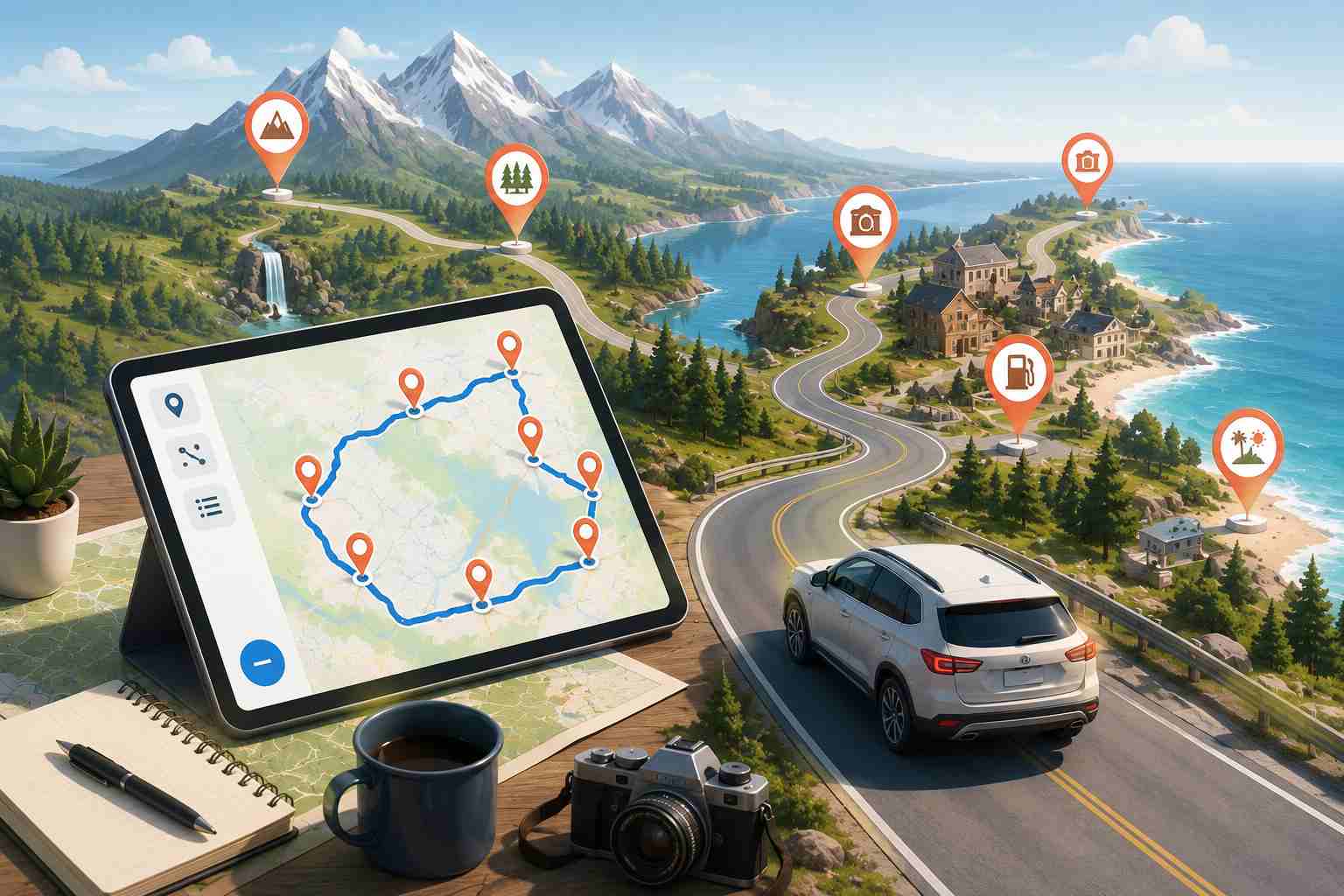
So you’ve got a week off, a list of places you want to see, and absolutely no idea what order to drive them in.
Welcome to the club.
I’ve watched people spend more time arguing over the route than they spend on the actual road trip. And honestly? It doesn’t have to be that hard. A road trip planner free of weird limitations and paywalls can sort your whole route in seconds. You paste your stops in, tap one button, and it spits out the fastest driving order. Done. You’re on the road before lunch.
But most people don’t know these tools exist. They open Google Maps, type in a few addresses, and start dragging pins around hoping it’ll all work out. It usually doesn’t.
This guide shows you how to actually map a trip with multiple stops the right way, without paying for software you’ll use once a year, and without losing half your vacation to backtracking.
The Real Problem With Planning a Multi-Stop Road Trip
Here’s what catches people off guard. The math behind route planning is brutal.
Got 5 stops? There are 120 possible orders you could drive them. Bump that to 10 stops and you’re looking at over 3.6 million combinations. At 20 stops? Forget it. The number is so large it doesn’t even fit on a calculator screen.
Nobody can eyeball the best route through that many options. But that’s exactly what people try to do every single time. They stare at a map, move things around, go “yeah, that looks about right,” and set off.
Then three hours into the drive, they realize they’re passing a town they could’ve hit this morning. Or they’re doubling back on a road they already drove. Or they’re sitting in the car at 9 PM, exhausted, still two stops away from the hotel because the order was all wrong.
What you actually need is a driving trip planner that runs the math for you. Something that looks at all your stops and figures out the shortest, fastest order in a few seconds flat.
Google Maps Won't Cut It (and Here's Why)
Look, I’m not bashing Google Maps. For getting from your house to the airport, it’s perfect. Turn-by-turn directions, live traffic, satellite view. Great stuff.
But try using it as a road trip planner and you’ll hit problems immediately.
10 stops. That’s the ceiling. If your trip has 12 or 15 or 20 destinations, Google Maps just… can’t. You’d have to break the trip into multiple routes, plan each one separately, and somehow stitch them together. It’s messy and it’s slow.
Zero optimization. Google Maps drives your stops in whatever order you typed them. It doesn’t care that stop #4 is right next to stop #11. It’ll happily send you on a 200-mile detour because that’s the order you entered. You have to drag every single stop into the right position yourself.
You can’t paste a list. Got 20 addresses saved in a spreadsheet? Too bad. You’re typing each one manually, waiting for the autocomplete, clicking, repeating. For 20 stops, that alone takes 15 minutes.
No printable run sheet. There’s no way to get a clean, numbered list of your stops with arrival times and distances between each one. The kind of thing you’d stick on the dashboard and just follow.
For a quick grocery run? Google Maps is king. For a multi-stop road trip? You need a tool that was actually built for the job.
What a Good Road Trip Planner Free Tool Should Do
Not every planner is worth your time. Some are glorified map pins. Others lock the useful stuff behind a paywall.
Here’s what actually matters when you’re trying to map a trip:
Enough stops for a real trip: If the tool caps you at 10 stops, it’s not a road trip planner. It’s a lunch run planner. Your software shouldn’t be the reason you skip Yellowstone.
One-click route optimization: This is the whole point. You put your stops in any order, hit a button, and the route optimization software rearranges everything into the fastest sequence. No dragging. No guessing. Just math doing what math does best.
Spreadsheet import: Most people plan their stops in a Google Sheet or Excel file first. A good planner lets you upload that spreadsheet directly instead of retyping everything.
Works on mobile: You plan at home on your laptop. You drive with your phone mounted on the dash. The planner needs a mobile app that keeps the route handy while you’re behind the wheel.
A printable route: Call me old school, but a PDF run sheet with every stop numbered and every ETA listed is a lifesaver. Especially when you’re driving through areas where your phone has zero signal.
Bodha’s free multi-stop route planner checks all of those boxes. 30 stops per route. One-click optimization. Spreadsheet import. Printable PDF. And you don’t need to create an account or hand over a credit card. Just open it and start planning.
How to Map a Trip in 5 Minutes Using Bodha
I’m keeping this simple because it genuinely is simple. No 47-step tutorial. Just this:
Step 1: Write down everywhere you want to go
National parks. Your aunt’s place in Denver. That taco spot someone posted on Instagram. Scenic overlooks. All of it. Don’t think about order yet. Just get the full list down.
If you’re traveling with other people, have everyone throw their must-sees into the same list. Saves you the “but I wanted to stop there” argument on day three.
Step 2: Open Bodha’s free route planner
Go to Bodha’s free route planner. It loads in your browser. No download, no signup, no “enter your email to continue” nonsense.
Step 3: Drop your stops in
Three ways to do this, all faster than Google Maps:
- Type addresses one by one with auto-suggestions
- Copy your whole list and paste it in
- Upload a CSV or Excel file and Bodha pulls the addresses out automatically
If any address can’t be read, it tells you. Nothing silently disappears from your route.
Step 4: Tap optimize
One button. The route optimization engine figures out the fastest driving order using actual roads and real drive times. Not some straight-line guess that ignores highways and one-way streets.
Every stop shows up on the map with its ETA, the drive time to the next stop, and the total distance at the bottom.
Step 5: Make adjustments
Want a round trip? Toggle it on. Need to lock your hotel stop at a specific position? Drag it there and re-optimize around it. Changed your mind about a stop? Pull it out and re-optimize again. Takes a couple seconds each time.
Step 6: Print it or send it to your phone
Download the whole route as a PDF. Stick it on the dashboard. Or tap any stop and open it directly in Google Maps, Waze, or Apple Maps for turn-by-turn navigation.
That’s it. Five minutes, maybe less. Your entire road trip, planned and optimized, for free.
What a Bad Route Actually Costs You
People don’t think about this, but a sloppy route is expensive.
Say you’re driving 20 stops across three states. You typed them into Google Maps in whatever order they came to mind and started driving. Here’s what that decision actually costs:
300-450 extra miles
Without optimization, a 20-stop route typically runs 20-30% longer than it needs to be. On a 1,500-mile trip, that’s 300 to 450 miles of completely unnecessary driving.
$50-75 in wasted fuel
At $3.50 a gallon and 28 MPG, those extra miles burn through a full tank of gas you didn’t need to buy.
5-7 hours of lost time
Over a week-long trip, those extra miles add up to almost a full day sitting in the car. That’s a day you could’ve spent at a beach, on a hiking trail, or sleeping in.
Missed destinations
When the route runs long, something gets cut. Usually it’s the last few stops on your list. The ones you were actually excited about but ran out of daylight to reach.
All of that disappears when you use a free route planner that optimizes your stop order. Same trip. Same destinations. Just fewer miles, less fuel, and way more time actually enjoying yourself.
That’s the difference between winging it and spending 30 seconds on route optimization.
Budgeting Your Road Trip (Real Numbers, No Fluff)
Knowing your route is half the battle. Knowing what it’ll cost keeps you from running broke somewhere in Nevada.
Fuel
Gas is averaging about $3.50 per gallon nationally, but it swings a lot by state. California runs almost a dollar higher. Texas and Mississippi sit well below the average.
Quick formula:
Total Miles ÷ Your Car’s MPG × Price Per Gallon = Fuel Cost
So a 2,500-mile trip in a car getting 28 MPG at $3.50/gallon? About $312. Throw another 10-15% on top for mountain driving, city detours, and that wrong turn in Albuquerque.
And here’s where the route planner pays for itself (even though it’s free). An optimized route shaves 20-30% off your total mileage compared to a hand-planned one. That’s $60-90 in fuel savings on a 2,500-mile trip. Real money.
Where you sleep
Campgrounds: $20-60/night. Budget motels: $60-120. Mid-range hotels: $120-250. If you’re going in summer, book ahead. Walk-in rates run 20-40% higher than what you’d pay booking a couple weeks out.
Food
Pack a cooler. I cannot stress this enough. Grocery store sandwiches, fruit, water, and trail mix cost a fraction of restaurant meals. And you eat them at scenic overlooks instead of fast food parking lots. Budget about $30-50 per person per day if you mix packed food with the occasional restaurant stop.
Daily totals, roughly
- Budget: $100-150/day. Camping, packed meals, free attractions.
- Comfortable: $200-300/day. Motels, some restaurants, a few paid activities.
- Go big: $400+/day. Hotels, sit-down meals, tours, the works.
Car Prep Checklist (30 Minutes That Could Save Your Trip)
Nobody wants to think about car maintenance when they’re excited about a road trip. But a breakdown in the middle of nowhere will kill the mood faster than anything else.
Spend half an hour on this before you leave.
Tires
Check pressure when they’re cold. The correct PSI is on the sticker inside your driver’s door, not printed on the tire. Do the penny test for tread depth: Lincoln’s head goes in headfirst. If you can see the whole top of his head, your tread is too low. Check the spare while you’re at it.
Oil and fluids
Look at your engine oil, coolant, brake fluid, and washer fluid. Top off whatever’s low. If you’re due for an oil change within 1,000 miles of your trip distance, just get it done now.
Battery
Older than three years? Get it tested. Most auto parts stores do it for free. Dead batteries are the number one reason people call roadside assistance.
Brakes and lights
Hit the brakes a few times and listen. Squealing or grinding means trouble. Check all your lights too: headlights, brake lights, turn signals, hazards. Replace any worn wiper blades.
Emergency kit
Throw this in the trunk: a gallon of water, first-aid kit, jumper cables or a portable jump starter, flashlight, phone charger, blanket, and some basic tools.
Tips From People Who've Actually Done This a Lot
Not the generic “stay hydrated” kind of advice. The stuff that actually changes how your trip goes.
Trim your list by 20-30%: I know, it hurts. But the trips where you see fewer things and actually enjoy them beat the trips where you’re racing from stop to stop just to check boxes. Leave gaps in your schedule. Some of your best memories will come from places you didn’t plan to visit.
Front-load the long drives: You’re most energized on day one. That’s when you can handle six or seven hours behind the wheel. By day four or five, even three hours feels like a grind. Schedule accordingly.
Leave early every morning: Like, 7 AM early. Most tourists roll out around 9 or 10. That two-hour head start gets you empty roads, better parking at popular trailheads, and golden hour light for photos.
Download offline maps before you go: Seriously. Cell service vanishes in the best parts of the country. National parks, mountain passes, desert highways. Both Google Maps and Apple Maps let you download maps for offline use. Do it.
Plan your route in Bodha, navigate with Google Maps: Use Bodha’s route planner to figure out the best stop order and timing. Then open each leg in Google Maps or Waze for turn-by-turn directions with live traffic. Best of both worlds.
Go mid-week if you can: Tuesday through Thursday driving is a completely different experience from Saturday driving on popular routes. Fewer cars, shorter lines at gas stations, and national park crowds thin out dramatically.
Check closures before you finalize anything: Mountain passes that don’t open until July. Parks that require timed-entry reservations. Attractions with seasonal hours. Five minutes of checking saves you from showing up to a locked gate.
Planning Mistakes That'll Cost You
Using a tool that maxes out at 10 stops. If your trip is bigger than 10 destinations (and most good ones are), you’ll end up splitting the route into pieces and manually stitching them together. Defeats the whole purpose. Use a free planner that handles 30 stops and do it in one shot.
Not optimizing the order. This is the big one. Just because you thought of the Grand Canyon before Zion doesn’t mean you should drive there first. Optimization routinely shaves two to three hours off a 20-stop trip. Let the software sort it.
Forgetting about altitude. Your car gets 30 MPG on flat highway, but that drops to 20 MPG on steep mountain roads. Budget extra fuel for routes with big elevation changes.
Ignoring time zones. Cross-country trips cross two, three, sometimes four time zones. That affects when attractions open, when restaurants close, and how much daylight you’ve got left. Factor it in.
Skipping the car check. A $30 oil change now is a lot cheaper than a $300 tow in the middle of Utah.
Why Bodha? Because Most Free Planners Aren't Actually Free
You’ve probably run into this. A tool says “free road trip planner” on the landing page, and then the moment you try to add your 11th stop or optimize the route, a paywall pops up. Free until it’s useful. Then it costs $8/month or $50/year.
Bodha doesn’t do that.
The free multi-stop route planner gives you 30 stops per route. Unlimited routes. Real optimization using actual roads and drive times. Spreadsheet import. A printable PDF with every stop, every ETA, every distance between. No account needed. No ads. No “upgrade to unlock.”
And it’s not some watered-down version of the real product. It runs on the exact same route optimization engine that powers Bodha Fleet, the platform used by 1,000+ delivery teams for over 10,000 daily deliveries. That engine, the one businesses pay for, is what you get for free when you plan your road trip.
If you ever need more down the line, like fleet management, live driver tracking, proof of delivery, customer notifications, or route analytics, Bodha scales into all of that. But for planning your next road trip? The free tool is everything you need.
Quick Answers to Common Questions
Your Trip Is Planned. Now Go Drive It.
You’ve got the list. You’ve got the time off. Your tires are good, your oil is topped off, and your cooler is packed.
Don’t spend the first morning of your vacation hunched over a phone screen trying to figure out which stop comes next. Open Bodha’s free road trip planner, drop your stops in, hit optimize, and go.
Five seconds of planning. A week of driving with zero wrong turns.
Plan your road trip free with Bodha →