Searching for a free route planner? You’re in good company. Every single day, thousands of delivery drivers, field sales reps, and small business owners type that exact phrase into Google, and for a pretty obvious reason. Planning a route by hand eats up time, invites mistakes, and quietly costs you money in fuel. Anyone who has tried to line up twenty stops on a map knows the feeling: you squint at the screen, take a guess at the order, and still somehow cross town twice before lunch.
A good free route planner takes that headache off your plate. It can hand you back a few hours every week, trim the miles you waste, and let you fit more stops into the same shift.
In the sections below, we’ll walk through the best free route planners you can use in 2026, what actually matters when you pick one, and how to start planning optimized multi-stop routes for free with Bodha. The short version of the Bodha offer:
- 30 stops per route
- Unlimited routes
- No signup, no credit card
We’ll also be straight about where each tool’s free plan runs out, so there are no surprises after you’ve already loaded a route into it.
What Is a Free Route Planner, and Who Actually Needs One?
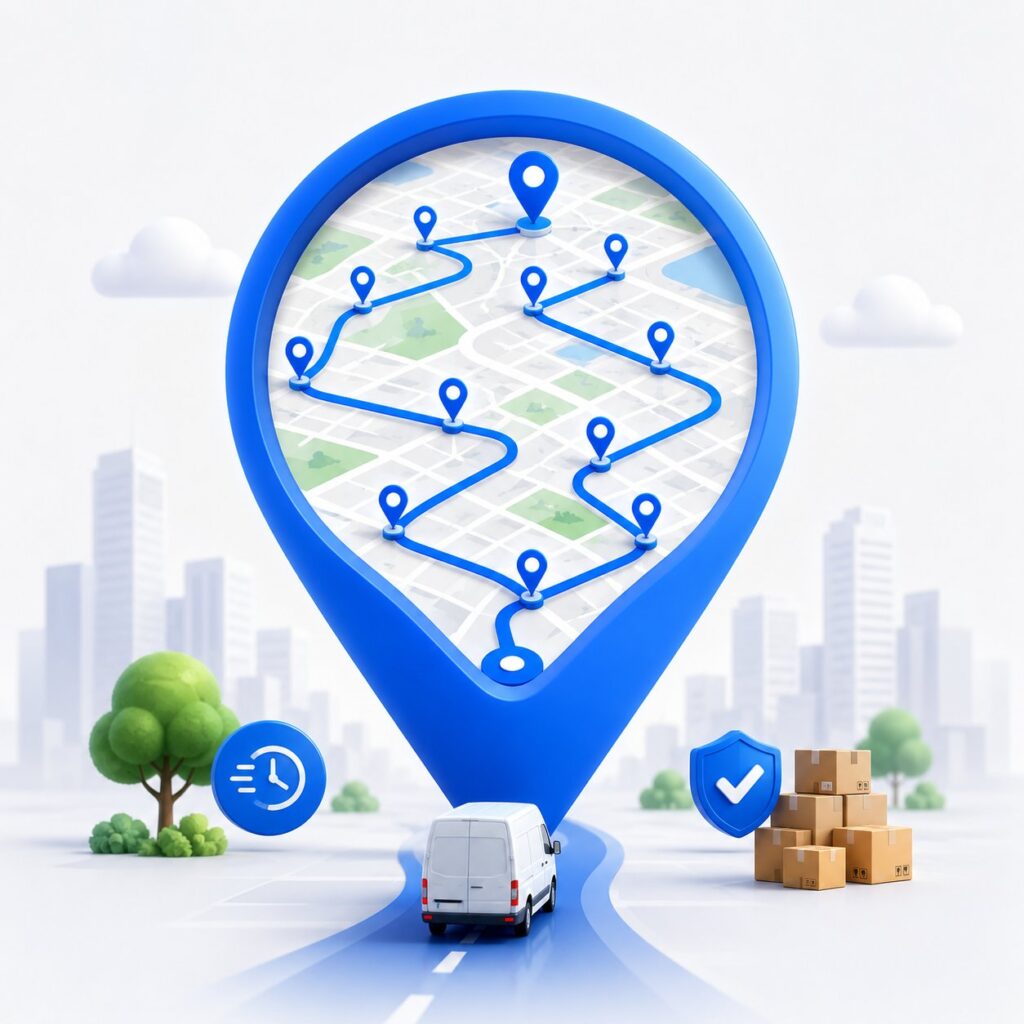
A free route planner is a tool that works out the smartest order to visit a list of stops, then does it for you in seconds. A regular maps app just follows whatever order you typed in. A real route planner is different: it looks at distance, live road networks, drive times, and even your vehicle type, then rearranges everything into the fastest sequence.
It’s worth understanding why this isn’t something you can just eyeball. With only fifteen stops, the number of possible orders is larger than the population of most countries. No person can hold that in their head. Software can.
As a rule of thumb, once you’re doing more than five stops a day, a planner starts paying for itself. The people who get the most out of one tend to fall into a few groups.
Delivery Drivers and Couriers
If you’re moving parcels, food, groceries, or pharmacy orders, every shift is a race to fit in as many drops as possible. A planner that sorts your stops into the right order cuts out the backtracking, which means less driving and more deliveries done. Those savings stack up week after week, because every detour you skip is fuel you didn’t burn and time you didn’t lose.
Gig drivers running several apps at once get an even bigger lift. Stops come in from two or three different platforms, usually jumbled by postcode or just by whatever order they landed. Drop them all into one planner, hit optimize, and you get a single clean route instead of bouncing between apps mid-shift. You drive less and finish earlier.
Field Sales and Service Representatives
Reps and technicians often map out tomorrow’s visits the night before, either in a spreadsheet or in their head. A planner does that work for them and sequences the day properly, so they spend more time with customers and less time stuck in traffic. For teams working around appointment windows, it also keeps arrival times honest, so you’re not promising a 2pm slot you can’t actually make.
Small Business Owners Doing Their Own Deliveries
Plenty of small businesses, from florists to furniture shops, run their own deliveries on Google Maps, and they slam into the 10-stop limit almost straight away. A proper route planner clears that ceiling and adds the optimization Google Maps was never built to do. When you’re the one behind the wheel, that’s often the difference between wrapping up the morning’s drops by lunch and dragging them into the afternoon.
What to Look for in a Free Route Planner
Not every free planner is worth your time. A lot of them advertise a free tier, then quietly limit your stops, lock the useful features, or ask for a card before you can plan a thing. Here’s what to check before you commit:
- A usable stop cap, plus unlimited routes. Let’s be honest: a free planner with truly unlimited stops in one route doesn’t really exist. Most cap each route somewhere between 10 and 30 stops. So aim for the highest real cap you can get, and make sure you can create as many routes as you want. Bodha gives you 30 stops per route with unlimited routes. Google Maps stops you at 10.
- Real optimization, not just a stop list. There’s a big gap between a tool that lets you add stops and one that actually reorders them for the fastest path. Real optimization runs an algorithm across real roads and drive times. Without it, you’re just typing your manual plan into a screen. Google Maps, for example, keeps whatever order you entered.
- No credit card to get going. A genuinely free tool lets you start straight away, no account, no card. If you’re asked for payment details up front, that’s a trial dressed up as a free plan, and the clock is already ticking. Bodha asks for neither.
- Spreadsheet import. Past roughly twenty stops, typing addresses by hand is misery. The better planners let you upload a CSV or Excel file and place every address automatically. Just as important, they flag any row they can’t read, so a bad address doesn’t silently disappear from your run.
- Mobile access. A planner only earns its keep if your driver can use it on the road. The free Bodha planner runs in your phone’s browser, prints a clean PDF run sheet, and hands each stop off to Google Maps, Waze, or Apple Maps. If you want turn-by-turn navigation, proof of delivery, and tracking inside one app, the Bodha mobile app adds those on a 7-day free trial.
- Vehicle-aware routing. A scooter can slip through gaps a box truck never could, and a truck needs to stay off roads it doesn’t belong on. Routing that knows your vehicle gives you an order and ETAs that hold up in the real world, not just on screen. Bodha’s free tool handles car, bike, scooter, and truck.
- Proof of delivery and tracking. If you’re running a business rather than personal errands, you’ll eventually want photo or signature proof at each stop, plus live tracking so the office (and the customer) can see where the driver is. These are usually paid features, so it helps to know which tools offer them and at what point you’d need to upgrade.
Key Benefits of Route Optimization Software for Food Distributors
When food delivery route optimization is set up well, it shows up on nearly every line of your P&L.
- Lower fuel and transportation costs. Tighter routes cover the same deliveries in fewer miles. Most distributors report fuel and transport savings somewhere in the 10 to 30% range once they leave manual planning behind. Spread that across 20 or 50 trucks and the annual figure gets serious. Better utilization can even shrink how many vehicles you need in the first place.
- Faster, steadier deliveries. Smarter sequencing cuts out the backtracking and protects your time windows. More accounts get served before they open, and on-time numbers climb.
- Less spoilage. Time in transit is the most direct lever you have on shrink. Quicker, more predictable routes keep perishables inside their safe window and cut down on rejected loads.
- More productive drivers and dispatchers. Drivers get a clean, neighborhood-by-neighborhood flow instead of second-guessing the next turn. Dispatchers get back the hours they used to burn building routes by hand.
- Visibility you can actually use. Live tracking and ETAs let you warn an account before a delivery slips, rather than finding out when the phone rings.
None of this is theoretical. Bodha Route Planner customers, for instance, tend to see roughly a 30% drop in fuel costs, 25% more deliveries per driver, and 70% fewer “where’s my order” calls inside the first month.
Common Use Cases in Food Distribution
Food distribution isn’t a single business. It’s really a dozen different operating models, each with its own routing headaches, and food delivery route optimization bends to fit them. Here’s where it tends to earn its keep.
Fresh produce distribution. Produce is a same-day-or-spoil game. Distributors lean on food distribution route planning to set up pre-dawn drops that land before grocery and restaurant doors even open, which protects shelf life on the most fragile thing in the truck.
Dairy and frozen delivery. Cold-chain goods give you zero margin on temperature. A capacity-aware multi stop route planner for food delivery business operations keeps refrigerated and ambient cargo apart, orders the stops so doors stay shut longer, and trims the total time anything spends out of safe range.
Restaurant and hotel supply. Kitchens live by their receiving windows. Supplies have to be there before prep starts, full stop. Route optimization can juggle dozens of overlapping windows in a single shift so every account lands on time, not just whenever the route happens to swing by.
Grocery and retail replenishment. Here you’re usually running recurring routes with order sizes that bounce around. The software keeps the steady backbone of the route but flexes when volume spikes. A store doubles its order for a holiday weekend, and the routes rebalance on their own instead of forcing a manual rebuild.
Broadline and specialty food and beverage distribution. Mixed-SKU operations hauling everything from dry goods to chilled drinks get the most out of true food and beverage distribution software, since it balances weight, volume, and compartment limits across the fleet in one pass.
How Food Delivery Route Optimization Software Works
The math under the hood is genuinely complicated. The day-to-day, though, is pretty straightforward, and it usually breaks into five steps.
1. Import your orders and stops. You get your delivery data in, either through a CSV or spreadsheet upload or a direct API link to your order, ERP, or WMS system. Each stop brings its address, size or weight, the required window, and any special notes. Save your recurring accounts once and you’re not re-typing the same customers every morning.
2. Set your constraints. This is where you hand the software your rules. Delivery windows, like a restaurant that only takes deliveries between 6 and 9 a.m. Vehicle and compartment capacity, so refrigerated and ambient loads stay separate. Driver shifts and breaks, service time at each stop, and where routes start and end.
3. Optimize. Now the software does the heavy lifting. It chews through every order, every constraint, and live road conditions, then returns optimized routes in seconds, even when that means hundreds of stops across a fleet. Dispatchers can review everything on a map and adjust before anything goes out.
4. Dispatch and monitor. Routes land in the driver’s mobile app with turn-by-turn navigation. As stops get completed, dispatch watches locations, status, and ETAs update in real time. If a cancellation or a rush order lands mid-shift, the system can re-optimize without scrapping the day.
5. Report and refine. Once the day wraps, you get planned-versus-actual reports: miles driven, on-time rate, service times. Over a few weeks that data tells you where to tighten your routing rules.
Must-Have Features in Software for Food Distributors
Plenty of delivery apps simply aren’t built for distribution. When you’re weighing up route planning software for delivery in this space, don’t compromise on these:
- High-volume multi-stop optimization. It needs to handle hundreds of stops across many vehicles at once and balance the load across the fleet. This is the heart of any serious multi stop route planner for food delivery business use.
- Minute-level time-window control. Plus priority flags for your most time-sensitive drops and a heads-up when a route is about to miss a window.
- Capacity and load planning. By weight, volume, and compartment type, so chilled and ambient goods get grouped right and nothing’s overloaded.
- Dynamic re-optimization. Add, drop, or reassign a stop in the middle of the day and have the route recalculate on the spot, no manual replanning.
- A solid driver app. Turn-by-turn navigation, the stop sequence, one-tap confirmation, and a line to dispatch, all without much training.
- Proof of delivery and tracking. Photos, e-signatures, GPS-stamped times, and condition notes that quietly double as your FSMA paper trail.
- Integrations. API access and ready-made connectors to your ERP, WMS, and order systems so the routing always reflects today’s orders.
If a tool skips capacity planning or proof of delivery, it’s really just a general route app with a food label slapped on. It isn’t true food and beverage distribution software.
Best Free Route Planners Compared (2026)
Here’s how the popular free options stack up side by side. These numbers reflect each provider’s published free tier at the time of writing, and free tiers change often, so double-check the limit that matters most to you before you lean on it.
Below is a closer look at what each one actually gives you for free, and where the ceiling sits.
1. Bodha Route Planner: Best Free Option for Delivery Work
Bodha’s free web planner runs the same routing engine that powers its paid fleet product, just opened up for single routes. It isn’t a crippled demo built to nag you into paying, which is why it sits at the top of this list for real delivery work.
What you get for free:
- 30 stops per route, with unlimited routes
- Real road-network optimization in about five seconds
- Per-stop ETAs, leg distances, total drive time, and your finish time
- Five vehicle types: car, bike, scooter, and truck
- CSV and Excel import that finds the address column on its own and flags rows it can’t read.
- A printable PDF run sheet for the dash
- No signup, no card, and your stops stay in your browser rather than being stored
Step up when you need more. The Bodha mobile app adds unlimited stops, multiple drivers, proof of delivery, live tracking, and automatic customer notifications. You can try all of it on a 7-day free trial. Same engine, more features.
Best for: drivers, couriers, gig workers, and field reps running up to about 30 stops who want genuine optimization without handing over an email or card.
Worth knowing: for routes bigger than 30 stops, or for coordinating a team, you’ll want the app or fleet plan rather than the free web tool.
2. EZRoutePlanner: A Free Web Planner That Covers the Basics
EZRoutePlanner began as an internal tool for a service business and grew into a free, no-signup web planner. The pitch is speed and simplicity: land on the page and start planning, with no account and no card in the way.
What you get for free:
- Up to 30 stops per route, with unlimited routes
- Smart route optimization
- Export to Google Maps for navigation
- Real-time route visualization
- 50 geocoding credits a month, used when you look up new addresses
- No signup and no card, with an optional free account to save routes across devices
What’s missing: the free plan is metered by those 50 monthly geocoding credits, so once you’ve looked up that many new addresses, you’re nudged toward a paid subscription. Bigger stop counts, more credits, and priority support all sit on the paid tiers. There’s also no proof of delivery or live tracking, and it’s a web tool rather than a dedicated driver app.
Best for: individuals and small service businesses planning a handful of routes a month who want optimization without signing up.
Worth knowing: the free tier handles light use well, but the monthly credit cap means steady daily routing will push you onto a paid plan fairly quickly. Bodha matches the 30-stops-per-route and unlimited-routes setup on its free tier, and adds CSV and Excel import with bad-row flagging, five vehicle types, and a printable PDF run sheet.
3. Google Maps: Great for Errands, Not for Deliveries
Google Maps is the navigation app almost everyone already has, and its traffic data is hard to beat. It just wasn’t built to plan a delivery route.
What you get for free:
- Up to 10 waypoints per route
- Excellent live traffic and rerouting
- Familiar interface on web, iOS, and Android
What’s missing: there’s no optimization (it follows the order you type), no spreadsheet import, no proof of delivery, and no customer alerts.
Best for: a few personal stops where you already know the order.
Worth knowing: the moment you pass 10 stops, or need the order figured out for you, it runs out of room.
4. MapQuest: The Most Generous “Old School” Free Cap
MapQuest has been around for years and still offers one of the highest free stop counts among the traditional web planners.
What you get for free:
- Up to 26 stops per route
- Basic route optimization
- Fuel cost estimates along the route
- Add stops line by line, paste them, or import a list
What’s missing: it’s web-focused with no real mobile app, it’s ad-supported, and drivers sometimes report shaky ETAs and the odd address mix-up.
Best for: people who want a high free stop count from a familiar web tool.
Worth knowing: the ads can get in the way when you’re trying to focus on a route.
5. RouteXL: A Clean Free Web Optimizer for Occasional Use
RouteXL keeps things simple and ad-free, and it actually optimizes, which puts it ahead of the basic maps apps.
What you get for free:
- 20 stops per route, with unlimited routes
- Genuine optimization by time or distance
- Add addresses by paste, or upload from Excel or CSV
- Notes on stops, and the option to share the route to a navigation app or by email
What’s missing: there’s no mobile app, so when you send a route to your phone it opens as a list in the browser and you navigate with Google or Apple Maps. No proof of delivery on the free tier either.
Best for: planning your route at a desk before you head out.
Worth knowing: paid plans lift you to 100 or 200 stops per route if you outgrow the free 20.
6. Spoke (Circuit) Route Planner
Spoke (Circuit) is a polished, mobile-first app with a tidy interface and built-in navigation, but the free tier is tight.
What you get for free:
- Around 10 stops a day
- Route optimization
- Built-in turn-by-turn navigation on iOS and Android
What’s missing: CSV import, real-time tracking, and the team-management tools all sit behind paid plans.
Best for: solo drivers with short, occasional routes who want navigation built in.
Worth knowing: that 10-stop daily cap gets tight fast once you’re doing real delivery volume.
7. RoadWarrior
RoadWarrior is a straightforward option that works well for light, solo workloads.
What you get for free:
- Around 10 stops per route
- Route optimization
- A simple drag-and-drop layout on iOS and Android
What’s missing: spreadsheet import, live tracking, and customer notifications are reserved for the paid tiers.
Best for: solo drivers on light routes who want something simple.
Worth knowing: you’ll hit the paywall quickly if you need import or tracking.
8. Route4Me
Route4Me is a serious enterprise platform with deep features for big operations, but it isn’t really a free tool.
What you get for “free”:
- A limited trial of the optimization and planning features
- Web and mobile access during the trial
What’s missing: the trial requires a credit card, and the features that matter for a growing business, like multi-driver dispatch, proof of delivery, and tracking, are paid.
Best for: large logistics teams with a budget.
Worth knowing: for a single driver who just wants to plan a free route, this isn’t the place to start.
How to Use Bodha as Your Free Route Planner
Getting going takes a couple of minutes. Here’s the whole process:
Open the free Bodha route planner and set your starting point and start time. There’s no signup or card, and every ETA is counted from there.
Add your stops. Type them with address suggestions, paste a list, or drop pins on the map.
Or skip the typing and upload a CSV or Excel file. Point to the address column and Bodha places every row, calling out anything it can’t read.
Pick your vehicle: car, bike, scooter, or truck. The order and the timings shift to match.
Hit Optimize. In about five seconds you get the fastest order on a real map, with per-stop ETAs, leg distances, total drive time, and your finish time.
Print the PDF run sheet for the dash, or send each stop to Google Maps, Waze, or Apple Maps. Plans change? Drag a stop and re-optimize.
Quick tip: there’s a “Load a sample route” button inside the planner if you want to watch it work before adding your own stops. And when you need turn-by-turn navigation, proof of delivery, and live tracking in one app, the Bodha driver app covers all three on a 7-day free trial.
How Much Can a Free Route Planner Really Save You?
The savings are real, though the exact figure depends on your stops, your city, and your vehicle. Here’s a simple way to picture it, using a 30-stop route:
- Planned by hand: you work through the stops in a rough order, doubling back across the same neighborhoods and piling on extra kilometres and time.
- Optimized with Bodha: the same 30 stops get sequenced to keep total distance down, so the wasted legs disappear and you get fuel and minutes back.
Even shaving 15 to 25 percent off your daily distance adds up fast over a week, both at the pump and on the clock. The planning itself drops from fifteen or twenty minutes of dragging stops around to a single click, which matters when you’re doing it every morning. For a small team, multiply that across each driver. The honest way to find your own number is to run a real route through the free planner and read the before and after it shows you.
Free Route Planner FAQs
1. Is there a truly free route planner with unlimited stops?
Not for a single route. Most free tools cap each route between 10 and 30 stops. Bodha gives you up to 30 stops per route with unlimited routes, free, and no card. For more than 30 stops in one route, or for multiple drivers, you’d move to the Bodha app or fleet plan.
2. Can I use a free route planner on my phone?
Yes. Bodha’s free web tool runs in your phone’s browser, and the Bodha mobile app (iOS and Android) adds turn-by-turn navigation, proof of delivery, and tracking on a 7-day free trial.
3. What’s the best free route planner for a small business?
Look for the highest real free cap, genuine optimization, spreadsheet import, and no card. Bodha ticks all four with 30 stops per route and unlimited routes. MapQuest (26 stops) and RouteXL (20 stops) are reasonable web-only alternatives.
4. Does a free route planner include turn-by-turn navigation?
The free Bodha web tool gives you an optimized route with ETAs and a printable PDF, then passes each stop to Google Maps, Waze, or Apple Maps. Built-in turn-by-turn navigation comes with the Bodha mobile app on the 7-day free trial.
6. How many stops can I plan for free with Bodha?
Up to 30 per route, with unlimited routes, which covers the vast majority of daily runs. Need more in one route, or more than one driver? Grab the app and start a 7-day free trial of the full platform.
7. Do I need to create an account to use the free planner?
No. Land on the page and start planning right away. No account, no install, no card. An account only comes into play if you move up to the app or fleet plan to save routes and add drivers.